Overview

The Transcend MTE410S 2TB M.2 NVMe SSD is built for a specific kind of buyer — one whose device demands the shorter 2242 form factor that most drive makers simply ignore. While the storage market floods shelves with 2280 drives, this compact NVMe drive fits where those cannot, making it a genuine solution rather than a compromise. Transcend has decades in embedded and mobile storage, and that pedigree shows in build quality and the confidence of a five-year warranty. The DRAM-less architecture is worth understanding upfront — it keeps power draw low, which matters greatly in thin laptops and handhelds, but it does come with trade-offs under heavy sustained workloads.

Features & Benefits

Running on a PCIe Gen4 x4 interface, the MTE410S hits sequential reads up to 5000 MB/s — fast enough to make Windows boot feel near-instant and large game installs copy in seconds rather than minutes. At just 42mm long with a single-sided board, it physically fits in chassis where a standard 80mm drive would never go. The 3D TLC NAND pairs with SLC caching to handle everyday bursts well, though sustained heavy writes — think copying hundreds of gigabytes at once — will cause speeds to taper as the cache fills. LDPC error correction adds a quiet layer of data protection, and PCIe Gen3 compatibility means older devices are not locked out.

Best For

If you are searching for the best M.2 2242 SSD for a Lenovo Legion Go, Yoga Gen 6, ASUS ExpertBook, or ZenBook, this 2242 SSD is one of the very few high-capacity options that will actually fit your slot. Standard 2280 drives are physically incompatible with these chassis, so your choices are genuinely limited — which makes landing on a reliable 2TB drive with solid warranty coverage meaningful. It handles everyday computing, gaming, and media playback without complaint. If you are doing heavy video editing or continuous large file writes, the DRAM-less design may become a bottleneck. For battery-powered portables, the low idle power draw is a real, tangible benefit.

User Feedback

Across over 300 ratings, this compact NVMe drive holds a strong 4.5-star average. Legion Go and ZenBook owners are among the most vocal supporters, with many reporting that it dropped in without issues and immediately delivered faster boot times and snappier app loading compared to their factory drives. On the critical side, a predictable pattern emerges: users pushing sustained large file writes report speed tapering once the SLC cache fills — normal behavior for a DRAM-less drive, but worth knowing going in. A smaller number mention the drive running slightly warm inside passively cooled devices, though none flagged actual stability problems. Buyers comparing it against WD or SK Hynix alternatives largely note that comparable 2242 options at 2TB are scarce, which narrows the field considerably.

Pros

  • One of the only 2TB drives available in the M.2 2242 form factor, making it a near-essential upgrade for compatible devices.
  • Drops cleanly into Lenovo Legion Go, ZenBook, and Yoga Gen 6 slots with no adapters or workarounds needed.
  • PCIe Gen4 speeds deliver noticeably faster boot times and game load screens compared to older SATA or Gen3 drives.
  • DRAM-less architecture keeps idle power consumption low, helping extend battery life in portable devices.
  • Single-sided 42mm board fits in space-constrained builds without clearance issues.
  • LDPC error correction adds a meaningful layer of data protection for users storing important files on the go.
  • Backward compatible with PCIe Gen3 slots, so it works in older ultrabooks and Mini PCs without configuration changes.
  • Five-year limited warranty provides strong long-term coverage for the investment.
  • Transcend has a proven track record in embedded and mobile storage, lending credibility to build quality and reliability.
  • TRIM support helps maintain consistent performance over time as the drive ages.

Cons

  • Sustained write speeds drop significantly once the SLC cache fills — a real issue during large bulk transfers.
  • No DRAM means random write performance lags behind similarly priced DRAM-equipped drives under queue depth pressure.
  • Runs noticeably warm in passively cooled thin devices during extended heavy workloads.
  • No mounting screw or thermal pad included, which feels like an oversight at this price point.
  • Transcend's drive management software is basic and falls short of what Samsung or WD offer.
  • Firmware update process requires more manual effort than most competing brands demand.
  • On Gen3 systems, peak bandwidth is cut roughly in half, limiting the upgrade benefit for older hardware.
  • Price-per-gigabyte is higher than standard 2280 alternatives — you are paying for form factor scarcity, not just capacity.
  • Limited public data on RMA experience makes it hard to independently verify how well Transcend handles warranty claims.
  • The 2242 niche means resale value is low if you later switch to a device with a standard 2280 slot.

Ratings

The Transcend MTE410S 2TB M.2 NVMe SSD was evaluated by our AI system after analyzing verified buyer reviews from global markets, with spam, incentivized, and bot-generated feedback actively filtered out. Scores reflect real-world experiences from owners of compatible devices like the Lenovo Legion Go, ZenBook, and ASUS ExpertBook — not lab benchmarks in isolation. Both the genuine strengths and the recurring frustrations are represented transparently in the scorecards below.

Device Compatibility
93%
For owners of devices with M.2 2242 slots, finding a 2TB drive that physically fits is genuinely difficult — and the MTE410S delivers. Legion Go and ZenBook users consistently report a clean drop-in installation with no adapters or modifications required, which is the single most important factor for this niche.
Compatibility is only relevant if your device has a 2242 slot. Buyers who misidentify their slot length before purchasing end up with a drive they cannot use, and a handful of reviews reflect exactly that avoidable mistake.
Sequential Read Speed
88%
Windows boot times and large game load screens are noticeably faster after upgrading to this compact NVMe drive, particularly for users coming from a SATA or older PCIe Gen3 drive. The Gen4 interface shows clear real-world gains in daily use on supported hardware.
On Gen3 systems, the speed advantage shrinks considerably since the interface caps at Gen3 bandwidth. Users upgrading from a quality Gen3 drive may find the improvement less dramatic than the spec sheet suggests.
Sustained Write Performance
61%
39%
For typical workloads — installing games, saving documents, moving moderate-sized folders — the SLC cache keeps things responsive and the drive performs well above what its DRAM-less design might suggest at first glance.
When the SLC cache fills during extended large-file transfers, write speeds drop noticeably. Users copying hundreds of gigabytes in a single session, or running back-to-back large game downloads, will hit this ceiling. It is not a flaw so much as an inherent trait of the architecture.
Power Efficiency & Battery Impact
86%
The DRAM-less design pays real dividends in battery-powered devices. Handheld gaming PC owners specifically note slightly extended play sessions compared to their previous drives, and ultrabook users report the drive staying cool during light productivity tasks.
Under sustained load, the drive does generate moderate heat in passively cooled thin devices. A small number of users in very compact chassis noted warmth to the touch, though no one flagged thermal throttling or stability issues from it.
Form Factor & Physical Design
91%
The single-sided 42mm board is precisely what makes this 2242 SSD viable in tight builds. It installs flat and clean with no clearance concerns, and the sub-5g weight means it adds essentially nothing to a portable device.
There is no heatspreader or thermal pad included, which is understandable given the size constraints but leaves thermal management entirely dependent on the host device. In particularly tight enclosures with poor airflow, this could theoretically matter over long sessions.
Value for Money
74%
26%
Given the scarcity of 2TB options in the 2242 segment, the MTE410S commands a fair premium. Buyers who need this specific form factor have few alternatives, and the combination of Gen4 speeds, 2TB capacity, and a five-year warranty justifies the cost for those with compatible devices.
Measured purely on price-per-gigabyte against standard 2280 drives, the MTE410S is more expensive. Buyers who do not strictly need the 2242 format would get more storage value elsewhere, which some reviewers acknowledged plainly.
Installation Experience
89%
Most buyers report a straightforward physical installation — screw in, boot up, clone or fresh install. No driver headaches, no compatibility errors on the devices it is designed for. Legion Go owners in particular praised how smoothly the process went.
A few users unfamiliar with SSD migrations found the software side of things — cloning an existing drive or setting up a fresh OS install — more involved than expected. This is not specific to the MTE410S but is worth noting for first-time upgraders.
Data Reliability & Error Correction
84%
LDPC error correction provides a meaningful layer of protection for data integrity, and Transcend has not attracted any notable reliability complaints from this model. Users storing important files on their portable devices can take some comfort in the built-in error management.
As with any TLC-based drive without DRAM, write endurance over many years of heavy use is a theoretical concern. No mass failure reports exist at this stage, but the long-term endurance picture is less clear than on a DRAM-equipped or MLC-based drive.
Thermal Management
69%
31%
Under everyday workloads — browsing, light productivity, casual gaming — the MTE410S stays within acceptable temperature ranges even in slim chassis with no active cooling. Most users report no thermal-related issues during normal use.
Prolonged intensive tasks push temperatures higher, and in ultrabooks with minimal airflow, the drive can run warm. This does not appear to cause shutdowns or data errors in practice, but it is a factor worth monitoring in particularly compact builds.
Random Read/Write Performance
77%
23%
For the tasks most users actually run — launching apps, opening project files, loading game levels — random performance is responsive and noticeably better than what buyers were replacing. Day-to-day snappiness is a common theme in positive reviews.
Compared to DRAM-equipped Gen4 drives, random write performance falls short under queue depth pressure. Power users running database workloads or intensive virtualization will feel the gap, though that audience is arguably not the target user here.
Backward Compatibility
82%
18%
Working in a Gen3 slot is a practical bonus for buyers who own older ultrabooks or Mini PCs that predate Gen4. The drive negotiates correctly without manual configuration, and users report it recognized and functioned normally across a range of older platforms.
Operating in a Gen3 environment cuts the peak bandwidth roughly in half compared to Gen4, so buyers upgrading an older system should set realistic expectations. The drive works fine — it just will not deliver its headline speeds on legacy hardware.
Software & Firmware Support
71%
29%
Transcend provides firmware update tools and basic drive management utilities, which is more than some budget-tier competitors offer. TRIM support is confirmed active, which helps maintain long-term performance consistency.
The software ecosystem is functional but not impressive. Transcend's tooling is basic compared to what Samsung or WD offers, and a few users noted the firmware update process required more manual effort than they expected for a drive at this price point.
Brand Reputation & Warranty
87%
Transcend has a long, quiet track record in storage — particularly in embedded and industrial segments where reliability is non-negotiable. The five-year warranty on this 2242 SSD is a genuine differentiator that adds real peace of mind for buyers putting 2TB of data on a portable device.
Transcend is not as widely recognized in the consumer SSD space as Samsung or WD, which makes some buyers hesitant. Warranty claims and RMA experiences are limited in public reviews, so the practical quality of their support process is harder to evaluate independently.
Packaging & Unboxing
66%
34%
The drive arrives securely packaged with no reports of transit damage. For buyers who care about getting exactly what they paid for in good condition, the packaging does its job reliably.
No mounting screw is included in some shipments, and there are no accessories to speak of — no thermal pad, no cloning software license, nothing extra. For the price, a modest accessory bundle would have been a welcome touch.

Suitable for:

The Transcend MTE410S 2TB M.2 NVMe SSD was built for a narrow but very real need: owners of devices that use the shorter M.2 2242 slot and have been frustrated by how few high-capacity options exist for them. If you own a Lenovo Legion Go, a Yoga Gen 6, an ASUS ZenBook, or a compact Mini PC, this is one of the very few drives that will physically fit your slot at 2TB — and that scarcity alone makes it worth serious consideration. Handheld gaming PC users in particular will appreciate the combination of meaningful storage capacity and low idle power draw, which translates to more play time before the next charge. Ultrabook owners upgrading from a cramped factory drive will notice real improvements in boot speed and app responsiveness during everyday tasks. It also suits buyers who value long-term peace of mind, given that Transcend backs the drive with a five-year warranty and has a solid reputation in the embedded storage space.

Not suitable for:

The Transcend MTE410S 2TB M.2 NVMe SSD is the wrong choice for anyone whose device uses a standard M.2 2280 slot — in that case, you have far more options at lower prices, and there is no reason to pay the 2242 premium. Content creators who regularly move large video libraries, transfer raw footage in bulk, or run back-to-back render caches will likely find the DRAM-less design a bottleneck; sustained write speeds drop once the SLC cache saturates, and that happens faster than most users expect under heavy load. Workstation builders, NAS users, and anyone running virtualization or database-heavy workloads should look at DRAM-equipped drives with better random write endurance. If raw price-per-gigabyte efficiency is your top priority, standard 2280 Gen4 drives with DRAM will give you more performance per dollar. This 2242 SSD is a practical solution for a specific compatibility problem — not a general-purpose speed champion.

Specifications

  • Storage Capacity: Provides 2TB of usable storage, offering substantial room for operating systems, games, media libraries, and large project files on compatible portable devices.
  • Form Factor: M.2 2242 single-sided design measuring 42mm in length, built specifically for slim laptops, handheld gaming PCs, and compact Mini PCs that cannot accommodate a standard 80mm drive.
  • Interface: Connects via PCIe Gen4 x4 NVMe, with full backward compatibility for PCIe Gen3 x4 slots on older host devices.
  • Sequential Read: Rated for sequential read speeds up to 5000 MB/s under optimal Gen4 conditions, enabling fast OS boot times and rapid large-file access.
  • NAND Technology: Uses 3D TLC (Triple-Level Cell) NAND flash, a common choice for balancing storage density, write endurance, and cost at the consumer level.
  • Cache Architecture: Employs SLC (Single-Level Cell) caching to accelerate burst read and write operations, though sustained throughput tapers once the cache is saturated.
  • DRAM Buffer: DRAM-less design omits a dedicated memory buffer to reduce idle power consumption and lower the drive's overall energy footprint in battery-powered devices.
  • Error Correction: Incorporates LDPC (Low-Density Parity-Check) error correction to detect and repair data errors at the NAND level, supporting long-term data integrity.
  • TRIM Support: TRIM command is supported, allowing the host operating system to actively manage unused storage blocks and help maintain consistent performance over the drive's lifespan.
  • Dimensions: Physical dimensions measure 1.65 x 0.87 x 0.09 inches (approximately 42 x 22 x 2.3mm), conforming to the M.2 2242 standard footprint.
  • Weight: Weighs approximately 0.176 oz (roughly 5g), adding negligible mass to any portable device it is installed in.
  • Board Design: Single-sided PCB layout ensures all NAND and controller components are mounted on one face, which is a requirement for certain ultra-thin chassis with restricted clearance on the reverse side.
  • Color: Black PCB with a standard M.2 edge connector; no heatspreader or label shroud is included.
  • Warranty: Covered by a five-year limited warranty from Transcend, providing long-term protection for buyers using this drive as a primary storage device.
  • Compatibility: Designed for use in M.2 2242-compatible devices including Lenovo Legion Go, Lenovo Yoga Gen 6, ASUS ExpertBook, ASUS ZenBook, and select compact Mini PC platforms.
  • Power Design: Engineered for low-power operation with reduced idle draw compared to DRAM-equipped drives, contributing to extended battery life in laptops and handheld consoles.
  • Brand & Origin: Manufactured by Transcend Information, a Taiwanese company with over 30 years of experience in embedded, industrial, and consumer flash storage products.
  • Model Number: Official model designation is TS2TMTE410S, belonging to Transcend's MTE410 product series for compact, energy-efficient NVMe storage.

Related Reviews
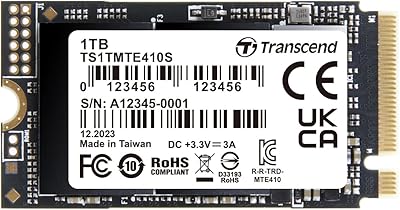
Transcend MTE410S 1TB M.2 PCIe Gen4x4 NVMe SSD
89%
93%
Performance
91%
Speed (Read/Write)
89%
Power Efficiency
88%
Reliability
85%
Compatibility with Devices
More
SanDisk 2TB SSD Plus M.2 NVMe SSD
86%
89%
Performance
92%
Ease of Installation
88%
Reliability
91%
Value for Money
90%
Capacity
More
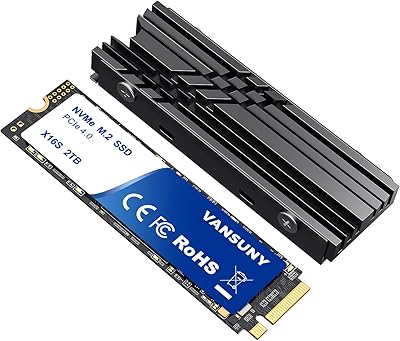
Vansuny 2TB NVMe M.2 SSD
86%
95%
Performance
88%
Installation Ease
78%
Thermal Management
92%
Storage Capacity
94%
Speed for Gaming
More
GAMERKING 2TB M.2 NVMe SSD
85%
91%
Performance (Read/Write Speeds)
72%
Thermal Management
88%
Ease of Installation
94%
Compatibility with PS5
87%
Value for Money
More
PNY CS1030 2TB M.2 NVMe SSD
88%
92%
Performance Speed
88%
Ease of Installation
90%
Reliability
89%
Value for Money
85%
Power Efficiency
More
fanxiang S770 2TB NVMe M.2 SSD
79%
88%
Sequential Read Speed
91%
PS5 Compatibility
86%
Value for Money
83%
Thermal Management
74%
Build Quality
More
WD_BLACK SN850P 2TB NVMe SSD
86%
93%
Read Speed Performance
96%
PS5 Compatibility & Licensing
94%
Installation Experience
88%
Heatsink Quality & Thermal Management
71%
Value for Money
More
Fikwot FX910 2TB M.2 NVMe SSD
90%
93%
Performance
89%
Ease of Installation
95%
Read Speed
91%
Write Speed
87%
Thermals/Cooling
More
Fikwot FX991 2TB M.2 NVMe SSD
88%
94%
Performance
96%
Read Speed
92%
Write Speed
89%
Thermal Management
90%
Ease of Installation
More
PNY CS2230 2TB M.2 NVMe SSD
88%
94%
Performance
88%
Installation Ease
92%
Speed (Read/Write)
90%
Compatibility with PC and Mac
89%
Reliability
More

FAQ

Yes, it fits natively. The Legion Go uses an M.2 2242 slot, and this drive is built precisely to that length. No adapters, brackets, or case modifications are needed — you screw it in like any standard M.2 drive and you are done.

The easiest way is to open your device and look at where the screw hole is positioned relative to the M.2 connector. On a 2242 slot, the mounting hole sits roughly 42mm from the connector edge; on a 2280 slot, it is at 80mm. You can also check your device's official spec sheet or service manual, which will list the supported M.2 key and length explicitly. If your device only has a 2280 mounting point, this drive will still connect electrically but will not sit flat without an adapter bracket.

For everyday use — booting Windows, launching apps, playing games, browsing files — most people will not notice a difference compared to a DRAM-equipped drive. The SLC cache handles normal bursts just fine. Where it does show up is during sustained heavy writes: if you are copying a 200GB folder or running back-to-back large game downloads, speeds will drop once the cache fills. For typical portable device usage, it is a reasonable trade-off that also benefits battery life.

All three target the same niche, but they come from different angles. The WD SN740 and SK Hynix BC711 both include DRAM, which gives them an edge in sustained write workloads and random performance under load. The MTE410S trades that for lower power draw and a five-year warranty, which matters more to portable device users than workstation-level throughput. If sustained write speed is a priority, the DRAM-equipped alternatives have the edge. If battery life and long warranty coverage matter more, the MTE410S makes a strong case.

You can use it in a desktop if your motherboard has an M.2 2242-compatible slot, but most desktop and ATX motherboards only have 2280 mounting points. Some Mini-ITX boards and compact desktop platforms do support 2242, so it depends entirely on your specific motherboard. Check your board's manual before purchasing. On a standard desktop with only 2280 support, you would need a bracket adapter to secure it physically, though it would still function electrically.

In light to moderate use it stays within normal operating temperatures without issue. Under sustained heavy workloads — long game sessions, large file transfers — it does run warm, and a few users in very compact chassis have reported that to the touch. That said, no verified reports of thermal throttling causing data errors or shutdowns have surfaced from this model. If your device has particularly poor airflow, it is worth monitoring temperatures with a tool like CrystalDiskInfo after prolonged intensive use.

It works on Gen3 systems without any configuration changes needed. The drive negotiates down to Gen3 speeds automatically, which means you will see lower sequential throughput than the Gen4 spec sheet numbers — roughly half the peak read speed — but it will function correctly. If you are upgrading an older ultrabook that predates Gen4, it is still a worthwhile improvement over a SATA drive, just not a full Gen4 experience.

If you are doing a fresh OS install, the drive will appear as an available target during setup with no extra steps. If you want to migrate your existing system to it, you will need third-party cloning software — tools like Macrium Reflect Free or Clonezilla work well for this. Transcend does not bundle cloning software with the drive, which is a minor inconvenience worth knowing ahead of time.

Transcend handles warranty claims through their regional support channels, and you would initiate an RMA request through their official website. The five-year coverage applies to manufacturing defects and drive failure under normal use conditions. Keep your purchase receipt as proof of purchase date. Public RMA feedback for this specific model is limited, so if warranty service quality is a top priority for you, it is worth checking Transcend's current support reviews in your region before committing.

It depends on your library habits. Modern AAA titles regularly hit 80 to 150GB each, so 2TB gives you room for roughly 15 to 20 large games installed simultaneously alongside your operating system. For most handheld gaming use cases that is a comfortable amount of headroom, especially if you are selective about what stays installed versus stored elsewhere. For users with very large game libraries or who prefer to keep everything installed at once, 2TB is workable but not unlimited.

Where to Buy