Overview

The ADATA Legend 700 512GB M.2 NVMe SSD sits squarely in the budget-to-mid-range NVMe segment, targeting everyday users who want a meaningful speed upgrade without paying premium-tier prices. ADATA, a Taiwanese storage brand with decades of experience across consumer and enterprise markets, has built this drive around the M.2 2280 form factor — the standard size that fits most modern laptops and desktops without any fuss. At 512GB, you get enough room for an operating system, core applications, and a solid chunk of working files. It won't compete with Gen 4 flagships, but that was never the point.
Features & Benefits

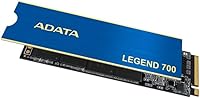
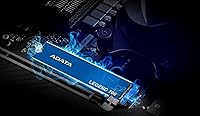
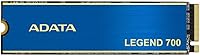
The Legend 700 runs on a PCIe Gen 3x4 interface with NVMe 1.3, which puts it well ahead of older SATA drives in day-to-day responsiveness — think faster boot times, quicker app launches, and snappier file transfers. One practical standout is the integrated heat sink: blue with gold trim, it does more than look sharp; it helps the drive shed heat during sustained reads and writes, reducing throttling. Worth noting is that this M.2 SSD uses Host Memory Buffer instead of dedicated onboard DRAM, borrowing system RAM to manage data — a common cost-saving approach that works fine for typical workloads. LDPC error correction and a 3-year warranty round out a reassuring package.

Best For

If you're coming from a spinning hard drive or an old SATA SSD, this NVMe drive will feel like a genuine revelation — boot times tighten up, applications snap open, and working with large files becomes less of a waiting game. It's particularly well-suited for content creators doing moderate photo culling or video editing, where consistent read throughput matters more than absolute peak speeds. Desktop builders and laptop owners with a free M.2 PCIe Gen 3 slot will find installation straightforward, no adapter needed. If your system only supports Gen 3 anyway, there's no practical reason to pay more for a Gen 4 drive — this M.2 SSD covers the bases without the unnecessary overhead.

User Feedback

Buyers consistently highlight easy installation and noticeably faster boot and load times as the biggest wins — reactions that make sense for anyone upgrading older hardware. The heat sink also earns appreciation; at this price tier, having thermal management built in is not a given, and users notice the difference compared to bare drives. On the flip side, some reviewers report that sustained write speeds can dip during large sequential transfers, which is expected behavior for an HMB-based drive under heavy load. The ADATA SSD Toolbox gets mixed reviews — functional but not the most polished software experience. Warranty support feedback is generally positive, though a few users flag slower response times through official channels.

Pros

  • Immediate, noticeable speed improvement over any SATA SSD or mechanical hard drive in daily use.
  • The included heat sink is a genuine differentiator at this price tier — most competing drives ship bare.
  • M.2 2280 form factor fits virtually every modern laptop and desktop without adapters or compatibility headaches.
  • LDPC error correction provides a real layer of data integrity protection, not just a marketing checkbox.
  • Installation is straightforward enough for first-time builders with no prior SSD experience.
  • SLC caching handles burst workloads like file copies and app installs without hesitation.
  • Three-year warranty gives buyers a reasonable safety net for a storage device expected to last years.
  • Lightweight and compact — adding it to a laptop build adds virtually no bulk or weight.
  • ADATA SSD Toolbox allows basic health and temperature monitoring without relying on third-party software.
  • Solid option for PCIe Gen 3 systems where paying for a Gen 4 drive would deliver zero real-world benefit.

Cons

  • Sustained sequential write speeds can dip significantly during prolonged large-file transfers due to the HMB, no-DRAM design.
  • 512GB fills up faster than most buyers anticipate once games, creative project files, and system data accumulate.
  • The ADATA SSD Toolbox interface feels dated and lacks the polish of competitor software like Samsung Magician.
  • HMB performance depends partly on available system RAM — low-RAM machines may see less benefit from caching.
  • Some users report inconsistency in warranty support response times through official ADATA channels.
  • Real-world sequential speeds occasionally fall short of the advertised peak figures under typical workload conditions.
  • No DRAM cache means the drive is more sensitive to performance degradation as available capacity shrinks toward full.
  • The blue-and-gold heat sink aesthetic may clash with minimalist or non-gaming system builds where appearance matters.

Ratings

The scores below reflect AI-driven analysis of verified global buyer reviews for the ADATA Legend 700 512GB M.2 NVMe SSD, with spam, bot-submitted, and incentivized feedback actively filtered out before scoring. Every category captures what real users actually experienced — not what the spec sheet promises — so both the standout strengths and the honest frustrations are represented here.

Read Speed Performance
78%
22%
Users coming from SATA drives consistently report a tangible improvement in boot times and application loading, with the NVMe interface making the jump to this M.2 SSD feel immediately worthwhile in daily desktop and laptop use. Sequential reads hold up well for typical tasks like loading large Photoshop files or booting into Windows.
Some reviewers note that real-world read speeds fall a few steps short of the advertised peak figures under typical mixed workloads, which is common at this tier but still creates a gap between expectation and reality for buyers who benchmark their drives out of the box.
Write Speed Performance
62%
38%
For everyday writing tasks — saving project files, installing applications, extracting archives — the SLC cache keeps things feeling fast and responsive, and most users doing moderate creative work never hit the cache ceiling in normal sessions.
Extended sequential write sessions, such as moving large video project folders or cloning a drive, can cause speeds to drop noticeably once the SLC cache fills, a direct consequence of the HMB design with no dedicated DRAM on board. This is the single most cited performance complaint among power users.
Thermal Management
81%
19%
The integrated heat sink is a genuine differentiator at this price point, and buyers repeatedly call it out as a reason they chose this NVMe drive over bare competitors. In well-ventilated desktop builds, temperatures stay manageable during moderate sustained workloads without any additional cooling.
In compact laptop chassis or poorly ventilated cases, the heat sink reaches its practical limits faster than users expect, and some report throttling during long encoding or transfer sessions. It helps, but it cannot fully compensate for poor system-level airflow on its own.
Value for Money
84%
Buyers consistently feel the Legend 700 delivers a competitive package for its market position — an included heat sink, LDPC error correction, and a three-year warranty are features that competing bare drives at similar price points often skip. For Gen 3 platform upgrades, most users feel the trade-offs are well justified.
A small but vocal group of reviewers argue that spending slightly more gets you into DRAM-equipped drives with meaningfully better sustained write consistency, which makes the value calculation tighter for anyone doing heavier storage work than casual everyday computing.
Installation Experience
91%
Almost universally praised: the standard M.2 2280 form factor slides into place without fuss, and first-time builders report completing the physical installation in under five minutes. Compatibility issues are extremely rare, and the drive is detected by BIOS immediately on both desktop and laptop platforms.
A small number of users note that the package does not always include a mounting screw, leaving buyers with older motherboards that do not pre-install one needing to source the M2 retention screw separately, which is a minor but avoidable frustration.
Software & Toolbox
58%
42%
The ADATA SSD Toolbox covers the basics that most users actually need — drive health status, current temperature, remaining lifespan, and firmware update alerts — without requiring a third-party application just to keep tabs on the drive.
The interface feels dated and lacks the polish and depth of competing tools like Samsung Magician, and several reviewers note that the software occasionally struggles with detection on certain motherboard configurations. Mac users get no official software support whatsoever.
Sustained Workload Stability
61%
39%
For office workloads, light creative tasks, and typical home computing — which covers the majority of buyers — the drive maintains consistent performance without any noticeable hiccups, and day-to-day reliability feedback is broadly positive across hundreds of reviews.
Under prolonged heavy loads, the HMB architecture without onboard DRAM shows its limitations, and sustained write performance degrades in a way that affects users editing large video timelines or running virtual machines more than the product positioning clearly communicates upfront.
Build & Design Quality
77%
23%
The blue-and-gold heat sink finish is a step above the utilitarian look of many drives in this segment, and buyers who care about aesthetics in open-side cases appreciate the thought put into the visual design. The module feels solid and well-assembled out of the packaging.
The heat sink is not removable without risk of voiding the warranty, which is a minor annoyance for laptop users whose chassis clearance is borderline and who might prefer installing the bare module instead. The design also means the drive does not fit in every M.2 slot with a cover plate.
Data Reliability & Integrity
83%
LDPC error correction gives buyers genuine confidence in long-term data safety, and there are very few reports of unexpected data loss or corruption among verified purchasers using the drive for standard workloads. For creators archiving finished projects, this matters.
As with any HMB-based drive, power-loss protection is not guaranteed at the hardware level, which means unexpected shutdowns during active write operations carry a slightly higher risk of data inconsistency compared to enterprise-grade or DRAM-buffered alternatives.
Warranty & Support
69%
31%
The three-year warranty provides a reasonable coverage window for a storage device at this tier, and the majority of users who needed to use it report that ADATA honored the process without significant pushback or excessive documentation demands.
Response times from ADATA support channels are inconsistent depending on region, and some buyers outside major markets report delays of several weeks in getting RMA approvals, which is a material concern when a primary drive fails and a system is out of commission.
Boot & OS Load Times
86%
Among the most consistently praised real-world metrics: users upgrading from any SATA device report boot times dropping from thirty or more seconds to under ten, which is one of the most immediately satisfying improvements a storage upgrade can deliver for everyday computing.
The gains are most dramatic for users coming from older hardware; buyers who were already running a mid-range SATA SSD may find the improvement less dramatic than anticipated, particularly if the rest of their system is also a bottleneck.
Compatibility Range
88%
The M.2 2280 standard covers an enormous range of laptops and desktops produced in the last several years, and verified buyers report successful installations across a wide variety of platforms from budget boards to mainstream enthusiast builds. PCIe Gen 4 slots accept it without issue via backward compatibility.
Older ultrabooks with proprietary storage connectors or 2242 and 2230 form factor slots will not accommodate this drive at all, and the added height of the heat sink creates a genuine clearance issue in some slim-chassis laptops that only officially support low-profile M.2 modules.
Packaging & Unboxing
73%
27%
The drive arrives well-protected, and the included manual provides enough guidance for first-time installers to complete setup without hunting for online tutorials. The heat sink arrives pre-attached, which saves time and removes any risk of improper installation.
The packaging itself is modest, and some buyers note it lacks the premium feel that competing brands deliver at similar or lower price points. A missing mounting screw in certain shipments is a recurring complaint that ADATA has not addressed consistently across batches.
Longevity & Endurance
71%
29%
For general-purpose use within the drive's rated endurance window, the Legend 700 shows no alarming early failure patterns in aggregated buyer feedback, and most long-term owners report stable S.M.A.R.T. readings well into their second year of use.
The endurance rating for 512GB is on the modest end of the NVMe spectrum, and users who write large volumes of data daily — content creators overwriting project files continuously — may find the drive approaching its TBW ceiling sooner than a higher-endurance competitor would.

Suitable for:

The ADATA Legend 700 512GB M.2 NVMe SSD is a practical choice for anyone making the jump from an aging hard drive or a SATA-based SSD, where the difference in everyday responsiveness will be immediately obvious. Students, home office workers, and casual content creators who primarily handle photo libraries, moderate video exports, or large document archives will get real value from the consistent read throughput this NVMe drive delivers. Desktop builders working within a tight budget who still want an included heat sink — rather than a bare, unprotected module — will appreciate the added thermal consideration without hunting for third-party accessories. Laptop owners with an available M.2 PCIe Gen 3 slot will find the M.2 2280 form factor universally compatible, and the plug-and-play installation requires no technical expertise beyond a screwdriver. If your system does not support Gen 4 anyway, the Legend 700 fills that slot smartly and without waste.
Not suitable for:

The ADATA Legend 700 512GB M.2 NVMe SSD is not the right pick for power users who regularly push large sequential workloads — think 4K video editing pipelines, continuous RAW photo batch processing, or heavy virtual machine usage — where the lack of dedicated onboard DRAM and the HMB architecture can cause write speeds to drop noticeably under sustained load. Gamers or professionals who have already invested in a PCIe Gen 4 motherboard and want to extract maximum throughput should look further up the product stack, as this NVMe drive simply cannot match Gen 4 sequential speeds. At 512GB, storage-hungry users who keep large game libraries, multi-project video archives, or extensive sample libraries on a single drive may find themselves running tight sooner than expected. Those who prioritize best-in-class software tooling will also find the ADATA SSD Toolbox functional but not particularly refined compared to what competitors offer. Finally, buyers expecting enterprise-grade endurance ratings or a warranty longer than three years should consider drives positioned higher in the market.
Specifications

  • Interface: Connects via PCIe Gen 3x4, offering four lanes of bandwidth that significantly outpace older SATA-based connections.
  • Protocol: Operates on NVMe 1.3, the communication standard that allows the drive to bypass legacy bottlenecks for lower latency and faster data queuing.
  • Form Factor: Uses the M.2 2280 format — 22mm wide and 80mm long — the most common M.2 size found in modern laptops and desktops.
  • Capacity: Provides 512GB of usable storage, sufficient for an operating system, productivity software, and a working library of creative files.
  • Cache Type: Employs SLC caching to accelerate burst read and write operations, particularly helpful during frequent small-file transfers.
  • Memory Buffer: Uses Host Memory Buffer technology, borrowing a portion of system RAM instead of carrying dedicated onboard DRAM, which keeps costs down without sacrificing typical workload performance.
  • Error Correction: Incorporates LDPC coding to detect and correct data transmission errors, supporting long-term data integrity under normal operating conditions.
  • Heat Sink: Ships with an integrated heat sink finished in blue with gold trim that helps dissipate thermal buildup during sustained read and write activity.
  • Warranty: Backed by a 3-year limited manufacturer warranty covering defects in materials and workmanship under normal use conditions.
  • Software: Compatible with the ADATA SSD Toolbox, which provides S.M.A.R.T. health monitoring, operating temperature tracking, capacity usage stats, and firmware update management.
  • Installation Type: Designed for internal installation only, fitting directly into an M.2 slot on compatible desktop motherboards and laptop mainboards.
  • Weight: Weighs approximately 0.317 ounces, making it light enough to add to any portable system without contributing meaningful mass.
  • Brand Origin: Manufactured by ADATA Technology, a Taiwanese company with an established track record across consumer, industrial, and enterprise storage products.
  • Included Items: Package contains the SSD unit with pre-attached heat sink and a printed user manual; no mounting screw is guaranteed to be included, so verify with your system.
  • Compatible Devices: Intended for installation in desktop PCs and laptops that feature an available M.2 slot supporting PCIe Gen 3 or backward-compatible Gen 4 interfaces.

Related Reviews
ADATA Legend 960 Max 2TB PCIe Gen4x4 NVMe M.2 SSD
88%
93%
Performance
94%
Speed (Read/Write)
88%
Thermals & Cooling
89%
Installation & Setup
91%
PS5 Compatibility
More
KingSpec NE-512 2242 512GB M.2 NVMe SSD
77%
88%
Value for Money
79%
Read Performance
71%
Write Performance
93%
Installation Ease
91%
Form Factor Compatibility
More
Vansuny X15 512GB NVMe M.2 SSD
75%
88%
Value for Money
74%
Read/Write Performance
91%
Installation Ease
69%
Build Quality
62%
Long-Term Reliability
More
ORICO J10 512GB NVMe SSD
81%
84%
Read/Write Speed
71%
Real-World Performance Consistency
86%
Build Quality & Heatsink Design
88%
Thermal Management
89%
Value for Money
More
KingSpec NE 512GB M.2 NVMe SSD
74%
91%
Value for Money
83%
Read/Write Speed
94%
Installation Ease
88%
Compatibility
41%
NAND Transparency
More
Samsung PM9C1A 512GB M.2 NVMe SSD
78%
93%
Read Performance
76%
Write Performance
91%
Compatibility
88%
Installation Experience
84%
Value for Money
More
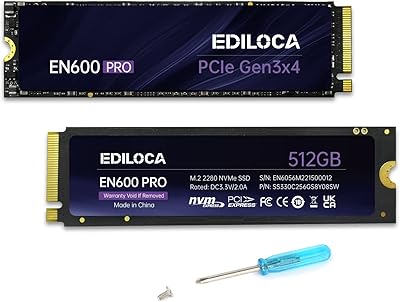
Ediloca EN600 Pro 512GB NVMe SSD
78%
88%
Value for Money
84%
Read Performance
67%
Write Performance
91%
Installation Ease
83%
Compatibility
More
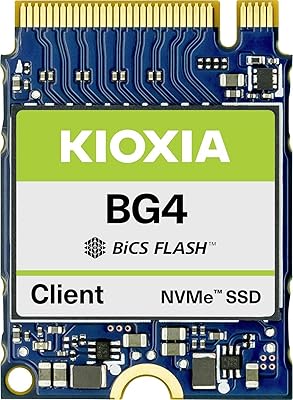
Kioxia BG4 KBG40ZNS512G 512GB M.2 2230 NVMe SSD
76%
93%
Device Compatibility
88%
Read Performance
71%
Write Performance
67%
Thermal Management
84%
Value for Money
More
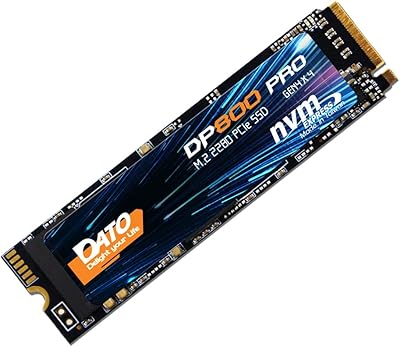
DATO DP800 Pro 512GB M.2 NVMe SSD
76%
83%
Value for Money
87%
Sequential Performance
91%
Installation Experience
57%
Thermal Management
74%
Build and Durability
More
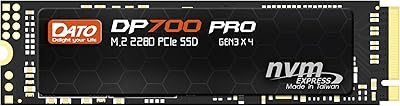
DATO DP700Pro 512GB M.2 NVMe SSD
77%
83%
Read/Write Performance
91%
Value for Money
94%
Installation Ease
61%
Thermal Management
67%
Brand Trust & Reliability
More

FAQ

Yes, it will. PCIe Gen 4 slots are backward compatible with Gen 3 drives, so the Legend 700 will fit and function correctly. You just won't get Gen 4 speeds, but that is a limitation of the drive, not a compatibility problem — it will still run faster than any SATA SSD.

This is worth checking before you buy. Some slim laptops and ultrabooks have very tight M.2 bay clearances, and the heat sink does add a small amount of height to the module. If your laptop manual specifies a single-sided M.2 drive, measure the available space or check ADATA's compatibility notes before installing.

Host Memory Buffer means the drive borrows a slice of your system's RAM to manage its data mapping table instead of carrying its own dedicated memory chip on the board. For everyday tasks — browsing, office work, moderate creative workflows — you will not notice any difference. Where it can matter is during very long, continuous write sessions, like copying hundreds of gigabytes at once, where speeds may drop more noticeably than on a drive with onboard DRAM.

Installation is pretty straightforward. You need a small Phillips-head screwdriver to remove your system panel and secure the drive into the M.2 slot. The drive slides in at a slight angle, seats into the connector, then gets screwed down at the far end. Most motherboards include a retention screw, but if yours does not, a small M2 screw works. No software is needed to get the drive recognized — your system BIOS will detect it immediately.

It depends on what you store locally. For a primary OS drive loaded with applications, a game or two, and working project files, 512GB is workable but can feel tight within a year or two. If you keep large video project archives, multiple AAA games, or a significant photo library on the same drive, consider stepping up to 1TB. That said, as a secondary drive or a dedicated OS and app volume paired with a larger storage drive, 512GB is very practical.

The ADATA SSD Toolbox is a Windows application and is not natively supported on macOS. Mac users can still use third-party tools that read S.M.A.R.T. data, but the official software and its firmware update functionality are Windows-only.

The difference is most obvious in boot times, application launch speeds, and large file transfer rates. A SATA SSD is already a major step up from a mechanical hard drive, but switching to this M.2 SSD typically shaves several seconds off boot times and makes heavily loaded systems feel noticeably more responsive. For sequential transfers, NVMe can move data two to three times faster than SATA under ideal conditions.

For a gaming OS and app drive, it handles game load times well and performs competently across the titles most people actually play. It is not a top-tier gaming SSD — enthusiast players with Gen 4 systems and demanding open-world games with heavy asset streaming may want something faster. But for mainstream gaming on a Gen 3 platform, the performance is solid and the value is reasonable.

ADATA offers a 3-year limited warranty, and you would need to contact their support team to initiate an RMA. The process involves verifying the purchase date and drive serial number. User feedback on warranty service is generally positive, though response times can vary depending on your region and how busy their support queue is. Keep your proof of purchase somewhere safe from day one.

The heat sink genuinely helps under moderate sustained loads, but it has limits. In a well-ventilated desktop with decent airflow, thermal throttling is unlikely during typical tasks. In a cramped laptop chassis with poor internal airflow, or during very extended sequential write sessions, temperatures can still climb enough to trigger speed reductions. The heat sink is a real asset, but it is not a replacement for good overall system airflow.