Overview

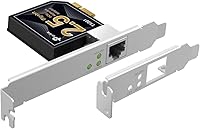
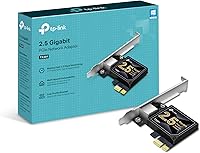
The TP-Link TX201 2.5G PCIe Network Card is a straightforward, no-fuss way to step up from standard gigabit ethernet without spending much. To be clear upfront: this is a wired ethernet adapter that installs inside your desktop — it has nothing to do with Wi-Fi. 2.5G Base-T simply means your connection can handle up to 2.5 gigabits per second over a regular Cat5e or Cat6 cable, which is a real improvement when moving data around a local network. TP-Link has been making solid networking gear for years, and the TX201 fits neatly into their lineup as a budget-friendly upgrade that does not cut corners on compatibility or build quality.
Features & Benefits

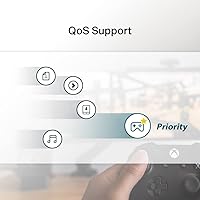
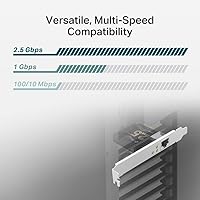
The headline spec is obviously the 2.5 Gbps throughput, but the practical payoff depends on your setup. If you are copying large video files to a NAS or between machines on the same network, you can realistically hit transfer speeds well beyond what a standard gigabit card allows — provided your switch or router also supports 2.5G. The TX201 is backward compatible with 1 Gbps and 100 Mbps connections, so dropping it into an older network will not break anything. Built-in QoS helps prioritize gaming or video call traffic when your household is hammering the connection all at once. Wake on LAN support is a nice touch for home lab or remote desktop users. Both standard and low-profile brackets are included, which matters more than people expect when building in a compact case.

Best For

This 2.5G network card earns its place in a few specific scenarios. Home lab users and power users who already own a 2.5G-capable router or switch will see the most immediate benefit — that infrastructure investment only pays off if connected devices can actually keep up. Gamers benefit from wired stability and QoS without the latency lottery that comes with wireless. Video editors and content creators who regularly shift multi-gigabyte project files between a workstation and a NAS will notice the difference in waiting time. IT admins needing a cost-conscious NIC for Windows Server or Linux machines will appreciate the broad driver support. Compact build users will be glad the low-profile bracket is included rather than sold separately.

User Feedback

Across a large pool of verified buyers, the TX201 earns consistently strong marks, sitting at 4.6 out of 5 stars with well over a thousand ratings. Installation is mentioned constantly as a highlight: plug it in, Windows finds the driver quickly, and you are running within minutes. Linux users report solid results on Ubuntu and Debian with no manual driver work needed, though a handful on older or more niche distros encountered some friction. Real-world transfer speeds shared by users regularly approach the theoretical ceiling when paired with compatible 2.5G equipment. On the downside, a small number of users on Windows 7 or certain server builds reported inconsistent driver behavior. TP-Link's two-year warranty and round-the-clock tech support have been cited as genuine reassurances when things did not go smoothly right away.

Pros

  • Transfers large files to a NAS or between local machines at speeds well beyond standard gigabit cards.
  • Works in virtually any desktop PCIe slot without occupying a large x4 or x16 lane.
  • Backward compatible with existing 1 Gbps and 100 Mbps networks — no risk to your current setup.
  • Windows 10 and 11 installation is nearly automatic; most users are up and running in minutes.
  • Linux support on mainstream distros like Ubuntu and Debian works out of the box with no manual driver work.
  • Both standard and low-profile brackets are included, covering full-tower and compact mini-ITX builds alike.
  • QoS prioritization helps gamers and video callers avoid congestion in shared-network households.
  • Wake on LAN support is a genuine convenience for home lab users and remote desktop setups.
  • TP-Link backs it with a two-year warranty and round-the-clock support, which is reassuring at this price tier.
  • At its price point, the performance-per-dollar ratio is difficult to beat in the 2.5G NIC category.

Cons

  • Useless as a speed upgrade unless your switch or router also supports 2.5G — a frequently overlooked requirement.
  • Driver behavior on Windows 7 and some older Windows Server builds can be inconsistent and requires manual fixes.
  • Linux support on niche or older-kernel distributions may require pulling drivers directly from Realtek's website.
  • TP-Link's technical support for non-Windows OS environments tends to default to generic, less useful guidance.
  • Status LED is dim and difficult to read inside a well-lit case, making quick diagnostics slightly inconvenient.
  • No USB or external variant exists, so users without a free PCIe slot have no path to this upgrade.
  • QoS controls are basic and cannot replace router-level traffic shaping for users with more complex network needs.
  • Wake on LAN reliability depends heavily on motherboard BIOS configuration, which can involve opaque troubleshooting.

Ratings

The TP-Link TX201 2.5G PCIe Network Card has been put through its paces by thousands of buyers worldwide, and our AI-driven analysis of verified purchase reviews — with spam, bot-submitted, and incentivized feedback actively filtered out — paints a clear and honest picture. This PCIe NIC lands in a sweet spot for desktop upgraders who want real local network performance gains without a steep price tag. Both the genuine strengths and the edge-case frustrations are reflected in the scores below.

Installation Ease
93%
The vast majority of users on Windows 10 and 11 report a genuinely effortless setup — slot it in, boot up, and the OS detects it automatically without hunting for drivers. Even less experienced builders felt confident getting it running in under ten minutes, which is not always the case with internal networking hardware.
A smaller but consistent group of users on Windows 7 or certain OEM motherboards ran into driver conflicts that required manual intervention. The process is manageable for anyone comfortable in Device Manager, but it does add friction for less technical users on legacy systems.
Transfer Speed Performance
88%
When paired with a 2.5G-capable switch or router, users consistently report local network transfers that approach the theoretical ceiling — moving a 50GB video project to a NAS in roughly a third of the time compared to a standard gigabit card is the kind of real-world win that generates enthusiastic reviews.
The card can only perform as fast as the weakest link in your network. Users who upgraded the TX201 without also upgrading their switch saw no improvement at all, which led to some disappointed reviews that were more about mismatched expectations than the card itself.
Driver & Software Support
79%
21%
Windows 10 and 11 support is rock solid, and TP-Link keeps drivers current. Linux users on mainstream distributions like Ubuntu 22.04 and Debian report that the Realtek-based chipset is recognized out of the box, making this a genuinely viable option for home server and NAS builds running open-source OS environments.
Users on less common Linux distros, older kernels, or niche server configurations have occasionally hit walls requiring manual compilation or workarounds. Windows Server 2019 compatibility is generally fine, but a handful of IT admins noted that driver signing and group policy environments added unexpected steps.
Value for Money
96%
At its price point, the TX201 is nearly impossible to fault on a cost-per-performance basis. Buyers upgrading from decade-old onboard gigabit NICs are getting a meaningful and measurable speed improvement for what amounts to an impulse-buy level of spending, which explains why value is the most frequently praised aspect in reviews.
There is not much to criticize here, but buyers should factor in the cost of a compatible 2.5G switch if they do not already own one — the card alone will not unlock any speed gains. That upstream investment can make the total cost of the upgrade feel less trivial.
Build & Hardware Quality
82%
18%
The card feels solid and purposeful for its size and weight. The PCIe connector is clean, the RJ-45 port sits flush and clicks with a satisfying snap, and the included bracket hardware is precisely cut rather than the flimsy afterthought you sometimes find bundled with budget NICs.
The board is compact, which is fine functionally, but a few users noted that the status LED is dim and hard to read in a well-lit environment. Nothing that affects performance, but the kind of small detail that separates premium from budget hardware aesthetics.
Low-Profile Bracket Compatibility
86%
Including both a standard and a low-profile bracket in the box is a genuine practical decision that saves compact build users a frustrating compatibility hunt. Mini-ITX and small form factor builders specifically called this out as a reason they chose the TX201 over competing cards.
A few users reported that the low-profile bracket required minor force to seat perfectly in certain branded SFF cases, suggesting slight variation in tolerance between chassis manufacturers. Not a dealbreaker, but worth knowing if you are working in a particularly tight enclosure.
QoS & Traffic Prioritization
71%
29%
Gamers in shared households appreciated that the QoS functionality gave their traffic priority without requiring router-level configuration changes. Reduced ping spikes during peak household usage hours was the specific benefit mentioned most often by this subset of buyers.
QoS at the NIC level has limits — it works within the local interface but does not replace a properly configured router. Power users expecting granular traffic shaping controls were sometimes disappointed to find the QoS implementation is relatively basic compared to dedicated network management tools.
Wake on LAN Functionality
77%
23%
Home lab users and remote workers praised WOL support as a feature that punches above the card's price tier. Being able to remotely power on a workstation from outside the home network without leaving the machine running 24/7 is a practical energy and convenience win.
WOL behavior can be inconsistent depending on motherboard BIOS settings and sleep state configuration, which is an ecosystem-level issue rather than a flaw in the TX201 specifically. A handful of users needed to troubleshoot BIOS settings before WOL worked reliably, which can be opaque for less experienced users.
Backward Compatibility
91%
The automatic speed negotiation down to 1 Gbps or 100 Mbps works exactly as advertised. Users who installed the TX201 before upgrading their switch reported that their existing network kept functioning without any manual configuration — it just ran at gigabit speed until the rest of the hardware caught up.
There is essentially nothing to criticize here beyond the obvious: if you are running at 1 Gbps on backward-compatible equipment, you paid for 2.5G capability you are not using yet. That is a purchasing decision issue, not a product flaw.
Linux Compatibility
74%
26%
The Realtek chipset at the core of the TX201 has broad kernel support, and users running Ubuntu, Debian, Fedora, and even TrueNAS for home NAS builds reported clean, automatic recognition with no extra driver work. For a sub-$30 NIC aimed at desktop users, this level of Linux support is above average.
Users on Arch Linux, CentOS Stream, or older LTS kernels occasionally hit recognition issues that required pulling updated drivers from Realtek directly. Documentation from TP-Link for Linux edge cases is thin, so users without some command-line confidence may find troubleshooting these scenarios frustrating.
Form Factor & Physical Design
84%
The card is compact and light without feeling cheap. The dual-bracket inclusion means builders do not have to source a separate low-profile bracket, and the card slots cleanly into a standard PCIe x1 lane without requiring a larger slot, preserving space for GPUs or other expansion cards.
The card occupies one PCIe slot permanently, which is a non-issue for most desktops but worth noting for compact builds with very limited expansion options. The status LED placement can also be blocked by neighboring cards in tightly packed motherboards.
Warranty & Support Experience
81%
19%
TP-Link's two-year warranty and 24/7 support availability came up organically in reviews, particularly from users who experienced early unit failures or driver confusion. Several buyers noted that replacement units arrived quickly and without pushback, which builds justified confidence in the brand backing this product.
A portion of users who contacted support for Linux-specific or server OS issues felt the support agents defaulted too quickly to Windows-centric troubleshooting scripts. The warranty itself is solid, but the depth of technical support for non-Windows environments leaves something to be desired.

Suitable for:

The TP-Link TX201 2.5G PCIe Network Card is a strong buy for desktop users who are ready to stop leaving local network speed on the table. It makes the most sense if you already own — or are planning to buy — a 2.5G-capable router or switch, since that is the prerequisite for unlocking the full speed benefit. Home lab enthusiasts who run a NAS and regularly shift large files between machines will feel the difference immediately, cutting transfer times by a meaningful margin compared to standard gigabit hardware. Content creators and video editors working with multi-gigabyte project files will appreciate how much less time they spend waiting on copies to finish. Gamers who insist on wired connections will benefit from the built-in QoS prioritization in busy households. IT professionals and sysadmins who need an affordable, reliable NIC for Windows Server or Linux builds will find the broad OS support genuinely useful, and compact PC builders will be glad both bracket sizes are already in the box.
Not suitable for:

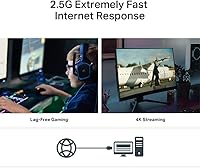
The TP-Link TX201 2.5G PCIe Network Card is not the right choice if your primary goal is faster internet speeds from your ISP — virtually no residential internet plan comes close to saturating even a standard gigabit connection, let alone 2.5G, so this upgrade will have zero effect on your streaming, browsing, or download experience from the web. It is also a poor fit for laptop users or anyone without an available PCIe slot, since this is an internal desktop card with no USB or Thunderbolt variant. If your existing switch and router are standard gigabit equipment and you have no plans to upgrade them, the TX201 will simply run at gigabit speed and deliver no tangible improvement over your current onboard NIC. Users on niche Linux distributions or deeply customized server environments should be aware that out-of-the-box driver support is not guaranteed, and troubleshooting may require comfort with the command line. Anyone expecting Wi-Fi capability should look elsewhere entirely — this card handles only wired ethernet connections.
Specifications

  • Interface: The card connects to the motherboard via a PCIe slot and is compatible with PCIe x1, x2, x4, x8, and x16 lanes.
  • Max Speed: Supports data transfer rates of up to 2.5 Gbps over a standard Cat5e or Cat6 ethernet cable.
  • Port Type: Equipped with a single RJ-45 ethernet port for wired network connections only — no wireless capability.
  • Backward Compatibility: Automatically negotiates connection speeds down to 1 Gbps or 100 Mbps when connected to older networking equipment.
  • Chipset: Built on a Realtek-based controller, which benefits from broad OS-level driver support across Windows and Linux.
  • Windows Support: Fully compatible with Windows 7, 8, 8.1, 10, and 11 across both 32-bit and 64-bit editions where applicable.
  • Server OS Support: Supports Windows Server 2016, 2019, and 2022 for professional and enterprise deployment scenarios.
  • Linux Support: Compatible with Linux operating systems; mainstream distributions using recent kernels typically recognize the card without manual driver installation.
  • QoS: Includes Quality of Service functionality at the NIC level to help prioritize latency-sensitive traffic such as gaming or video conferencing.
  • Wake on LAN: Supports Wake on LAN (WOL), allowing the host machine to be powered on remotely over the local network when properly configured in BIOS.
  • Brackets Included: Ships with both a standard full-height bracket and a low-profile bracket, accommodating full-tower and compact small-form-factor cases.
  • Dimensions: The card measures 4.28″ in length, 3.07″ in width, and 0.85″ in height.
  • Weight: The card weighs 1.76 oz, making it one of the lightest internal NICs in its class.
  • Color: The PCB and bracket are finished in black, consistent with most standard desktop expansion card aesthetics.
  • Warranty: Covered by TP-Link's two-year limited hardware warranty, with 24/7 technical support available by phone and online chat.

Related Reviews

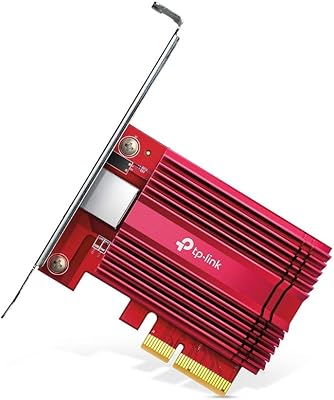
TP-Link TX401 10GbE PCIe Network Card
80%
91%
Installation Ease
88%
Data Transfer Performance
63%
Linux Compatibility
86%
Value for Money
82%
Build Quality
More
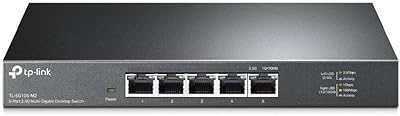
TP-Link TL-SG105-M2 5-Port 2.5G Multi-Gigabit Network Switch
87%
92%
Value for Money
90%
Ease of Setup
91%
Connectivity Reliability
87%
Speed Performance
88%
Build Quality
More
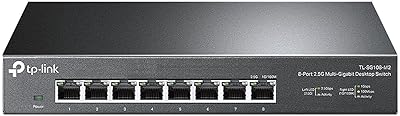
TP-Link TL-SG108-M2 8-Port 2.5G Multi-Gigabit Network Switch
89%
93%
Ease of Setup
89%
Network Performance
91%
Build Quality
96%
Noise Level (Fanless Design)
87%
Compatibility with Cat5e Cables
More
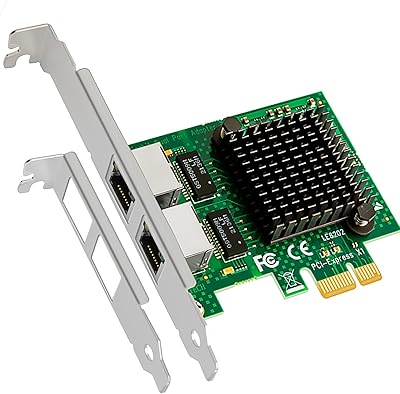
GLOTRENDS LE8202 2-Port PCIe Network Card
86%
88%
Performance
92%
Value for Money
85%
Installation Ease
90%
OS Compatibility
86%
Virtualization Support
More
BrosTrend 2.5GB Linux Compatible PCIe Network Card
88%
96%
Linux Compatibility
92%
2.5Gbps Performance
88%
Setup and Installation
90%
Build Quality
91%
Speed for Streaming and Transfers
More
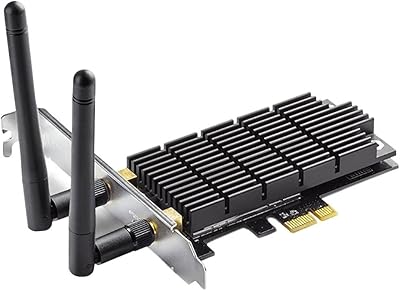
TP-Link Archer T6E AC1300 PCIe WiFi Card
86%
89%
Performance on 5GHz Band
94%
Installation Ease
82%
Signal Strength
92%
Compatibility with Desktop PCs
85%
Network Stability
More
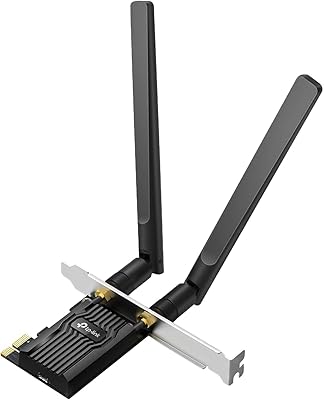
TP-Link Archer TBE550E
77%
91%
Wireless Performance
43%
OS Compatibility
84%
Installation Ease
88%
Latency & Gaming
78%
Bluetooth Performance
More
TP-Link Archer TX55E
87%
93%
Throughput Speed
89%
Gaming Latency
86%
Signal Stability
82%
Bluetooth Connectivity
91%
Thermal Management
More
TP-Link Archer TXE75E WiFi 6E PCIe Card
86%
91%
Performance
88%
Wi-Fi Speed & Stability
87%
Bluetooth Connectivity
84%
Setup & Installation
90%
Signal Range
More
TP-Link Archer TX20E WiFi 6 PCIe Card
85%
88%
Performance
92%
Installation Process
91%
Gaming Experience
76%
Bluetooth Connectivity
87%
Signal Range & Strength
More

FAQ

Almost certainly not, and that is worth being upfront about. Your ISP connection speed is determined by your plan, not your NIC — and virtually no home internet plan comes close to saturating even a standard 1 Gbps card. Where the TX201 shines is on your local network: copying files to a NAS, moving large projects between machines, or running a home server will all benefit noticeably if your switch and router also support 2.5G.

No exotic cabling required. A standard Cat5e cable is rated to handle 2.5G speeds at typical home network distances, and Cat6 works just as well. If your existing ethernet runs are already Cat5e or better, you do not need to rewire anything.

It is designed for a PCIe x1 slot, but PCIe is backward compatible by design, meaning you can physically install it in an x2, x4, x8, or x16 slot without any issues. It will still only operate at x1 bandwidth, which is more than sufficient for 2.5G ethernet.

On Ubuntu 20.04 and 22.04, the Realtek chipset inside the TP-Link TX201 2.5G PCIe Network Card is typically recognized automatically by the kernel with no manual driver work needed. Debian and Fedora users report similar experiences. If you are on an older LTS release or a less common distribution, you may need to grab updated drivers from Realtek's website, but it is a manageable process for anyone comfortable with a terminal.

Yes, with a caveat. The TX201 will negotiate down to 1 Gbps automatically and work perfectly fine with your existing equipment — you will not lose anything. The practical benefit of installing it now is that you are ready to take full advantage of a 2.5G switch or router the moment you upgrade, without needing to open the PC again.

Some compact and small-form-factor desktop cases — like mini-ITX builds or slim office PCs — use a shorter expansion slot opening than a standard tower. The low-profile bracket swaps onto the card in place of the standard one, allowing it to fit inside those cases. Both brackets ship in the box, so you do not need to buy anything extra regardless of which case you have.

Technically yes, but it requires additional network configuration on your end — specifically, port forwarding or a VPN setup on your router. Wake on LAN packets need to reach your machine, and most home routers do not pass them through from the public internet by default. Within your local network, WOL works reliably once you enable it in your BIOS settings.

Yes. Windows 11 detects the card and loads the appropriate driver automatically in most cases, with no manual downloads or setup required. It is one of the most consistently smooth experiences buyers report across all the user feedback for this card.

As long as you have a free PCIe slot, there are no known conflict issues with other common expansion cards like GPUs or sound cards. The card occupies one slot, and since it only uses x1 bandwidth, it does not compete for resources with a graphics card running in an x16 slot. Just make sure you are not physically blocking neighboring slots with the bracket when installed.

TP-Link covers this card with a two-year limited warranty, so a fault within that window is handled through their support and replacement process. User feedback generally reflects a positive experience with replacements being processed without unnecessary friction. You can reach their support team around the clock via phone or online chat if you need to initiate a claim.