Overview

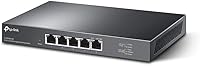
The TP-Link TL-SG105-M2 5-Port 2.5G Unmanaged Switch arrived at exactly the right moment in the networking market — a point where gigabit speeds are becoming the bottleneck, but full 10G infrastructure still feels like overkill for most homes and small offices. This 2.5G desktop switch sits squarely in that gap: no configuration headaches, no management interface to learn, just plug in and go. The fanless metal chassis keeps things quiet enough to sit on a desk without complaint, and compatibility with existing Cat5e cabling means you don't have to rewire anything to see a meaningful speed bump.
Features & Benefits

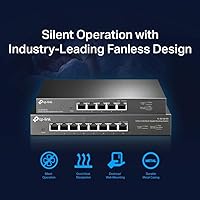
All five ports on the TL-SG105-M2 run at up to 2.5 Gbps each, with auto-negotiation handling the speed handshake automatically — so older 1G or 100Mb devices connect without any fuss. The combined switching capacity hits 25 Gbps, which matters when multiple devices are transferring data simultaneously. IEEE 802.3X flow control helps prevent packet loss under heavy loads, a small but important detail for NAS backups or large file transfers. The passive cooling design means there is no fan noise to tune out. A three-year warranty with weekday tech support rounds out a genuinely complete package at this tier.

Best For

This multi-gig unmanaged switch earns its place most convincingly in a few specific setups. If you are running a WiFi 6 access point with a 2.5G uplink, this is the natural companion piece. NAS users will appreciate how much faster large backup windows and media transfers become — provided the NAS and workstation network cards are also 2.5G capable. Gamers and video editors moving large files locally will notice the difference too. Small offices wanting a silent, zero-configuration solution can drop it in and forget about it. It is not a fit for anyone needing VLANs, QoS, or layer-2 management.

User Feedback

Buyers consistently highlight the immediate speed improvement over their old gigabit switches, particularly those pairing it with 2.5G-capable NAS devices or Plex servers. The plug-and-play experience draws few complaints — most people have it running within minutes. That said, two practical gripes appear regularly: the unit runs noticeably warm during sustained use, and the power adapter is bulkier than expected for such a compact box. Neither issue appears to cause failures, but it is worth knowing if desk space or airflow is limited. A handful of users report compatibility quirks with older PCIe network cards, though modern 2.5G adapters seem to work without issue.

Pros

  • All five ports run at true 2.5 Gbps, a meaningful jump over standard gigabit switches for compatible devices.
  • Auto-negotiation handles mixed-speed devices automatically — no manual configuration required.
  • Completely silent operation makes the TL-SG105-M2 a natural fit for living rooms or quiet workspaces.
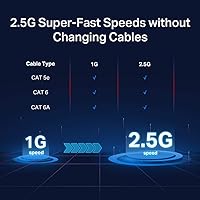
  • Works with existing Cat5e cabling, so there is no need to rewire just to upgrade speeds.
  • Solid metal build feels durable and handles heat passively without any moving parts to fail.
  • Plug-and-play setup means most users are running at full speed within a few minutes of unboxing.
  • Wall-mount and desktop options give flexible placement without buying extra hardware.
  • A three-year warranty with direct weekday support is reassuring for a set-and-forget device.
  • 25 Gbps total switching capacity handles several simultaneous high-throughput transfers without congestion.
  • NAS and Plex server users consistently report noticeably faster backup and media streaming performance.

Cons

  • Only five ports — shared across router uplink and client devices, that fills up faster than expected.
  • The bundled power adapter is bulkier than the switch itself, which can be awkward in tight spaces.
  • No managed features whatsoever: no VLANs, no QoS, no monitoring — a hard limit, not a workaround.
  • Speed gains are entirely dependent on endpoints; a 2.5G switch cannot help a gigabit-only device.
  • The chassis runs noticeably warm under sustained load — needs clear airflow, not a closed cabinet.
  • A small number of users report negotiation issues with older or budget PCIe network adapters.
  • No link aggregation support, which limits throughput options for high-demand server connections.
  • This multi-gig unmanaged switch has no SFP or fiber uplink port for connecting to larger infrastructure.

Ratings

The scores below reflect AI-powered analysis of verified global buyer reviews for the TP-Link TL-SG105-M2 5-Port 2.5G Unmanaged Switch, with spam, bot-generated, and incentivized feedback actively filtered out before scoring. Each category captures the honest spread of real user sentiment — not just the highlights, but the friction points too. Where buyers consistently flagged trade-offs, those are reflected transparently in the numbers.

Throughput Performance
91%
Users upgrading from gigabit switches report a dramatic and immediate improvement in local transfer speeds, particularly when moving large files between a NAS and a workstation. NAS and Plex server owners are especially vocal about how much faster library scans and direct-play streams became after switching to this multi-gig unmanaged switch.
A recurring reality check in reviews is that the speed gains only materialize when every device in the chain supports 2.5G — if even one endpoint is gigabit-only, that connection caps out accordingly. A handful of users felt misled by marketing expectations before understanding this fundamental networking constraint.
Ease of Setup
96%
Out of all the praise this 2.5G desktop switch receives, plug-and-play simplicity is the most consistent theme. Buyers across all skill levels — from IT professionals to first-time home-network builders — report having all devices connected and running at full speed within minutes of opening the box, with zero configuration required.
A small number of users encountered auto-negotiation hiccups when pairing with older or budget-tier PCIe network cards, requiring a manual speed lock on the adapter side to resolve. This is an edge case, but it is worth knowing if your hardware is a few generations old.
Build Quality
88%
The all-metal casing earns consistent praise for feeling genuinely solid — reviewers frequently contrast it favorably with the cheap plastic shells common on budget switches. The low-profile form factor sits unobtrusively on a desk, and the finish holds up well after months of continuous operation.
A few buyers noted that the chassis accumulates dust more visibly than a matte plastic alternative, and the metal surface shows fingerprints easily. The rubber feet, while functional, have been reported by some users to detach over time on smooth desk surfaces.
Thermal Management
71%
29%
The fanless design is universally appreciated for keeping the unit completely silent, which makes it practical in bedrooms, living rooms, and open-plan offices where fan noise would be noticeable. Passive cooling through the metal body works reliably under normal workloads without any throttling or instability.
Under sustained high-throughput loads — continuous large file transfers or heavy NAS activity — the chassis gets noticeably warm to the touch. Users who placed the TL-SG105-M2 inside a closed cabinet or media console reported it running hotter than comfortable, and adequate airflow around the unit is genuinely necessary.
Port Count & Expandability
63%
37%
For a focused use case — one router uplink and three or four client devices — five ports is exactly enough, and buyers building compact setups around a NAS, a WiFi 6 AP, and a couple of workstations find it fits perfectly without wasted ports.
The five-port limit is the most commonly cited frustration in negative reviews, with many users realizing they filled all ports faster than anticipated once they started upgrading devices to 2.5G. There is no daisy-chain or expansion path without introducing a second switch, which adds cost and complexity.
Noise Level
97%
With no fan whatsoever, this multi-gig unmanaged switch produces absolutely zero audible noise during any workload, which makes it one of the few networking components users are comfortable placing in a bedroom or home theater setup without any acoustic compromise.
There is genuinely little to criticize here — the only theoretical downside is that the silent passive approach means heat cannot be actively managed, which circles back to the thermal trade-off. In pure noise terms, the experience is essentially flawless.
Compatibility
79%
21%
Auto-negotiation across 100 Mbps, 1 Gbps, and 2.5 Gbps means the switch handles mixed-generation hardware gracefully, and the Cat5e support means most buyers can deploy it without replacing a single cable in their home or office.
Isolated compatibility issues with certain older Intel and Realtek gigabit NICs have surfaced across forums and reviews, typically requiring a driver update or manual speed configuration to resolve. Buyers with legacy hardware should verify 2.5G driver support on their machines before purchasing.
Value for Money
84%
Buyers consistently describe this 2.5G desktop switch as the most cost-effective entry point into multi-gigabit networking, especially given the metal build, three-year warranty, and the cable compatibility that eliminates rewiring costs. For NAS and WiFi 6 users, the real-world performance return tends to justify the spend quickly.
Some reviewers feel the price is hard to stomach for a five-port unmanaged switch with no advanced features, particularly when managed gigabit alternatives cost less. Users who later realized they needed more ports also felt the per-port cost became less favorable once a second switch entered the equation.
Power Adapter Design
58%
42%
The included adapter works reliably and is universally compatible without any reported failure issues. Users appreciate that it ships in the box rather than requiring a separate purchase, and the cable length is adequate for most desk configurations.
The power brick itself is disproportionately large relative to the compact switch it serves, and multiple reviewers specifically call it out as an annoyance when managing cables or fitting the setup into a tidy desk arrangement. It can obstruct adjacent outlets on a standard power strip.
Warranty & Support
86%
A three-year warranty is notably generous for a networking accessory at this tier, and buyers who have contacted TP-Link support report prompt, knowledgeable responses during weekday hours. The confidence this provides for a set-and-forget device is frequently mentioned as a deciding factor.
Support hours are limited to Monday through Friday, 6am to 6pm PST, which is inconvenient for users outside North American time zones or those experiencing issues over a weekend. A 24-hour or chat-based support option would significantly strengthen an otherwise solid post-purchase experience.
Mounting Flexibility
77%
23%
The ability to wall-mount the unit is a practical bonus that home lab builders and office installers genuinely use, freeing up desk space and helping with cable management. The keyhole slots are solidly built and the rubber feet for desktop use are a clean, no-fuss solution.
Wall-mount screws are not included in the box, which is a minor but legitimately frustrating omission that adds an extra errand for buyers who planned to mount it immediately. The installation guide covers the dimensions, but the hardware oversight feels like a cost-cut on an otherwise complete package.
Long-Term Reliability
89%
Reviewers who have run the TL-SG105-M2 continuously for one to two years report no degradation in performance or connectivity stability, with no reported port failures under normal operating conditions. The metal build appears to contribute meaningfully to durability over plastic-cased alternatives.
The long-term heat behavior in enclosed spaces remains the primary reliability concern flagged by experienced users — units in poorly ventilated spots have shown reduced stability over time in a small number of reports. This is avoidable with proper placement but worth factoring into any permanent installation plan.

Suitable for:

The TP-Link TL-SG105-M2 5-Port 2.5G Unmanaged Switch is a strong fit for anyone whose network has quietly outgrown gigabit speeds but who has no interest in managing a complex switch to fix that. It makes the most sense for home lab enthusiasts connecting a 2.5G-capable NAS, a WiFi 6 access point with a multi-gig uplink, and a few workstations all at once — the kind of setup where a standard gigabit switch becomes a consistent bottleneck. Content creators and power users moving large video or project files locally will feel the difference, especially if their machines already have 2.5G PCIe adapters installed. Small office environments where silence matters — think open-plan spaces or reception areas — will appreciate the completely fanless operation. The backward compatibility with Cat5e cabling also makes this a practical choice for anyone upgrading speeds without wanting to pull new cable through walls.

Not suitable for:

Anyone who needs network-level control should look elsewhere before considering the TL-SG105-M2. This multi-gig unmanaged switch has no support for VLANs, Quality of Service rules, port mirroring, SNMP monitoring, or any other managed feature — if those are on your requirements list, you need a managed switch at a higher price point. It is also the wrong tool for larger deployments; five ports fills up fast, and there is no stacking or expansion path built in. Users with older network hardware — legacy NICs or switches that top out at gigabit — will not see any speed improvement from this device, since the real-world gains depend entirely on the endpoints also being 2.5G capable. Finally, anyone running on a tight desk with limited airflow should be aware that the passive cooling design means the chassis does get warm under sustained load, and it needs a bit of breathing room to operate comfortably long-term.

Specifications

  • Total Ports: The switch provides five RJ45 ports, each capable of running at up to 2.5 Gbps.
  • Port Speeds: Auto-negotiation supports three link speeds per port: 100 Mbps, 1 Gbps, and 2.5 Gbps.
  • Switching Capacity: Total non-blocking switching capacity across all ports reaches 25 Gbps.
  • Flow Control: IEEE 802.3X flow control is implemented to reduce packet loss during high-throughput data transfers.
  • Interface Type: All five ports use standard RJ45 connectors, compatible with Cat5e, Cat6, and Cat6a cabling.
  • Cooling Design: Passive fanless cooling is used throughout, with no moving parts and no audible noise during operation.
  • Casing Material: The outer shell is constructed from metal, providing structural durability and passive heat dissipation.
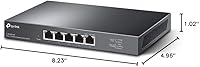
  • Dimensions: The unit measures 8.23″ long by 4.96″ wide by 1.02″ high.
  • Weight: The switch weighs 1.23 lbs (0.56 kg), making it easy to reposition or wall-mount.
  • Mounting Options: Both desktop placement with included rubber feet and wall-mounting are supported out of the box.
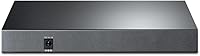
  • Power Supply: The switch operates at 240V and ships with an included external power adapter.
  • Max Temperature: The rated maximum operating temperature is 40 degrees Celsius.
  • Configuration: No software installation or web interface is required; the switch is fully plug-and-play from the moment it is powered on.
  • Warranty: TP-Link covers this switch with a three-year limited warranty backed by weekday technical support from 6am to 6pm PST.
  • Manufacturer: The switch is designed and supported by TP-Link, a globally established networking hardware brand.
  • Model Number: The official model designation is TL-SG105-M2.
  • Release Date: This switch was first made available in March 2021.
  • In the Box: The package includes the switch unit, a power adapter, an installation guide, and rubber feet for desktop use.

Related Reviews
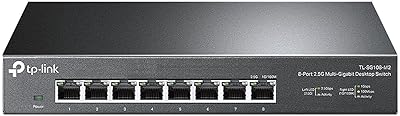
TP-Link TL-SG108-M2 8-Port 2.5G Multi-Gigabit Network Switch
89%
93%
Ease of Setup
89%
Network Performance
91%
Build Quality
96%
Noise Level (Fanless Design)
87%
Compatibility with Cat5e Cables
More
TP-Link TL-SF1005P
TP-Link TL-SF1005P
82%
96%
Ease of Setup
81%
PoE Power Delivery
88%
Build Quality
94%
Fanless & Noise Level
67%
Extend Mode Performance
More
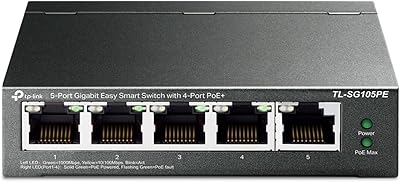
TP-Link TL-SG105PE 5-Port Gigabit PoE Switch
79%
91%
Value for Money
84%
PoE Performance
93%
Ease of Setup
76%
Network Management
62%
Web Interface
More
TRENDnet TEG-S350 5-Port 2.5G Network Switch
78%
88%
Value for Money
91%
Network Performance
94%
Ease of Setup
86%
Build Quality
97%
Noise Level
More
TP-Link TL-SG1005P
TP-Link TL-SG1005P
85%
96%
Ease of Setup
83%
PoE Power Delivery
91%
Build Quality
98%
Noise Level
89%
Gigabit Throughput
More
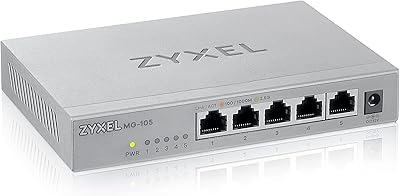
Zyxel MG-105 5-Port 2.5G Unmanaged Switch
80%
93%
Network Performance
97%
Ease of Setup
89%
Value for Money
62%
Build Quality
98%
Noise Level
More
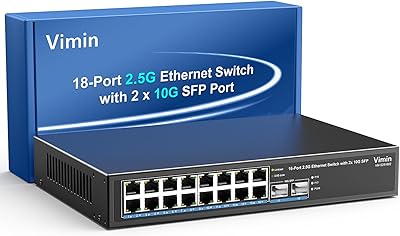
VIMIN 18-Port 2.5G Unmanaged Switch
87%
86%
Performance
92%
Ease of Setup
88%
Build Quality
94%
Fanless Design
85%
Compatibility with Devices
More
TP-Link TL-SL1218MP 16-Port PoE Network Switch
79%
91%
Value for Money
88%
PoE Performance
79%
Extend Mode Reliability
93%
Ease of Setup
62%
Build Quality
More
TP-Link TL-SF1006P 6-Port PoE Switch
88%
88%
Performance
95%
Ease of Setup
92%
Build Quality
89%
Reliability
91%
Power Delivery (PoE)
More
TP-Link TL-SL1311MP 8-Port PoE Switch
88%
92%
Value for Money
95%
Ease of Setup
89%
PoE Range Performance
91%
Build Quality
88%
Customer Support
More

FAQ

No, there is nothing to configure at all. You plug in the power adapter, connect your devices with Ethernet cables, and it starts working immediately. The TL-SG105-M2 handles everything automatically, including negotiating the correct speed for each connected device.

Cat5e is perfectly fine for 2.5 Gbps over typical indoor cable runs up to around 100 meters. You only need Cat6 or better if you are running unusually long cable runs or dealing with high interference environments. Most home and small office setups will work without buying a single new cable.

It depends on your setup. Devices with gigabit-only ports will connect and work normally at 1 Gbps — the switch auto-negotiates down without any issue. The speed benefit kicks in only on devices that also support 2.5G, like certain NAS units, WiFi 6 access points, or machines with a 2.5G PCIe network card installed.

It does run noticeably warm under sustained load — that is expected with a fanless design, since the metal casing is doing the work of dissipating heat. A closed cabinet with no airflow is not ideal for long-term use. Leave some space around it, or at minimum make sure the cabinet is not sealed tight.

Wall-mounting is supported, and the chassis has keyhole slots on the underside for this purpose. However, the wall screws themselves are typically not included — you will need to source two appropriately sized screws for your wall type. The installation guide covers the mounting dimensions.

Exactly right, and that is one of the most common use cases for this multi-gig unmanaged switch. One port connects to your router, and the remaining four are free for clients. All five ports are functionally identical — there is no dedicated uplink port.

Yes, provided your NAS model has a 2.5G Ethernet port, which many current Synology and QNAP units do. The switch will negotiate the correct speed automatically. Users pairing this switch with a 2.5G NAS consistently report it as one of the most impactful upgrades for local file transfer speeds.

It will connect at 100 Mbps without any manual adjustment needed. The auto-negotiation feature detects the highest mutually supported speed and locks in at that level. You can have a mix of 100 Mbps, 1 Gbps, and 2.5 Gbps devices all connected at the same time.

No, this 2.5G desktop switch does not support link aggregation (LACP or static bonding). It is an unmanaged switch with no advanced port-level features. If link aggregation is a requirement, you would need a managed switch that explicitly supports it.

The warranty runs for three years from purchase. TP-Link offers free technical support Monday through Friday, 6am to 6pm PST, reachable by phone or online. For an unmanaged switch that is largely set-and-forget, three years of coverage is a reassuring safety net if hardware issues arise down the line.

Where to Buy