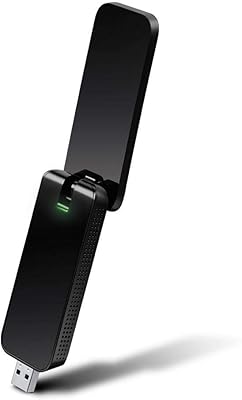
TP-Link Archer T6E AC1300 PCIe Wi-Fi Adapter
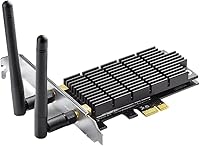
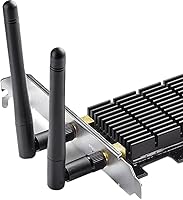
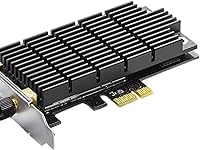
Overview
The TP-Link Archer T6E AC1300 PCIe Wi-Fi Adapter is a straightforward solution for desktop owners who need wireless connectivity but don't want the clutter or inconsistency of a USB dongle. Introduced in 2015, it has quietly held its ground as a practical mid-range option — not cutting-edge, but genuinely dependable. The card slots into a standard PCIe slot on your motherboard, which is less intimidating than it sounds; most people have it up and running in under fifteen minutes. A pair of external detachable antennas ships in the box, giving it a meaningful signal advantage over compact plug-in adapters.
Features & Benefits
This PCIe Wi-Fi card operates on both 2.4 GHz and 5 GHz bands, and that dual-band setup matters more in practice than it looks on paper. On the 5 GHz side, you get up to 867 Mbps throughput — plenty of headroom for 4K streaming or large file transfers without the congestion that plagues the 2.4 GHz band. That lower band still earns its keep; at 400 Mbps with better wall penetration, it handles everyday browsing and background devices without complaint. The internal PCIe connection sidesteps the bandwidth ceiling of USB adapters, and the detachable antenna design lets you angle each one for the strongest signal your case layout allows.
Best For
The Archer T6E hits its sweet spot with a few specific types of users. If your desktop didn't ship with wireless capability, this is the cleanest way to add it — no adapters hanging off a USB port, no dropouts from a crowded hub. Home office workers handling video calls or cloud backups will find the 5 GHz band reliable enough for consistent throughput. Gamers on older rigs will appreciate a low-latency 5 GHz link without rewiring their entire setup. It also suits budget-conscious upgraders who want genuine dual-band performance rather than settling for a bare-minimum single-band card.
User Feedback
Owners of this desktop wireless adapter generally come away satisfied, with installation being the most consistently praised aspect — most find drivers cooperate quickly and the card is recognized without fuss. 5 GHz stability also earns steady marks, especially for users within a reasonable distance of their router. That said, not every experience is smooth. A portion of Windows 10 and 11 users have encountered driver compatibility issues requiring a manual update or workaround to resolve. Antenna placement is another variable worth considering; in a full tower with the card near a lower slot, signal quality can take a noticeable hit.
Pros
- Installs cleanly into any standard PCIe slot with minimal technical know-how required.
- Dual-band support lets you choose between 5 GHz speed and 2.4 GHz range based on your needs.
- The 5 GHz band delivers stable, interference-free throughput ideal for streaming and video calls.
- External detachable antennas give you flexibility to optimize signal direction inside your case.
- Far more stable and consistent than any USB Wi-Fi dongle in the same price class.
- Driver installation on mainstream Windows versions is typically quick and friction-free.
- Long-term owners report reliable everyday performance over months of continuous use.
- Compact card footprint leaves other PCIe slots free for additional components.
- A solid mid-range choice for desktop builders who need wireless without stretching their budget.
Cons
- Based on an older AC standard, so it trails newer Wi-Fi 5 and Wi-Fi 6 cards in peak throughput.
- Only two antennas limit signal reach in larger homes or heavily obstructed spaces.
- Driver hiccups have been reported on certain Windows 10 and Windows 11 builds, requiring manual fixes.
- Antenna placement inside a full tower case can noticeably affect signal quality depending on slot position.
- No Linux driver support out of the box, making it risky for non-Windows users.
- Not an option for anyone without a free PCIe slot on their motherboard.
- Lacks beamforming or MU-MIMO features found on more modern competing cards.
- Signal consistency drops off more sharply than expected when the router is more than two rooms away.
Ratings
Our AI-generated scores for the TP-Link Archer T6E AC1300 PCIe Wi-Fi Adapter were produced by analyzing thousands of verified buyer reviews from global markets, with spam, bot-generated, and incentivized feedback actively filtered out before scoring. Each category reflects the genuine distribution of user sentiment — not just the highlights — so both the strengths and the recurring frustrations are transparently baked into every number. Whether this desktop wireless adapter is the right fit for your setup or a compromise you should think twice about, the scorecards below give you the honest picture.
Installation Ease
5 GHz Performance
2.4 GHz Performance
Signal Range
Driver Stability
Build Quality
Antenna Design
Value for Money
Compatibility
Long-term Reliability
Latency
Setup Documentation
Suitable for:
The TP-Link Archer T6E AC1300 PCIe Wi-Fi Adapter is a practical fit for desktop PC owners who need a reliable internal wireless solution and want to avoid the limitations of USB adapters. It works especially well for home office users who rely on stable video conferencing or frequent large file transfers, since the 5 GHz band delivers consistent throughput without the interference typical of crowded 2.4 GHz networks. Gamers with older rigs that lack built-in Wi-Fi will find this card a cleaner upgrade path than any external dongle — lower latency and a more dependable connection during long sessions. DIY builders assembling a new desktop on a reasonable budget will also appreciate how straightforwardly it slots into a standard PCIe port, with drivers that cooperate on most Windows setups without requiring advanced technical knowledge. If your router sits in the same room or one wall away, this card will serve you well day in and day out.
Not suitable for:
Buyers expecting cutting-edge wireless performance should know the TP-Link Archer T6E AC1300 PCIe Wi-Fi Adapter was designed to an older AC1300 standard, so it won't match the ceiling speeds of newer Wi-Fi 5 or Wi-Fi 6 cards on the market today. Users whose desktops sit far from their router — across multiple floors or through dense concrete walls — may find the two-antenna setup underwhelming compared to cards with three or more antennas and beamforming support. It is also not a fit for laptop users or anyone working with a system that lacks an available PCIe slot. Those running Linux should approach with caution, as driver support outside major Windows versions is inconsistent and may require manual configuration. If your workflow demands maximum wireless throughput or you're working in a large, signal-challenged space, a more recent adapter would be a smarter investment.
Specifications
- Wireless Standard: This card follows the 802.11ac (Wi-Fi 5) standard, commonly marketed as AC1300, supporting dual-band operation across both 2.4 GHz and 5 GHz frequencies.
- 5 GHz Speed: On the 5 GHz band, the card reaches a maximum theoretical throughput of 867 Mbps, well-suited for HD streaming and latency-sensitive tasks.
- 2.4 GHz Speed: On the 2.4 GHz band, maximum theoretical throughput reaches 400 Mbps, providing broader coverage and better performance through walls and floors.
- Interface: The card uses a PCIe (PCI Express) interface, designed to slot directly into a compatible PCIe lane on a standard desktop motherboard.
- Antenna Type: Two external, detachable dual-band antennas are included, allowing physical repositioning to optimize signal direction and strength.
- Compatible Devices: This adapter is exclusively compatible with desktop PCs that have an available PCIe slot; it is not designed for laptops or small-form-factor systems without a full-size slot.
- Dimensions: The card measures 4.72 x 4.53 x 0.79 inches, making it a compact fit within a standard ATX or mid-tower desktop case.
- Item Weight: The unit weighs 7 ounces, which is typical for a PCIe card of this size and does not require additional motherboard support brackets in most cases.
- Data Protocol: The card uses the Gigabit Ethernet data link protocol framework to manage wireless data transmission at the hardware level.
- Manufacturer: Manufactured by TP-Link, a globally recognized networking hardware brand with extensive experience in consumer and small-business wireless products.
- Model Number: The official model identifier is Archer T6E, which distinguishes this PCIe variant from TP-Link's USB-based AC1300 adapters in the same product family.
- OS Compatibility: Driver support is available for major Windows operating system versions, including Windows 7, 8.1, 10, and 11, though Linux support is not officially guaranteed.
- First Available: This product was first made available in September 2015 and has remained in active circulation as a mid-range desktop wireless option since that time.
- Discontinued: As of the latest available information, TP-Link has not discontinued this model, and replacement units remain accessible through major retail channels.
- Frequency Bands: The card simultaneously supports both the 2.4 GHz and 5 GHz frequency bands, letting users connect to whichever band best suits their speed or range needs.
Related Reviews
TP-Link Archer BE400
TP-Link Archer TX3000E

TP-Link Archer AX55
TP-Link Archer GE650 Wi-Fi 7 Gaming Router
TP-Link Archer GE800
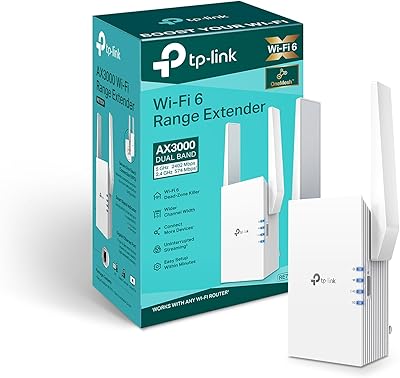
TP-Link RE705X AX3000 Wi-Fi 6 Range Extender
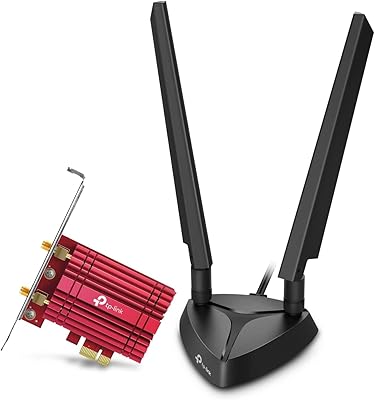
TP-Link Archer TXE75E WiFi 6E PCIe Card
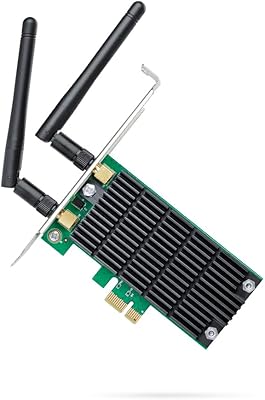
TP-Link Archer T4E AC1200 PCIe WiFi Card
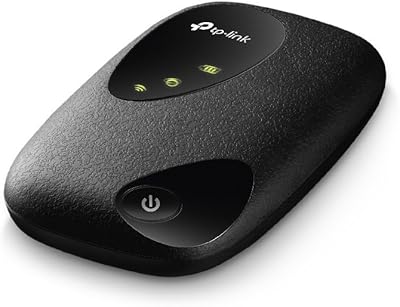
TP-Link M7200 4G LTE Mobile Wi-Fi Hotspot