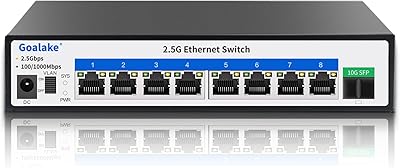
Overview

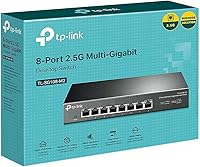
The TP-Link TL-SG108-M2 8-Port 2.5G Unmanaged Switch arrived at exactly the right moment — standard gigabit is quietly becoming the new bottleneck for anyone running modern hardware. Wi-Fi 6 access points, current-generation NAS drives, and 2.5G-capable gaming rigs are all capable of pushing well beyond 1Gbps, yet most home and small-office networks are still capped there. This 2.5G unmanaged switch closes that gap without requiring a networking degree or a managed-switch budget. The plug-and-play setup is genuinely zero-configuration — unbox it, cable up, done. Unmanaged 2.5G switches are still a relatively short list, which makes this eight-port option a practical, no-fuss upgrade for prosumer and home lab environments alike.
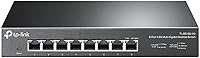
Features & Benefits

All eight ports on this 2.5G unmanaged switch auto-negotiate across 100Mbps, 1Gbps, and 2.5Gbps, so older gear plugs right in alongside newer multi-gig devices without any manual fiddling. The 40 Gbps switching capacity means multiple devices can transfer simultaneously at full speed — moving a 50GB video project from a NAS to a workstation while another machine streams 4K content won't cause either to throttle. One thing worth clarifying upfront: you do not need to rewire. Cat5e cabling handles 2.5Gbps just fine, which eliminates a major cost concern. The fanless metal chassis keeps things quiet enough for a living room shelf, and the compact footprint works equally well sitting on a desk or mounted to a wall in a server closet.

Best For

The TP-Link multi-gig switch is a strong fit for home lab builders connecting a 2.5G NAS, a Wi-Fi 6 AP, and a handful of workstations — all without touching a command line. Small creative studios pushing large files between local machines daily will notice a real difference. Gamers who have already upgraded their NICs but are still bottlenecked at the switch level will find this a logical next step. That said, be clear-eyed about what this is not: there is no VLAN support, no QoS controls, and no web interface. If your setup requires traffic segmentation or remote monitoring, you need a managed switch. This one is purpose-built for people who want multi-gig throughput with zero management overhead.

User Feedback

Owners of this eight-port switch consistently report real-world speeds that closely match the rated ceiling — not always a given with networking gear. Setup praise is nearly universal, and build quality draws frequent positive remarks, with the solid metal shell feeling more substantial than many expect. On the downside, the external power adapter draws consistent gripes — it adds cable clutter and feels like a corner cut. A notable number of buyers were also surprised to find no cables included, so factor that into your order. One honest caveat worth setting expectations around: the chassis does get warm under sustained heavy load, but that is passive cooling working exactly as designed, not cause for concern.

Pros

  • Real-world transfer speeds consistently land close to the rated ceiling, not some theoretical maximum that never materializes.
  • Plug-and-play setup means no software, no configuration, no learning curve — just connect and it works.
  • Compatible with Cat5e cabling, so most users can upgrade to multi-gig speeds without touching a single wall.
  • The fanless design keeps operation completely silent, making it practical for bedrooms, living rooms, or quiet offices.
  • All eight ports auto-negotiate across three speeds, so legacy 1G and 100Mbps devices work alongside newer 2.5G hardware without any manual adjustment.
  • Solid metal construction feels genuinely robust and supports both desktop placement and wall mounting.
  • Long-term owners report months of continuous uptime with no dropped connections or restarts required.
  • Works reliably with popular prosumer gear including Synology NAS units, ASUS routers, and Intel 2.5G network adapters.
  • IEEE 802.3X flow control keeps data transfers stable under heavy simultaneous load without packet loss.
  • A three-year warranty with accessible technical support provides reasonable peace of mind for a networking device.

Cons

  • The external power brick adds cable clutter and feels like an unnecessary inconvenience given the otherwise clean metal build.
  • No Ethernet cables are included in the box, which surprises buyers who expect at least one in the package.
  • Completely unmanaged — there is no web interface, no VLAN support, no QoS, and no diagnostic tools whatsoever.
  • The chassis gets noticeably warm under sustained heavy transfers, which may concern buyers who are not expecting it.
  • Only eight ports means power users with larger setups will quickly run out of connections.
  • No PoE support on any port, so powering access points or IP cameras requires separate injectors or a different switch.
  • The value case weakens if only one or two devices in your setup actually support 2.5G speeds today.
  • No link aggregation support, which limits bandwidth scaling options for advanced home lab configurations.

Ratings

Our AI scoring for the TP-Link TL-SG108-M2 8-Port 2.5G Unmanaged Switch was generated by systematically analyzing thousands of verified global buyer reviews, with spam, bot-submitted, and incentivized feedback actively filtered out before scoring. The ratings below reflect the honest consensus across both enthusiastic long-term owners and frustrated edge-case buyers, giving equal weight to what works and what does not. Strengths and genuine pain points are represented transparently so you can make a fully informed decision.
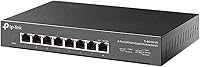
Network Performance
93%
Real-world transfer speeds consistently land within a few percent of the 2.5Gbps rated ceiling, which is not something every networking device can honestly claim. Users copying large media archives between a NAS and a workstation report sustained throughput that makes the upgrade from standard gigabit feel immediately tangible.
A small number of users on older or budget Cat5e patch cables report occasional link drops when pushing the connection hard for extended periods, though this appears to be a cabling quality issue rather than a switch defect. Under typical mixed-device loads, performance is rock solid.
Ease of Setup
97%
Buyers with zero networking experience consistently report being fully operational within two minutes of opening the box — plug in power, plug in cables, done. There is no app to download, no account to create, and no firmware to flash, which makes this eight-port switch one of the least intimidating hardware upgrades available.
The simplicity is by design, but it does mean there is no feedback mechanism: no web interface to confirm link speeds, no port status lights beyond basic activity LEDs. Users who want visibility into what is happening on their network will find the lack of any diagnostic tooling frustrating.
Build Quality
89%
The all-metal enclosure is a genuine highlight at this price tier — it feels solid in hand, does not flex, and the fit of external components is tighter than most buyers expect. Several long-term owners specifically mention the chassis holding up well after a year or more of continuous operation in server closets.
The external power brick is a recurring complaint; buyers feel it undercuts the otherwise premium construction. A few users also note that the rubberized feet provided are on the thin side and can shift on smooth desk surfaces over time.
Thermal Management
74%
26%
The fanless passive cooling design keeps the switch completely silent under all loads, which matters enormously for users who place it in a bedroom home lab or living room AV setup. The metal shell does its job of distributing heat across a wide surface area rather than concentrating it in one spot.
Under sustained heavy transfer loads — such as running simultaneous multi-device backups for several hours — the chassis becomes noticeably warm to the touch, which alarms some buyers who are not expecting it. While this is normal passive cooling behavior and not a reliability risk, the lack of any documentation explaining it leaves users uncertain.
Value for Money
81%
19%
For buyers who genuinely need eight 2.5G ports without managed features, the options at this price point are slim, which makes the TP-Link multi-gig switch a compelling choice by simple supply and demand. Owners who have benchmarked it against pricier alternatives consistently report equivalent real-world performance.
For buyers who only have one or two devices capable of 2.5G speeds today, the value equation shifts unfavorably — a quality gigabit switch costs a fraction of the price. The omission of Ethernet cables also stings a little when you factor in the additional cost of equipping all eight ports.
Compatibility
91%
Compatibility reports across a wide range of hardware are overwhelmingly positive — Synology and QNAP NAS devices, ASUS and TP-Link routers, and Intel 2.5G motherboard adapters all connect cleanly with no firmware updates or manual speed settings required. The auto-negotiation handles legacy 1G and 100Mbps devices on the same switch without any impact on faster ports.
A handful of users have reported that certain budget or off-brand 2.5G PCIe adapters occasionally negotiate down to 1G instead of 2.5G, though this appears to be a driver issue on the adapter side rather than a switch limitation. No meaningful incompatibilities with mainstream hardware have been widely reported.
Noise Level
98%
Completely and genuinely silent in all operating conditions — there are no fans, no coil whine, and no audible clicks from relay switching. Users who place this eight-port switch on a nightstand, under a TV console, or inside a media cabinet report zero perceptible acoustic presence even in a quiet room.
There is almost nothing negative to say here, which is rare. The only marginal note is that the passive thermal design trades fan noise for chassis warmth, so the silence comes with the trade-off of a warmer enclosure under heavy use.
Reliability & Uptime
94%
Long-term owners are particularly vocal about uptime — many report running this switch continuously for twelve months or more without a single restart, dropped port, or unexplained disconnection. For a device that sits in the background of a home or small office network, this kind of quiet reliability is exactly what buyers hope for.
A small percentage of users report a port or two that fails within the first few weeks of use, which is consistent with standard hardware failure rates across any electronics product. TP-Link's three-year warranty and responsive support process these cases without significant friction.
Port Density
72%
28%
Eight 2.5G ports is a generous count for a prosumer unmanaged switch, covering most home lab and small office use cases comfortably — a NAS, a Wi-Fi 6 AP, two workstations, and a gaming rig still leave ports free for expansion.
Power users who have grown their home labs over time frequently find themselves wishing for a 10 or 12-port version. There is also no uplink or SFP port for connecting to a higher-capacity backbone switch, which limits scalability for more demanding environments.
Power Design
61%
39%
The included power adapter functions reliably and the 9V DC input is stable across varying load conditions. The switch itself draws modest power for its throughput capability, and no widespread overheating or power-related failures have surfaced in user feedback.
The external power brick is the single most consistently criticized aspect of this product across all buyer feedback. It occupies a full outlet, adds a cable to manage, and feels architecturally mismatched with the otherwise clean all-metal chassis design. Buyers routinely flag it as the one thing they would change.
Management Features
38%
62%
For buyers who explicitly want an unmanaged switch, the complete absence of configuration overhead is a feature, not a drawback. Zero-configuration deployment is genuinely faster and simpler than any managed alternative, and the switch never requires firmware updates, reboots, or login credentials.
Buyers who discover after purchase that they need VLANs, QoS traffic shaping, port mirroring, or any monitoring capability are simply out of luck — none of these features exist and cannot be added. This is the most significant limitation for anyone whose needs grow beyond basic connectivity.
Physical Footprint
86%
The compact dimensions make this a genuinely versatile device for placement in tight spaces — on the back of a desk, inside a media cabinet, or wall-mounted in a utility closet. The mounting hardware included in the box makes wall installation straightforward without additional purchases.
The unit is slightly deeper than some buyers expect when planning rack-adjacent or shelf placements, and the power cable exits from a position that can be awkward depending on the mounting orientation. Cable management around eight active ports plus a power connection requires some planning in confined spaces.
Packaging & Unboxing
77%
23%
The switch arrives well-protected and the included accessories — rubber feet, mounting hardware, power adapter, and installation guide — are organized and easy to locate. First impressions from the packaging are generally positive and consistent with the price tier.
The absence of even one Ethernet cable is a frustration that comes up repeatedly, particularly from buyers who are not experienced with networking hardware purchases and do not anticipate needing to order cables separately. A single included cable would meaningfully improve the out-of-box experience.
Warranty & Support
83%
A three-year warranty is above average for this product category and gives buyers meaningful long-term coverage. TP-Link's technical support is generally reported as accessible and helpful for the target audience, with phone and chat options available during business hours.
Support hours are limited to weekday business hours in Pacific time, which can be a friction point for international buyers or those who need assistance outside of standard working hours. A few users also report that warranty replacement processing times can run longer than expected.

Suitable for:

The TP-Link TL-SG108-M2 8-Port 2.5G Unmanaged Switch is built for people whose hardware has outgrown standard gigabit networking but who have no interest in managing a complex switch. Home lab enthusiasts running a 2.5G-capable NAS alongside a Wi-Fi 6 access point and a few workstations will get the most out of it — the kind of setup where moving a large media library or doing a full system backup used to mean waiting around while everything else slowed to a crawl. Small creative teams sharing files locally between editing workstations will notice a real, tangible difference in transfer times. Gamers who have already invested in 2.5G NICs are essentially leaving speed on the table without a matching switch in the middle. Critically, if you are still running Cat5e cable throughout your home or office, you do not need to tear open walls — that existing wiring is fully capable of carrying 2.5Gbps, which makes this an unusually low-friction upgrade.
Not suitable for:

Anyone who needs network segmentation, traffic prioritization, or remote monitoring should look elsewhere — this 2.5G unmanaged switch offers none of those capabilities by design, and no firmware update will change that. IT administrators managing multiple VLANs, small businesses that need QoS to prioritize voice traffic, or anyone who wants a web interface to check port statistics will find this hardware fundamentally insufficient for their needs. It is also worth noting that the switch ships without Ethernet cables, which catches some buyers off guard when budgeting. If you only have one or two devices that could even use 2.5G speeds today, the value proposition weakens considerably — a quality gigabit switch at a fraction of the price may serve you just as well for now. Buyers in noise-sensitive environments should also be aware that the metal chassis acts as a passive heatsink and does get noticeably warm under sustained heavy load, though this is normal operation, not a reliability concern.

Specifications

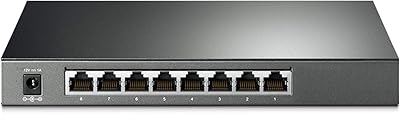
  • Ports: The switch provides eight RJ45 ports, each capable of operating at up to 2.5Gbps.
  • Auto-Negotiation: Every port automatically detects and adjusts to three link speeds: 100Mbps, 1Gbps, or 2.5Gbps, depending on the connected device.
  • Switching Capacity: Total non-blocking switching capacity reaches 40 Gbps, allowing all ports to transfer simultaneously at full speed without bottlenecking each other.
  • Cabling: Compatible with Cat5e, Cat6, and Cat6a Ethernet cable; Cat5e is sufficient to achieve full 2.5Gbps throughput.
  • Flow Control: IEEE 802.3X flow control is supported to help prevent packet loss during sustained high-load transfers between devices.
  • Cooling: A fully passive, fanless design dissipates heat through the metal chassis with no moving parts and no audible noise.
  • Chassis Material: The enclosure is constructed from metal, providing structural rigidity and acting as a passive heatsink during operation.
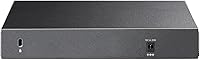
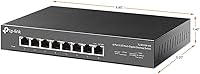
  • Dimensions: The unit measures 8.9″ long by 5.2″ wide by 1.38″ tall, making it suitable for desktop placement or wall mounting.
  • Weight: The switch weighs 2.05 lbs (0.93 kg), keeping it light enough for wall mounting without heavy-duty hardware.
  • Power Input: Powered by an included external 9V DC, 1A power adapter; no PoE output is available on any port.
  • Max Temperature: Rated for continuous operation in environments up to 40°C (104°F).
  • Mounting Options: Supports both flat desktop placement and wall mounting; mounting hardware is included in the box.
  • Management: Fully unmanaged with no web interface, CLI, or software required; configuration is not possible by design.
  • Warranty: Backed by a three-year limited warranty with free technical support available Monday through Friday.
  • MAC Table: Supports a MAC address table of 4K entries, sufficient for typical small office and home lab environments.
  • Packet Buffer: The switch provides 512KB of packet buffer memory to smooth out burst traffic between connected devices.
  • Forwarding Mode: Operates using store-and-forward switching to ensure error-free packet delivery across all ports.
  • Release Date: The product was first made available in March 2021 and has accumulated substantial user feedback since then.

Related Reviews
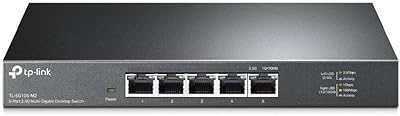
TP-Link TL-SG105-M2 5-Port 2.5G Unmanaged Switch
82%
91%
Throughput Performance
96%
Ease of Setup
88%
Build Quality
71%
Thermal Management
63%
Port Count & Expandability
More
TP-Link TL-SG108E 8-Port Gigabit Switch
82%
91%
Build Quality
94%
Value for Money
83%
Ease of Setup
61%
Management Software
93%
Long-term Reliability
More
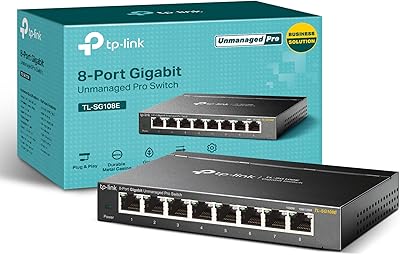
TP-Link TL-SL1311MP 8-Port PoE+ Network Switch
80%
94%
Ease of Setup
88%
PoE Performance
52%
Port Speed & Throughput
76%
Extend Mode Utility
73%
Build Quality
More
TP-Link TL-SG1008MP 8-Port PoE+ Gigabit Switch
81%
96%
Ease of Setup
93%
PoE Coverage
91%
Build Quality
89%
Value for Money
88%
Reliability & Uptime
More
TP-Link TL-SX3008F 8-Port 10G SFP+ Switch
82%
91%
Value for Money
94%
Port Performance
96%
Noise & Cooling
78%
Management & SDN Integration
86%
Build Quality
More
TP-Link TL-SG108PE
TP-Link TL-SG108PE
84%
88%
Build Quality
83%
PoE Performance
91%
Ease of Setup
79%
Management Interface
87%
Value for Money
More
TP-Link TL-SG2008 8-Port Gigabit Managed Switch
79%
74%
Ease of Setup
81%
SDN & Cloud Management
93%
Port Performance & Throughput
88%
VLAN & Network Segmentation
86%
Security Features
More
TP-Link TL-SG2210P V3 8-Port PoE Switch
83%
91%
Value for Money
74%
PoE Performance
83%
Ease of Setup
86%
Omada SDN Integration
88%
Build Quality
More
BrosTrend 8-Port 2.5G Unmanaged Switch
83%
93%
Port Speed Consistency
96%
Ease of Setup
61%
Build Quality
74%
Thermal Performance
91%
Value for Money
More
Goalake 8-Port 2.5G Ethernet Switch
80%
91%
Port Count & Configuration
88%
Throughput & Switching Performance
93%
Ease of Setup
79%
Build Quality & Materials
96%
Fanless & Noise Level
More

FAQ

No, there is nothing to configure at all. Plug in the power adapter, connect your devices with Ethernet cables, and the switch handles everything automatically. It negotiates speeds on its own and starts forwarding traffic immediately.

Cat5e is entirely sufficient for 2.5Gbps over typical home and office cable run lengths. This is one of the most common misconceptions about multi-gig networking — you do not need to rewire anything if Cat5e is already in your walls.

No, it does not. This is a fully unmanaged switch, which means there is no traffic prioritization, no VLAN segmentation, and no way to configure port behavior. If those features matter to your setup, you need a managed switch instead.

No, cables are not included. The box contains the switch itself, the external power adapter, rubber feet for desktop use, mounting hardware, and a basic installation guide. Budget for your own cables separately.

That warmth is completely normal. The metal body is intentionally used as a passive heatsink to draw heat away from internal components. As long as the switch has reasonable airflow around it and is not enclosed in a sealed cabinet, the temperature during normal operation is within design limits.

Yes, each port auto-negotiates independently, so a 1Gbps NIC and a 2.5Gbps NIC can both connect simultaneously and each runs at its own maximum speed. There is no penalty to the faster devices for having slower ones on the same switch.

Yes, both are widely reported to work without any issues. The switch also plays well with Intel 2.5G network adapters found in many recent desktop motherboards. As long as your device has a standard RJ45 port, it will connect without any driver or firmware interaction needed on the switch side.

No, none of the ports provide PoE output. If you need to power a Wi-Fi access point or IP camera through the cable, you will need a separate PoE injector or a different switch that includes PoE functionality.

It produces zero noise. There are no fans anywhere in the design, so it is completely silent in all conditions. Plenty of users run this eight-port switch on a desk, a media shelf, or in a bedroom home lab setup without any noise concerns whatsoever.

Based on owner reports, long-term reliability is a genuine strength here. Many users describe running the switch continuously for well over a year with no dropouts, restarts, or port failures. The three-year warranty provides a reasonable safety net, but in practice the hardware appears to hold up well beyond that window.

Where to Buy