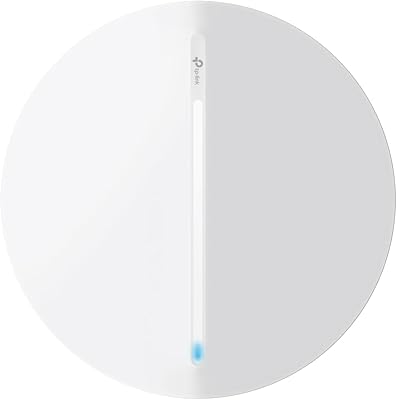
TP-Link EAP650-Outdoor WiFi 6 Outdoor Access Point
Overview
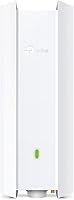
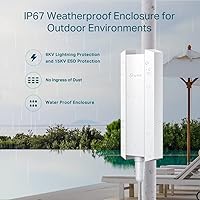
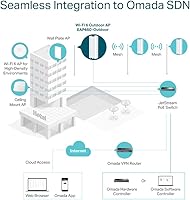
The TP-Link EAP650-Outdoor WiFi 6 Outdoor Access Point sits in an interesting spot — priced for prosumers who need more than consumer-grade hardware but don't want to commit to enterprise-level costs. It's part of TP-Link's Omada SDN ecosystem, which means it can be managed centrally alongside other Omada switches and gateways, or run in standalone mode if you just need a simple deployment. The enclosure carries an IP68 weather rating, meaning it handles rain, dust, and temperature swings without complaint. Power comes via PoE, so you run a single Ethernet cable to the mount point — no hunting for an outdoor outlet.
Features & Benefits
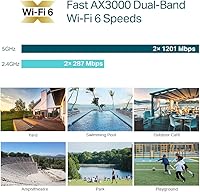
The EAP650-Outdoor runs on Wi-Fi 6, and the difference shows in environments with multiple connected devices. The AX3000 dual-band radio combines 2.4 GHz reach with 5 GHz throughput, and the underlying 1024-QAM and OFDM improvements translate to less congestion and more consistent speeds under real-world load. High-gain antennas push coverage to roughly 3,500 square feet outdoors — enough to blanket a substantial yard or wrap around a commercial patio. If you're running Omada controllers, features like band steering, beamforming, and mesh roaming work in the background without manual intervention. Starlink users also benefit, as this AP integrates cleanly as a distribution point downstream from the satellite dish.
Best For
This outdoor access point is a natural fit for homeowners trying to cover large properties — think a detached garage, a barn, or a sprawling backyard patio where the indoor router simply doesn't reach. Small business operators extending coverage to outdoor seating areas or parking lots will also find it well-suited. Starlink subscribers who want to share that satellite connection across a larger property, rather than being tethered to the dish, get a lot of mileage here. For IT admins juggling multiple APs across a site or two, Omada SDN management makes this part of a scalable, centrally-controlled setup rather than a one-off device to babysit.
User Feedback
Across thousands of ratings, this Wi-Fi 6 outdoor AP holds a 4.4-star average — solid, though not without caveats. Range improvement over consumer extenders gets consistent praise, and most buyers find standalone setup refreshingly quick. Where things get pricklier is the Omada controller onboarding: it has a genuine learning curve, and first-timers should budget extra time. The included passive PoE adapter works, but users with any volume of APs typically move to a proper 802.3af switch for a cleaner, more reliable install. A handful of buyers have noted firmware update issues, though reboots seem to fix them in most cases. If you can mount it in shade, do — direct sun heat is a recurring mention.
Pros
- Wi-Fi 6 delivers noticeably better throughput and lower congestion compared to older outdoor APs, especially with multiple devices connected.
- IP68 weather resistance means rain, dust, and humidity are genuine non-issues for long-term outdoor placement.
- PoE power delivery keeps the install clean — one Ethernet run is all you need at the mount point.
- Coverage reaches roughly 3,500 square feet outdoors, enough for most large residential yards or commercial patios.
- Standalone mode makes initial deployment quick and accessible without any controller software.
- Omada SDN support lets you scale up and manage multiple APs from one interface when your needs grow.
- Starlink compatibility works well for distributing satellite internet across a larger property.
- Mounting hardware for both pole and wall installations is included in the box.
- Band steering and beamforming work automatically in SDN mode, reducing the need for manual tuning.
- A 4.4-star average across thousands of buyers reflects consistently strong real-world performance.
Cons
- Omada controller onboarding has a real learning curve that can catch first-time users off guard.
- The included passive PoE adapter is limiting; a proper 802.3af switch is a better long-term solution but costs extra.
- Mounting the EAP650-Outdoor in direct sun all day can cause heat-related performance dips — shaded placement is noticeably better.
- Firmware updates have caused issues for a small number of users, requiring reboots to recover normal operation.
- Standalone mode skips most of the advanced wireless features, which may disappoint buyers who do not want to run a controller.
- The upfront cost is meaningfully higher than basic consumer outdoor extenders, which matters if your needs are simple.
- Cloud-based controller access may require a separate plan or additional steps not clearly communicated at purchase.
- The form factor, while tidy, is not subtle — it reads as a networking device and may not suit aesthetics-focused installations.
Ratings
The scores below for the TP-Link EAP650-Outdoor WiFi 6 Outdoor Access Point were generated by our AI review engine after analyzing thousands of verified global buyer reviews, with spam, incentivized, and bot-flagged submissions actively filtered out before scoring. Each category reflects the honest spread of real-world experiences — not just the highlights — so both the standout strengths and the genuine friction points are represented in every score.
Wireless Range
Wi-Fi 6 Performance
Build & Weather Resistance
Ease of Setup
Omada SDN Integration
PoE Power Implementation
Value for Money
Heat Management
Firmware & Software Stability
Mounting & Installation Hardware
Compatibility
App & Cloud Management
Antenna & Signal Consistency
Suitable for:
The TP-Link EAP650-Outdoor WiFi 6 Outdoor Access Point is built for buyers who need dependable, high-throughput wireless coverage in spaces where indoor routers simply give up — large residential lots, detached garages, barns, covered patios, and commercial outdoor areas like restaurant seating or small business parking lots. Homeowners running Starlink will find it especially practical, since it lets you distribute that satellite connection cleanly across a wide footprint rather than relying on the dish's own limited Wi-Fi. If you are already invested in the Omada ecosystem — or plan to be — the SDN integration pays real dividends when managing multiple access points from a single dashboard. IT admins handling small-to-medium deployments will appreciate the cloud management flexibility and the fact that a single Ethernet cable handles both data and power. Anyone living in a climate that throws serious weather at outdoor hardware will also sleep better knowing the IP68-rated enclosure is built to take it.
Not suitable for:
Buyers expecting a plug-and-play experience similar to a consumer mesh system may find the EAP650-Outdoor more involved than anticipated, particularly if they want to use the full Omada SDN feature set rather than standalone mode. The TP-Link EAP650-Outdoor WiFi 6 Outdoor Access Point is not the right call for renters, apartment dwellers, or anyone who just needs to push Wi-Fi a bit further inside a single room — a mesh node or range extender would be a simpler, cheaper fit for those cases. The included passive PoE adapter gets the job done at a basic level, but anyone running a multi-AP setup should budget for a proper 802.3af PoE switch, which adds to the overall project cost. Users who have no interest in learning even a modest amount of networking concepts — VLANs, SSIDs, controller management — will likely feel out of their depth during setup. And if you plan to mount it in a spot that bakes in direct sunlight all day, expect to work a little harder on placement to avoid heat-related slowdowns.
Specifications
- Wi-Fi Standard: The EAP650-Outdoor uses the 802.11ax (Wi-Fi 6) standard, which improves efficiency and throughput compared to the previous Wi-Fi 5 generation, especially in environments with many connected devices.
- Frequency Bands: Operates on both the 2.4 GHz band (for range) and the 5 GHz band (for speed), giving connected devices the benefit of dual-band coverage simultaneously.
- Max Speed: Combined theoretical throughput reaches up to 2976 Mbps across both bands under optimal conditions using AX3000 dual-band radio configuration.
- Outdoor Coverage: High-gain directional antennas are rated to cover up to approximately 3,500 square feet in open outdoor environments under typical deployment conditions.
- Weather Rating: The enclosure carries an IP68 certification, meaning it is fully dust-tight and can withstand continuous water immersion, making it suitable for year-round outdoor installation.
- Power Input: Powered via Passive PoE at 12V, with a passive PoE adapter and power cord included in the box; an 802.3af-compatible PoE switch can also be used for cleaner multi-AP deployments.
- Dimensions: The unit measures 11.04 x 4.19 x 2.24 inches, giving it a slim, elongated profile suited for pole or wall mounting.
- Weight: At 1.76 pounds, the access point is light enough for straightforward single-person mounting on standard outdoor hardware.
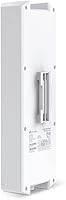
- Mounting Options: Pole and wall mounting kits are included in the package, supporting flexible installation positions without requiring additional hardware purchases for most setups.
- Management Modes: Supports three Omada SDN controller options (cloud-based, software, or hardware controller) as well as a standalone mode for users who prefer a simpler, controller-free configuration.
- Advanced Features: Built-in support for Omada Mesh, band steering, beamforming, airtime fairness, and load balancing — most of these require an active Omada SDN controller to function.
- Compatibility: Works with Starlink and is described as universally compatible, functioning as a downstream distribution AP regardless of the upstream router or modem brand.
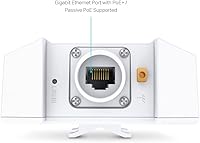
- Ethernet Port: Includes a single Ethernet port used for both PoE power input and network data, keeping the cabling requirement to a single run from switch or adapter to the AP.
- Color: Ships in white, which blends reasonably well with exterior walls, soffits, and typical pole mounting environments.
- Ecosystem: Integrated into TP-Link's Omada SDN platform, allowing it to be managed alongside compatible Omada switches, routers, and other access points from a unified interface.
- Operating Voltage: Runs at 12 volts via the included passive PoE adapter, which converts standard AC power at the source end and delivers DC power over the Ethernet cable.
- Wireless Protocols: Supports WPA3 and WPA2 security protocols to protect the wireless network at the access point level, regardless of the controller mode in use.
- Availability: First made available in April 2023 and currently holds the top ranking in the Computer Networking Wireless Access Points category on Amazon.
Related Reviews
TP-Link EAP660 HD WiFi 6 Access Point
TP-Link EAP615-Wall AX1800 In-Wall Access Point
TP-Link EAP620 HD V3 Wireless Access Point
TP-Link Festa F65-Outdoor AX3000 Wi-Fi 6 Access Point
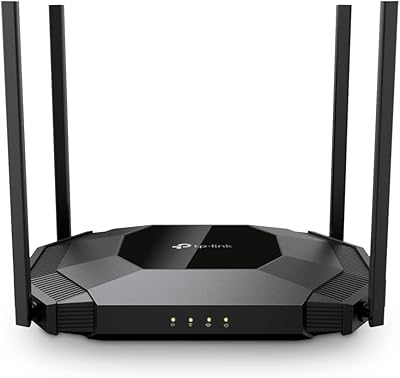
TP-Link TL-WA3001 AX3000 WiFi 6 Access Point
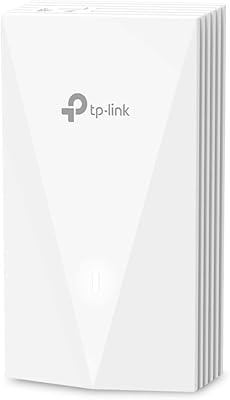
TP-Link EAP655-Wall WiFi 6 AX3000 Wall Plate Access Point

TP-Link Omada EAP225-Outdoor
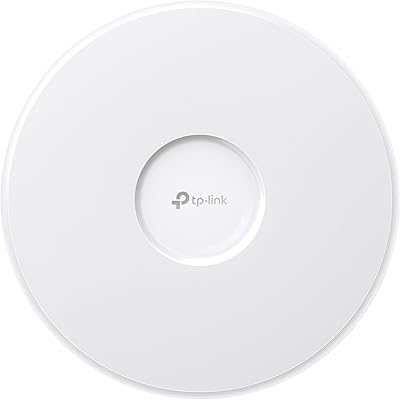
TP-Link EAP770 WiFi 7 Wireless Access Point

TP-Link Omada EAP720 WiFi 7 Access Point