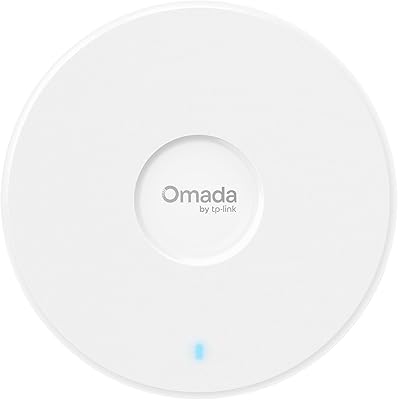
TP-Link Omada EAP225-Outdoor






Overview
The TP-Link Omada EAP225-Outdoor brings enterprise-style wireless management to a price point that doesn't require a corporate budget. It sits in TP-Link's Omada ecosystem — a platform that ties together access points, switches, and gateways under one management umbrella — making it far more capable than a typical consumer extender. The housing is weatherproof and rugged, designed to live outside year-round rather than tucked in a cabinet. Dual-band AC1200 Wi-Fi with MU-MIMO technology means it handles multiple connected devices without the usual bottlenecks. For anyone looking to move beyond basic home networking without jumping to full enterprise hardware, this outdoor access point occupies a genuinely useful middle ground.
Features & Benefits
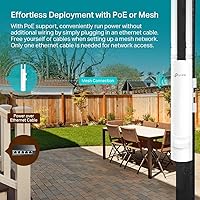
One of the standout qualities of this weatherproof AP is its IP65 rating — it shrugs off rain, dust, and temperatures anywhere from a freezing -30°C winter night to a scorching 70°C surface installation. Range is genuinely impressive: think covering a large backyard or a commercial parking lot without needing a second unit. Power over Ethernet support — both standard 802.3af/at and passive PoE — keeps cabling simple, since one network cable handles both data and power. The Omada SDN platform lets you manage everything from a cloud dashboard or a local controller. Throw in Band Steering, Beamforming, and up to 16 SSIDs for network segmentation, and this access point punches well above its weight class.
Best For
This outdoor access point shines in situations where consumer gear simply gives up. Homeowners extending Wi-Fi to a detached garage, a backyard workshop, or a covered patio will find the range and durability genuinely practical. Small businesses — a café with an outdoor seating area, a warehouse, or a car lot — get reliable outdoor coverage without budgeting for full commercial infrastructure. IT administrators already running the Omada ecosystem can drop this weatherproof AP into an existing managed network in minutes. That said, if your setup is a single router and you've never touched a management dashboard, the standalone mode is perfectly usable — it just won't unlock the platform's full potential.
User Feedback
Owners consistently praise the outdoor signal stability — people report holding solid connections at distances that would drop most consumer APs entirely. The lifetime warranty gets mentioned often, and the 24/7 support line seems to genuinely get used and appreciated. On the flip side, the Omada controller setup is a recurring sticking point. The platform rewards familiarity, but first-timers sometimes find the SDN vs. non-SDN firmware distinction confusing — mixing incompatible controller versions and access points is a real pitfall worth researching before buying. A handful of users also note that real-world range at the very edge of the spec sheet can vary depending on obstructions. Most buyers are satisfied, but going in prepared makes the experience far smoother.
Pros
- IP65 weatherproofing holds up through rain, frost, and summer heat without performance issues.
- Outdoor range covers distances that consumer extenders and mesh satellites cannot match.
- PoE support eliminates the need for a separate power outlet at the mounting location.
- A lifetime warranty on networking hardware at this price tier is genuinely rare and reassuring.
- Up to 16 SSIDs let small businesses separate guest, staff, and IoT traffic on a single unit.
- Standalone mode works cleanly for users who want coverage without a management platform.
- Omada ecosystem users can integrate this weatherproof AP into a centralized dashboard in minutes.
- MU-MIMO handling keeps performance stable even when multiple devices are active simultaneously.
- The slim form factor blends into walls and fascias without looking like industrial equipment.
- 24/7 technical support is consistently described as knowledgeable and actually useful.
Cons
- SDN versus non-SDN firmware compatibility is a real trap that catches first-time buyers off guard.
- Maximum range figures apply to clear line-of-sight only — obstructions reduce coverage noticeably.
- The Omada controller setup has a steep learning curve for anyone new to managed networking.
- AC1200 throughput shows its age compared to current Wi-Fi 6 access points in high-demand environments.
- Included mounting hardware feels underbuilt relative to the quality of the unit itself.
- White finish discolors over years of UV exposure in direct sunlight installations.
- Cloud management requires committing to TP-Link's platform — there is no third-party controller option.
- Thermal throttling in prolonged direct sun can affect peak throughput during hot summer months.
- Firmware update paths from older non-SDN units to current SDN versions require careful research first.
- Users who never use the Omada platform are paying for management features they will never access.
Ratings
The TP-Link Omada EAP225-Outdoor has accumulated thousands of verified reviews across global markets, and our AI rating engine has analyzed that pool while actively filtering out incentivized, duplicate, and bot-generated submissions to surface what genuine buyers actually experience. The scores below reflect both the strengths that keep this weatherproof AP at the top of its category and the friction points that real users run into — nothing is glossed over. Whether you're a homeowner or an IT admin, this breakdown gives you an honest picture before you commit.
Outdoor Range
Build Quality & Weatherproofing
Wi-Fi Performance & Stability
Setup & Installation
Omada Ecosystem Integration
PoE & Power Flexibility
Value for Money
Management Interface & App
Mounting & Physical Installation
SSID & Network Segmentation
Firmware & Long-Term Support
Warranty & Customer Support
Heat & Environmental Tolerance
Aesthetics & Form Factor
Suitable for:
The TP-Link Omada EAP225-Outdoor is built for buyers who need dependable wireless coverage in places where consumer gear simply isn't designed to survive. Homeowners extending Wi-Fi to a detached garage, a backyard workshop, or a large outdoor entertaining area will find the range and weatherproofing genuinely solve problems that mesh systems and range extenders can't. Small business operators — think cafés with outdoor seating, car dealerships, warehouses, or small hotel properties — get a level of coverage and network segmentation capability that normally requires a much larger hardware budget. IT administrators and network-savvy users who are already building out an Omada-based infrastructure will appreciate how naturally this outdoor access point slots into a managed multi-AP deployment, with centralized control, roaming policies, and per-SSID settings all handled from one dashboard. Even standalone users without any controller infrastructure can get real value here — the solo configuration mode is functional and accessible without any networking background.
Not suitable for:
The TP-Link Omada EAP225-Outdoor is not the right pick for every buyer, and being honest about that saves real frustration. If you're a casual home user who just wants to plug something in and extend Wi-Fi to the porch without touching a single configuration screen, the setup experience — particularly if you venture into the Omada controller — can feel disproportionately complex for the task. Buyers chasing the latest wireless performance will also want to look at Wi-Fi 6 hardware before committing, since AC1200 is a mid-range specification by current standards and will feel limiting in dense, high-throughput environments. Anyone planning to mix this access point into a non-TP-Link managed network should know upfront that the Omada ecosystem is largely self-contained — third-party controller compatibility is not on the table. Finally, renters or users who need a truly portable, zero-cabling solution should look elsewhere, since proper deployment here requires running an Ethernet cable to the mounting location, which is not always practical in every living situation.
Specifications
- Wi-Fi Standard: Operates on 802.11ac (Wi-Fi 5), supporting the Wave 2 specification for improved multi-device efficiency.
- Frequency Bands: Dual-band design covers both 2.4GHz and 5GHz simultaneously, allowing devices to connect on whichever band suits them best.
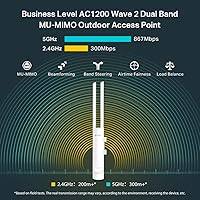
- Max Speed: Combined wireless throughput reaches up to AC1200, split across 300Mbps on 2.4GHz and 867Mbps on 5GHz.
- MU-MIMO: 2x2 MU-MIMO technology allows the access point to communicate with multiple devices at the same time rather than serving them sequentially.
- Outdoor Range: Rated for 200m+ coverage at 2.4GHz and 300m+ at 5GHz in open outdoor environments with clear line of sight.
- Weather Rating: IP65-certified enclosure provides full protection against dust ingress and sustained water jets from any direction.
- Operating Temp: Designed to operate reliably across an ambient temperature range of -30°C to 70°C (-22°F to 158°F).
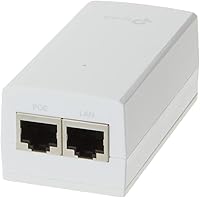
- PoE Support: Compatible with both 802.3af/at standard PoE and passive PoE, so a single Ethernet cable handles both data and power delivery.
- Ethernet Port: Equipped with one Gigabit Ethernet port for wired uplink connectivity and PoE power input.
- Max SSIDs: Supports up to 16 SSIDs in total, with up to 8 configurable per frequency band for network segmentation.
- Management: Can be managed via Omada Hardware Controller, Omada Software Controller, cloud-based controller, or run in fully standalone mode.
- Advanced Features: Includes Band Steering, Beamforming, Airtime Fairness, and seamless roaming support for optimized multi-device and multi-AP environments.
- Dimensions: Measures 8.46 x 1.81 x 1.05 inches, with a slim elongated profile designed for discreet wall or pole mounting.
- Weight: Weighs 5.9 ounces, light enough for single-person installation in most mounting scenarios.
- Color: Ships in white, with a low-profile exterior finish that blends into both outdoor fascias and indoor ceilings or walls.
- Warranty: Backed by a limited lifetime warranty, covering manufacturing defects for the operational life of the product.
- Support: Includes access to TP-Link's 24/7 free technical support by phone or online for setup, troubleshooting, and firmware guidance.
- In the Box: Package includes the access point unit, a passive PoE power adapter, mounting hardware kit, and a printed installation guide.
Related Reviews
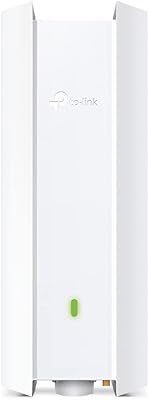
TP-Link EAP650-Outdoor WiFi 6 Outdoor Access Point
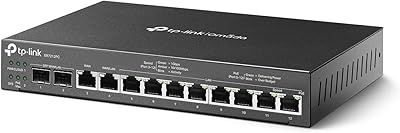
TP-Link ER7212PC 3-in-1 Gigabit VPN Router

TP-Link EAP110-Outdoor V3 Outdoor Access Point
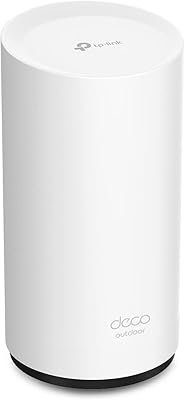
TP-Link Deco X50-Outdoor WiFi 6 Mesh Node
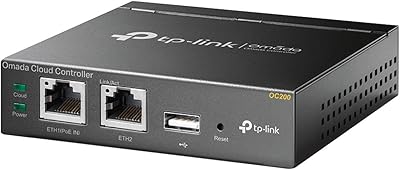
TP-Link Omada OC200
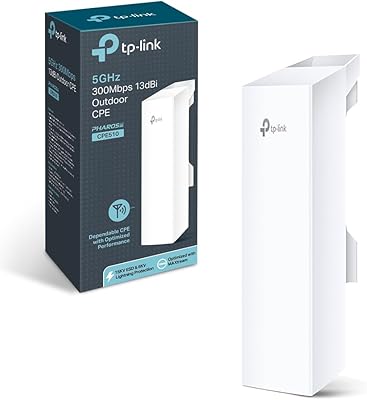
TP-Link CPE510 Outdoor Point-to-Point Wireless Bridge
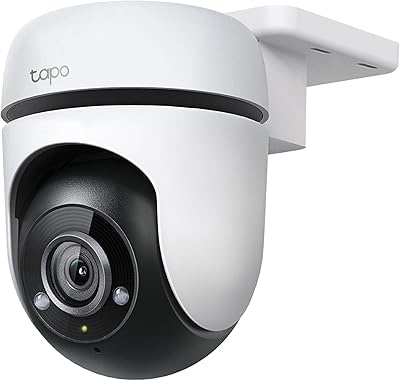
Tapo C500 Outdoor Pan/Tilt Security Camera
TP-Link EAP770 WiFi 7 Wireless Access Point
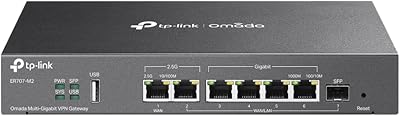
TP-Link ER707-M2 Multi-Gigabit VPN Router