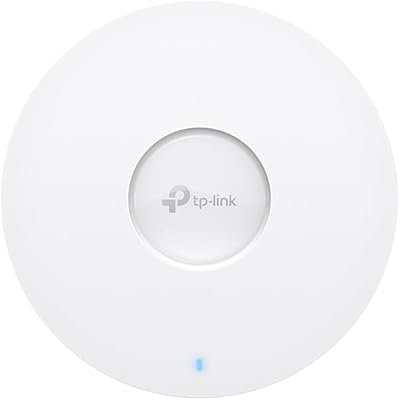
TP-Link EAP620 HD V3 Wireless Access Point


Overview
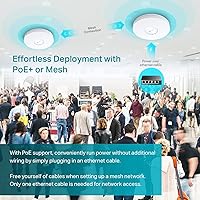
The TP-Link EAP620 HD V3 Wireless Access Point sits comfortably in the mid-range of the business networking market — capable enough for real multi-AP deployments, priced well below true enterprise hardware. At just 1.32 inches thick, it mounts cleanly on ceilings or walls without dominating the space, which matters more than people expect in professional settings. It operates within TP-Link's Omada SDN ecosystem, and that detail shapes the whole buying decision. Standalone mode works, but the advanced features most buyers are shopping for require a controller. With a 4.0-star rating across 65 reviews, it is well-regarded — though worth understanding the full picture before committing.
Features & Benefits
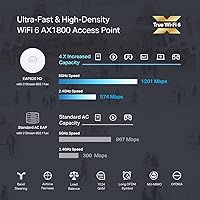
What Wi-Fi 6 actually delivers here is better efficiency under load, not just raw speed. The EAP620 HD V3 uses OFDMA and MU-MIMO to split channels intelligently across many devices at once — the kind of thing that makes a tangible difference when 40 laptops, phones, and tablets are all competing for bandwidth in one room. 1024-QAM modulation squeezes more data into every transmission, while Long OFDM Symbol improves reliability at range. On the power side, support for 802.3at PoE+, passive PoE, and a DC adapter gives installers real flexibility. Band steering and airtime fairness run quietly in the background, keeping traffic balanced without manual tinkering.
Best For
This TP-Link access point is a strong fit for anyone deploying multiple APs across a business — think small offices, hotel floors, café chains, or classrooms where coverage has to hold up under real device density. IT managers already working within the Omada ecosystem will find it integrates without friction. Network installers will appreciate having three powering options, so they are not locked into a specific cabling setup. This hardware is meant to be managed — ideally with a controller in the picture — and is not a substitute for a home router. If you want enterprise-style traffic management without the enterprise price tag, this Wi-Fi 6 AP makes a strong case.
User Feedback
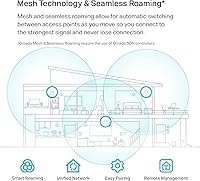
Buyers tend to highlight the clean, low-profile design — the compact form factor fits into ceilings and walls without looking out of place, which earns genuine points in customer-facing environments. The Omada app receives fairly consistent praise for its layout and remote management capabilities. That said, some users report frustration upon discovering that Mesh and roaming features only activate with an Omada controller, which is not always obvious at purchase. A few comments note that real-world throughput falls short of the headline figure under heavy load — expected behavior for shared wireless, but worth knowing. With 65 ratings, conclusions are directional rather than definitive. The 5-year warranty provides a meaningful safety net.
Pros
- Wi-Fi 6 technology handles dense device environments far more efficiently than older Wi-Fi 5 hardware.
- The ultra-slim, compact design blends into ceilings and walls without drawing attention in professional spaces.
- Three powering options — PoE+, passive PoE, and DC adapter — give installers real flexibility on any job.
- The Omada app is consistently praised for its clear layout and straightforward remote management capabilities.
- Band steering and airtime fairness run automatically, keeping the network balanced without constant manual oversight.
- Cloud-based management lets you monitor and adjust settings across multiple sites from a single interface.
- Ceiling and wall mounting hardware is included, so installation does not require sourcing additional parts.
- The 5-year warranty is notably longer than most competitors in this price range, adding meaningful peace of mind.
- Standalone mode is available for simpler deployments that do not yet need a full controller setup.
- Gigabit Ethernet backhaul ensures the wired connection is not a bottleneck for wireless throughput.
Cons
- Mesh and seamless roaming only activate with an Omada controller — a cost that is easy to overlook at purchase.
- The Omada controller requirement adds setup complexity that casual or first-time buyers may not anticipate.
- Real-world throughput under heavy load falls noticeably short of the headline AX1800 speed figure.
- Only 65 ratings are available, making it harder to draw firm conclusions about long-term reliability.
- No routing or switching capabilities are built in, so this Wi-Fi 6 AP always requires supporting infrastructure.
- The cloud-based controller option requires contacting TP-Link separately, which is not clearly communicated upfront.
- Weekday-only technical support hours may be a problem for businesses that operate around the clock.
- Buyers in larger enterprise deployments may hit scalability ceilings sooner than expected with this hardware tier.
Ratings
The TP-Link EAP620 HD V3 Wireless Access Point earned a 4.0-star average across 65 verified global ratings — a score our AI analysis corroborates after filtering out incentivized and bot-generated feedback, weighing genuine deployment experiences from IT professionals, hospitality operators, and small business owners. The scorecard below reflects both where this Wi-Fi 6 AP genuinely stands out and where real buyers have run into friction, giving you an honest, unvarnished picture before you commit.
Network Performance
Ease of Installation
Management Software
Controller Dependency
Build Quality
Value for Money
Range & Coverage
PoE Compatibility
Multi-AP Roaming
Device Density Handling
Setup Documentation
Firmware Stability
Aesthetic Design
Technical Support
Suitable for:
The TP-Link EAP620 HD V3 Wireless Access Point is built for business environments where multiple devices compete for bandwidth and a single router simply cannot cut it. It makes the most sense for small-to-medium businesses deploying several access points across offices, retail floors, co-working spaces, or hospitality venues like hotels and cafés. IT managers already running the Omada SDN ecosystem will find this a natural, cost-effective way to add Wi-Fi 6 coverage to their existing infrastructure. Network installers will appreciate the three powering options — PoE+, passive PoE, and DC — which reduce cabling headaches on-site. Education environments with dense device loads, such as classrooms running 30-plus tablets simultaneously, are also a strong fit. If you need centralized cloud management across multiple locations without paying enterprise-tier prices, this Wi-Fi 6 AP delivers genuinely solid value.
Not suitable for:
The TP-Link EAP620 HD V3 Wireless Access Point is not designed for home users expecting a plug-and-play router replacement — it has no built-in routing or modem functionality and works best as part of a larger managed network. Buyers who want the full feature set, including Mesh networking and seamless client roaming between APs, need to factor in the cost and setup effort of an Omada controller, which is a separate purchase. If you are deploying just a single access point with no plans to expand, the overhead of the Omada management layer may not be worth the added complexity. Buyers with minimal networking experience may find the initial configuration steeper than consumer-grade alternatives. Those operating in very large enterprise environments with hundreds of access points will likely outgrow what this hardware tier can reliably support and should look at higher-tier managed solutions.
Specifications
- Wi-Fi Standard: This access point uses 802.11ax, commonly known as Wi-Fi 6, which is the current generation of wireless networking technology.
- Max Speed: Dual-band AX1800 configuration delivers up to 574 Mbps on the 2.4 GHz band and up to 1201 Mbps on the 5 GHz band.
- Modulation: 1024-QAM modulation encodes more data per transmission cycle compared to the 256-QAM used in Wi-Fi 5 hardware.
- Dimensions: The unit measures 6.3 x 6.3 x 1.32 inches, making it compact enough for unobtrusive ceiling or wall mounting in professional environments.
- Weight: At 13.4 oz, the access point is light enough for single-person ceiling installation without requiring additional support hardware.
- Power Input: Supports three powering methods: 802.3at PoE+, 48V passive PoE, and a 12V/1.5A DC adapter included in the box.
- Connectivity: A single Gigabit Ethernet port provides the wired backhaul connection, ensuring the cabled link does not bottleneck wireless throughput.
- Mount Type: Ceiling and wall mounting kits are included in the package, so no additional hardware needs to be sourced for standard installations.
- Management: The unit can be managed via Omada Hardware Controller, Omada Software Controller, cloud-based controller, or operated in standalone mode.
- Key Technologies: OFDMA, MU-MIMO, beamforming, band steering, airtime fairness, and load balancing are all supported to optimize performance in high-density environments.
- Roaming Support: Seamless roaming and Omada Mesh are supported, but both features require an active Omada SDN controller to function.
- Frequency Bands: Operates simultaneously on both the 2.4 GHz and 5 GHz bands, with band steering available to direct clients to the most appropriate frequency.
- Color: The unit ships in white, which suits most ceiling and wall surfaces in offices, hospitality venues, and educational facilities.
- Wireless Protocol: Compatible with 802.11ax, 802.11ac, 802.11n, 802.11g, and 802.11b devices, ensuring backward compatibility with older client hardware.
- Warranty: TP-Link backs this access point with a 5-year limited warranty, which is notably longer than the 1-to-3-year coverage common among competitors.
- Technical Support: Free technical support is available Monday through Friday, 6am to 6pm PST, via TP-Link's dedicated business support channel.
- Operating System: Network management runs through TP-Link's Omada platform, which is available as a hardware appliance, software install, or cloud-hosted service.
- OFDM Symbol: Long OFDM Symbol support improves signal reliability and range, particularly in environments with physical obstructions or RF interference.
Related Reviews
TP-Link EAP653 Wi-Fi 6 Access Point

TP-Link TL-WA1201 AC1200 Wireless Access Point
TP-Link EAP660 HD WiFi 6 Access Point
TP-Link Omada EAP720 WiFi 7 Access Point
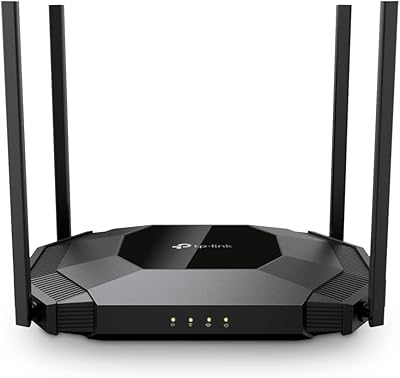
TP-Link TL-WA3001 AX3000 WiFi 6 Access Point

TP-Link Omada EAP225-Outdoor
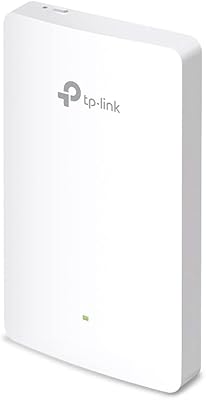
TP-Link EAP615-Wall AX1800 In-Wall Access Point
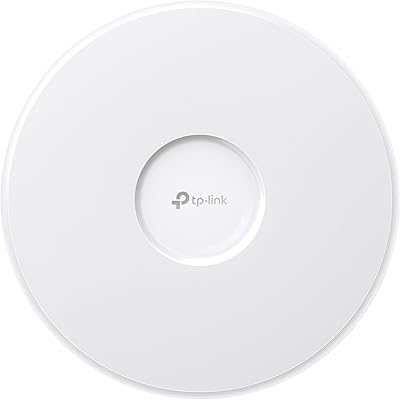
TP-Link EAP770 WiFi 7 Wireless Access Point
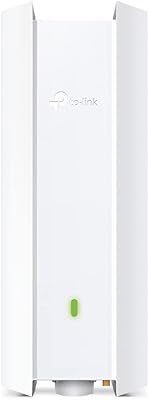
TP-Link EAP650-Outdoor WiFi 6 Outdoor Access Point