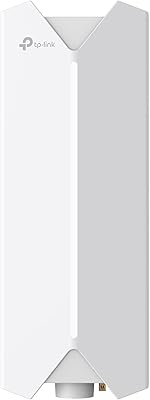
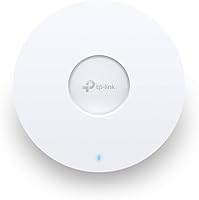
TP-Link EAP660 HD WiFi 6 Access Point

Overview
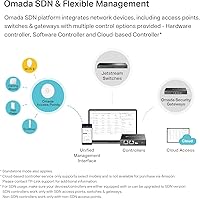
The TP-Link EAP660 HD WiFi 6 Access Point is built squarely for business environments where dozens of devices compete for bandwidth at once — think busy offices, clinics, or retail floors. To be clear, this is not a router or modem replacement; it requires an existing upstream network to function. What sets the EAP660 HD apart at this price tier is the 2.5 Gigabit Ethernet uplink, which prevents the port from becoming a throughput ceiling long before the wireless side does. It mounts cleanly to ceilings or walls, draws power over PoE+, and plugs into TP-Link's Omada SDN platform, giving IT managers centralized network control across multiple locations without extra cabling headaches.
Features & Benefits
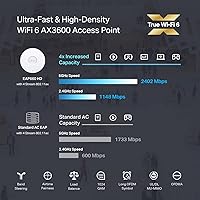
This WiFi 6 access point runs dual-band, combining a 574 Mbps 2.4 GHz channel with a 2976 Mbps 5 GHz channel for 3550 Mbps aggregate. More practically, OFDMA and MU-MIMO let the AP serve many clients in parallel rather than queuing them — a real difference in crowded environments. The 2.5GE uplink ensures your wired backhaul keeps pace with the wireless side. Omada SDN management works through a hardware controller, a self-hosted software controller, or a cloud-based option; note that the cloud controller carries an additional subscription fee, which catches some buyers off guard. A standalone mode also exists for single-AP deployments where running a full controller setup simply isn't worth the overhead.
Best For
TP-Link's high-density AP is a natural fit for small to medium businesses — offices, cafes, clinics, or classrooms — where 30 or more devices need reliable concurrent coverage. It shines especially when PoE+ cabling is already in place, since that eliminates the need for a local power outlet near each mount point. IT teams already running the Omada SDN ecosystem will find this AP slots right in alongside compatible switches and gateways. It's also a strong choice for anyone still on WiFi 5 infrastructure wanting a real density and throughput upgrade. Casual home users, however, should look elsewhere — the managed setup is designed for structured network deployments, not plug-and-play simplicity.
User Feedback
The EAP660 HD holds a strong overall rating, with most praise coming from IT professionals and small business owners who highlight stable performance under load and how much the Omada app simplifies managing multiple APs once the initial learning curve clears. The controller-based workflow takes some getting used to, but experienced admins find it pays off quickly. The most consistent complaint centers on the cloud controller's extra subscription fee — many buyers expected it to be included. Some users also flag that SDN version compatibility requires careful attention upfront; mixing SDN and non-SDN devices in the same deployment causes real headaches. Real-world speeds fall below the spec ceiling in dense environments, which is normal, but worth keeping in mind.
Pros
- Handles 40-plus simultaneous WiFi 6 devices without the throughput degradation typical of older access points.
- OFDMA and MU-MIMO visibly reduce congestion during peak usage in offices and classrooms.
- The 2.5 Gigabit Ethernet uplink prevents the wired backhaul from bottlenecking multi-gigabit wireless performance.
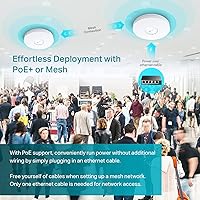
- PoE+ support means a single cable run covers both power and data, keeping installations clean and flexible.
- Omada SDN integration lets IT teams manage APs, switches, and gateways from one unified dashboard.
- Client roaming handoffs between multiple APs are noticeably smoother compared to WiFi 5 setups.
- Standalone mode makes single-AP deployments viable without needing a dedicated controller.
- A lifetime warranty at this price tier provides long-term peace of mind that competitors rarely match.
- Real-world buyer feedback consistently highlights stable, predictable performance during sustained heavy loads.
- Ceiling and wall mounting hardware is included, and the low-profile design blends into professional spaces.
Cons
- The cloud-based controller requires an ongoing subscription fee that is not clearly disclosed at the point of purchase.
- SDN and non-SDN firmware compatibility must be carefully verified before deployment — mixing versions breaks controller connectivity.
- First-time managed AP users face a steeper learning curve than the polished Omada app implies.
- Buyers with only a gigabit switch cannot take advantage of the 2.5GE uplink port.
- Wireless mesh backhaul loses meaningful throughput in buildings with dense concrete or brick walls.
- Firmware updates must be applied manually in many configurations, with no reliable automatic update path.
- Some firmware versions have introduced temporary regression bugs, requiring rollback in live network environments.
- The printed installation guide assumes networking familiarity and leaves beginners without enough practical guidance.
- Sticky client behavior in multi-AP deployments requires manual band-steering tuning to resolve properly.
- This WiFi 6 access point does not include a router or modem, which surprises buyers expecting an all-in-one solution.
Ratings
The TP-Link EAP660 HD WiFi 6 Access Point scores here reflect AI-driven analysis of verified global buyer reviews, with spam, bot-generated, and incentivized submissions actively filtered out before scoring. Across thousands of real-world deployments — from small office rollouts to multi-site business networks — this access point earns consistent praise for its wireless density performance and ecosystem depth, though a handful of recurring friction points around software compatibility and cloud pricing keep certain scores grounded. Both the strengths and the honest shortcomings are reflected transparently below.
Wireless Performance Under Load
Network Capacity & Device Density
Omada SDN Integration
2.5G Uplink Value
PoE+ Installation Experience
Omada App & Controller Setup
Cloud Controller & Subscription Cost
Firmware Stability & Update Experience
Roaming & Client Handoff
Build Quality & Physical Design
Standalone Mode Usability
Value for Money
Documentation & Support Resources
Mesh & Multi-AP Scalability
Suitable for:
The TP-Link EAP660 HD WiFi 6 Access Point is purpose-built for small-to-medium businesses, IT administrators, and network-savvy operators who need reliable wireless coverage across environments where 30 or more devices are connected at any given time. Think busy medical clinics, open-plan offices, coworking spaces, boutique hotels, or classrooms — anywhere that WiFi congestion is a daily operational frustration rather than an occasional inconvenience. IT teams already running the Omada SDN ecosystem will find this AP drops in cleanly alongside compatible switches and gateways, making multi-site management genuinely practical. Organizations with PoE+ infrastructure already in place benefit the most from the installation story — a single Cat6 run handles both power and data, keeping cabling tidy and reducing the number of decisions on-site. If you are upgrading from WiFi 5 and want a hardware investment that stays relevant as client devices modernize to WiFi 6, this AP makes a strong and well-priced case.
Not suitable for:
The TP-Link EAP660 HD WiFi 6 Access Point is not the right tool for home users looking for a simple plug-and-play wireless upgrade — it is an access point, not a router, and requires an existing upstream network with a separate modem and router or gateway to function at all. Buyers without any familiarity with managed networking concepts like SSIDs, VLANs, or controller-based provisioning will find the setup process more involved than they bargained for, regardless of how polished the Omada app looks. If you need remote cloud management across multiple sites, budget for the ongoing subscription fee that the cloud controller requires — it is not included in the hardware price, and overlooking it leads to real frustration post-purchase. Buyers without a PoE+ capable switch will also need to rely on the included power adapter, which partially offsets the clean single-cable installation advantage. And if your upstream switch only supports standard gigabit Ethernet, the 2.5GE uplink port delivers no practical benefit, meaning you are carrying a hardware capability you cannot currently use.
Specifications
- WiFi Standard: Operates on 802.11ax (WiFi 6) and is fully backward compatible with 802.11ac, 802.11n, 802.11g, and 802.11b devices.
- Max Speed: Delivers up to 3550 Mbps aggregate dual-band throughput — 574 Mbps on 2.4 GHz and 2976 Mbps on 5 GHz.
- Frequency Bands: Dual-band operation across both 2.4 GHz and 5 GHz simultaneously for flexible client distribution.
- Spatial Streams: Supports 8 spatial streams in total, enabling significantly higher multi-user throughput compared to 4-stream WiFi 5 access points.
- Uplink Port: Equipped with a single 2.5 Gigabit Ethernet port for wired backhaul, preventing the uplink from becoming a throughput bottleneck in multi-gigabit environments.
- PoE Support: Compatible with 802.3at PoE+, allowing the unit to receive both data and power over a single Ethernet cable from a PoE+ capable switch.
- Key Technologies: Incorporates OFDMA, uplink and downlink MU-MIMO, BSS Coloring, and Target Wake Time (TWT) for efficient high-density wireless management.
- Management: Supports Omada SDN via hardware controller, self-hosted software controller, or cloud-based controller; standalone mode is also available for single-AP deployments.
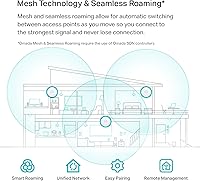
- Roaming: Supports 802.11r fast BSS transition and seamless client roaming across multiple APs within the same Omada SDN network.
- Mounting: Designed for ceiling or wall mounting with included hardware; the circular form factor sits flush and low-profile in professional environments.
- Dimensions: Measures 9.59 x 9.59 x 2.50 inches, occupying a moderate ceiling footprint comparable to other enterprise-class ceiling APs.
- Weight: Weighs 1.94 pounds, light enough for standard ceiling tile or drywall mounting without requiring additional structural reinforcement in most cases.
- Color & Finish: Ships in a white finish designed to blend into standard commercial ceiling and wall surfaces with minimal visual intrusion.
- Power Input: Accepts power via 802.3at PoE+ from a compatible switch, or alternatively through the included 12V DC power adapter for non-PoE installations.
- In the Box: Package includes the EAP660 HD unit, ceiling and wall mounting kits, an installation guide, and a power adapter.
- Operating System: Runs on TP-Link Omada SDN firmware, which must be on a compatible SDN version for controller-based deployment to function correctly.
- Warranty: Backed by TP-Link's limited lifetime warranty along with free 24/7 technical support for the duration of ownership.
- Mesh Support: Supports wireless mesh networking within the Omada ecosystem, enabling AP-to-AP backhaul when wired connections are not available at every node.
- Security Protocols: Supports WPA3, WPA2, WPA, and WEP encryption standards, with WPA3 recommended for modern client devices requiring enhanced wireless security.
- Antenna Design: Uses internal omnidirectional antennas optimized for even 360-degree horizontal coverage suited to open-plan commercial floor layouts.
Related Reviews
TP-Link EAP620 HD V3 Wireless Access Point
TP-Link EAP615-Wall AX1800 In-Wall Access Point
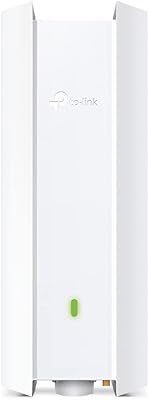
TP-Link EAP650-Outdoor WiFi 6 Outdoor Access Point
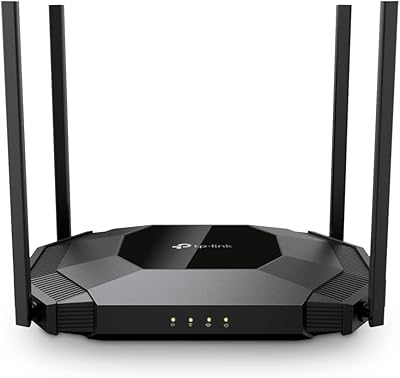
TP-Link TL-WA3001 AX3000 WiFi 6 Access Point
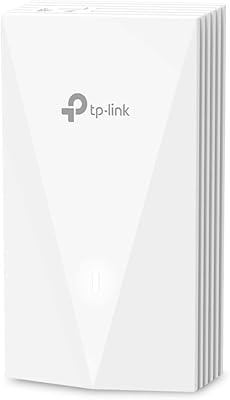
TP-Link EAP655-Wall WiFi 6 AX3000 Wall Plate Access Point
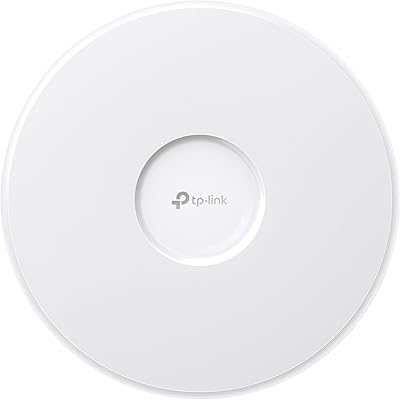
TP-Link EAP770 WiFi 7 Wireless Access Point
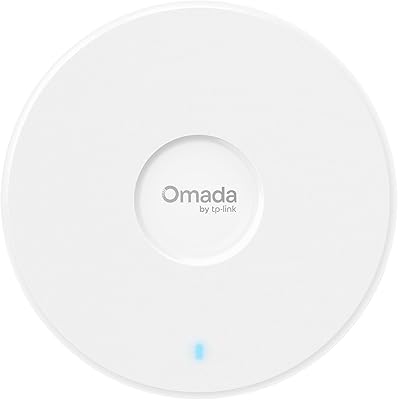
TP-Link Omada EAP720 WiFi 7 Access Point
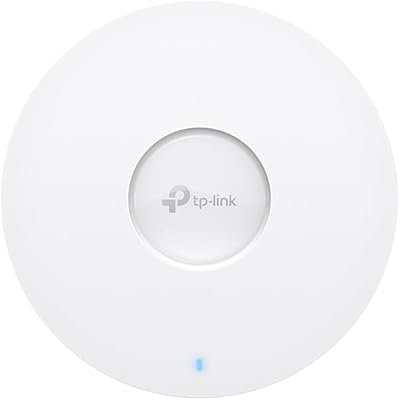
TP-Link EAP673 AX5400 Wi-Fi 6 Access Point
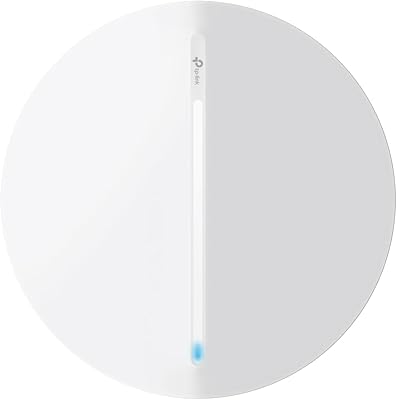
TP-Link Festa F76 WiFi 7 Access Point