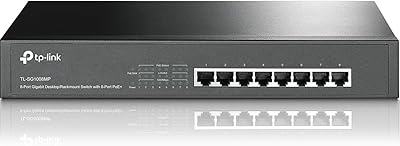
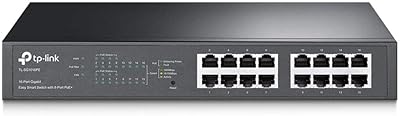
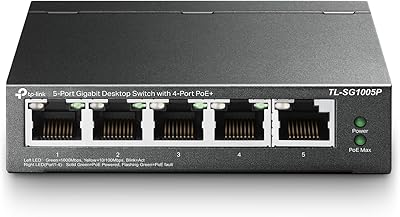
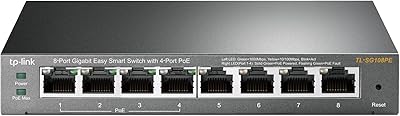
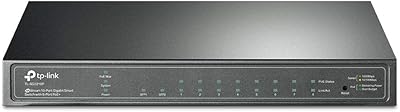
Overview

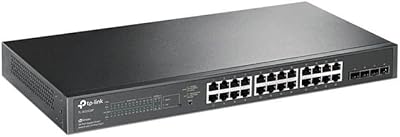
The TP-Link TL-SG1428PE 28-Port PoE+ Gigabit Switch occupies a practical sweet spot in the networking market — capable enough for real business use, but without the complexity of full enterprise gear. With 24 PoE+ ports packed into a solid metal 1U chassis, it is designed to live in a rack and power the devices that keep a small-to-medium business running. TP-Link's Easy Smart management tier sits deliberately between a dumb unmanaged switch and a CLI-driven managed unit — you get useful controls without needing a networking certification to use them. Over 5,700 Amazon ratings averaging 4.7 stars suggest buyers broadly agree this hits its intended mark.

Features & Benefits

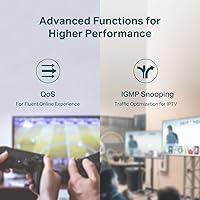
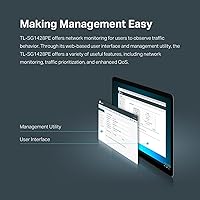
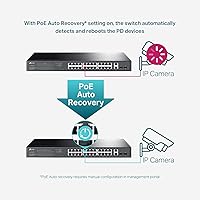
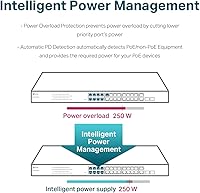
What makes the TL-SG1428PE particularly useful in practice is how the PoE budget plays out across real deployments. The total 250W shared across all 24 ports is enough to simultaneously run roughly eight to ten standard IP cameras or VoIP phones without pushing limits — though load planning still matters. Each port handles up to 30W, covering higher-draw devices like 802.11ac access points. The two SFP uplink slots handle fiber backbone connections cleanly when speed is a priority. The web-based interface covers VLAN configuration, QoS prioritization, and port monitoring without requiring CLI knowledge — a genuine advantage for lean IT teams. The PoE Auto Recovery feature quietly reboots unresponsive powered devices without manual intervention.

Best For

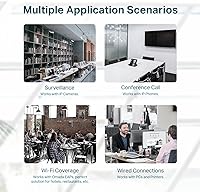
This 28-port switch is a natural fit for small businesses that need to power a mix of IP cameras, VoIP handsets, and wireless access points from a single rackmount unit. IT installers handling multi-site rollouts will appreciate the balance of port density and lightweight management — enough control without the overhead of a full managed switch. Home lab users who want VLAN segmentation on a budget will find it more than capable. Where it starts to struggle is in denser deployments: if you plan to run 20 or more high-wattage devices simultaneously, the shared power budget runs short fast. Retail, hospitality, and education setups with moderate device loads are where this switch consistently earns its keep.

User Feedback

Buyers praise this TP-Link PoE switch for its port density, solid build, and dependable day-to-day performance, consistently highlighting strong value compared to enterprise-tier alternatives at similar port counts. The criticisms that surface most often center on the shared PoE budget — users who loaded every port with power-hungry devices hit the ceiling faster than expected. A handful of reviewers found the Easy Smart GUI functional but dated compared to more polished competitors. One recurring frustration worth flagging: the product title references a Limited Lifetime Warranty, but the documented support terms describe a 3-year coverage window — a genuine inconsistency that buyers should confirm directly with TP-Link before committing to a purchase.

Pros

  • 24 PoE+ ports in a single 1U unit covers most small business deployments without needing a second switch.
  • Per-port power delivery handles demanding devices like dual-band access points without adapter clutter.
  • The web-based Easy Smart interface is genuinely approachable for non-specialist IT staff.
  • Two SFP slots allow clean fiber uplinks to a core switch or ISP handoff point.
  • PoE Auto Recovery silently reboots frozen cameras or phones, cutting down on unnecessary site visits.
  • Metal chassis and rackmount kit make this a clean, professional install right out of the box.
  • VLAN and QoS support adds meaningful network segmentation without the cost of a full managed switch.
  • Over 5,700 ratings at 4.7 stars reflects consistent real-world satisfaction across diverse deployment types.
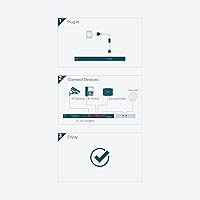
  • Plug-and-play operation means the TL-SG1428PE can go live quickly when configuration is not immediately needed.

Cons

  • The shared PoE budget runs out fast if most ports are loaded with higher-draw devices simultaneously.
  • Easy Smart management lacks the depth needed for complex multi-VLAN or enterprise-grade network policies.
  • The web GUI feels dated and less intuitive compared to newer competitors at a similar price point.
  • Warranty terms are inconsistently communicated — the product title and documented support window do not match.
  • Only two non-PoE RJ45 ports available for uplinks if SFP modules are not part of your setup.
  • No dedicated console port, which limits recovery options if the management interface becomes inaccessible.
  • Fan noise may be noticeable in quiet office environments where the switch is not rack-isolated.
  • Limited third-party integration support compared to fully managed alternatives from Cisco or Netgear.

Ratings

The TP-Link TL-SG1428PE 28-Port PoE+ Gigabit Switch has been scored below by our AI engine after analyzing thousands of verified global buyer reviews, with spam, incentivized, and bot-generated submissions actively filtered out. Scores reflect real deployment experiences across small businesses, IT installations, and home labs — strengths and frustrations alike are weighted honestly.
Value for Money
93%
Buyers consistently flag this as one of the most cost-efficient ways to get 24 PoE+ ports into a rack without crossing into enterprise pricing territory. IT installers running multi-site rollouts frequently cite it as a budget anchor that does not feel cheap in practice.
A small segment of reviewers feel the value calculation shifts once you factor in the 250W shared power ceiling — if you need a second switch to cover the gap, the per-port economics change noticeably.
PoE Performance
81%
19%
For typical mixed deployments — a dozen IP cameras, several VoIP phones, and a handful of access points — the PoE delivery is stable and reliable. Users report clean power handoff with 802.3af and 802.3at devices from multiple brands without compatibility issues.
The shared 250W budget is the single most cited limitation across negative reviews. Installers who loaded ports heavily with dual-radio access points or PoE-powered displays found themselves power-planning around a ceiling that feels tight for a 24-port unit.
Build Quality
88%
The all-metal chassis feels appropriately solid for a device meant to sit in a rack and run continuously for years. Reviewers who have deployed multiple units across different sites consistently describe the physical construction as well above what the price point would typically suggest.
A handful of users noted that the port labeling can wear faintly over time in higher-humidity environments, and a small number of early units shipped with minor cosmetic dents — though functional defects were rarely reported.
Ease of Setup
91%
Plug-and-play operation genuinely works as advertised — users who needed no management features had the switch passing traffic within minutes of unboxing. Even those who wanted VLAN or QoS configuration found the web interface walkable without any prior CLI experience.
A few reviewers who came from fully managed switches found the Easy Smart interface slightly disorienting at first, since it organizes features differently than enterprise tools. First-time network administrators occasionally needed the manual to locate specific settings.
Management Interface
72%
28%
For the audience this switch targets, the web GUI covers the bases well — VLAN tagging, port-based QoS, and PoE scheduling are all accessible without digging through layers of menus. Users managing small office or retail networks found it sufficient for day-to-day control.
The interface looks dated compared to more modern competitors, and several users noted it lacks the responsiveness of current-generation management tools. Those accustomed to Ubiquiti or newer Netgear interfaces found the experience noticeably less polished.
PoE Auto Recovery
84%
Users managing remote sites — particularly those running IP camera systems with no on-site IT staff — found this feature genuinely useful. Cameras and phones that occasionally freeze get power-cycled automatically, eliminating a surprising number of unnecessary truck rolls.
The feature requires manual configuration to activate, which some buyers discovered only after assuming it was enabled by default. A minority of users also reported that the ping-based detection occasionally triggered false reboots on devices with higher response latency.
Port Density
89%
Getting 24 active PoE+ ports plus 2 SFP uplinks into a single 1U slot is the core reason most buyers chose this switch over alternatives. For small business server rooms where rack space is limited, consolidating powered devices onto one unit is a real operational advantage.
The two non-PoE RJ45 ports are a minor limitation when SFP modules are not part of the deployment — some users wanted at least four standard uplink options for added flexibility in non-fiber environments.
Reliability & Uptime
87%
Long-term owners — some reporting 18 months or more of continuous operation — describe the TL-SG1428PE as a set-and-forget device. Very few reviews mention unexpected reboots, port failures, or performance degradation after extended runtime.
A small but consistent cluster of reviews described unit failures arriving within the first 90 days, pointing to a possible early-life defect rate. Most resolved via warranty replacement, but it was enough to suggest some quality variance in production batches.
SFP Uplink Quality
78%
22%
Users running fiber backbones to a core switch appreciated having two SFP slots available without paying extra for a higher-tier model. TP-Link-branded modules installed cleanly, and link stability was consistently reported as solid across fiber runs of varying lengths.
Third-party SFP module compatibility is inconsistent — some modules were recognized without issue while others required firmware updates or were simply not detected. Buyers relying on existing third-party SFP inventory should test before full deployment.
Noise Level
63%
37%
In a dedicated wiring closet or server room with ambient equipment noise, the cooling fans are effectively inaudible against the background. Users who rack-mounted the switch in isolated network rooms had zero complaints about noise impact.
In open-plan offices, small retail back rooms, or home lab setups where the switch sits near workspaces, several buyers described the fan noise as a constant, mildly intrusive hum. It is not loud by server standards, but it is noticeable in quiet environments.
VLAN & Segmentation
76%
24%
For straightforward guest network separation, camera VLAN isolation, or basic traffic segmentation across a small office, the VLAN implementation in the Easy Smart interface covers common use cases without needing a complex setup process.
Users who needed 802.1Q trunk configurations across multiple switches, or more granular inter-VLAN policies, found the feature set hit a ceiling fairly quickly. This is not a shortcoming so much as a design boundary — but it catches buyers who underestimate their own requirements.
Warranty Clarity
47%
53%
TP-Link's technical support team is generally responsive during covered weekday hours, and users who submitted valid warranty claims reported successful hardware replacements without excessive friction. The support staff knowledge level was rated positively in the majority of contacts.
The disconnect between the product title referencing a limited lifetime warranty and the documented 3-year support window frustrated multiple buyers who felt misled after purchase. This ambiguity has not been corrected in the listing, which continues to erode trust for first-time buyers doing their due diligence.
Thermal Management
82%
18%
Under sustained full-load conditions, the switch maintains stable operating temperatures without throttling ports or triggering warnings. Users in warm server rooms or enclosed cabinet installations with limited airflow reported no overheating events during normal operation.
The fans do ramp up under heavier PoE loads, which contributes to the noise issue some users experience. A passive or fanless option at this port count would be preferred by home lab users, though it does not exist in this product line.
Unboxing & Accessories
86%
The included accessory kit is complete and practical — rack ears, rubber feet, a power cord, and a printed installation guide cover everything needed to get the unit physically installed in either a rack or desktop configuration without a separate parts order.
No SFP modules are included, which is standard practice but still surprises some buyers who expected at least one module given the price. The installation guide is also fairly minimal and directs users online for anything beyond basic physical setup.

Suitable for:

The TP-Link TL-SG1428PE 28-Port PoE+ Gigabit Switch is purpose-built for small and medium-sized businesses that need to power and manage a meaningful number of network devices without jumping to expensive enterprise hardware. IT installers handling deployments across retail stores, small offices, schools, or hospitality venues will find the port count and built-in PoE delivery genuinely practical — enough ports to run a full floor of IP cameras, VoIP phones, and access points from a single rackmount unit. The Easy Smart web interface is a real advantage for lean IT teams or technically capable business owners who need basic VLAN segmentation and QoS controls but have no interest in learning command-line management. Home lab enthusiasts or prosumers looking for structured network control on a reasonable budget will also get solid mileage out of this switch. The included rackmount hardware and metal chassis mean it fits naturally into a proper server cabinet without feeling like a consumer-grade afterthought.
Not suitable for:

Buyers planning to run a fully loaded rack of high-wattage powered devices should look carefully before committing to the TP-Link TL-SG1428PE 28-Port PoE+ Gigabit Switch — the shared power budget across all 24 PoE+ ports is fixed, and if your deployment regularly pushes devices that draw near their maximum, you will hit that ceiling faster than the port count alone might suggest. Network administrators who need deep Layer 2 controls — spanning tree fine-tuning, robust SNMP monitoring, static routing, or detailed traffic analysis — will find the Easy Smart interface too limited for serious infrastructure work. Larger organizations with complex multi-VLAN environments or strict redundancy requirements would be better served by a fully managed switch from any vendor. The warranty situation also warrants caution: the product title implies a lifetime coverage term, but documented support terms point to a three-year window, which matters for anyone factoring long-term support costs into a purchasing decision.
Specifications

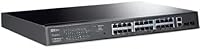
  • Total Ports: The switch provides 28 total ports: 24 PoE+ RJ45 ports, 2 standard Gigabit RJ45 ports, and 2 SFP slots.
  • PoE Standard: All 24 PoE ports support both 802.3at (PoE+) and 802.3af (PoE), making them compatible with a wide range of powered devices.
  • PoE Per Port: Each PoE+ port can deliver up to 30W of power, which is sufficient for most access points, IP cameras, and VoIP phones.
  • PoE Budget: The total shared PoE power budget across all 24 active ports is 250W, requiring load planning in high-density deployments.
  • SFP Uplinks: Two SFP slots support fiber or copper SFP modules for high-speed backbone or uplink connections to a core switch.
  • Data Rate: All ports operate at full Gigabit speeds (10/100/1000 Mbps), providing up to 1 Gbps per port.
  • Management: The switch uses TP-Link's Easy Smart web-based interface, supporting VLAN configuration, QoS, port monitoring, and PoE scheduling without CLI access.
  • Form Factor: The unit is a standard 1U rackmount design that fits into any 19-inch equipment rack using the included rack ears.
  • Dimensions: Physical dimensions are 17.3″ long by 8.7″ wide by 1.73″ high, occupying a single rack unit of vertical space.
  • Weight: The switch weighs 6.82 lbs (3.1 kg), which is typical for a metal-chassis unit of this port count.
  • Case Material: The enclosure is constructed from steel metal, providing durability and passive heat dissipation suitable for always-on environments.
  • Max Temperature: The switch is rated to operate at ambient temperatures up to 80.5°C, indicating robust thermal tolerance for enclosed rack spaces.
  • PoE Recovery: The PoE Auto Recovery feature can automatically detect and reboot unresponsive powered devices on a configured schedule, reducing manual intervention.
  • Switching Capacity: The non-blocking switching fabric handles full wire-speed forwarding across all ports simultaneously without creating internal bottlenecks.
  • Warranty: TP-Link provides a 3-year warranty with free weekday technical support from 6am to 6pm PST — note that the product listing title references a limited lifetime warranty, which buyers should verify directly.
  • In the Box: The package includes the switch unit, a rackmount kit, power cord, rubber feet for desktop use, and a printed installation guide.

Related Reviews
TP-Link TL-SG1016PE 16-Port Gigabit PoE Switch
80%
91%
PoE Reliability
88%
Build Quality
67%
Power Budget
63%
Management Interface
86%
Setup & Ease of Use
More
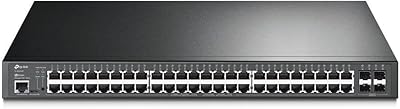
TP-Link TL-SG3452P 48-Port Managed PoE Switch
73%
91%
Value for Money
93%
Port Density
67%
PoE Power Budget
82%
Omada SDN Integration
58%
Setup & Configuration
More
TP-Link TL-SG1008MP 8-Port PoE+ Gigabit Switch
81%
96%
Ease of Setup
93%
PoE Coverage
91%
Build Quality
89%
Value for Money
88%
Reliability & Uptime
More
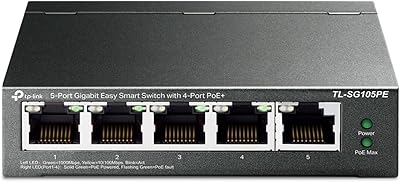
TP-Link TL-SG105PE 5-Port Gigabit PoE Switch
79%
91%
Value for Money
84%
PoE Performance
93%
Ease of Setup
76%
Network Management
62%
Web Interface
More
TP-Link TL-SG1005P
TP-Link TL-SG1005P
85%
96%
Ease of Setup
83%
PoE Power Delivery
91%
Build Quality
98%
Noise Level
89%
Gigabit Throughput
More
TP-Link TL-SG108PE
TP-Link TL-SG108PE
84%
88%
Build Quality
83%
PoE Performance
91%
Ease of Setup
79%
Management Interface
87%
Value for Money
More
TP-Link TL-SG2218P Smart Managed PoE Switch
82%
78%
PoE Performance
88%
Omada SDN Integration
83%
Web Interface & Usability
86%
Build Quality
81%
Fan Noise
More
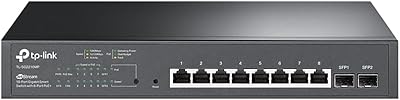
TP-Link TL-SG2210P V3 8-Port PoE Switch
83%
91%
Value for Money
74%
PoE Performance
83%
Ease of Setup
86%
Omada SDN Integration
88%
Build Quality
More
TP-Link TL-SG2428P Jetstream 24-Port Gigabit Smart Managed PoE Switch
84%
89%
Value for Money
70%
Ease of Setup
93%
PoE+ Performance
85%
Security Features
92%
Network Management (Omada SDN)
More
TP-Link TL-SG2210MP Jetstream 10-Port Gigabit Smart Managed PoE Switch
86%
91%
Value for Money
88%
Performance
93%
Ease of Setup
85%
Build Quality
89%
PoE Power Delivery
More

FAQ

Not quite. The total PoE power budget is shared across all active ports, so if every device drew its maximum allowance simultaneously, you would exhaust the budget well before filling all 24 ports with high-wattage devices. In practice, most deployments mix lower-draw cameras and phones with a few higher-draw access points, and that balance works fine. Just do a quick wattage tally before you commit to a layout.

No software installation is needed. The management interface is entirely web-based — you access it through a browser by pointing to the switch's IP address. There is also a standalone configuration utility available from TP-Link if you prefer a desktop app, but it is optional.

Easy Smart gives you the most useful day-to-day controls — VLAN setup, QoS prioritization, port mirroring, and PoE management — through a straightforward web GUI. What it does not offer is the deep Layer 2 and Layer 3 feature set you find on enterprise-grade managed switches, such as advanced spanning tree configurations, detailed SNMP reporting, or static routing. For most small business and light commercial deployments, Easy Smart covers everything you actually need.

Yes, fully. The PoE+ ports follow the industry-standard 802.3at and 802.3af protocols, so any compliant device — cameras, phones, access points — from any brand will work regardless of manufacturer.

The two SFP slots accept standard 1G SFP modules, including both fiber (single-mode and multi-mode) and copper SFP options. TP-Link's own SFP modules are a safe choice, but third-party modules that adhere to the SFP MSA standard generally work as well. Check TP-Link's compatibility list if you have a specific module in mind.

The switch periodically pings each PoE-powered device on a schedule you configure. If a device stops responding after a set number of attempts, the switch cuts and restores power to that port — effectively rebooting the device remotely. It is especially useful for IP cameras that occasionally freeze and would otherwise require a physical visit to power-cycle.

Yes. The package includes rubber feet so you can place it on a flat surface if you do not have a rack. The metal chassis and ventilation design still allow adequate airflow in either orientation, though a rack installation is generally preferred for long-term deployments.

This is a legitimate inconsistency worth flagging. The product title on Amazon references a Limited Lifetime Warranty, but TP-Link's documented support terms for this model describe a 3-year warranty with weekday technical support. Before purchasing, it is worth confirming the current warranty terms directly with TP-Link, since the two claims do not align and the answer may affect your long-term support expectations.

Yes — the TL-SG1428PE operates as a standard plug-and-play switch right out of the box. All ports are active by default and will pass traffic immediately without any setup. You only need to access the management interface if you want to configure VLANs, adjust QoS settings, or enable features like PoE Auto Recovery.

It does have internal cooling fans, and some users report that fan noise is noticeable in quiet spaces. It is not disruptively loud, but if the switch will be sitting on a desk near people rather than inside a closed equipment cabinet, the constant fan hum may be a minor annoyance. In a rack room or wiring closet, noise is typically a non-issue.