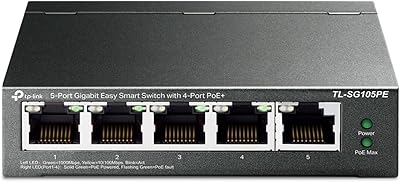
TP-Link TL-SG3452P 48-Port Managed PoE Switch
Overview
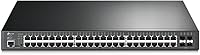
The TP-Link TL-SG3452P 48-Port Managed PoE Switch sits in a practical middle ground — capable enough for serious network deployments, yet priced well below true enterprise hardware. Rack it into a standard 1U slot and it fits right alongside existing core infrastructure without any modification. What separates it from a basic unmanaged switch isn't just port count; it's the Omada SDN integration, which brings centralized, cloud-based visibility that most budget switches simply can't offer. That said, this isn't something you hand to a non-technical user and walk away from. It rewards people who know their way around VLANs, CLI configuration, and deliberate network segmentation.
Features & Benefits
All 48 RJ45 ports on the TL-SG3452P support PoE+ at up to 30W each, which covers most IP cameras, wireless access points, and VoIP handsets without a second thought. The total 384W power budget sounds generous until you do the math — across all 48 ports, that averages roughly 8W each, so planning your device mix carefully matters. The four SFP uplink slots handle fiber or high-speed connections to your core layer cleanly. Static routing handles inter-VLAN traffic efficiently enough that many deployments won't need a separate router. PoE Auto Recovery is a quiet but genuinely useful addition, automatically cycling power to unresponsive devices without requiring manual intervention at the rack.
Best For
This 48-port PoE switch makes the most sense for small to mid-sized businesses that need to power and manage a dense mix of wireless APs, surveillance cameras, and IP phones from a single switch. It's also a strong fit for IT teams already invested in the Omada ecosystem — though that's worth noting as both an advantage and a constraint, since the SDN management works best when surrounding gear is Omada-compatible. Schools, hotels, and warehouse environments where cable runs are long and PoE device counts are high will appreciate the port density. Those needing strict access control or complex VLAN segmentation will find the security feature depth more than adequate for most mid-market requirements.
User Feedback
Buyers consistently highlight the value per port as a standout — getting this level of managed functionality at this price point is difficult to match from competing brands. Long-term stability also earns praise, with many users running this TP-Link managed switch in production for well over a year without meaningful issues. The friction tends to show up early: first-time Omada SDN setup can trip people up, especially around firmware compatibility between controllers and switches. A handful of users managing high-draw devices bumped into the 384W PoE ceiling faster than expected. One ambiguity worth flagging — the listing references both a 5-year and a limited lifetime warranty in different places, so confirming the exact coverage directly with TP-Link before purchase is advisable.
Pros
- 48 PoE+ ports in a 1U chassis is exceptional density for the price — few competitors come close at this tier.
- Omada SDN support enables centralized multi-site management through a single app or controller, reducing on-site admin overhead significantly.
- Static routing and full L2+ features eliminate the need for a separate router in many straightforward SMB deployments.
- PoE Auto Recovery silently reboots frozen cameras and APs, a small feature that saves real time in large-scale deployments.
- The security feature set — 802.1X RADIUS, ACL, DHCP Snooping, and IP-MAC-Port binding — is surprisingly thorough at this price point.
- Four SFP uplink slots provide clean, high-speed fiber connections to core infrastructure without adding another device.
- Long-term stability is a consistent theme in real-world feedback; many users report production use beyond a year with no major incidents.
- IPv6 support and dual image management add a level of operational resilience you wouldn't expect at this price tier.
- Multiple management interfaces — Web GUI, SSH, CLI, SNMP — give experienced admins flexibility in how they administer the switch.
Cons
- The 384W PoE budget sounds large but averages only about 8W per port if all 48 are occupied — plan your device load carefully.
- Initial Omada SDN setup can be confusing, particularly around matching SDN firmware versions between the switch and controller.
- The plastic chassis feels less robust compared to metal-bodied alternatives at a similar price, which may matter in demanding physical environments.
- The TL-SG3452P is effectively tied to the Omada ecosystem for SDN features — mixed-vendor environments lose much of the management value.
- The web UI has a noticeable learning curve and feels dated compared to more modern management interfaces from competing vendors.
- The warranty terms are inconsistently documented: the product title references a limited lifetime warranty while the description states five years — worth clarifying before purchase.
- No 10G uplink ports means the four SFP slots max out at 1Gbps, which can become a bottleneck in high-throughput aggregation scenarios.
- TP-Link phone support hours (Monday to Friday, limited window) may not suit businesses that need around-the-clock technical assistance.
- Heat management under sustained full-load PoE operation has drawn occasional criticism — ensure adequate rack ventilation before deployment.
Ratings
The TP-Link TL-SG3452P 48-Port Managed PoE Switch scores below were generated by our AI engine after analyzing thousands of verified buyer reviews from global markets, with spam, incentivized, and bot-flagged submissions actively filtered out. The ratings reflect the honest distribution of real-world experiences — both what this switch does well and where it genuinely falls short. Strengths in port density and ecosystem integration are balanced against legitimate concerns around setup complexity and thermal management.
Value for Money
Port Density
PoE Power Budget
Omada SDN Integration
Setup & Configuration
Build Quality
Thermal Management
Management Interface
Network Security Features
Long-Term Reliability
Uplink Flexibility
Cloud & Remote Access
Warranty & Support
Suitable for:
The TP-Link TL-SG3452P 48-Port Managed PoE Switch is built for IT professionals and network administrators who need to consolidate a large number of PoE-powered devices — think IP cameras, wireless access points, and VoIP phones — under a single, centrally managed switch without the cost of fully enterprise-grade hardware. Small and mid-sized businesses that are already building out an Omada ecosystem will get the most out of it, since the SDN integration genuinely simplifies multi-site management through a single controller or cloud app. It's also a practical choice for high-density environments like schools, hotels, and warehouses, where long cable runs make PoE distribution from a 1U rackmount switch far cleaner than running separate power adapters. Organizations with legitimate security requirements — VLAN segmentation, 802.1X authentication, ACL policies, or guest network isolation — will find the L2+ feature set handles those needs comfortably. If you have the networking knowledge to configure it properly, this switch punches well above its price tier.
Not suitable for:
The TP-Link TL-SG3452P 48-Port Managed PoE Switch is not the right choice for anyone expecting a plug-and-play experience. The initial setup, especially when integrating with Omada SDN, has a real learning curve, and getting firmware compatibility sorted between controllers and switches can frustrate even moderately experienced users. Home users or small offices with only a handful of PoE devices will find the 48-port density complete overkill, and the plastic build and 40°C operating ceiling make it a poor fit for unventilated or high-heat environments. Buyers planning to power many high-draw PoE devices simultaneously should also do the math carefully — the 384W total budget averages roughly 8W per port across all 48, which can fall short if your cameras or APs consistently draw near their maximum. Anyone outside the Omada ecosystem who wants to integrate this switch with third-party SDN controllers or more advanced routing features will quickly hit the ceiling of what an L2+ static routing architecture can do.
Specifications
- Total Ports: 52 ports total: 48 x RJ45 Gigabit PoE+ ports and 4 x Gigabit SFP slots for fiber or high-speed uplinks.
- PoE Standard: All 48 RJ45 ports support IEEE 802.3at (PoE+) and 802.3af (PoE), delivering up to 30W per port.
- PoE Budget: Total PoE power budget is 384W shared across all 48 ports, averaging approximately 8W per port at full occupancy.
- Max Power Draw: The unit draws a maximum of 485.7W from the mains under full PoE load, so account for this in rack power planning.
- Data Rate: All ports operate at full Gigabit speeds (10/100/1000 Mbps) with auto-negotiation on RJ45 interfaces.
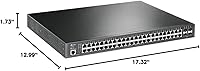
- Form Factor: Standard 1U rackmount chassis measuring 17.32″ L x 12.99″ W x 1.73″ H, compatible with 19-inch racks.
- Weight: The unit weighs 5.74 kg (12.63 lbs), which is typical for a fully populated 48-port managed switch in this class.
- Case Material: The chassis is constructed from plastic, which keeps weight down but offers less physical robustness than metal alternatives.
- Management Options: Supports Web GUI, CLI via console port, Telnet, SSH, SNMP, and RMON, plus Omada hardware or software SDN controller.
- L2+ Features: Includes static routing, 802.1Q VLAN, ACL, Spanning Tree Protocol, LACP link aggregation, and QoS traffic prioritization.
- Security Features: Security stack covers 802.1X RADIUS authentication, DHCP Snooping, IP-MAC-Port binding, DoS defense, and Storm Control.
- SDN Platform: Integrates with TP-Link Omada SDN via hardware controller, software controller, or cloud-based Omada app for multi-site management.
- PoE Auto Recovery: Built-in PoE Auto Recovery detects unresponsive PoE-powered devices and automatically power-cycles them to restore connectivity.
- IPv6 Support: Full IPv6 support is included, making the switch forward-compatible with modern network addressing requirements.
- Operating Temperature: Rated for operating environments up to 40°C (104°F); ensure adequate rack ventilation in warmer or enclosed spaces.
- Warranty: Warranty terms appear inconsistently across listing materials — the product title references a limited lifetime warranty while the item description states five years; verify the exact coverage with TP-Link directly before purchasing.
- Included Accessories: Package includes a power cord, quick installation guide, rackmount kit, and rubber feet for surface placement if needed.
Related Reviews

TP-Link TL-SG2218P Smart Managed PoE Switch
TP-Link TL-SG2428P 28-Port PoE+ Switch
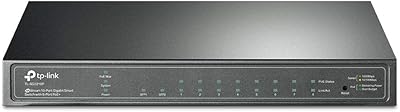
TP-Link TL-SG2210P V3 8-Port PoE Switch
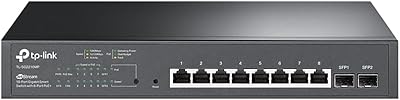
TP-Link TL-SG2210MP 10-Port PoE Smart Switch
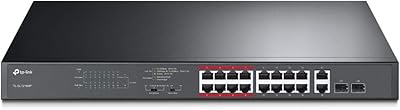
TP-Link TL-SL1218MP 16-Port PoE Network Switch
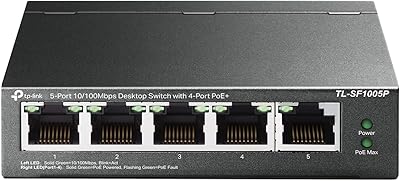
TP-Link TL-SF1005P
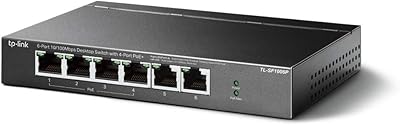
TP-Link TL-SF1006P 6-Port PoE Switch
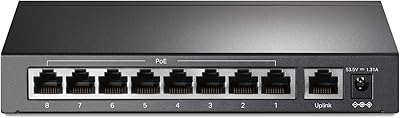
TP-Link TL-SF1009P 9-Port PoE+ Switch
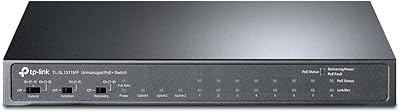
TP-Link TL-SL1311MP 8-Port PoE+ Network Switch