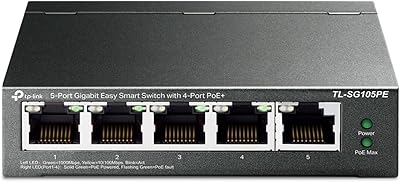
TP-Link TL-SG2210P V3 8-Port PoE Switch



Overview
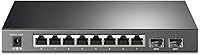
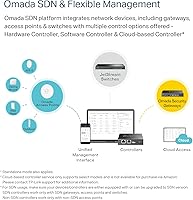
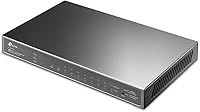
The TP-Link TL-SG2210P V3 8-Port PoE Switch sits in a productive middle ground between basic unmanaged switches and enterprise-grade hardware, offering genuine managed functionality at a price that makes sense for small businesses and serious home lab builders. Unlike a dumb switch, this TP-Link Omada switch plugs into TP-Link's broader SDN ecosystem, which opens up centralized cloud control, VLAN segmentation, and traffic prioritization without requiring a dedicated hardware controller. The physical package is compact and surprisingly solid — a metal desktop chassis that won't feel out of place in a server closet or on a desk. Ten ports total: eight PoE+ RJ45 ports and two SFP slots, backed by a 61W total PoE budget to power connected devices like cameras and access points.
Features & Benefits
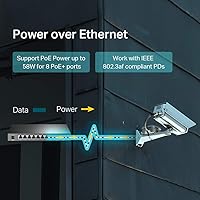
All eight RJ45 ports on the TL-SG2210P V3 support PoE+, meaning you can run IP cameras, wireless access points, and VoIP phones off a single cable per device — no injectors cluttering the cabinet. The two SFP slots add fiber uplink flexibility, useful when the switch needs to connect into a larger core network. On the management side, this managed PoE switch supports TP-Link's Omada SDN platform, but it's worth clarifying: a controller is optional. Standalone web UI access works out of the box, and the Omada app or a software controller adds cloud oversight when needed. Security features are thorough — 802.1X RADIUS authentication, DHCP Snooping, and ACL controls are all included, alongside QoS settings that prioritize time-sensitive voice and video traffic effectively.
Best For
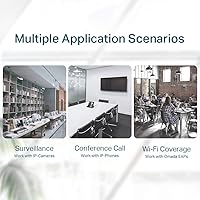
This TP-Link Omada switch is a strong fit for small office deployments where several PoE devices — access points, cameras, a VoIP phone or two — need to be powered and managed without a tangle of power adapters. Home lab enthusiasts who want real managed switch features but cannot justify enterprise pricing will find it hits a useful sweet spot. It also suits IT teams already running the Omada ecosystem, since it integrates cleanly with existing controllers and the Omada app. Retail shops and hospitality setups benefit from its VLAN support for network segmentation. The SFP slots are a bonus for anyone needing to connect over fiber to an upstream router or core switch in a more complex environment.
User Feedback
With a 4.6-star rating across nearly 2,000 reviews, buyer satisfaction for this managed PoE switch is notably consistent. Most praise centers on ease of initial setup via the Omada app and the genuine value of cloud management at this price tier. Long-term owners — some having used earlier hardware versions for years — report solid reliability with no significant failure patterns. That said, the most common frustration is the 61W PoE ceiling: power eight devices drawing anywhere near their limits and you will need to budget carefully. A secondary complaint involves SDN firmware compatibility, with some buyers confused about which controller version pairs correctly with which switch firmware. Real concerns, but not dealbreakers for most buyers.
Pros
- PoE+ on all eight data ports eliminates the need for individual power injectors throughout the installation.
- Standalone web UI means no controller hardware is required to get up and running immediately.
- Omada app enables genuine remote cloud management without recurring subscription fees.
- Metal chassis feels durable and holds up well in always-on small business environments.
- VLAN, ACL, and 802.1X RADIUS support provide enterprise-level security features at this price tier.
- Two SFP slots add fiber or high-speed uplink flexibility that most competing switches at this price omit.
- IPv6 support and static routing make this managed PoE switch a credible long-term investment.
- Five-year warranty with free technical support adds meaningful peace of mind for business deployments.
- L2/L3/L4 QoS handles voice and video traffic prioritization reliably in mixed-use environments.
- Long track record across multiple hardware versions points to consistent real-world reliability.
Cons
- The 61W total PoE budget runs thin quickly when multiple high-draw devices are connected simultaneously.
- SDN firmware versioning can cause compatibility headaches between the switch and certain Omada controllers.
- Firmware update cadence has been inconsistent, leaving some security patches slower to arrive than expected.
- No rack-mount ears included, which is inconvenient for users wanting to install it in a standard rack enclosure.
- The Omada SDN ecosystem is a closed platform — there is no integration path for non-TP-Link network hardware.
- Maximum operating temperature of 40 degrees Celsius limits deployment options in warm or poorly ventilated spaces.
- New users unfamiliar with managed switches may find the initial VLAN and QoS configuration steep without prior experience.
- Total switching capacity, while adequate for small networks, can become a bottleneck in bandwidth-intensive environments.
Ratings
The TP-Link TL-SG2210P V3 8-Port PoE Switch has been put through its paces by thousands of verified buyers worldwide, and our AI-driven analysis has filtered through that feedback — cutting out incentivized reviews and bot activity — to surface what real network administrators, home lab builders, and small business owners actually experienced. The scores below reflect both where this managed PoE switch genuinely delivers and where it falls short, giving you a transparent, balanced picture before you commit.
Value for Money
PoE Performance
Ease of Setup
Omada SDN Integration
Build Quality
Network Security Features
Traffic Management & QoS
Long-Term Reliability
SFP Uplink Flexibility
Cloud Management
Documentation & Support
Port Density
Fanless Operation
IPv6 & Routing Support
Suitable for:
The TP-Link TL-SG2210P V3 8-Port PoE Switch is a smart buy for small business owners, IT administrators, and serious home lab builders who need real managed switch capabilities without stepping into enterprise-level pricing. If your setup involves multiple wireless access points, IP cameras, or VoIP phones that need both data and power over a single cable, this switch removes the need for individual PoE injectors and keeps the installation clean. IT teams already running the Omada ecosystem will find it integrates naturally with existing controllers and the Omada app, making centralized remote management across multiple sites genuinely practical. Retail shops, small hotels, or office environments that require network segmentation through VLANs — keeping guest Wi-Fi separate from internal systems, for instance — will get solid mileage from the advanced security and traffic management features. The two SFP uplink slots are a real bonus for anyone who needs to tie this switch into a fiber backbone or a higher-capacity core network.
Not suitable for:
Buyers who need to power eight high-draw PoE devices simultaneously should look carefully before committing to the TL-SG2210P V3 8-Port PoE Switch, because the 61W total power budget is the most significant real-world constraint on this hardware. If you are running several devices that pull close to their maximum wattage — certain PTZ cameras or dual-radio access points, for example — you will hit that ceiling fast and need to either manage the load carefully or step up to a switch with a larger PoE budget. Users who want a purely plug-and-play experience with zero configuration should also think twice; while standalone web UI access is straightforward, the TP-Link Omada ecosystem has a learning curve and SDN firmware compatibility can trip up less experienced buyers. Anyone already invested in a competing network management platform like Cisco Meraki or Ubiquiti UniFi will find no integration path here. Large deployments requiring more than eight PoE ports will simply outgrow this hardware quickly.
Specifications
- Total Ports: The switch provides 10 ports in total: 8 RJ45 PoE+ gigabit ports and 2 SFP slots for fiber or high-speed uplink connections.
- PoE Standard: All 8 RJ45 ports support IEEE 802.3at (PoE+) and 802.3af, delivering up to 30W per port to connected devices.
- PoE Budget: The total shared PoE power budget across all 8 active ports is 61W, which must be managed carefully in high-draw deployments.
- Switching Capacity: The switch offers a non-blocking switching capacity of 20 Gbps, supporting full gigabit throughput across all ports simultaneously.
- Data Transfer Rate: Maximum forwarding rate is 2 Gbps, handling standard small-to-medium network traffic volumes without bottlenecking.
- Management: The switch supports TP-Link Omada SDN via hardware or software controller, plus a standalone web UI accessible without any controller hardware.
- Security Features: Security capabilities include 802.1Q VLAN, ACL, IP-MAC-Port binding, DHCP Snooping, 802.1X RADIUS authentication, and DoS defense.
- QoS Support: Traffic prioritization is handled through L2, L3, and L4 QoS, with IGMP Snooping and Link Aggregation also supported for optimized network performance.
- Routing: The switch supports static routing and IPv6, allowing basic inter-VLAN routing and compatibility with modern dual-stack network environments.
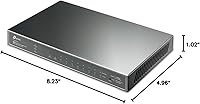
- Dimensions: Physical dimensions are 8.23″ long by 4.96″ wide by 1.02″ tall, making it suitable for desktop placement or compact rack-adjacent installations.
- Weight: The unit weighs 2.77 pounds, reflecting its all-metal chassis construction without being unwieldy for desktop or shelf mounting.
- Case Material: The outer chassis is constructed from metal, providing better heat dissipation and physical durability compared to plastic-bodied alternatives.
- Operating Voltage: The switch operates on 12V DC supplied by the included power adapter, with a rated current draw of 1.31 amps.
- Max Temperature: The rated maximum operating temperature is 40 degrees Celsius, so adequate ventilation is important in warm or enclosed installation environments.
- Warranty: TP-Link backs this switch with a 5-year limited warranty and includes free technical support available Monday through Friday, 6am to 6pm PST.
- In the Box: The package includes the TL-SG2210P unit, a power adapter, an installation guide, and rubber feet for stable desktop placement.
Related Reviews
TP-Link TL-SG108PE
TP-Link TL-SL1311MP 8-Port PoE+ Network Switch
TP-Link TL-SG1008MP 8-Port PoE+ Gigabit Switch
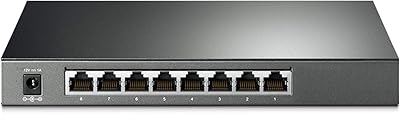
TP-Link TL-SG2008 8-Port Gigabit Managed Switch
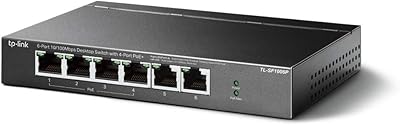
TP-Link TL-SF1006P 6-Port PoE Switch
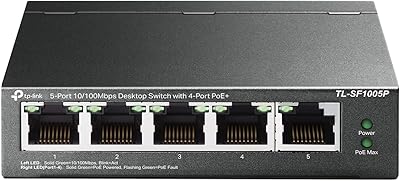
TP-Link TL-SF1005P
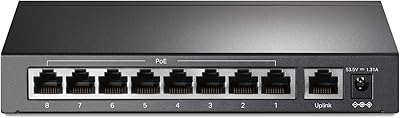
TP-Link TL-SF1009P 9-Port PoE+ Switch
TP-Link TL-SG108E 8-Port Gigabit Switch
TP-Link TL-SL1218MP 16-Port PoE Network Switch