Overview

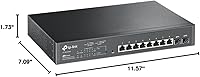
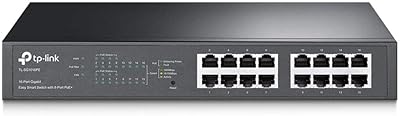
The TP-Link TL-SG2210MP 10-Port PoE Smart Switch sits in an interesting spot — it's a genuinely capable managed switch priced where most buyers expect to find unmanaged hardware. Built into a solid metal chassis ready for rackmount installation, it runs quietly without a fan, which matters in small office or home lab environments where noise is a real concern. What sets this managed PoE switch apart from cheaper alternatives is native integration with TP-Link's Omada SDN platform. That said, if you have no interest in centralized controllers, standalone mode works perfectly fine right out of the box — no cloud account required.
Features & Benefits

Eight PoE+ ports with up to 30W each sounds generous until you factor in the 150W shared budget — power eight devices at full draw and you'll hit that ceiling fast. In practice, IP cameras typically pull 7–15W and access points around 10–15W, so most real deployments land well within limits. The two SFP slots add meaningful uplink flexibility for fiber runs or connecting to a core switch. On the management side, the TL-SG2210MP supports 802.1Q VLANs, ACL rules, DHCP Snooping, and 802.1X RADIUS authentication — a serious security toolkit for a switch at this price point. Static routing and IPv6 support round things out for anyone thinking ahead.

Best For

This Omada-compatible switch is a natural fit for small offices running a mix of IP cameras, VoIP phones, and wireless access points — exactly the kind of environment where PoE port management and VLAN segmentation pay off daily. Home lab builders who want real managed-switch experience without buying enterprise hardware will find it hits a sweet spot. It also works well as the access layer in a larger Omada SDN deployment, sitting under a hardware or software controller alongside Omada routers and APs. For IT admins managing remote sites, cloud-based monitoring via the Omada app makes this a practical choice without needing on-site visits for routine changes.

User Feedback

Owners of this managed PoE switch tend to highlight two things above all else: how well the Omada app works for remote management, and how solid the metal build feels for the price. The most common criticism is the shared 150W budget — not a flaw exactly, but something buyers underestimate when speccing out a full eight-port deployment. First-time managed switch users also flag that initial controller setup takes some patience, especially for SDN mode, though most agree it's a one-time investment that pays off. One practical tip that surfaces repeatedly: keep firmware current to ensure SDN features work as expected across the ecosystem.

Pros

  • Eight PoE+ ports with up to 30W each cover the majority of small office device deployments comfortably.
  • The Omada app makes remote network management genuinely practical, even for single-person IT teams.
  • Metal chassis construction feels durable and professional well above what the price suggests.
  • Two SFP slots add real uplink flexibility for fiber connections or tiered network topologies.
  • Standalone mode means you can use this managed PoE switch without any controller at all.
  • VLAN, ACL, DHCP Snooping, and 802.1X RADIUS deliver a serious security toolkit for the price tier.
  • Static routing and IPv6 support reduce the risk of the hardware becoming obsolete too quickly.
  • The compact, rackmount-ready form factor fits neatly into small server closets or wall-mount enclosures.
  • L2/L3/L4 QoS ensures voice and video traffic gets prioritized without manual per-packet fiddling.
  • A five-year warranty provides meaningful long-term confidence for a piece of always-on infrastructure.

Cons

  • The 150W shared PoE budget requires careful planning — fully populating all eight ports leaves little headroom.
  • First-time managed switch users will face a real learning curve getting SDN controller mode configured correctly.
  • Omada cloud controller access may require contacting TP-Link for plan details, which adds friction during setup.
  • No redundant or hot-swap power supply option exists, making it a weak fit for high-availability requirements.
  • Firmware updates are essentially mandatory for full SDN feature compatibility, which adds ongoing maintenance overhead.
  • The TL-SG2210MP does not support dynamic routing protocols, limiting its role in more complex network architectures.
  • Users outside the Omada ecosystem lose most of the management value and are left with basic web-UI controls.
  • Eight ports may feel limiting sooner than expected as IP camera counts or AP deployments grow over time.

Ratings

Our AI rating engine analyzed verified global buyer reviews for the TP-Link TL-SG2210MP 10-Port PoE Smart Switch, actively filtering out incentivized, bot-generated, and low-quality submissions to surface what real network administrators, small business owners, and home lab builders actually experience. Scores reflect a balanced picture — genuine strengths are recognized, but recurring pain points and real-world limitations are weighted just as honestly. The result is a scorecard you can trust to make a practical purchasing decision.

Value for Money
91%
Among managed PoE switches with this port count and feature depth, the TL-SG2210MP consistently draws praise for delivering enterprise-adjacent capabilities — VLANs, QoS, 802.1X RADIUS, SDN integration — at a price that does not require budget approval from upper management. Home lab users and small IT teams frequently cite it as the switch that finally made managed networking accessible.
A handful of buyers felt the value equation weakens slightly if you factor in the cost of adding an Omada hardware controller for full SDN functionality. For users who just want plug-and-play simplicity, paying for managed features they never configure does reduce the practical return.
PoE Performance
83%
In real deployments running IP cameras, VoIP phones, and wireless access points simultaneously, the switch delivers stable, clean PoE power without the voltage fluctuation issues sometimes seen in cheaper hardware. The per-port 30W ceiling handles the vast majority of 802.3at devices without negotiation issues.
The 150W shared budget is the most-cited frustration — fully populating all eight ports with mid-draw devices like dual-radio APs leaves very little headroom. Users who did not plan their power budget carefully before purchasing found themselves unable to power all devices at full capacity without strategic port management.
Omada SDN Integration
88%
Buyers already invested in the Omada ecosystem — pairing this switch with an Omada router and APs — consistently report that centralized management through the app works reliably across sites. The ability to push VLAN changes, monitor port status, and reboot devices remotely from a phone is a practical time-saver for anyone managing distributed small office networks.
SDN setup has a real learning curve for first-timers, and the requirement to ensure all devices run SDN-compatible firmware before pairing them adds an unexpected step. A few users reported wasting an hour or more troubleshooting connectivity issues that turned out to be firmware version mismatches between the switch and the controller.
Build Quality
89%
The all-metal chassis feels noticeably more substantial than competing switches in this price range, and buyers frequently mention that it installs and sits in a rack with the confidence of hardware costing considerably more. The compact half-width footprint is consistently praised in small server closet deployments where space is genuinely tight.
A small number of users noted that the port labeling can be hard to read under poor lighting, and the unit does run slightly warm to the touch during sustained PoE loads. Neither issue is a dealbreaker, but they are worth noting for anyone planning a high-density or poorly ventilated installation.
Setup & Configuration
68%
32%
In standalone mode, the web interface is clean enough that an IT-literate user can configure basic VLANs and PoE settings within an hour. TP-Link's documentation has improved over time, and the Omada app guides new users through the initial pairing process with reasonable clarity.
First-time managed switch users report that the jump from standalone to full SDN mode is not always intuitive, and controller version compatibility issues have caught buyers off guard. Several reviewers specifically called out that the initial configuration investment, while manageable, was more time-consuming than they anticipated based on the product description.
Software & Firmware
72%
28%
When firmware is current, the Omada controller integration works smoothly and feature parity between the web UI and the app is strong. Users who stay on top of updates generally report a stable, reliable experience with features like IGMP Snooping and Link Aggregation working as expected.
Firmware update management is not automated in a way that catches every user's attention, and multiple reviewers reported discovering that SDN features were partially broken simply because they were running an outdated firmware version. The dependency on keeping firmware synchronized across an ecosystem of devices adds ongoing maintenance that some buyers did not anticipate.
Network Security Features
86%
For a switch at this price tier, the security feature set is genuinely impressive — 802.1X RADIUS authentication, ACL rules, IP-MAC-Port binding, and DHCP Snooping together provide meaningful network access control that was previously only accessible on far more expensive hardware. Small offices handling sensitive data or separating guest Wi-Fi from internal resources find these tools practically useful, not just marketing checkboxes.
Configuring the more advanced security features like 802.1X RADIUS requires a working RADIUS server and some familiarity with authentication protocols, which puts them out of reach for less technical buyers. The features are there, but the documentation assumes a baseline of networking knowledge that not every small business owner will have.
Fanless Operation
93%
The completely fanless design is quietly one of the most appreciated aspects of this managed PoE switch, particularly among users who install it in open-plan offices, reception areas, or home environments where mechanical fan noise would be intrusive. Under typical loads it runs silently, which is a genuine quality-of-life advantage over similarly priced switches that use active cooling.
Under sustained heavy PoE loads, the chassis does accumulate heat passively, and users in poorly ventilated enclosures or warm server closets have reported that the unit runs warmer than they expected. It stays within operating spec, but the absence of active cooling means installation environment matters more than it would with a fan-cooled alternative.
Remote Management
87%
The combination of the Omada cloud platform and mobile app gives IT administrators meaningful visibility and control over the switch from anywhere with internet access — adjusting PoE port states, monitoring traffic, and pushing configuration changes without being on-site is a workflow that users managing multiple small locations rely on regularly.
Cloud-based controller access requires contacting TP-Link for plan details, which introduces an opaque step that some buyers find frustrating when they expected a fully self-service experience. Users who prefer fully local management without any cloud dependency also note that the cloud controller option is less straightforward to opt out of than expected.
Port Flexibility
84%
Having two SFP slots alongside eight RJ45 PoE ports gives this managed PoE switch genuine architectural flexibility — users can run fiber uplinks to a core switch or use copper SFP transceivers depending on their existing cabling infrastructure. This makes it usable as an access layer device in tiered network designs, not just as a standalone unit.
Eight PoE ports can feel limiting sooner than expected as deployments grow, and the SFP slots do not support PoE, so all powered device connections consume RJ45 ports. Buyers who anticipated scaling from four to twelve cameras over a year sometimes find themselves needing a second switch earlier than planned.
Traffic Prioritization (QoS)
81%
19%
L2, L3, and L4 QoS support means this Omada-compatible switch can intelligently prioritize voice and video traffic over general data in mixed-use environments — a real benefit in offices where VoIP call quality drops whenever someone starts a large file transfer. IGMP Snooping further improves multicast handling for IP camera streams.
Translating QoS policy into correct switch configuration is non-trivial for users without prior managed switch experience, and TP-Link's documentation on QoS rule creation is not as detailed as some buyers would like. A few users reported spending significant time getting voice traffic properly prioritized before finding the right combination of settings.
Rackmount Integration
88%
The included rackmount kit and compact half-width 1U profile make physical installation straightforward, and the rubber feet allow desktop or wall placement when a rack is not available. IT administrators installing this in small office or retail server closets consistently praise how neatly it fits into mixed-hardware racks without wasted space.
Being a half-width unit means it can feel slightly awkward in a full-width rack bay without a matching second device or a dedicated half-width rack panel to fill the gap. Some users also noted that the rackmount ears feel slightly lightweight relative to the chassis, though none reported actual installation failures.
IPv6 & Future-Proofing
79%
21%
Full IPv6 support and static routing capability mean the TL-SG2210MP does not need to be replaced as networks transition away from IPv4-only addressing — a practical consideration for small businesses whose ISPs are already pushing IPv6 prefixes. Static routing covers most small-network use cases for inter-VLAN or multi-subnet connectivity without requiring a separate router.
The lack of dynamic routing protocol support (OSPF, BGP, RIP) means larger or more complex network architectures will eventually require a proper Layer 3 switch or router upstream. For most small business scenarios this is a non-issue, but buyers with growth ambitions should factor this ceiling into their long-term network planning.

Suitable for:

The TP-Link TL-SG2210MP 10-Port PoE Smart Switch is purpose-built for small business owners, IT administrators, and serious home lab builders who need real network control without paying enterprise prices. If your setup involves IP cameras, VoIP handsets, or wireless access points that need power-over-Ethernet, this managed PoE switch gives you the port count and power budget to handle a typical small office deployment cleanly. It fits especially well into existing Omada SDN environments, where it integrates with TP-Link routers and access points under a single management interface — a genuine convenience for anyone managing multiple sites remotely. Retail environments, small medical offices, and education settings that need VLAN segmentation to separate guest traffic from internal systems will also find the security feature set more than adequate. The rackmount-ready metal chassis makes it a practical choice for anyone running even a modest server closet or wall-mount enclosure.
Not suitable for:

Buyers expecting to run eight power-hungry PoE devices simultaneously may find the shared 150W budget a hard constraint — the TP-Link TL-SG2210MP 10-Port PoE Smart Switch simply was not designed for high-draw deployments like PTZ cameras or power-intensive outdoor APs at full load across every port. If you have no interest in managed networking concepts like VLANs, QoS rules, or access control lists, the added complexity here offers no practical return over a simpler unmanaged switch at a lower price. Network newcomers who have never configured a managed switch before should go in with realistic expectations — the initial SDN controller setup has a noticeable learning curve, and mistakes in configuration can disrupt an entire network. Larger organizations needing more than eight PoE ports, Layer 3 dynamic routing protocols like OSPF or BGP, or redundant power supply options will outgrow this hardware quickly. It is also not an ideal fit for anyone committed to a non-TP-Link ecosystem, since much of its management value is tied to the Omada platform.
Specifications

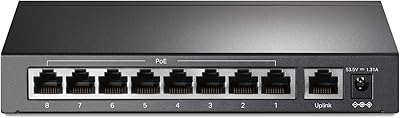
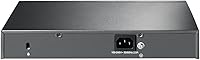
  • Total Ports: The switch provides 10 ports in total: 8x Gigabit RJ45 PoE+ ports and 2x Gigabit SFP slots for fiber or uplink connections.
  • PoE Standard: All 8 RJ45 ports support IEEE 802.3at (PoE+) and 802.3af (PoE), delivering up to 30W per port.
  • PoE Budget: The total shared PoE power budget across all 8 active PoE ports is 150W.
  • Data Rate: All ports operate at full Gigabit speeds, supporting 10/100/1000 Mbps auto-negotiation on RJ45 interfaces.
  • Dimensions: The unit measures 11.57″ long by 7.09″ wide by 1.73″ tall, fitting a standard half-width 1U rackmount profile.
  • Weight: The switch weighs 1.47 kg (3.23 lbs), reflecting its solid all-metal construction without excessive bulk.
  • Case Material: The chassis is built from metal, providing structural rigidity and passive heat dissipation suitable for always-on deployments.
  • Max Temperature: The TL-SG2210MP is rated for operating environments up to 50°C, making it suitable for small server rooms or enclosed cabinets.
  • Management Modes: The switch supports Omada SDN management via hardware controller, software controller, or cloud controller, as well as fully independent standalone mode.
  • VLAN Support: 802.1Q VLAN tagging is supported, allowing administrators to logically segment traffic across different user groups or device types.
  • Security Features: Built-in security includes ACL, IP-MAC-Port binding, DHCP Snooping, 802.1X RADIUS authentication, DoS defense, and Storm Control.
  • Traffic Management: The switch supports L2, L3, and L4 QoS prioritization, IGMP Snooping, Link Aggregation (802.3ad), and Flow Control for reliable traffic handling.
  • Routing: Static routing is supported, enabling basic inter-VLAN routing or simple multi-subnet configurations without a dedicated router.
  • IPv6 Support: Full IPv6 support is included, ensuring the switch remains compatible with modern and future network addressing requirements.
  • SFP Slots: Two dedicated SFP slots support fiber modules or copper SFP transceivers for flexible uplink or backbone connections.
  • Cooling: The switch operates fanlessly, producing no active cooling noise and making it well-suited to quiet office or home lab environments.
  • Included Items: The package includes the switch unit, a power cord, an installation guide, a rackmount kit, and rubber feet for desktop placement.
  • Warranty: TP-Link backs this switch with a 5-year limited warranty and provides free technical support Monday through Friday.

Related Reviews

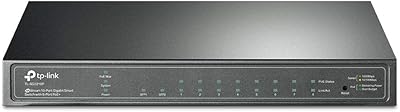
TP-Link TL-SG2218P Smart Managed PoE Switch
82%
78%
PoE Performance
88%
Omada SDN Integration
83%
Web Interface & Usability
86%
Build Quality
81%
Fan Noise
More
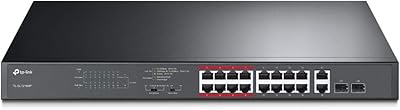
TP-Link TL-SG2210P V3 8-Port PoE Switch
83%
91%
Value for Money
74%
PoE Performance
83%
Ease of Setup
86%
Omada SDN Integration
88%
Build Quality
More
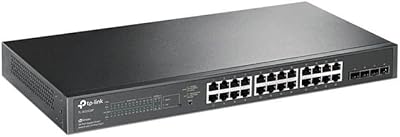
TP-Link TL-SG2428P 28-Port PoE+ Switch
83%
89%
PoE Power Delivery
86%
Omada App and Cloud Management
68%
Ease of Initial Setup
81%
Build Quality
84%
Network Security Features
More
TP-Link TL-SL1218MP 16-Port PoE Network Switch
79%
91%
Value for Money
88%
PoE Performance
79%
Extend Mode Reliability
93%
Ease of Setup
62%
Build Quality
More
TP-Link TL-SF1005P
TP-Link TL-SF1005P
82%
96%
Ease of Setup
81%
PoE Power Delivery
88%
Build Quality
94%
Fanless & Noise Level
67%
Extend Mode Performance
More
TP-Link TL-SF1006P 6-Port PoE Switch
88%
88%
Performance
95%
Ease of Setup
92%
Build Quality
89%
Reliability
91%
Power Delivery (PoE)
More
TP-Link TL-SF1009P 9-Port PoE+ Switch
80%
94%
Ease of Setup
78%
PoE Power Delivery
86%
Build Quality
71%
Extend Mode Performance
89%
Value for Money
More
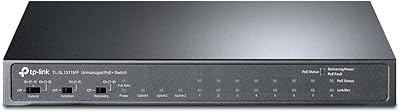
TP-Link TL-SL1311MP 8-Port PoE+ Network Switch
80%
94%
Ease of Setup
88%
PoE Performance
52%
Port Speed & Throughput
76%
Extend Mode Utility
73%
Build Quality
More
TP-Link TL-SG1016PE 16-Port Gigabit PoE Switch
80%
91%
PoE Reliability
88%
Build Quality
67%
Power Budget
63%
Management Interface
86%
Setup & Ease of Use
More
TP-Link TL-SG3452P 48-Port Managed PoE Switch
73%
91%
Value for Money
93%
Port Density
67%
PoE Power Budget
82%
Omada SDN Integration
58%
Setup & Configuration
More

FAQ

You can absolutely use it straight out of the box in standalone mode — just connect it to your network and manage it through the built-in web interface via a browser. The Omada SDN controller is optional and adds centralized management if you have multiple devices, but it is not required for basic operation.

It depends on the wattage draw of each device. A typical IP camera pulls around 7 to 12W, and a standard indoor access point uses roughly 10 to 15W. With a 150W shared budget across all 8 ports, you could comfortably run 8 cameras at 12W each and still have headroom — but mix in a few higher-draw devices and you will want to do the math before fully populating every port.

Yes, any device that complies with the 802.3at or 802.3af PoE standard will work fine on the RJ45 ports, regardless of brand. The PoE delivery is standards-based, so Ubiquiti APs, Axis cameras, Cisco VoIP phones, and similar devices all negotiate power normally.

The hardware controller is a dedicated physical device that runs independently of any PC, which is ideal for always-on deployments. The software controller runs on a PC or server and works well for smaller setups or home labs where you do not want to purchase additional hardware. Both give you the same centralized SDN management experience; the choice comes down to whether you want a dedicated appliance or prefer to run software on existing infrastructure.

Yes, it supports static routing, which means you can configure routes between VLANs or subnets directly on the switch without needing a separate router. It does not support dynamic routing protocols like OSPF or BGP, so for complex multi-site routing topologies you would still need a dedicated router or firewall upstream.

It runs completely fanless, so the only noise it produces is the faint hum of electrical components under load, which is essentially inaudible in a normal environment. It is a solid choice for under-desk installations, small office closets, or anywhere fan noise would be disruptive.

When you first connect the switch to an Omada controller, it will typically prompt you if the firmware version is incompatible. It is good practice to check the TP-Link support page for the latest firmware before adding any device to an SDN-managed network, as SDN controllers only work with SDN-compatible firmware versions.

The SFP slots accept both fiber SFP modules and copper Gigabit SFP transceivers, so you have full flexibility depending on your cabling infrastructure. If you just need a standard Gigabit uplink over Cat5e or Cat6, a copper SFP module drops right in.

Yes, the included rackmount kit and rubber feet give you mounting options, and the compact half-width form factor means it can also be wall-mounted with an appropriate bracket. The metal build holds up well in either orientation as long as there is adequate airflow around the unit.

If you are comfortable logging into a web interface and following a setup guide, standalone mode is approachable even for first-timers. The Omada SDN side does require a bit more familiarity with networking concepts like VLANs and IP addressing, but TP-Link provides solid documentation and the Omada app is fairly well-designed. Most users report that the initial configuration takes a few hours to get right, after which day-to-day management is straightforward.