TP-Link TL-SG2428P 28-Port PoE+ Switch
Overview
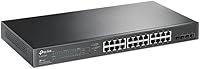
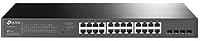
The TP-Link TL-SG2428P 28-Port PoE+ Switch is built for people who need real PoE muscle without stepping into full enterprise pricing. You get 24 PoE+ ports paired with four SFP slots, so fiber uplinks are an option if your setup calls for it. This switch fits comfortably into small business networks, busy home labs, or office closets where centralized power management matters. It runs fine as a standalone unit, but it also slots into TP-Link's Omada SDN ecosystem if you eventually want multi-site oversight. The casing is plastic rather than full metal, though it still rack-mounts cleanly and feels sturdy enough for daily handling in a server rack or wiring closet.
Features & Benefits
Power delivery is where this Omada switch earns its keep, offering a 250W total budget that comfortably runs cameras, access points, and VoIP phones at the same time without tripping over itself. The Omada cloud app lets you check in on the network or tweak settings remotely, which is handy if you manage more than one location. Security options go deeper than basic home routers, with VLAN tagging, access control lists, and DHCP snooping available for locking down who talks to what. QoS settings and IGMP snooping keep voice and video traffic prioritized, so calls and streams stay smooth under load. Link aggregation adds extra headroom for segments carrying heavier traffic, and the lengthy warranty suggests TP-Link expects this hardware to last.
Best For
This network switch makes the most sense for IT admins rolling out PoE cameras or access points across several rooms or floors, where centralized power and monitoring save real time. Small and mid-sized offices that want cloud-based control without hiring a dedicated network engineer will also find it a natural fit. Home-lab tinkerers who want a taste of enterprise-grade switching, but don't need a rack full of gear, get a lot of capability here for a reasonable footprint. And if you're already invested in Omada gear, or planning to be, this switch slides right into that ecosystem instead of forcing you to manage yet another standalone interface.
User Feedback
Long-term owners tend to highlight how smoothly this PoE switch pairs with the Omada controller, with several calling the web interface more intuitive than expected for something this capable. PoE output gets consistent praise too, holding steady even when multiple high-draw devices are pulling power at once. On the downside, a few buyers new to managed switches mention a real learning curve once you move past basic setup into VLANs or access control lists. Build quality draws mixed but generally positive notes, and fan noise rarely comes up as a complaint in long-term use. Overall, the rating reflects strong satisfaction, particularly among buyers who already know their way around networking gear.
Pros
- Delivers a generous 250W PoE budget that handles cameras, access points, and phones at once
- Omada cloud app makes remote monitoring and configuration genuinely convenient
- Strong security toolkit, including VLANs, ACLs, and DHCP snooping, for locking down traffic
- QoS and IGMP snooping keep voice and video traffic smooth under heavier load
- Owners consistently report stable, reliable PoE output even with multiple high-draw devices
- Integrates cleanly into the broader Omada SDN ecosystem for multi-site management
- Long warranty coverage adds confidence for long-term, set-and-forget deployments
- Rack-mountable design fits naturally into closets and server racks
Cons
- Steeper learning curve for buyers unfamiliar with managed switch concepts like VLANs
- Plastic casing feels less premium than fully metal enterprise-grade switches
- Overkill and unnecessarily complex for users with only one or two PoE devices
- Initial configuration takes more time than simple plug-and-play unmanaged switches
- Omada SDN features require some upfront research to use effectively
- Advanced security settings can feel overwhelming without prior networking experience
- No built-in display or status panel for quick at-a-glance diagnostics
Ratings
Our scores for the TP-Link TL-SG2428P 28-Port PoE+ Switch are generated by AI after analyzing thousands of verified user reviews worldwide, with spam, bots, and incentivized feedback filtered out before scoring. The result is a transparent breakdown that reflects both what real owners love and where this network switch falls short. Treat these numbers as a distilled summary of genuine, long-term ownership experiences rather than marketing claims.
PoE Power Delivery
Omada App and Cloud Management
Ease of Initial Setup
Build Quality
Network Security Features
Traffic Prioritization (QoS)
Fiber Uplink Flexibility
Reliability Over Time
Noise and Heat
Value for Money
Warranty and Support
Compatibility with Omada Ecosystem
Suitable for:
The TP-Link TL-SG2428P 28-Port PoE+ Switch is a strong match for IT admins and small business owners rolling out PoE security cameras or wireless access points across multiple rooms or floors. Anyone managing a growing office network will appreciate being able to monitor and adjust settings remotely through the Omada cloud app instead of physically visiting the closet. It also suits home-lab enthusiasts who want genuine managed-switch features, VLANs, QoS, link aggregation, without paying enterprise-tier prices. If you're already running other Omada gear, or plan to, this switch slots into that ecosystem with minimal friction. Businesses that rely on VoIP phones or video conferencing will benefit from the built-in traffic prioritization, since it helps keep calls and streams stable even when the network gets busy.
Not suitable for:
This isn't the right pick for casual home users who just need a handful of extra ports for a few PoE cameras or a single access point, since the management overhead outweighs the benefit at that scale. Buyers uncomfortable with networking concepts like VLANs or ACLs may find the setup intimidating at first, even though the interface is reasonably approachable once you get past the basics. The plastic casing, while functional, won't impress anyone expecting an all-metal, heavy-duty enclosure typical of pricier enterprise switches. People who only need basic unmanaged switching, with no interest in PoE, cloud management, or traffic control, are paying for capability they'll never use. The TP-Link TL-SG2428P 28-Port PoE+ Switch is also overkill for setups with fewer than a handful of powered devices.
Specifications
- Port Count: The switch offers 28 total ports, including 24 Gigabit RJ45 ports and 4 Gigabit SFP slots.
- PoE Ports: All 24 RJ45 ports support PoE+ (802.3at) and PoE (802.3af) standards for powering connected devices.
- PoE Power Budget: The switch provides a total PoE power budget of 250W shared across active ports.
- Per-Port Power: Each PoE port can deliver up to 30W to a connected device.
- SFP Slots: Four Gigabit SFP slots are available for fiber uplinks to other network segments.
- Management Type: The switch can run in standalone mode or be integrated into TP-Link's Omada SDN platform.
- Remote Access: Omada cloud access and a companion app allow remote monitoring and configuration from a single interface.
- Security Features: Supported security tools include 802.1Q VLAN, ACLs, IP-MAC-Port binding, DHCP snooping, and 802.1X authentication.
- Traffic Management: The switch supports L2/L3/L4 QoS and IGMP snooping to prioritize video and voice traffic.
- Link Aggregation: Link aggregation and flow control features are included to improve reliability on busier network links.
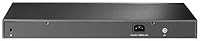
- Casing Material: The chassis is constructed from plastic and is designed to be rack-mounted.
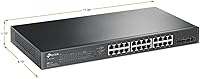
- Dimensions: The switch measures 17.32″ L x 8.66″ W x 1.73″ H.
- Weight: The unit weighs 7.04 pounds, or approximately 3.2 kilograms.
- Operating Temperature: The switch has an upper temperature rating of 50 degrees Celsius.
- Data Transfer Rate: Each port supports data transfer speeds of up to 1000 Megabits per second.
- Power Input: The switch operates on a current rating of 1 Amp.
- Warranty: The product is backed by a 5-year limited warranty from TP-Link.
- Included Accessories: The package includes a power cord, installation guide, rackmount kit, and rubber feet.
Related Reviews
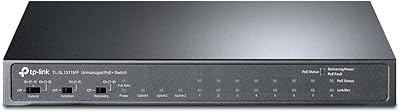
TP-Link TL-SL1311MP 8-Port PoE+ Network Switch
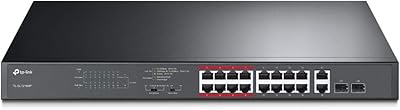
TP-Link TL-SL1218MP 16-Port PoE Network Switch
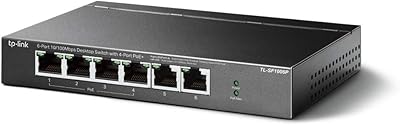
TP-Link TL-SF1006P 6-Port PoE Switch
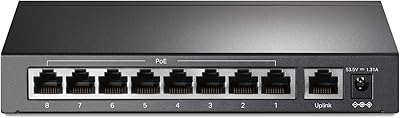
TP-Link TL-SF1009P 9-Port PoE+ Switch
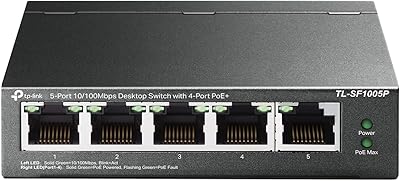
TP-Link TL-SF1005P
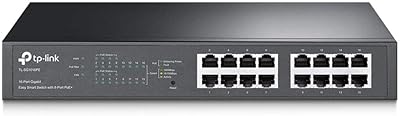
TP-Link TL-SG1016PE 16-Port Gigabit PoE Switch
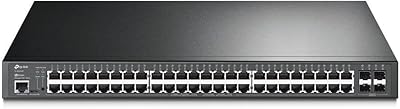
TP-Link TL-SG3452P 48-Port Managed PoE Switch
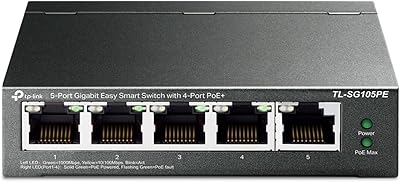
TP-Link TL-SG105PE 5-Port Gigabit PoE Switch
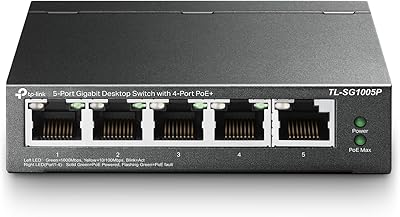
TP-Link TL-SG1005P
