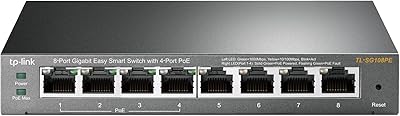
Overview

The TP-Link TL-SG105PE 5-Port Gigabit PoE Switch sits in a useful middle ground — it's not a dumb switch you plug in and forget, but it's nowhere near the complexity of a full enterprise unit. Holding a #26 Best Seller rank in Computer Networking Switches, it has clearly found an audience, and for good reason. The hardware itself is surprisingly compact: a lightweight plastic enclosure weighing under 8 ounces that fits on any desk without claiming much real estate. What makes it worth a closer look is how it pairs plug-and-play convenience with actual management features — VLAN, QoS, IGMP — tools you'd normally expect to pay considerably more for.
Features & Benefits

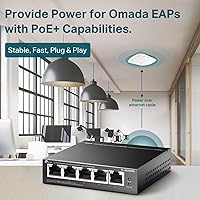
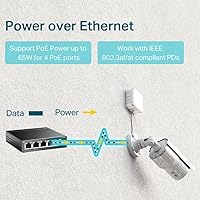
Four of the five ports on this PoE switch deliver Power over Ethernet (802.3at/af), each capable of supplying up to 30W — enough to run most access points, IP cameras, or VoIP phones without a separate power injector. The detail worth knowing upfront: the total PoE budget is 65W shared across all four ports, so if you're planning to max out every port with high-draw devices, do the math before buying. All five ports run at full gigabit speed. The Easy Smart web interface covers VLAN segmentation, 802.1p/DSCP QoS, IGMP Snooping, link aggregation, and basic rate limiting — a solid toolkit for a switch this size. Shielded RJ45 ports help in electrically noisy environments, and a 3-year warranty provides reasonable long-term assurance.

Best For

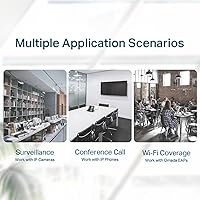
The TL-SG105PE is a natural fit for anyone powering several PoE devices in a compact space without running extra cabling. Home lab builders running a couple of IP cameras alongside a wireless access point will find it handles the job cleanly. Small business owners who want basic traffic segmentation or QoS prioritization — but have zero appetite for command-line configuration — will also feel comfortable here. It's particularly practical for AV-over-IP setups and smart home environments where a quiet, fanless desktop unit beats a noisy rack-mounted box. If you've outgrown a basic unmanaged switch and want meaningful control without studying for a networking certification, this TP-Link smart switch is a sensible next step.

User Feedback

Buyers consistently point to how fast the initial setup is — most get this TP-Link smart switch running in under ten minutes straight out of the box. Fanless passive cooling draws repeated praise from people deploying it in bedrooms or quiet home offices where any fan noise would be unwelcome. On the critical side, some users find the web management interface feels dated compared to what newer competitors offer at similar price points. The shared power budget is the most common real-world frustration: running four high-draw PoE devices at once can push the 65W ceiling, occasionally triggering automatic port de-prioritization. A handful of reviews also flag heat buildup when the unit sits in a closed cabinet. Overall sentiment is solidly positive, especially among home lab and small business users.

Pros

  • Fast, no-fuss setup — most users report being up and running within minutes straight out of the box.
  • Completely fanless design keeps things silent, which matters in a home office or bedroom installation.
  • Provides genuine management features like VLAN and QoS at a price point where most switches offer none.
  • Shielded RJ45 ports add a layer of reliability in environments with electrical interference.
  • Full gigabit speeds on all five ports means no bandwidth bottlenecks under normal home or SMB traffic loads.
  • The 3-year warranty is a meaningful safety net for a device expected to run 24/7.
  • Compact desktop footprint makes it easy to tuck away without needing rack space or dedicated enclosures.
  • PoE+ support on all four powered ports handles most standard IP cameras and access points without issue.
  • Weekday technical support from TP-Link gives less experienced users a real fallback when configuration gets tricky.

Cons

  • The 65W shared PoE budget fills up fast if you connect multiple high-draw devices across all four ports.
  • The web management interface works, but looks and feels behind compared to competitors at a similar price.
  • Plastic enclosure feels lightweight in a way that may not inspire confidence in long-term durability.
  • No rack-mount option limits deployment flexibility for anyone with structured cabling or server room setups.
  • Heat can accumulate if the TL-SG105PE is placed in a closed or poorly ventilated cabinet.
  • No support for 802.3bt (90W PoE++), ruling it out for newer high-power devices like pan-tilt cameras.
  • Management utility software is Windows-centric, which can be an inconvenience for Mac or Linux users.
  • Link aggregation support is present but limited, making it less useful for bandwidth-heavy server connections.
  • Only five ports total means you may outgrow this switch quickly if your device count expands.

Ratings

Our AI scoring for the TP-Link TL-SG105PE 5-Port Gigabit PoE Switch was built by analyzing thousands of verified global buyer reviews, with spam, bot submissions, and incentivized feedback actively filtered out before any scoring was applied. The results reflect both what users genuinely love about this switch and the real frustrations that surface after weeks or months of daily use. Strengths and pain points are weighted equally — nothing is glossed over.
Value for Money
91%
Buyers consistently call out how much functionality this PoE switch delivers relative to its price point. Getting VLAN support, QoS, IGMP Snooping, and four PoE+ ports in a desktop unit without spending enterprise-level money is the single most praised aspect across all markets.
A small but vocal group of users feel that as competing brands have pushed prices down, the TL-SG105PE's value edge has narrowed slightly. Those who later discovered units with better web interfaces at comparable prices reported mild buyer's remorse.
PoE Performance
84%
For the most common home and SMB use cases — powering IP cameras, wireless access points, and VoIP handsets — the PoE delivery is described as rock solid and consistent. Users running two or three mid-draw devices simultaneously report zero instability or unexpected port shutdowns.
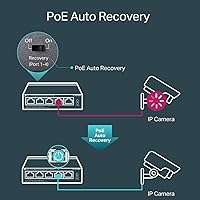
The 65W shared budget is the recurring sore point. Buyers who attempted to run four high-draw devices concurrently found that the switch began throttling or de-prioritizing ports, which caught several users off guard who had not checked the shared wattage ceiling before purchasing.
Ease of Setup
93%
This is where the TL-SG105PE earns some of its strongest praise. The vast majority of users — including those with limited networking experience — report getting the switch fully operational in under ten minutes, without touching any configuration at all for basic plug-and-play use.
Users who wanted to configure VLANs or QoS for the first time occasionally found TP-Link's documentation patchy, particularly for more nuanced setups like inter-VLAN routing or tagged port configurations. The learning curve is real once you move past the basics.
Network Management
76%
24%
Having access to VLAN segmentation, port-based QoS, IGMP Snooping, and link aggregation at this price tier genuinely impresses users stepping up from unmanaged switches. Home lab enthusiasts and small business owners specifically appreciate being able to isolate IoT device traffic from their main network without needing a separate enterprise switch.
Power users and IT professionals find the Easy Smart platform limiting — there is no CLI access, no SNMP monitoring, and no SSH. For anyone running a moderately complex network, these omissions become friction points that push them toward pricier alternatives.
Web Interface
62%
38%
The interface is functional and gets the job done for everyday management tasks. Users who only need to set up a few VLANs or adjust QoS priorities find it adequately navigable, and not needing to install software to access it is appreciated by Mac and Linux users.
The most consistent criticism across all regions is that the web UI looks and feels dated. Compared to competitors who have modernized their management interfaces, the TL-SG105PE's portal feels like it has not had a meaningful redesign in years, and occasional inconsistent behavior across browsers adds friction.
Build Quality
67%
33%
The shielded RJ45 ports are a genuinely thoughtful inclusion that users in electrically noisy environments — near HVAC systems, industrial equipment, or older wiring — notice and appreciate. The unit sits flat and stable on a desk without any flex or wobble during cable connections.
The plastic enclosure draws skepticism from users who expect metal housing at this price, particularly for a device intended to run continuously. Some buyers report that the casing develops a slight flex over time, and the overall build does not inspire long-term confidence the way an all-metal chassis would.
Thermal Management
58%
42%
In open-air desktop installations, thermal performance is generally fine. Users who place the switch on a shelf or desk with reasonable airflow report no heat-related issues even after months of continuous 24/7 operation.
Heat accumulation becomes a real issue for users who install the switch inside closed or poorly ventilated cabinets. Multiple long-term users have reported unexplained instability or reboots that they traced back to thermal stress, particularly in warmer climates or during summer months.
Noise Level
97%
The completely fanless passive cooling design means this switch produces zero noise under any load. Users who specifically bought it for bedroom home offices, recording studio setups, or living room AV racks call the silent operation one of the best decisions they made for their setup.
There are essentially no complaints here — the absence of a fan is universally praised. The only indirect trade-off, as noted in thermal feedback, is that passive cooling has physical limits that an active fan system would not face in confined spaces.
Port Count & Layout
71%
29%
For small deployments — a home router, two cameras, an access point, and a NAS — five ports covers the bases neatly. The port layout is straightforward with no awkward spacing that would block adjacent cables or adapters.
Users who started with this switch in a growing network frequently report outgrowing it faster than expected. The five-port ceiling, with only four of those being PoE-capable, becomes a bottleneck as smart home or small office device counts climb.
Compatibility
88%
Standard 802.3at/af compliance means this TP-Link smart switch works reliably with PoE devices from virtually every major manufacturer — Ubiquiti, Axis, Hikvision, Cisco, Grandstream — without any proprietary pairing required. Users integrating it into mixed-brand environments report no handshake or power negotiation issues.
Devices requiring 802.3bt (the newer 90W standard) are simply not supported, which is an increasingly relevant gap as newer PTZ cameras and multi-radio access points start shipping with higher power demands. Buyers with next-generation hardware should verify power requirements carefully.
Reliability & Uptime
83%
The majority of long-term users report months or years of uninterrupted operation with no unexpected reboots, dropped ports, or firmware-related instability in open installations. For a device that runs around the clock, this level of stability earns consistent trust from home and SMB buyers alike.
A minority of users have reported intermittent port drops or full reboots after extended operation, though most of these cases correlate with high ambient temperatures or enclosed mounting rather than defective hardware. Isolated units with genuine hardware faults have been reported but appear to be outliers.
Warranty & Support
78%
22%
A three-year warranty on a networking switch is genuinely above average for this market tier, and users who have needed to invoke it report that TP-Link's replacement process is relatively painless. Weekday technical support is appreciated by buyers who need guidance on first-time setup or configuration questions.
Support hours are limited to weekday Pacific business hours, which frustrates international buyers and those who can only troubleshoot on weekends. A few users also noted that support quality varies by representative, with some interactions being significantly more helpful than others.
Form Factor & Portability
85%
Weighing under 8 oz and measuring just under 4 inches on its longest side, this switch genuinely disappears into a desk setup or AV cabinet. Users who need to move or redeploy networking equipment regularly appreciate how easy it is to relocate without tools or planning.
The absence of rack-mount hardware is a real omission for buyers who later realize they need structured cabling or cabinet organization. Third-party rack trays exist but add cost and hassle, and a desktop unit sitting loose inside an open rack looks and feels improvised.

Suitable for:

The TP-Link TL-SG105PE 5-Port Gigabit PoE Switch is purpose-built for home lab enthusiasts, small business owners, and prosumers who need to power multiple PoE devices without running a tangle of separate power adapters. If your setup involves IP cameras, a wireless access point or two, and maybe a VoIP phone — all on a desk or shelf rather than in a rack — this switch fits that picture well. It strikes a practical balance: you get real management tools like VLAN segmentation and QoS prioritization through a web interface, without needing any command-line expertise to use them. Smart home integrators and AV-over-IP enthusiasts who need reliable gigabit delivery in a quiet, compact unit will also find it a comfortable match. Anyone stepping up from a basic unmanaged switch who wants more visibility and control over their network traffic, but isn't ready to commit to a full enterprise platform, should find this PoE switch a natural and well-priced move forward.
Not suitable for:

The TP-Link TL-SG105PE 5-Port Gigabit PoE Switch is not the right tool if you are running a demanding multi-device deployment where every PoE port will be under heavy load simultaneously — the shared 65W power budget becomes a real constraint in those scenarios. Network engineers or IT professionals who rely on full CLI access, SNMP monitoring, or advanced routing features will quickly find the Easy Smart platform too limited for serious infrastructure work. Businesses that need more than four powered ports, or require a rack-mount form factor with redundant power options, should look at a higher-tier managed switch instead. The plastic casing and passive cooling also make it a poor fit for enclosed equipment cabinets or high-temperature environments where heat dissipation is a genuine concern. If you are running high-draw devices like PTZ cameras or 802.3bt (90W) powered equipment, the per-port and total wattage caps here will simply not meet your needs.
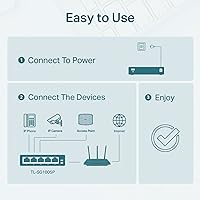
Specifications

  • Model: This switch is manufactured by TP-Link under the model designation TL-SG105PE.
  • Total Ports: The unit provides five RJ45 Gigabit Ethernet ports in a single compact enclosure.
  • PoE+ Ports: Four of the five ports support PoE+ (802.3at/af), each capable of delivering up to 30W to a connected device.
  • PoE Budget: The total shared power available across all four PoE ports is 65W, which must be distributed among all active powered devices.
  • Data Rate: All five ports operate at full Gigabit speeds, supporting data transfer rates of up to 1 Gbps per port.
  • Dimensions: The enclosure measures 3.93″ in length, 3.85″ in width, and 0.98″ in height.
  • Weight: The switch weighs 7.7 oz (0.22 kg), making it light enough to place on any desk or shelf without concern.
  • Case Material: The outer housing is constructed from plastic, suitable for desktop use in typical indoor environments.
  • Port Shielding: All RJ45 ports are shielded to reduce electromagnetic interference in environments with high electrical noise.
  • Management: Network management is handled through TP-Link's Easy Smart web-based interface and a companion desktop configuration utility.
  • Protocols: The switch supports 802.1Q VLAN, port-based and 802.1p/DSCP QoS, IGMP Snooping, link aggregation, rate limiting, and traffic monitoring.
  • Cooling: The TL-SG105PE uses passive fanless cooling with no moving parts, resulting in completely silent operation.
  • Input Voltage: The switch operates at an input voltage of 53.5V, supplied via the included power adapter.
  • Max Temperature: The rated upper operating temperature is 95.31°C, though adequate ventilation is recommended in real-world deployments.
  • Form Factor: The switch is designed as a desktop unit and does not include rack-mount hardware or support standard rack installation.
  • Warranty: TP-Link backs this switch with a 3-year limited warranty covering manufacturing defects.
  • Tech Support: Free technical support is available on weekdays from 6am to 6pm PST by contacting TP-Link directly.
  • In the Box: The package includes the switch, a power adapter, rubber feet for desktop placement, and a printed installation guide.

Related Reviews
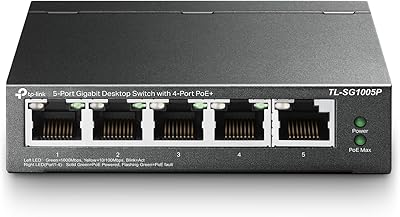
TP-Link TL-SG1005P
TP-Link TL-SG1005P
85%
96%
Ease of Setup
83%
PoE Power Delivery
91%
Build Quality
98%
Noise Level
89%
Gigabit Throughput
More
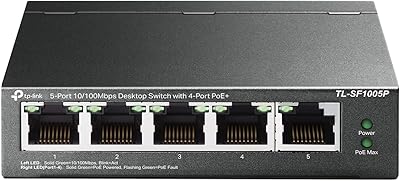
TP-Link TL-SF1005P
TP-Link TL-SF1005P
82%
96%
Ease of Setup
81%
PoE Power Delivery
88%
Build Quality
94%
Fanless & Noise Level
67%
Extend Mode Performance
More
TP-Link TL-SG1428PE 24-Port Gigabit PoE Switch
86%
89%
Performance
92%
Value for Money
87%
Ease of Setup
93%
PoE Power Output
84%
Build Quality
More
TP-Link TL-SG3452P 48-Port Gigabit PoE+ Switch
84%
92%
Performance
94%
PoE Capabilities
85%
Cloud Management Experience
88%
Build Quality
82%
Ease of Setup
More
TP-Link TL-SG1016PE 16-Port Gigabit PoE Switch
80%
91%
PoE Reliability
88%
Build Quality
67%
Power Budget
63%
Management Interface
86%
Setup & Ease of Use
More
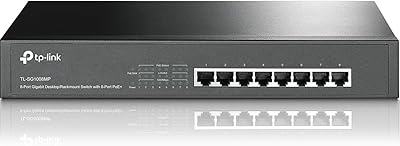
TP-Link TL-SG1008MP 8-Port PoE+ Gigabit Switch

81%
96%
Ease of Setup
93%
PoE Coverage
91%
Build Quality
89%
Value for Money
88%
Reliability & Uptime
More
TP-Link TL-SG108PE
TP-Link TL-SG108PE
84%
88%
Build Quality
83%
PoE Performance
91%
Ease of Setup
79%
Management Interface
87%
Value for Money
More
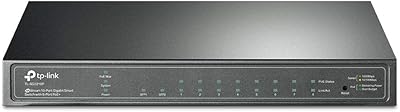
TP-Link TL-SG2218P Smart Managed PoE Switch
82%
78%
PoE Performance
88%
Omada SDN Integration
83%
Web Interface & Usability
86%
Build Quality
81%
Fan Noise
More
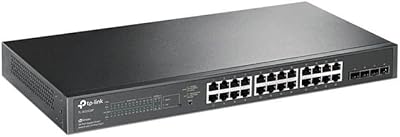
TP-Link TL-SG2428P Jetstream 24-Port Gigabit Smart Managed PoE Switch
84%
89%
Value for Money
70%
Ease of Setup
93%
PoE+ Performance
85%
Security Features
92%
Network Management (Omada SDN)
More
TP-Link TL-SG2210P V3 8-Port PoE Switch
83%
91%
Value for Money
74%
PoE Performance
83%
Ease of Setup
86%
Omada SDN Integration
88%
Build Quality
More

FAQ

Technically, each port supports up to 30W individually, but the total PoE budget across all four ports is capped at 65W. So if you tried to pull 30W from all four simultaneously, you'd exceed that ceiling. In practice, most IP cameras and access points draw well under 15W, so for typical home or small office setups you are unlikely to hit the limit — but if you are running power-hungry devices on every port, do the math first.

No. You can plug it straight in and it will forward traffic immediately without any configuration. If you want to set up VLANs, QoS, or other management features, you access those through a web browser on the same network — no software installation required. TP-Link also offers an optional desktop utility if you prefer a guided setup experience.

Yes. The PoE implementation follows the standard 802.3at and 802.3af protocols, which means it is broadly compatible with any PoE-compliant device from any manufacturer — Ubiquiti, Axis, Hikvision, Cisco, and others. Just verify that your devices do not require 802.3bt (90W PoE++), which this switch does not support.

Completely silent. This PoE switch uses passive cooling with no internal fan, so there are no moving parts and no noise whatsoever. That makes it a genuinely good fit for bedrooms, home offices, or any quiet environment where fan hum would be distracting.

Not without a third-party adapter. The TL-SG105PE is a desktop-form-factor switch and does not ship with rack-mount ears or brackets. If rack installation is important to your setup, you would need to look at a rack-ready model in TP-Link's lineup or purchase a compatible desktop-to-rack tray separately.

Once the switch is connected to your network, open a browser and navigate to its local IP address to access the Easy Smart web interface. The VLAN section is clearly labeled and lets you assign ports to specific VLANs without any command-line knowledge. TP-Link also has step-by-step guides on their support site, and their weekday phone and chat support can walk you through it if you get stuck.

It does generate some warmth under load, which is normal for passive-cooled electronics. Most users report no issues when the switch is placed in an open area with reasonable airflow. Where heat complaints tend to arise is in fully enclosed cabinets or tight spaces with no ventilation — in those situations, the warmth can accumulate over time. Leave some breathing room around the unit and you should be fine.

Yes, it works well with UniFi APs and similar prosumer networking gear. The switch delivers standard 802.3at PoE+ power, which is what most UniFi access points require. You can also configure VLANs on the TL-SG105PE to separate your management and client traffic, which integrates neatly with a typical UniFi network topology.

An unmanaged switch just forwards packets with no options to configure anything — what you plug in is what you get. This TP-Link smart switch sits a step above that: you can segment traffic with VLANs, prioritize voice or video traffic with QoS settings, monitor port activity, and control bandwidth with rate limiting. It is not a full enterprise-grade managed switch with CLI access and advanced routing, but it gives you meaningful control that an unmanaged switch simply cannot.

The switch comes with a 3-year limited warranty from TP-Link covering manufacturing defects and hardware failures under normal use. It does not cover physical damage or misuse. TP-Link also provides free technical support on weekdays during Pacific business hours, which is a useful resource if you run into configuration questions or hardware concerns during that window.

Where to Buy