Overview

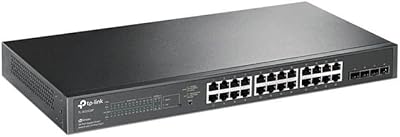
The TP-Link TL-SG2218P Smart Managed PoE Switch sits in a practical sweet spot for small businesses and prosumer network builds that need real management features without enterprise-level pricing. It offers 16 PoE+ ports across a 150W total power budget, plus two Gigabit SFP slots for fiber or high-speed uplink connections. The 1U metal chassis drops neatly into a standard rack or wiring closet. Where unmanaged switches simply push traffic and entry-level managed options offer minimal control, this Omada PoE switch steps up with VLAN segmentation, cloud management, and SDN integration — capabilities that previously cost significantly more to access.

Features & Benefits

All 16 ports support PoE+ (802.3at/af), meaning each can deliver up to 30W — enough for most IP cameras, wireless access points, and VoIP phones without a separate power injector. Worth knowing upfront: the shared 150W budget means you cannot run all 16 ports at full draw simultaneously, so plan your device mix carefully. Omada SDN is TP-Link's unified management platform — a single dashboard tying together switches, APs, and gateways across your site. Remote configuration via the Omada app is practical for locations you cannot easily visit. Static routing support also lets this TP-Link managed switch handle basic subnet segmentation without requiring a dedicated router.

Best For

This Omada PoE switch makes the most sense for environments already building — or planning to build — around the TP-Link Omada ecosystem. IT administrators deploying IP cameras, wireless APs, or VoIP handsets across an office will find the port count and security feature set well matched to that workflow. It also appeals strongly to home lab enthusiasts who want VLAN segmentation, ACLs, and 802.1X authentication without spending on Cisco or HPE hardware. If your site is hard to reach regularly, the cloud management capability alone justifies a close look. Multi-site businesses wanting consistent centralized control across locations will find the TL-SG2218P a logical extension of their existing stack.

User Feedback

Buyers consistently highlight the Omada web interface as cleaner and more intuitive than expected — setup is straightforward once you understand how the ecosystem fits together. The five-year warranty gets mentioned frequently as a confidence booster. That said, the 150W PoE ceiling attracts real criticism from users who populated all 16 ports and found power allocation tighter than planned. A handful of reviewers noted early firmware versions needed updating before everything stabilized. On the hardware side, most report the metal chassis feels solid and fan noise is minimal, which matters in small office environments. One consistent purchasing pitfall: SDN and non-SDN controllers are not cross-compatible, and several buyers discovered this only after the fact.

Pros

  • All 16 ports deliver PoE+ power, removing the need for separate injectors across cameras, APs, and phones.
  • Omada SDN integration lets you manage switches, APs, and gateways from a single, unified dashboard.
  • Cloud access via the Omada app means you can configure or troubleshoot remotely without an on-site visit.
  • Static routing support handles basic subnet segmentation without requiring a separate dedicated router.
  • Advanced Layer 2 security features — VLAN, ACL, DHCP Snooping, 802.1X — are all included at this price tier.
  • The metal chassis and 1U rack form factor feel purpose-built for wiring closets and small server rooms.
  • A 5-year manufacturer warranty provides meaningful long-term peace of mind for a core infrastructure device.
  • The Omada web interface is consistently praised for being cleaner and more intuitive than comparable managed switches.
  • PoE Recovery automatically restarts unresponsive powered devices, reducing the need for manual intervention.
  • Two SFP uplink slots allow fiber or high-speed connections to a core switch or upstream router.

Cons

  • The 150W total PoE budget gets tight quickly if you populate most ports with higher-draw devices.
  • SDN and non-SDN controllers are not cross-compatible, which has caught out multiple buyers post-purchase.
  • Early firmware versions have reportedly needed updates before the switch behaved fully as expected.
  • Standalone mode works, but you lose most of the management features that justify buying this over a basic switch.
  • Not a good fit for mixed-vendor environments — the Omada ecosystem is TP-Link-centric by design.
  • No support for dynamic routing protocols, which limits scalability for more complex multi-site network topologies.
  • Users unfamiliar with managed switch concepts may find the initial configuration learning curve steeper than expected.
  • No PoE budget per-port display in all firmware versions, making real-time power planning less straightforward.

Ratings

The scores below were generated by AI after analyzing thousands of verified global user reviews for the TP-Link TL-SG2218P Smart Managed PoE Switch, with spam, bot-submitted, and incentivized feedback actively filtered out to ensure accuracy. Each category reflects the honest distribution of buyer experiences — including the friction points and trade-offs that surface repeatedly in real deployments, not just the highlights. Both the strengths that make this switch a compelling choice and the limitations that have frustrated specific buyer types are transparently represented.

PoE Performance
78%
22%
For typical SMB workloads — a mix of IP cameras, Wi-Fi access points, and VoIP handsets — the PoE delivery is reliable and consistent. Users running eight to twelve standard-draw devices rarely report issues, and the per-port 30W ceiling handles most 802.3at devices without complaint.
The 150W shared budget becomes a genuine planning problem when all 16 ports are active with higher-draw devices. Several users discovered this only after deployment, when ports started deprioritizing power to devices they expected to run simultaneously.
Omada SDN Integration
88%
Buyers already in the Omada ecosystem consistently praise how naturally this switch joins the existing management dashboard — APs, gateways, and switches all visible in one interface. The ability to push VLAN policies and monitor port activity remotely without touching each device individually is a recurring highlight.
The SDN versus non-SDN compatibility requirement has tripped up a meaningful number of buyers, particularly those mixing newer and older Omada hardware. Discovering that an existing controller or AP is not SDN-compatible post-purchase is a frustrating experience that better pre-sale documentation could prevent.
Web Interface & Usability
83%
The standalone web UI earns consistent praise for being cleaner and more logically organized than competing managed switches in this tier. IT generalists report being able to configure VLANs and security policies without consulting documentation as heavily as they expected.
Initial firmware setup occasionally requires an update before everything functions as intended, which adds friction to an otherwise smooth onboarding experience. A handful of users noted inconsistencies in how certain settings were labeled between firmware versions, which caused brief confusion.
Build Quality
86%
The all-metal chassis feels appropriately solid for a rack-mounted infrastructure device, and buyers consistently note that it does not feel like a cost-cut product. The 1U form factor fits standard racks cleanly, with port placement and LED indicators that are practical rather than decorative.
A small number of users noted minor cosmetic inconsistencies in the chassis finish, though none reported structural or functional issues. At this price point, the build inspires confidence, but it does not match the tactile refinement of pricier enterprise hardware.
Fan Noise
81%
19%
The majority of users describe this switch as near-silent in normal operating conditions, which matters significantly in office environments where network equipment shares space with people. For light to moderate PoE loads, the fan stays effectively inaudible in typical ambient noise conditions.
Under heavy PoE load or in poorly ventilated rack enclosures, fan speed ramps up noticeably. A smaller subset of users in warmer environments reported fan activity that was louder than expected during extended high-load periods.
Remote Management
84%
The Omada cloud access and companion app give administrators a practical way to monitor device status, adjust port configurations, and reboot connected devices from anywhere — a feature that pays off quickly for anyone managing a site they cannot visit regularly. Users running multi-location setups call this out as one of the most valued capabilities.
The app, while functional, is not quite as full-featured as the desktop controller interface, and some advanced configuration tasks still require sitting at the full dashboard. Cloud reliance also means that controller downtime or connectivity issues can limit remote access during critical moments.
Security Features
89%
The depth of Layer 2 security available at this price tier is a genuine differentiator. Features like 802.1X RADIUS authentication, IP-MAC-Port binding, and DHCP Snooping are normally associated with hardware costing significantly more, and IT administrators in regulated environments have noted this favorably.
Configuring the more advanced security features like ACLs and RADIUS authentication assumes a reasonable level of networking knowledge, and less experienced users have reported spending considerable time getting these right. Documentation quality for edge-case security configurations could be more thorough.
Value for Money
87%
Relative to what competing brands charge for a 16-port PoE+ managed switch with SDN integration, cloud management, and a 5-year warranty, buyers consistently feel this switch delivers a strong return on investment. Home lab users in particular call out the security feature set as punching well above its price class.
Buyers who do not leverage the Omada SDN ecosystem — and instead use it purely in standalone mode — are paying for capabilities they will not fully use, which shifts the value calculation. For pure unmanaged switching needs, cheaper hardware would serve them better.
PoE Recovery Feature
82%
18%
Administrators managing IP cameras or remote access points particularly appreciate the automatic PoE Recovery, which detects unresponsive devices and power-cycles the port without any manual involvement. In deployments where a frozen camera would otherwise require a site visit, this feature has saved real operational time.
The Recovery feature works well when it triggers correctly, but some users noted that response time before a restart occurs can feel slow depending on the polling interval settings. Granular control over recovery sensitivity and timing is more limited than power users would prefer.
Static Routing
73%
27%
For small networks that need basic inter-VLAN routing or simple subnet segmentation, the static routing capability removes the need for a separate Layer 3 switch or dedicated router. Several users managing guest network isolation or camera VLANs found this sufficient for their requirements.
Static routing is a starting point, not a destination — it handles simple topologies but offers no support for dynamic routing protocols like OSPF or BGP. Networks that grow beyond a few subnets will eventually outgrow what the TL-SG2218P can handle at the routing layer.
Setup & Documentation
69%
31%
Users with prior managed switch experience generally find the setup process logical, particularly in standalone mode where the web interface guides configuration in a sensible order. The Omada app also provides enough hand-holding for straightforward deployments.
Buyers new to managed switches or SDN concepts have reported a steeper learning curve than they anticipated, especially around VLAN setup and the SDN controller pairing process. Official documentation covers the basics but leaves gaps for less common configuration scenarios that frequently appear in community forums.
Firmware Stability
71%
29%
Once updated to a current firmware version, most users report stable, reliable operation over extended periods with no unexpected reboots or dropped connections. Long-term deployments of six months or more tend to generate positive reliability feedback.
Out-of-box firmware versions have historically needed immediate updates to resolve stability issues, which is an avoidable friction point for buyers expecting a ready-to-deploy experience. A few users also noted that certain firmware updates reset configuration elements, requiring re-entry of settings.
Warranty & Support
91%
The 5-year manufacturer warranty is consistently called out in reviews as a confidence-builder, particularly by buyers making this a core piece of long-term infrastructure. For a network switch expected to run continuously for years, that coverage horizon genuinely reduces risk.
TP-Link's warranty support experience varies by region, and some users outside major markets have noted slower response times for RMA processing. The warranty terms are solid on paper, but execution quality appears inconsistent depending on where the buyer is located.
SFP Uplink Flexibility
79%
21%
Having two Gigabit SFP slots allows flexible uplink options — fiber runs to a remote IDF, high-speed copper SFP modules for short-distance connections, or dedicated uplinks to a core switch without consuming PoE ports. Users in multi-floor or multi-room setups find this particularly practical.
Only two SFP slots limits uplink redundancy options in more demanding architectures. Users who want active failover between two uplink paths will find the port count limiting, and there is no 10G SFP option available on this model for higher-bandwidth backbone connections.

Suitable for:

The TP-Link TL-SG2218P Smart Managed PoE Switch is a strong fit for small to medium-sized businesses that need to power and manage multiple network devices — IP cameras, wireless access points, VoIP phones — from a single, centrally controlled switch. If you are already using or planning to build around the TP-Link Omada ecosystem, this switch slots in naturally, allowing you to manage your entire network stack from one dashboard rather than juggling separate interfaces for each device. IT administrators who service sites remotely will find the cloud-based Omada app particularly useful, since you can push configuration changes or diagnose issues without showing up in person. Home lab users who want real enterprise features — VLAN segmentation, ACLs, 802.1X authentication — without paying enterprise prices will also find this a compelling option. The 5-year warranty and solid metal build add long-term value that justifies the investment for anyone running a semi-permanent installation.

Not suitable for:

Buyers who are not already invested in, or willing to commit to, the TP-Link Omada ecosystem will get less out of this switch than the spec sheet suggests. The TP-Link TL-SG2218P Smart Managed PoE Switch is designed to shine within Omada's SDN framework, and using it in standalone mode means giving up the centralized management features that make it worth choosing over cheaper alternatives. The 150W total PoE budget is also a real constraint — if you plan to fill all 16 ports with high-draw devices like PTZ cameras or 802.3bt devices, you will hit that ceiling fast and need to budget carefully or consider a switch with a higher power allocation. Anyone coming from a different vendor ecosystem — Cisco, Ubiquiti, or Netgear — should also know that the SDN controller is not cross-compatible, which matters if you are trying to integrate this into an existing mixed-vendor setup. Finally, if you need full Layer 3 routing, dynamic routing protocols like OSPF, or advanced QoS features, this switch's capabilities stop short of that level.

Specifications

  • RJ45 Ports: The switch includes 16 Gigabit RJ45 ports, all PoE+ capable and supporting 10/100/1000 Mbps auto-negotiation.
  • SFP Slots: Two Gigabit SFP slots are provided for fiber or high-speed uplink connections to a core switch or router.
  • PoE Standard: All 16 RJ45 ports comply with IEEE 802.3at (PoE+) and 802.3af, delivering up to 30W per port.
  • PoE Budget: The total shared PoE power budget across all ports is 150W, which must be distributed across all active powered devices.
  • Switching Capacity: The TL-SG2218P provides a total switching capacity of 36 Gbps for non-blocking throughput across all ports.
  • Data Transfer Rate: Maximum forwarding rate is 16,000 Mbps, supporting full wire-speed performance across the Gigabit port array.
  • SDN Support: The switch is fully compatible with TP-Link's Omada SDN platform, manageable via Omada Hardware Controller, Software Controller, or cloud.
  • Layer 3 Features: Static routing is supported, allowing basic inter-VLAN or subnet routing without requiring a separate dedicated router.
  • Security Features: Supported security protocols include 802.1Q VLAN, ACL, DHCP Snooping, 802.1X RADIUS authentication, IP-MAC-Port binding, and DoS protection.
  • IPv6 Support: The switch supports IPv6, making it compatible with modern dual-stack network environments.
  • PoE Recovery: Built-in PoE Recovery automatically detects and power-cycles unresponsive powered devices without requiring manual intervention.
  • Form Factor: The chassis follows a standard 1U rackmount form factor, compatible with 19-inch equipment racks.
  • Dimensions: Physical dimensions are 17.3″ long by 8.7″ wide by 1.7″ high, fitting a standard 1U rack space.
  • Weight: The unit weighs 2.11 kg (4.64 lbs), reflecting a solid all-metal chassis construction.
  • Chassis Material: The enclosure is constructed from metal, providing durability and passive heat dissipation suitable for rack environments.
  • Max Temperature: The switch is rated to operate at ambient temperatures up to 60°C, suitable for most wiring closet and server room conditions.
  • Management Modes: In addition to SDN-based management, the switch also supports standalone mode via a local web interface without any controller.
  • Warranty: TP-Link backs this switch with a 5-year manufacturer warranty, which is notably longer than most competitors in this price tier.

Related Reviews
TP-Link TL-SG2210MP Jetstream 10-Port Gigabit Smart Managed PoE Switch
86%
91%
Value for Money
88%
Performance
93%
Ease of Setup
85%
Build Quality
89%
PoE Power Delivery
More
TP-Link TL-SG2210P V3 8-Port PoE Switch
83%
91%
Value for Money
74%
PoE Performance
83%
Ease of Setup
86%
Omada SDN Integration
88%
Build Quality
More
TP-Link TL-SG2428P Jetstream 24-Port Gigabit Smart Managed PoE Switch
84%
89%
Value for Money
70%
Ease of Setup
93%
PoE+ Performance
85%
Security Features
92%
Network Management (Omada SDN)
More
TP-Link TL-SG2008 8-Port Gigabit Managed Switch
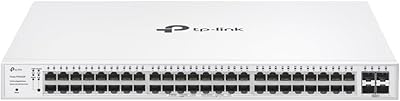
79%
74%
Ease of Setup
81%
SDN & Cloud Management
93%
Port Performance & Throughput
88%
VLAN & Network Segmentation
86%
Security Features
More
TP-Link Festa FS352GP 52-Port Gigabit Smart Managed PoE Switch
84%
87%
Performance
91%
Ease of Setup
89%
PoE+ Power Delivery
92%
Cloud Management Experience
85%
Build Quality
More
TP-Link TL-SF1005P
TP-Link TL-SF1005P
82%
96%
Ease of Setup
81%
PoE Power Delivery
88%
Build Quality
94%
Fanless & Noise Level
67%
Extend Mode Performance
More
TP-Link TL-SL1218MP 16-Port PoE Network Switch
79%
91%
Value for Money
88%
PoE Performance
79%
Extend Mode Reliability
93%
Ease of Setup
62%
Build Quality
More
TP-Link TL-SF1006P 6-Port PoE Switch
88%
88%
Performance
95%
Ease of Setup
92%
Build Quality
89%
Reliability
91%
Power Delivery (PoE)
More
TP-Link TL-SF1009P 9-Port PoE+ Switch
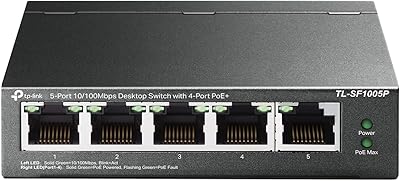
80%
94%
Ease of Setup
78%
PoE Power Delivery
86%
Build Quality
71%
Extend Mode Performance
89%
Value for Money
More
TP-Link TL-SL1311MP 8-Port PoE Switch
88%
92%
Value for Money
95%
Ease of Setup
89%
PoE Range Performance
91%
Build Quality
88%
Customer Support
More

FAQ

You can absolutely use it in standalone mode — just connect it, access the web interface via your browser using its IP address, and configure it directly. The Omada SDN controller (hardware or software) is optional, but if you want centralized management across multiple devices or cloud access, you will need to set that up separately. For a single-site setup with basic needs, standalone works fine.

The switch itself will pass network traffic to any brand of access point — that part is standard networking. However, the Omada SDN management platform only unifies TP-Link Omada-compatible devices. So your Ubiquiti APs will connect and work, but you will not be able to manage them through the Omada dashboard alongside this switch.

It depends entirely on what you are powering. Standard IP cameras and basic Wi-Fi 5 access points typically draw between 8W and 15W each, so you can comfortably run 10 to 12 of those within budget. Problems arise when you start mixing in high-draw devices like PTZ cameras or Wi-Fi 6 APs that push closer to 25W to 30W each. Before buying, add up the expected wattage of every device you plan to connect — that math will tell you whether 150W is sufficient for your setup.

Standalone mode lets you manage the switch directly through its own web interface, which is straightforward for single-switch deployments. SDN mode connects the switch to an Omada controller, giving you a unified dashboard to manage multiple switches, access points, and gateways from one place, with cloud access and more advanced policy controls. If you only have this one switch and a handful of devices, standalone is perfectly fine. If you are building out a larger network or managing multiple sites, SDN mode is worth the extra setup effort.

This is a real gotcha worth understanding before you buy. The TP-Link TL-SG2218P Smart Managed PoE Switch uses SDN firmware, and Omada SDN controllers will only work with SDN-compatible devices. If you have an older Omada controller or older Omada access points that have not been updated to SDN firmware, they will not work together in the same managed system. Check the firmware version of any existing Omada hardware before assuming everything will integrate cleanly.

Yes, you can — you just need a Gigabit copper SFP transceiver module (sometimes called a copper SFP or 1000BASE-T SFP), which slots in and accepts a standard RJ45 cable. These modules are widely available and inexpensive. This is useful if you want to connect to an upstream switch or router that is close by and does not require fiber.

Most users report that this switch runs very quietly — many describe it as near-silent in normal operating conditions. It does not have the loud fan noise associated with enterprise-grade switches. That said, fan behavior can change under heavy PoE load or in warm environments, so if your rack space has poor airflow, you may notice more fan activity than usual.

The Omada app is more capable than a simple status viewer. You can monitor device status, view connected clients, adjust port settings, manage VLANs, and reboot devices remotely. It is not quite as full-featured as the desktop controller interface, but for day-to-day remote checks and common configuration tasks, it handles the job well.

That is exactly what the PoE Recovery feature handles automatically. The switch monitors connected devices and, if one stops responding to pings, it will cycle power on that port to restart the device — no manual intervention needed. It is a genuinely useful feature for camera systems or remote APs where a frozen device would otherwise require a physical visit.

The initial learning curve is real but manageable. The web interface is organized well, and TP-Link provides documentation and community resources for the Omada platform. If you are familiar with basic networking concepts like VLANs and IP addressing, you will find your footing fairly quickly. Complete beginners may need to spend some time with tutorials, but this is not one of the more cryptic managed switch interfaces out there.

Where to Buy