Overview

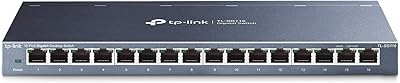
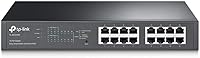
The TP-Link TL-SG1016PE 16-Port Gigabit PoE Switch occupies a sweet spot that many small business buyers have been looking for: enough management capability to actually control your network, without the complexity of full enterprise hardware. It splits its 16 gigabit ports evenly — eight with PoE+ for powered devices and eight standard ports for everything else. The chassis is all-metal construction, feels solid in hand, and holds up well in a rack or network closet. This easy-smart switch sits deliberately between dumb unmanaged gear and full Layer 2 managed hardware. Having been on the market since 2017 with consistently strong sales, its staying power speaks for itself.
Features & Benefits

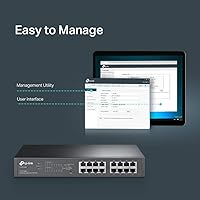
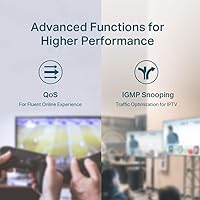
The eight PoE+ ports each support up to 30W, but the 150W shared power budget is the number to watch. Run eight high-draw devices simultaneously — a mix of PTZ cameras and dual-band access points — and you will hit the ceiling. The overload protection handles this gracefully by disabling lower-priority ports rather than letting the whole switch brown out. PoE Auto Recovery quietly reboots any unresponsive powered device, which is genuinely useful when a camera locks up at 2am. The web-based Easy Smart interface covers VLAN segmentation, IGMP snooping, LAG, and QoS prioritization in a way that is approachable without being dumbed down. Just don't expect full CLI access — this easy-smart switch was never designed for that.

Best For

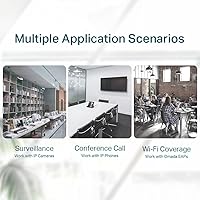
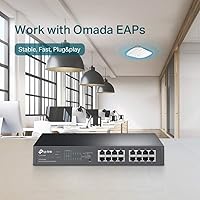
This TP-Link PoE switch makes the most sense for small offices rolling out IP surveillance systems or Wi-Fi coverage via multiple access points — scenarios where you need reliable power delivery and basic traffic management without a big budget or a dedicated network engineer. Home lab users who want to experiment with VLANs and QoS without touching a command line will find the learning curve genuinely manageable. IT admins handling a small retail or hospitality site will appreciate having one switch for everything — PoE devices and standard gear on the same unit. Where it falls short is in larger environments that demand granular port security, advanced routing, or more than 150W of PoE headroom.

User Feedback

Buyers consistently praise the TL-SG1016PE for reliable PoE delivery and the no-nonsense metal build, with many noting it has run without issues for years in closet rack installs. The most common complaint — and it is worth taking seriously — is that the 150W budget feels tight once you start adding cameras and access points with higher power draws. A handful of users mention the web interface gets the job done but looks dated next to newer rivals. Fan noise is rarely mentioned, suggesting quiet thermal management suits most deployments. Jumbo frame support and the 8K MAC table almost never come up in real-world reviews, which tells you most buyers simply are not pushing those limits.

Pros

  • Solid all-metal chassis feels built to last and holds up well in rack or closet deployments.
  • PoE Auto Recovery silently reboots locked-up cameras or APs without any manual intervention needed.
  • Eight gigabit PoE+ ports and eight standard ports give you genuine flexibility in a single 1U unit.
  • The web-based Easy Smart interface is approachable enough for non-experts to configure VLANs and QoS quickly.
  • Overload protection handles power budget breaches gracefully, disabling low-priority ports instead of crashing the switch.
  • IGMP snooping and 802.1p/DSCP QoS make it a capable choice for mixed voice, video, and data environments.
  • Long market history since 2017 with thousands of positive ratings signals reliable real-world performance.
  • Link aggregation support adds useful uplink redundancy for environments that need it.
  • Shielded ports help reduce interference in electrically noisy environments like retail or industrial spaces.
  • Three-year warranty with weekday technical support provides reasonable peace of mind for business buyers.

Cons

  • The 150W shared PoE budget gets tight fast once you mix several high-draw access points and cameras.
  • The web interface looks and feels dated compared to newer competitors at a similar price point.
  • No command-line access means IT pros who prefer CLI-based configuration will find the TL-SG1016PE frustrating.
  • Easy Smart management lacks advanced features like 802.1X port authentication or SNMP support.
  • Only eight of the sixteen ports support PoE, which can be a constraint in all-PoE deployment scenarios.
  • No dedicated SFP uplink ports limits high-speed uplink options for growing network infrastructures.
  • Maximum operating temperature of 40°C may cause concern in poorly ventilated or warmer equipment rooms.
  • Port priority logic for overload protection is not deeply customizable, which can catch users off guard.
  • The management utility software is Windows-centric and can feel clunky on modern operating systems.

Ratings

The scores below reflect an AI-driven analysis of verified global buyer reviews for the TP-Link TL-SG1016PE 16-Port Gigabit PoE Switch, with spam, bot-generated, and incentivized feedback actively filtered out before scoring. Both the genuine strengths and the recurring frustrations buyers experience in real deployments are transparently factored into every category. The result is an honest picture of where this easy-smart switch earns its reputation — and where it asks you to accept a trade-off.

PoE Reliability
91%
Buyers consistently report that PoE delivery is stable and predictable across cameras, access points, and VoIP phones over extended periods. Devices that draw steady power — like fixed-position IP cameras in retail or office settings — rarely drop or require manual resets thanks to the Auto Recovery feature.
A small portion of users report that the Auto Recovery reboot cycle can take longer than expected, briefly interrupting feeds from critical devices. In setups where uptime is non-negotiable, that few-second gap during a reboot can feel like a meaningful inconvenience.
Build Quality
88%
The all-metal chassis is one of the most frequently praised aspects of this switch, with many buyers noting it feels substantially more solid than plastic alternatives at a similar price. Shielded ports add to the impression of durability, and users in rack deployments report no warping or structural issues even after years of continuous operation.
A few buyers note the unit runs noticeably warm during extended operation, which raises mild concerns about long-term thermal stress in poorly ventilated closets. The overall build is strong, but the lack of ventilation slots on some panels suggests airflow management in tight spaces deserves attention.
Power Budget
67%
33%
For lighter deployments — four to six low-draw cameras or access points — the 150W shared budget works comfortably without buyers ever approaching the ceiling. Users running modest surveillance setups or small Wi-Fi networks consistently report having adequate headroom.
This is the single most common complaint across buyer reviews. Anyone running six or more high-draw PoE+ devices simultaneously will hit the 150W limit and see lower-priority ports disabled without warning if they have not configured priorities in advance. It is a genuine ceiling that requires upfront planning, not an afterthought.
Management Interface
63%
37%
For buyers coming from fully unmanaged switches, the web-based Easy Smart interface is a welcome step up — VLAN setup, QoS configuration, and port monitoring are all accessible without any networking background. Home lab users frequently mention it as the right level of control for their needs.
Compared to newer competitors at similar price points, the interface looks visibly dated and can feel clunky during multi-step configurations. Advanced users often flag missing features like SNMP support or a mobile-friendly layout, and the Windows-centric utility app adds friction for Mac and Linux users.
Setup & Ease of Use
86%
Out of the box, the TL-SG1016PE works immediately as a plug-and-play switch — no configuration required to get devices connected and powered. IT admins setting up remote branch offices particularly appreciate being able to hand off a pre-configured unit that non-technical staff can simply plug in.
While basic use is straightforward, first-time configuration of VLANs through the Easy Smart interface trips up some users who expect a more guided setup experience. The documentation, while adequate, does not always map cleanly to the interface layout for less experienced buyers.
Value for Money
84%
For the combination of port count, PoE+ capability, metal construction, and basic management features, most buyers feel this switch delivers honest value relative to its price tier. It consistently outperforms purely unmanaged alternatives for buyers who need any degree of traffic control.
A growing number of newer competitors now offer similar or improved feature sets — including better interfaces and higher PoE budgets — at comparable prices. Buyers who do thorough market comparisons occasionally feel the TL-SG1016PE is slightly behind the curve given how long it has been on the market without a substantial update.
Long-Term Reliability
89%
With a product history stretching back to 2017, there is a substantial base of multi-year owners who report the switch running without hardware failure in always-on environments like 24/7 surveillance systems and small server closets. That longevity is a genuine differentiator in a market segment where some cheaper alternatives fail within 18 months.
A minority of buyers report unit failures after two to three years, typically related to individual port degradation rather than full switch failure. While statistically uncommon given the sales volume, the lack of a clear hardware revision history makes it hard to know if early and recent units share the same component quality.
Thermal Performance
77%
23%
Most buyers in standard office and rack environments report the switch runs warm but not hot, and fan noise is rarely flagged as a problem even in quiet spaces. For closet installations with moderate airflow, the thermal performance appears adequate under normal loads.
Under near-maximum PoE load in a warm equipment room, a handful of buyers note the switch becomes quite hot to the touch and the fan ramps up audibly. The 40°C maximum operating temperature rating means installations in warmer climates or unventilated spaces need to be planned carefully.
Port Density & Layout
79%
21%
Having sixteen gigabit ports in a 1U form factor is genuinely practical for small business rack builds, and the mixed PoE and non-PoE layout suits environments where not every device needs power — servers, NAS units, and uplink ports can occupy the standard ports without wasting PoE budget.
The fixed split of eight PoE and eight non-PoE ports is a constraint rather than a flexible design. Buyers who need nine or more PoE connections find themselves needing a second switch immediately, and the absence of SFP uplink ports limits high-speed backbone connectivity options.
PoE Auto Recovery
83%
Users who manage remote or unattended installations genuinely value the Auto Recovery feature, which detects and reboots unresponsive PoE devices without requiring a site visit. IT admins overseeing small branch offices report it has saved them from unnecessary call-outs when a camera or AP locks up overnight.
The recovery mechanism is not configurable in terms of detection sensitivity or reboot delay, which frustrates some advanced users who want finer control. There is also no logging visible through the Easy Smart interface to confirm when and why a recovery event occurred, making post-incident diagnosis harder.
VLAN & Segmentation
74%
26%
MTU, Port-based, and 802.1Q Tag VLAN support covers the segmentation needs of most small business environments — separating guest Wi-Fi from corporate traffic, or isolating a camera network from the main LAN, is achievable without much difficulty through the web interface.
The VLAN implementation lacks the depth that network engineers expect from a proper managed switch. There is no support for voice VLAN automation or dynamic VLAN assignment, and configuring more complex multi-VLAN topologies can expose the limitations of the Easy Smart platform fairly quickly.
QoS Performance
76%
24%
For environments running a mix of VoIP, video surveillance, and general data traffic, the four-queue QoS system does a reasonable job of prioritizing latency-sensitive streams. Users running VoIP phones alongside IP cameras report noticeably fewer call quality issues after enabling DSCP-based prioritization.
Four queues is a relatively limited QoS implementation compared to fully managed switches, and the configuration options within the Easy Smart interface do not offer the granularity that demanding AV or unified communications environments require. Power users frequently describe it as just enough, rather than genuinely capable.
Warranty & Support
81%
19%
A three-year warranty is above average for this product category, and buyers who have contacted TP-Link support report generally positive experiences for straightforward hardware replacement requests. The long warranty period adds meaningful reassurance for small businesses deploying this as critical infrastructure.
Technical support hours are limited to weekdays from 6am to 6pm PST, which leaves businesses in different time zones or those with weekend incidents without live assistance. Some users also report that advanced configuration questions get escalated or go unanswered beyond basic troubleshooting guidance.

Suitable for:

The TP-Link TL-SG1016PE 16-Port Gigabit PoE Switch is a strong fit for small business owners, IT generalists, and prosumers who need to power and manage a handful of IP cameras, wireless access points, or VoIP phones without the cost or complexity of enterprise-grade hardware. If you are setting up a small office, a retail location, or a hospitality environment where you need to run a mix of PoE and standard devices from a single switch, this easy-smart switch covers that scenario well. Home lab enthusiasts who want to experiment with VLANs, IGMP snooping, or basic QoS — but have no interest in learning CLI commands — will find the web interface genuinely accessible. It also suits IT admins managing a remote or branch site where simplicity and reliability matter more than deep feature sets. The three-year warranty and long track record of user-reported reliability make it a low-risk choice for budget-conscious buyers who still want some network control.

Not suitable for:

The TP-Link TL-SG1016PE 16-Port Gigabit PoE Switch is not the right tool if your environment demands more than 150W of total PoE power — anyone planning to run eight high-draw PoE+ devices simultaneously will run into the shared budget ceiling and start losing ports to the overload protection system. Network engineers or admins who rely on full Layer 2 features like advanced port security, 802.1X authentication, or command-line configuration should look at a fully managed switch instead, because this easy-smart switch simply was not designed for that level of control. Organizations that need granular traffic visibility, SNMP monitoring, or integration with enterprise network management platforms will find the feature set limiting. The dated web interface, while functional, may frustrate users accustomed to the cleaner dashboards offered by newer competitors in this price range. If your port count needs are likely to grow quickly, the fixed 16-port design with only eight PoE slots offers little room to scale without adding another switch.
Specifications

  • Total Ports: The switch provides 16 Gigabit RJ45 ports with auto-negotiation and auto MDI/MDIX support across all connections.
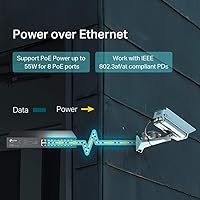
  • PoE+ Ports: Eight of the sixteen ports support 802.3at/af PoE+, delivering up to 30W per port for powered devices.
  • PoE Power Budget: The total shared PoE power budget is 150W, distributed across all active PoE+ ports simultaneously.
  • Non-PoE Ports: The remaining eight ports are standard Gigabit RJ45 connections with no power delivery capability.
  • Switching Capacity: Total non-blocking switching capacity is 32 Gbps, supporting full wire-speed throughput across all ports.
  • MAC Address Table: The switch supports up to 8,000 MAC address entries, sufficient for small to mid-sized network environments.
  • Jumbo Frames: Jumbo frame support extends up to 9 KB, which can improve throughput efficiency for large data transfers on compatible networks.
  • IGMP Snooping: IGMP snooping is supported for versions V1, V2, and V3, enabling efficient multicast traffic management across the network.
  • VLAN Support: The switch supports MTU VLAN, Port-based VLAN, and 802.1Q Tag VLAN for flexible network segmentation.
  • QoS: Quality of Service is handled via 4 queues with support for Port-based, 802.1p, and DSCP priority classification.
  • Link Aggregation: Link aggregation (LAG) is supported, allowing multiple ports to be bonded together for increased uplink bandwidth or redundancy.
  • Dimensions: The unit measures 11.57″ long by 7.09″ wide by 1.73″ high, fitting a standard 1U rackmount form factor.
  • Weight: The switch weighs 3.86 pounds, reflecting the density of its all-metal chassis construction.
  • Case Material: The enclosure is built from metal with shielded RJ45 ports to reduce electromagnetic interference in dense deployments.
  • Max Temperature: The switch is rated for operation in ambient temperatures up to 40°C, suitable for most indoor equipment rooms.
  • Loopback Detection: Built-in loopback detection helps identify and protect against network loops that could degrade or halt traffic flow.
  • Management: Network configuration is handled through a web-based Easy Smart interface and a downloadable Smart Switch utility application.
  • Warranty: TP-Link backs this switch with a 3-year limited warranty and weekday technical support from 6am to 6pm PST.

Related Reviews

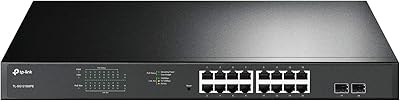
TP-Link TL-SG2218P Smart Managed PoE Switch
82%
78%
PoE Performance
88%
Omada SDN Integration
83%
Web Interface & Usability
86%
Build Quality
81%
Fan Noise
More
TP-Link TL-SG1218MPE 16-Port PoE+ Switch
76%
91%
PoE Reliability
68%
PoE Power Budget
88%
Build Quality
63%
Web Management Interface
93%
PoE Auto Recovery
More
TP-Link TL-SL1218MP 16-Port PoE Network Switch
79%
91%
Value for Money
88%
PoE Performance
79%
Extend Mode Reliability
93%
Ease of Setup
62%
Build Quality
More
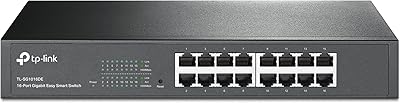
TP-Link TL-SG1016DE 16-Port Gigabit Switch
82%
88%
Build Quality
91%
Value for Money
86%
Port Count & Layout
84%
Setup & Installation
63%
Management Interface
More
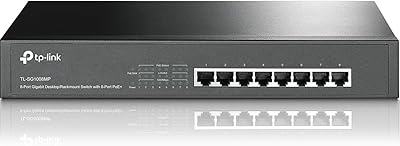
TP-Link TL-SG1008MP 8-Port PoE+ Gigabit Switch
81%
96%
Ease of Setup
93%
PoE Coverage
91%
Build Quality
89%
Value for Money
88%
Reliability & Uptime
More
TP-Link TL-SG116 16-Port Gigabit Switch
84%
91%
Build Quality
94%
Ease of Setup
88%
Port Count & Density
89%
Network Performance
97%
Noise Level
More
TP-Link TL-SG1428PE 24-Port Gigabit PoE Switch
86%
89%
Performance
92%
Value for Money
87%
Ease of Setup
93%
PoE Power Output
84%
Build Quality
More
TP-Link TL-SG1005P
TP-Link TL-SG1005P
85%
96%
Ease of Setup
83%
PoE Power Delivery
91%
Build Quality
98%
Noise Level
89%
Gigabit Throughput
More
TP-Link TL-SG105PE 5-Port Gigabit PoE Switch

79%
91%
Value for Money
84%
PoE Performance
93%
Ease of Setup
76%
Network Management
62%
Web Interface
More
TP-Link TL-SG3452P 48-Port Gigabit PoE+ Switch
84%
92%
Performance
94%
PoE Capabilities
85%
Cloud Management Experience
88%
Build Quality
82%
Ease of Setup
More

FAQ

Yes, that is one of the most common use cases for this easy-smart switch. Each PoE+ port can deliver up to 30W, which covers the vast majority of IP cameras and 802.11ac or Wi-Fi 6 access points on the market. Just keep an eye on your total draw across all eight PoE ports, since the shared 150W budget is the ceiling for the entire switch.

The switch handles this automatically through its overload protection system. When total power consumption approaches or hits the 150W limit, lower-priority ports get disabled to protect higher-priority devices. You can set port priorities in the management interface, so it is worth configuring those before you run into the limit rather than after.

It sits in a middle tier that TP-Link calls Easy Smart. You get useful features like VLAN segmentation, QoS, IGMP snooping, and link aggregation through a web interface, but there is no command-line access and it does not support advanced enterprise features like 802.1X port authentication or SNMP. For most small offices and home labs, it covers what you need. For anything more complex, you would want a fully managed switch.

Yes, it is a standard 1U rackmount device at 11.57″ long and 1.73″ high. Rack ears are included in the box, so you can mount it directly into any standard 19-inch equipment rack without buying additional accessories.

User reports are generally positive on this front. The switch runs quietly enough that most buyers do not mention fan noise as an issue, even in small office or open-plan environments. That said, any active cooling will produce some noise, so if it is going into a truly silent space, you may want to check current user reviews for the latest feedback on your specific unit revision.

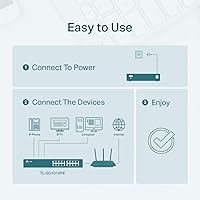
Absolutely. It is plug-and-play out of the box — just connect your devices and they will communicate at full Gigabit speeds with PoE power delivered automatically. The management interface is there if you want to configure VLANs or QoS, but you are not required to touch it for basic operation.

Yes, the PoE+ ports are backward compatible with 802.3af devices. Older 802.3af-only equipment like basic IP cameras or legacy VoIP phones will negotiate correctly and draw power without any issues, just at the lower wattage those devices require.

The web-based management interface works through any modern browser, so Mac and Linux users can access it fine. The standalone Smart Switch utility application, however, is primarily designed for Windows. For day-to-day configuration, the browser interface is the more cross-platform option.

Add up the maximum power draw of all the PoE devices you plan to connect simultaneously. Standard IP cameras typically draw between 5W and 15W each, while dual-band access points often land in the 12W to 25W range. If your total across all eight PoE ports is comfortably under 130W, you have reasonable headroom. If you are right at the edge, consider prioritizing your most critical devices through the port priority settings.

For most small business and prosumer use cases, yes. The core functionality — reliable PoE delivery, solid gigabit switching, and basic traffic management — has not changed in ways that make the hardware feel outdated. The web interface could use a refresh compared to newer options, but the underlying performance and reliability record speak for themselves. If you specifically need features introduced in newer PoE standards or a more modern management platform, it may be worth comparing against current alternatives before committing.

Where to Buy