Overview

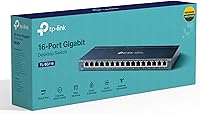
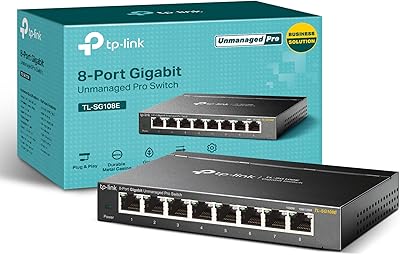
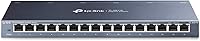
The TP-Link TL-SG116 16-Port Gigabit Switch sits in a sweet spot for anyone who needs to expand their wired network without getting tangled in configuration menus or management interfaces. Part of TP-Link's well-established TL-SG1xx family, this 16-port switch ships ready to use — plug in power, connect your devices, and you're done. The all-metal fanless chassis keeps things quiet and cool without a spinning fan to worry about. It also scales back power consumption automatically on ports that aren't in active use, which is a small but genuinely appreciated detail. For the asking price, the build quality feels like it punches well above its weight.
Features & Benefits

Every port on this unmanaged gigabit switch runs at a full gigabit, with Auto-Negotiation and Auto MDI/MDIX handling cable-type detection automatically — no crossover cables needed, no fussing. IEEE 802.3X flow control steps in during traffic spikes to reduce dropped packets, which matters when pushing large file transfers across a NAS or juggling multiple video streams at once. The QoS support — both 802.1p and DSCP — lets the switch prioritize time-sensitive traffic like video calls without requiring any manual setup. Shielded RJ45 ports add meaningful protection against electromagnetic interference, and the solid metal housing means this isn't something that feels fragile sitting on a shelf or mounted to a wall.

Best For

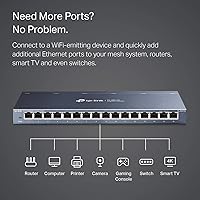
The TL-SG116 is a natural fit for home lab users who need more ports but have zero interest in managing VLANs or monitoring traffic flows — the plug-and-play simplicity is genuinely the point here. Small offices connecting a handful of workstations, a shared printer, and a NAS device will appreciate having 16 wired ports available without needing IT involvement. It also works well in media-heavy living rooms where smart TVs, game consoles, and streaming boxes all benefit from a stable wired connection. If you're maxed out on an 8-port switch and just need room to grow, this unmanaged gigabit switch is a clean, low-effort upgrade with a useful wall-mount option for tidier installs.

User Feedback

Owner feedback on this 16-port switch is largely positive, with build quality and near-silent operation standing out most in long-term use reports. Many buyers mention that setup takes just a few minutes — no driver discs, no login portals, nothing. The included wall-mount hardware earns specific praise from those who wanted a tidy, off-desk install. That said, the honest trade-off is clear: this switch has no management layer whatsoever, so if you need port mirroring, VLAN segmentation, or traffic analytics, a managed alternative is the right call. A handful of owners have flagged that the power adapter cord is shorter than ideal depending on placement — a minor but recurring note worth knowing before you buy.

Pros

  • Plug-and-play setup works straight out of the box — no apps, no logins, no configuration required.
  • The all-metal chassis feels noticeably more solid than most plastic switches at a similar price.
  • Completely silent operation thanks to fanless passive cooling, ideal for noise-sensitive spaces.
  • All 16 ports deliver full gigabit throughput with no speed tiers or hidden limitations.
  • Built-in QoS automatically prioritizes video and voice traffic without any manual setup.
  • IGMP Snooping keeps multicast traffic tidy in media-heavy home networks with multiple streaming devices.
  • Wall-mount hardware is included in the box, making for a cleaner, off-desk installation.
  • Shielded RJ45 ports add meaningful EMI protection in environments with dense electrical equipment nearby.
  • Long-term owners frequently report years of reliable, uninterrupted operation without hardware issues.
  • Energy-saving per-port power scaling reduces idle consumption across unused connections.

Cons

  • No management interface at all — VLANs, port mirroring, and traffic monitoring are completely off the table.
  • The included power adapter cord is short enough to complicate wall-mount installs near less accessible outlets.
  • Port speed LEDs do not indicate whether a connection has negotiated at 100Mbps or full gigabit.
  • No jumbo frame support limits throughput efficiency in high-performance NAS or virtualization setups.
  • LED indicators are dim and hard to read from a distance or in well-lit rooms.
  • Zero diagnostic tooling makes isolating intermittent connectivity problems more time-consuming than it should be.
  • No fiber or SFP uplink port restricts options for users who need to extend the network beyond copper cabling.
  • QoS runs on fixed automatic rules with no way to customize traffic priority tiers for specific needs.
  • Port label printing can fade over time under heavy cable management conditions.
  • Support hours are limited to weekday business hours, which may not suit all users in urgent situations.

Ratings

The TP-Link TL-SG116 16-Port Gigabit Switch has been scored by our AI system after analyzing thousands of verified global user reviews, with spam, bot activity, and incentivized submissions actively filtered out. The result is an honest snapshot of where this unmanaged gigabit switch genuinely excels and where real buyers have run into friction. Both the praise and the pain points are reflected transparently in the scores below.

Build Quality
91%
The all-metal enclosure consistently earns respect from buyers who have owned cheaper plastic switches before. It feels dense and sturdy on a desk, and wall-mounted it stays firmly in place without flex. Long-term owners frequently mention it still looks and feels like new after years of use.
A small number of users noted that the port labeling can wear off over time under heavy cable management conditions. The metal edges, while solid, are occasionally described as slightly sharp when handling the unit during installation.
Ease of Setup
94%
Plug-and-play truly describes the experience here — unbox it, connect power, plug in your devices, and it works immediately. No login portal, no driver installation, no configuration app. For home users and small offices without dedicated IT support, that kind of zero-friction setup is a real advantage.
The flip side of zero configuration is zero flexibility. Users who expected even basic port status indicators or a simple web interface were caught off guard. The manual is minimal, which is fine for most buyers but leaves edge-case scenarios without guidance.
Port Count & Density
88%
Sixteen gigabit ports in a one-rack-unit-style compact form factor is genuinely useful for anyone maxing out an 8-port switch at home or in a small office. NAS setups, workstations, printers, and media devices can all get wired connections without a secondary switch daisy-chained in.
While 16 ports handles most small environments comfortably, users running larger home labs occasionally find themselves wishing for a 24-port option in the same unmanaged, fanless format. There is no SFP or uplink port for fiber connectivity, which limits expandability in more complex setups.
Network Performance
89%
All 16 ports deliver full gigabit throughput, and the IEEE 802.3X flow control noticeably reduces packet loss during simultaneous heavy transfers — something NAS users pushing large backups alongside active streams particularly appreciate. Real-world throughput consistently matches expectations without throttling or unexplained drops.
As an unmanaged switch, there is no way to diagnose performance issues at the port level or monitor traffic in any meaningful way. A few users troubleshooting intermittent connectivity issues found the lack of any diagnostic tooling frustrating when trying to isolate a problem.
Noise Level
97%
Fanless passive cooling means there is absolutely nothing to listen to — zero. Users who have placed this switch in a home office, bedroom media cabinet, or open-plan workspace consistently single out the silence as one of its most appreciated qualities. It also runs noticeably cool to the touch under sustained load.
There are virtually no complaints here. The only theoretical concern is that in extremely high-ambient-temperature environments pushing the upper operating limit, passive cooling alone may cause the chassis to run warmer than ideal, though this is rarely reported in practice.
Value for Money
86%
At its price point, buyers get a metal chassis, 16 full-gigabit ports, and meaningful traffic features like QoS and IGMP Snooping that most switches in this tier omit entirely. For home offices and small teams that just need reliable wired connectivity, the cost-per-port ratio is hard to argue with.
Users who need even basic managed features — VLANs, port mirroring, or SNMP monitoring — will need to spend noticeably more on a managed alternative, making the value calculation less straightforward for IT-oriented buyers. Some feel the power adapter quality does not quite match the rest of the package.
QoS & Traffic Management
78%
22%
Having port-based 802.1p and DSCP QoS on an unmanaged switch is a genuine differentiator. In mixed-use environments where a video call shares bandwidth with a large file transfer, the switch quietly prioritizes latency-sensitive traffic without requiring any user intervention.
Because the switch is unmanaged, QoS operates on fixed, automatic rules — there is no way to customize priority tiers or assign specific ports to traffic classes. Power users who want granular control will find these automatic settings a ceiling rather than a foundation.
IGMP Snooping
76%
24%
IGMP Snooping helps prevent multicast traffic from flooding every port, which matters in media-rich home networks with multiple smart TVs or IPTV streams running simultaneously. Users with these setups report cleaner, more stable performance compared to budget switches that lack this feature entirely.
Since there is no management interface, IGMP Snooping runs automatically with no visibility into what it is doing or how it is behaving. In unusual multicast configurations, some users have experienced unexpected traffic behavior they could not easily diagnose or adjust.
Mounting & Installation Flexibility
83%
The included wall-mount hardware is a thoughtful addition that many buyers genuinely use. Mounting the switch flat against a wall or inside a media cabinet keeps cable runs tidy and frees up desk space, and the compact dimensions make it easy to tuck into awkward spots.
The power adapter cord length has been flagged repeatedly as limiting in wall-mount scenarios, particularly when the nearest outlet is not directly adjacent to the mounting location. An extension cord workaround feels inelegant for an otherwise clean installation.
Port Shielding & EMI Protection
81%
19%
Shielded RJ45 ports are not a feature most buyers think about until they need them. In environments near electrical equipment, industrial machinery, or dense wireless setups, shielded ports help maintain signal integrity and reduce interference-related connectivity issues.
The benefit of shielded ports is largely invisible in typical home or small office deployments, making it difficult for average users to assess whether it is contributing to stability. It is a meaningful spec but one that only pays off in specific environments.
Energy Efficiency
79%
21%
Automatic power reduction on inactive or disconnected ports is a small but real saving over time, particularly in setups where not all 16 ports are in constant use. Buyers running home servers or always-on NAS devices appreciate that the switch is not drawing unnecessary power around the clock.
The energy-saving behavior is not user-configurable and there is no reporting on actual power draw per port. For buyers specifically focused on minimizing energy consumption, the lack of measurable data makes it hard to quantify the real-world savings.
Long-Term Reliability
88%
Multiple long-term owners report their units still running without issues after three or more years of continuous operation. The fanless design removes one of the most common mechanical failure points in networking hardware, and the metal build resists the warping and cracking that affects cheaper alternatives over time.
TP-Link's warranty and support are limited to three years and weekday business hours, which is standard but not exceptional. A small number of owners have reported early failures in isolated cases, though these appear to be the exception rather than a systemic pattern.
Compatibility
92%
Auto-Negotiation and Auto MDI/MDIX on every port means this switch works with essentially any device that has an Ethernet port — older 100Mbps hardware, gigabit workstations, IP cameras, game consoles, and more all connect without issue. Mixed-speed networks are handled gracefully without manual adjustment.
There is no support for jumbo frames, which matters in high-throughput NAS or virtualization environments where larger packet sizes can meaningfully improve transfer efficiency. This is an advanced limitation that most typical users will never encounter, but it is worth noting for home lab builds.
Indicator Lights & Visibility
67%
33%
Per-port LED indicators do show link status and activity, which is enough for basic connectivity checks. For the majority of buyers who just want to confirm a device is connected and transferring data, the indicator layout gets the job done.
The LEDs are described as relatively dim and difficult to read from any distance or in bright ambient light. There is no per-port speed indicator to confirm whether a device has negotiated at 100Mbps versus 1000Mbps, which makes troubleshooting slow connections less intuitive.
Packaging & Included Accessories
72%
28%
The box includes everything needed to get started — the switch, power adapter, and wall-mount hardware are all present. Packaging is protective and practical, and the unit arrives without damage in virtually all reported cases.
There is no Ethernet cable included, which is standard for switches at this level but occasionally surprises first-time buyers. The power adapter itself feels lighter and less premium than the switch it powers, and the cord length issue crops up again here as the most commonly cited accessory complaint.

Suitable for:

The TP-Link TL-SG116 16-Port Gigabit Switch is purpose-built for people who need more wired connections without the complexity of managed networking equipment. Home lab enthusiasts who want to connect servers, NAS boxes, workstations, and test machines in one place will find the port count generous and the zero-configuration approach refreshing. Small offices running a mix of wired desktops, shared printers, IP phones, and a network-attached storage device can wire everything up in minutes without calling in IT support. It also fits naturally into media-rich living rooms or entertainment setups where game consoles, smart TVs, and streaming devices all benefit from stable, low-latency wired connections over Wi-Fi. Anyone upgrading from a cheaper 8-port switch who simply needs more room to grow — without paying for managed features they will never use — will find this unmanaged gigabit switch hits the target precisely. The fanless design is a quiet but meaningful advantage for anyone keeping the switch in a bedroom, shared workspace, or home office where fan noise would be a constant irritant.
Not suitable for:

The TP-Link TL-SG116 16-Port Gigabit Switch is the wrong tool for network administrators or technically advanced users who need granular control over their infrastructure. If VLANs, port mirroring, SNMP monitoring, or per-port traffic statistics are on your requirements list, this switch simply cannot deliver — there is no management interface of any kind, and that is a hard stop, not a workaround. Businesses with compliance requirements or security policies that mandate network segmentation will need to look at a managed alternative, full stop. Users running high-performance virtualization environments or large-scale NAS setups may also run into the lack of jumbo frame support, which can be a real bottleneck in data-intensive workflows. If you are in an environment where diagnosing connectivity issues quickly matters — say, a small business without dedicated IT — the absence of any diagnostic tooling makes troubleshooting harder than it needs to be. Finally, anyone with tight installation constraints near distant power outlets should be aware that the included power adapter cord has been a recurring frustration for buyers attempting wall-mount deployments.
Specifications

  • Ports: Features 16 x RJ45 ports supporting 10/100/1000Mbps speeds with Auto-Negotiation on every port.
  • Auto MDI/MDIX: All ports support Auto MDI/MDIX, eliminating the need for crossover cables regardless of the connected device.
  • Switching Capacity: Total non-blocking switching capacity is 32Gbps, allowing all 16 ports to operate at full gigabit simultaneously.
  • Flow Control: IEEE 802.3X flow control is supported to reduce packet loss during periods of sustained heavy network traffic.
  • QoS Support: Port-based 802.1p and DSCP Quality of Service prioritizes latency-sensitive traffic such as video conferencing and VoIP automatically.
  • IGMP Snooping: Supports IGMP Snooping to intelligently manage multicast traffic and prevent unnecessary flooding across all ports.
  • Cooling: Fully fanless passive cooling design produces zero noise and eliminates the mechanical failure risk associated with active cooling fans.
  • Enclosure: Constructed from a sturdy all-metal chassis with shielded RJ45 ports for enhanced durability and EMI resistance.
  • Dimensions: Measures 11.3″ long by 4.4″ wide by 1″ high, suitable for desktop placement or wall mounting.
  • Weight: Weighs 2.1 pounds, making it lightweight enough for wall mounting without requiring heavy-duty hardware.
  • Power Input: Operates on a 12V / 1A DC power supply, which is included in the box.
  • Operating Temp: Rated for operating temperatures between 0 and 40 degrees Celsius, suitable for standard indoor environments.
  • Mounting Options: Supports both flat desktop placement and wall mounting, with the necessary mounting hardware included in the package.
  • Management: Fully unmanaged with no software, web interface, or configuration required — functional immediately upon powering on.
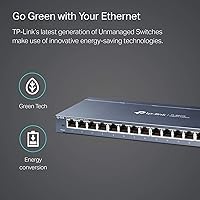
  • Energy Saving: Incorporates IEEE 802.3az Energy Efficient Ethernet, automatically reducing power draw on inactive or disconnected ports.
  • MAC Table: Supports a MAC address table of up to 8000 entries, sufficient for dense small office or home lab deployments.
  • Warranty: Backed by a 3-year limited manufacturer warranty with free technical support available Monday through Friday, 6am to 6pm PST.
  • Standards: Complies with IEEE 802.3i, 802.3u, 802.3ab, 802.3x, 802.3az, and 802.1p networking standards.

Related Reviews

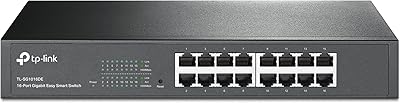
TP-Link TL-SG1016DE 16-Port Gigabit Switch
87%
92%
Setup and Installation
89%
Performance and Speed
88%
Build Quality
84%
Network Management Features (VLAN, QoS, IGMP)
90%
Reliability and Stability
More
TP-Link TL-SG1218MPE 16-Port Gigabit Switch
84%
87%
Value for Money
91%
PoE Power Handling
88%
Ease of Use
90%
Reliability
78%
Build Quality
More
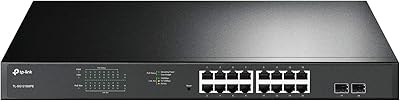
TP-Link TL-SG1016PE 16-Port Gigabit PoE Switch
88%
91%
Value for Money
93%
Setup and Installation
90%
Build Quality and Durability
88%
PoE Performance
85%
VLAN and Network Management
More
TP-Link TL-SG2218P 16-Port Gigabit Smart Managed PoE Switch
86%
94%
PoE Performance
88%
Ease of Installation
83%
Cloud Management (Omada SDN)
91%
Build Quality
85%
Security Features
More
TP-Link TL-SF1016D 16-Port Ethernet Switch
86%
91%
Ease of Setup
87%
Performance & Speed
92%
Energy Efficiency
80%
Build Quality
94%
Fanless Design (Noise Level)
More
TP-Link TL-SG3428 24-Port Gigabit Switch
87%
85%
Setup & Installation
92%
Performance & Reliability
91%
Value for Money
80%
Software & Firmware Management
89%
Security Features
More
TP-Link TL-SG1024DE 24-Port Gigabit Switch
85%
94%
Ease of Setup
89%
Performance & Speed
91%
Quiet Operation
88%
Reliability & Durability
83%
VLAN Features
More
TP-Link TL-SG108E 8-Port Gigabit Switch
87%
93%
Ease of Setup
88%
Performance & Reliability
94%
Fanless Design (Noise Levels)
85%
Smart Management Features
89%
Build Quality & Durability
More
TP-Link TL-SL1218MP 16-Port PoE Switch
85%
92%
Value for Money
88%
Ease of Setup
90%
PoE+ Performance
82%
Build Quality
75%
Long-Distance Transmission (Extend Mode)
More
TP-Link TL-SG1428PE 24-Port Gigabit PoE Switch
86%
89%
Performance
92%
Value for Money
87%
Ease of Setup
93%
PoE Power Output
84%
Build Quality
More

FAQ

No, there is nothing to install or configure. Plug in the power adapter, connect your devices with Ethernet cables, and the switch handles everything automatically. It negotiates speeds and cable types on its own — it is about as close to instant as networking hardware gets.

Yes, every port auto-negotiates speed independently, so a mix of gigabit, fast Ethernet, and older 10Mbps devices can all connect at the same time without any manual adjustment. The switch handles the handshake for each device on its own.

There is no fan — the TL-SG116 uses entirely passive cooling, which means it produces zero operational noise. It is genuinely silent under any load, which makes it a good fit for shared rooms, home offices, or any space where a buzzing fan would be disruptive.

No, this is an unmanaged switch and does not support VLANs, port isolation, or any traffic segmentation features. If network segmentation is a requirement for your setup, you would need to step up to a managed switch that offers a configuration interface.

The wall-mount brackets and screws are included in the box. Several buyers have specifically called this out as a convenient detail, since you can go straight from unboxing to wall mounting without a hardware store trip.

The TP-Link TL-SG116 16-Port Gigabit Switch does not support jumbo frames. For most home NAS use cases this is not a practical issue, but if you are running high-throughput virtualization or require MTU sizes above the standard 1500 bytes, a managed or higher-spec switch would be a better match.

Under typical load, the chassis stays comfortably warm to the touch but not hot. The all-metal enclosure helps dissipate heat passively, and buyers running the switch continuously for extended periods generally report no thermal concerns in standard indoor environments.

Yes, that is exactly the intended setup. Connect one port on the switch to a LAN port on your router using a standard Ethernet cable, then plug your computers, smart TVs, NAS, game consoles, or any other wired devices into the remaining ports. The switch expands your router's wired capacity instantly.

Each port has an activity LED that indicates whether a device is connected and whether data is currently being transferred. What the LEDs do not show is the negotiated port speed, so you cannot tell from the lights alone whether a device has connected at 100Mbps versus full gigabit — that is a limitation worth knowing if you ever need to troubleshoot a slow connection.

A number of owners have reported their units running without any issues after three or more years of continuous 24/7 operation. The fanless design removes one of the most common hardware failure points in switches, and the metal enclosure holds up well over time. The 3-year manufacturer warranty provides a reasonable safety net if anything does go wrong.