
Overview
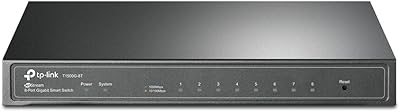
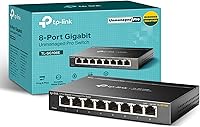
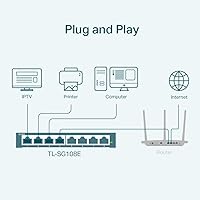
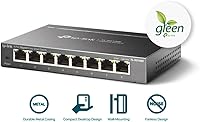
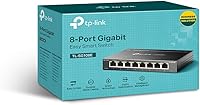
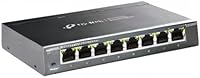
The TP-Link TL-SG108E 8-Port Gigabit Switch occupies a sweet spot most networking gear ignores: capable enough for real traffic management, yet approachable enough for someone who has never touched a managed switch. It has held the top position in Amazon's networking switch category for years — not through marketing, but through consistent performance and word-of-mouth among home lab builders and small office admins. Pick it up and the first thing you notice is the solid metal chassis — it feels nothing like the hollow plastic boxes at this price. Compact enough to tuck behind a monitor, it sits firmly between basic unmanaged switches and full enterprise hardware without demanding enterprise-level expertise.
Features & Benefits
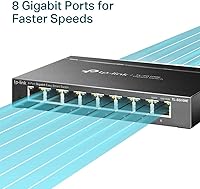
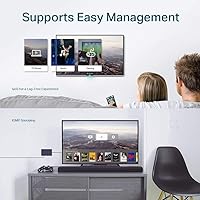
Every port runs at full Gigabit speed, so whether you are connecting a NAS, a gaming PC, or a workstation, there is no bottleneck at the switch itself. The TL-SG108E supports 802.1Q VLANs — up to 32 active at once — letting you wall off IoT devices from your main network without buying separate hardware. QoS prioritization means your video calls stay crisp even when a background backup job is hammering the line. IGMP Snooping handles multicast traffic cleanly, which matters if you run Plex or an IPTV service. Throw in Link Aggregation for a bonded uplink to your NAS, and you have a genuinely capable Layer 2 toolkit at an entry-level price.
Best For
This easy smart switch is a natural fit for anyone running a home lab who wants VLAN control without a four-figure Cisco budget. Small offices with fewer than ten devices will appreciate how quietly it handles traffic — plug it in, spend twenty minutes in the web UI, and it just works. Prosumers and tinkerers running Plex servers, Raspberry Pi clusters, or multi-drive NAS boxes will get real use from port mirroring and LAG. It is also a solid training ground for network learners: the concepts are real, the stakes are low, and the interface is forgiving. If you are still on a basic unmanaged switch, this is a meaningful, low-risk upgrade.
User Feedback
Owners consistently point to long-term reliability as the top reason they buy a second unit or recommend it to a friend. The metal build earns regular mentions too — people note it feels more substantial than plastic rivals at the same price point. On the critical side, the Easy Smart Configuration Utility is a sticking point: it is Windows-only, and the web interface, while functional, looks like it has not had a design refresh in years. Linux and macOS users must rely entirely on the browser UI. Advanced users also flag the absence of CLI access and Layer 3 routing, though most acknowledge those are deliberate trade-offs for this tier, not oversights, and factor that in before buying.
Pros
- Full Gigabit speed on all eight ports means no port is a bottleneck, even under heavy simultaneous transfers.
- VLAN support lets you segment IoT, guest, and main traffic without buying extra hardware.
- QoS prioritization keeps video calls and streaming stable during background file transfers or backups.
- Link Aggregation lets you bond two ports for a faster uplink to a NAS or server.
- The metal chassis feels noticeably more durable than plastic competitors at a similar price point.
- Web-based management works without installing any software, which is handy in a pinch.
- Port mirroring and cable diagnostics give you real visibility into what is happening on your network.
- Long-term owners report multi-year reliability with no fan noise and minimal heat output.
- Wall-mount or desktop placement options make it easy to fit into most home office or rack-adjacent setups.
- A decade of production and an active user community means finding setup guides and troubleshooting help is easy.
Cons
- The Easy Smart Configuration Utility is Windows-only, leaving Mac and Linux users reliant on the web UI alone.
- The web interface looks dated and can feel clunky compared to more modern switch management portals.
- No CLI access means power users who prefer scripted or automated configuration will hit a hard wall.
- Layer 2 only — there is no routing capability, so inter-VLAN traffic requires a separate router.
- No SNMP support limits integration with professional network monitoring tools.
- No cloud management or mobile app, so remote configuration requires a VPN or local access.
- The power adapter is external, adding a cable run and one more wall plug to manage.
- Setup documentation is minimal out of the box; new users often need to rely on community guides for anything beyond basic configuration.
Ratings
The scores below were generated by our AI engine after analyzing thousands of verified global user reviews for the TP-Link TL-SG108E 8-Port Gigabit Switch, with spam, bot activity, and incentivized feedback actively filtered out before processing. Each category reflects the honest distribution of real buyer experiences — strengths are recognized where they are earned, and recurring pain points are surfaced without being softened. The result is a transparent, balanced picture of what this switch actually delivers in day-to-day use.
Build Quality
Value for Money
Ease of Setup
Management Software
Long-term Reliability
Port Performance
VLAN Functionality
QoS Implementation
Link Aggregation
Noise & Thermals
Physical Footprint
Network Monitoring Tools
Documentation & Support
Suitable for:
The TP-Link TL-SG108E 8-Port Gigabit Switch is built for people who have outgrown basic plug-and-play switches but do not need — or want to pay for — enterprise-grade hardware. Home lab enthusiasts will get genuine value from VLAN segmentation, letting them isolate IoT devices, run a separate guest network, or carve out a dedicated media VLAN without buying multiple switches. Small offices with a handful of workstations, a NAS, and maybe a VoIP phone will find that QoS and traffic monitoring give them meaningful control over day-to-day network behavior. Prosumers running Plex servers or multi-drive NAS arrays benefit directly from Link Aggregation, which can bond two ports to push more throughput to a single device. It is also a genuinely useful learning tool for anyone studying for a networking certification — the managed features are real, the price of getting something wrong is low, and the web interface is approachable enough that you are not fighting the hardware while trying to understand the concepts.
Not suitable for:
Anyone who needs Layer 3 routing, dynamic routing protocols, or a CLI-driven workflow should look elsewhere — the TP-Link TL-SG108E 8-Port Gigabit Switch is a Layer 2 device through and through, and no amount of configuration will change that. Network administrators managing dozens of devices across multiple subnets will quickly find the Easy Smart feature set too limited for serious production environments. Mac and Linux users face a real friction point: the dedicated configuration software is Windows-only, which means the browser-based web UI is your only option, and it is functional but not polished. Buyers who want a mobile app, SNMP support, or cloud-based management should budget up for a proper smart-managed or cloud-managed switch. And if you simply need to connect a few devices with no interest in VLANs or traffic shaping, an unmanaged switch will serve you just as well at a lower cost without any configuration overhead.
Specifications
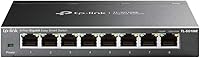
- Ports: Eight shielded RJ45 ports, each supporting full Gigabit (10/100/1000 Mbps) speeds with auto-negotiation and auto MDI/MDIX.
- Switch Tier: Layer 2 Easy Smart managed, offering more control than unmanaged switches without the complexity or cost of full enterprise gear.
- VLAN Support: Supports 802.1Q tag-based VLANs with up to 32 active VLANs simultaneously, drawn from a pool of 4,096 VLAN IDs.
- QoS: Supports port-based and 802.1p priority QoS to ensure latency-sensitive traffic like VoIP or video conferencing gets bandwidth priority.
- IGMP Snooping: IGMP Snooping v1 and v2 are supported, directing multicast streams only to relevant ports rather than broadcasting to the entire network.
- Link Aggregation: Supports 802.3ad LAG (Link Aggregation Control Protocol), allowing two ports to be bonded for higher throughput to a single device such as a NAS.
- Network Monitoring: Includes port mirroring, loop prevention, and cable diagnostics to help administrators identify and resolve connectivity issues without additional tools.
- Chassis Material: Constructed from metal with shielded ports, providing better durability and electromagnetic interference resistance than comparable plastic-bodied switches.
- Dimensions: Measures 6.2″ long by 4″ wide by 1″ tall, making it compact enough for desktop placement or optional wall mounting.
- Weight: Weighs approximately 1.1 pounds, light enough to mount on a wall bracket without additional reinforcement in most installations.
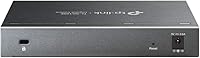
- Power Input: Operates on 9V DC at 1A via an included external power adapter; there is no PoE output on any port.
- Operating Temp: Rated to operate in ambient temperatures up to 40°C (104°F), suitable for most indoor home office and small business environments.
- Management Interface: Configurable via any modern web browser on the local network, or through TP-Link's free Easy Smart Configuration Utility for Windows.
- Mounting Options: Ships with rubber feet for desktop use and supports wall mounting; mounting hardware and installation guide are included in the box.
- Model Identifier: Sold under model number TL-SG108E with ASIN B00K4DS5KU; the unit is not discontinued and remains in active production.
Related Reviews
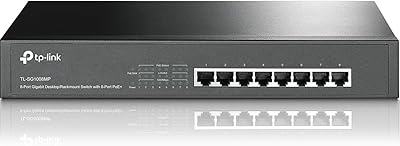
TP-Link TL-SG1008MP 8-Port PoE+ Gigabit Switch
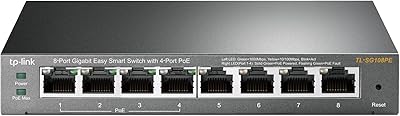
TP-Link TL-SG108PE
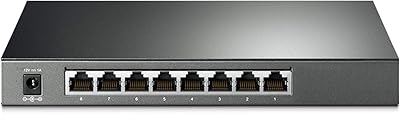
TP-Link TL-SG2008 8-Port Gigabit Managed Switch
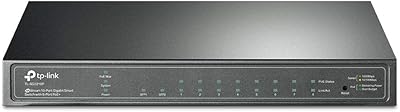
TP-Link TL-SG2210P V3 8-Port PoE Switch
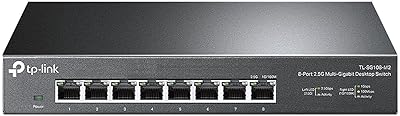
TP-Link TL-SG108-M2 8-Port 2.5G Unmanaged Switch
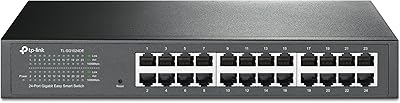
TP-Link TL-SG1024DE 24-Port Gigabit Switch

TP-Link TL-SG3428 24-Port Gigabit Switch
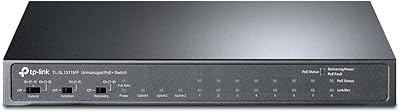
TP-Link TL-SL1311MP 8-Port PoE+ Network Switch
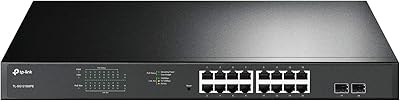
TP-Link TL-SG1218MPE 16-Port PoE+ Switch