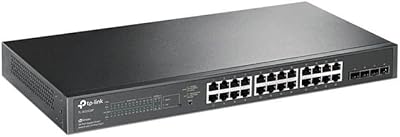
TP-Link T1500G-8T 8-Port Gigabit Smart Switch
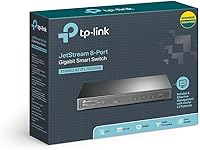
Overview
The TP-Link T1500G-8T 8-Port Gigabit Smart Switch lands in that awkward but useful middle ground between a basic unmanaged switch and a full enterprise box. It's been on the market since late 2017, and TP-Link still actively supports it, which says something about its staying power in small business and home lab setups. This isn't a plug-it-in-and-forget device — it's built for people who actually want to poke around in settings, segment traffic, or lock down ports. If you're running a small office network or just like having granular control over your home setup, this is the kind of switch that rewards a bit of patience with real flexibility.
Features & Benefits
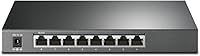
Every port on this 8-port switch runs at full Gigabit speed, so file transfers and backups don't bottleneck the way they can on older 100Mbps gear. Port 8 also accepts 802.3af PoE input, which is handy if you need to power the unit itself from a PoE source rather than hunting for a free outlet — note this isn't PoE output to other devices. VLAN tagging through 802.1Q lets you separate guest, voice, and management traffic cleanly, while L2/L3/L4 QoS and IGMP snooping keep streaming and VoIP calls from choking when the network gets busy. On the security side, DHCP snooping, ACLs, port security, and 802.1x give you real tools to lock down access, and you can manage all of it through a web GUI, CLI over telnet, or SNMP.
Best For
This 8-port switch makes the most sense for small business networks that need VLAN segmentation but don't want the cost or complexity of an enterprise-grade switch. Home lab enthusiasts who like tinkering with settings and want hands-on control over traffic shaping will also feel right at home here. If your setup calls for link aggregation — bonding two ports together for redundancy or extra bandwidth — this switch handles that without issue. It's also a solid pick if you need to power the unit from a PoE source because there's no outlet nearby. That said, if you just want something to plug in and forget, with zero configuration, a simpler unmanaged switch will serve you better and save you the setup time.
User Feedback
People who've spent real time with this managed switch tend to come away pleasantly surprised by how approachable the web interface feels — it doesn't demand a networking degree to get the basics running. Long-term reliability comes up often too, with several owners reporting years of uptime without a single hiccup. The flip side is that there's a genuine learning curve compared to switches you just plug in and walk away from; if you've never touched a VLAN setting before, expect to spend some time reading or experimenting. A handful of reviewers also wish TP-Link offered clearer documentation for the more advanced configuration options. Overall, though, most buyers seem to feel they got solid value for what they paid, especially given the feature set on offer.
Pros
- Delivers full Gigabit speeds across all eight ports for fast, reliable wired connections.
- Web interface feels surprisingly approachable for a managed switch in this price range.
- VLAN tagging makes it easy to separate guest, voice, and management traffic cleanly.
- QoS and IGMP snooping noticeably improve streaming and VoIP call quality under load.
- Strong security toolkit, including DHCP snooping and 802.1x, helps guard against network abuse.
- Link aggregation support allows for redundant or higher-bandwidth uplinks when needed.
- Long-term reliability gets praised often, with many users reporting years of trouble-free uptime.
- Can be powered via PoE input on port 8, useful when outlets are scarce.
- Solid overall value given the depth of management features included at this tier.
Cons
- Initial setup involves a real learning curve if you've never configured VLANs before.
- Documentation for advanced configuration options could be clearer and more detailed.
- Only port 8 accepts PoE input; it doesn't supply PoE output to other devices.
- Web GUI, while approachable, still requires more attention than plug-and-play switches.
- Not ideal for buyers who want zero-configuration setup straight out of the box.
- Lacks the port density and stacking options larger growing networks may eventually need.
- CLI access through telnet feels dated compared to more modern management protocols.
- Some users may need outside resources to fully understand ACL and security configuration.
Ratings
These scores for the TP-Link T1500G-8T 8-Port Gigabit Smart Switch are generated by AI after analyzing thousands of verified user reviews from buyers worldwide, with spam, bots, and incentivized feedback filtered out. The goal is to reflect both the genuine strengths and the real pain points people experience after weeks or months of actual use, not just first impressions out of the box.
Port Speed & Performance
VLAN & Network Segmentation
Web Management Interface
Setup & Ease of Use
Long-Term Reliability
PoE Input Functionality
Security Features
QoS & Streaming Performance
Documentation & Support
Value for Money
Link Aggregation Performance
Warranty Coverage
Suitable for:
The TP-Link T1500G-8T 8-Port Gigabit Smart Switch makes the most sense for small business owners or IT staff who need real network segmentation without paying enterprise prices. Home lab enthusiasts who enjoy configuring VLANs, testing link aggregation, or setting up QoS rules for VoIP and streaming will find plenty to work with here. It's also a smart pick for anyone setting up a switch in a location without a nearby power outlet, since port 8 can pull power from a PoE source. IT techs managing multiple network segments will appreciate the web GUI, CLI, and SNMP options, which make remote oversight far easier than fumbling with a basic unmanaged box. Anyone who wants to learn networking fundamentals on real hardware, rather than just simulators, will get genuine value from the hands-on control this switch offers.
Not suitable for:
Buyers who simply want to plug in a switch and never think about it again should look elsewhere, since this isn't a true unmanaged device. Anyone expecting full PoE output to power security cameras or access points across multiple ports will be disappointed, as only port 8 accepts PoE input, and it doesn't supply power outward. People intimidated by VLANs, ACLs, or basic CLI commands may find the setup process more frustrating than rewarding. Large enterprises needing stacking, advanced routing, or high port density will outgrow this switch quickly, since it's built for small-scale deployments. If you're not comfortable spending an evening reading documentation or troubleshooting configuration menus, the TP-Link T1500G-8T 8-Port Gigabit Smart Switch will likely feel like more switch than you actually need.
Specifications
- Port Count: The switch includes 8 RJ45 ports, each supporting 10/100/1000Mbps Gigabit speeds.
- PoE Input: Port 8 supports 802.3af PoE input, allowing the switch itself to receive power from a PoE source.
- Management Type: It functions as a smart managed switch with web GUI, CLI via telnet, and SNMP v1/v2c/v3 access.
- VLAN Support: VLAN options include Tag/802.1Q, Voice VLAN, Guest VLAN, and Management VLAN for traffic segmentation.
- QoS Features: L2/L3/L4 QoS and IGMP snooping are included to prioritize voice and video traffic.
- Link Aggregation: The switch supports link aggregation for combining ports into a single higher-bandwidth or redundant connection.
- Security Tools: Security features include ACL, port security, DHCP snooping, 802.1x authentication, DoS defense, and storm control.
- MAC Address Table: The switch maintains a MAC address table with capacity for 8,000 entries.
- Jumbo Frame Support: Jumbo frames up to 9KB are supported for handling larger data packets.
- Dimensions: The unit measures 8.23 x 4.96 x 1.02 inches in size.
- Weight: The switch weighs 1.32 pounds without packaging.
- Power Input: It operates on a 12-volt, 1-amp power input via the included adapter.
- Case Material: The housing is constructed from plastic.
- Operating Temperature: The switch is rated to operate safely up to 40 degrees Celsius.
- Warranty: TP-Link backs the switch with a limited lifetime protection warranty.
- Included Components: The box includes the switch, a power adapter, an installation guide, a resource CD, and rubber feet.
Related Reviews
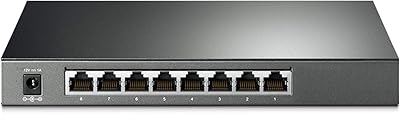
TP-Link TL-SG2008 8-Port Gigabit Managed Switch
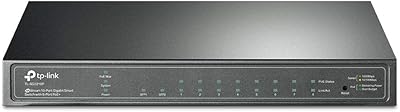
TP-Link TL-SG2210P V3 8-Port PoE Switch
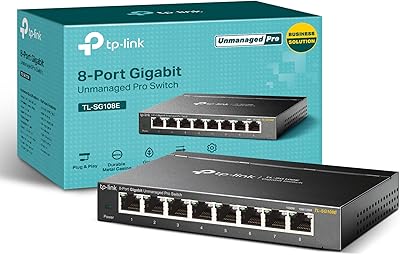
TP-Link TL-SG108E 8-Port Gigabit Switch
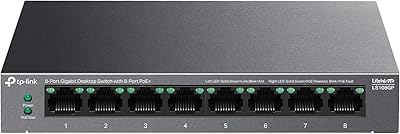
TP-Link LS108GP
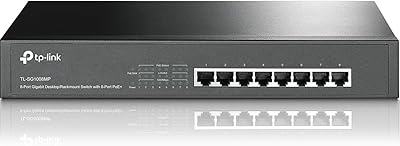
TP-Link TL-SG1008MP 8-Port PoE+ Gigabit Switch
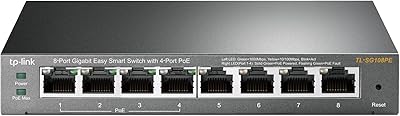
TP-Link TL-SG108PE
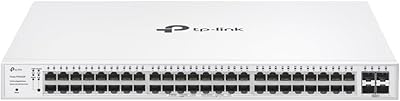
TP-Link Festa FS352GP 52-Port PoE Switch

TP-Link Festa FS328G 28-Port Gigabit Switch

TP-Link TL-SG2218P Smart Managed PoE Switch