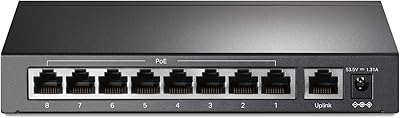
TP-Link TL-SF1005P
Overview
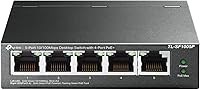
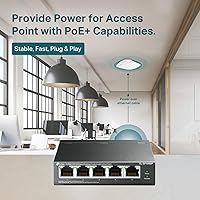
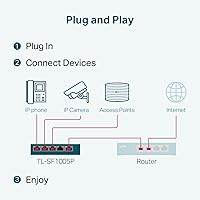
The TP-Link TL-SF1005P is a compact, no-frills PoE+ switch aimed squarely at home users and small businesses who need to power a handful of network devices without touching a configuration menu. Four of its five ports deliver Power over Ethernet, with one standard uplink port rounding out the layout. The metal chassis keeps things quiet — there is no fan to worry about — which makes it a natural fit for a desk or shelf in a working office. If you need something straightforward to get a couple of cameras or access points up and running quickly, this compact switch is hard to argue with at its price point.
Features & Benefits
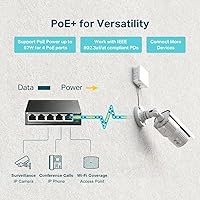
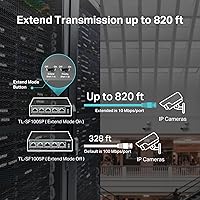
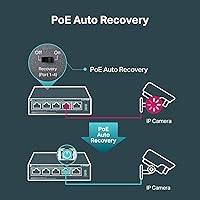
The four PoE+ ports follow the 802.3at/af standard, meaning each can deliver up to 30W — enough for most IP cameras and wireless access points. The catch worth knowing upfront: the shared 67W budget means you cannot run all four ports at full draw simultaneously, so plan your device load accordingly. Extend Mode is a useful trick for long cable runs — think an outdoor camera at the far end of a property — but it cuts speeds down to 10 Mbps, making it best reserved for low-bandwidth devices. Priority Mode on the first two ports helps VoIP calls stay clear, and the PoE Auto Recovery feature quietly reboots frozen devices without any manual intervention.
Best For
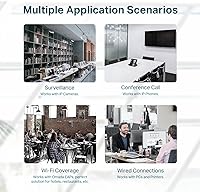
This compact switch is a natural choice for anyone setting up a small surveillance system — two to four IP cameras is the sweet spot — or adding wireless access points where running cable back to a full rack switch is impractical. It also suits network installers who frequently work in tight spaces: the all-metal body can be wall-mounted, and the small footprint means it tucks in almost anywhere. Silent operation makes it particularly well-suited to classrooms, reception areas, or home offices where fan noise would be a genuine nuisance. It is not the right pick for anyone needing Gigabit speeds or a managed feature set — those needs call for a different category entirely.
User Feedback
Most buyers report a smooth out-of-the-box experience — plug it in and connected devices simply work, which is exactly what an unmanaged switch should do. Long-term reliability gets consistent praise, with many users citing months or even years of trouble-free operation. On the critical side, the most common frustration is the shared power budget running short when heavier PoE devices are all connected at once, which catches some buyers off guard. A smaller number of users have flagged concerns about the bundled power adapter feeling underwhelming relative to the otherwise solid build. Heat gets an occasional mention, though most agree the metal body handles passive cooling adequately under normal loads.
Pros
- Plug-and-play setup means most users are fully operational within minutes, no IT skills required.
- The all-metal build feels noticeably more durable than plastic rivals at a similar price point.
- Completely fanless operation keeps things silent — ideal for offices, classrooms, or bedrooms.
- PoE Auto Recovery quietly handles frozen devices without requiring a manual reboot trip.
- Extend Mode allows long outdoor cable runs that would otherwise need additional hardware.
- Priority Mode on the first two ports keeps VoIP calls clear even under network load.
- Shielded ports reduce interference risk in garages, utility rooms, or electrically busy spaces.
- Three-year warranty provides meaningful coverage that is uncommon at this budget level.
- Wall-mount compatibility gives installers real flexibility in cramped or unconventional spaces.
- Consistent long-term reliability is a recurring theme among buyers who have run it for a year or more.
Cons
- The shared power budget runs thin fast if you connect multiple high-draw PoE devices at once.
- Extend Mode cuts speeds down to 10 Mbps, making it unsuitable for high-resolution camera streams.
- The bundled power adapter feels cheap and mismatched relative to the sturdy metal chassis.
- Only five ports total — buyers with growing device counts will hit the ceiling sooner than expected.
- No Gigabit support means this switch is a bottleneck for any bandwidth-intensive network tasks.
- Zero management features make it impossible to troubleshoot, monitor, or segment network traffic.
- Heat buildup in enclosed or poorly ventilated spaces is a real concern for 24/7 deployments.
- Priority Mode is fixed to ports 1 and 2 only, with no flexibility to reassign it elsewhere.
- A subset of users report port failures appearing after the first year of continuous operation.
- Support is restricted to weekday business hours in one time zone, leaving weekend issues unresolved.
Ratings
The TP-Link TL-SF1005P has been put through its paces by a wide range of buyers — from DIY home security installers to small business network admins — and our AI-driven scoring system has analyzed thousands of verified global reviews, actively filtering out incentivized, bot-generated, and spam submissions to surface what real users actually experience. The result is a balanced scorecard that reflects both where this compact PoE switch genuinely earns its keep and where it falls short for certain use cases.
Ease of Setup
PoE Power Delivery
Build Quality
Fanless & Noise Level
Extend Mode Performance
Value for Money
PoE Auto Recovery
Priority Mode
Port Count & Layout
Mounting & Placement Flexibility
Heat Management
Long-Term Reliability
Warranty & Support
Compatibility with PoE Devices
Suitable for:
The TP-Link TL-SF1005P is a strong match for anyone building or expanding a small home security system on a practical budget — think a homeowner running two or three IP cameras around a property who wants everything powered and recording without touching a router config page. It is equally well-suited to small business owners who need to add a couple of wireless access points or VoIP handsets to a back office or retail floor without hiring an IT consultant. Network installers who regularly deploy in tight spaces will appreciate the wall-mount option and compact footprint, which lets this compact switch tuck neatly into a utility closet or above a ceiling tile. Teachers or office managers who value a completely silent network setup will find the fanless design a genuine quality-of-life improvement over buzzing alternatives. If your goal is to get a small cluster of PoE devices online quickly and reliably, this compact switch punches well above what its price tag would suggest.
Not suitable for:
Buyers who need Gigabit speeds should look elsewhere immediately — this is a Fast Ethernet switch, and that 100 Mbps ceiling will feel restrictive for anyone transferring large files, running high-bitrate video streams, or planning for network growth over the next few years. The TP-Link TL-SF1005P also has a hard limit on its total power output, meaning that users planning to connect four power-hungry devices simultaneously will likely find themselves short, which is a frustrating discovery after the fact. Anyone who needs VLAN support, per-port PoE management, traffic monitoring, or any form of web-based control should step up to a managed switch — this unit offers none of that. Growing businesses or prosumer users who expect to add more than four PoE devices over time will outgrow this switch faster than expected, and there is no upgrade path within the same chassis. If your use case involves enterprise-grade reliability requirements or high-density device deployments, this compact switch simply was not designed for that arena.
Specifications
- Total Ports: The switch provides 5 RJ45 ports in total: 4 PoE+ capable ports for powered devices and 1 standard uplink port for connecting to a router or larger network.
- PoE Standard: All four PoE ports comply with the IEEE 802.3at and 802.3af standards, ensuring broad compatibility with mainstream IP cameras, access points, and VoIP phones.
- Per-Port Power: Each of the four PoE+ ports can deliver up to 30W individually, which is sufficient to drive most standard IP cameras and dual-band wireless access points.
- Total PoE Budget: The combined maximum PoE output across all four active ports is 67W, meaning simultaneous full-draw on all ports is not achievable and device load must be planned accordingly.
- Data Transfer Rate: All ports operate at Fast Ethernet speeds with a maximum throughput of 100 Mbps; Gigabit speeds are not supported on this model.
- Extend Mode Range: When Extend Mode is enabled, PoE data and power transmission can reach up to 250 meters over a single cable run, though port speed is reduced to 10 Mbps in this mode.
- Priority Mode: Ports 1 and 2 support a fixed Priority Mode that allocates preferential bandwidth to latency-sensitive devices such as VoIP handsets or PTZ cameras.
- Auto Recovery: The built-in PoE Auto Recovery function monitors connected devices and automatically power-cycles any port where a powered device becomes unresponsive.
- Cooling System: The switch uses fully passive fanless cooling, relying on its metal chassis to dissipate heat without any moving parts or acoustic output.
- Chassis Material: The enclosure is constructed from metal with shielded RJ45 ports to reduce electromagnetic interference in electrically noisy installation environments.
- Dimensions: The unit measures 3.9″ in length, 3.9″ in width, and 1″ in height, making it one of the more compact PoE switches available in its category.
- Weight: The switch weighs 1.74 pounds, light enough for wall mounting without requiring heavy-duty fixings.
- Mounting Options: The switch supports both flat desktop placement and wall mounting, with mounting hardware included to accommodate either orientation.
- Flow Control: IEEE 802.3X flow control is implemented across all ports to manage traffic bursts and reduce the likelihood of packet loss on busy segments.
- Input Voltage: The switch operates on a 53.5V DC input supplied via the included power adapter; it is not compatible with third-party PoE power sources or PoE injectors on the uplink port.
- Maximum Power Draw: The total system power consumption including the switch circuitry reaches up to 74W at full load when all four PoE ports are active.
- Operating Temperature: The switch is rated for continuous operation in ambient temperatures up to 40 degrees Celsius, making it suitable for most indoor environments but not for outdoor or high-heat enclosures.
- Management Type: This is a fully unmanaged switch with no web interface, CLI, or app-based configuration — all network decisions are handled automatically with no user input required.
- Warranty: TP-Link backs this switch with a 3-year limited hardware warranty, with free weekday technical support available from 6am to 6pm PST.
- In the Box: The package includes the switch unit itself, a power adapter, and a printed installation guide; no software disc or mounting screws beyond basics are included.
Related Reviews
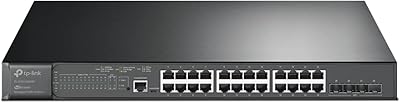
TP-Link TL-SG3428XMP 24-Port Managed PoE Switch
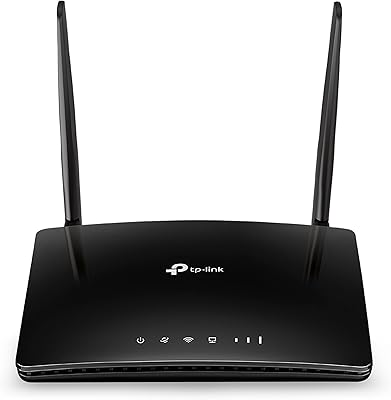
TP-Link TL-MR6400 4G LTE Router
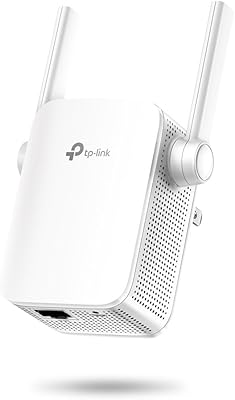
TP-Link N300 WiFi Extender TL-WA855RE
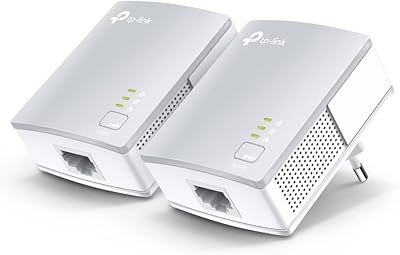
TP-Link TL-PA411KIT Powerline Network Adapter Kit

TP-Link TL-WA1201 AC1200 Wireless Access Point
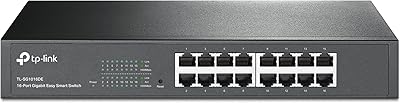
TP-Link TL-SG1016DE 16-Port Gigabit Switch
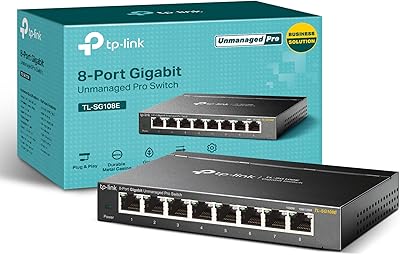
TP-Link TL-SG108E 8-Port Gigabit Switch
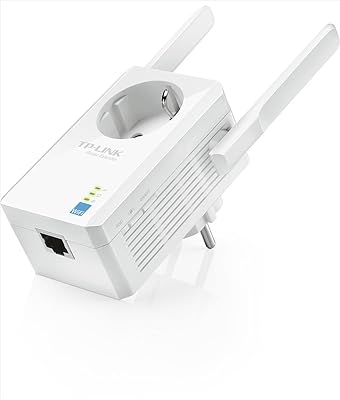
TP-Link TL-WA860RE N300 Wi-Fi Range Extender
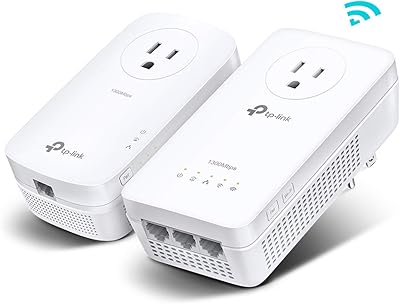
TP-Link TL-WPA8631P KIT Powerline WiFi Extender