Overview

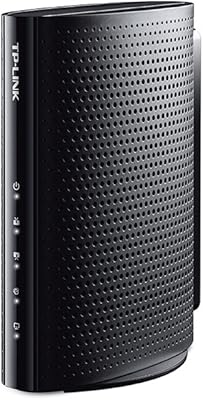
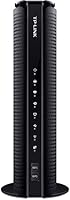
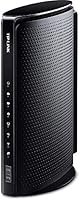
The TP-Link TC-W7960 Cable Modem Router is a practical mid-range option for cable internet subscribers who are tired of paying their ISP a monthly rental fee. DOCSIS 3.0 — the underlying standard this unit runs on — is essentially the protocol governing how fast data moves between your home and your cable provider's network; for most plans topping out around 200 Mbps, it covers the bases without overengineering. This modem-router combo is certified to work with Xfinity, Spectrum, Cox, Suddenlink, Mediacom, and WOW, covering a significant share of U.S. cable households. A 2-year warranty and round-the-clock technical support add a layer of confidence. Just be clear-eyed going in: if you're on a gigabit plan, this isn't your device.
Features & Benefits

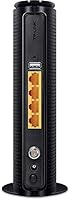
The headline spec is 8x4 channel bonding, meaning the unit pulls data across eight downstream channels simultaneously — translating to wired download headroom up to 343 Mbps, well above what most standard cable plans actually deliver. The built-in N300 router handles the wireless side, so there's no need to add a separate router to your setup. WPS makes connecting new devices quick, and dual-band support keeps older and newer gadgets compatible. Two USB 2.0 ports let you attach a hard drive for shared home storage or connect a printer. The device is compact — barely the size of a thick paperback — and most households recoup the purchase price within six to eight months of avoided rental fees.

Best For

This modem-router combo is a solid fit for households on cable internet plans delivering up to roughly 200 Mbps — think standard Xfinity, Spectrum, or Cox tiers rather than their premium gigabit offerings. An apartment or a modest single-family home with somewhere between five and fifteen connected devices is squarely in its comfort zone. If you've been juggling separate modem and router hardware and want to simplify your setup, the TC-W7960 makes a reasonable case. That said, power users should look elsewhere. The N300 Wi-Fi standard is genuinely dated — no MU-MIMO, no AC speeds — so if fast wireless is a priority, or if you're on a high-tier gigabit plan, this unit will hold you back.

User Feedback

Across roughly 2,000 ratings, this TP-Link unit holds a 4.0 average — a number that tells a fairly nuanced story. Happy users consistently praise easy activation and a stable wired connection for everyday tasks like streaming and video calls. Where things get complicated is wireless performance; several reviewers in larger homes found the N300 signal didn't stretch far enough, and the lack of modern Wi-Fi speed tiers disappointed users expecting more. A smaller but vocal group reported connection dropouts emerging after a year or more of use — worth factoring into your decision. A handful also hit ISP activation friction, so calling your provider before swapping equipment is genuinely smart. Match your expectations to its actual capabilities and the reviews paint a picture of a dependable everyday performer.

Pros

  • Eliminates the ISP equipment rental fee, typically paying for itself within 10 to 14 months.
  • Certified by major U.S. cable providers including Xfinity, Spectrum, and Cox — activation is straightforward for most users.
  • Combines modem and router in one compact box, cutting down on cable clutter and the need for extra hardware.
  • Wired download speeds up to 343 Mbps give plenty of headroom for standard and mid-tier cable plans.
  • WPS button makes connecting new devices quick without digging through admin settings.
  • Two USB 2.0 ports allow for basic shared storage or printer connectivity — a handy bonus for home offices.
  • The 2-year warranty and free 24/7 technical support offer a reasonable safety net for non-technical users.
  • Compact physical size means it fits easily on a shelf, desk, or entertainment unit without dominating the space.
  • Setup process earns consistent praise from everyday users — plug in, call your ISP, and you are generally online within minutes.
  • Solid performer for typical home tasks like HD streaming, video calls, and light remote work on mid-tier cable plans.

Cons

  • N300 Wi-Fi is a noticeably dated standard — households expecting fast wireless for multiple simultaneous users will feel the ceiling.
  • No MU-MIMO support means the TC-W7960 handles connected devices sequentially rather than simultaneously, which adds latency under load.
  • Wi-Fi range falls short in larger homes, with several users reporting dead zones beyond one floor or past thick interior walls.
  • A meaningful number of long-term owners report intermittent dropouts and instability emerging after 12 to 24 months of use.
  • ISP activation does not always go smoothly — some users had to call their provider multiple times before the device was recognized.
  • Completely incompatible with gigabit internet tiers, making it a short-term purchase for anyone likely to upgrade their plan soon.
  • No AC or Wi-Fi 5 support means this modem-router combo is already behind the curve for newer devices that expect faster wireless.
  • USB ports, while useful, are USB 2.0 — file transfer speeds for shared storage will feel slow compared to modern standards.
  • No dedicated app for setup or monitoring; management relies on a basic web interface that some users find unintuitive.
  • Fiber internet subscribers cannot use this device at all, since it is designed exclusively for cable broadband infrastructure.

Ratings

Our AI-generated scores for the TP-Link TC-W7960 Cable Modem Router were produced by analyzing thousands of verified global user reviews, with spam, bot-submitted, and incentivized feedback actively filtered out before scoring. The ratings reflect a candid picture of real-world ownership — where this modem-router combo genuinely delivers and where buyers have run into friction. Both the strengths and the recurring frustrations are weighted transparently across every category below.
Value for Money
83%
For households currently paying a monthly equipment rental fee, the financial math works out clearly in this unit's favor — most users recoup the purchase price within 12 to 15 months and save steadily after that. Buyers on standard cable plans consistently describe it as one of the more sensible hardware investments they have made.
The value calculation weakens considerably for anyone on a high-speed plan who later realizes the hardware is a throughput bottleneck, effectively wasting their subscription tier. A few buyers also felt the price point was harder to justify given the dated Wi-Fi standard included.
Setup & Activation
74%
26%
The physical installation is straightforward — coax in, power on, and most users are through the hardware side in under ten minutes. The included quick-start guide is clear enough for non-technical users, and WPS pairing makes connecting wireless devices simple once the unit is activated.
ISP activation is where a meaningful share of buyers hit turbulence; several reported needing multiple calls to their provider before the device was recognized on the network. Xfinity users in particular have flagged provisioning delays that added unnecessary frustration to an otherwise simple process.
Wired Connection Stability
81%
19%
Users who run their devices over Ethernet consistently report stable, dependable connections suitable for HD streaming, remote work, and video conferencing throughout the day. For the core wired use case, this TP-Link unit performs reliably on standard cable plans without noticeable packet loss or unexplained disconnects — at least in the first year.
A segment of longer-term owners has reported wired stability degrading after 12 to 24 months of continuous operation, with intermittent dropouts appearing without obvious cause. This is not universal, but it is recurring enough in the review pool to represent a genuine long-term reliability concern.
Wi-Fi Performance
58%
42%
In a compact apartment or smaller home with a modest number of devices, the N300 wireless output handles everyday tasks like browsing, standard-definition streaming, and casual video calls without complaint. Users in these scenarios rarely find the Wi-Fi to be their primary frustration.
N300 is a noticeably dated standard, and buyers in medium to large homes quickly discover its ceiling. No MU-MIMO means devices are served sequentially rather than simultaneously, which creates real slowdowns when several family members are online at once — a common complaint from households with four or more active wireless users.
Wi-Fi Range & Coverage
54%
46%
For a studio apartment, a one-bedroom unit, or a small office with line-of-sight placement, the wireless signal holds up adequately and covers the intended space without requiring additional equipment. Users in these tight footprints rarely cite range as a problem.
In homes exceeding roughly 1,200 square feet or spanning multiple floors, dead zones are a frequently reported issue. Thick walls compound the problem significantly, and a meaningful number of buyers ended up purchasing a Wi-Fi extender — partially undermining the one-box simplicity that made this modem-router combo appealing in the first place.
Download Speed Delivery
78%
22%
On cable plans delivering up to around 200 Mbps, the TC-W7960 generally keeps pace with what the ISP is actually pushing through the line, and users on these tiers report that the hardware is not the limiting factor in their internet experience. The 8x4 channel bonding provides a comfortable buffer above typical plan speeds.
Users on plans above 300 Mbps begin to feel the DOCSIS 3.0 limitation, and those on gigabit tiers will find the device unable to come close to their subscribed speeds regardless of how it is configured. This is a fundamental architectural ceiling, not a fixable setting.
Long-Term Reliability
62%
38%
Many buyers report using this unit without issues for a full year or more, and those on lighter internet usage schedules — primarily browsing and occasional streaming — tend to have fewer hardware complaints overall. The 2-year warranty provides some cushion if problems surface within that window.
The pattern of dropouts and degraded performance emerging after 12 to 24 months is consistent enough across independent reviews to suggest this is not just isolated bad luck. Users who experienced failures slightly outside the warranty window expressed particular frustration, as replacement then becomes an out-of-pocket cost.
ISP Compatibility
77%
23%
Official certification from six major U.S. cable providers — Xfinity, Spectrum, Cox, Suddenlink, Mediacom, and WOW — covers a large portion of U.S. cable internet subscribers, and most users within these networks report successful activation with no permanent incompatibility issues.
Certification does not always equal a friction-free experience; some ISPs have been slow to recognize the device on their network, and a handful of users on regional Spectrum sub-brands reported needing escalated support calls. Coverage is also limited to the listed providers — anyone outside those networks cannot use this hardware.
Ease of Management
66%
34%
The web-based admin interface provides access to essential settings like Wi-Fi passwords, network names, and connected device lists, which is sufficient for the majority of home users who just want things to work without deep configuration. Non-technical users rarely feel overwhelmed once past initial setup.
There is no dedicated mobile app for monitoring or management, which feels like an omission compared to competitors in the same price range who offer app-based dashboards. Advanced users who want granular traffic controls, parental filtering, or detailed diagnostics will find the interface underwhelming.
USB Port Utility
61%
39%
Having two USB ports built into a modem-router combo at this price tier is a practical bonus — users who have set up a shared drive for family photo backups or connected a USB printer report that the feature works as advertised for light, occasional use.
Both ports are USB 2.0, which significantly limits transfer speeds for anyone trying to use them for active file sharing or frequent large backups. Power users expecting NAS-like performance will be disappointed; these ports are best treated as a convenience feature rather than a serious storage solution.
Build Quality & Design
71%
29%
The unit feels solidly constructed for its weight class, and the matte black finish blends unobtrusively into most home setups. Its compact dimensions make it easy to tuck onto a shelf or mount discreetly without it becoming a visual focal point in a living space.
The plastic housing shows scuffs and wear more readily than premium alternatives, and a few users noted the unit runs noticeably warm during sustained use — not a safety concern at normal load, but worth ensuring it has open airflow around it rather than being enclosed in a cabinet.
Technical Support Quality
69%
31%
TP-Link's 24/7 support availability is a genuine differentiator at this price tier, and users who contacted them during initial setup generally describe the experience as helpful and responsive. Having access to live support at any hour matters when your internet is down at midnight.
Experiences become more mixed for users dealing with persistent or hardware-level issues — some report being cycled through scripted troubleshooting steps without resolution, and the quality of support appears inconsistent depending on the channel and representative. Complex issues can drag on longer than they should.
Warranty Coverage
76%
24%
A 2-year limited warranty is above average for networking hardware in this segment, and buyers who experienced failures within that window generally report that TP-Link honored replacement requests without significant pushback. The warranty provides a meaningful safety net for a hardware category prone to early failures.
The warranty is limited in scope and does not cover damage from power surges or environmental factors, which are among the more common real-world causes of modem failure. Users who experience the reliability issues that sometimes appear around the 18-to-24-month mark are cutting it close to warranty expiry.
Device Compatibility
82%
18%
The 802.11a/b/g/n dual-band support means the TC-W7960 will connect with virtually any wireless device a typical household owns — from older laptops to current smartphones — without compatibility headaches. Backward compatibility across multiple Wi-Fi generations is a practical strength for mixed-device households.
While everything connects, newer devices capable of AC or Wi-Fi 6 speeds will automatically negotiate down to the slower N300 standard, which means those devices never perform at their potential on this network. Users who have recently upgraded their phones or laptops to modern Wi-Fi hardware may notice the gap.

Suitable for:

The TP-Link TC-W7960 Cable Modem Router is built for a pretty specific — and very common — type of household: someone paying a monthly equipment rental fee to their cable company and finally fed up with it. If your internet plan tops out somewhere between 100 and 200 Mbps through Xfinity, Spectrum, Cox, Suddenlink, Mediacom, or WOW, this unit covers your needs without overcomplicating things. It works particularly well in apartments or smaller single-family homes where the Wi-Fi signal doesn't need to punch through multiple thick walls or travel across a large floor plan. Households with a moderate number of devices — phones, laptops, a smart TV or two — will find the N300 wireless performance perfectly adequate for everyday streaming, browsing, and video calls. For renters who move occasionally and want one device that handles both modem and router duties without requiring a second box, the simplicity here is genuinely appealing. If you typically spend around ten dollars or more per month on a rented modem, this unit pays for itself within a year, which is a real and tangible financial argument.
Not suitable for:

Anyone on a gigabit cable plan — or planning to upgrade to one soon — should look past the TC-W7960 entirely, because its DOCSIS 3.0 standard with 8x4 channel bonding simply cannot handle those speeds; you would be leaving most of your bandwidth on the table. Power users who care about wireless performance will also find the N300 Wi-Fi spec frustrating; it lacks the AC speeds, MU-MIMO capability, and modern throughput that a household full of 4K streaming, gaming, or large file transfers demands. Owners of larger homes — think more than 1,500 square feet with multiple floors — have repeatedly flagged that the wireless range struggles, and adding a Wi-Fi extender somewhat defeats the purpose of a simplified one-box setup. If you are on a fiber internet connection, this device is simply incompatible; it is a cable modem, full stop. Finally, buyers who prioritize hardware longevity should note that a subset of long-term users have reported reliability issues emerging after a year or two of continuous use, which is a consideration if you are hoping to avoid hardware swaps for several years.

Specifications

  • Cable Standard: This unit operates on DOCSIS 3.0, the cable broadband standard that supports typical residential internet plans up to around 343 Mbps downstream.
  • Channel Bonding: The modem uses 8x4 channel bonding, pulling data across 8 downstream and 4 upstream channels simultaneously for more consistent throughput.
  • Max Download: Wired downstream speeds reach up to 343 Mbps, making it a comfortable fit for most standard and mid-tier cable internet plans.
  • Max Upload: Upstream wired speeds top out at up to 143 Mbps, adequate for video calls, cloud backups, and general upload tasks on moderate plans.
  • Wi-Fi Standard: Wireless connectivity runs on 802.11a/b/g/n (N300), a dual-band standard that supports legacy and modern devices but does not include AC or Wi-Fi 5 speeds.
  • Wi-Fi Speed: Maximum wireless throughput is rated at N300, meaning up to 300 Mbps over Wi-Fi under ideal conditions on the 2.4 GHz band.
  • Frequency Bands: The device broadcasts on dual-band frequencies, providing both 2.4 GHz coverage for range and compatibility with older hardware.
  • USB Ports: Two USB 2.0 ports are included, allowing users to connect a flash drive or external hard drive for basic shared network storage or a shared printer.
  • Special Feature: A physical WPS button on the unit enables quick, password-free pairing of compatible wireless devices without accessing the admin interface.
  • Dimensions: The unit measures 8.17 x 5.86 x 2.87 inches, keeping its footprint small enough to fit on a shelf, desk, or inside an entertainment cabinet.
  • Weight: At just 3.2 ounces, the device is notably lightweight and easy to reposition or relocate when needed.
  • ISP Compatibility: The TC-W7960 is certified for use with Xfinity, Spectrum (including Charter, Time Warner Cable, and Bright House Networks), Cox, Suddenlink, Mediacom, and WOW.
  • Warranty: TP-Link backs this unit with a 2-year limited hardware warranty, which is above average for this product category.
  • Support: Free 24/7 technical support is included, accessible via phone or online, for the lifetime of the product.
  • In-Box Contents: The package includes the modem-router unit, one Ethernet cable, a power adapter, and a quick installation guide.
  • Color: The device is finished in matte black, giving it a neutral appearance that blends with most home setups.
  • OS Compatibility: For wired Ethernet connections, the device is compatible with Windows 10, 8.1, 8, 7, Vista, OS X 10.4 or later, UNIX, and Linux systems.
  • Manufacturer: This unit is designed and sold by TP-LINK USA, the North American arm of the global networking hardware brand TP-Link.

Related Reviews

TP-Link TC-7610 Cable Modem
82%
91%
Value for Money
88%
Setup & Installation
85%
Internet Speed & Performance
89%
ISP Compatibility
84%
Build Quality
More
TP-Link TD-W9970 Modem Router
83%
91%
Value for Money
95%
Ease of Setup
76%
Wi-Fi Performance
84%
Build Quality
87%
USB Port Functionality
More
TP-Link TD-8816 ADSL2+ Modem Router
70%
83%
Ease of Setup
78%
Connection Stability
61%
Throughput & Speed Performance
69%
Build Quality & Durability
77%
Value for Money
More
TP-Link ER7212PC 3-in-1 Gigabit VPN Router
73%
83%
Value for Money
74%
PoE Power Delivery
86%
Omada Controller Integration
81%
Multi-WAN & Failover
77%
VPN Performance
More
Motorola MT7711 Cable Modem Router with Phone Ports
71%
81%
Ease of Setup
76%
Wi-Fi Performance
84%
Modem Speed & Reliability
69%
Voice Port Functionality
41%
ISP Compatibility
More
ARRIS G20 Cable Modem Router Combo
85%
89%
Performance
83%
Wi-Fi Coverage
91%
Ease of Setup
85%
Speed Consistency
93%
Compatibility with ISPs
More
ARRIS TG862G-CT Cable Modem Router
85%
91%
Value for Money
89%
Performance & Speed
93%
Ease of Setup
85%
Voice Service Quality
72%
Wi-Fi Range
More
TP-Link Archer AC1750 WiFi Router
85%
88%
WiFi Performance
91%
Setup & Installation
80%
Range & Coverage
85%
Value for Money
89%
Alexa Integration
More
TP-Link TD-8616 ADSL2+ Modem
83%
88%
Ease of Setup
91%
Value for Money
85%
Reliability
93%
Lightning Protection
78%
Build Quality
More
NETGEAR C6230 AC1200 Cable Modem Router
73%
83%
Connection Stability
61%
WiFi Range & Coverage
78%
Setup & Activation
86%
Value for Money
69%
WiFi Speed Performance
More

FAQ

Yes, the TC-W7960 is officially certified for Xfinity service, and activation is generally straightforward. That said, Xfinity does maintain an approved modem list that can change, so it is worth double-checking their current compatibility page before you buy, especially if you are on a higher-tier plan above 200 Mbps.

No — that is actually the main appeal of this modem-router combo. It handles both functions in one box, so you can return your ISP's rented equipment entirely and operate with just this single device plugged into your coax cable outlet.

The physical setup is simple: connect the coax cable, plug in the power adapter, and connect your device via Ethernet or Wi-Fi. The activation step is where people sometimes hit snags — you will need to call your ISP (or use their app or website) and provide the device's MAC address and serial number so they can register it on their network. Having that info ready before you call saves time.

No, and this is an important one to be clear about. The TP-Link TC-W7960 Cable Modem Router runs on DOCSIS 3.0 with 8x4 channel bonding, which caps out well below gigabit speeds. If your plan delivers or promises speeds around 500 Mbps or higher, you would need a DOCSIS 3.1 modem to actually receive those speeds.
In an apartment or a smaller home under around 1,200 square feet with few walls between rooms, most users report acceptable coverage. Larger homes, multi-story layouts, or spaces with thick concrete or brick walls are where the N300 Wi-Fi tends to fall short. If range is a concern, this unit may leave you with dead zones.

No — this is a cable modem, meaning it is designed specifically to connect via a coaxial cable to a cable internet provider's network. Fiber connections use entirely different infrastructure, so this device is simply not compatible with fiber service.

It depends on what your ISP charges for equipment rental, but most major providers charge somewhere between eight and fifteen dollars per month. At ten dollars per month, for example, this modem-router combo would pay for itself in roughly twelve to fifteen months — after that, you are keeping that money in your pocket each month.

The two USB 2.0 ports let you plug in an external hard drive or flash drive and make it accessible as shared network storage, which is handy for a small home office or family that wants a simple way to share files. You can also connect a USB printer to share it across devices on the network. Just keep in mind these are USB 2.0 ports, so large file transfers will be noticeably slower than on newer USB standards.

Some long-term users have flagged intermittent dropouts and stability issues appearing after twelve to twenty-four months of continuous use. It does not affect everyone, but it is a pattern that shows up enough in the review pool to be worth knowing about. If you are on a tighter budget and can handle a potential swap down the line, it is a reasonable trade-off — but if you want hardware you can set and forget for five-plus years, it is worth keeping in mind.

It will connect to them without issue since most modern devices remain backward-compatible with older Wi-Fi standards. The practical limitation is speed — N300 is a relatively slow Wi-Fi ceiling by today's standards, so if you are regularly transferring large files, streaming 4K to multiple devices simultaneously, or gaming wirelessly, you will likely notice the bottleneck. For general browsing, HD streaming, and video calls, most users find it perfectly functional.