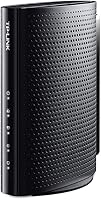
Overview

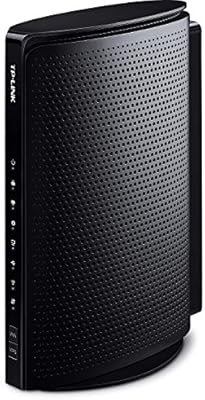
The TP-Link TC-7610 DOCSIS 3.0 Cable Modem is a straightforward, mid-range modem built around one clear goal: eliminating the monthly equipment rental fee your cable provider charges. With 8x4 channel bonding, it supports download speeds up to 343Mbps and uploads up to 143Mbps — solid headroom for most household internet plans. It works with major U.S. providers including Xfinity, Spectrum, Cox, and Optimum. One thing to know upfront: this standalone modem has no built-in Wi-Fi, so a separate router is required. That is not a flaw, just a design choice. It has been around since 2015 and has earned a reputation for quiet, consistent reliability rather than flashy specs.

Features & Benefits

Running on the DOCSIS 3.0 standard, the TC-7610 delivers download performance eight times faster than older DOCSIS 2.0 hardware, and it remains backward compatible with earlier DOCSIS versions for broader infrastructure support. A single Gigabit Ethernet port connects cleanly to any router you already own. Both IPv4 and IPv6 are supported, which matters for long-term compatibility as ISPs continue transitioning to newer addressing standards. CableLabs certification means activation with supported providers tends to be straightforward — no lengthy manual provisioning calls in most cases. The included 2-year warranty and around-the-clock technical support from TP-Link round out a package that punches above its price tier for dependability.

Best For

This TP-Link cable modem makes the most sense for people who are simply tired of paying a monthly equipment lease to their ISP and want something that works without fuss. It suits households on 100–200Mbps cable plans with Xfinity, Spectrum, or Cox particularly well — real-world performance on those tiers is solid and consistent. If you already have a router you trust, the TC-7610 slots in naturally since you only need to plug in the modem and call your provider to activate. Always verify your specific plan against TP-Link's official compatibility list before purchasing, as not every tier within a supported ISP is guaranteed to work.

User Feedback

Buyers of this TP-Link cable modem most often highlight two things: fast ISP activation and the immediate relief of cutting a recurring rental charge from their monthly bill. Most report that swapping equipment takes under 30 minutes over the phone. On the downside, a portion of long-term owners have run into occasional disconnects, typically resolved through a firmware update or a simple power cycle. Real-world throughput also tends to cap out well below the spec ceiling on plans above 200Mbps. The most common complaint, though, is straightforward: first-time buyers occasionally miss that Wi-Fi is absent, so reading the full product description before ordering is genuinely worth the extra minute.

Pros

  • Eliminates the ISP modem rental fee, typically paying for itself within a few months of use.
  • Setup is straightforward — most users report activation in under 30 minutes with a single call to their provider.
  • CableLabs certification reduces the risk of compatibility headaches on supported cable networks.
  • The TC-7610 handles 100–200Mbps cable plans consistently without requiring restarts or babysitting.
  • IPv6 support means the hardware stays relevant as ISPs continue migrating away from IPv4 addressing.
  • Compact and light enough to tuck behind a router or on a shelf without taking up meaningful space.
  • A 2-year warranty with round-the-clock technical support offers solid peace of mind for the price tier.
  • Backward compatibility with older DOCSIS standards makes it flexible across a range of cable network environments.
  • Build quality earns consistent praise from long-term owners — it does not feel cheap for what you pay.

Cons

  • Real-world download speeds on plans above 200Mbps often fall noticeably below the advertised maximum.
  • No built-in Wi-Fi means buyers must budget for and manage a separate router — easy to overlook before purchasing.
  • The 2015 hardware design means it lacks DOCSIS 3.1 support, ruling it out for gigabit internet plans.
  • A small but consistent group of long-term users report periodic disconnects that require a reboot or firmware update to resolve.
  • ISP compatibility is broad but not universal — specific plan tiers within a supported provider may still not work.
  • Only one Ethernet port is included, offering no flexibility for directly wired multi-device setups without a switch.
  • Firmware update process is not the most user-friendly, which can be frustrating for less technical owners dealing with connectivity issues.
  • No indicator lights beyond basic status LEDs, making it harder to quickly diagnose connection problems at a glance.

Ratings

The scores below for the TP-Link TC-7610 DOCSIS 3.0 Cable Modem were generated by our AI after analyzing thousands of verified buyer reviews from across the globe, with spam, incentivized submissions, and bot activity actively filtered out. The ratings reflect the full picture — where this standalone modem genuinely delivers and where real buyers have run into frustration. Both strengths and pain points are represented transparently so you can make a grounded decision.

Value for Money
91%
For buyers coming off a monthly ISP modem rental, the TC-7610 tends to pay for itself within a few months — a fact that comes up repeatedly in long-term owner reviews. People on 100–200Mbps cable plans consistently report getting everything they need without overpaying for hardware they will never fully use.
Buyers on faster internet plans may feel shortchanged since real-world throughput does not always justify the purchase over a more capable DOCSIS 3.1 modem. The value calculation shifts noticeably once you factor in a plan above 200Mbps.
Ease of Setup
88%
The majority of users report that getting the TC-7610 up and running takes under 30 minutes, with ISP activation handled by a single phone call. First-time modem buyers in particular appreciate the included quick-start guide and the fact that CableLabs certification reduces friction during the provisioning process.
A small subset of users on less common ISP plans have hit unexpected snags during activation, requiring multiple calls or escalations. The setup experience can vary meaningfully depending on the specific ISP representative and regional infrastructure.
Connection Stability
74%
26%
For the large majority of owners on standard cable plans, day-to-day connectivity is solid and uninterrupted — many report running this modem for years without a single reboot. It handles streaming, video calls, and general household usage without issue under normal conditions.
A recurring minority complaint involves intermittent disconnects that appear after months of continuous use, and not all users find firmware updates sufficient to resolve them permanently. Occasional reboots become part of the ownership experience for a meaningful portion of long-term buyers.
Speed Performance
69%
31%
On 100–200Mbps cable plans, this TP-Link cable modem delivers consistent, reliable throughput that aligns well with what subscribers are paying for. Users on those mid-tier plans rarely report speed-related frustrations and generally get what their ISP plan promises.
The advertised 343Mbps ceiling is rarely approached in real-world use, and buyers on plans above 200Mbps frequently notice a gap between expected and measured speeds. The hardware was designed for a different era of consumer internet, and that limitation shows as plans have gotten faster.
ISP Compatibility
83%
Coverage across major U.S. cable providers — Xfinity, Spectrum, Cox, Optimum, Suddenlink, Mediacom, and WOW — is genuinely broad, and CableLabs certification means activation on supported plans is typically smooth. Buyers switching from ISP-rented equipment on these networks report minimal compatibility issues.
Compatibility is not universal within each ISP — specific plan tiers can fall outside the approved range even when the provider itself is listed as supported. Buyers who skip the step of verifying their exact plan on TP-Link's certified list sometimes find themselves with an unsupported configuration.
Build Quality
79%
21%
The physical construction earns consistent praise relative to its price point — owners describe it as feeling solid rather than hollow or flimsy, and the compact footprint makes it easy to tuck next to a router or on a crowded shelf. The matte black finish holds up well to handling over time.
It is not a premium-feeling device by any measure, and the plastic casing shows its budget-tier origins up close. A few long-term owners mention that the unit runs noticeably warm during extended sessions, which can be a minor concern in poorly ventilated setups.
Wi-Fi Capability
12%
88%
There is genuinely nothing to critique here from a design standpoint — this modem was intentionally built without Wi-Fi so buyers with preferred routers are not paying for a redundant radio. For users in that situation, the modem-only design is exactly what they want.
The complete absence of wireless connectivity is the single most common source of buyer confusion and disappointment, particularly among first-time modem purchasers who did not read the product description carefully. If you need Wi-Fi, this device cannot provide it under any circumstances.
Port Selection
48%
52%
The single Gigabit Ethernet port is sufficient for connecting directly to a router in a typical home setup, and the Gigabit spec ensures the port itself is not the bottleneck on supported plan speeds. Most users in a standard one-router household never notice the limitation.
One port is all you get, which means directly wiring multiple devices to the modem is not possible without an additional switch. For users hoping to skip a router entirely and wire a couple of devices directly, the TC-7610 simply cannot accommodate that use case.
Long-Term Reliability
72%
28%
Many owners report running this TP-Link cable modem for two, three, or even four years without hardware failure, which speaks well of its durability for an entry-to-mid-range device. The 2-year warranty provides meaningful coverage during the early ownership period.
Beyond the two-year warranty window, reliability reports become more mixed — some units develop persistent reconnection issues that no amount of troubleshooting fully resolves. The 2015 hardware vintage also means the modem is aging toward the end of its practical service life on modern cable networks.
Technical Support
77%
23%
TP-Link's round-the-clock support line receives generally positive marks for availability and response time, with most users able to reach a representative without excessive hold times. For firmware questions or activation troubleshooting, the support team tends to be knowledgeable about this specific modem.
Support quality varies by representative, and some users report being directed to generic troubleshooting steps that do not address the specific disconnect patterns the TC-7610 can develop. Resolution quality is inconsistent enough that it keeps the score from ranking higher.
Physical Footprint
84%
At under 1.3 pounds and with a slim profile, this standalone modem fits comfortably in tight spaces without demanding its own dedicated shelf. Buyers setting up minimalist home office or living room network closets appreciate not having to accommodate a bulky unit.
The horizontal orientation and specific dimensions mean it does not stack cleanly with all router models, which can create an awkward physical pairing in tighter setups. There is no mounting bracket or wall-mount option included for users who prefer off-the-shelf placement.
Future-Proofing
44%
56%
IPv6 support is a genuine plus that keeps the TC-7610 compatible as ISPs continue migrating away from IPv4 addressing. For users on plans that will not exceed 200Mbps in the foreseeable future, the hardware remains adequate without any upgrades.
The absence of DOCSIS 3.1 support is a hard ceiling — gigabit cable plans are completely out of reach, and as ISPs continue to phase out DOCSIS 3.0 device support in certain regions, the clock is ticking on this modem's long-term viability. Buyers planning to upgrade their internet plan soon should factor this in carefully.
Packaging & Unboxing
81%
19%
TP-Link uses easy-open packaging that does not require scissors or a box cutter to access, which is a small but appreciated detail noted by multiple reviewers. Everything inside is neatly organized and the included accessories are exactly what you need to get started.
The quick installation guide is printed rather than digital, and a few users found it light on detail for edge-case ISP configurations. There is no QR code or link to video setup resources, which would have been a helpful addition for less technical buyers.

Suitable for:

The TP-Link TC-7610 DOCSIS 3.0 Cable Modem is a natural fit for renters and homeowners who are paying their ISP a monthly equipment rental fee and want a proven, low-maintenance alternative. If your household runs on a cable internet plan in the 100–200Mbps range through Xfinity, Spectrum, Cox, Optimum, or a handful of other supported providers, this standalone modem covers that workload without breaking a sweat. It works especially well for people who already own a router they like and just need a reliable modem to pair it with — no combo unit required. Budget-focused buyers who prioritize dependability over cutting-edge hardware will find the value proposition straightforward: pay once, stop paying monthly. First-time modem buyers on supported ISPs also tend to appreciate the CableLabs certification, which typically makes activation a single phone call rather than a drawn-out provisioning ordeal.

Not suitable for:

The TP-Link TC-7610 DOCSIS 3.0 Cable Modem is not the right tool for everyone, and a few specific situations make that clear. If your internet plan runs above 300Mbps, real-world performance may not meet expectations — the hardware is rated for 343Mbps, but actual throughput on higher-tier plans tends to fall short of the ceiling in practice. Anyone expecting built-in Wi-Fi will be disappointed immediately; this is a modem only, and a separate router is non-negotiable for wireless connectivity. Users on fiber, DSL, or 5G home internet plans should look elsewhere entirely, since this device only works with cable infrastructure. Those who want the latest DOCSIS 3.1 technology for gigabit-level plans should also skip this model, as it simply was not built for that tier. And if your ISP is not on the verified compatibility list, there is no guarantee of activation support regardless of what the general spec sheet suggests.

Specifications

  • Cable Standard: This modem operates on the DOCSIS 3.0 standard, which is backward compatible with DOCSIS 1.0, 1.1, and 2.0 networks.
  • Channel Bonding: Supports 8 downstream and 4 upstream channel bonding for efficient data throughput across the cable connection.
  • Max Download Speed: Rated for download speeds up to 343Mbps under optimal cable network conditions.
  • Max Upload Speed: Rated for upload speeds up to 143Mbps under optimal cable network conditions.
  • LAN Port: Includes one Gigabit Ethernet port for connecting directly to a router or a single wired device.
  • IP Support: Fully supports both IPv4 and IPv6 addressing standards for broad network compatibility.
  • Wi-Fi: This is a modem-only device with no integrated wireless radio — a separate router is required for Wi-Fi.
  • ISP Compatibility: Certified for use with Xfinity, Spectrum, Cox, Optimum, Suddenlink, Mediacom, and WOW cable internet services.
  • Certification: Holds CableLabs DOCSIS 3.0 certification, which is required for activation on most major U.S. cable networks.
  • Dimensions: The unit measures 8.98 x 7.95 x 2.87 inches, making it compact enough to sit alongside a router on a shelf.
  • Weight: Weighs 1.2 pounds, light enough to mount or reposition without any effort.
  • Color: Available in black with a matte finish that resists visible dust and minor smudging.
  • In the Box: Package includes the modem unit, one RJ-45 Ethernet cable, a power adapter, and a quick installation guide.
  • Warranty: Covered by a 2-year limited manufacturer warranty backed by TP-Link.
  • Technical Support: TP-Link provides unlimited 24/7 technical support by phone for the lifetime of the product.
  • Model Number: The official model designation from TP-Link is TC-7610.
  • Manufacturer: Designed and manufactured by TP-Link, a global networking hardware company headquartered in China.
  • First Available: This model was first released to market in August 2015 and remains in active production as of the time of writing.

Related Reviews
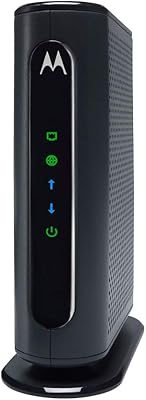
TP-Link TC-W7960 Cable Modem Router
71%
83%
Value for Money
74%
Setup & Activation
81%
Wired Connection Stability
58%
Wi-Fi Performance
54%
Wi-Fi Range & Coverage
More
Motorola MB7420 16x4 Cable Modem
77%
86%
Connection Stability
88%
Setup & Activation
79%
Speed Performance
91%
Value for Money
74%
Build Quality & Design
More
ARRIS CM820A DOCSIS 3.0 Cable Modem
74%
83%
Connection Stability
78%
Ease of Setup
74%
ISP Compatibility
81%
Long-Term Reliability
88%
Value for Money
More
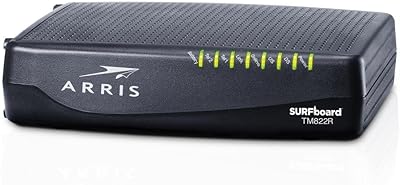
NETGEAR CM500 DOCSIS 3.0 Cable Modem
77%
91%
Value for Money
88%
Setup & Activation
84%
Connection Stability
63%
Refurbished Condition Consistency
72%
ISP Compatibility
More
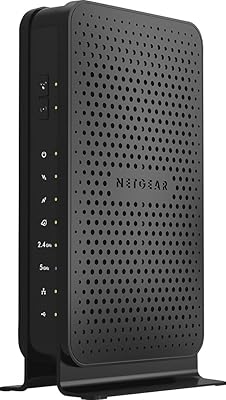
ARRIS TM822R DOCSIS 3.0 Cable Modem
75%
93%
Xfinity Compatibility
88%
Value for Money
74%
VoIP Phone Performance
81%
Internet Speed Performance
86%
Setup & Installation
More
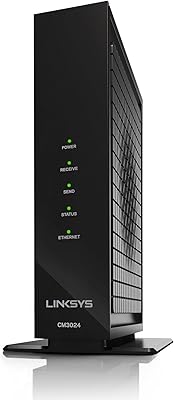
Linksys CM3024 DOCSIS 3.0 Cable Modem
75%
88%
Value for Money
84%
Setup & Installation
79%
Download Speed Performance
53%
Latency & Ping Stability
86%
ISP Compatibility
More
NETGEAR C3700 N600 Cable Modem Router
73%
91%
Ease of Setup
88%
Connection Reliability
58%
WiFi Speed & Performance
61%
WiFi Range & Coverage
83%
Modem Speed & Throughput
More
ARRIS SBG6782 DOCSIS 3.0 Cable Modem Router
78%
88%
Value for Money
91%
Setup & Installation
86%
Connection Stability
69%
Wi-Fi Performance
63%
Wi-Fi Range
More
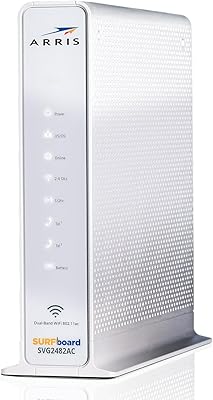
ARRIS SURFboard SVG2482AC Cable Modem Router Combo
74%
72%
ISP Compatibility
81%
Internet Performance
63%
Wi-Fi Coverage
79%
Setup Experience
76%
Build Quality
More
ARRIS TM822G DOCSIS 3.0 Telephony Modem
75%
88%
Value for Money
78%
Internet Performance
84%
Voice Call Quality
58%
Setup & Activation
86%
Long-Term Reliability
More

FAQ

It does not include a router. The TC-7610 is a standalone modem only, so you will need a separate Wi-Fi router to get wireless connectivity in your home. Just plug the router into the modem's Ethernet port and you are set.

It is certified for Xfinity, but compatibility depends on your specific plan tier. Xfinity supports this modem on plans up to around 200Mbps. Before buying, it is worth checking TP-Link's official compatibility page or calling Xfinity directly to confirm your plan is on the approved list.

The process is straightforward. Connect the coaxial cable from your wall to the modem, plug in the power adapter, then connect the modem to your router via the included Ethernet cable. After that, call your ISP's activation line or use their online activation portal — most providers walk you through it in under 20 minutes.

Yes, the TC-7610 is compatible with Spectrum, including plans that were formerly under Time Warner Cable, Charter, and Bright House Networks. It works well on Spectrum's 100–200Mbps tiers. As always, double-check with Spectrum's approved modem list to confirm your specific plan speed is covered.

Probably not at full speed. This modem's real-world throughput tends to cap out comfortably in the 200Mbps range, and users on higher-tier plans frequently report speeds below the plan maximum. If you are paying for a 400Mbps or faster plan, you would likely benefit from a DOCSIS 3.1 modem instead.

For internet plans up to 200Mbps, yes. The hardware is mature and stable, which actually works in its favor — most bugs have been ironed out over the years. It is not a modem for cutting-edge gigabit plans, but for moderate everyday use, it holds up well and the value of eliminating a monthly rental fee remains real.

Start by checking for a firmware update through TP-Link's support site, as several users have found that resolves intermittent disconnect issues. If the problem persists, try power cycling both the modem and your router. Persistent drops can also sometimes be traced to a loose or aging coaxial cable connection at the wall, which is worth inspecting.

Yes, this TP-Link cable modem is certified for Cox Communications and works reliably on Cox's Preferred 100 and similar mid-tier plans. Cox maintains an approved modem list on their website, and the TC-7610 appears on it — though it is always good practice to verify before purchasing.

Yes, it supports both IPv4 and IPv6, so you are covered as your ISP gradually migrates to the newer addressing standard. This is not a feature most people think about, but it does make the modem more future-compatible than some older budget alternatives.

You get the modem itself, a short RJ-45 Ethernet cable, a power adapter, and a printed quick installation guide. No coaxial cable is included, so you will need to use the one already running to your wall outlet, or pick one up separately if yours is in rough shape.

Where to Buy