Overview

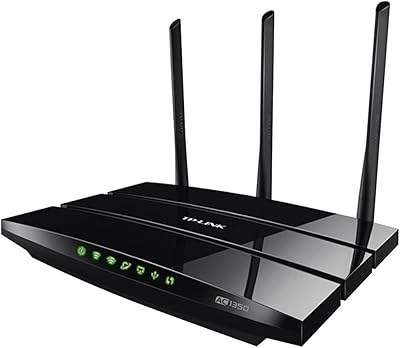
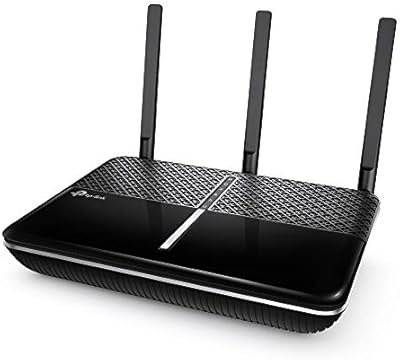
The TP-Link Archer A7 AC1750 WiFi Router has quietly held its ground as one of the most popular mid-range routers on the market for years — and that kind of staying power says something. Built around a Qualcomm processor, this dual-band router punches above its weight class at this price point, offering AC1750 speeds across two bands. In plain terms, that means your older devices stay connected on 2.4 GHz while your laptop or streaming box gets the faster 5 GHz lane. Rated for up to 2,500 square feet, it comfortably covers most apartments and single-story homes, and its long-standing bestseller status among home routers reflects how consistently it has delivered for everyday households.
Features & Benefits

The Archer A7 runs both bands simultaneously, which matters more than it sounds. The 2.4 GHz band reaches farther and handles devices like smart bulbs or security cameras that do not need raw speed; flip to 5 GHz and you have up to 1,300 Mbps available for video calls, 4K streaming, or online gaming. All four LAN ports are full Gigabit Ethernet, so wired connections are genuinely quick. There is Alexa support for basic voice commands, and built-in QoS lets you prioritize your work laptop over the kids' tablets without digging through menus. The USB port can host a shared printer or a drive, and the Tether app keeps initial setup refreshingly painless from your phone.

Best For

This dual-band router is a natural fit for anyone moving beyond a basic ISP-supplied combo unit for the first time. If you are in a medium-sized home or apartment — roughly 1,500 to 2,500 square feet — the coverage holds up well for most open layouts, though thick walls or multi-story spaces can chip away at real-world range. It handles 10 to 20 connected devices without breaking a sweat, which covers most households loaded with phones, laptops, smart TVs, and a gaming console or two. Families who want simple parental controls without a monthly subscription will find the built-in tools practical. Casual gamers get useful QoS without the cost of more advanced hardware.

User Feedback

With nearly 97,000 ratings averaging 4.4 out of 5, the Archer A7 has a long track record with real buyers. The most consistent praise focuses on easy, guided setup, a stable connection over months and years of use, and solid range for the price paid. That said, the criticism is legitimate: this is a Wi-Fi 5 device, and Wi-Fi 6 routers have entered similar price territory, offering better efficiency on crowded networks. The USB 2.0 port is another honest limitation — shared drive speeds are slow by current standards. Users in larger or two-story homes frequently mention needing a range extender. Still, for most buyers, this TP-Link router has simply worked, reliably, for years on end.

Pros

  • Setup takes under 15 minutes using the Tether app, even for first-time router owners.
  • Dual-band operation lets you keep smart home devices on 2.4 GHz while reserving 5 GHz for speed-sensitive tasks.
  • Four Gigabit Ethernet ports give wired devices fast, stable connections with no extra hardware needed.
  • Built-in QoS lets you prioritize specific devices or applications without any technical know-how.
  • Parental controls are included at no extra cost and require no ongoing subscription.
  • The Qualcomm processor delivers reliable performance and stable throughput at this price tier.
  • Alexa integration allows basic network management using just your voice.
  • Nearly 97,000 user ratings averaging 4.4 out of 5 reflect years of real-world dependability.
  • The USB port adds light file-sharing and print server functionality for households that need it.
  • Long-term owners consistently report the Archer A7 running without issues for multiple years.

Cons

  • Wi-Fi 5 technology is aging, and comparable Wi-Fi 6 routers are now available at similar price points.
  • Real-world coverage in multi-story or wall-heavy homes often falls noticeably short of the stated 2,500-square-foot figure.
  • The single USB 2.0 port makes shared drive speeds painfully slow by current standards.
  • No mesh networking support means expanding coverage requires buying a separate extender rather than a companion unit.
  • The 2.4 GHz band can get congested in dense apartment buildings with many overlapping networks nearby.
  • No WPA3 security support, which is the current wireless security standard on newer routers.
  • Managing advanced settings still requires logging into a browser-based interface that feels dated.
  • No built-in VPN server functionality, which competing routers at similar prices sometimes include.
  • Three fixed external antennas offer no beamforming flexibility compared to newer router designs.
  • Households with more than 20 active devices simultaneously may notice performance dips during peak usage.

Ratings

The scores below were generated by our AI system after analyzing thousands of verified purchase reviews for the TP-Link Archer A7 AC1750 WiFi Router worldwide, with spam, bot activity, and incentivized feedback actively filtered out. Both the genuine strengths and the recurring frustrations that real buyers reported are reflected transparently in every category score. The result is an honest, data-grounded snapshot of what living with this router actually looks like across a wide range of households.

Setup Experience
91%
The Tether app-guided setup is consistently praised as one of the smoothest first-time experiences in this router category. Even buyers who had never configured a router before reported being online within 10 to 15 minutes, with clear on-screen prompts handling the heavy lifting.
A small but vocal group of users ran into issues when their ISP used non-standard modem configurations, requiring a call to tech support to resolve. The browser-based admin panel, used for more advanced settings, feels noticeably dated compared to the app experience.
Connection Stability
88%
Long-term stability is one of the Archer A7's most cited strengths, with many buyers reporting years of continuous operation without needing a restart or reset. Households using it for video calls, streaming, and background smart home traffic simultaneously rarely reported dropped connections under normal load.
A recurring subset of users — particularly those in apartments with heavy network congestion from neighboring routers — noted periodic slowdowns on the 2.4 GHz band during peak evening hours. Some also reported the router needing an occasional reboot after firmware updates.
WiFi Speed Performance
79%
21%
On the 5 GHz band at close to medium range, this dual-band router delivers real-world speeds that comfortably support 4K streaming, video conferencing, and casual online gaming without bottlenecking most residential internet plans. For ISP plans under 400 Mbps, most users never felt constrained by the router itself.
Users with gigabit internet plans quickly discovered the router's throughput ceiling, especially over WiFi where real-world speeds rarely approached the theoretical AC1750 maximum. Compared to newer Wi-Fi 6 routers entering the same price bracket, the speed headroom is noticeably narrower.
Coverage & Range
74%
26%
In open single-story homes and apartments under 1,800 square feet, the Archer A7 generally blankets the space with usable signal. Users in ranch-style homes or loft apartments frequently praised it for reaching outdoor patios or garages without signal dropoff.
The 2,500-square-foot rating assumes ideal open-plan conditions that many real homes do not have. Users in two-story houses, older buildings with thick plaster walls, or homes with complex layouts routinely found dead zones and often had to purchase a range extender to complete coverage.
Value for Money
86%
For buyers coming from a basic ISP-supplied modem-router combo, the performance and feature jump feels substantial relative to the cost. The inclusion of parental controls, QoS, and Alexa support without any subscription fees makes the effective value feel higher than the sticker price suggests.
The value equation has shifted somewhat as Wi-Fi 6 routers have entered the same price range, offering better future-proofing and improved performance in device-dense environments. Buyers who keep routers for five or more years may find this a harder sell today than it was even two years ago.
Parental Controls
82%
18%
Families appreciated having functional content filtering and per-device scheduling built into the router without paying for a third-party service. Parents could pause internet access for a child's device at bedtime directly from the Tether app, which felt genuinely practical in day-to-day household management.
The controls lack the granularity of dedicated parental control platforms — category-based filtering is fairly broad, and there is no activity log detailed enough to show exactly what sites a device visited. Tech-savvy teenagers can also work around some restrictions using a VPN on their device.
QoS & Traffic Management
77%
23%
The QoS implementation is accessible enough that non-technical users could prioritize their work laptop or gaming console over other household traffic without reading a manual. During work-from-home hours, this made a meaningful difference for buyers sharing bandwidth across many devices.
The QoS system is relatively basic compared to what dedicated gaming routers or higher-end models offer — there is no per-application prioritization or real-time bandwidth monitoring. Users with more complex traffic management needs quickly hit the ceiling of what the settings allow.
USB & File Sharing
51%
49%
For occasional light use — sharing a document folder across home computers or connecting a printer to the network — the USB port does what it promises without any complicated configuration. Users who only needed basic print server functionality found it handled that job reliably.
The USB 2.0 interface is the most commonly criticized hardware limitation of the Archer A7. Anyone who tried to use it as a media server or backup NAS found the transfer speeds frustratingly slow, often making it faster to physically move a drive than to transfer files over the network share.
Alexa Integration
69%
31%
Being able to ask Alexa to turn the guest network on or off without opening an app is a small but genuinely convenient feature for smart home households. Users who already had Echo devices integrated it quickly and found it added a layer of hands-free convenience for everyday tasks.
The Alexa skill covers only a limited set of commands, and anything beyond toggling basic network features still requires the app or admin panel. Users who expected broader voice-driven network management were left underwhelmed by how narrow the actual functionality is.
Build Quality & Design
73%
27%
The flat, low-profile form factor fits discreetly on a shelf or entertainment unit without drawing attention, and the matte black finish avoids looking out of place in most home setups. The three antennas feel sturdy and hold position well without feeling flimsy.
The plastic casing picks up scratches and dust fairly visibly over time, and the ventilation slots on the underside can accumulate lint if the router sits on carpet or a fabric surface. Compared to some competitors in the same category, the chassis feels less premium to the touch.
App Experience
81%
19%
The Tether app is clean, well-organized, and noticeably more intuitive than the browser-based admin interface. Remote access via the app works reliably, and buyers who managed their network primarily through the app reported a consistently positive experience across iOS and Android.
The browser-based admin panel, which is required for some advanced configuration options not available in the app, feels like it has not been meaningfully updated in years. A handful of users also reported the app losing connection to the router intermittently when accessed remotely.
Multi-Device Handling
76%
24%
For households running 10 to 18 connected devices — a realistic count for a modern family home with phones, laptops, a smart TV, a gaming console, and assorted smart home gadgets — this TP-Link router handles the load comfortably during typical mixed usage patterns.
When more than 20 devices are simultaneously active and demanding bandwidth, some users noticed measurable performance degradation. Households that have expanded their smart home ecosystem significantly since purchase sometimes found the router struggling to keep up with what they had grown into.
Long-Term Reliability
87%
Hardware longevity is a genuine standout. A substantial portion of the review base includes buyers who have owned the Archer A7 for three, four, or even five years and report it still running without hardware failure or significant degradation in daily performance.
Firmware updates have slowed considerably as the product ages, meaning any newly discovered security vulnerabilities may not receive prompt patches. Users who prioritize ongoing security support may find the lack of active firmware development a legitimate concern for a device now over six years old.
Security Features
66%
34%
The built-in SPI firewall, access control, and MAC address filtering cover the basics that most home users need. For households that do not run sensitive services or self-hosted applications, the security defaults are reasonably configured out of the box.
The absence of WPA3 support is a real gap, as WPA3 is now the current security standard and is supported by most modern devices. The router also lacks automatic threat detection or any integrated security monitoring, which some competing models in the same tier now include.
Gaming Performance
78%
22%
Casual and mid-level gamers generally report solid online gaming experiences, with QoS helping keep latency in check when other family members are streaming or browsing at the same time. For popular online titles at 1080p with a standard broadband connection, the performance is consistent and dependable.
Serious competitive gamers who need the lowest possible latency and the most consistent packet delivery will notice the Archer A7 lacks dedicated gaming features like adaptive QoS, geo-filtering, or ping-optimized traffic routing that purpose-built gaming routers provide.

Suitable for:

The TP-Link Archer A7 AC1750 WiFi Router is a strong fit for anyone who wants reliable, no-fuss home networking without overcomplicating the setup process. Renters and homeowners in medium-sized spaces — think one-story houses, apartments, or open-plan condos under 2,500 square feet — will generally find the coverage more than adequate for daily use. Families with a mix of devices, from smart TVs and gaming consoles to phones and laptops, benefit from the dual-band design, which naturally distributes traffic across two frequencies. Parents will appreciate the built-in parental controls, which work without any subscription fee or extra hardware. If you are currently stuck with the basic router your ISP shipped you, upgrading to the Archer A7 will feel like a meaningful step forward in both speed and control.

Not suitable for:

Buyers with larger homes, multi-story layouts, or thick concrete and brick walls will likely find the TP-Link Archer A7 AC1750 WiFi Router falls short of its rated 2,500-square-foot coverage in practice, often requiring an extender or a second unit to fill dead zones. Power users who need the efficiency gains of Wi-Fi 6 — especially in dense environments with many competing networks, like apartment buildings — should look at newer options, some of which now cost a similar amount. Anyone planning to use the USB port as a proper network-attached storage solution will be frustrated by the USB 2.0 interface, which caps transfer speeds well below what modern drives can deliver. Households with more than 20 to 25 simultaneously active devices, or users who stream 8K content or run bandwidth-heavy workflows across multiple machines at once, may find themselves bumping against the router's practical limits during peak hours.

Specifications

  • WiFi Standard: This router uses 802.11ac (Wi-Fi 5) technology operating across dual bands simultaneously.
  • Speed Class: Rated AC1750, combining up to 450 Mbps on the 2.4 GHz band and up to 1,300 Mbps on the 5 GHz band.
  • Processor: Powered by a Qualcomm CPU, which contributes to stable throughput and reliable performance under sustained load.
  • Coverage Area: Designed to cover up to 2,500 sq ft under ideal open-space conditions; real-world range varies with walls and interference.
  • LAN Ports: Includes four Gigabit Ethernet LAN ports for fast, stable wired connections to computers, consoles, or switches.
  • WAN Port: One Gigabit Ethernet WAN port connects the router to a cable or DSL modem supplied by your ISP.
  • USB Port: A single USB 2.0 port supports basic file sharing via connected storage drives or printer sharing across the local network.
  • Antennas: Three fixed external dual-band antennas provide omnidirectional signal coverage without any manual adjustment options.
  • Dimensions: The unit measures 9.59 x 6.32 x 1.29 inches, designed to lie flat on a desk or shelf.
  • Weight: Weighs 14.9 ounces, making it lightweight enough to reposition or wall-mount with optional hardware.
  • Voice Assistant: Compatible with Amazon Alexa, allowing basic network controls such as toggling the guest network using voice commands.
  • Security Features: Includes SPI firewall, access control, IP and MAC address binding, and basic internet security tools built into the firmware.
  • Parental Controls: Built-in parental controls allow website filtering and device-level time scheduling at no additional subscription cost.
  • QoS Support: Quality of Service settings let you prioritize bandwidth for specific devices or applications directly from the router dashboard.
  • App Support: The TP-Link Tether app for iOS and Android enables guided initial setup and ongoing remote network management from a smartphone.
  • Compatible Devices: Works with PCs, smartphones, tablets, gaming consoles, smart TVs, security cameras, and networked printers.
  • Wireless Security: Supports WPA and WPA2 encryption standards; does not include WPA3, which is available on newer router models.
  • Launch Date: First made available in March 2018, making it a mature and extensively reviewed product with a long field track record.
  • Manufacturer: Designed and produced by TP-Link, a globally recognized networking hardware manufacturer headquartered in Shenzhen, China.
  • In the Box: Package includes the router unit, a power adapter, one RJ45 Ethernet cable, and a printed quick installation guide.

Related Reviews

TP-Link Archer AX6000 WiFi 6 Router
80%
88%
Wireless Performance
91%
Multi-Device Handling
86%
Setup & Ease of Use
93%
Wired Connectivity
82%
Range & Coverage
More
TP-Link Archer AX73
TP-Link Archer AX73
79%
88%
Wireless Speed & Throughput
91%
Multi-Device Performance
74%
Coverage & Range
93%
Setup & Ease of Use
79%
Build Quality & Design
More
TP-Link Archer C59 Dual-Band WiFi Router

80%
91%
Ease of Setup
83%
Wi-Fi Signal Stability
67%
Wireless Range
93%
Wired Port Performance
88%
Value for Money
More
TP-Link Archer A54
TP-Link Archer A54
74%
91%
Value for Money
88%
Ease of Setup
71%
Wi-Fi Range
74%
Wi-Fi Speed & Performance
86%
Security Features
More
TP-Link Archer BE700 WiFi 7 Router
79%
89%
Wireless Performance
83%
Setup & Ease of Use
78%
Build Quality
76%
Range & Coverage
91%
Wired Connectivity
More
TP-Link Archer BE550
76%
83%
Wireless Performance
91%
Wired Port Quality
88%
Setup & Ease of Use
67%
Coverage & Range
58%
HomeShield Security & Parental Controls
More
TP-Link Archer AXE75
78%
83%
Wireless Performance
71%
6 GHz Band Utility
91%
Setup & Ease of Use
86%
Value for Money
68%
Range & Coverage
More
TP-Link Archer BE900 Wi-Fi 7 Router
80%
91%
Wireless Performance
93%
Wired Connectivity
88%
Range & Coverage
86%
Setup & Ease of Use
71%
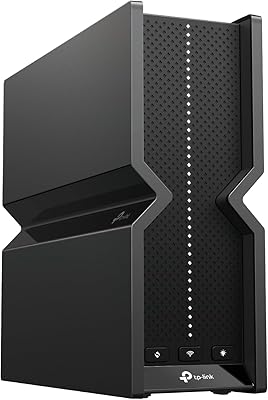
Touchscreen & LED Interface
More
TP-Link Archer BE260 WiFi 7 Router
78%
91%
Value for Money
84%
Wireless Performance
89%
Setup & Ease of Use
78%
Range & Coverage
88%
Wired Port Quality
More
TP-Link Archer AX10 WiFi 6 Router
77%
91%
Value for Money
78%
Wireless Performance
63%
Range & Coverage
93%
Ease of Setup
82%
Network Stability
More

FAQ

Genuinely, setup is one of the Archer A7's strongest points. You download the TP-Link Tether app, plug everything in, and the app walks you through each step in plain language. Most people are up and running within 15 minutes, no prior networking experience needed.

Yes, this dual-band router is compatible with virtually all major ISPs in the US. It connects to any standard cable or DSL modem via the WAN port. Just make sure your ISP is not providing a gateway device that has its own router built in, as that can cause double-NAT issues unless you put the gateway in bridge mode.

For casual to moderate gaming, it holds up well. The 5 GHz band delivers low-latency throughput for online gaming, and the QoS feature lets you push your console to the top of the bandwidth priority list so other household traffic does not interfere. Hardcore competitive gamers who need the absolute lowest ping and most consistent speeds might want to step up to a more specialized gaming router, but for most players this is more than sufficient.

It might, but with some caveats. The rated 2,500 sq ft figure assumes relatively open spaces and minimal interference. In a two-story home, signal has to pass through a floor-ceiling structure, which can noticeably reduce range on the upper level. Many users in similar situations find coverage acceptable on the ground floor but weaker upstairs, and some end up adding a range extender for full coverage.

You can, but keep your expectations realistic. The USB 2.0 port supports connecting a flash drive or external hard drive for basic NAS-style sharing, but transfer speeds are limited by the USB 2.0 interface. If you are planning to stream large video files or do heavy file transfers across your network regularly, the speeds will feel slow compared to a dedicated NAS device or a router with USB 3.0.

No, there are no subscription fees required for any of its core features. Parental controls, QoS, network security settings, and Alexa integration all work without paying anything beyond the initial purchase. The Tether app is also free to download and use.

Somewhere between 10 and 20 active devices is a comfortable operational range for this router. It technically supports more connections, but real-world performance under heavy simultaneous load — like 25 or more devices all actively transferring data — can start to show strain. For a typical household with phones, laptops, a TV, and a gaming console, it handles the load without issues.

Unfortunately, no. The Archer A7 does not support mesh networking natively. If you need to expand your coverage, you would need to add a separate range extender, which works but does not provide the same seamless roaming experience that a proper mesh system offers. If you think you will want mesh capability down the line, it may be worth looking at TP-Link's Deco mesh lineup instead.

They are straightforward to use. Through the Tether app or the browser-based admin panel, you can block specific websites, set time limits for individual devices, and pause internet access for a device entirely. It is not as granular or polished as some dedicated parental control platforms, but for basic household management it gets the job done without any technical setup.

It depends on your priorities. Wi-Fi 6 routers do offer real advantages — better efficiency in crowded environments, improved handling of many simultaneous connections, and forward compatibility with newer devices. If your internet plan exceeds around 400 to 500 Mbps or you live in a dense apartment building with heavy wireless congestion, a Wi-Fi 6 option might serve you better long-term. That said, if your ISP speeds are modest and your household needs are typical, the Archer A7 remains a proven, stable, and cost-effective choice with a long reliability track record behind it.

Where to Buy