
Overview
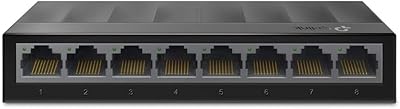
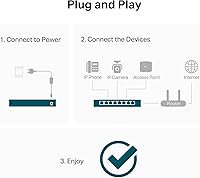
The TP-Link LS108GP is a plug-and-play PoE+ switch built for home users, small offices, and anyone running a basic IP camera setup without the headache of configuration menus. What makes this unmanaged gigabit switch stand out at its price tier is simple: every single port delivers PoE+, not just a handful. Many competitors hedge by offering PoE on only half their ports, so having all 8 ports active out of the box is genuinely useful. The fanless metal housing adds a level of build credibility you don't always find here. Just know going in — if you need VLANs, port management, or an uplink port, this isn't the right tool.
Features & Benefits
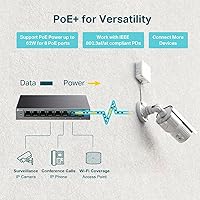
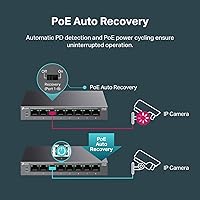
Every port on this PoE switch supports the 802.3at standard, meaning up to 30W per device — enough for PTZ cameras, access points, and VoIP phones. The catch worth knowing: the total 62W power budget is shared across all eight ports, so running eight power-hungry devices simultaneously will require some math. The Extend Mode is a standout for surveillance work, pushing PoE signals up to 820 feet over standard Cat5e — no injectors, no repeaters. The PoE Auto Recovery feature quietly reboots frozen devices on its own, which matters when a camera locks up at 2am. Add a fully fanless design and you have a switch that runs completely silent, day and night.
Best For
This unmanaged gigabit switch is a natural fit for anyone deploying IP cameras around a home or small commercial property who wants a single tidy box instead of a mess of individual PoE injectors. It also works well for small offices or reception areas where silent operation is non-negotiable. DIY installers will appreciate Extend Mode for long cable runs that would otherwise require additional hardware. That said, this is purely a plug-and-play device — there's no browser interface, no CLI, no VLAN support. If your setup needs any of that, budget up. For straightforward zero-config deployments, though, it's hard to argue with what's on offer here.
User Feedback
Owners consistently highlight how quick the setup is — literally unbox, plug in, and everything works. The silent operation gets specific praise from people who placed it in living rooms or open-plan offices where fan noise would be noticeable. Build quality feedback is positive too; the metal case feels more substantial than expected. The most recurring criticism centers on the shared 62W budget — users running four or more high-draw cameras have reported hitting the ceiling sooner than anticipated. Extend Mode reviews from real surveillance installs are mostly favorable, though a few note speed drops at maximum range. Overall, satisfaction is high relative to comparable unmanaged PoE switches, with most buyers calling it a solid value for the use case.
Pros
- Every single port delivers PoE+, unlike many rivals that reserve PoE for only half their ports.
- Extend Mode pushes PoE transmission up to 820 feet, covering large properties without extra injectors.
- Auto Recovery silently reboots frozen cameras or devices without any manual intervention.
- Completely fanless operation makes this PoE switch genuinely inaudible in quiet environments.
- Metal chassis feels noticeably more solid than plastic alternatives in the same price tier.
- Setup takes minutes — unbox, plug in, and connected devices power up automatically.
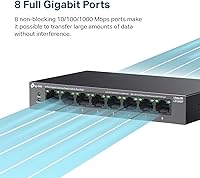
- 16 Gbps non-blocking capacity means all eight ports run at full gigabit speed simultaneously.
- Compact footprint works equally well on a shelf, inside a cabinet, or wall-mounted in a utility space.
- PoE Auto Recovery is especially valuable for remote or hard-to-reach camera installations.
- Strong value proposition for straightforward deployments compared to similarly priced unmanaged competitors.
Cons
- The 62W total power budget is shared across all ports, limiting simultaneous use of high-draw devices.
- No dedicated uplink port means losing a PoE port whenever you connect it to a larger network.
- Extend Mode drops all active ports to 10 Mbps and cannot be applied selectively to individual ports.
- No per-port PoE status LED makes it difficult to diagnose power delivery issues at a glance.
- The chassis runs noticeably warm under sustained full-load conditions in poorly ventilated spaces.
- Auto Recovery detection has a delay of several minutes, leaving cameras offline longer than ideal.
- No VLAN, QoS, or any traffic management — one misbehaving device can affect the entire network.
- Passive PoE devices are not supported, which catches some buyers off guard during setup.
- Wall-mount hardware is basic and requires careful measuring to sit flush without wobble.
- Documentation for edge cases involving Extend Mode and Auto Recovery is thin and hard to find.
Ratings
The TP-Link LS108GP has been evaluated by our AI system after analyzing verified global buyer reviews, with spam, bot activity, and incentivized feedback actively filtered out before scoring. The result is an honest picture of where this unmanaged PoE switch genuinely earns its reputation — and where real users have run into friction. Scores reflect both the enthusiastic praise and the recurring frustrations surfaced across thousands of real-world deployments.
Ease of Setup
PoE Power Budget
Extend Mode Performance
Silent Operation
Build Quality
PoE Auto Recovery
Port Count and Configuration
Switching Performance
Value for Money
Compatibility
Size and Footprint
Indicator LEDs
Thermal Management
Documentation and Support
Suitable for:
The TP-Link LS108GP is a strong fit for anyone setting up a home or small-business surveillance system who wants a clean, single-box solution without the complexity of a managed switch. If you are mounting four to six IP cameras around a property and need to run cable further than a standard 100-meter Ethernet run, the Extend Mode alone can justify the purchase by eliminating the need for individual PoE injectors at each distant camera. Small office managers who want to power access points, VoIP phones, or intercoms from one central point — without involving IT or learning a configuration interface — will find this unmanaged gigabit switch exactly as simple as it needs to be. Installers and DIYers who work on residential security projects regularly will appreciate both the wall-mount option and the Auto Recovery feature, which handles frozen devices overnight without a call-back visit. The fanless operation also makes it a natural choice for reception desks, home offices, or any quiet workspace where a humming switch would be an ongoing annoyance.
Not suitable for:
The TP-Link LS108GP is the wrong tool the moment your deployment needs any form of network control. There is no management interface — no browser UI, no CLI, no app — so tasks like setting VLANs, monitoring port traffic, prioritizing bandwidth for specific devices, or isolating a camera subnet are simply not possible here. The 62W shared power budget is also a hard ceiling that will frustrate anyone planning to run eight high-draw devices simultaneously; PTZ cameras or dual-band access points pulling 20W or more will stress the budget quickly, and there is no way to set per-port power limits to manage that gracefully. Network administrators or prosumers who need a dedicated uplink or SFP port to connect this switch cleanly into a larger infrastructure will find its absence a genuine obstacle. Anyone whose camera system might scale beyond eight devices, or who anticipates needing traffic segmentation down the road, should budget for a managed switch from the start rather than outgrowing this one within a year.
Specifications
- Ports: 8x Gigabit RJ45 ports, all PoE+ enabled with no non-PoE ports on the unit.
- PoE Standard: Supports IEEE 802.3at (PoE+) and 802.3af (PoE) on every port.
- Per-Port Power: Each port delivers up to 30W of PoE power to connected devices.
- Total PoE Budget: The shared PoE power budget across all eight ports is 62W total.
- Switching Capacity: Non-blocking switching capacity of 16 Gbps ensures full gigabit throughput on all ports simultaneously.
- Extend Mode: A physical button enables Extend Mode, stretching PoE transmission distance up to 820 ft at 10 Mbps.
- Auto Recovery: PoE Auto Recovery mode detects unresponsive powered devices and automatically power-cycles the affected port.
- Cooling: Fully fanless design with passive metal chassis cooling — no moving parts, zero operational noise.
- Chassis Material: Durable metal construction provides structural rigidity and acts as a passive heat dissipator.
- Dimensions: The unit measures 7.72″L x 4.76″W x 5.16″H, suitable for desktop or wall-mount installation.
- Weight: The switch weighs 1.48 lbs, making it easy to reposition or wall-mount without heavy hardware.
- Input Voltage: Powered via an included external power adapter supplying 53.5V DC.
- Max Temperature: Rated for continuous operation up to 40°C (104°F) ambient temperature.
- Interface Type: All ports use standard RJ45 connectors compatible with Cat5e and Cat6 cabling.
- Management: Fully unmanaged — no web interface, CLI, or app; operates entirely via plug-and-play with physical mode buttons.
- Mounting Options: Supports both flat desktop placement and wall mounting using the included mounting hardware.
- In the Box: Package includes the LS108GP unit, a power adapter, and a printed installation guide.
- Release Date: The product was first made available in February 2024.
- UPC: Product UPC is 840030711527, manufactured and sold under the TP-Link brand.
- Warranty: TP-Link provides a standard limited warranty on this product; coverage terms are confirmed via TP-Link's official support portal.
Related Reviews
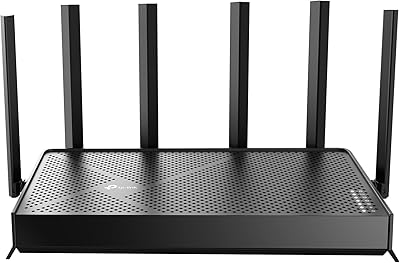
TP-Link Archer BE600 WiFi 7 Router
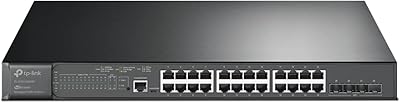
TP-Link TL-SG3428XMP 24-Port Managed PoE Switch
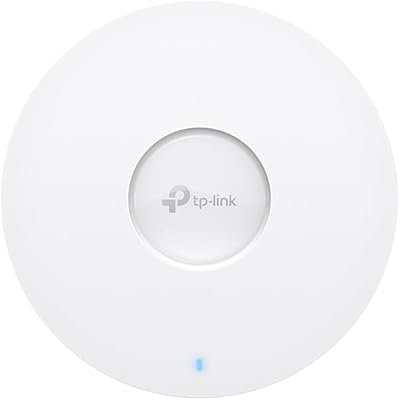
TP-Link EAP610 V2
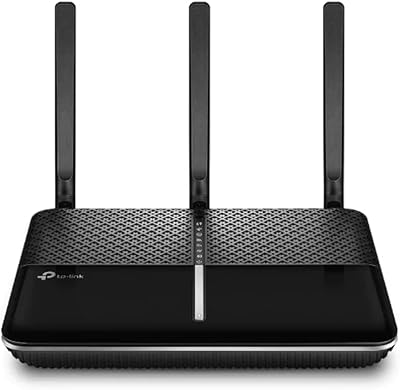
TP-Link Archer VR2100 VDSL/ADSL Modem Router
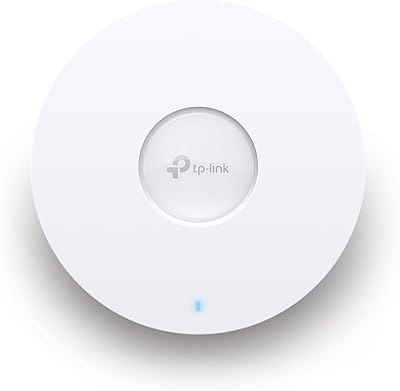
TP-Link EAP670 V2 WiFi 6 Access Point
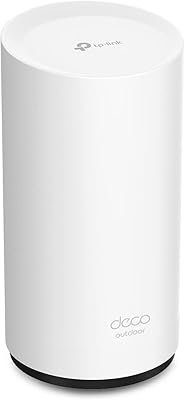
TP-Link Deco X50-Outdoor WiFi 6 Mesh Node

TP-Link EAP110-Outdoor V3 Outdoor Access Point
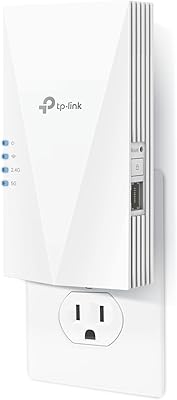
TP-Link RE500X WiFi 6 Range Extender
TP-Link ER7212PC 3-in-1 Gigabit VPN Router