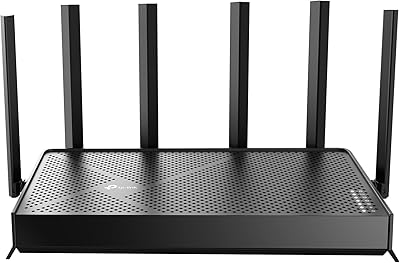
TP-Link Omada OC200
Overview
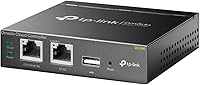
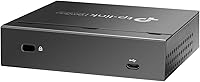
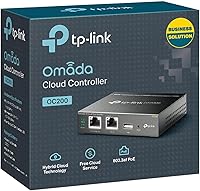
The TP-Link Omada OC200 is a dedicated hardware controller built for TP-Link's Omada SDN ecosystem, giving small and medium-sized businesses a reliable, always-on alternative to running a software controller on a spare PC or server. This hardware controller is purpose-built for independence — plug it in and it runs on its own, no host machine needed. The compact metal chassis sits on a desktop or mounts in a rack, and PoE power support keeps the installation clean without extra adapters. Best of all, remote cloud access comes with no recurring license fee — a real advantage over competitors that charge annually for the same capability. Hotels, retail locations, and distributed offices are natural fits for this kind of always-on network management.
Features & Benefits
The real value of the OC200 shows up once you have more than a handful of network devices to juggle. From a single web dashboard, you can manage up to 100 Omada access points, switches, and gateways — configuring VLANs, setting traffic policies, and monitoring activity across the whole network without jumping between interfaces. The USB backup port deserves a mention too: it handles automated configuration saves, so if something goes sideways after a firmware update, recovery is much less painful. Remote access through the Omada mobile app works well for routine checks, though it requires the controller's network to have an active internet connection — worth knowing before you assume it works offline. The metal build and dual power inputs round out a package that punches well above its price class.
Best For
This Omada controller is an obvious pick for IT admins already running multiple Omada access points or switches who want a dedicated hardware controller that doesn't depend on a PC staying powered on. Small business owners who've been stung by annual licensing fees elsewhere will find the no-fee cloud model genuinely refreshing. It's also a strong fit for network installers in hospitality or retail, where stable, low-maintenance control matters far more than bells and whistles. One firm caveat, though: this hardware controller works exclusively with SDN-compatible Omada gear. Mixed-brand environments or older TP-Link hardware not updated to SDN firmware will simply not be manageable through it. Check compatibility first — it will save a lot of frustration.
User Feedback
With a 4.5-star rating across more than 1,700 verified reviews, the OC200 has earned genuinely strong marks. The setup process and day-to-day reliability are highlighted repeatedly — buyers appreciate that it just works without constant tinkering. The no-license-fee cloud access draws consistent praise, especially from those who've dealt with competitors charging annual subscriptions. Where things get mixed is the web interface: most find it functional and clear, but IT professionals migrating from Cisco or Ubiquiti sometimes note it feels less refined. Firmware updates have drawn mild complaints — not about stability, but about the update process feeling manual. Compatibility surprises are the most common driver of negative reviews, with buyers discovering too late that non-SDN Omada devices simply aren't supported.
Pros
- No annual licensing fee for cloud access — a meaningful long-term cost saving over competing platforms.
- Manages up to 100 Omada devices from a single dashboard, covering APs, switches, and gateways together.
- PoE 802.3af/at support keeps installations clean with no separate power adapter required.
- The OC200 runs independently around the clock without needing a host PC or virtual machine.
- USB backup port allows automated configuration saves, making recovery after failures far less painful.
- Metal casing and compact form factor feel professional and hold up well in wiring closet or rack environments.
- Remote monitoring via the Omada app works reliably for routine network checks across multiple sites.
- A 5-year warranty offers meaningful long-term protection well above the category norm.
- Setup is approachable enough that non-specialists can get basic deployments running within an hour.
- Ranked among the top networking switches on Amazon with consistently strong verified buyer satisfaction.
Cons
- Strictly limited to SDN-compatible Omada devices — non-Omada hardware is entirely unsupported, full stop.
- Cloud remote access disappears completely if the controller site loses its internet connection.
- Firmware updates are manual, and there is no rollback option if an update destabilizes the network.
- The mobile app lacks several configuration options available in the full web dashboard, forcing desktop logins for advanced tasks.
- Auto device discovery fails across subnets, requiring manual configuration in routed or more complex network environments.
- The web interface, while functional, lags behind enterprise-grade platforms in polish and reporting depth.
- Technical support is limited to PST business hours, which creates friction for non-US teams or after-hours incidents.
- Advanced documentation for multi-site setups or inter-VLAN routing is thin, leaving users relying on community forums.
- Only two fast ethernet ports on the unit itself, which can feel limiting in more complex physical setups.
- Buyers managing only a handful of devices may struggle to justify the cost over the free software controller alternative.
Ratings
The TP-Link Omada OC200 has been scored by our AI system after analyzing thousands of verified global buyer reviews, with spam, bot activity, and incentivized feedback actively filtered out before any score was calculated. What follows reflects a transparent picture of where this hardware controller genuinely excels and where real users have run into friction. Both the strengths and the recurring pain points are weighted into every number you see below.
Ease of Setup
Reliability & Uptime
Device Compatibility
Cloud Access & Remote Management
Web Interface & Dashboard
Build Quality & Hardware Design
Mobile App Experience
Value for Money
Firmware Update Process
Scalability
PoE Power Support
Backup & Recovery
Technical Support
Documentation & Learning Resources
Suitable for:
The TP-Link Omada OC200 is purpose-built for IT administrators and network installers who are already working within the Omada SDN ecosystem and need a dedicated, always-on controller that doesn't rely on a PC or server staying powered up. Small and medium-sized businesses — particularly those running hotels, restaurants, retail chains, or distributed office locations — will find this hardware controller fits naturally into their infrastructure without demanding complex server maintenance. If you manage 10 or more Omada access points, switches, or gateways and want centralized visibility from a single dashboard, the value here is clear. The no-license-fee cloud access is a particularly strong draw for growing businesses that are watching recurring IT costs closely, since competing platforms often charge annually for the same remote management capability. Network installers who work across multiple client sites will also appreciate the PoE power support and rack-mountable form factor, which keeps deployments tidy and professional without extra hardware clutter.
Not suitable for:
The TP-Link Omada OC200 is not the right tool if your network includes devices outside the Omada SDN ecosystem — this is the single most important thing to verify before purchasing. Older TP-Link hardware that hasn't been updated to SDN firmware, and any non-TP-Link access points or switches, simply cannot be managed through this controller, and there are no workarounds. Home users or very small setups with just one or two access points are also unlikely to need dedicated hardware at this level — the free Omada software controller running on a spare machine covers those scenarios at no additional cost. If your team operates across international time zones or needs 24/7 support coverage, TP-Link's business-hours-only technical support window may also feel restrictive. Finally, buyers who expect fully automated firmware updates, a rollback option after bad updates, or a mobile app that mirrors every web dashboard setting will encounter gaps that may frustrate more demanding network environments.
Specifications
- Brand & Model: Manufactured by TP-Link under the model designation OC200, part of the Omada SDN product line.
- Dimensions: The unit measures 3.93″ x 3.86″ x 0.98″, making it compact enough for both desktop placement and rack installation.
- Weight: The OC200 weighs 10.6 ounces, keeping it lightweight and easy to position in tight wiring closets or rack setups.
- Casing Material: The outer shell is constructed from durable metal, providing a professional finish and better heat dissipation than plastic alternatives.
- Power Input: Supports both PoE 802.3af/802.3at via ethernet and micro-USB at 5V, giving installers flexibility depending on the available power infrastructure.
- Ethernet Ports: Equipped with 2 Fast Ethernet ports for network connectivity to the local managed infrastructure.
- USB Port: Includes one USB 2.0 port, primarily used for attaching a drive to enable automated configuration backups.
- Max Managed Devices: Capable of centrally managing up to 100 Omada SDN-compatible devices, including access points, switches, and security gateways simultaneously.
- Operating System: Runs TP-Link OS, a purpose-built embedded operating system optimized for Omada SDN network controller functions.
- Hardware Platform: Compatible with Windows and Linux environments for management access via web browser, with no dedicated client software required.
- Cloud Access: Provides remote cloud management through the Omada Cloud platform at no recurring license fee, requiring an active internet connection at the controller site.
- Mobile App: Fully supported by the Omada mobile app on iOS and Android, enabling remote monitoring and basic configuration from a smartphone or tablet.
- Form Factor: Designed to support both rackmount and desktop deployment orientations, with appropriate mounting hardware included for rack installation.
- SDN Compatibility: Works exclusively with Omada SDN-compatible access points, switches, and gateways; devices must be running SDN firmware to be manageable through the OC200.
- Warranty: Backed by a 5-year limited warranty, which is notably longer than the industry standard for network hardware in this category.
- Technical Support: Free technical support is available by phone from 6am to 6pm PST, Monday through Friday, for the duration of ownership.
- Included Contents: The package includes the OC200 controller unit, one ethernet cable, and a printed quick installation guide.
- Voltage: Operates at 5 volts when powered via the micro-USB input, compatible with standard USB power adapters.
- Market Rank: Currently ranked number 20 in the Computer Networking Switches category on Amazon, reflecting strong and sustained market adoption.
- User Rating: Holds a 4.5 out of 5 star average rating based on over 1,750 verified buyer reviews globally.
Related Reviews
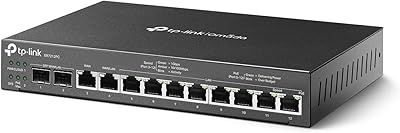
TP-Link ER7212PC 3-in-1 Gigabit VPN Router

TP-Link Omada EAP225-Outdoor
TP-Link EAP770 WiFi 7 Wireless Access Point
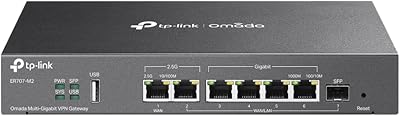
TP-Link ER707-M2 Multi-Gigabit VPN Router
TP-Link Omada EAP720 WiFi 7 Access Point
TP-Link EAP650-Outdoor WiFi 6 Outdoor Access Point
TP-Link EAP673 AX5400 Wi-Fi 6 Access Point
TP-Link EAP610 V2
TP-Link Archer VR2100 VDSL/ADSL Modem Router