Overview

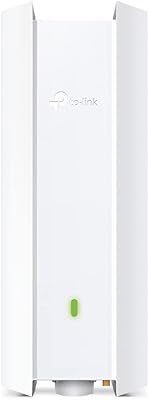
The TP-Link EAP673 AX5400 Wi-Fi 6 Access Point landed in March 2024 as a ceiling-mount unit aimed squarely at small businesses and home networks that have outgrown consumer routers. Unlike a typical plug-and-play router, this ceiling-mount access point is a managed device — it sits inside TP-Link's Omada ecosystem and rewards buyers who want real control over their wireless infrastructure. The 2.5G PoE+ port is a genuine convenience, letting you run a single Ethernet cable for both data and power. One catch worth flagging upfront: no DC adapter is included. If you don't already have a PoE+ switch or injector, budget for one before placing your order.
Features & Benefits

The EAP673 runs dual-band Wi-Fi 6 across 2.4 GHz and 5 GHz, with an aggregate ceiling of 5400 Mbps — though real-world throughput depends heavily on your ISP, client hardware, and environment. What matters more in practice is how it handles congestion. OFDMA and MU-MIMO let the AP serve multiple clients simultaneously rather than queuing them, which translates to noticeably smoother 4K streaming and video calls when ten or more devices are active. HE160 channel support squeezes extra capacity out of the 5 GHz band. The Omada SDN platform ties it all together — manage one AP or an entire site from the app or web dashboard, with no mandatory cloud subscription required.

Best For

This ceiling-mount access point suits IT managers and network-savvy buyers far better than it fits casual users looking for a quick setup. It's a natural fit for small to mid-size businesses that need a scalable wireless layer without paying enterprise-grade prices. Prosumers building a home lab around a PoE+ switch will find the hardware slots right in. It also works well in multi-floor homes or open offices where a desktop router simply can't cover the space effectively. If you're migrating from an older 802.11ac setup and want something that won't need replacing in three years, the EAP673 is a logical step up.

User Feedback

With a 4.6-star average across roughly 350 ratings, this Wi-Fi 6 AP has clearly earned its place in buyers' networks. Long-term reviewers consistently praise stable throughput and a rock-solid build — the unit doesn't run hot and holds signal well across large open areas. The Omada app setup gets positive marks too, especially from users managing multiple APs at once. On the downside, newcomers sometimes trip over the SDN firmware's learning curve compared to consumer-grade alternatives. The missing DC adapter frustrates buyers who skip the fine print. Some users switching from Ubiquiti UniFi note that TP-Link's ecosystem feels less polished at scale, though most agree the value proposition is hard to argue with at this price tier.

Pros

  • The 2.5G PoE+ uplink port handles both power and data over one cable, keeping installations clean and cost-effective.
  • Wi-Fi 6 with OFDMA and MU-MIMO keeps performance steady even when many devices are active at once.
  • HE160 channel support on the 5 GHz band delivers noticeably higher throughput for bandwidth-hungry tasks.
  • Omada SDN supports standalone mode, so you can run the EAP673 without any controller if you prefer a simpler setup.
  • A 5-year warranty and included technical support are rare at this price point and add real long-term value.
  • Mesh and inter-AP roaming work reliably across multi-unit deployments, reducing dead zones in larger spaces.
  • The ceiling-mount design distributes the signal more evenly than desktop alternatives in open-plan environments.
  • Verified long-term users consistently report stable throughput without the reboots or drops common on consumer hardware.
  • The Omada app is well-regarded for making multi-site management accessible without needing a dedicated server.
  • Build quality earns repeated praise — the unit runs cool and feels durable enough for years of continuous operation.

Cons

  • No DC adapter is included, which catches unprepared buyers off guard and adds to the total setup cost.
  • First-time users unfamiliar with managed APs may find the Omada SDN firmware configuration steeper than expected.
  • The ceiling-mount form factor makes this a poor choice for renters or anyone needing a portable solution.
  • Real-world throughput falls well short of the advertised 5400 Mbps ceiling under typical mixed-client conditions.
  • Buyers deep in the Ubiquiti UniFi ecosystem will face friction migrating, as the two platforms do not interoperate.
  • Business-hours-only technical support (Monday to Friday, PST) leaves weekend deployers without an official help line.
  • Cloud-based controller access requires contacting TP-Link separately, which adds friction compared to competitors with out-of-the-box cloud dashboards.
  • At roughly 2.81 pounds, the unit is bulkier than some competing APs, which can complicate mounting on thinner ceiling tiles.

Ratings

The TP-Link EAP673 AX5400 Wi-Fi 6 Access Point has been evaluated by our AI system after a rigorous analysis of verified global user reviews, with spam, incentivized submissions, and bot-generated feedback actively filtered out. The scores below reflect an honest synthesis of real-world satisfaction and frustration across a diverse range of buyers — from IT administrators managing multi-site deployments to prosumers upgrading a demanding home network. Both the strengths that drive its strong reputation and the friction points that prevent a perfect score are represented transparently.

Wireless Performance
88%
Users in open-plan offices and multi-room homes consistently report stable, high-throughput connections even when 30 or more devices are active simultaneously. The combination of OFDMA and MU-MIMO noticeably reduces the lag and packet loss that older APs exhibit under load, making video calls and 4K streaming reliable rather than occasional.
Real-world speeds fall well below the advertised 5400 Mbps aggregate ceiling, especially in environments with mixed older client devices that cannot leverage Wi-Fi 6 fully. A handful of users noted throughput inconsistencies near the edge of the AP's coverage range, suggesting signal falloff is steeper than some competing units.
Coverage Range
83%
The ceiling-mount design radiates signal evenly in all directions, which buyers in open warehouses and large single-floor offices say gives far more consistent coverage than a desktop router placed in a corner. Multiple reviewers replaced two or three consumer routers with a single EAP673 and reported no dead zones in spaces up to roughly 3,000 square feet.
In multi-story buildings, vertical signal penetration through concrete or dense flooring is noticeably limited, and a second unit is often necessary for full coverage. A minority of users found the range underwhelming compared to some newer tri-band competitors when walls or structural obstructions are involved.
Ease of Installation
71%
29%
For buyers who already own a PoE+ switch, the physical installation is genuinely clean — one Ethernet cable handles both power and data, and the included mounting hardware makes ceiling attachment straightforward. IT professionals and experienced home lab users consistently describe the initial hardware setup as quick and well-documented.
The absence of a DC adapter blindsides buyers who didn't read the fine print, turning what should be a same-day install into a waiting game for additional hardware. First-timers unfamiliar with managed access points also find that getting the Omada controller configured correctly adds meaningful friction compared to consumer mesh systems.
Software & Management
82%
18%
The Omada app and web dashboard are well-regarded among IT administrators managing multiple sites, offering VLAN configuration, traffic monitoring, and AP grouping from a single interface without requiring an ongoing cloud subscription. Standalone mode works capably for simpler setups, making the software layer genuinely flexible across very different deployment scenarios.
New users unfamiliar with SDN concepts report a steeper learning curve than expected when setting up the controller for the first time, particularly around VLAN and SSID segmentation. Compared to Ubiquiti's UniFi interface, Omada's data visualization and reporting tools feel somewhat less refined, which matters to analytics-focused administrators.
Build Quality
91%
Buyers who have kept the unit running for six months or more consistently remark that it runs cool, stays stable, and shows no signs of degradation even in warm ceiling environments. The housing feels solid and the mounting bracket is sturdy — it doesn't develop the play or creaking that cheaper APs sometimes exhibit after repeated thermal cycles.
The white plastic finish, while unobtrusive, picks up scuffs and dust noticeably in high-traffic or industrial spaces, and it cannot be repainted without voiding the warranty. A small number of users reported a unit arriving with cosmetic imperfections from shipping, though functional defects were rarely cited.
Multi-AP & Roaming
79%
21%
In multi-AP deployments managed through the Omada controller, roaming between units is smooth enough that video calls and active downloads continue without interruption during handoffs — a clear step up from consumer mesh systems that introduce noticeable pauses. IT admins running four or more EAP673 units in a single site describe the experience as genuinely enterprise-like at a fraction of the cost.
Seamless roaming is strictly a controller-dependent feature, so standalone users get none of that benefit and must manage client stickiness manually. A few users noted that roaming aggressiveness settings are less granular than what Ubiquiti UniFi offers, which can result in devices holding onto a distant AP longer than optimal.
Value for Money
86%
Buyers repeatedly call out the EAP673 as one of the most competitive mid-range Wi-Fi 6 APs available, offering 2.5G PoE+ and full SDN management at a price point where most competitors still ship with Gigabit-only ports. The 5-year warranty extends the effective cost-per-year of ownership well below what comparable Ubiquiti or Netgear hardware works out to.
The total out-of-pocket cost rises meaningfully once you factor in a PoE+ switch or injector if you don't already own one, which catches budget-focused buyers off guard. Casual home users who only need basic coverage and don't leverage SDN features may feel they are paying a premium for management capability they will never use.
Client Capacity
77%
23%
In small business environments with 40 to 60 connected devices — a mix of laptops, phones, tablets, and IoT sensors — the EAP673 handles the load with noticeable stability compared to consumer routers that begin to degrade around 20 devices. Airtime Fairness and Band Steering help distribute traffic intelligently so no single client monopolizes bandwidth.
Very high-density environments, such as conference rooms with 80-plus simultaneous active users, push the unit close to its practical limits and some users reported increased latency under those conditions. For truly dense deployments, the EAP673 benefits from being paired with a second unit rather than serving as the sole AP.
PoE+ Power Delivery
89%
The 802.3at PoE+ implementation draws only 19.8 W at peak, which sits comfortably within most managed switch port budgets and rarely trips port power limits even on switches with modest per-port allocations. Buyers replacing older APs with higher power draws appreciate that the EAP673 leaves more headroom for other PoE devices on the same switch.
The complete absence of a DC power option means that in locations where running Ethernet is impractical or where only a standard power outlet is accessible, the unit simply cannot be deployed. This is a deliberate design choice rather than a defect, but it does limit flexibility in retrofit scenarios.
Warranty & Support
84%
The 5-year warranty is one of the most compelling long-term ownership arguments for the EAP673 — it is substantially longer than the 1 to 3 years offered by most competitors at this price tier. Users who have needed to use the warranty describe the RMA process as straightforward, with replacement units arriving in reasonable timeframes.
Technical support is limited to weekday business hours in Pacific time, which means weekend network outages leave users without direct assistance from TP-Link. Non-North-American buyers have noted that support quality and response times can vary significantly by region.
Setup Documentation
68%
32%
The printed installation guide covers the physical mounting steps clearly, and TP-Link's online knowledge base has improved noticeably with updated Omada SDN documentation that walks through common controller configurations step by step. Experienced network administrators find the documentation sufficient for a clean first deployment.
The included printed guide is minimal and does not address controller setup at all, leaving less experienced buyers to navigate online resources on their own from the start. Users who prefer detailed offline documentation — common in enterprise procurement contexts — will find the out-of-box materials disappointing.
Ecosystem Compatibility
76%
24%
Within the Omada product family, the EAP673 integrates cleanly with compatible Omada switches and gateways, and buyers building an all-Omada network report that inter-device features like VLAN tagging and centralized firmware updates work reliably across the stack. The ecosystem has matured considerably since earlier Omada generations.
Buyers coming from Ubiquiti UniFi face a full ecosystem migration — there is no cross-compatibility or unified management between the two platforms. The Omada ecosystem also has fewer third-party integration options compared to UniFi, which can be a limiting factor for environments that rely on custom network monitoring or automation tools.
Physical Design
73%
27%
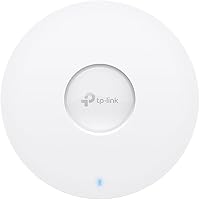
The low-profile white disk form factor blends into standard office and residential ceilings without attracting attention, which matters in customer-facing spaces like retail stores or waiting rooms where visible hardware is undesirable. The mounting bracket design makes repositioning the unit possible without tools once the base plate is installed.
At 2.81 pounds, it is heavier than some competing APs of similar size, and installing it into drop ceiling tiles without a backing plate requires careful reinforcement. The unit is also slightly larger in diameter than some alternatives, which can be a consideration in tighter ceiling panel cutouts.
Firmware Stability
81%
19%
Long-term users running the unit continuously for six months or more report very few unplanned reboots or firmware-related outages, which is a meaningful differentiator from cheaper APs that develop instability after several months in service. TP-Link has maintained a consistent firmware update cadence that addresses security vulnerabilities and performance tuning.
A small subset of users encountered connectivity drops after specific firmware updates, requiring a rollback or a full factory reset to resolve — an inconvenience that is magnified in business environments where any downtime is costly. Firmware changelogs could also be more detailed; users sometimes find it difficult to identify what has actually changed between releases.

Suitable for:

The TP-Link EAP673 AX5400 Wi-Fi 6 Access Point is a strong match for small to mid-size businesses that need reliable, centrally managed wireless coverage without paying enterprise-tier prices. IT administrators overseeing multi-site networks will appreciate the Omada SDN platform, which consolidates APs, switches, and gateways into a single dashboard — a practical alternative to more expensive managed ecosystems. Home lab enthusiasts and prosumers who already run a PoE+ switch will find installation refreshingly clean: one cable handles both data and power, keeping ceiling runs tidy. It also suits multi-floor homes and open-plan offices where a desktop router placed in a corner simply cannot deliver consistent coverage to every corner of the space. If you're moving away from aging 802.11ac hardware and want a foundation that supports future network expansion without replacing the AP in two or three years, the EAP673 fits that roadmap well.
Not suitable for:

Buyers expecting a plug-and-play experience should look elsewhere — the TP-Link EAP673 AX5400 Wi-Fi 6 Access Point is a managed access point, not a consumer router, and it assumes a baseline level of networking knowledge. Anyone without an existing PoE+ switch or injector will face an additional purchase before even powering the unit on, since no DC adapter is included in the box. Renters or users who need to move their Wi-Fi hardware frequently will find a ceiling-mount form factor impractical. Those fully invested in the Ubiquiti UniFi ecosystem may find switching ecosystems more disruptive than the hardware upgrade is worth, particularly if they rely on advanced UniFi-specific features. Finally, users who only need basic wireless coverage for a single room or a small apartment would be overpaying for capability they will simply never use.

Specifications

  • Wi-Fi Standard: The EAP673 runs on 802.11ax (Wi-Fi 6), the current generation wireless standard offering improved efficiency, speed, and client capacity over Wi-Fi 5.
  • Max Throughput: Aggregate dual-band throughput reaches up to 5400 Mbps under ideal conditions, combining both the 2.4 GHz and 5 GHz radio chains.
  • Frequency Bands: Operates on both 2.4 GHz and 5 GHz simultaneously, giving clients the flexibility to connect on whichever band best suits their distance and speed requirements.
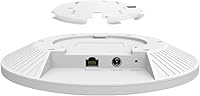
  • Uplink Port: A single 2.5 Gigabit Ethernet port handles all wired connectivity, supporting multi-gigabit backhaul speeds well beyond what a standard Gigabit port can deliver.
  • Power Method: Powered exclusively via 802.3at PoE+ over the Ethernet uplink; no DC power adapter is included or supported without third-party modification.
  • Power Draw: Maximum power consumption is rated at 19.8 W, which falls within standard 802.3at PoE+ budget allocations on compatible switches.
  • Form Factor: Designed for ceiling or wall mounting, the unit ships with all necessary brackets and hardware for a clean, professional installation.
  • Management Options: Supports Omada Hardware Controller, Software Controller, cloud-based controller, and standalone mode, giving administrators flexible deployment choices.
  • Key Technologies: Incorporates OFDMA, MU-MIMO, HE160 channel support, Beamforming, Omada Mesh, and seamless roaming to handle dense client environments and multi-AP deployments.
  • Dimensions: The packaged unit measures 11.14 x 10.24 x 3.66 inches and weighs 2.81 pounds, reflecting a mid-size ceiling AP footprint.
  • Color & Finish: Ships in a clean white finish designed to blend into standard commercial or residential ceiling environments without drawing visual attention.
  • Warranty: Backed by a 5-year limited warranty, which is notably longer than the 1–3 year coverage typical of competing access points in this category.
  • Technical Support: Free technical support is available by phone from 6 a.m. to 6 p.m. PST, Monday through Friday, covering the full warranty period.
  • In the Box: The package includes the EAP673 unit, ceiling and wall mounting kits, and a printed installation guide; no DC adapter or PoE injector is bundled.
  • Operating System: Runs TP-Link's proprietary firmware, which can be managed locally in standalone mode or upgraded to full Omada SDN integration for centralized control.

Related Reviews
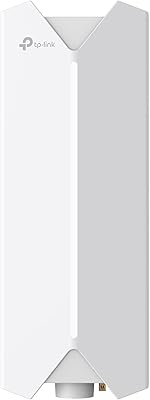
TP-Link Festa F65-Outdoor AX3000 Wi-Fi 6 Access Point
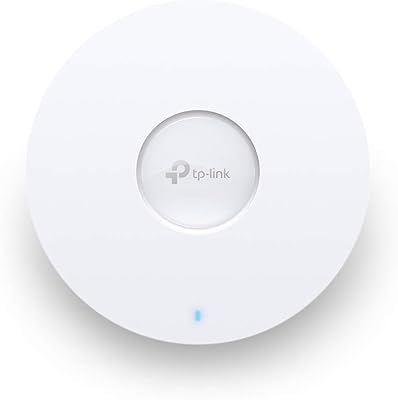
84%
88%
Performance
94%
Outdoor Durability
85%
Ease of Setup
82%
Signal Strength
79%
Cloud Management & App
More
Cisco Business 150AX Wi-Fi 6 Access Point
85%
89%
Performance
92%
Security Features
78%
Ease of Setup
85%
Wi-Fi Coverage
80%
Management App Usability
More
TP-Link Archer AX55
TP-Link Archer AX55
76%
83%
Wireless Performance
74%
Coverage & Range
86%
Device Handling & Congestion
91%
Setup & Ease of Use
78%
Build Quality & Design
More
EnGenius EWS276-FIT Wi-Fi 6 Access Point
78%
83%
Wireless Performance
71%
Range & Coverage
74%
Setup & Installation
67%
Management Software
88%
Value for Money
More
TP-Link EAP615-Wall AX1800 In-Wall Access Point
80%
91%
Ease of Installation
84%
Wi-Fi Performance
93%
Wired Port Versatility
88%
PoE Power & Pass-Through
79%
Omada SDN Integration
More
TP-Link RE705X AX3000 Wi-Fi 6 Range Extender
79%
88%
Setup & Installation
79%
Signal Coverage
74%
Wi-Fi Speed Performance
71%
OneMesh Roaming
91%
Ethernet Port Utility
More
TP-Link EAP660 HD WiFi 6 Access Point

79%
88%
Wireless Performance Under Load
91%
Network Capacity & Device Density
84%
Omada SDN Integration
86%
2.5G Uplink Value
89%
PoE+ Installation Experience
More
Ubiquiti U6-Mesh Wi-Fi 6 Access Point
79%
93%
Wireless Performance
54%
Setup & Configuration
91%
Build Quality & Durability
88%
Coverage Range
74%
Value for Money
More
TP-Link Deco X10 1-Pack Mesh System
79%
93%
Ease of Setup
71%
Real-World Coverage
78%
Network Speed
84%
App Experience
88%
Device Capacity
More
TP-Link EAP650-Outdoor WiFi 6 Outdoor Access Point
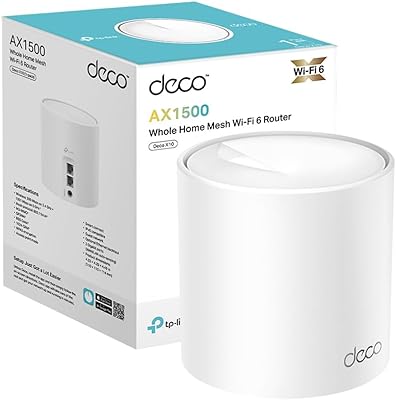
80%
91%
Wireless Range
88%
Wi-Fi 6 Performance
93%
Build & Weather Resistance
67%
Ease of Setup
84%
Omada SDN Integration
More

FAQ

You will need a PoE+ switch or a standalone PoE+ injector to power the EAP673 — no DC adapter is included in the box. This trips up a lot of buyers who assume it ships with a standard power brick. If you don't already have a compatible switch, budget an additional amount for a PoE+ injector before you order.

Yes, standalone mode is fully supported. You manage it through a local web interface without any controller software. The Omada SDN platform is an optional layer of control that becomes valuable when you're managing multiple APs or need remote access — it's not a requirement for basic operation.

While TP-Link doesn't publish a hard client limit, the combination of OFDMA, MU-MIMO, and Wi-Fi 6 means the EAP673 handles dense environments much better than older APs. In practice, 50 to 80 concurrent clients is a reasonable ceiling for comfortable performance, though lighter usage per device can push that number higher.

The EAP673 works as an access point connected to any router via Ethernet — it doesn't have to be a TP-Link router. However, features like seamless roaming and mesh mode require the Omada SDN ecosystem, which means pairing it with compatible Omada switches and a controller. For a simple wired-backhaul setup, any router with an open LAN port will do.

The Omada app is genuinely capable and handles multi-site management well for most small business or home lab scenarios. Users switching from UniFi generally find Omada slightly less polished in terms of data visualization and advanced VLAN workflows, but also more approachable for new users. If you're already deep in the UniFi ecosystem, weigh the ecosystem switching cost carefully before committing.

Both options are supported. The included mounting kit covers ceiling and wall installations, so you have flexibility depending on your room layout. Ceiling placement is generally preferred for even, 360-degree signal distribution in open spaces, but wall mounting works well for corridor or smaller room coverage.

Realistically, no — and that's true of essentially every Wi-Fi 6 AP on the market. The 5400 Mbps figure is a theoretical aggregate across both bands under ideal lab conditions. In typical mixed-client environments, expect significantly lower numbers, though the real-world benefit of Wi-Fi 6 shows up in consistency and reduced latency under load rather than raw peak speed.

HE160 refers to 160 MHz channel width on the 5 GHz band, which roughly doubles the throughput compared to standard 80 MHz channels. Your client device needs to support 160 MHz channels to take full advantage of it — many older laptops and phones do not. Even without HE160-capable clients, all connected devices still benefit from the other Wi-Fi 6 improvements the AP provides.

With the Omada Software Controller running on a local server or a hardware controller, managing several units is straightforward — you configure SSIDs, VLANs, and roaming settings once and push them to all APs simultaneously. Without a controller, each unit requires individual configuration, which becomes tedious at scale. For three or more APs, a controller is worth the effort.

TP-Link's 5-year warranty is one of the stronger commitments in this AP category, and users generally report a smooth RMA process for hardware failures. Support is available weekdays during PST business hours, so weekend emergencies will need to wait. Keep your purchase receipt and note the serial number at install time — that will speed up any future warranty claim considerably.

Where to Buy