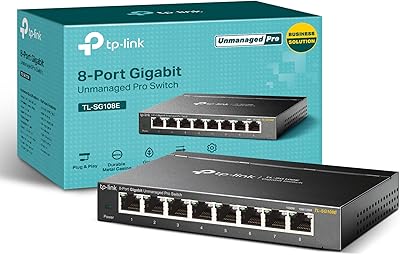
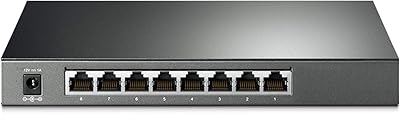
TP-Link LS1008G 8-Port Gigabit Ethernet Switch
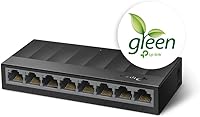
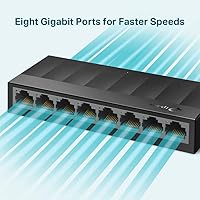
TP-Link LS1008G 8-Port Gigabit Ethernet Switch — image 1
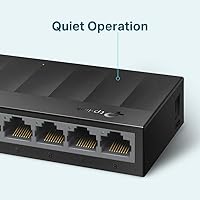
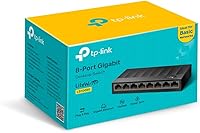
TP-Link LS1008G 8-Port Gigabit Ethernet Switch — image 2
TP-Link LS1008G 8-Port Gigabit Ethernet Switch — image 3
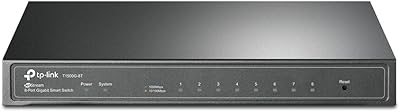
TP-Link LS1008G 8-Port Gigabit Ethernet Switch — image 4

TP-Link LS1008G 8-Port Gigabit Ethernet Switch — image 5

TP-Link LS1008G 8-Port Gigabit Ethernet Switch — image 6
TP-Link LS1008G 8-Port Gigabit Ethernet Switch — image 7
84%

Overview

The TP-Link LS1008G 8-Port Gigabit Ethernet Switch is one of those rare networking devices that does exactly what it promises — no drama, no learning curve, just reliable wired connectivity straight out of the box. Plug it in, connect your cables, and it works. TP-Link has built a solid reputation in the consumer networking space, and this gigabit switch fits squarely into that legacy of dependable, affordable hardware. Worth noting upfront: this is an unmanaged switch, which means there's no web interface, no VLAN support, no monitoring dashboard. For most home users and small offices, that's perfectly fine. For those needing granular network control, it simply isn't the right tool.

Features & Benefits

All eight ports on the LS1008G auto-negotiate at up to 1,000 Mbps, and critically, they all run at full gigabit speed simultaneously — the 16 Gbps non-blocking backplane means one heavy user transferring large files won't drag down everyone else on the network. The QoS support via 802.1p and DSCP handles latency-sensitive traffic like video calls slightly more gracefully, without any setup on your part. Auto-MDI/MDIX means any standard Ethernet cable works — no crossover cables needed, ever. The fanless passive design is genuinely appreciated in practice: there's simply no noise. Green Ethernet trims power draw based on cable length and actual link activity, which is a thoughtful and practical touch.

Best For

This 8-port switch makes the most sense for anyone who's exhausted the wired ports on their router and needs a quick, reliable fix — think a living room setup with a TV, streaming box, gaming console, and NAS all wanting dedicated connections. Freelancers and remote workers who want a maintenance-free hub will appreciate that setup takes under two minutes and then it disappears quietly into the background. It's also a natural upgrade from an older 10/100 switch for anyone who wants true gigabit throughput without spending much. The compact body and wall-mount option make it easy to tuck away neatly wherever your router lives.

User Feedback

With over 16,000 ratings averaging 4.7 stars, the consensus around this gigabit switch is hard to argue with. Most buyers highlight two things above all else: the instant, zero-effort setup and the total silence during operation — day after day. The plastic enclosure does feel noticeably light in hand, and a handful of reviewers mention this, though none report actual reliability issues over time. The unit runs slightly warm after extended use, but nothing outside normal operating range. The honest caveat worth flagging: buyers who later discovered they needed managed features — VLANs, port mirroring, traffic monitoring — ended up replacing it. Know your requirements before committing.

Pros

  • Truly plug-and-play — connect cables and it works instantly, no app or login required.
  • All eight ports deliver full gigabit speed simultaneously with no bottlenecks under load.
  • Completely silent operation makes this 8-port switch ideal for living rooms and bedrooms.
  • Compact and lightweight enough to sit on a desk or mount neatly on a wall.
  • Auto-MDI/MDIX means any standard Ethernet cable works — no crossover cable headaches.
  • Green Ethernet technology trims power consumption automatically based on real link activity.
  • Over 16,000 buyer ratings averaging 4.7 stars reflects unusually consistent real-world satisfaction.
  • Basic QoS support helps prioritize time-sensitive traffic like video calls without any manual setup.
  • Very accessible price point for a genuine gigabit switch from a reputable networking brand.
  • Two-year spare parts availability from the manufacturer adds a reasonable layer of purchase confidence.

Cons

  • No management interface whatsoever — VLANs, port monitoring, and traffic control are completely off the table.
  • Plastic housing feels noticeably light and may not inspire confidence in long-term durability.
  • The unit runs slightly warm during extended continuous use, which could be a concern in enclosed spaces.
  • No included mounting hardware in all regional bundles — verify what is in the box before assuming.
  • 220V power input may require a voltage adapter or step-down converter in certain countries.
  • No LED activity indicators on all ports in some unit batches, making live troubleshooting harder.
  • A single unmanaged segment means all devices share the same broadcast domain, which can matter in larger setups.
  • No metal enclosure option — buyers needing a more rugged build must look elsewhere in the lineup.

Ratings

Our AI scoring engine analyzed thousands of verified global reviews for the TP-Link LS1008G 8-Port Gigabit Ethernet Switch, actively filtering out incentivized, bot-generated, and duplicate submissions to surface what real buyers actually experience. The scores below reflect both the genuine strengths that make this gigabit switch a standout in its segment and the honest limitations that prevent a perfect mark — because no product earns one.

Ease of Setup
97%
Reviewers across skill levels — from complete networking novices to seasoned IT workers — consistently report that this 8-port switch is operational within seconds of unboxing. There is nothing to configure, no firmware to update before first use, and no account required. For the vast majority of buyers, that frictionless experience is exactly what they paid for.
A small number of technically inclined users expressed mild frustration that there is genuinely nothing to configure — not even basic port diagnostics. For that audience, the simplicity that most buyers love is actually a ceiling they bump against quickly.
Noise Level
96%
The fanless passive design earns exceptional praise from home users who placed this gigabit switch in bedrooms, living rooms, and home theater setups. Multiple reviewers specifically noted they could not tell the device was powered on at all, which for a 24/7 always-on network device is a meaningful quality-of-life benefit.
In very warm ambient environments or enclosed media cabinets without airflow, the passively cooled chassis can become noticeably warm to the touch over long sessions. While no reviewers reported thermal shutdowns, some expressed concern about long-term reliability in poorly ventilated spaces.
Network Performance
91%
Real-world performance across the eight ports holds up well under simultaneous load — users running NAS backups, 4K streaming, and gaming on the same switch at the same time report no perceptible slowdown. The non-blocking architecture means bandwidth is not shared in a way that punishes heavy users on adjacent ports.
Because this is an unmanaged switch, there is no way to monitor actual throughput, diagnose bottlenecks, or prioritize individual ports beyond the basic automatic QoS. Power users who want insight into their network performance will find this an opaque black box.
Value for Money
93%
For an unmanaged gigabit switch from a reputable brand with a 16 Gbps backplane, full Auto-MDI/MDIX support, and QoS baked in, the price point lands in genuinely competitive territory. Most buyers feel they received more capability than they expected at this tier, which is a reliable signal of strong perceived value.
A handful of buyers who later realized they needed managed features felt the money would have been better directed toward a more capable unit from the start. The price gap between this and an entry-level managed switch is not enormous, which makes the upgrade question worth asking before committing.
Build Quality
67%
33%
The compact plastic enclosure is tidy, clean, and does the job for a device intended to sit stationary on a desk or behind a TV unit. In everyday indoor use, the construction holds up without issue, and no significant cohort of reviewers reported cracking, warping, or port damage under normal conditions.
The chassis feels noticeably light and somewhat hollow when handled — a concern that surfaces frequently in reviews from buyers used to metal-bodied switches. It is a functional enclosure, but it does not project confidence, and it would not survive a rough physical environment or regular repositioning well.
Port Density
82%
18%
Eight ports is the right count for a large proportion of home and small office scenarios — enough to wire up a router, a NAS, a couple of PCs, a TV, and a console simultaneously without daisy-chaining. Buyers with that exact profile consistently describe the port count as fitting their needs precisely.
For growing setups or shared offices with more than six or seven wired devices, eight ports can feel limiting sooner than expected. There is no 16-port variant of this exact model, so buyers who anticipate expansion need to plan ahead or accept adding a second switch later.
Power Efficiency
84%
TP-Link Green Ethernet genuinely adjusts power draw in real time based on cable length and link status, which means ports connected to shorter cables or inactive devices draw less energy. Several buyers running the switch continuously noted it does not add meaningfully to their electricity bills over time.
There is no user-accessible power management interface, so you cannot force a port into a low-power state or schedule downtime. The efficiency features are fully automatic, which suits most buyers but leaves no room for optimization by more energy-conscious users.
Compatibility
89%
The Auto-MDI/MDIX implementation across all eight ports means compatibility headaches are essentially nonexistent — standard patch cables, older crossover cables, Cat5e, Cat6, and Cat7 all work without adapters or special configuration. Connecting older 10/100 devices alongside modern gigabit hardware presents no issues whatsoever.
The 220V power input is not universally compatible, and buyers in 110V markets need to verify the included adapter before assuming it will work out of the box. A small number of international buyers flagged this as an unexpected friction point after purchasing.
Thermal Management
71%
29%
For a passively cooled device running continuously, the thermal performance is acceptable in well-ventilated environments. Users in typical home or office settings report the unit staying at a comfortable warm — not hot — temperature even after days of uninterrupted operation.
In warm climates or enclosed cabinet installations, the surface temperature climbs more noticeably. The lack of any active cooling means the device has no mechanism to compensate for unusually hot ambient conditions, which is worth considering for anyone mounting it inside a tight AV rack or media unit.
Reliability & Uptime
88%
Long-term reliability feedback is predominantly positive — many buyers report weeks and months of continuous operation with no dropouts, port failures, or unexpected reboots. For a device that is meant to run silently in the background indefinitely, that track record matters more than almost any spec.
A small percentage of reviews describe unit failures after several months, with individual ports becoming unresponsive or the switch dropping off the network intermittently. These cases represent a clear minority but suggest some unit-to-unit variability in manufacturing consistency.
Indicator Lights
73%
27%
Each port has a dedicated LED that shows both link status and activity, giving users a quick visual way to confirm that a cable is properly connected and traffic is flowing. For a plug-and-play device with no software interface, these lights are the primary troubleshooting tool and they do their job adequately.
The LEDs are relatively dim compared to competing products, which can make them hard to read in brightly lit rooms or at an angle. A couple of buyers also noted that distinguishing between a 100 Mbps and 1,000 Mbps link by LED color alone is not intuitive on this unit.
Mounting & Placement
79%
21%
The wall-mount option is a genuine convenience for users who want to keep the switch tucked out of sight near a patch panel or router. The minimal footprint means it fits on narrow shelves or behind equipment without occupying meaningful real estate.
The wall-mounting hardware experience is not universally smooth — some buyers report that the included or compatible bracket does not feel as secure as expected with a fully loaded cable run pulling on the ports. Desktop placement remains the more stable and popular option.
Brand Trust
86%
TP-Link's reputation in the consumer and SMB networking segment lends meaningful reassurance here. Buyers who have used TP-Link routers, access points, or other switches in the past tend to purchase this 8-port switch with confidence, and that brand familiarity reduces purchase hesitation considerably.
Some buyers with enterprise networking backgrounds hold TP-Link at arm's length, perceiving it as a consumer-tier brand rather than a professional one. While that perception is largely irrelevant for this product's intended use case, it does affect how the brand lands with more technically demanding buyers.

Suitable for:

The TP-Link LS1008G 8-Port Gigabit Ethernet Switch is a strong fit for anyone who simply needs more wired ports without the hassle of configuration or ongoing maintenance. If your router is running out of Ethernet connections and you want to add a TV, NAS drive, gaming console, desktop PC, or streaming device to a wired network, this gigabit switch handles all of that without you ever opening a settings page. Home users who care deeply about a quiet environment — think bedroom setups, home theaters, or a small study — will genuinely appreciate a device that operates in total silence around the clock. Freelancers, remote workers, and micro-businesses who want dependable, fire-and-forget wired connectivity will find it earns its place quickly. It also makes a smart, cost-effective upgrade for anyone still running an older 10/100 switch and wanting real gigabit speeds across all devices.

Not suitable for:

If you need any level of network management, the TP-Link LS1008G 8-Port Gigabit Ethernet Switch is not what you are looking for. There is no web interface, no VLAN configuration, no port mirroring, no traffic monitoring — none of it. IT administrators, home lab enthusiasts, or anyone running a network that requires segmentation or advanced QoS control will hit a hard wall quickly and end up needing a managed switch instead. The plastic chassis, while functional, is not built to withstand rough handling, dusty industrial environments, or demanding physical conditions. Users who need a metal-bodied unit rated for tougher settings should look at purpose-built hardware. The 220V power spec is also worth verifying against your local electrical standard before purchasing, particularly for buyers outside Europe.

Specifications

  • Port Count: The switch provides 8 x RJ45 ports, each capable of auto-negotiating at 10, 100, or 1,000 Mbps depending on the connected device.
  • Switching Capacity: A 16 Gbps non-blocking backplane allows all eight ports to operate at full gigabit speed simultaneously without any shared bandwidth penalty.
  • QoS Support: Basic traffic prioritization is handled automatically via 802.1p and DSCP standards, with no manual configuration required from the user.
  • Cable Compatibility: Auto-MDI/MDIX is active on every port, meaning both standard patch cables and crossover cables work without any adapter.
  • Cooling System: Passive fanless cooling is used throughout, producing zero audible noise during operation under normal ambient conditions.
  • Power Saving: TP-Link Green Ethernet technology dynamically adjusts power consumption based on detected cable length and the status of each port link.
  • Dimensions: The unit measures 2.6″ in length, 2.4″ in width, and 0.71″ in height, making it one of the more compact options in its category.
  • Weight: At 4.2 oz (0.12 kg), the switch is lightweight enough for wall mounting or tucking discreetly behind other equipment.
  • Enclosure Material: The outer chassis is constructed from plastic, which keeps the unit light but means it is best suited to stable indoor desktop or wall-mount installations.
  • Mounting Options: The switch supports both flat desk placement and wall mounting, with a form factor designed to fit in tight or concealed spaces.
  • Input Voltage: The rated input voltage is 220V, which is standard for European and many international markets; buyers in 110V regions should verify compatibility.
  • Operating Temperature: The switch is rated for use in ambient environments ranging from 0°C to 40°C, covering typical indoor home and office conditions.
  • Interface Type: All connectivity is via RJ45 jacks, which is the universal standard for wired Ethernet over Cat5e, Cat6, or Cat7 cabling.
  • Management Type: This is a fully unmanaged switch with no web interface, CLI, or SNMP support — it requires zero configuration and offers no network management features.
  • Warranty: A 2-year EU spare parts availability commitment is provided by the manufacturer, with standard TP-Link limited warranty terms applying in other regions.
  • Data Transfer Rate: The aggregate maximum data transfer rate across the switch backplane is rated at 16 Gbps under full non-blocking conditions.
  • MAC Address Table: The switch maintains an internal MAC address table to intelligently forward traffic only to the correct destination port rather than broadcasting to all.
  • Certifications: The LS1008G carries standard regulatory certifications required for its target markets, including CE marking for European compliance.

Related Reviews
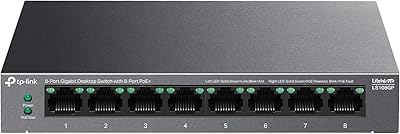
TP-Link LS108GP
TP-Link LS108GP
81%
96%
Ease of Setup
62%
PoE Power Budget
78%
Extend Mode Performance
93%
Silent Operation
84%
Build Quality
More
TP-Link T1500G-8T 8-Port Gigabit Switch
85%
88%
Performance
91%
Ease of Setup
90%
PoE Functionality
89%
Reliability
85%
Security Features
More
TP-Link TL-SG108E 8-Port Gigabit Switch
82%
91%
Build Quality
94%
Value for Money
83%
Ease of Setup
61%
Management Software
93%
Long-term Reliability
More
D-Link DGS-108 8-Port Gigabit Ethernet Switch
86%
93%
Build Quality
96%
Noise Level
97%
Ease of Setup
91%
Network Performance
82%
Port Count & Flexibility
More
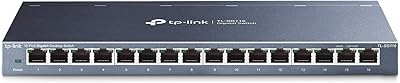
TP-Link TL-SG116 16-Port Gigabit Switch
84%
91%
Build Quality
94%
Ease of Setup
88%
Port Count & Density
89%
Network Performance
97%
Noise Level
More
TP-Link TL-SG1008MP 8-Port PoE+ Gigabit Switch
81%
96%
Ease of Setup
93%
PoE Coverage
91%
Build Quality
89%
Value for Money
88%
Reliability & Uptime
More
TP-Link TL-SG1048 48-Port Gigabit Network Switch
81%
94%
Reliability & Uptime
96%
Noise Level
93%
Ease of Setup
91%
Port Performance
88%
Build Quality
More
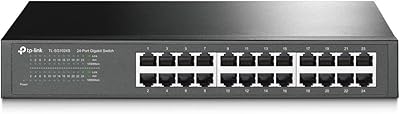
TP-Link TL-SG1024S 24-Port Gigabit Switch
89%
93%
Build Quality
97%
Ease of Setup
91%
Port Performance
98%
Noise Level
89%
Value for Money
More
TP-Link TL-SG108PE
TP-Link TL-SG108PE
84%
88%
Build Quality
83%
PoE Performance
91%
Ease of Setup
79%
Management Interface
87%
Value for Money
More
TP-Link TL-SG2008 8-Port Gigabit Managed Switch
79%
74%
Ease of Setup
81%
SDN & Cloud Management
93%
Port Performance & Throughput
88%
VLAN & Network Segmentation
86%
Security Features
More

FAQ

Not at all. You plug it in, connect your Ethernet cables, and it starts working immediately. There is no app, no login page, and no driver to install — it is about as simple as a networking device gets.

Yes, in virtually all cases. The TP-Link LS1008G 8-Port Gigabit Ethernet Switch is compatible with any standard router that has an Ethernet port, and the Auto-MDI/MDIX feature means your existing patch cables will work fine without needing any crossover cables.

No, this is an unmanaged switch, so there is no VLAN support, no port isolation, and no traffic monitoring whatsoever. If you need those capabilities, you will want to look at a managed switch instead — this one is purely plug-and-play.

Completely silent. The fanless passive design means there are no moving parts and therefore no noise at all. Many buyers specifically chose this gigabit switch because they wanted something they could place in a bedroom, media room, or quiet office without any audible hum.

It does run slightly warm to the touch after extended use, which is completely normal for a passively cooled device. As long as it has a little airflow around it and is not sealed inside a closed cabinet with no ventilation, it should operate well within safe temperature limits.

Yes, no problem. Each port auto-negotiates, so it will match the speed of whatever device is connected to it. Older devices running at 10 or 100 Mbps will connect and communicate normally alongside faster gigabit devices on other ports.

For wired connections, yes — it handles both well. The non-blocking architecture means a heavy download on one port will not slow down a gaming session or video stream on another. Wired gigabit is always going to be more consistent than Wi-Fi for these use cases.

The plastic housing is functional but modest — do not expect a metal chassis. It feels lightweight, which some people interpret as cheap, though real-world durability reports from users are generally positive for everyday indoor use. Just treat it as a stationary piece of equipment rather than something you move around frequently.

Both options work. The unit has a wall-mount compatible design, which is handy if you want to keep it out of the way near your router or patch panel. The small footprint also makes it easy to tuck behind a TV or on a shelf.

The rated input voltage is 220V, so buyers in regions with 110V mains power — such as the United States — should check whether the included power adapter is dual-voltage before purchasing. If it is not, a step-down converter would be needed, or you may want to source a region-appropriate variant of the 8-port switch.

Where to Buy