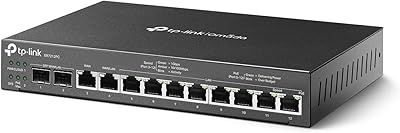
TP-Link ER7206 Multi-WAN Gigabit VPN Router


Overview
The TP-Link ER7206 Multi-WAN Gigabit VPN Router is built squarely for business environments — small offices, distributed branch networks, and IT-managed deployments — not for someone looking to upgrade their home setup. The real draw is the multi-WAN architecture: four WAN inputs in a single compact unit means you can run ISP redundancy and load balancing without bolting on separate hardware. It also slots neatly into TP-Link's Omada SDN ecosystem, opening up centralized multi-site management through cloud, software, or hardware controllers. For the price point, the feature density is hard to argue with in the professional wired router space. That said, this is a Layer 3 managed gateway — expect a configuration process that reflects that description.
Features & Benefits
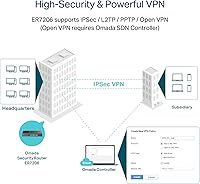
The ER7206 packs four WAN inputs into one device — one SFP port, one dedicated RJ45 WAN, and two combo WAN/LAN ports — giving network admins genuine ISP failover and traffic distribution without an external load balancer. On the VPN side, support for up to 100 simultaneous IPsec tunnels alongside OpenVPN, L2TP, and PPTP means remote offices and traveling staff can connect without hitting capacity walls. The SPI firewall handles DoS defense and granular IP, MAC, and URL filtering, delivering policy control you would typically associate with much pricier appliances. Omada SDN compatibility comes with a useful standalone mode for those not yet running a controller — meaning the device is fully functional out of the box. The fanless build and built-in lightning protection are practical choices for always-on deployments.
Best For
This multi-WAN gateway is a natural fit for SMBs that need WAN failover without the cost of deploying separate redundancy hardware. Multi-branch operations benefit most: IT teams managing several office locations through a unified Omada SDN controller can push consistent firewall policies across sites from a single interface. If your organization has grown to the point where remote staff VPN access needs to be reliable and concurrent — not a two-tunnel afterthought — the ER7206 handles that workload comfortably. High-density environments like retail stores, hospitality venues, and open-plan offices will find the 700-concurrent-client ceiling generous. What this wired VPN router is not designed for is the technically hesitant buyer expecting a consumer-style plug-and-play experience — plan on spending real time in the management interface.
User Feedback
With a 4.5-star rating across more than 800 verified reviews, the consensus is clearly positive — and for the right deployment, that trust is earned. Business users consistently highlight long-term stability, reporting that ISP failover holds reliably when a primary link goes down, and that TP-Link has been responsive with firmware updates that resolve issues rather than create new ones. The Omada app earns specific praise for remote visibility across distributed sites. On the critical side, two complaints appear regularly: initial configuration demands real familiarity with managed networking concepts, and there is notable confusion among buyers about SDN versus non-SDN controller compatibility. That second issue is worth taking seriously — verify your existing Omada hardware is on the SDN firmware track before purchasing.
Pros
- Four WAN ports allow ISP bonding and automatic failover in one device, eliminating the need for separate load-balancing hardware.
- Up to 100 simultaneous IPsec VPN tunnels handle real remote workforce scale without additional per-seat licensing costs.
- SPI firewall with DoS defense and IP/MAC/URL filtering delivers enterprise-grade policy control at a fraction of enterprise pricing.
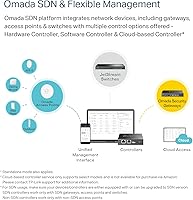
- Omada SDN integration lets one controller manage gateways, switches, and access points across multiple sites from a single interface.
- Standalone mode makes the ER7206 fully operational without a controller — practical for straightforward single-site deployments.
- Fanless design and built-in lightning protection reduce hardware failure risk in always-on, 24/7 business environments.
- Supports up to 700 concurrent clients, making it viable for high-density retail, hospitality, and open-plan office settings.
- TP-Link's firmware update track record has been consistently praised by long-term users for resolving issues without introducing new ones.
- Compact, rack-mountable form factor fits neatly into standard networking enclosures without consuming excessive rack space.
- OpenVPN, L2TP, and PPTP support alongside IPsec gives administrators flexibility for different remote access client requirements.
Cons
- Initial setup demands solid networking knowledge — non-technical users will find the management interface genuinely steep.
- The SDN versus non-SDN Omada compatibility distinction is poorly communicated and has caused real confusion at point of purchase.
- SDN and non-SDN Omada devices cannot share the same controller, creating headaches for environments with mixed-generation hardware.
- Only one dedicated LAN port in the base configuration limits internal segmentation without adding separate switching hardware.
- The SFP WAN port requires a separate transceiver module that is not included in the box — an overlooked added cost.
- Cloud-based Omada controller access requires contacting TP-Link directly for a plan, adding friction to remote management setup.
- The web management interface is functional but lacks the polish and workflow clarity of competing platforms at this price tier.
- Documentation is widely criticized as insufficient for configuring complex multi-WAN failover rules and site-to-site VPN scenarios.
- No console port means out-of-band access during misconfiguration or lockout scenarios is not an option.
Ratings
Our AI-generated scores for the TP-Link ER7206 Multi-WAN Gigabit VPN Router reflect a rigorous analysis of verified buyer reviews from multiple global markets, with spam, bot-generated, and incentivized feedback actively filtered before any score is calculated. The ratings capture both where this wired business gateway earns its reputation and where it creates real friction for specific buyers. Every category is scored to reflect the honest consensus — strengths and pain points weighted equally.
WAN Failover & Redundancy
VPN Performance
Omada SDN Integration
Setup & Configuration
Value for Money
Load Balancing
Build Quality
Routing Throughput
Management Interface
Firmware Updates
Documentation & Support
SDN Compatibility
Long-term Reliability
Client Scalability
Physical Footprint
Suitable for:
The TP-Link ER7206 Multi-WAN Gigabit VPN Router is purpose-built for small-to-medium businesses and IT-managed environments where network reliability is not optional. If your operation depends on continuous internet access — a retail chain, a multi-location office, a hospitality property — the four-WAN design lets you bond ISPs or configure failover policies so a single provider outage does not bring things to a halt. Organizations running distributed branch offices will find particular value in the Omada SDN integration, which allows a single administrator to manage gateways, switches, and access points across multiple sites from one controller interface. Remote workforces are also well served: with support for up to 100 simultaneous IPsec tunnels and multiple VPN protocols, scaling remote access becomes a configuration decision rather than a hardware procurement problem. Network engineers who want granular firewall control — DoS defense, IP/MAC/URL filtering, detailed routing policies — without paying enterprise licensing fees will find this gateway punches well above its price class.
Not suitable for:
The TP-Link ER7206 Multi-WAN Gigabit VPN Router is not the right call for anyone who needs Wi-Fi built in — this is a wired-only gateway, full stop, and wireless coverage requires a separate access point investment on top of it. Home users or small teams looking for a simple broadband router to configure in twenty minutes will run into a management interface that assumes familiarity with concepts like VLANs, routing tables, and NAT policies. The Omada SDN ecosystem adds real capability but also a meaningful learning curve; if you are not running a controller — hardware, software, or cloud-based — you will be using standalone mode, which limits some of the more advanced multi-site features. There is also a compatibility trap worth flagging before purchase: the SDN ecosystem requires that all connected devices and controllers run SDN-compatible firmware, and mixing SDN with non-SDN Omada hardware creates management friction that multiple buyers have flagged in reviews. If your infrastructure is already committed to another vendor's management platform, integrating this gateway adds complexity rather than removing it.
Specifications
- WAN Ports: Four WAN interfaces are included: one Gigabit SFP WAN port, one dedicated Gigabit RJ45 WAN port, and two Gigabit combo ports that can each be configured as either WAN or LAN.
- LAN Port: One dedicated Gigabit RJ45 LAN port is built in; additional LAN capacity is available by switching the two combo ports to LAN mode.
- IPsec VPN: Up to 100 simultaneous LAN-to-LAN IPsec VPN tunnels are supported for site-to-site and remote access deployments.
- Additional VPN: Up to 50 concurrent connections are supported independently for each of OpenVPN, L2TP, and PPTP protocols.
- Firewall: A stateful packet inspection (SPI) firewall is included with built-in DoS defense and filtering by IP address, MAC address, and URL.
- Client Capacity: The gateway supports up to 700 concurrent active clients and maintains up to 150,000 associated device entries in the connection table simultaneously.
- Management: Centralized management is available via Omada Hardware Controller, Omada Software Controller, or a cloud-based Omada controller with remote Omada app access.
- Standalone Mode: Standalone operation is fully supported through a local web management interface, requiring no external controller for single-site configuration and management.
- Load Balancing: Outbound traffic can be distributed across active WAN links using configurable load balancing policies, including weighted and session-based distribution modes.
- Routing: Static routing and policy-based routing are both supported for granular traffic control across multiple WAN connections.
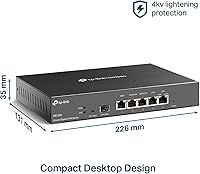
- Dimensions: The unit measures 8.9 x 5.17 x 1.38 inches (226 x 131.3 x 35 mm).
- Weight: Device weight is 2.01 pounds (0.91 kg), not including the power cord.
- Form Factor: The fanless, rack-mountable desktop design enables quiet 24/7 operation and fits in standard rack enclosures or sits flat on a desktop surface.
- Lightning Protection: Built-in surge and lightning protection is present on WAN and LAN ports to guard against voltage transients and line surges.
- In the Box: Package contents include the router unit, a power cord, and a printed quick installation guide; no SFP transceiver module is included.
Related Reviews
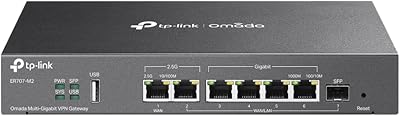
TP-Link ER707-M2 Multi-Gigabit VPN Router
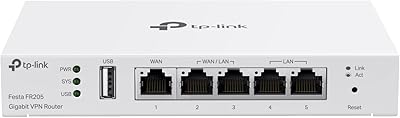
TP-Link Festa FR205 Multi-WAN Wired Router
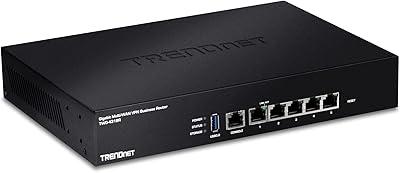
TRENDnet TWG-431BR Multi-WAN VPN Router
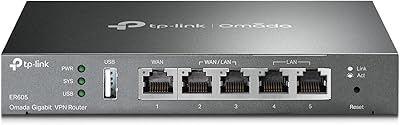
TP-Link ER605 V2 VPN Router
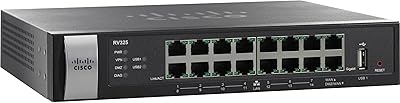
Cisco RV325 Dual WAN VPN Router
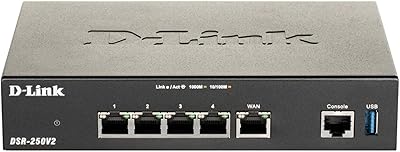
D-Link DSR-250V2 Gigabit VPN Router
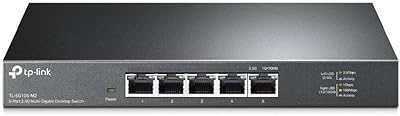
TP-Link TL-SG105-M2 5-Port 2.5G Unmanaged Switch
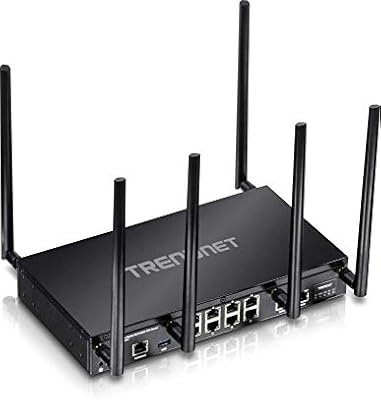
TRENDnet TEW-829DRU Tri-Band VPN Router
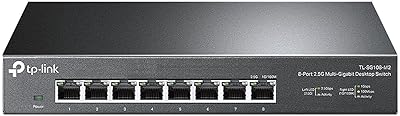
TP-Link TL-SG108-M2 8-Port 2.5G Unmanaged Switch