Overview

The Cisco RV325 Dual WAN VPN Router is built squarely for small and medium-sized businesses that treat network uptime as non-negotiable — not for someone setting up a home office on a budget. Cisco has long been the trusted name in SMB networking, and the RV325 carries that pedigree: a wired-first, rack-friendly device designed to sit at the edge of a real office network. When a primary ISP drops mid-transaction, this dual-WAN router switches over to the backup link automatically, without anyone touching a config file. This is a premium-tier investment, and the price signals exactly who the intended buyer is — an IT professional or a business owner who understands what continuity costs.
Features & Benefits

The RV325's headline capability is its dual Gigabit WAN ports, which let you connect two separate internet lines and split traffic across both — practically doubling usable throughput for bandwidth-heavy tasks like large file transfers or video conferencing. If one connection fails, the router reroutes all traffic to the surviving link without dropping active sessions. Beyond redundancy, IPsec VPN support handles both site-to-site tunnels and individual remote-worker connections, making it practical for distributed teams. The device runs Cisco IOS, so IT staff already familiar with the platform can manage it through a well-known interface. Wireless specs appear in the documentation, but this router's real strength is firmly on the wired side.

Best For

This Cisco SMB router makes the most sense for small businesses or branch offices where a dropped internet connection has immediate financial consequences — think a point-of-sale system going dark, or a VoIP setup cutting out during a client call. It also fits companies with remote or distributed teams who need consistent, encrypted VPN access back to central resources. IT administrators already working within a Cisco environment will find the management interface familiar and deeply configurable. That said, buyers without prior Cisco experience or a dedicated IT person on staff should think carefully — this is not a plug-and-play device, and the configuration depth reflects that honestly.

User Feedback

Across roughly 113 ratings, this dual-WAN router lands at 3.8 out of 5 — a score that tells a balanced story. Buyers who praise it tend to highlight long-term reliability: failover works as advertised, VPN tunnels hold steady over months of use, and the hardware feels built to last. The criticisms are equally consistent. Initial setup complexity comes up repeatedly, particularly from buyers who were not already fluent in Cisco's management environment. The web interface is dated, and getting VPN configured correctly the first time trips up more than a few users. For businesses with capable IT staff, it earns its rating. For everyone else, the learning curve is real.

Pros

  • Dual Gigabit WAN ports allow genuine load balancing across two ISP connections, boosting real-world throughput.
  • Automatic WAN failover kicks in quickly when a primary connection drops, keeping critical operations running.
  • IPsec VPN support handles both site-to-site tunnels and individual remote worker connections reliably.
  • Long-term hardware reliability is frequently praised by buyers who have run the RV325 for years without issues.
  • Cisco IOS gives experienced network administrators a familiar, deeply configurable management environment.
  • Compact rack-friendly form factor fits neatly into a standard office network cabinet.
  • Handles high numbers of simultaneous connections without noticeable throughput degradation under load.
  • Cisco brand backing provides confidence in hardware build quality and enterprise-level design standards.

Cons

  • Initial setup is significantly complex for anyone without prior Cisco or enterprise networking experience.
  • The web management interface feels dated and lacks the usability improvements found in newer competing devices.
  • Getting VPN configured correctly the first time trips up many buyers, based on consistent user feedback.
  • First introduced in 2013, raising valid concerns about ongoing firmware support and long-term security patching.
  • No meaningful wireless capability — offices needing Wi-Fi coverage must budget separately for access points.
  • Premium pricing puts it out of reach for very small offices that could meet their needs with a less expensive device.
  • Limited community documentation compared to newer SMB router platforms, making troubleshooting harder for solo IT staff.
  • Some users report occasional VPN configuration quirks that require manual intervention to resolve after firmware updates.

Ratings

Our editorial team fed verified purchase reviews for the Cisco RV325 Dual WAN VPN Router through our AI analysis pipeline, actively filtering out incentivized, duplicate, and bot-generated submissions to surface what real network administrators and business owners actually experienced. The scores below reflect the full picture — including the frustrations that polished product pages tend to leave out. Where the RV325 earns strong marks, the data is consistent; where it falls short, we have not softened the numbers.

WAN Failover Reliability
91%
This is the category where the RV325 earns its keep most convincingly. Buyers running retail operations, small medical offices, and multi-line phone systems consistently report that when a primary ISP drops, traffic reroutes without anyone touching the hardware. For businesses where a five-minute outage mid-transaction is genuinely costly, that kind of automatic recovery is hard to put a price on.
A small number of users report that failover detection can take longer than expected under certain network configurations, leaving a brief connectivity gap before the backup line takes over. In latency-sensitive applications like VoIP, even that short window is noticeable.
VPN Performance
83%
Once properly configured, the IPsec tunnels on the RV325 are widely praised for staying stable over extended periods. IT administrators managing distributed teams report that remote workers can maintain consistent, encrypted access back to headquarters without frequent dropped connections or re-authentication prompts disrupting their workflow.
Getting VPN configured correctly in the first place is a recurring frustration across reviews. Occasional quirks after firmware updates can knock tunnels offline and require manual reconfiguration, which is a real annoyance for lean IT teams managing multiple sites without dedicated on-site support.
Setup & Configuration
51%
49%
For IT professionals already fluent in Cisco IOS, the configuration environment is logical, well-structured, and rewards expertise. The depth of available settings means experienced admins can tune the router precisely to their network's needs, and the management interface covers virtually every scenario a small business might encounter.
For anyone without prior Cisco experience, the initial setup is genuinely difficult. Multiple buyers describe spending hours on basic configuration tasks that would take minutes on a more modern platform. The learning curve is steep enough that several reviewers specifically warn non-technical buyers to either hire help or consider a more approachable alternative.
Load Balancing Effectiveness
79%
21%
Offices running high volumes of concurrent users — particularly those with video conferencing running alongside large file transfers — report that distributing traffic across two WAN connections meaningfully reduces congestion during peak hours. The dual Gigabit WAN design handles busy office environments considerably better than a single-connection setup would.
Load balancing works at the session level rather than splitting individual connections, which means bandwidth-heavy single-session tasks like a large backup upload still saturate one link. Some buyers expected more dramatic throughput improvements and came away with a more nuanced experience than the marketing suggested.
Hardware Build Quality
88%
The physical construction of the RV325 consistently draws praise from long-term owners. Multiple buyers note that their units have run continuously for three, four, and even five or more years without hardware failures. The compact, solid form factor holds up well in rack-mounted office environments where the device rarely gets touched once it is deployed.
The unit runs noticeably warm during sustained high-traffic periods, and a handful of users in poorly ventilated server closets report concern about long-term thermal management. There are no active cooling fans, which keeps the device quiet but limits heat dissipation under heavy load.
Firmware & Software
57%
43%
Cisco IOS itself is a mature, stable operating system, and for administrators who know it well, the firmware environment is predictable and trustworthy. When the router is left on a stable firmware version and not updated unnecessarily, most users report years of trouble-free operation.
The firmware update track has slowed considerably given the product's 2013 vintage, and security patches are no longer arriving with the frequency a current-deployment device demands. Several technically minded buyers flag this as a real concern for any organization with strict vulnerability management policies.
Web Management Interface
48%
52%
The management interface covers all the necessary functionality, and experienced Cisco administrators can navigate it efficiently once they are familiar with the layout. All critical settings — WAN configuration, VPN tunnels, firewall rules — are accessible without needing CLI access for everyday management tasks.
The UI design has not kept pace with modern expectations, and multiple reviewers describe it as clunky, slow to load, and visually dated compared to competing SMB platforms released in the last few years. First-time users often struggle to locate settings intuitively, adding unnecessary friction to an already complex setup process.
Value for Money
67%
33%
For buyers who deploy the RV325 in exactly the right context — a small business with dual ISPs, a need for VPN tunnels, and an IT administrator who knows Cisco — the long-term value is genuine. The hardware lasts, the core functions work, and the Cisco brand carries real weight in business environments where vendor trust matters.
At its price point, competing with newer platforms that offer more intuitive management, more frequent firmware updates, and broader feature sets is increasingly difficult. Buyers who do not fully utilize the dual-WAN or VPN capabilities are essentially overpaying for features that sit idle in their network setup.
Remote Worker Support
78%
22%
For companies that have grown their remote workforce significantly, the RV325 handles multiple simultaneous VPN connections without the throughput degradation that plagues cheaper routers. IT administrators managing 10 to 20 remote employees report that the device holds up well under sustained remote-access loads throughout a full working day.
SSL VPN tunnel capacity is capped at a level that can become a constraint for rapidly growing teams, and the client-side setup for remote workers is not as straightforward as modern zero-trust or cloud-based VPN solutions. Non-technical employees often need IT hand-holding to get their VPN client configured correctly.
Network Security Features
81%
19%
The stateful packet inspection firewall, access control lists, and IPsec encryption give security-focused administrators a solid toolkit for protecting the network perimeter. For a small business handling sensitive client data or operating in a regulated industry, the security feature set is meaningfully deeper than consumer-grade alternatives.
Advanced threat protection and modern security features like deep packet inspection for encrypted traffic are largely absent, reflecting the platform's age. Organizations facing contemporary security compliance requirements may find that the RV325 alone does not fully satisfy their auditors without supplemental security appliances.
Long-Term Reliability
86%
Year-over-year stability is genuinely one of the strongest arguments for the RV325. Owners who describe deploying the router three or more years ago and never thinking about it again are common in the review pool. For a set-and-forget network edge device, that kind of track record is rare and valuable.
Long-term reliability of the hardware is strong, but long-term software support is the counterweight. As the firmware ages without meaningful updates, the security posture of a device that has been running without patches for years gradually erodes — a consideration that grows more pressing with each passing year.
Documentation & Support
62%
38%
Cisco's official documentation for the RV325 is thorough, and for buyers willing to dig through technical guides, most configuration questions are answerable. The Cisco small business community forums also carry years of user-generated troubleshooting threads that cover the most common edge cases.
Official support responsiveness for this aging platform is limited, and buyers who expect active vendor engagement will be disappointed. Community-sourced solutions fill many gaps, but newer administrators who lack networking experience can find the documentation dense and difficult to parse without prior context.
Physical Footprint
84%
The compact dimensions and lightweight build make the RV325 easy to place in a server rack, on a shelf, or inside a network cabinet without consuming disproportionate space. Its clean, understated design in black or gray fits naturally into a standard office IT setup without drawing attention.
The physical design does not include front-facing status indicators that are immediately readable at a glance from across a server room, which is a minor but recurring complaint from administrators who manage multiple devices and want quick visual health checks without approaching the unit.

Suitable for:

The Cisco RV325 Dual WAN VPN Router is purpose-built for small and medium-sized businesses where internet reliability directly affects revenue or productivity. If your office runs point-of-sale systems, VoIP phones, or handles client-facing transactions, the automatic WAN failover alone can justify the investment — a backup connection kicking in within seconds is far cheaper than a service disruption. Companies with remote workers or multiple branch locations will also find the IPsec VPN capabilities genuinely practical, providing encrypted tunnels that hold up under daily use rather than occasional casual access. IT administrators already working within a Cisco environment will feel at home with Cisco IOS, and the configuration depth rewards those who know how to use it. For bandwidth-heavy offices running concurrent video calls and large file transfers, the dual Gigabit WAN load balancing puts both connections to work in a way a single-WAN device simply cannot.

Not suitable for:

The Cisco RV325 Dual WAN VPN Router is a poor fit for anyone expecting a consumer-grade setup experience — if your idea of router configuration is a mobile app and a QR code, this device will frustrate you quickly. Home users, sole proprietors with a single internet connection, and small offices with no dedicated IT support should seriously reconsider, because the initial configuration — especially VPN tunnels — requires real networking knowledge to get right. The hardware design dates back to 2013, and while the device itself remains functional, firmware updates and long-term manufacturer support are legitimate concerns for buyers planning a multi-year deployment. The web management interface is dated and lacks the polish of newer competitors. If wireless connectivity is a priority for your network, this router is also the wrong tool — its core identity is wired, and treating it as a wireless access point would be a waste of its strengths.

Specifications

  • Brand: Manufactured by Cisco, a widely recognized name in enterprise and SMB networking hardware.
  • Model Number: The official model identifier is RV325-K9-NA, designed for the North American market.
  • WAN Ports: Equipped with two Gigabit Ethernet WAN ports supporting load balancing and automatic failover across dual ISP connections.
  • VPN Support: Supports IPsec tunnels for both site-to-site connectivity between office locations and remote-access VPN for individual users.
  • Operating System: Runs Cisco IOS, providing a familiar and robust management environment for network administrators.
  • Connectivity: Primary connectivity is Ethernet-based, making this a wired-first business routing device.
  • Wireless Standard: Wireless specification listed as 802.11a/b/g/n with dual-band support, though wired operation is the primary design intent.
  • Antenna Type: Internal antenna design keeps the physical profile clean and suitable for rack or shelf mounting in office environments.
  • Dimensions: Physical dimensions measure 9.57 x 1.77 x 6.97 inches (L x W x H), fitting standard rack configurations.
  • Weight: The unit weighs 10.6 ounces, making it lightweight enough for flexible mounting without additional structural support.
  • Voltage: Operates at 12 Volts DC power input.
  • Color: Available in Black or Gray, consistent with standard business and data-center aesthetics.
  • Special Feature: Includes WPS (Wi-Fi Protected Setup) support as a noted feature in the product specification.
  • Compatible Devices: Designed for use with personal computers and networked office equipment in SMB environments.
  • Market Tier: Positioned as a business-grade, SMB premium device with pricing reflecting its professional-use targeting.
  • First Available: Originally introduced to market in November 2013, with the hardware platform reflecting that design generation.
  • Manufacturer Status: As of available data, this product has not been listed as discontinued by Cisco.
  • Use Case: Recommended primarily for security-focused network edge deployment in small to medium-sized office environments.

Related Reviews
Cisco RV042G Dual WAN VPN Router
74%
91%
WAN Failover Reliability
88%
VPN Performance
83%
Dual WAN Load Balancing
86%
Build Quality & Hardware Durability
54%
Setup & Initial Configuration
More
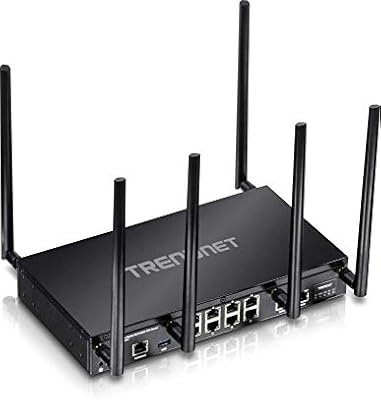
TRENDnet TEW-829DRU Tri-Band VPN Router
73%
88%
Dual-WAN Reliability
83%
VPN Performance
51%
Setup & Configuration
47%
Web Interface Usability
91%
Port Count & Connectivity
More
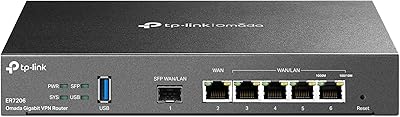
TP-Link ER7206 Multi-WAN Gigabit VPN Router
79%
93%
WAN Failover & Redundancy
88%
VPN Performance
84%
Omada SDN Integration
58%
Setup & Configuration
89%
Value for Money
More
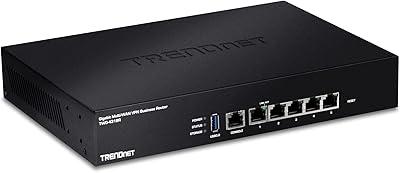
TRENDnet TWG-431BR Multi-WAN VPN Router
71%
84%
Multi-WAN Failover Reliability
79%
VPN Performance
58%
Setup & Initial Configuration
51%
Web Interface Usability
77%
Load Balancing Effectiveness
More
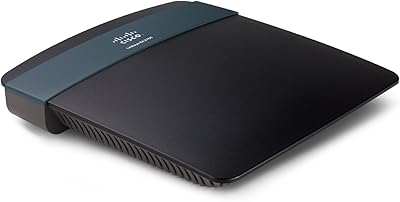
Linksys EA2700 Dual-Band Router
82%
84%
Wireless Performance
78%
Signal Coverage
88%
Setup & Installation
90%
Wired Connectivity
81%
Reliability
More
Deeper Network Connect Mini Decentralized VPN Router
74%
83%
Privacy & Anonymity Protection
79%
Value for Money
86%
Setup & Ease of Use
91%
Portability & Form Factor
63%
Connection Speed & Throughput
More
TP-Link ER605 V2 VPN Router
80%
93%
Value for Money
89%
Multi-WAN Reliability
71%
VPN Performance
82%
Ease of Setup
91%
Omada SDN Integration
More
Deeper Network Deeper Connect Air VPN Router
76%
88%
Privacy & Security
78%
Value for Money
93%
Portability & Form Factor
69%
Ease of Setup
63%
DPN / VPN Performance
More
NETGEAR WAX202 WiFi 6 Dual-Band Router
84%
88%
WiFi Performance
93%
Setup & Installation
85%
App Usability
89%
Speed & Coverage
90%
Device Connectivity
More
Netgear WNDR4300 N750 Dual Band Gigabit Router
73%
78%
Wi-Fi Range & Coverage
86%
Setup & Ease of Use
74%
Connection Stability
88%
Wired (Ethernet) Performance
57%
USB Sharing (ReadySHARE)
More

FAQ

Honestly, yes — this is one of the most consistent pieces of feedback from buyers. The Cisco RV325 Dual WAN VPN Router is not designed for plug-and-play deployment. If you have solid general networking knowledge, you can work through it, but if Cisco IOS is new to you, expect a meaningful time investment before things are fully configured. Having access to Cisco's documentation or a knowledgeable IT resource makes the process significantly smoother.

The router continuously monitors both WAN connections, and when it detects that the primary link has gone down, it automatically reroutes traffic through the backup connection. In most configurations, this happens within seconds and does not require manual intervention. For businesses running VoIP or point-of-sale systems, this kind of automatic switchover can prevent the kind of downtime that would otherwise cost real money.

Yes, that is one of its core use cases. The RV325 supports IPsec site-to-site tunnels, which allow two office locations to communicate securely over the internet as if they were on the same private network. Configuration does require some VPN knowledge, and a few users report quirks during initial tunnel setup, but once it is running correctly, the tunnels tend to stay stable.

Not exactly in the way most people assume. Load balancing distributes traffic sessions across both WAN connections, which improves overall throughput and reduces congestion — but a single download will not use both connections simultaneously in most configurations. The real benefit is that your office can handle more concurrent users and bandwidth-heavy tasks without one connection becoming a bottleneck.

Yes, provided you have someone on staff who can handle the VPN configuration. The RV325 supports remote-access IPsec VPN, which lets employees connect securely back to the office network from home. It handles multiple simultaneous VPN connections well, which is practical for teams that have grown beyond just one or two remote workers.

You will almost certainly need a separate access point if Wi-Fi is important to your office. The wireless specifications listed are incidental to the router's main design — this is fundamentally a wired business routing device. Treating it as a primary Wi-Fi source would be the wrong approach; pair it with a dedicated access point instead.

The platform was introduced in late 2013, which makes the underlying hardware design well over a decade old. It continues to function reliably for most users, but firmware updates have slowed over time, which is a legitimate concern for security-conscious buyers. If you are planning a long-term deployment and security patching is a priority, it is worth checking Cisco's current support status before purchasing.

The RV325 supports up to 50 IPsec site-to-site tunnels and up to 10 SSL VPN tunnels, making it well-suited for small businesses with multiple remote users or branch locations connecting simultaneously. This capacity is generally more than adequate for its target audience.

Yes, the RV325 supports remote management through its web-based interface, which can be accessed securely over HTTPS. This is useful for IT administrators who manage multiple office locations or need to make configuration changes without physically visiting the site. That said, for complex changes, most experienced admins prefer to be on-site or connected via VPN first.

This is actually where the RV325 gets its most consistent praise. Many users who pushed through the initial setup complexity report that the hardware runs stably for years with minimal intervention. The hardware build quality feels solid, and the core functions — failover, VPN tunnels, and traffic management — tend to perform consistently once the configuration is properly locked in.

Where to Buy

ITO Solutions
In stock $236.67
IT Help and Support
In stock $260.58
ServerOrbit.com
In stock $297.60
MetrolineDirect.com
In stock $299.95