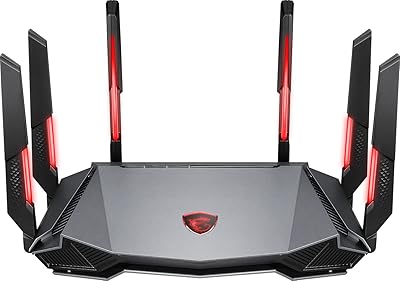
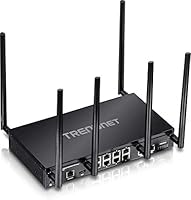
TRENDnet TEW-829DRU Tri-Band VPN Router
Overview
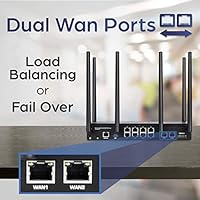
The TRENDnet TEW-829DRU Tri-Band VPN Router sits in an interesting middle ground — capable enough for serious network administrators, yet priced well below true enterprise hardware. Its dual-WAN design is the real draw for small offices: connect two separate internet lines and let the router balance traffic between them, or fall back automatically if one connection drops. For U.S. and Canadian organizations operating under government procurement rules, NDAA and TAA compliance adds genuine purchasing value. Worth noting, though: this router launched in 2018, and the networking landscape has moved on. It still holds its own in managed environments, but it is not a plug-and-play device — it rewards patience and hands-on networking experience.
Features & Benefits
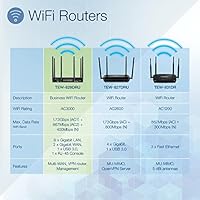
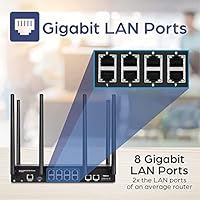
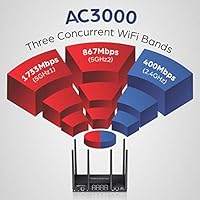
The TEW-829DRU runs three concurrent WiFi bands — 1733 Mbps on the primary 5GHz band, 867 Mbps on the secondary 5GHz band, and 400 Mbps on 2.4GHz — which helps distribute load across a busy office full of laptops, phones, and IoT devices without any single band getting choked. The dual Gigabit WAN ports handle both load balancing and automatic failover, so a dropped ISP line does not take the whole office offline. VPN administrators will appreciate broad protocol coverage — SSL, IPsec, PPTP, and L2TP with IPsec — alongside inter-VLAN routing for clean network segmentation. Eight wired Gigabit LAN ports, a USB 3.0 port, and a direct console port round out a well-specified hardware package.
Best For
This SMB router is a strong fit for small-to-medium businesses that need dual-WAN redundancy but cannot justify the cost of dedicated enterprise networking hardware. If your office relies on two ISPs for uptime — or plans to — the failover and load-balancing capabilities alone make it worth a serious look. IT teams comfortable with CLI management or complex web interfaces will feel right at home; non-technical owners probably will not. Organizations subject to U.S. or Canadian government procurement rules will find the compliance credentials particularly useful. It also suits offices that need to segment traffic across multiple VLANs or support remote workers through reliable site-to-site VPN tunnels.
User Feedback
Among the 185 ratings this dual-WAN VPN router has accumulated, the overall picture is positive but not without real caveats — a 4.0 out of 5 average tells that story honestly. Buyers regularly highlight the generous port count and VPN protocol flexibility as standout strengths, and compliance-driven purchasers specifically value the NDAA and TAA credentials. On the other side, the web interface draws consistent criticism for feeling dated, and first-time setup can be a genuine headache without IT experience. Some users have raised concerns about firmware update frequency, which matters when running a managed router in a production environment. Phone support, while English-speaking, is limited to standard business hours.
Pros
- Dual Gigabit WAN ports enable both traffic load balancing and automatic failover — a rare find at this price point.
- Eight wired Gigabit LAN ports give wired-heavy offices plenty of direct connections without a separate switch.
- NDAA and TAA compliance opens the door to U.S. and Canadian government procurement contracts.
- Broad VPN protocol support — SSL, IPsec, PPTP, L2TP with IPsec — covers virtually every common remote-access scenario.
- Tri-band AC3000 output distributes device load across three separate networks, reducing congestion in busy environments.
- IEEE 802.1Q inter-VLAN routing allows clean, policy-driven traffic segmentation between staff, guests, and IoT devices.
- Wireless client isolation and pre-encrypted WiFi add a meaningful baseline of out-of-the-box security.
- Console port access via CLI gives administrators low-level control for troubleshooting and advanced configuration.
- The three-year manufacturer warranty provides solid coverage relative to many competitors in the same category.
- English-speaking technical support staff, while limited to business hours, is a practical advantage over outsourced alternatives.
Cons
- The web management interface looks and feels dated, and has drawn consistent criticism from real-world users.
- Initial setup is complex enough to discourage or overwhelm anyone without hands-on networking experience.
- Launched in 2018, the TEW-829DRU lacks WiFi 6 support, putting it behind newer competing hardware on raw efficiency.
- Firmware updates have been infrequent, which raises legitimate concerns for anyone running it in a production environment.
- Technical support is only available during standard business hours, leaving after-hours issues without a live resource.
- The management interface does not offer a polished mobile or cloud-based management option that modern SMB tools now provide.
- No built-in threat management or content filtering means additional software or hardware is needed for comprehensive security.
- At 2.7 pounds with six external antennas, this dual-WAN VPN router takes up noticeable physical space and is not rack-mountable out of the box.
Ratings
The scores below for the TRENDnet TEW-829DRU Tri-Band VPN Router were generated by our AI engine after analyzing verified buyer reviews from multiple global sources, with spam, bot submissions, and incentivized feedback actively filtered out. Each category reflects an honest synthesis of real-world user experiences — the wins and the frustrations — so you can make a genuinely informed decision. Both the strengths that keep buyers satisfied and the recurring pain points that prompt criticism are represented transparently in every scorecard.
Dual-WAN Reliability
VPN Performance
Setup & Configuration
Web Interface Usability
Port Count & Connectivity
Wireless Coverage & Speed
VLAN & Network Segmentation
NDAA & TAA Compliance
Build Quality & Hardware
Firmware & Long-Term Support
Value for Money
QoS & Traffic Management
Security Features
Technical Support
Scalability
Suitable for:
The TRENDnet TEW-829DRU Tri-Band VPN Router is built for small-to-medium businesses that need serious networking muscle without stepping into full enterprise pricing territory. It makes the most sense for offices running two separate internet connections — whether for load balancing across a busy team or as a failover safety net when one ISP goes down. IT administrators and network-savvy buyers will appreciate the depth of control on offer: inter-VLAN routing lets you cleanly separate staff, guest, and IoT traffic, while broad VPN protocol support covers most remote-access scenarios you are likely to encounter in a distributed workforce. U.S. and Canadian organizations with government clients or contracts will find the NDAA and TAA compliance particularly valuable, as it satisfies procurement requirements that disqualify many competing products. If your environment demands structured network management rather than a simple home-style setup, this router has the feature depth to back it up.
Not suitable for:
The TRENDnet TEW-829DRU Tri-Band VPN Router is a poor fit for anyone expecting a straightforward, app-guided installation experience — this is a managed router aimed at people who know what a VLAN is and are comfortable navigating a CLI or dense web interface. Home users or small business owners without dedicated IT support will likely find the setup process frustrating and the management interface unintuitive. The hardware also dates back to 2018, which means buyers prioritizing the latest WiFi standards — particularly WiFi 6 or WiFi 6E — should look at newer options that offer better throughput efficiency and improved congestion handling on modern, device-dense networks. If you only need one WAN connection and have no interest in VPN management or VLAN segmentation, you would be paying for a substantial amount of capability you will never use. Finally, anyone who needs around-the-clock technical support should be aware that TRENDnet assistance is limited to standard business hours.
Specifications
- WiFi Standard: The router operates on 802.11ac Wave 2 (AC3000), delivering three concurrent wireless bands for high-density device environments.
- Wireless Bands: Tri-band configuration spans 2.4GHz (up to 400 Mbps), 5GHz-1 (up to 1733 Mbps), and 5GHz-2 (up to 867 Mbps) simultaneously.
- WAN Ports: Two Gigabit WAN ports support dual-ISP configurations, enabling either load balancing or automatic failover between connections.
- LAN Ports: Eight Gigabit LAN ports provide wired connectivity for workstations, switches, or other networked devices without requiring a separate switch in smaller offices.
- USB Port: One USB 3.0 port allows connection of shared storage or compatible peripherals to the network.
- Console Port: One RJ-45 to RS-232 console port enables direct command-line access for low-level configuration and advanced troubleshooting.
- Antennas: Six detachable external high-gain antennas are included — two at 2.9 dBi for 2.4GHz and four at 4.4 dBi for 5GHz coverage.
- VPN Protocols: Supported VPN protocols include SSL, IPsec, PPTP, and L2TP with IPsec, covering a broad range of remote-access and site-to-site tunnel configurations.
- VLAN Support: IEEE 802.1Q inter-VLAN routing allows administrators to create isolated network segments for staff, guests, IoT devices, or other logical groupings.
- QoS: Built-in Quality of Service controls let administrators prioritize bandwidth-sensitive traffic, such as VoIP or video conferencing, over lower-priority data flows.
- Security: Wireless networks are pre-encrypted out of the box, and wireless client isolation prevents devices on the same SSID from communicating directly with one another.
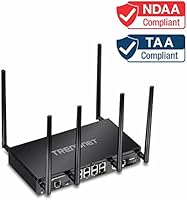
- Compliance: The router is both NDAA and TAA compliant, satisfying U.S. and Canadian government procurement requirements that restrict the use of certain foreign-manufactured networking equipment.
- Management: Network administrators can manage the router through a web browser-based interface or directly via CLI, with automatic firmware update notifications built in.
- Dimensions: The unit measures 11 x 6.7 x 1.75 inches, designed for desktop or shelf placement rather than direct rack mounting.
- Weight: At 2.7 pounds without antennas attached, the router is reasonably compact given its port count and feature set.
- Power Input: The router accepts 120–240 V input, making it compatible with both North American and international power standards.
- Warranty: TRENDnet covers this router with a 3-year manufacturer protection plan, which includes access to their English-speaking technical support team during business hours.
- Processor: The unit houses a single onboard processor running TRENDnet's proprietary embedded operating system optimized for managed SMB routing tasks.
- Box Contents: The package includes the router, six detachable high-gain antennas, a 1.5m network cable, a quick installation guide, and an RJ-45 to RS-232 console cable.
- Release Date: The TEW-829DRU was first made available in May 2018, representing an 802.11ac Wave 2 generation product.
Related Reviews
Cudy WR11000 WiFi 7 Tri-Band Router
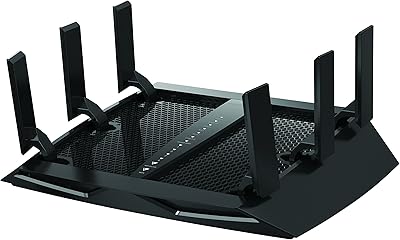
NETGEAR Nighthawk X6 R7900P AC3000 WiFi Router
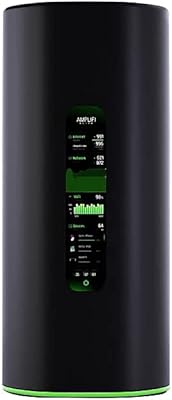
Ubiquiti AmpliFi Alien WiFi 6 Mesh Router
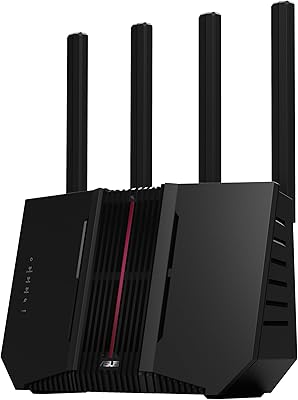
ASUS RT-BE92U WiFi 7 Router
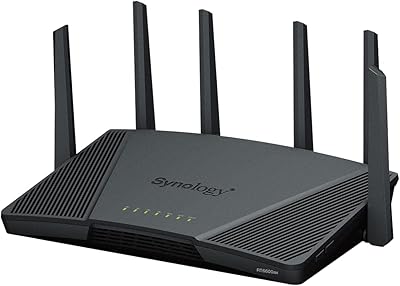
Synology RT6600ax Wi-Fi 6 Tri-Band Router

NETGEAR Nighthawk RS280S WiFi 7 Tri-Band Router
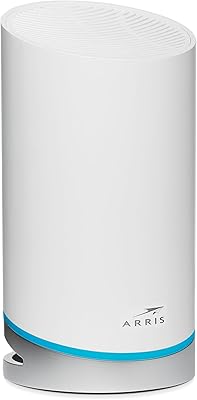
ARRIS SURFboard mAX W21 WiFi 6 Router
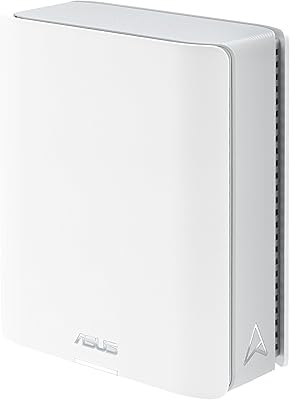
ASUS ZenWiFi BT6 WiFi 7 Mesh Router
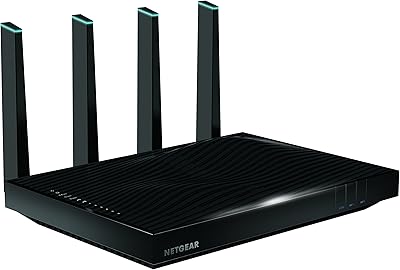
NETGEAR Nighthawk X8 AC5300 Tri-Band WiFi Router R8500