Overview

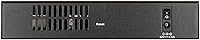
The D-Link DSR-250V2 Gigabit VPN Router is a business-grade networking appliance built for small businesses and remote or hybrid teams — not a standard home router you'd pick up at a big-box store. One thing worth stating upfront: this is a wired-only device, with no built-in Wi-Fi, so you'll need a separate access point if wireless coverage is part of your plan. What makes the DSR-250V2 stand out in its price range is a combination of TAA and NDAA compliance, which matters significantly for government contractors and regulated industries where procurement rules restrict non-compliant hardware. Backed by D-Link's 39-plus years in networking and a Limited Lifetime Warranty, it carries a level of long-term support you rarely find at this price tier.
Features & Benefits

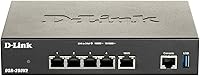
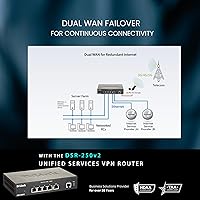
The DSR-250V2 packs a surprisingly dense feature set for its size. Its dual WAN failover is arguably the most practical capability here — if your primary internet connection drops, the router automatically shifts traffic to a backup line with minimal interruption to active video calls or file transfers. On the VPN side, support for IPSec, OpenVPN, SSL, L2TP, and PPTP covers virtually every deployment scenario, and up to 75 concurrent tunnels means this D-Link appliance can support a meaningful number of remote workers simultaneously. The 950 Mbps firewall throughput, 50,000 session capacity, and 16 configurable VLANs round out a hardware spec that punches well above what most consumer routers offer. A web-based GUI keeps routine management approachable without requiring command-line expertise.

Best For

This VPN router is a strong fit for small business owners who need reliable, always-on VPN access for a distributed team but don't have a dedicated network engineer on staff. IT admins setting up branch-office or home-office endpoints that tunnel back to a central corporate network will find the hardware VPN options — both router-based for always-on site-to-site links and client-based for traveling users — genuinely flexible. Organizations that must follow government procurement rules will appreciate the TAA and NDAA compliance out of the box. It's also a practical choice for businesses dealing with spotty ISP reliability, or for anyone who already has wireless sorted and just needs a dedicated secure routing appliance to anchor their network.

User Feedback

With a 3.7 out of 5 rating across nearly 300 reviews, the DSR-250V2 has a noticeably split audience. Buyers who came in knowing what they were getting — a wired business VPN appliance, not a home router — tend to rate it highly, citing dependable failover behavior and stable tunnel connections over extended periods. The criticism, where it exists, falls into two buckets: the initial configuration process, particularly for OpenVPN and VLAN setups, is more involved than the documentation suggests, and OpenVPN throughput drops considerably compared to IPSec under real load. A fair number of low ratings also trace back to buyers who simply expected built-in Wi-Fi. For the right user, though, long-term reliability seems to be the consistent theme.

Pros

  • Dual WAN failover works reliably, automatically rerouting traffic when the primary connection drops.
  • Supports five VPN protocols — IPSec, OpenVPN, SSL, L2TP, and PPTP — covering nearly every deployment scenario.
  • Up to 75 concurrent VPN tunnels is a serious capacity for a device at this price point.
  • TAA and NDAA compliance makes the DSR-250V2 eligible for government and regulated-industry procurement.
  • 950 Mbps firewall throughput and 50,000 session support handle genuine business workloads without breaking a sweat.
  • 16 VLANs and OSPF dynamic routing deliver network segmentation capabilities usually reserved for pricier hardware.
  • The web-based management GUI is approachable enough that non-CLI users can handle day-to-day administration.
  • Limited Lifetime Warranty adds meaningful long-term value and reflects confidence in the hardware's durability.
  • The configurable fourth port doubling as a second WAN gives flexible deployment options for different office setups.
  • Compact and lightweight at under 2 pounds, making it practical for home-office or remote branch installations.

Cons

  • No built-in Wi-Fi means you must budget for and manage a separate wireless access point.
  • Initial VPN and VLAN configuration has a real learning curve that the included documentation does not adequately address.
  • OpenVPN throughput drops noticeably under load — IPSec is the better choice if raw VPN speed is a priority.
  • Advanced feature documentation is sparse, leaving users to rely heavily on community forums or trial-and-error.
  • Only three dedicated LAN ports, which can feel limiting in small offices with wired devices.
  • No centralized multi-device management platform, making it harder to scale across many locations simultaneously.
  • SNMP support is present but the monitoring toolset feels dated compared to more modern management interfaces.
  • Customer support quality for advanced configuration issues has drawn criticism in user reviews.
  • Firmware update history has been inconsistent, with some users reporting long gaps between releases.

Ratings

Our scores for the D-Link DSR-250V2 Gigabit VPN Router are generated by AI after analyzing verified buyer reviews from multiple global markets, with spam, bot-submitted, and incentivized feedback actively filtered out. Each category score reflects the honest distribution of real user experiences — strengths and frustrations weighted equally — so you get a transparent picture of where this device delivers and where it falls short.
VPN Performance
78%
22%
Users running IPSec tunnels consistently praise the stability and reliability of established connections, with site-to-site links staying up for weeks without manual intervention. For small teams tunneling into a central office network, the 50 IPSec tunnel ceiling is rarely a real-world constraint.
OpenVPN throughput is a recurring complaint — users pushing file transfers or video traffic through OpenVPN tunnels report speeds that feel throttled compared to what the hardware spec suggests. If OpenVPN is your primary protocol, expect a tangible gap between advertised and real-world throughput under load.
Dual WAN Failover
84%
Buyers in areas with spotty ISP reliability specifically call out failover as the feature that justified the purchase — active video calls and VPN sessions recover with minimal perceptible interruption when the primary WAN drops. The automatic switchover works as advertised without requiring any manual steps or reboots.
A handful of users report that failover detection lag can occasionally stretch long enough to briefly drop sensitive real-time sessions before the backup line kicks in. Load balancing across dual WANs also requires more careful configuration than the interface implies, and the documentation does not guide you through edge cases clearly.
Ease of Setup
53%
47%
Users with prior networking experience generally describe the initial hardware installation as straightforward — physically connecting the device and reaching the web management interface takes only a few minutes. Basic firewall rules and simple IPSec tunnels are accessible to anyone comfortable with router admin pages.
Advanced configurations — particularly OpenVPN, VLAN segmentation, and dynamic routing policies — have a steep learning curve that the included documentation does not adequately address. A recurring complaint across negative reviews is that the quick-start guide leaves users stranded once they move beyond the most basic setup scenarios, requiring forum searches to fill the gaps.
Documentation Quality
44%
56%
The web interface itself provides enough inline labeling that experienced IT administrators can usually navigate feature menus without external references. For simple deployments, the quick installation guide covers the physical setup adequately.
For anything beyond basic use, the documentation is widely criticized as incomplete and outdated — users setting up SSL VPNs, custom VLAN policies, or OSPF routing frequently report hitting dead ends with no official guidance. This is one of the most consistent pain points in negative reviews and significantly raises the time investment required for a proper deployment.
Firewall & Security
83%
The 950 Mbps firewall throughput holds up well under typical small business traffic loads, and support for up to 300 policies gives IT admins enough granularity to enforce meaningful access controls without needing a dedicated security appliance. The breadth of supported encryption standards — DES, 3DES, AES — is genuinely enterprise-grade for this price tier.
Some advanced users note that stateful inspection behavior under sustained high-session loads can introduce latency, and the 50,000 session ceiling, while generous for most small offices, could become a constraint in environments with high connection churn. Logging and alerting features are functional but lack the depth that more dedicated security platforms offer.
Build Quality
71%
29%
The DSR-250V2 feels solid and dense for its size — users who have deployed it in small office environments report it running quietly and reliably for extended periods without heat-related issues. The compact form factor makes it practical for desk or shelf mounting in tight spaces.
The plastic chassis does not inspire the same confidence as rackmount metal enclosures found on higher-end appliances. A few long-term users have noted that the unit can run noticeably warm under sustained heavy VPN load, though no widespread failure patterns have emerged in the reviewed feedback.
Value for Money
79%
21%
Buyers who correctly identify this as a business VPN appliance rather than a general home router consistently rate the value highly — the feature set, particularly the VPN tunnel capacity, VLAN support, and TAA compliance, would cost significantly more from a Cisco or Fortinet equivalent. The Limited Lifetime Warranty adds long-term financial reassurance that few competitors at this tier offer.
For buyers who do not need VPN capabilities or compliance features, the value proposition evaporates quickly — comparable routing performance is available from less expensive consumer hardware. A subset of reviewers felt they overpaid once they realized the OpenVPN throughput limitations affected their specific use case.
Web Management Interface
67%
33%
The browser-based GUI is functional and does not require any client software installation, which makes it accessible from any device on the network. Core status monitoring, WAN health indicators, and basic policy management are clearly presented for day-to-day oversight.
The interface design feels visually dated compared to modern router dashboards, and navigation between advanced feature sections can feel unintuitive — users frequently describe needing multiple attempts to locate specific settings. SNMP integration works but lacks the polish of purpose-built network monitoring integrations.
VLAN & Routing Flexibility
74%
26%
Support for 16 VLANs alongside OSPF and RIP dynamic routing is a rare capability at this price point, allowing IT admins to segment guest networks, IoT devices, and internal traffic without deploying separate managed switches. Users who have fully leveraged the VLAN capabilities report it meaningfully improved their network security posture.
Getting VLANs configured correctly requires a solid understanding of 802.1Q tagging and inter-VLAN routing concepts — there is no wizard or guided setup to help non-specialists through the process. A number of users abandoned VLAN configuration mid-attempt due to documentation gaps, leaving the feature underutilized.
TAA/NDAA Compliance
88%
For buyers in government contracting, defense supply chains, or regulated industries, TAA and NDAA compliance is not a checkbox item — it is a hard procurement requirement, and this D-Link appliance satisfies it at a price point that procurement-eligible competitors rarely reach. Reviewers in these sectors specifically cite compliance as the deciding factor.
For the majority of small business buyers without procurement obligations, compliance documentation adds no practical day-to-day value and is essentially invisible in use. The compliance positioning also means the device carries some pricing premium that pure commercial buyers are effectively subsidizing.
VPN Tunnel Capacity
81%
19%
Seventy-five concurrent tunnels is a serious ceiling for a device in this category — small businesses with fully remote teams of 30 to 50 people can run persistent connections for every employee without approaching the limit. Reviewers managing distributed office networks specifically praise the headroom it provides.
The tunnel maximum is a combined total, and IPSec tunnels are capped at 50 within that limit, which can constrain organizations that rely heavily on IPSec for site-to-site links while also supporting individual client tunnels. Businesses expecting to scale significantly beyond 50 simultaneous IPSec sessions will need to plan for an upgrade path.
Reliability & Uptime
76%
24%
Users who have deployed the DSR-250V2 in always-on business environments generally report stable, uninterrupted operation over months — VPN tunnels stay up, failover kicks in reliably, and the device does not require periodic reboots to maintain performance. Long-term reliability is among the most positively mentioned attributes in higher-rated reviews.
A minority of users report occasional tunnel drops under sustained high-load conditions that require manual reconnection, which is particularly disruptive in remote-work environments where VPN access is mission-critical. Firmware update frequency has also been inconsistent, leaving some known behavioral issues unaddressed for extended periods.
Wireless Capability
22%
78%
For buyers who are already aware that this is a wired-only appliance and have separate wireless infrastructure in place, the absence of a built-in radio is simply a non-issue — it is an intentional design choice that keeps the device focused on routing and VPN performance.
A measurable share of negative reviews — and a significant portion of one-star ratings — come directly from buyers who purchased expecting Wi-Fi and received none. The product listing makes this clear, but the mismatch continues to drive returns and disappointment, making wireless capability effectively the biggest single source of buyer dissatisfaction for this device.
Warranty & Support
69%
31%
A Limited Lifetime Warranty is a genuine differentiator — most networking hardware in this category ships with one or two-year coverage at most, and D-Link's commitment to cover hardware defects for the product's lifetime gives business buyers meaningful long-term confidence in their infrastructure investment.
Several users report that reaching knowledgeable D-Link technical support for advanced configuration questions — particularly around VPN and VLAN setup — is inconsistent, with response quality varying significantly depending on the support channel used. The warranty covers hardware well but does not compensate for the documentation and guidance gaps that many buyers encounter.

Suitable for:

The D-Link DSR-250V2 Gigabit VPN Router is purpose-built for small business owners and IT administrators who need dependable, hardware-level VPN infrastructure without the cost or complexity of a full enterprise deployment. If your team is split across home offices, branch locations, or a mix of both, this appliance handles the always-on site-to-site VPN tunnels that keep everyone securely connected to shared resources — no per-device software to manage or renew. Organizations operating under government procurement regulations will find the TAA and NDAA compliance genuinely useful, since many public-sector contracts or subcontracts require hardware that meets these standards, and finding compliant gear at this price tier is not easy. Businesses dealing with unreliable ISPs will also get real value from the dual WAN failover, which keeps operations running during outages without any manual intervention. If you already have wireless access points in place and simply need a dedicated, secure routing and VPN core for your network, this D-Link appliance fills that role efficiently.
Not suitable for:

If you're shopping for an all-in-one home router with built-in Wi-Fi, the D-Link DSR-250V2 Gigabit VPN Router will disappoint — it has no wireless radio whatsoever, and a meaningful portion of its negative reviews come from buyers who missed that detail. Home users with basic internet and streaming needs will find the feature set overkill and the configuration process more involved than anything they actually need. Even on the business side, buyers expecting a plug-and-play experience should recalibrate: setting up VLANs, OpenVPN tunnels, or advanced routing policies takes real time and some networking familiarity, and the documentation does not always keep pace with the hardware's capabilities. If IPSec is not your primary VPN protocol and you plan to run OpenVPN at high throughput, be aware that real-world performance under load falls short of what the firewall throughput spec might imply. And for larger organizations needing centralized multi-site management across dozens of appliances, this device lacks the enterprise management platform integrations that more expensive solutions provide.
Specifications

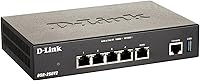
  • WAN Ports: Includes one dedicated 1 Gbps WAN port plus one configurable port that can function as either a second WAN or a LAN port.
  • LAN Ports: Provides three dedicated 1 Gbps LAN ports for wired device connections.
  • Total Ports: Four Gigabit Ethernet ports in total, with one configurable between LAN and WAN roles.
  • VPN Tunnels: Supports up to 75 concurrent VPN tunnels, including a maximum of 50 IPSec tunnels simultaneously.
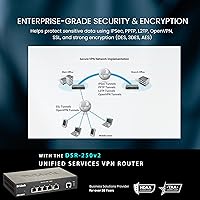
  • VPN Protocols: Compatible with IPSec, OpenVPN, SSL, L2TP, and PPTP protocols to support a wide range of client and site-to-site configurations.
  • Firewall: Delivers up to 950 Mbps of stateful packet inspection firewall throughput with support for up to 300 configurable policies.
  • Session Capacity: Handles up to 50,000 concurrent network sessions, making it suitable for active small-to-medium business environments.
  • VLANs: Supports up to 16 VLANs for logical network segmentation across departments, devices, or security zones.
  • Dynamic Routing: Supports RIPv1, RIPv2, and OSPF dynamic routing protocols for flexible and scalable network topology management.
  • Management: Administered via a web-based graphical interface and SNMP, with no command-line interface required for standard operations.
  • Wireless: This device has no built-in wireless radio and requires a separate access point for Wi-Fi connectivity.
  • USB: Includes one USB port for peripheral connectivity such as storage devices or modem dongles.
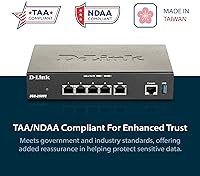
  • Compliance: Meets Trade Agreements Act (TAA) and National Defense Authorization Act (NDAA) requirements, supporting government and regulated-industry procurement.
  • Dimensions: Measures 7.5 × 4.75 × 1.5 inches, making it compact enough for desktop or shelf placement in a small office environment.
  • Weight: Weighs approximately 2 pounds, light enough for easy repositioning or wall-bracket mounting.
  • Origin: Manufactured in Taiwan in accordance with TAA country-of-origin requirements.
  • Warranty: Covered by D-Link's Limited Lifetime Warranty, providing long-term hardware replacement assurance for the original purchaser.
  • Encryption: Supports DES, 3DES, and AES encryption standards to protect data transmitted across VPN tunnels.

Related Reviews

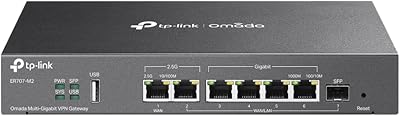
TP-Link ER707-M2 Multi-Gigabit VPN Router
79%
91%
Network Stability
88%
VPN Performance
86%
Multi-Gig Throughput
54%
Ease of Setup
89%
Omada SDN Integration
More
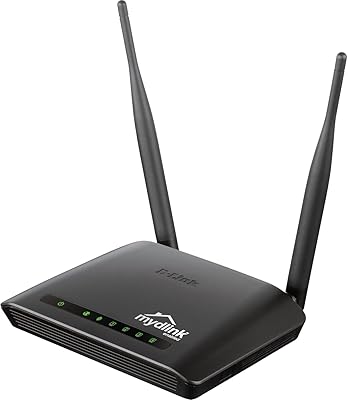
D-Link DIR-605L N300 Wireless Router
66%
83%
Ease of Setup
54%
Wireless Range
51%
Throughput Speed
78%
Value for Money
67%
Build Quality
More
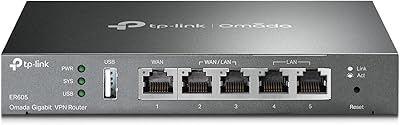
TP-Link ER605 V2 VPN Router
80%
93%
Value for Money
89%
Multi-WAN Reliability
71%
VPN Performance
82%
Ease of Setup
91%
Omada SDN Integration
More
D-Link DIR-2640 AC2600 Mesh Router
79%
71%
WiFi Speed & Range
89%
Setup Experience
88%
Parental Controls
84%
Wired Connectivity
66%
Stability & Uptime
More
D-Link AX3000 M30 WiFi 6 Mesh Router
78%
74%
WiFi Coverage & Range
78%
WiFi Speed & Throughput
88%
Setup & Installation
71%
App Experience
83%
Parental Controls
More
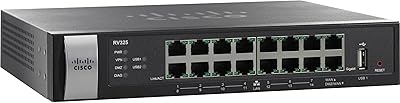
Cisco RV325 Dual WAN VPN Router
73%
91%
WAN Failover Reliability
83%
VPN Performance
51%
Setup & Configuration
79%
Load Balancing Effectiveness
88%
Hardware Build Quality
More
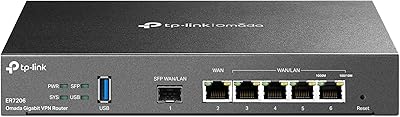
TP-Link ER7206 Multi-WAN Gigabit VPN Router
79%
93%
WAN Failover & Redundancy
88%
VPN Performance
84%
Omada SDN Integration
58%
Setup & Configuration
89%
Value for Money
More
D-Link G530 5G WiFi 6 Cellular Router
75%
81%
5G Signal Reception
88%
Dual-WAN Failover
69%
WiFi Coverage & Range
86%
Setup Experience
62%
FALCON App Quality
More
D-Link DIR-1950 AC1900 Wi-Fi Router
74%
88%
Setup & Installation
63%
Wi-Fi Range & Coverage
78%
Connection Speed
76%
Multi-Device Handling
84%
Parental Controls
More
D-Link M60 AX6000 Wi-Fi 6 Mesh Router
83%
88%
Wi-Fi Speed & Throughput
74%
Wi-Fi Coverage & Range
93%
Design & Aesthetics
91%
Setup & Initial Configuration
83%
App Experience & Management
More

FAQ

No, it does not. The D-Link DSR-250V2 Gigabit VPN Router is a wired-only appliance with no wireless radio. If you need Wi-Fi in your office or home setup, you will need to connect a separate wireless access point to one of its LAN ports.
Honest answer: it depends on what you're trying to do. Basic IPSec site-to-site tunnels are manageable through the web interface if you follow the setup guide carefully. OpenVPN and VLAN configurations are more involved, and the documentation does not always walk you through edge cases. If you're comfortable with networking concepts like subnets and tunnel authentication, you'll get there. If not, it may be worth engaging a local IT consultant for the initial setup.

Yes, you need two separate internet connections for failover to work — for example, a cable modem on WAN1 and an LTE backup modem on WAN2. When the primary connection goes down, the DSR-250V2 automatically routes traffic through the backup line, minimizing disruption to active sessions like video calls. If you only have one ISP connection, the dual WAN feature simply won't apply to your setup.

Yes. The DSR-250V2 meets both TAA (Trade Agreements Act) and NDAA (National Defense Authorization Act) standards. TAA compliance means the device is manufactured in a country approved under U.S. trade agreements — in this case, Taiwan. NDAA compliance ensures it does not contain components from restricted vendors. Both matter for federal agencies, contractors, and some regulated private-sector organizations with procurement policies that require this certification.

The device supports up to 75 concurrent VPN tunnels in total, with up to 50 of those being IPSec tunnels. In practice, this means a small-to-medium business with dozens of remote employees can all maintain active VPN sessions simultaneously without needing to stagger connections.

It works, but with a caveat. Several users have noted that OpenVPN throughput drops meaningfully under load compared to IPSec on this device. For light usage — a handful of remote workers doing email and file access — it performs adequately. If you plan to push high volumes of traffic through OpenVPN tunnels, IPSec will give you better real-world throughput on this hardware.

Yes, and this is one of the more useful flexibilities the DSR-250V2 offers. You can configure it as a hardware VPN endpoint for always-on site-to-site links between offices, or set it up to accept client-based VPN connections from individual laptops or phones when employees are traveling. Both modes can coexist within the tunnel capacity limits.

No special software is required. The DSR-250V2 is managed through a web browser using its built-in graphical interface, so you can handle routine tasks like monitoring connections, adjusting firewall policies, or checking WAN status from any device on your network. It also supports SNMP for integration with network monitoring tools if your team uses them.

The package includes the router itself, a quick installation guide, four rubber feet, an Ethernet cable, and an AC/DC power adapter. There is no wireless antenna or USB peripheral included, as the device is a wired routing appliance.

D-Link's Limited Lifetime Warranty covers hardware defects for the life of the product for the original purchaser, which is a meaningful commitment compared to the one- or two-year warranties typical of consumer routers. It does not cover damage from misuse, power surges, or unauthorized modifications. For business deployments where replacing failed hardware mid-operation is disruptive, this warranty adds a real layer of long-term confidence.