Overview

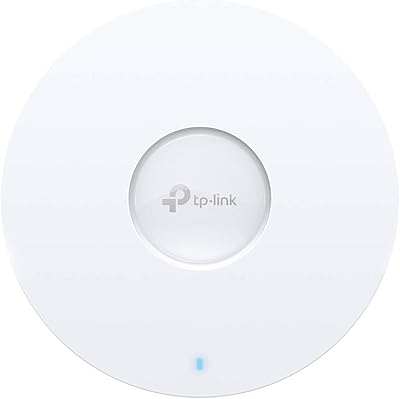
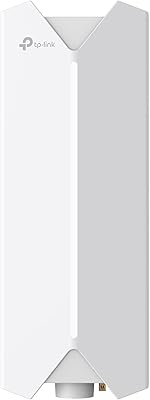
The TP-Link Festa F76 WiFi 7 Access Point is a business-class unit built for small offices, cafés, hotels, and classrooms that want modern wireless without the complexity of enterprise-grade systems. Its ultra-slim profile keeps installations clean and unobtrusive — ceiling or wall-mounted, it barely draws a second glance. One thing to get straight before anything else: the Festa F76 runs on TP-Link's Festa ecosystem, which is entirely separate from their popular Omada line and is not compatible with it. That distinction trips up a surprising number of buyers. Sitting at a competitive mid-range price for WiFi 7 tri-band hardware, and currently ranked #41 in Wireless Access Points on Amazon, the F76 has earned enough early traction to be worth a serious look.
Features & Benefits

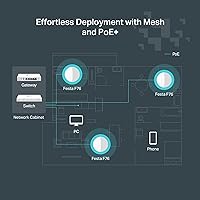
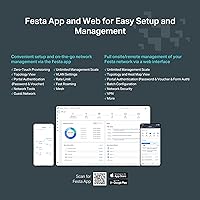
The Festa F76 runs on WiFi 7 technology, meaning it operates across three frequency bands — including the less congested 6 GHz band — delivering substantially more bandwidth than its predecessors. For everyday business use, that translates to fewer dropped video calls, faster file transfers, and better performance in crowded wireless environments. A standout capability is Multi-Link Operation, or MLO, which lets compatible devices bond multiple frequency bands simultaneously for lower latency and more consistent speeds. The 2.5G PoE+ uplink is equally practical: in most ceiling-mount installs, a single Ethernet cable handles both data and power, cutting deployment time considerably. Cloud management through the Festa app is included at no ongoing cost — a meaningful advantage for operators who don't want to pay monthly for basic network visibility.

Best For

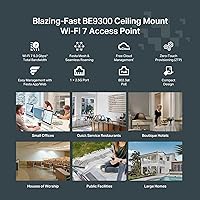
This WiFi 7 access point makes the most sense for small business operators who need reliable, modern wireless coverage without hiring a network consultant to set it up. Think cafés managing simultaneous POS terminals and guest Wi-Fi, boutique hotels covering a few dozen rooms, or small clinics where connectivity hiccups aren't just annoying — they're costly. It's also well-suited for IT-light environments where the person managing the network wears five other hats. One firm caveat: if you're already running an Omada network, the F76 won't slot in — you'd need to commit to building within the Festa ecosystem from the start. For installers who want PoE+ ceiling deployment without the overhead of enterprise management platforms, it fits a clear and underserved niche.

User Feedback

With 69 ratings and a 4.0-star average, buyer sentiment on the Festa F76 is cautiously positive but still forming. On the favorable side, users consistently highlight easy installation, the tidy hardware design, and solid signal coverage in open-plan spaces. Where opinions turn critical, the Omada incompatibility comes up repeatedly — buyers who assumed Festa was just a rebranded Omada product have come away frustrated. A few reviewers also note that the Festa app, while functional, isn't yet as mature or feature-rich as the Omada SDN controller. Real-world speeds draw mixed comments, with some reporting strong throughput and others noting that hitting WiFi 7 peak performance requires compatible client devices, which remain relatively uncommon. Worth watching as the rating pool grows.

Pros

  • WiFi 7 tri-band hardware with 6 GHz support at a mid-range price that undercuts many rivals.
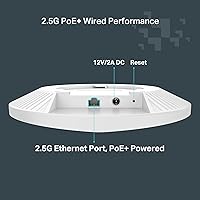
  • PoE+ powered via standard 802.3at — works with most existing PoE switches right out of the box.
  • Cloud management through the Festa app is free with no ongoing subscription fees.
  • Ultra-slim form factor blends cleanly into ceilings and walls in guest-facing environments.
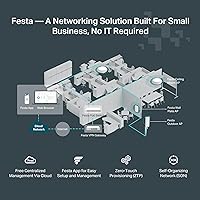
  • Self-organizing mesh means multiple units coordinate automatically without manual configuration.
  • Multi-Link Operation reduces latency noticeably when paired with a compatible WiFi 7 router.
  • Ceiling and wall mounting kit included — no separate hardware purchase needed for most installs.
  • CISA Secure-by-Design pledge adds meaningful credibility for security-conscious business operators.
  • Ranked #41 in Wireless Access Points, reflecting solid early traction among business buyers.
  • Single-cable PoE+ deployment cuts installation time significantly compared to power-adapter setups.

Cons

  • Completely incompatible with Omada — a dealbreaker for anyone already in that ecosystem.
  • The Festa app lacks the depth and maturity of Omada SDN, frustrating more technical users.
  • Real-world WiFi 7 speeds depend on client devices that most small businesses do not yet own.
  • The 12V DC power adapter is not included, which surprises buyers without a PoE switch on hand.
  • Under 70 ratings at time of review — long-term reliability and firmware track record are unproven.
  • 6 GHz band range drops off faster through walls, limiting its value in older or partitioned buildings.
  • Community support forums and third-party documentation for the Festa platform are still very thin.
  • Occasional post-update AP drop-offs have been reported, requiring manual re-adoption to fix.
  • Sticky client behavior on older mobile devices can cause uneven load distribution across multiple APs.

Ratings

The scores below for the TP-Link Festa F76 WiFi 7 Access Point were generated by our AI engine after analyzing verified buyer reviews from multiple global markets, with spam, incentivized, and bot-flagged submissions actively filtered out before scoring. Each category reflects the honest balance of what real users praised and what genuinely frustrated them — nothing is smoothed over to flatter the product.
Wireless Performance
83%
Buyers in open-plan offices and cafés report noticeably cleaner, faster connections compared to older WiFi 6 hardware — particularly when clients are spread across the room. The 6 GHz band delivers a real-world reduction in congestion during peak hours when multiple users are on video calls or uploading files simultaneously.
Peak WiFi 7 speeds require client devices that also support WiFi 7, and those are still rare in most small business environments. Several users found that real-world throughput fell well short of the headline aggregate figure when using a mixed bag of older laptops and phones.
Ease of Setup
88%
The physical installation process draws consistent praise — the included mounting kit works cleanly on both ceilings and walls, and PoE+ powered units need just a single cable run. First-time installers with no networking background reported getting the unit online within 20 to 30 minutes using the Festa app.
Users who expected Omada-style setup flows hit an unexpected learning curve since the Festa app operates entirely differently. A handful of reviewers also noted that initial firmware updates during setup added friction that could have been avoided.
Ecosystem Compatibility
54%
46%
For buyers starting fresh within the Festa ecosystem, multi-AP coordination and mesh roaming work without manual intervention. The Self-Organizing Network feature automatically handles channel selection and AP role assignment, which is genuinely useful for non-technical operators.
This is the single biggest pain point in user feedback: the Festa F76 does not work with Omada, and many buyers discovered this after purchase. TP-Link's two business ecosystems share branding proximity but zero interoperability, and the product listing does not make this obvious enough for shoppers making quick decisions.
Cloud Management & App Quality
67%
33%
The fact that cloud management is genuinely free — no subscription tier, no feature paywall — is a meaningful differentiator for small operators watching overhead costs. Basic network monitoring, client visibility, and remote configuration are all accessible from the app without paying anything beyond the hardware.
The Festa app is functional but clearly less mature than Omada's SDN controller, which has years of development behind it. Power users looking for granular VLAN management, detailed traffic analytics, or advanced guest portal customization will find the current app limiting and may need to wait for future firmware and app updates.
Build Quality & Design
86%
The ultra-slim chassis looks professional when ceiling-mounted in a café or small office — it genuinely blends in rather than announcing itself. The all-white finish and low-profile shape have drawn specific compliments from hospitality buyers who care about how equipment looks in guest-facing spaces.
At nearly three pounds, the F76 is slightly heavier than some competing slim APs, which can make overhead mounting on drywall anchors alone feel a little uncertain without a solid junction box. A small number of buyers flagged that the mounting bracket, while included, felt plasticky relative to the unit itself.
PoE+ Power Delivery
91%
Support for standard 802.3at PoE+ means the Festa F76 works reliably with a wide range of existing PoE switches from various brands, not just TP-Link hardware. Installers running structured cabling projects reported clean, stable power delivery without needing to source proprietary power injectors.
The DC adapter option requires a 12V/2.5A supply that is not included in the box, which catches some buyers off guard when a PoE switch is not available. A few reviewers who ordered the unit for desktop or temporary deployment had to place a separate accessory order before they could power it up.
Multi-Link Operation (MLO)
72%
28%
When paired with a WiFi 7 router and a WiFi 7 client device, MLO delivers a tangible reduction in latency that matters for real-time applications like video conferencing or cloud-based POS systems. Users who tested it with compatible hardware noted more consistent ping times compared to standard band-steering on older access points.
MLO's benefits are effectively locked behind the requirement for a fully WiFi 7 stack — router, AP, and client all need to support it. For most small businesses still running a mix of older devices, MLO remains a future-state feature rather than an immediate day-one advantage.
Value for Money
79%
21%
For a WiFi 7 tri-band access point with a 2.5G uplink and free cloud management, the price sits at a point that would have been considered budget-tier for WiFi 6 gear just two years ago. Buyers who commit to the Festa ecosystem get a compelling hardware-to-feature ratio without ongoing software licensing costs.
Buyers who purchased expecting Omada compatibility feel the value proposition collapses entirely once they realize the incompatibility. And for pure WiFi 7 performance per dollar, a few competing models offer similar specs with more established management platforms, making the F76 a harder sell on price alone without ecosystem buy-in.
Signal Range & Coverage
81%
19%
In typical small business floor plans — open retail spaces, single-floor offices under 2,500 square feet — buyers report coverage that comfortably handles the space without dead zones. The 6 GHz band, while shorter-range than 5 GHz, performs well in dense client scenarios where devices are within reasonable proximity.
Users deploying the F76 in larger or architecturally complex spaces note that range on the 6 GHz band drops off faster than expected through walls or around corners. Multi-story deployments almost always require more than one unit, which is fine for a mesh setup but adds to the total cost.
Security Features
84%
TP-Link's CISA Secure-by-Design commitment gives the F76 a credibility edge in environments where data security is a real concern, such as clinics or financial services offices. Buyers in those sectors specifically mentioned this as a deciding factor over competing brands that have faced regulatory scrutiny.
The Festa platform is still relatively new, and its security track record over a long deployment lifecycle has not yet been established the way Omada's has. IT-conscious buyers noted they would want to see a consistent firmware update history before deploying the F76 in sensitive network segments.
Firmware & Update Reliability
68%
32%
Out-of-the-box firmware was stable enough for most buyers to deploy without issues, and automatic update checks through the cloud portal mean operators are not manually hunting for patches. Early adopters appreciated that TP-Link pushed at least one update in the first months after launch.
With the product only launching in mid-2025 and a limited review pool, the long-term firmware reliability picture is genuinely unclear. A small but vocal group of early buyers reported occasional reboots and one AP dropping from the management portal after a firmware update, requiring a manual re-adoption.
Documentation & Support
63%
37%
The included quick-start guide covers physical installation clearly, and TP-Link's online knowledge base has basic Festa-specific articles that help first-time users get through initial configuration. Video content for the Festa line has improved compared to early launch availability.
The Festa ecosystem's documentation is noticeably thinner than what Omada users have access to, which matters when troubleshooting edge cases. Community forums for Festa-specific issues are sparse, and several buyers noted that support agents defaulted to Omada guidance before realizing the products are entirely separate platforms.
Roaming & Handoff Performance
76%
24%
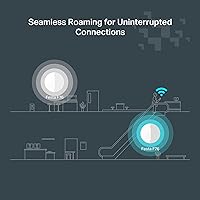
In multi-AP Festa deployments, buyers report that client handoff between access points is smooth enough for walking users — important in hospitality settings where guests move from lobby to lounge to rooms. The Self-Organizing Network handles reassignment without the user needing to manually configure roaming thresholds.
Seamless roaming at the WiFi 7 level requires all APs and the upstream router to be Festa-compatible, which limits mixed-hardware setups. A few café operators noted occasional sticky client behavior, where older phones clung to a distant AP rather than handing off to a closer one.
Packaging & Unboxing Experience
74%
26%
The box arrives well-organized with the mounting hardware separated cleanly from the unit, making it easy to hand off to an installer without sifting through loose components. The inclusion of both ceiling and wall mounting options in a single kit is a practical touch that competing products at this price sometimes omit.
The 12V DC adapter is not included, which feels like an oversight at this price point — even as a fallback option for users who lack a PoE switch. A few buyers also noted the installation guide leans heavily on QR codes rather than printed diagrams, which can be inconvenient in environments with poor mobile signal during setup.

Suitable for:

The TP-Link Festa F76 WiFi 7 Access Point is a strong fit for small business owners who want modern, future-ready wireless infrastructure without paying enterprise prices or hiring a dedicated IT person to run it. Café owners managing a busy mix of staff tablets, POS terminals, and guest Wi-Fi will find the self-organizing mesh and free cloud management genuinely useful day-to-day. Boutique hotels and small clinics benefit from the clean ceiling-mount design and PoE+ support — one cable does the job, which simplifies both installation and long-term maintenance. It also appeals to installers and IT contractors who are building out Festa-based networks from scratch and want a WiFi 7 access point that coordinates automatically across multiple units. For early adopters comfortable with a newer ecosystem that is still maturing, the F76 offers a compelling entry point into tri-band WiFi 7 coverage at a price that was unthinkable for this technology class just a couple of years ago.
Not suitable for:

The TP-Link Festa F76 WiFi 7 Access Point is the wrong choice for anyone already running an Omada network — full stop. Despite both being TP-Link business products, they are entirely separate ecosystems with zero interoperability, and mixing them is not possible. Larger organizations or multi-site operations that need granular VLAN controls, advanced traffic analytics, or mature SDN-style management should also look elsewhere, since the Festa app is not yet at feature parity with more established platforms. Buyers expecting WiFi 7 peak speeds on day one will be disappointed if their existing laptops, phones, and tablets do not also support WiFi 7 — most devices in the field today still do not. Anyone without a PoE+ switch should also factor in the cost of one before purchasing, since the required DC adapter ships separately. If long-term firmware reliability and an established support community are non-negotiable for your deployment, this product's short track record may give you legitimate pause.
Specifications

  • WiFi Standard: Operates on IEEE 802.11be (WiFi 7), backward compatible with 802.11ax, 802.11ac, 802.11n, and 802.11g devices.
  • Frequency Bands: Tri-band radio covering 2.4 GHz, 5 GHz, and 6 GHz simultaneously for flexible client distribution.
  • Max Throughput: Combined aggregate wireless throughput is rated up to 11,000 Mbps across all three bands under ideal conditions.
  • Spatial Streams: Supports 6 total spatial streams, enabling higher multi-user throughput when multiple clients connect at once.
  • Key Technologies: Incorporates Multi-Link Operation (MLO), Multi-Resource Units (Multi-RU), and 4K-QAM modulation for improved efficiency and lower latency.
  • Uplink Port: Equipped with a single 2.5 Gigabit Ethernet port for the wired uplink connection to a switch or router.
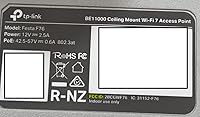
  • Power Input: Accepts power via 802.3at PoE+ from a compatible switch, or alternatively via a 12V/2.5A DC adapter (not included in the box).
  • Mounting Options: Supports both ceiling and wall mounting using the included hardware kit; no additional mounting accessories are required for standard installs.
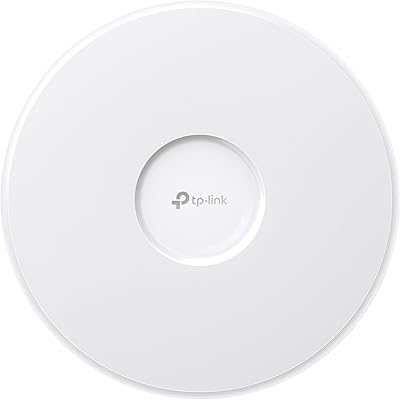
  • Form Factor: Ultra-slim, low-profile chassis designed for unobtrusive installation in commercial and hospitality environments.
  • Dimensions: Unit measures 11.22 x 10.16 x 3.66 inches and weighs 2.86 pounds including the mounting bracket.
  • Color & Finish: Finished in white with a smooth surface designed to blend into standard commercial ceiling and wall installations.
  • Ecosystem: Operates exclusively within the TP-Link Festa platform and is not compatible with TP-Link Omada controllers, hardware, or SDN software.
  • Cloud Management: Managed remotely via the Festa mobile app or web portal at no subscription cost, with no recurring software licensing fees.
  • Network Automation: Supports Self-Organizing Network (SON) functionality, enabling automatic channel selection, AP role assignment, and mesh coordination across Festa devices.
  • Roaming Support: Provides seamless client roaming across multiple Festa access points within the same network without manual threshold configuration.
  • Security Compliance: TP-Link is a signatory of the CISA Secure-by-Design pledge, committing to security as a core design requirement rather than an afterthought.
  • Package Contents: Box includes the Festa F76 unit, a ceiling and wall mounting kit, and a printed installation guide; no DC power adapter is included.
  • Wireless Security: Supports WPA3 and WPA2 encryption protocols for both personal and enterprise network authentication modes.
  • Operating Modes: Functions in access point mode as part of a Festa managed network; standalone or controller-based Omada operation is not supported.
  • Release Date: First made available for purchase in July 2025 and listed as a current production model by TP-Link.

Related Reviews
TP-Link EAP770 WiFi 7 Wireless Access Point
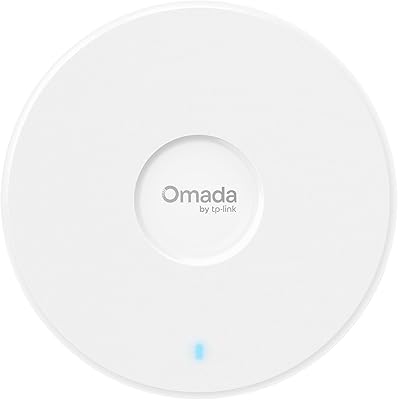
85%
91%
Wireless Performance
87%
WiFi 7 & MLO Implementation
88%
Setup & Onboarding
89%
Management Platform
86%
Multi-AP Roaming
More
TP-Link Omada EAP720 WiFi 7 Access Point
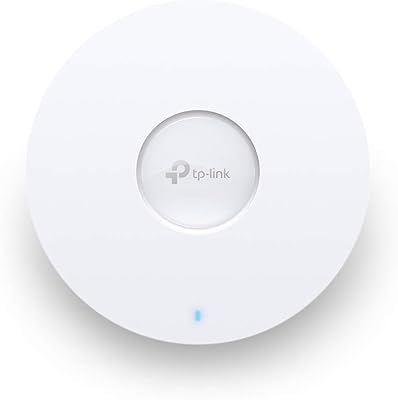
81%
88%
Wireless Performance
91%
Value for Money
83%
Setup & Installation
79%
Build Quality & Design
86%
Omada Ecosystem Integration
More
TP-Link EAP660 HD WiFi 6 Access Point
79%
88%
Wireless Performance Under Load
91%
Network Capacity & Device Density
84%
Omada SDN Integration
86%
2.5G Uplink Value
89%
PoE+ Installation Experience
More
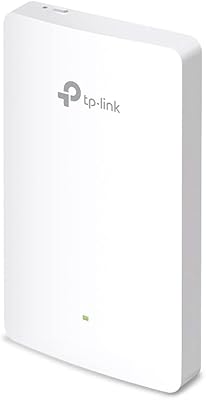
TP-Link EAP615-Wall AX1800 In-Wall Access Point
80%
91%
Ease of Installation
84%
Wi-Fi Performance
93%
Wired Port Versatility
88%
PoE Power & Pass-Through
79%
Omada SDN Integration
More
TP-Link EAP620 HD V3 WiFi 6 Access Point
85%
88%
Setup and Installation
91%
Performance in High-Density Environments
90%
WiFi Speed and Reliability
85%
Build Quality
89%
Powering Options (PoE+ and DC)
More
TP-Link Omada EAP650-Outdoor WiFi 6 Access Point
87%
88%
Performance
94%
Build Quality/Durability
85%
Ease of Setup
90%
Range/Coverage
87%
Value for Money
More
TP-Link TL-WA3001 WiFi 6 AX3000 Wireless Gigabit Access Point
84%
88%
Performance
91%
Signal Range
82%
Ease of Setup
85%
Build Quality
89%
Value for Money
More
TP-Link Festa F65-Outdoor AX3000 Wi-Fi 6 Access Point
84%
88%
Performance
94%
Outdoor Durability
85%
Ease of Setup
82%
Signal Strength
79%
Cloud Management & App
More
TP-Link EAP655-Wall WiFi 6 AX3000 Wall Plate Access Point
85%
88%
Overall Performance
91%
Wi-Fi Speed and Range
87%
Ease of Setup
85%
PoE Passthrough Flexibility
82%
Build Quality
More
Ubiquiti UniFi U7 Pro
82%
91%
Wireless Performance
88%
Build Quality
83%
Range & Coverage
67%
Ease of Setup
78%
Value for Money
More

FAQ

No, and this is probably the most important thing to know before buying. The Festa F76 runs on TP-Link's Festa platform, which is a completely separate ecosystem from Omada. You cannot add it to an Omada controller, and it will not appear in the Omada app. If you are already running Omada switches, routers, or access points, this unit will not integrate with them in any way.

It uses the standard 802.3at PoE+ specification, which is widely supported across most business-grade PoE switches from virtually any brand — not just TP-Link. As long as your switch has 802.3at PoE+ ports, the Festa F76 should power up cleanly without any additional configuration. If you do not have a PoE switch, you will need a 12V/2.5A DC adapter, which is not included in the box.

Based on TP-Link's current Festa platform model, cloud management through the Festa app and web portal is genuinely free with no ongoing subscription fees. This covers remote monitoring, basic configuration, and multi-site visibility. That said, it is always worth checking TP-Link's current Festa documentation to confirm no tiered pricing has been introduced since purchase, as cloud service terms can change over time.

Multi-Link Operation, or MLO, is a WiFi 7 feature that lets a device connect to the access point on more than one frequency band at the same time. In practical terms, it means lower latency and more consistent speeds, which matters for video calls, cloud apps, and real-time tools. The catch is that both the router and the client device need to support WiFi 7 for MLO to activate. Most laptops and phones today do not yet support it, so for many small businesses, MLO is a future benefit rather than an immediate one.

Local web-based management is available for basic configuration when internet access is not present, but the full Festa cloud features naturally require an active internet connection. For most small business deployments where the AP is always online, this is not a practical concern. If you are setting up in a location with unreliable internet, plan to do initial configuration while connected and then rely on stored settings afterward.

TP-Link does not publish a hard maximum client count for the F76, which is typical for access points in this category. In real-world small business use — think a café with 30 to 50 simultaneous users browsing and streaming — it should handle the load without issue. For higher-density environments like classrooms or conference venues with 80-plus active clients, deploying multiple units in a Festa mesh is the recommended approach.

It depends on what devices your clients are using. The 6 GHz band is far less congested than 2.4 GHz or 5 GHz, so when a WiFi 6E or WiFi 7 device connects to it, the experience is noticeably cleaner — fewer interference issues, lower latency, and more consistent speeds. In a typical café today where most customers are on older phones and laptops, only a fraction of devices will actually use the 6 GHz band. The benefit grows over time as newer hardware becomes more common.

For a standard ceiling or wall mount with a PoE+ switch already in place, most technically confident business owners can install this themselves using the included kit and the quick-start guide. The main cable run is just a single Ethernet cable from your switch to the mounting location. If you are running new cabling through walls or ceilings, that part may warrant a professional installer, but the AP itself is straightforward to mount and configure once cabling is in place.

User feedback suggests it is functional and reliable for core tasks like checking connected clients, adjusting SSIDs, and monitoring basic network health. Where it falls short compared to Omada's SDN is in advanced features — detailed traffic analysis, fine-grained VLAN control, and deep per-client reporting are either limited or absent in the current version. For a café owner or small clinic manager who just needs things to run reliably, it is adequate. For a network professional expecting enterprise-grade tooling, it will feel limited.

No, adding additional Festa access points to an existing Festa network is designed to be straightforward. The Self-Organizing Network feature automatically detects and integrates new Festa APs into the existing setup without requiring you to manually reconfigure roaming thresholds or channel plans. Replacing a failed unit follows a similar adoption process through the Festa app. The key is that any additional units must also be Festa-compatible — non-Festa hardware cannot join the network.