Overview

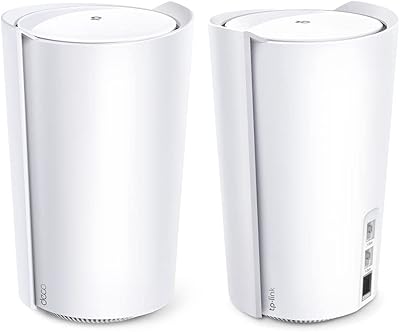
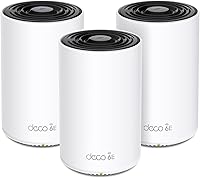
The TP-Link Deco XE70 Pro Mesh WiFi 6E System (3-Pack) arrived in early 2024 as a serious answer to whole-home coverage headaches, spreading signal across up to 7,200 square feet with three nodes working in concert. Dead zones, sluggish backhaul, and networks buckling under dozens of devices — this mesh system targets all three. Each unit ties into the TP-Link Deco app, which uses AI-driven optimization to keep traffic moving efficiently without requiring manual intervention. The 2.5G WAN/LAN ports also mean the setup is ready if your ISP bumps you to a multi-gig plan down the road.
Features & Benefits

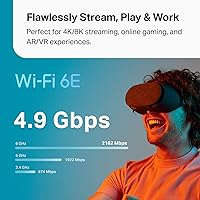
The standout technical addition here is the 6 GHz band, which provides a largely uncrowded channel for backhaul traffic and newer client devices — though you will only benefit if your phones and laptops actually support WiFi 6E. Combined across all three bands, aggregate throughput reaches 4.9 Gbps. Every node carries one 2.5 Gbps port alongside two standard Gigabit ports, so wired connections never become a chokepoint. AI roaming quietly handles device handoffs between nodes, and the HomeShield suite covers parental controls and IoT protection — though the more advanced security features sit behind a paid subscription once the trial period ends.

Best For

The Deco XE70 Pro makes the most sense for larger multi-story homes where a single router consistently leaves corners and basement rooms underserved. It suits households juggling 20 or more smart home gadgets alongside laptops, TVs, and gaming consoles — the kind of environment where congestion becomes a real daily frustration. If you have recently upgraded to a multi-gig internet plan, the 2.5G port per node lets you actually use that speed over a wired connection. Families wanting meaningful parental controls without paying for a separate third-party service will also find HomeShield's free basic tier a practical starting point.

User Feedback

Across thousands of ratings, buyers consistently highlight the straightforward app-guided setup, with most reporting a working network in under 20 minutes. Signal reach into basements and distant rooms draws repeated praise. On the critical side, several users note that wired backhaul requires manually running Ethernet between nodes — it does not activate on its own, which catches some buyers off guard. The HomeShield paywall also frustrates those who expected full security features to remain free permanently. A smaller group mentions the occasional node dropping offline and needing a manual reboot. Those without WiFi 6E devices should also know the 6 GHz band will sit largely unused.

Pros

  • Three-node coverage reaches basements and far rooms that defeat most single-router setups.
  • Every node includes a 2.5 Gbps port, making this mesh system genuinely multi-gig ready.
  • App-guided setup takes most buyers from box to working network in under 20 minutes.
  • AI roaming hands off devices between nodes quickly enough to keep streams and calls uninterrupted.
  • The free HomeShield tier includes parental controls and content filtering with no subscription required.
  • Wired backhaul between nodes is supported, giving users a real path to maximum performance.
  • The 6 GHz band keeps inter-node backhaul traffic off the bands that older devices compete on.
  • Three Ethernet ports per node means wired devices at each location are well catered for.
  • Automatic firmware updates keep the system patched without any user action needed.
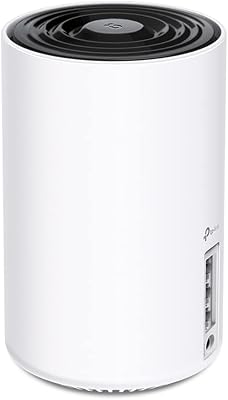
  • Compact cylindrical design sits discreetly on a shelf without dominating the room.

Cons

  • Advanced HomeShield security features require a paid subscription once the free trial ends.
  • Wired backhaul between nodes does not activate automatically — it must be enabled manually in the app.
  • Buyers without WiFi 6E client devices gain no direct benefit from the 6 GHz band.
  • A recurring minority of users report node dropouts that require a physical reboot to resolve.
  • The Deco app lacks the granular manual controls that experienced network users expect.
  • Three ports per node can feel limiting when multiple wired devices share the same location.
  • Adding a fourth node to cover unusually large or irregular properties is an extra expense.
  • Voice assistant integration covers only a narrow set of commands and rarely replaces the app.
  • Indicator lights cannot be fully disabled without navigating into the app settings.
  • Users on standard gigabit or lower ISP plans will see no practical benefit from the 2.5G WAN port.

Ratings

The TP-Link Deco XE70 Pro Mesh WiFi 6E System (3-Pack) has accumulated thousands of verified global ratings since its 2024 launch, and the scores below were generated by AI after analyzing that real-world feedback — actively filtering out incentivized reviews and bot patterns. The results reflect where this mesh system genuinely delivers and where it still leaves some buyers wanting more. Both the standout strengths and the recurring frustrations are represented transparently.

Coverage & Range
91%
Buyers in larger two-story homes and properties with thick walls consistently report that the three-node setup eliminates dead zones that defeated their previous single router. Basements and far-corner bedrooms get called out repeatedly as areas where signal strength surprised people pleasantly.
A minority of buyers with unusually large or irregularly shaped properties — think converted barns or homes over 4,000 square feet per floor — find that three nodes still leaves one wing underserved and wish a fourth node could be added more affordably.
Setup & Installation
88%
The Deco app walks users through the entire process in a clear step-by-step flow, and the majority of reviewers report having a functional network running in under 20 minutes. Even buyers who describe themselves as non-technical find the guided setup approachable without any router configuration knowledge.
Wired backhaul does not activate automatically — users who want Ethernet connections between nodes need to enable this manually in the app, and several buyers discovered this only after wondering why performance was not matching expectations. The documentation around this is not as clear as it should be.
Wi-Fi Speed & Performance
86%
Across everyday use cases like 4K streaming on multiple TVs, large file transfers to a NAS, and video calls running simultaneously, reviewers describe performance as reliably fast and consistent. The 6 GHz band keeps backhaul traffic off the channels that older devices compete for, which noticeably reduces congestion in busy households.
The 4.9 Gbps aggregate figure is a theoretical ceiling across all three bands combined, not a single-device speed. Buyers with only WiFi 5 devices see no direct benefit from the 6 GHz band, and a handful of reviewers felt the marketed speeds set expectations that real-world conditions do not consistently match.
Device Handling & Capacity
83%
Households with 30 or more connected devices — smart plugs, cameras, phones, laptops, game consoles — report that the network stays stable without the slowdowns they experienced on older routers. The AI roaming technology keeps devices connected to the right node without users needing to manually switch networks.
A small number of users with very dense smart home setups, particularly those mixing older IoT devices with newer ones, report occasional handoff delays when moving between floors. The 200-device ceiling is rarely a practical issue, but node dropout incidents suggest stability under peak load could still be tightened.
Wired Port Quality
89%
Having a 2.5 Gbps port on every single node is a genuine differentiator at this price tier. Users who have upgraded to a multi-gig ISP plan can connect their modem to any node and actually use that speed, and the two additional Gigabit ports per unit mean wired devices like desktop PCs or smart TVs are well served.
Three ports per node is adequate but feels limiting for users who want to wire multiple high-demand devices at the same location without a separate switch. There is no 10 Gbps option for those running very high-end NAS setups, which may push power users toward pricier alternatives.
App & Management Experience
81%
19%
The Deco app is widely praised for its clean layout and the ease with which users can run speed tests, set up guest networks, and assign devices to family profiles. Real-time network maps showing which devices are connected to which node are particularly appreciated by buyers who want visibility into their setup.
Advanced users occasionally find the app lacks the granular controls available in competing systems — things like manual band steering, detailed QoS per application, or VLAN configuration are either buried or absent. Power users who want full control often feel the app prioritizes simplicity at the cost of flexibility.
Security Features
68%
32%
The free HomeShield Basic tier covers fundamental protections including malicious site blocking and a basic IoT device isolation option, which is more than many mesh competitors offer without any subscription. Parental controls with time scheduling and content filtering are available without paying, which families find genuinely useful.
The more meaningful security features — advanced threat intelligence, detailed traffic analytics, and robust IoT protection profiles — sit behind a recurring HomeShield Pro subscription. This is a recurring complaint in reviews, with many buyers feeling the trial period sets expectations that the free tier does not sustain.
Node Design & Build
77%
23%
The cylindrical white design is compact enough to sit discreetly on a bookshelf or side table without drawing attention. Build quality feels solid, and the units run warm but not hot during extended operation, which reassures buyers about long-term reliability.
The design is fairly generic and closely resembles several other mesh systems on the market. A few reviewers note the indicator light cannot be fully disabled without going into the app, which is a minor but recurring annoyance in bedroom placements.
AI Roaming & Band Steering
79%
21%
For most household movement patterns — walking between floors, moving from the living room to a home office — device handoffs happen quickly enough that video calls and streams stay uninterrupted. Buyers upgrading from systems without AI roaming notice the difference immediately.
The AI steering algorithm can occasionally be slow to release a device from a distant node when a closer one is clearly stronger. A handful of users with large homes note that a laptop near one node sometimes stays attached to a farther node for longer than expected before the system corrects.
Value for Money
74%
26%
At its price point, the combination of WiFi 6E, 2.5G ports on every node, and three units in the box is a competitive package. Buyers comparing it against similarly specced systems from Eero or Netgear consistently view the per-node cost as reasonable for the hardware on offer.
The HomeShield subscription requirement to unlock the full security feature set adds an ongoing cost that some buyers did not factor in at purchase. Those who find they need a fourth node for complete coverage face an additional expense that pushes the total investment higher than initial marketing suggests.
Multi-Gig ISP Compatibility
87%
Users who have subscribed to 2 Gbps or higher ISP tiers find this mesh system one of the few in its price range that can actually accept and distribute those speeds at the WAN port. Connecting the primary node directly to a compatible modem and running a wired speed test yields results that justify the infrastructure upgrade.
Getting the most out of the 2.5G WAN port requires a compatible modem and ISP plan, which not all buyers have yet. Users on standard gigabit or lower plans will not notice any practical difference from this port over a standard Gigabit connection.
Parental Controls
78%
22%
Time scheduling, per-device content filtering, and the ability to pause internet access for specific profiles are all available on the free tier. Parents managing screen time for younger children find the profile-based controls intuitive enough to use daily without logging into a web interface.
The free content filtering categories are fairly broad and lack the fine-tuned controls that dedicated parental control platforms offer. Families looking for detailed activity logs or app-level restrictions will hit the limits of HomeShield Basic and need to consider the paid tier.
Wireless Backhaul Stability
76%
24%
In configurations where running Ethernet between nodes is not practical, the wireless backhaul on the 6 GHz band keeps inter-node communication off the congested 2.4 and 5 GHz bands. For most typical home layouts, this translates to backhaul speeds that do not become the bottleneck.
Wireless backhaul performance degrades noticeably when nodes are placed more than two rooms apart or separated by multiple walls. The occasional node dropout that a minority of users report appears most frequently in wireless backhaul configurations, suggesting the connection between nodes is not as resilient as the wired alternative.
Voice Assistant Integration
71%
29%
Alexa and Google Assistant compatibility allows users to check network status, run speed tests by voice, and toggle guest network access without opening the app. For households already deep in a smart home ecosystem, this feels like a natural extension of their existing setup.
Voice control is limited to a narrow set of commands and is not something most buyers end up using regularly after the initial novelty. Network management tasks complex enough to matter — adjusting QoS, troubleshooting a dropped node — still require opening the Deco app regardless.
Long-Term Reliability
73%
27%
The majority of buyers who have run this system for six months or more report stable, consistent performance without needing firmware intervention. Automatic firmware updates through the app keep the system patched without requiring manual action from the user.
The minority of users experiencing node dropouts report that the issue persists across firmware updates, pointing to either a hardware-level instability or a software bug that has not been fully resolved. For a device expected to run unattended for years, occasional manual reboots are a friction point that erodes long-term confidence.

Suitable for:

The TP-Link Deco XE70 Pro Mesh WiFi 6E System (3-Pack) is built for households where a single router has never quite cut it — think two-story homes, split-level layouts, or any space where the garage, basement, or back bedroom always seems to have a weak signal. If your household regularly has 20 or more devices competing for bandwidth at once — smart home sensors, streaming sticks, phones, tablets, gaming consoles, and a work laptop or two — this mesh system handles that load without the congestion that trips up older hardware. Buyers who have recently upgraded to a multi-gig ISP plan will appreciate that every node carries a 2.5 Gbps port, meaning the wired connection to your modem or a desktop PC can actually match your ISP speed tier. Gamers and 4K streamers who need consistent, low-latency performance across different rooms — not just next to the router — will find the AI roaming keeps their connection stable as they move around. Families looking for built-in parental controls without paying for a separate app will also get meaningful value from HomeShield's free tier.
Not suitable for:

Buyers expecting a fully-featured security suite included in the purchase price should pause before committing, because the TP-Link Deco XE70 Pro Mesh WiFi 6E System (3-Pack) gates its more advanced HomeShield protections — detailed threat analytics, enhanced IoT device management, and granular activity reports — behind a recurring subscription after the trial expires. If your device lineup is mostly older WiFi 5 or WiFi 4 hardware, you will not see any direct speed benefit from the 6 GHz band, which makes part of what you are paying for effectively unused for now. Power users who want deep manual control — custom VLAN configurations, per-application QoS tuning, or advanced routing rules — will find the Deco app too simplified for their needs and may be better served by prosumer alternatives. Apartment dwellers or anyone in a smaller single-floor home under 1,500 square feet do not need three nodes and would likely get better value from a single high-performance router at a lower price point. Finally, anyone prone to frustration with occasional hardware quirks should know that a small but consistent portion of buyers report node dropouts that require manual reboots, which is not ideal for a set-and-forget home network.

Specifications

  • WiFi Standard: This system uses WiFi 6E (802.11ax), which adds the 6 GHz band to the existing 2.4 and 5 GHz bands supported by prior WiFi 6 hardware.
  • Band Configuration: Tri-band architecture covers three simultaneous radio bands: 2.4 GHz, 5 GHz, and 6 GHz, allowing backhaul and client traffic to share the spectrum more efficiently.
  • Max Throughput: Combined aggregate wireless throughput across all three bands reaches up to 4.9 Gbps under ideal lab conditions.
  • Coverage Area: The 3-pack is rated for up to 7,200 sq ft of total coverage, with each individual node contributing approximately 2,400 sq ft under typical home conditions.
  • Device Capacity: The mesh network supports up to 200 simultaneously connected devices across all nodes.
  • Ethernet Ports: Each node includes one 2.5 Gbps port and two standard Gigabit Ethernet ports, for a total of three wired connections per unit.
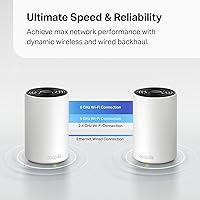
  • Backhaul Support: Both wireless backhaul via the 6 GHz band and wired Ethernet backhaul are supported, with wired backhaul requiring manual activation through the Deco app.
  • Processor: Each node runs on a 1 GHz dual-core processor to handle routing, AI mesh optimization, and security tasks concurrently.
  • Security Suite: HomeShield Basic is included at no cost and covers fundamental protections; the advanced HomeShield Pro tier with full threat analytics and IoT management requires a paid subscription.
  • App Compatibility: The Deco app is available for both iOS and Android and is required for initial setup, node management, and HomeShield configuration.
  • Voice Assistants: Each node is compatible with Amazon Alexa and Google Assistant for basic voice-activated network management commands.
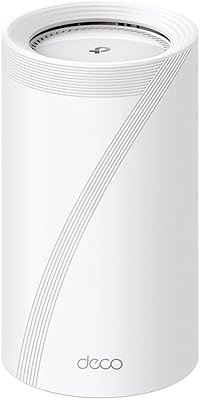
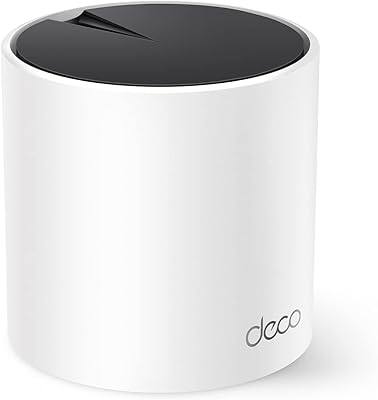
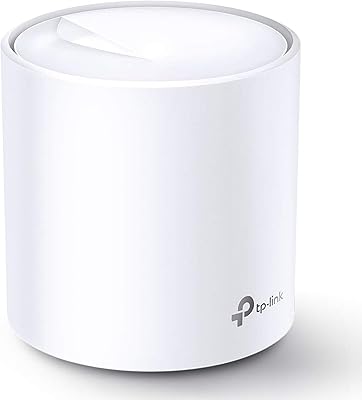
  • Node Dimensions: Each individual node measures 4.1 x 4.1 x 6.7 inches, in a cylindrical upright form factor finished in white.
  • System Weight: The complete 3-pack weighs 3.24 pounds in total across all three units.
  • Pack Contents: The box includes three mesh nodes, three power adapters, one Ethernet cable, and one printed installation guide.
  • Operating Modes: The system supports router mode and access point mode, allowing it to integrate into existing network setups without replacing a current router.
  • Wireless Standards: Backward compatibility extends to 802.11b, 802.11g, 802.11n, and 802.11ac, ensuring older client devices can still connect to the network.
  • Color: All three nodes ship in white only; no alternative color options are currently offered for this model.
  • Release Date: The Deco XE70 Pro 3-pack was first made available in March 2024.

Related Reviews
TP-Link Deco XE75 WiFi 6E Mesh System
86%
91%
Performance and Speed
96%
Setup and Installation
89%
WiFi Coverage
72%
Compatibility
85%
AI-Driven Mesh Technology
More
TP-Link Deco S4 Mesh WiFi System (2-Pack)
87%
91%
Wi-Fi Coverage
88%
Performance Stability
94%
Ease of Setup
90%
Parental Controls
85%
Device Support
More
TP-Link Deco BE95 WiFi 7 Mesh System (2-Pack)
87%
92%
WiFi Coverage
89%
Ease of Setup
91%
Performance (Speed)
88%
Reliability
87%
Security Features (HomeShield)
More
TP-Link Deco X95 WiFi 6 Mesh System
86%
92%
Performance
95%
Coverage
82%
Setup/Installation
80%
App Experience
88%
Multi-device Support
More
TP-Link Deco X20 WiFi 6 Mesh System
86%
92%
Ease of Setup
89%
Wi-Fi Coverage
86%
Device Connectivity
83%
Speed Performance
88%
Parental Controls
More
TP-Link Deco BE75 WiFi 7 Mesh System
85%
94%
Performance
88%
Ease of Setup
91%
Security Features
92%
Coverage & Range
79%
Value for Money
More
TP-Link Deco BE63 WiFi 7 Mesh System
89%
94%
Overall Performance
93%
WiFi Coverage
91%
Device Capacity Handling
88%
Setup & Installation
90%
App Experience
More
TP-Link Deco X55 WiFi 6 Mesh System
85%
88%
WiFi Performance
85%
Coverage Area
91%
Ease of Setup
84%
App Experience
89%
Ethernet Backhaul
More
TP-Link Deco BE85 WiFi 7 Mesh System
87%
89%
Wi-Fi Performance
91%
Setup Process
85%
Coverage and Range
93%
Security Features
78%
Device Compatibility
More
TP-Link Deco M5 Mesh WiFi Router 1-Pack
86%
88%
Performance
93%
Setup Ease
85%
Coverage Range
91%
Security Features
77%
App Experience
More
TP-Link Deco X68 Tri-Band Mesh WiFi 6 System
85%
88%
Coverage Performance
91%
Ease of Setup
85%
Wi-Fi Speed & Efficiency
86%
Connectivity for Multiple Devices
90%
Security Features
More

FAQ

Not necessarily, but the 2.5 Gbps WAN port is most useful if your ISP offers a plan faster than 1 Gbps — sometimes called a multi-gig tier. If you are on a standard 500 Mbps or 1 Gbps plan, a regular Gigabit connection to your modem will work fine and you will not notice any difference. That said, having the port ready means you will not need new hardware if you upgrade your ISP plan later.

Yes, the mesh system is backward compatible with older WiFi standards including WiFi 5, WiFi 4, and earlier, so your existing devices will connect without any issues. The only thing worth knowing is that older devices cannot use the 6 GHz band — that band requires a WiFi 6E or WiFi 7 capable device. Your older hardware will connect on the 2.4 or 5 GHz bands just as it always has.

Wired backhaul means running an Ethernet cable between two nodes instead of relying on the wireless connection between them. It significantly improves the speed and stability of inter-node communication, which is especially valuable if you place nodes far apart or through multiple walls. It does not activate automatically — you need to connect the cable and then enable it in the Deco app under backhaul settings. If you can run a cable between at least two nodes, it is worth doing.

There are two tiers. HomeShield Basic is genuinely free and covers things like malicious site blocking, basic parental controls with time scheduling, and a simple network overview. HomeShield Pro, which adds advanced threat protection, detailed traffic reports, and more granular IoT device management, requires a paid subscription after a free trial period ends. You will not lose your basic protections if you decline the subscription, but the more sophisticated features do go away.

Absolutely. You can start with one node as a standard router and add the other units later as your coverage needs grow. The Deco app handles the expansion process, and you simply place the additional node, power it on, and let the app recognize and integrate it into your existing network.

For a 2,500 sq ft home, three nodes is actually more than enough, and you may find two nodes placed strategically cover the space comfortably. The rated 7,200 sq ft figure is based on open-plan lab conditions, so real-world coverage per node in a home with walls, floors, and furniture will be somewhat less. For a 2,500 sq ft single-level home, two nodes handle it well; the third gives you a strong signal buffer for tricky spots like a detached garage or finished basement.

The Deco app sends a notification when a node loses connection, and the network map view shows which nodes are active. If a node drops, a simple power cycle — unplugging it for 30 seconds and plugging it back in — resolves the issue for most users. A small number of buyers report this happening occasionally with wireless backhaul configurations; switching to wired backhaul where possible tends to reduce the frequency of dropouts.

It can do either. In router mode, you plug the primary node directly into your modem and it takes over all routing duties, which gives you the cleanest setup and avoids double-NAT issues. In access point mode, it sits behind your existing router and handles wireless distribution only. Most users get better performance running it in router mode and putting their ISP gateway into bridge or passthrough mode if possible.

Setup is genuinely straightforward for most people. You download the Deco app, create an account, plug the first node into your modem, and follow the on-screen steps. The whole process typically takes 15 to 20 minutes. The app identifies each additional node automatically once powered on. Users who have never configured a router from scratch consistently report getting through it without needing outside help.

Yes, you can create a guest network for visitor devices and use HomeShield's parental control profiles to assign specific devices to a child profile with content filtering and scheduled access limits. For IoT devices, placing them on a separate guest SSID is a common approach that keeps smart home gadgets isolated from your main computers and phones — this is available on the free HomeShield Basic tier without any subscription.