Overview

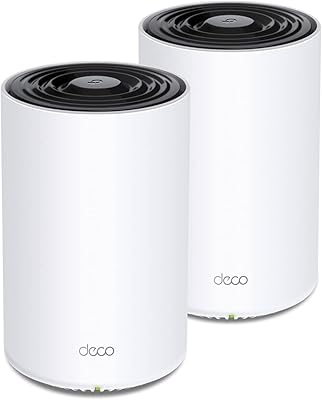
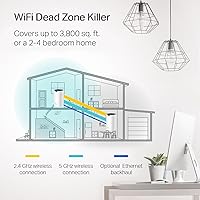
The TP-Link Deco S4 2-Pack Mesh WiFi System is a practical, no-nonsense solution for homeowners tired of dead zones but not interested in paying flagship prices. Unlike a single router that runs out of signal before reaching the garage or upstairs bedroom, a mesh system spreads coverage across multiple interconnected nodes — all sharing one network name. TP-Link has a long track record in home networking, and this kit reflects that grounded reliability. It covers homes up to around 3,800 square feet under ideal conditions, though real-world results vary by layout and wall materials. Strong mid-range value, but not built for power users chasing cutting-edge throughput.
Features & Benefits

The Deco S4 2-pack runs on the AC1900 dual-band standard — not the newest technology available, but more than adequate for streaming, video calls, and everyday browsing across a busy household. Its 3x3 MU-MIMO configuration handles multiple devices simultaneously rather than taking turns, which matters when phones, laptops, and smart speakers are all online at once. One real advantage over old-school extenders: every node shares the same network name, so your phone never gets stuck clinging to a weak signal in another room. Both units include two Gigabit Ethernet ports, and wiring the nodes together creates a wired backhaul that noticeably improves throughput. The app-guided setup is beginner-friendly, and built-in parental controls require no paid subscription.

Best For

This mesh WiFi system makes the most sense for homeowners with a medium-sized home and a router that has never quite reached the back bedroom, home office, or garage. Families who want simple, built-in screen-time controls without paying for a third-party service will also find it a natural fit. Anyone still running an older N-standard router will notice a genuine improvement in both speed and reliability. That said, this TP-Link mesh kit is not the right call for households with heavy 4K streaming across multiple screens, serious online gaming, or complex multi-story layouts — those demands typically call for a Wi-Fi 6 system or a three-node setup at minimum.

User Feedback

With over 30,000 ratings averaging 4.4 stars, this mesh WiFi system has clearly earned its reputation among everyday buyers. The most consistent praise centers on easy setup — most people report having the network running in under 15 minutes — and a genuine reduction in the dead zones their older routers left behind. On the critical side, a notable number of users push back on the requirement to create a TP-Link account just to get started, which feels unnecessary to privacy-conscious buyers. Owners of larger or multi-story homes occasionally find the 2-pack falls short, and some note that firmware updates have slowed over the product's lifespan. Still, the overall satisfaction rate is hard to argue with for a mid-range mesh kit.

Pros

  • Setup takes under 20 minutes with straightforward app guidance — no networking knowledge required.
  • Eliminates dead zones in typical medium-sized homes far more effectively than a single router or basic extender.
  • One network name throughout the house means devices connect automatically to the strongest node.
  • Built-in parental controls include time scheduling and content filtering with no extra subscription cost.
  • Wired Ethernet backhaul support lets you run a cable between nodes for noticeably better inter-node speeds.
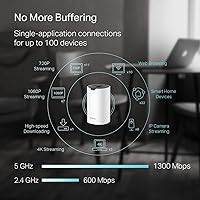
  • Supports up to 75 devices simultaneously, covering busy households with plenty of headroom.
  • Compatible with virtually all major US internet providers straight out of the box.
  • Alexa integration lets you toggle guest WiFi on and off without opening the app.
  • Each unit doubles as an access point, giving you flexible placement and future expandability.
  • A 4.4-star average across more than 30,000 buyer reviews reflects consistently reliable real-world performance.

Cons

  • Mandatory TP-Link account creation is required just to complete setup — no local-only option available.
  • AC1900 dual-band technology is aging; households with heavy streaming or gaming demands will feel the ceiling.
  • Real-world coverage in homes with thick walls or complex layouts often falls short of the advertised 3,800 sq. ft.
  • Firmware update frequency has slowed over time, raising questions about long-term software support.
  • Large or multi-story homes frequently need a third node, which adds to the total cost.
  • No Wi-Fi 6 support means this mesh kit cannot take advantage of newer device capabilities.
  • The Deco app requires an active internet connection for initial configuration, which can complicate certain setups.
  • Tri-band backhaul is absent, so wireless backhaul competes with client traffic on the same bands.

Ratings

Our AI-generated scores for the TP-Link Deco S4 2-Pack Mesh WiFi System are derived from deep analysis of thousands of verified buyer reviews collected globally, with spam, bot-generated, and incentivized submissions actively filtered out before any scoring is applied. Each category reflects the complete picture — the genuine strengths that earned this kit its loyal following and the real frustrations a meaningful share of buyers encountered along the way. Nothing here is softened or cherry-picked; both the highs and the honest pain points are transparently represented.
Setup & Installation
91%
The app-guided setup process is one of the most consistently praised aspects of this mesh kit — most households report being fully online within 15 to 20 minutes, with clear visual prompts that require absolutely no networking background. For buyers replacing a router for the first time, the experience is genuinely confidence-building rather than intimidating.
The mandatory TP-Link account registration requirement before setup can proceed catches many buyers off guard, particularly those who expected a fully local configuration like a traditional router. A smaller number of users on older Android devices also reported occasional app instability during the initial pairing flow.
Coverage & Range
74%
26%
In open-plan, single-story homes and ranch-style layouts, the Deco S4 2-pack genuinely delivers on its coverage promise, with buyers reporting strong signal reaching outdoor patios, attached garages, and back bedrooms that their previous router never reliably served. The improvement over a single router setup is real and immediately noticeable for most mid-sized homes.
The advertised 3,800 sq. ft. figure assumes favorable open-plan conditions that most real homes simply do not have — thick walls, multiple floors, and dense furniture all chip away at usable range in practice. Buyers in two-story homes or older construction frequently note that the 2-pack falls just short, and a third node becomes a practical necessity rather than an optional upgrade.
Connection Stability
83%
Day-to-day reliability is where this mesh kit earns much of its goodwill — buyers repeatedly describe a network that simply stays on, with far fewer random drops than the single-router or extender setups they replaced. For households doing remote work or regular video calls, the difference in consistency across multiple rooms is immediately apparent.
A smaller but persistent segment of users reports occasional node disconnections requiring a manual reboot to resolve, particularly following firmware updates. These incidents appear more frequent in setups where the secondary node is positioned near the outer edge of its wireless range, suggesting placement sensitivity is a real factor.
Value for Money
88%
Among buyers who shopped this price tier, the consensus is that this mesh system overdelivers relative to what a comparable single router would cost — especially when you factor in built-in parental controls, a polished management app, and solid multi-device support included at no extra charge. For families upgrading from an aging router, the jump in capability feels substantial for the outlay.
The value equation weakens if your home ends up requiring a third node for full coverage, since the per-unit cost accumulates quickly. Several buyers also note that Wi-Fi 6 mesh systems have drifted down to comparable price points in recent months, making the cost-to-technology ratio feel less sharp than it did when this kit first launched.
App Experience
72%
28%
For a home networking app, the Deco interface is genuinely approachable — real-time device lists, built-in speed tests, parental control dashboards, and guest network management are all accessible without ever touching a router admin page. Buyers who have used competitor apps frequently note that the Deco app compares favorably for everyday household usability.
The hard dependency on a cloud account for setup and ongoing management is a consistent friction point, and some users feel genuinely uneasy that their router's basic functionality is tied to TP-Link's servers remaining available. Scattered reviews also mention the app occasionally forcing re-login or losing saved preferences after software updates.
WiFi Performance
69%
31%
For the majority of household tasks — HD and 4K streaming on one or two screens, video conferencing, and general browsing — the AC1900 dual-band speeds are more than sufficient and hold up comfortably. Users upgrading from older N-standard hardware notice a clear jump in throughput that makes the whole home network feel noticeably more responsive.
Under heavier simultaneous loads — multiple 4K streams, large file transfers, and active gaming running concurrently — the AC1900 ceiling becomes apparent and per-device speeds fall more than users anticipate. This system was not designed for high-demand environments, and pushing it into those conditions reveals its limits faster than buyers often expect.
Parental Controls
78%
22%
Built-in and subscription-free, the parental controls cover the essentials that most families genuinely need — daily screen time limits per child profile, content category blocking, and the ability to pause internet access instantly from the app. Parents managing younger kids find it practical and usable without needing any technical background to configure.
Users seeking more granular control — per-app blocking, detailed browsing logs, or bandwidth throttling per device — will find the feature set surface-level compared to dedicated parental control platforms or higher-end routers. Category-level filtering rather than real-time content inspection also means some edge-case inappropriate content can still pass through unblocked.
Device Capacity
81%
19%
Supporting up to 75 simultaneous connections makes this system a comfortable fit for households running a full ecosystem of smart home devices alongside phones, tablets, and computers. Buyers with 20 to 40 connected devices — a realistic count for a modern family home — report no noticeable performance degradation under typical usage patterns.
As device counts climb toward the upper limit, particularly in homes with multiple security cameras, smart TVs, and several users all actively streaming at once, real-world per-device throughput starts to slip. The system handles sheer connection breadth well but struggles with depth when a large share of connected devices simultaneously demand meaningful bandwidth.
Design & Build Quality
76%
24%
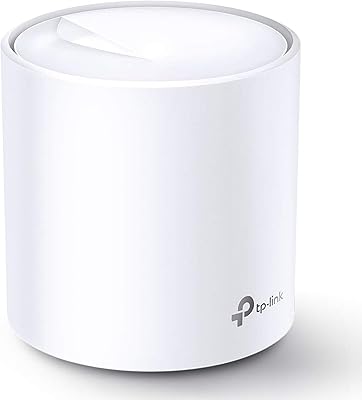
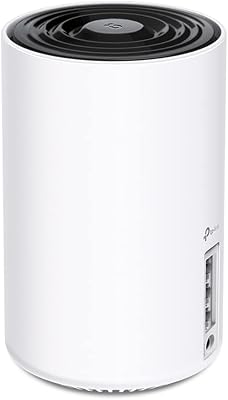
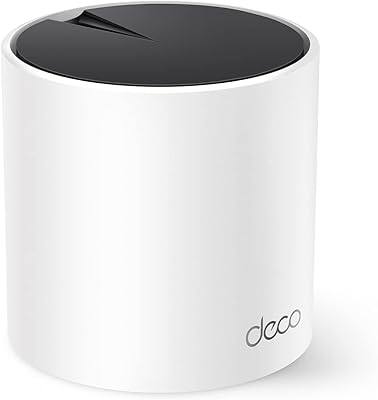
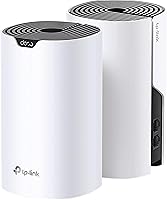
The compact cylindrical tower design sits unobtrusively on a bookshelf or side table, and the availability of both black and white finishes means the units blend into most living spaces far better than the antenna-covered routers they typically replace. Buyers regularly mention the low visual footprint as a welcome improvement over what they had before.
The plastic casing feels standard for the price tier — functional, but not particularly premium in the hand. Several users note the units run noticeably warm under sustained load, and while this does not appear to cause operational problems in the short term, it raises mild questions about component longevity for hardware that runs continuously around the clock.
Wired Connectivity
83%
Having two Gigabit Ethernet ports per node is a practical feature that many buyers undervalue until they actually use it — hardwiring a smart TV or desktop directly to the nearest node rather than routing everything over WiFi produces a noticeably more stable connection for bandwidth-intensive tasks. The option to run a wired cable between nodes for Ethernet backhaul is a genuine performance upgrade for those willing to route a cable.
Two ports per unit is workable but limiting if you want to connect more than one wired device at a given node location without adding an external switch. Advanced users expecting VLAN support, managed LAN configuration, or granular port settings will find none of that available through the standard Deco interface.
Smart Home Integration
67%
33%
Alexa integration works reliably within its defined scope — toggling the guest network on or off by voice is a small but genuinely useful convenience for households that host guests regularly. The system also handles the density of IoT devices a typical smart home generates without requiring manual band assignment or steering from the user.
Beyond Alexa, the smart home integration story is notably thin — there is no native Google Home or Apple HomeKit support, and no local API is exposed for platforms like Home Assistant or Hubitat. Buyers with more sophisticated home automation setups will find the Deco ecosystem fairly closed compared to alternatives at a similar price point.
Privacy & Accounts
47%
53%
Once initial setup is complete, routine network management does not require constant cloud interaction — basic tasks like viewing connected devices and running speed tests function normally through the app. TP-Link does maintain a published privacy policy and has stated it does not sell user data, providing at least a baseline level of formal transparency.
Requiring a mandatory cloud account just to configure home networking hardware is a structural privacy concern that goes well beyond inconvenience — router configuration and network metadata pass through TP-Link servers by default, with no fully local or cloud-independent operating mode documented or available. For privacy-focused buyers, this is a hard dealbreaker that no amount of setup convenience offsets.
Firmware Support
58%
42%
During its first couple of years on the market, the Deco S4 received a reasonable cadence of firmware updates covering stability improvements and minor feature additions to the platform. The update process itself is handled automatically through the app, requiring no manual intervention or technical steps from the user.
Long-term firmware support sentiment has turned noticeably negative as the product has aged — update frequency has tapered off, and security patches that reached newer Deco models have sometimes arrived later or more inconsistently for the S4. Buyers who plan to run networking hardware for five or more years should factor in the real possibility that meaningful support winds down sooner than expected.
Network Roaming
86%
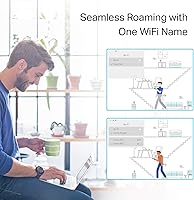
Single-SSID roaming is one of the most consistently praised aspects of this TP-Link mesh kit among buyers switching from extender setups — walking from the kitchen to the upstairs home office no longer means a dropped connection and a manual network switch. The hand-off between nodes happens quietly in the background without any action needed from the user.
Roaming is handled entirely by the system with minimal manual control, which frustrates technically inclined users who want to pin specific devices to a particular node or frequency band. In homes where the two nodes are placed at greater distances, the transition zone can feel sluggish, with some devices clinging to a weaker node longer than they should before switching over.

Suitable for:

The TP-Link Deco S4 2-Pack Mesh WiFi System is an excellent pick for homeowners who are done fighting with a single router that leaves the back bedroom, garage, or upstairs hallway without a usable signal. If your household runs 10 to 40 connected devices — phones, laptops, smart TVs, thermostats — and you just want everything to work without thinking about it, this kit delivers that reliably. Families with kids will appreciate the built-in parental controls, which let you set screen time limits and filter content by profile without signing up for a separate subscription service. It also suits anyone upgrading from an aging N-standard router or a traditional extender setup that forces you to manually switch between network names as you walk around the house. Renters and buyers in homes up to around 3,500 square feet with standard construction will generally find the 2-pack sufficient, and the app-guided setup means you do not need any technical background to get running in under 20 minutes.
Not suitable for:

If your household revolves around competitive online gaming, simultaneous 4K streaming on multiple screens, or bandwidth-heavy workflows like large file transfers across multiple devices, this TP-Link mesh kit will likely leave you wanting more — the AC1900 standard is capable but not built for that level of sustained demand, and Wi-Fi 6 systems have meaningfully better throughput and latency under load. Buyers with very large homes, complex multi-story layouts, or properties with thick concrete or brick walls should also temper their expectations; the 2-pack may not blanket those spaces adequately, and adding a third node becomes a real consideration. Privacy-minded users who are uncomfortable creating a cloud account just to complete the initial router setup will find that friction frustrating, as the Deco app requires registration to function. Anyone seeking the absolute latest wireless technology or expecting long-term firmware support well into the future may also want to look at newer-generation alternatives, since this product line has been available since 2020 and update cadence has reportedly tapered off.

Specifications

  • WiFi Standard: The system operates on the 802.11a/b/g/n/ac (AC1900) standard across both 2.4 GHz and 5 GHz dual-band frequencies.
  • Coverage Area: The 2-pack configuration is rated for up to 3,800 sq. ft. of coverage under open-plan, ideal conditions.
  • Max Devices: The system supports simultaneous connectivity for up to 75 client devices spread across both nodes.
  • Ethernet Ports: Each unit includes 2 Gigabit Ethernet ports, yielding 4 total wired ports across the full 2-pack.
  • Backhaul Support: Wired Ethernet backhaul is supported, enabling a physical cable link between nodes to reduce wireless congestion and improve throughput.
  • Stream Config: The 3×3 MU-MIMO configuration allows the system to serve multiple devices simultaneously rather than handling them one at a time.
  • Unit Dimensions: Each individual Deco S4 node measures 3.57 × 3.57 × 6.39 inches (approximately 9.1 × 9.1 × 16.2 cm).
  • Kit Weight: The complete 2-pack kit, including both units and included accessories, weighs 2.94 pounds total.
  • Management App: The system is fully configured and managed through the TP-Link Deco app, available for both iOS and Android devices.
  • Voice Control: Amazon Alexa integration is supported for voice-activated functions, including toggling the guest WiFi network on and off.
  • Parental Controls: Built-in parental controls offer per-profile content filtering and daily screen time scheduling with no additional subscription required.
  • Operating Modes: Each node can function as either a primary router or a secondary access point, offering flexible placement and deployment options.
  • ISP Compatibility: The system works with all major US internet service providers, though a separate modem is required for most cable and DSL connections.
  • Color Options: The Deco S4 units are available in both Black and White finishes to better blend into different home environments.
  • In-Box Contents: The kit includes 2 Deco S4 units, 1 RJ45 Ethernet cable, 2 power adapters, and a printed quick installation guide.

Related Reviews

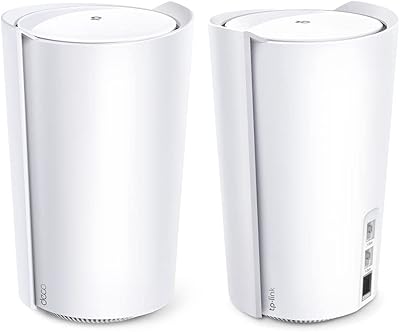
TP-Link Deco BE95 Wi-Fi 7 Mesh System 2-Pack
78%
88%
Wireless Performance
83%
Coverage & Range
93%
Wired Connectivity
86%
Setup & Installation
79%
App & Management Experience
More
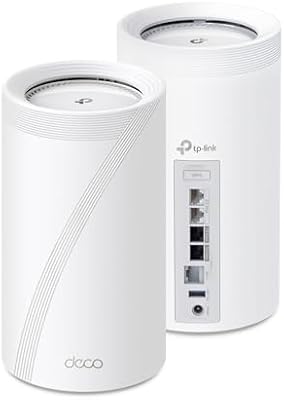
TP-Link Deco BE85 WiFi 7 Mesh System
76%
84%
Wireless Performance
93%
Wired Port Selection
67%
Mesh Coverage
76%
Setup & App Experience
82%
Build Quality & Design
More
TP-Link Deco X20 1-Pack Mesh WiFi System
78%
93%
Ease of Setup
71%
Coverage Reliability
84%
Multi-Device Performance
88%
App Experience
86%
Parental Controls
More
TP-Link Deco X95 2-Pack Mesh WiFi System
76%
83%
Coverage & Range
81%
Network Performance
88%
Setup & Installation
71%
App Experience
67%
Value for Money
More
TP-Link Deco BE63 2-Pack Mesh WiFi System
82%
91%
Coverage & Range
86%
Network Speed
93%
Setup & Installation
78%
App Experience
89%
Wired Port Flexibility
More
TP-Link Deco XE75 Mesh WiFi System 1-Pack
77%
91%
Setup Experience
78%
WiFi Coverage
83%
Real-World Speed
62%
6 GHz Band Utility
86%
Multi-Device Performance
More
TP-Link Deco BE75 WiFi 7 Mesh System
85%
94%
Performance
88%
Ease of Setup
91%
Security Features
92%
Coverage & Range
79%
Value for Money
More
TP-Link Deco X55 1-Pack Mesh Wi-Fi System
81%
91%
Ease of Setup
84%
WiFi Speed & Throughput
78%
Coverage Reliability
72%
App & Management Experience
88%
Value for Money
More
TP-Link Deco M5 Mesh WiFi Router 1-Pack
86%
88%
Performance
93%
Setup Ease
85%
Coverage Range
91%
Security Features
77%
App Experience
More
TP-Link Deco X68 2-Pack Mesh WiFi System
76%
91%
Setup Experience
78%
WiFi Coverage
83%
Network Performance
74%
App & Management
58%
HomeShield Value
More

FAQ

This mesh kit replaces your router, not your modem. If your internet comes in via cable or DSL, you will need to keep your existing modem and plug the primary Deco node into it via Ethernet. The one exception is if your ISP provides a combined modem-router unit — in that case, you can run the Deco nodes in access point mode instead.

Yes, and it is worth knowing before you buy. The Deco app requires a TP-Link account registration to complete the initial setup, even if you never plan to manage the network remotely. There is no fully local, account-free setup path available. It is one of the more consistently mentioned friction points among buyers, so if that kind of cloud dependency bothers you, factor it in.

Absolutely. The Deco system is built to expand, and individual Deco S4 units are sold separately so you do not have to buy another full 2-pack. You add the extra node through the same app you used originally, and it joins the existing mesh network automatically. Owners of larger or multi-story homes often find a third node makes a meaningful difference.

A traditional extender broadcasts a separate network with a different name, and your devices tend to cling to it even when the signal is poor — forcing you to switch manually. This TP-Link mesh kit runs everything under a single network name, and your devices automatically hand off to whichever node offers the strongest signal as you move through the house. It is a fundamentally cleaner, more reliable experience, especially across multiple rooms or floors.

Yes, and it is one of the more practical aspects of this system. Each node has two Gigabit Ethernet ports, so you can hardwire a smart TV, gaming console, desktop, or network switch directly to whichever node is closest. You can also use one port on each node to run a physical Ethernet cable between them, creating a wired backhaul that frees up wireless bandwidth for your other devices.

The TP-Link Deco S4 2-Pack Mesh WiFi System uses the AC1900 (Wi-Fi 5) standard, which is one generation behind the Wi-Fi 6 systems now available at comparable price points. For everyday use — HD streaming, video calls, browsing, and a moderate number of smart home devices — it handles things well. Where it starts to feel limited is under heavy simultaneous load, like multiple 4K streams or a house full of active users. If that is your reality, stepping up to a Wi-Fi 6 mesh system is worth considering.
Most buyers report being fully up and running within 15 to 20 minutes. The Deco app walks you through every step — connecting the first node to your modem, creating your network name and password, and then positioning the second node. It even gives you a live signal strength indicator to help you find a good placement spot. There are no router configuration pages or command-line steps involved.

No — only the devices connected to or near that node will lose their signal. The primary node, which is the one plugged into your modem, keeps working normally. Once the second node powers back on, it rejoins the mesh automatically without any manual steps on your end.

Out of the box, the Deco S4 officially supports Amazon Alexa for voice commands like switching the guest network on or off. Native Google Assistant support is not advertised for this product. If Google Assistant compatibility is important to your smart home setup, it is worth checking the current TP-Link app documentation, since integrations can sometimes be added through firmware updates.

They are more capable than a simple on-off switch. Through the Deco app, you can create individual profiles for each family member, set daily time limits per profile, and block content categories like adult sites or social media. It is not as granular as a dedicated parental control router or a premium subscription service, but for most families it covers the essentials without any added monthly cost.

Where to Buy