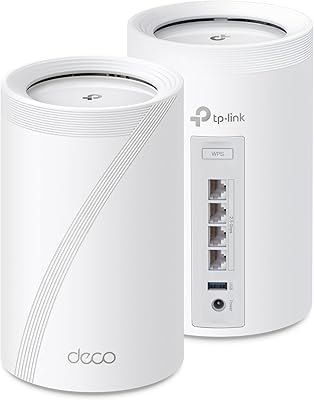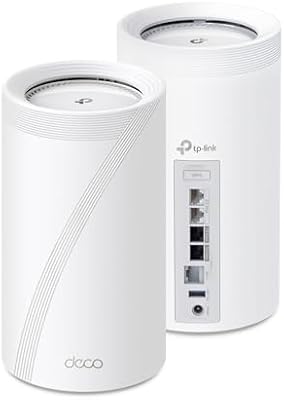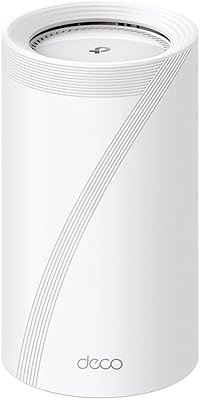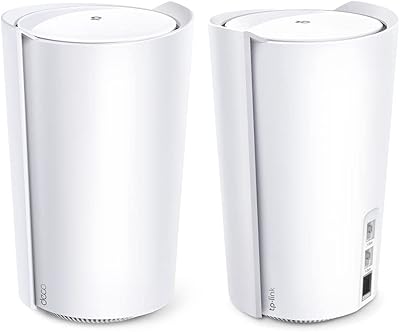


Overview

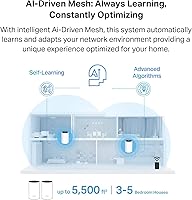
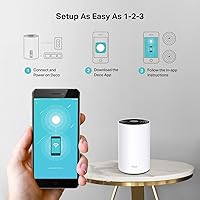
The TP-Link Deco X68 2-Pack Mesh WiFi System is a solid mid-range upgrade for households that have had enough of dead zones and spotty signals in distant rooms. The 2-pack is designed to cover homes up to 5,500 square feet — realistic for most houses, though real-world results depend heavily on walls, floors, and layout. WiFi 6 (802.11ax) is the underlying standard, and practically speaking, it means the network handles more devices connecting simultaneously without slowing to a crawl. App-based setup shapes the whole experience from the moment you unbox it, so comfort with a smartphone is essentially a requirement.

Features & Benefits

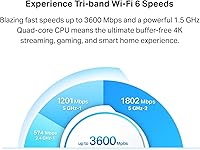
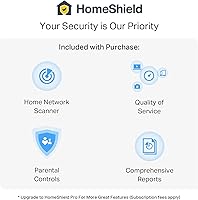
The tri-band AX3600 design is what separates this mesh system from cheaper two-band options. Two dedicated 5 GHz bands mean one can act as a private backhaul channel — the highway nodes use to talk to each other — while the other serves your devices directly, avoiding speed penalties. OFDMA and MU-MIMO let the router handle multiple device requests in parallel, which makes a noticeable difference when several people are streaming or on video calls at once. The system's AI-driven optimization quietly learns your home's traffic patterns over time. Worth noting: the HomeShield security suite offers parental controls and IoT scanning for free, but more advanced features sit behind a paid subscription tier.

Best For

The Deco X68 2-pack makes the most sense for homeowners with spaces in the 2,000 to 5,500 square foot range — particularly multi-story houses or older buildings where thick walls tend to kill WiFi signals before they reach the back bedroom. It also works well for households juggling 20 or more connected devices: smart TVs, gaming consoles, phones, security cameras, the works. Families who want basic content filtering and a straightforward dashboard without reading a technical manual will appreciate how approachable this TP-Link mesh setup is. That said, if you need VLANs, granular firewall rules, or prefer managing your router without cloud dependency, this system will likely frustrate you.

User Feedback

Across roughly 1,366 ratings, this mesh WiFi system holds a 4.4-star average — and the sentiment is fairly consistent. Most buyers highlight how quickly everything came together, with the Deco app drawing particular praise for walking non-technical users through setup without confusion. Coverage improvements are the other consistent win, especially from people replacing a router-plus-extender combo. Where things get more mixed: several reviewers were surprised to find that features advertised during setup, like advanced parental controls and detailed reporting, are gated behind a HomeShield subscription. Cloud-dependent setup is also a sticking point for privacy-minded users. Long-term reliability appears solid for most, though some mention firmware updates occasionally causing brief connectivity hiccups.

Pros

  • WiFi 6 support means the network holds up well when multiple people stream, game, and video call at the same time.
  • The dedicated backhaul band keeps node-to-node communication fast without stealing bandwidth from your connected devices.
  • Setup through the Deco app takes most users under 20 minutes, even without any prior networking experience.
  • A unified network name means phones and smart home devices switch between nodes automatically, without manual reconnecting.
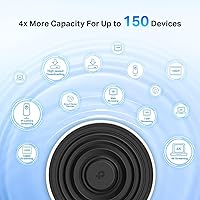
  • Supports up to 150 connected devices, giving device-heavy households real headroom.
  • The free tier of HomeShield includes IoT device identification, basic parental controls, and quality-of-service settings.
  • Tri-band architecture gives this mesh system a meaningful performance edge over two-band budget alternatives.
  • AI-driven optimization adjusts over time, so performance tends to improve slightly after the first few days of use.
  • TP-Link holds a CISA Secure-by-Design pledge, which is a meaningful baseline commitment to firmware security practices.
  • Physical design is compact and unobtrusive enough to sit on a shelf without drawing attention.

Cons

  • Advanced parental controls and detailed network reporting require a paid HomeShield subscription — this is not clearly disclosed during purchase.
  • Initial setup requires creating a TP-Link cloud account, which is a dealbreaker for users who want fully local network management.
  • Real-world coverage can fall noticeably short of the marketed 5,500 square feet in homes with concrete walls or complex floor plans.
  • No VLAN support, meaning you cannot easily isolate IoT devices onto a separate network without workarounds.
  • Firmware updates have occasionally caused temporary connectivity drops, according to multiple long-term reviewers.
  • The Deco app, while beginner-friendly, offers limited diagnostic tools compared to what you get from more advanced router software.
  • A 2-pack may not be enough for very large or irregularly shaped homes, requiring a third unit at additional cost.
  • Customer support response times have drawn criticism in negative reviews, particularly for post-warranty technical issues.

Ratings

The scores below for the TP-Link Deco X68 2-Pack Mesh WiFi System were generated by AI after analyzing thousands of verified global buyer reviews, with spam, incentivized, and bot-flagged submissions actively filtered out. Each category reflects the honest balance of praise and frustration real users reported — nothing is rounded up to make the product look better than it is. Strengths and recurring pain points are both given equal weight in every score.

Setup Experience
91%
The Deco app walks users through installation in a way that genuinely holds up for people who have never configured a router before. Most reviewers report being fully connected within 15 to 20 minutes, including node placement decisions and basic network naming.
The mandatory cloud account requirement during setup is a recurring frustration, particularly for buyers who expected a fully local installation process. A small number of users on older Android devices reported app glitches that stalled the setup partway through.
WiFi Coverage
78%
22%
In open-plan homes and newer construction, the 2-pack delivers noticeably strong signal across two full floors, with far fewer dead zones than a single router setup. Users in 2,500 to 3,500 sq ft homes tend to report the most satisfaction with coverage consistency.
Homes with concrete walls, brick construction, or complex multi-wing layouts frequently see coverage fall well short of the marketed 5,500 sq ft ceiling. Several reviewers in larger or older homes found themselves needing a third node sooner than expected.
Network Performance
83%
Households running simultaneous 4K streams, active video calls, and background smart home traffic report noticeably less buffering and congestion compared to their previous routers. The tri-band setup with a dedicated backhaul channel makes a real difference when multiple family members are online at the same time.
Peak throughput speeds can dip during heavy wireless backhaul loads if nodes are placed too far apart or through multiple walls. Wired backhaul resolves this, but most users do not set it up that way, and the app does not strongly prompt them to.
App & Management
74%
26%
The Deco app is one of the cleaner consumer mesh interfaces available, with a dashboard that clearly displays connected devices, signal strength per node, and basic parental control toggles. Non-technical users consistently rate it as approachable and logically organized.
Power users quickly hit a ceiling — there is no way to access advanced DNS settings, detailed traffic logs, or per-device bandwidth monitoring without subscribing to HomeShield Pro. The app also lacks the diagnostic depth found in competing platforms like Eero or Orbi.
HomeShield Value
58%
42%
The free tier is functional enough for most families: basic content filtering by age group, IoT device scanning, and a simple QoS tool that lets you prioritize gaming or streaming traffic are all available without paying anything extra.
Many buyers feel misled when they discover that the parental control features shown during setup require a paid subscription to use fully. The freemium line is not clearly communicated at the point of purchase, and this is one of the most commonly cited sources of post-purchase frustration in reviews.
Device Handling
86%
Households with 25 to 50 connected devices — a mix of phones, laptops, smart bulbs, security cameras, and streaming sticks — report stable connections across the board with no obvious slowdowns attributed to device count alone. The OFDMA implementation handles parallel requests from many devices efficiently.
A small subset of users with very high device counts, above 80 simultaneous connections, noticed intermittent instability that was only resolved by rebooting one of the nodes. This appears to be an edge case but is worth noting for smart home power users.
Roaming & Handoff
82%
18%
Phones and laptops move between nodes without needing to manually reconnect, which is the most visible day-to-day benefit of the unified SSID approach. Smart home devices in particular stay locked to the nearest strong node rather than clinging to a distant weaker one.
A handful of reviewers noted that certain older laptops and budget Android phones occasionally struggled with smooth handoff transitions, briefly dropping packets during the switch. These issues seem device-specific rather than a systemic flaw.
Build & Design
77%
23%
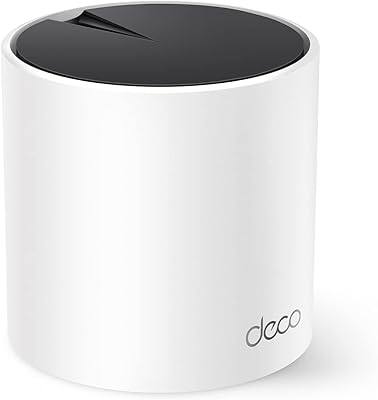
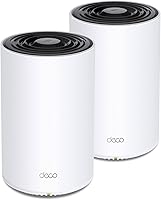
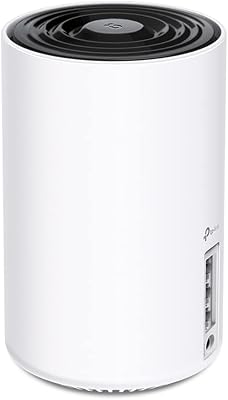
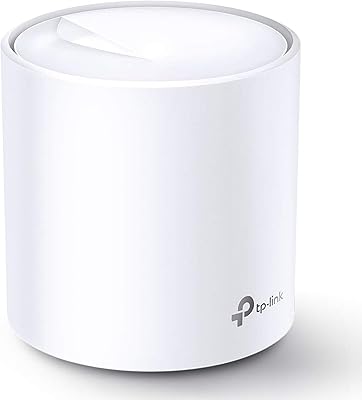
The compact cylindrical tower design is unobtrusive enough to sit on a bookshelf or side table without looking out of place. The white finish is neutral and works in most home interiors without demanding attention.
The plastic casing feels more budget-oriented than the price might suggest, and a few users noted the units run noticeably warm during sustained heavy use. There are no ventilation ports visible from the outside, which raised concerns among some long-term reviewers.
Long-Term Reliability
72%
28%
The majority of users who have owned this TP-Link mesh setup for over a year report that it continues to perform consistently without major hardware failures. Automatic firmware updates handle most maintenance invisibly in the background.
Firmware updates have caused temporary connectivity outages for a recurring minority of users, usually resolved with a manual reboot. A smaller number of reviewers reported one node developing connectivity issues after 12 to 18 months, pointing to questions about multi-year durability.
Privacy & Cloud Dependency
61%
39%
Day-to-day network traffic is not routed through TP-Link servers once setup is complete, and the CISA Secure-by-Design pledge provides a credible baseline commitment to security practices that goes beyond what many competing brands offer at this price tier.
The inability to complete setup without a cloud account is a genuine barrier for privacy-focused buyers, and local-only management mode is not available in any straightforward configuration. For households where network data privacy is a priority, this is a meaningful limitation that competitors handle better.
Value for Money
79%
21%
At its price point, the Deco X68 2-pack offers a strong combination of WiFi 6 performance, broad compatibility, and a polished app experience that would cost more to assemble from competing brands with equivalent specs. For households upgrading from older WiFi 5 gear, the practical improvement feels proportionate to the cost.
The ongoing HomeShield subscription cost adds up over time and is effectively required to unlock the feature set that justifies the premium price tier. Buyers who factor in a year or two of HomeShield Pro will find the total cost of ownership higher than the sticker price implies.
Parental Controls
63%
37%
Basic time scheduling and age-based content filtering are available on the free tier, which is enough for households with younger children who just need a simple bedtime cutoff and broad content category blocking.
Granular controls — per-app filtering, detailed browsing histories, and per-device daily usage caps — all require the paid subscription. Parents who bought this system specifically for comprehensive content management often feel the free tier falls short of what was implied in marketing materials.
Scalability
84%
Adding a third or fourth Deco node to expand coverage is straightforward through the app, and the system handles additional nodes without requiring a full reset or reconfiguration of existing devices. This makes it a practical choice for households that expect to expand coverage over time.
Mixing Deco X68 units with older or lower-tier Deco models can reduce overall network performance if the secondary nodes bottleneck the backhaul. TP-Link recommends using matching models for best results, which adds to the cost of scaling up.

Suitable for:

The TP-Link Deco X68 2-Pack Mesh WiFi System is a strong fit for families and households living in homes ranging from around 2,000 to 5,500 square feet — think two-story colonials, older ranch-style homes with plaster walls, or any layout where a single router leaves half the house struggling for signal. If your household regularly has 15 or more devices online at once — phones, tablets, smart TVs, gaming consoles, video doorbells, and the rest — the system handles that kind of simultaneous load without the slowdowns you might expect from a cheaper setup. Parents who want basic content filtering and a clean parental controls dashboard without touching a command line will find the Deco app genuinely approachable. It also makes a practical upgrade for anyone currently running a router-plus-extender combination, where devices often stall or drop speed during handoffs between units. In short, if your main goal is reliable whole-home coverage and a setup process that does not require a networking background, this TP-Link mesh setup delivers on that promise.

Not suitable for:

The TP-Link Deco X68 2-Pack Mesh WiFi System has clear limits that will frustrate a certain type of buyer. Network enthusiasts who rely on VLAN segmentation, custom firewall rules, or granular QoS controls will quickly find the Deco ecosystem too locked down for their needs — this is a consumer-focused system, not a prosumer one. Privacy-conscious users should also be aware that initial setup requires a TP-Link cloud account and an internet connection; fully local management without any cloud dependency is not a straightforward option out of the box. The HomeShield security suite sounds comprehensive at first, but buyers expecting advanced parental controls and detailed network reports will hit a paywall after setup — those features require an ongoing paid subscription that is easy to overlook before purchasing. Apartment dwellers or anyone in a space under 1,500 square feet are likely paying for coverage capacity they simply do not need, and could get comparable performance from a less expensive single-unit router.

Specifications

  • WiFi Standard: Operates on WiFi 6 (802.11ax), with backward compatibility for 802.11b, g, n, and ac devices.
  • Frequency Bands: Tri-band configuration: one 2.4 GHz band and two separate 5 GHz bands for device and backhaul traffic.
  • Aggregate Speed: Maximum combined throughput is rated at AX3600 across all three bands simultaneously.
  • Coverage Area: The 2-pack is rated for up to 5,500 sq ft of whole-home coverage under typical conditions.
  • Device Capacity: Supports up to 150 connected devices across the network at one time.
  • Dimensions: Each unit measures 4.13 x 4.13 x 6.65 inches, with a compact cylindrical tower form factor.
  • Weight: Combined weight of both units and included accessories totals approximately 4.64 lbs.
  • Connectivity: Each node connects via Ethernet (for wired backhaul or wired device connections) or wirelessly to form the mesh.
  • Key Technologies: Incorporates OFDMA, MU-MIMO, and AI-driven mesh optimization to manage multi-device traffic efficiently.
  • Security Suite: TP-Link HomeShield provides a free tier with IoT scanning, basic parental controls, and QoS; advanced features require a paid subscription.
  • Setup Method: Configured entirely through the TP-Link Deco mobile app, available for iOS and Android, with a required cloud account.
  • Special Features: Supports WPS for quick device pairing and uses a single unified SSID for automatic device roaming across nodes.
  • Security Pledge: TP-Link is a signatory of the CISA Secure-by-Design pledge, committing to ongoing firmware security standards.
  • Color & Finish: Both units come in a clean white finish designed to blend into typical home environments.
  • In the Box: Package includes 2 Deco X68 units, 2 power adapters, 1 RJ45 Ethernet cable, and a quick installation guide.
  • Wireless Standards: Fully compatible with 802.11ax, 802.11ac, 802.11n, 802.11g, and 802.11b wireless standards.
  • Compatible Devices: Designed to work with gaming consoles, PCs, printers, smart TVs, smartphones, tablets, and IP security cameras.
  • First Available: This product was first listed for sale in April 2021 and has accumulated over 1,300 verified customer ratings.

Related Reviews

TP-Link Deco S4 Mesh WiFi System (2-Pack)
87%
91%
Wi-Fi Coverage
88%
Performance Stability
94%
Ease of Setup
90%
Parental Controls
85%
Device Support
More
TP-Link Deco BE95 Wi-Fi 7 Mesh System 2-Pack
78%
88%
Wireless Performance
83%
Coverage & Range
93%
Wired Connectivity
86%
Setup & Installation
79%
App & Management Experience
More
TP-Link Deco X20 1-Pack Mesh WiFi System
78%
93%
Ease of Setup
71%
Coverage Reliability
84%
Multi-Device Performance
88%
App Experience
86%
Parental Controls
More
TP-Link Deco BE85 WiFi 7 Mesh System
87%
89%
Wi-Fi Performance
91%
Setup Process
85%
Coverage and Range
93%
Security Features
78%
Device Compatibility
More
TP-Link Deco XE75 Mesh WiFi System 1-Pack
77%
91%
Setup Experience
78%
WiFi Coverage
83%
Real-World Speed
62%
6 GHz Band Utility
86%
Multi-Device Performance
More
TP-Link Deco X55 1-Pack Mesh Wi-Fi System
81%
91%
Ease of Setup
84%
WiFi Speed & Throughput
78%
Coverage Reliability
72%
App & Management Experience
88%
Value for Money
More
TP-Link Deco BE63 WiFi 7 Mesh System
89%
94%
Overall Performance
93%
WiFi Coverage
91%
Device Capacity Handling
88%
Setup & Installation
90%
App Experience
More
TP-Link Deco X95 WiFi 6 Mesh System
86%
92%
Performance
95%
Coverage
82%
Setup/Installation
80%
App Experience
88%
Multi-device Support
More
TP-Link Deco BE75 WiFi 7 Mesh System
85%
94%
Performance
88%
Ease of Setup
91%
Security Features
92%
Coverage & Range
79%
Value for Money
More
TP-Link Deco M5 Mesh WiFi Router 1-Pack
86%
88%
Performance
93%
Setup Ease
85%
Coverage Range
91%
Security Features
77%
App Experience
More

FAQ

Yes, the initial setup process for the TP-Link Deco X68 2-Pack Mesh WiFi System requires creating a TP-Link cloud account through the Deco app. There is no fully local, account-free setup path available out of the box. If this is a concern for you, it is worth knowing before purchasing rather than discovering it mid-install.

For most homes between 2,000 and 4,500 square feet with standard drywall construction, two nodes generally provide solid coverage. Homes with concrete walls, multiple floors, or irregular layouts may see weaker signal at the edges, and a third node is often worth adding in those cases. The 5,500 sq ft figure is a best-case estimate, not a guarantee.

The free tier of HomeShield is genuinely functional — it includes basic parental controls, IoT device identification, quality-of-service settings, and weekly summary reports. However, if you want more granular content filtering, detailed usage histories, or advanced security scanning, those features are gated behind a paid HomeShield Pro subscription. It is not a bait-and-switch, but it is worth knowing the free tier has real limits.

Yes. The primary Deco node connects to your existing modem via the included Ethernet cable, replacing your current router entirely. It works with cable, fiber, and DSL modems from any provider. You just plug it in, open the app, and follow the steps.

A traditional extender creates a separate network name, meaning your phone or laptop often stays connected to the weaker extender signal instead of automatically switching to the stronger node nearby. This mesh setup uses one unified network name and handles device transitions in the background. The practical result is fewer annoying dead spots and far less manual reconnecting, especially for smart home devices that tend to get stuck on weak signals.

Older devices will still connect and work fine — WiFi 6 is backward compatible. The real benefit shows up in crowded network conditions: even if only a few devices support WiFi 6, the improved traffic management helps the whole network run more smoothly when many devices are active at once. It is more of a future-proofing decision than an immediate speed upgrade for older hardware.

Yes, wired backhaul is supported. If you have an Ethernet port available near where you want to place a second node, connecting it by cable rather than wirelessly significantly improves performance and reliability between the two units. It is the recommended setup if your home is already wired.

For casual to mid-level gaming over WiFi, the Deco X68 2-pack performs well. The dedicated backhaul band means gaming traffic on one node is less likely to compete with the connection between nodes. Hardcore competitive gamers who need the absolute lowest latency will always be better served by a direct wired Ethernet connection, but for most gaming households this system is more than adequate.

Once the system is set up and running, your local network continues to operate normally even if TP-Link's cloud servers are unreachable. The cloud dependency is primarily for initial setup and remote management through the app. Day-to-day internet access for your connected devices is not routed through TP-Link's servers.

Yes, the Deco ecosystem is designed to be expandable. You can add additional Deco X68 units or other compatible Deco models to the same network through the app. If you find the 2-pack leaves a weak spot in a far corner of your home, buying a single additional node and adding it to your existing setup is straightforward.

Where to Buy