Overview

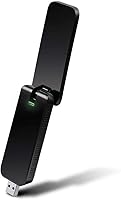
The TP-Link Archer T4U AC1300 USB WiFi Adapter sits in a practical middle ground — not a bare-bones budget stick, but not overkill for someone who simply needs reliable wireless connectivity on a machine that lacks it. If your desktop has no built-in WiFi, or your laptop's wireless card has finally given up, this wireless dongle is a straightforward fix that doesn't require cracking open a case or shopping for PCIe cards. Physically, it's compact enough to tuck into a bag, and the foldable external antenna gives it a slight edge over flat, antenna-free adapters in terms of adjustability and range.

Features & Benefits

The Archer T4U runs on the 802.11ac standard and offers dual-band operation, letting you choose between 2.4GHz when you need range and 5GHz when you want lower latency for video calls or casual streaming. MU-MIMO and Beamforming help the adapter focus signal more efficiently, which matters when several devices are competing for bandwidth on the same network. The USB 3.0 connection keeps throughput from becoming a bottleneck, and the high-gain antenna can be angled to suit your desk layout. One important note: macOS support officially tops out at 10.13, so anyone running a newer Mac should check compatibility before buying.

Best For

This USB WiFi adapter makes the most sense for desktop PC owners who want wireless access without installing internal hardware. It's also a solid pick for remote workers and travelers who need a compact, reliable connection on the road — it weighs just 100 grams and fits easily in a laptop bag. Casual streamers and gamers who want to access the 5GHz band on older machines will find it capable for everyday use, though it's not designed for competitive gaming where every millisecond counts. Users on older Windows builds or macOS up to 10.13 will likely have the smoothest experience with driver compatibility.

User Feedback

With a 4.2-star average across several hundred reviews, the Archer T4U earns mostly positive marks. Buyers consistently praise easy plug-and-play setup on Windows and report a noticeable speed jump over older adapters. That said, some users run into friction during driver installation, particularly on less common Windows configurations — it's not always as automatic as advertised. A smaller number mention the adapter running warm after extended use, and occasional signal drops when placed behind a PC tower. Longevity appears solid for most buyers, with many reporting reliable performance after a year or more, though macOS users on anything beyond 10.13 are largely out of luck.

Pros

  • Adds WiFi to any desktop without opening the case or installing internal hardware.
  • Dual-band support lets you switch to 5GHz for noticeably cleaner streaming and video calls.
  • The foldable antenna is physically adjustable, which helps dial in reception based on your desk setup.
  • USB 3.0 connection keeps the adapter from becoming a data bottleneck on faster networks.
  • MU-MIMO support means it handles multi-device households better than older single-stream adapters.
  • Genuinely compact and lightweight — easy to carry for remote work or travel.
  • Compatible with a wide range of Windows versions, from XP all the way through Windows 10.
  • TP-Link backs this wireless dongle with a 2-year warranty and lifetime 24/7 technical support.
  • Setup on Windows is largely plug-and-play, with most users reporting a smooth first-time experience.
  • Ranked among the top USB network adapters on Amazon, reflecting consistent real-world satisfaction.

Cons

  • macOS support officially ends at 10.13 — a hard dealbreaker for anyone on a modern Mac.
  • Driver installation can get messy on certain Windows configurations, frustrating less technical users.
  • The adapter runs noticeably warm during extended, heavy-use sessions.
  • Positioning matters a lot — tucked behind a PC tower, signal quality drops significantly.
  • Some users report occasional disconnects that require unplugging and replugging the adapter to resolve.
  • Performance on a USB 2.0 port is meaningfully reduced compared to USB 3.0.
  • Not suitable for competitive gaming or latency-sensitive applications where a wired connection is the real answer.
  • A small number of users report the USB connector feeling slightly loose in certain port configurations over time.

Ratings

The scores below for the TP-Link Archer T4U AC1300 USB WiFi Adapter were generated by our AI system after analyzing thousands of verified global user reviews, with spam, bot-submitted, and incentivized feedback actively filtered out. The results reflect a balanced picture — genuine strengths are recognized, but recurring pain points are weighted just as seriously. Whether this adapter earns a place on your desk or not, you'll find an honest answer here.

Ease of Setup
78%
22%
On Windows 10, the majority of users report a genuinely smooth first-time experience — plug it in, wait a moment, and it's working. For non-technical buyers who just need connectivity fast, this is one of the adapter's strongest selling points.
A notable minority hit driver installation snags, particularly on less common Windows configurations or after a system update wipes the driver. When auto-install fails, the manual process isn't complicated, but it can feel daunting if you're not used to navigating manufacturer support pages.
Wireless Performance
74%
26%
Users consistently notice a real-world speed improvement when switching from older N-standard adapters or weak built-in laptop WiFi. On the 5GHz band in a reasonably open space, HD streaming and video calls hold up reliably well for everyday home use.
Performance drops noticeably when the adapter is tucked behind a PC tower or more than 30 to 40 feet from the router with walls in between. It handles casual tasks well, but sustained heavy throughput — large file transfers or 4K streaming — can expose inconsistency.
OS Compatibility
58%
42%
For Windows users across a wide range of versions — including legacy systems like Windows 7 — the compatibility story is genuinely solid. Buyers running older office machines or refurbished PCs appreciate that this wireless dongle just works without needing to hunt for unofficial drivers.
macOS support is a hard ceiling at version 10.13 High Sierra, and this is a real problem for a large share of Mac users today. Anyone on Mojave or later is simply out of luck, and there is no unofficial workaround that reliably holds up — this point alone disqualifies the adapter for a significant portion of potential buyers.
Build Quality
71%
29%
The plastic housing feels sturdier than many ultra-budget USB adapters, and the foldable antenna mechanism has a satisfying, deliberate click when adjusted. For a device that gets plugged and unplugged regularly, it holds together well over months of daily use.
Some long-term users report that the USB connector develops a subtle looseness over time, which can cause intermittent disconnects in ports that already have slight wear. The all-plastic build also picks up scratches easily, which matters if you're carrying it in a bag without a case.
Signal Range
69%
31%
The foldable high-gain antenna gives this adapter a genuine edge over flat, antenna-free dongles in terms of range — users in open studio apartments or small offices report reliably catching signal from one end of the space to the other.
In larger homes or multi-floor setups, range becomes a limiting factor. Dense walls, metal appliances, and competing 2.4GHz devices all chip away at signal quality, and unlike a PCIe card where you can attach a larger external antenna, you're limited to what the built-in antenna provides.
Dual-Band Flexibility
82%
18%
Having both 2.4GHz and 5GHz available in a single dongle is genuinely useful — buyers can keep bandwidth-hungry devices on 5GHz while leaving the 2.4GHz band for smart home gadgets without purchasing separate hardware. The ability to switch bands on demand is something users of older single-band adapters specifically call out as a welcome upgrade.
The adapter doesn't automatically select the optimal band the way some routers do with band steering — you have to manually choose in your network settings. For less experienced users, knowing when and why to switch bands isn't always intuitive, which means some never fully use the 5GHz capability they paid for.
Heat Management
61%
39%
Under light to moderate use — basic web browsing, the occasional video call — the Archer T4U stays at an acceptable temperature and doesn't draw complaints. For users who primarily need it for short sessions rather than all-day operation, heat is rarely an issue worth worrying about.
Extended heavy use causes the adapter to run noticeably warm, and a handful of users describe it as uncomfortably hot after several consecutive hours of streaming or downloads. There's no active cooling, so if your USB port is in a confined space or surrounded by other hardware, heat buildup can be more pronounced.
Connection Stability
67%
33%
For the majority of users in typical home environments, the connection holds steady throughout the day without requiring manual intervention. MU-MIMO helps reduce contention on busier networks, which translates to fewer random slowdowns when multiple devices are active simultaneously.
A recurring pattern in negative reviews involves periodic disconnects that require physically unplugging and replugging the adapter to restore the connection. This seems to occur more frequently after the PC resumes from sleep mode, which points to a power management or driver issue that TP-Link has not fully resolved across all configurations.
Portability
88%
At 100 grams and barely larger than a thumb drive when the antenna is folded down, this is one of the easiest adapters to carry daily. Remote workers and travelers who switch between home setups and hotel or coworking spaces genuinely appreciate not having to leave it behind.
The foldable antenna, while compact, does add some bulk compared to truly nano-sized adapters — it won't sit completely flush in a laptop bag pocket without a small pouch. The antenna can also catch on fabric or cables if you're not careful when packing.
Value for Money
76%
24%
For Windows users who need dual-band AC1300 speeds without opening their desktop case, the Archer T4U delivers solid capability at a mid-range price that doesn't demand a serious budget commitment. The included 2-year warranty and lifetime support add real value that budget alternatives rarely match.
The value equation shifts considerably for Mac users or anyone who encounters driver trouble, since the utility drops sharply once compatibility issues surface. A few buyers also note that for a small additional investment, a PCIe WiFi card offers noticeably better long-term performance — making the price feel less justified for stationary desktop use specifically.
Driver Reliability
62%
38%
On a clean Windows 10 installation, the driver experience is typically smooth and automatic. TP-Link makes driver downloads readily accessible on their support site, and for users who do need to install manually, the process is well-documented.
Post-system-update driver loss is a recurring frustration — several users report that a Windows update silently breaks the adapter and forces a reinstall. On certain hardware combinations, particularly older motherboards, some buyers never fully resolve driver conflicts without significant troubleshooting effort.
USB Interface Quality
83%
The USB 3.0 connection is a meaningful practical upgrade over USB 2.0 adapters — users transferring large files or running bandwidth-heavy applications notice the difference in headroom. It also means the adapter is future-compatible with newer machines that prioritize USB 3.0 and above.
Using this adapter in a USB 2.0 port — which is still common on older desktops — limits throughput considerably and narrows the performance gap compared to cheaper adapters. The adapter itself doesn't warn you if it's running in a lower-speed port, so some users don't realize they're not getting full performance.
Brand Trust & Support
81%
19%
TP-Link's reputation as a high-volume networking brand carries real weight here — most users feel confident they're buying from a company that will still exist in two years to honor the warranty or answer a support call. Lifetime 24/7 technical support is a genuine differentiator against off-brand alternatives.
Some users report that TP-Link's support, while available, can feel scripted and slow to resolve non-standard issues. Warranty claims also require proof of purchase and going through an RMA process that a few buyers describe as more friction than expected for a mid-range peripheral.
Long-Term Durability
73%
27%
The majority of buyers who leave longer-term reviews report the adapter still functioning reliably after a year or more of regular use, which is a reassuring signal for a device at this price tier. The 2-year warranty provides a meaningful safety net if something does go wrong.
A portion of users report performance degradation over time — slower speeds, more frequent drops — without any clear cause. Whether this reflects hardware wear or accumulated driver issues is hard to isolate, but it does suggest the adapter performs best in the first year of use.

Suitable for:

The TP-Link Archer T4U AC1300 USB WiFi Adapter is a strong fit for desktop PC owners who want wireless connectivity without the hassle of installing an internal PCIe card — just plug it in and you're largely good to go. It also makes practical sense for anyone whose laptop's built-in wireless card has died and needs a quick, affordable workaround. Remote workers and travelers will appreciate how light and compact the Archer T4U is; it slips into a bag without a second thought and works reliably across a wide range of Windows versions. Casual home streamers who want to tap into the 5GHz band for smoother video calls or HD content will find it more than capable for those everyday tasks. If you're running Windows 10 or an older macOS version up to 10.13, driver compatibility is generally solid and the setup process is straightforward for most users.

Not suitable for:

Mac users running macOS Mojave or anything newer should skip this wireless dongle entirely — official driver support stops at macOS 10.13 High Sierra, and workarounds are unreliable at best. The TP-Link Archer T4U AC1300 USB WiFi Adapter is also not the right tool for competitive gamers or anyone who needs rock-solid, ultra-low-latency wireless performance; a PCIe adapter or a wired Ethernet connection will serve those use cases far better. Less technically confident users may find driver installation frustrating if the automatic process doesn't work cleanly on their system, since manual setup requires a bit of patience. Anyone planning to use this on a USB 2.0 port will also lose a meaningful chunk of the adapter's potential throughput, limiting the real-world benefit of its specs. Finally, users in large homes or spaces with significant physical obstructions between the adapter and router should consider a more powerful solution with a larger external antenna or a mesh network setup instead.

Specifications

  • Wireless Standard: This adapter uses the 802.11ac (Wi-Fi 5) standard, which supports both 2.4GHz and 5GHz frequency bands.
  • Max Speed: Combined theoretical wireless throughput reaches up to 1300 Mbps across both bands.
  • 2.4GHz Speed: On the 2.4GHz band, the adapter operates at speeds up to 400 Mbps, suited for longer-range, lower-bandwidth tasks.
  • 5GHz Speed: On the 5GHz band, speeds reach up to 867 Mbps, making it the better choice for HD streaming and video calls.
  • Interface: The adapter connects via USB 3.0, which provides up to ten times the data throughput of a standard USB 2.0 port.
  • Antenna: A foldable high-gain external antenna is included, allowing users to physically adjust its angle for improved signal reception.
  • MU-MIMO: Multi-User MIMO (MU-MIMO) is supported, enabling more efficient simultaneous communication with multiple devices on the network.
  • Beamforming: Beamforming technology is built in, directing the wireless signal more precisely toward connected devices rather than broadcasting omnidirectionally.
  • Windows Support: The adapter is compatible with Windows XP, Vista, 7, 8, 8.1, and 10, covering a broad range of legacy and current operating systems.
  • macOS Support: macOS compatibility officially covers versions 10.9 through 10.13 (High Sierra); newer macOS versions are not officially supported.
  • Dimensions: The adapter measures 3.64″ in length, 1.2″ in width, and 0.55″ in height, making it genuinely pocket-sized.
  • Weight: At 100 grams, this wireless dongle is light enough to carry daily without adding noticeable bulk to a bag.
  • Color: The adapter is available in black only.
  • Warranty: TP-Link provides a 2-year limited warranty covering manufacturing defects, along with lifetime 24/7 technical support.
  • Seller Rank: This adapter holds a Best Sellers Rank of #333 in the USB Computer Network Adapters category on Amazon.

Related Reviews
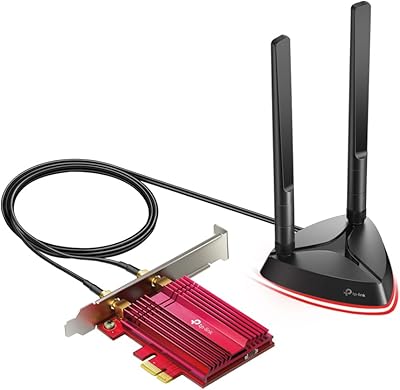
TP-Link Archer T6E AC1300 PCIe Wi-Fi Adapter
75%
88%
Installation Ease
83%
5 GHz Performance
74%
2.4 GHz Performance
67%
Signal Range
63%
Driver Stability
More
TP-Link Archer TX3000E
81%
88%
Wireless Speed Performance
91%
Signal Stability & Range
74%
Installation & Setup
62%
Bluetooth Setup & Usability
79%
Driver Reliability & OS Compatibility
More
TP-Link Archer A7 AC1750 WiFi Router
77%
91%
Setup Experience
88%
Connection Stability
79%
WiFi Speed Performance
74%
Coverage & Range
86%
Value for Money
More
TP-Link Archer C59 Dual-Band WiFi Router
80%
91%
Ease of Setup
83%
Wi-Fi Signal Stability
67%
Wireless Range
93%
Wired Port Performance
88%
Value for Money
More
TP-Link Archer BE900 Wi-Fi 7 Router
80%
91%
Wireless Performance
93%
Wired Connectivity
88%
Range & Coverage
86%
Setup & Ease of Use
71%
Touchscreen & LED Interface
More
TP-Link Archer AXE75
78%
83%
Wireless Performance
71%
6 GHz Band Utility
91%
Setup & Ease of Use
86%
Value for Money
68%
Range & Coverage
More
TP-Link Archer BE260 WiFi 7 Router
78%
91%
Value for Money
84%
Wireless Performance
89%
Setup & Ease of Use
78%
Range & Coverage
88%
Wired Port Quality
More
TP-Link Archer BE700 WiFi 7 Router
79%
89%
Wireless Performance
83%
Setup & Ease of Use
78%
Build Quality
76%
Range & Coverage
91%
Wired Connectivity
More
TP-Link Archer AX73
TP-Link Archer AX73
79%
88%
Wireless Speed & Throughput
91%
Multi-Device Performance
74%
Coverage & Range
93%
Setup & Ease of Use
79%
Build Quality & Design
More
TP-Link Archer AX6000 WiFi 6 Router
80%
88%
Wireless Performance
91%
Multi-Device Handling
86%
Setup & Ease of Use
93%
Wired Connectivity
82%
Range & Coverage
More

FAQ

For most Windows 10 users, yes — the setup process is largely plug-and-play. That said, some users do need to install drivers manually from TP-Link's website if Windows doesn't pick them up automatically. It only takes a few minutes, but it's worth knowing upfront so you're not caught off guard.

Unfortunately, no. The TP-Link Archer T4U AC1300 USB WiFi Adapter officially supports macOS only up to version 10.13 (High Sierra). If you're running anything newer — Mojave, Catalina, Big Sur, Monterey, Ventura, or Sonoma — this adapter won't have working drivers and you should look at a different option.

It will physically work in a USB 2.0 port, but you'll lose a meaningful portion of the adapter's potential throughput since USB 2.0 is considerably slower. For basic web browsing it may be fine, but if you're planning to use the 5GHz band for streaming or transfers, a USB 3.0 port really makes a difference.

Range varies quite a bit depending on your home's layout, wall materials, and how many obstacles are between the adapter and your router. The foldable antenna helps compared to flat, antenna-free dongles, but in general, the 2.4GHz band will give you better range while 5GHz trades range for speed. In a typical apartment or small home, most users report solid performance within 30 to 50 feet of the router.

A number of users have noted that the Archer T4U runs warm after extended sessions, especially under sustained heavy load. It's not unusual for USB adapters of this class to generate some heat, but if you're leaving it running all day, make sure it has a bit of airflow around it and isn't wedged tightly against other components.

On most Windows 10 machines, the drivers install automatically in the background and the adapter is ready within a minute or two. On older Windows versions, or if auto-install fails, you'll need to download the driver package from TP-Link's support page and run the installer manually. It's a straightforward process, but less technically experienced users should set aside a few extra minutes just in case.

It works with any standard Wi-Fi router, regardless of brand. The adapter connects to your existing network just like any other wireless device — there's no brand lock-in required.

It's capable enough for casual online gaming — think Minecraft, slower-paced MMOs, or browser-based games — where a few extra milliseconds of latency won't cost you a match. For competitive shooters or any game where reaction time is critical, a wired Ethernet connection is still the better choice. This wireless dongle is solid for everyday use, but it's not engineered to replace a proper wired setup for serious gamers.

A PCIe WiFi card typically offers better sustained performance, stronger antenna options, and a more stable physical connection since it sits inside the case. The trade-off is that it requires opening your desktop and involves a more involved installation. This USB adapter wins on convenience and portability — if you need something working in five minutes without any disassembly, it's a much easier path. For long-term, stationary desktop use though, a PCIe card is often the more capable solution.

TP-Link covers this adapter with a 2-year limited warranty against manufacturing defects. They also offer lifetime 24/7 technical support, which is a genuine plus — driver issues and setup questions are common with USB adapters, and having access to real support at any hour is more helpful than it might sound. Most users report that TP-Link's support team is responsive and helpful for resolving driver or connectivity issues.