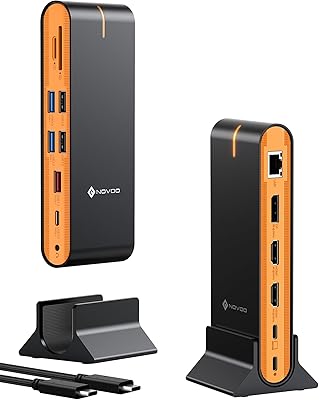
TobenONE UDS033B 18-in-1 Quad Monitor Docking Station
Overview
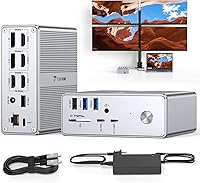
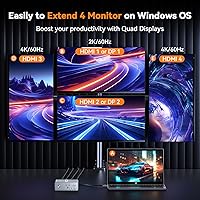
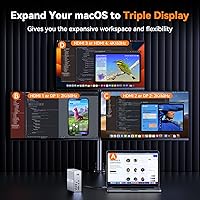
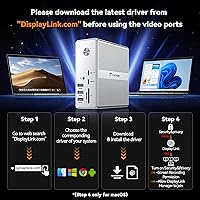
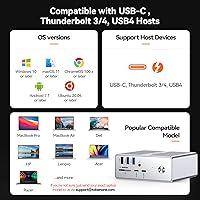
The TobenONE UDS033B 18-in-1 Quad Monitor Docking Station is a DisplayLink-based hub built for power users who actually need four external screens running from a single USB-C cable. Unlike native Thunderbolt docks, this quad-monitor dock requires a DisplayLink driver installation before anything lights up — that distinction matters, and it's worth knowing before you buy. Compatibility covers Thunderbolt 4/3, USB4, and full-featured USB-C across Windows, macOS 11+, ChromeOS, and Android. The compact cylindrical body fits neatly on a crowded desk, and the bundled 120W adapter means you're not hunting for a separate power brick. Just be clear on one thing: HDMI 1 and 2 top out at 2K/60Hz via DisplayLink, while HDMI 3 and 4 deliver 4K/60Hz natively.
Features & Benefits
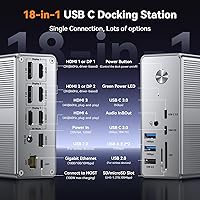
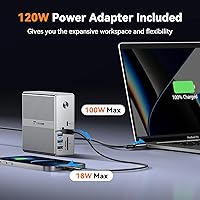
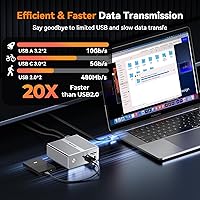
With 18 ports packed into a sub-5-inch cylinder, the TobenONE docking station covers most professional workflows without compromise. You get four HDMI outputs, two DisplayPort connections, four USB-A ports (split between USB 3.2 and 2.0 speeds), two USB-C 3.0 ports, Gigabit Ethernet, SD and microSD card slots, and a 3.5mm audio jack. Laptop charging reaches 100W via USB-C passthrough, while the front USB-C port pushes 18W for phones — enough to skip carrying a separate charger. The DisplayLink chip is what makes quad-display possible over a single cable, bypassing GPU output limits entirely. Windows users get all four screens; Mac users are capped at three due to macOS restrictions, not a hardware fault. Setup takes about five minutes once you install the driver.
Best For
This DisplayLink hub suits a fairly specific type of user, and knowing whether you fall into that group matters before committing to this price tier. Windows laptop users running Dell XPS, Lenovo ThinkPad, or Surface devices will get the full quad-display experience without fuss. MacBook users after a triple-monitor setup without needing an eGPU or a second dock will also find this compelling. It's a strong fit for stock traders, data analysts, and video editors who rely on wide screen coverage daily. Home office workers benefit from the single-cable desk approach — power, networking, peripherals, and displays all through one connection. Linux users, however, should walk away: no Linux support exists, and that's a hard stop.
User Feedback
Sitting at 4.3 stars from 148 ratings, the TobenONE docking station earns that score on fair grounds. Most praise centers on port variety and reliability during extended Windows multi-monitor use, with buyers noting the build feels solid for the price tier. The Ethernet port and SD card reader get specific callouts from photographers and remote workers. On the flip side, the driver requirement draws the sharpest criticism — not because installation is especially difficult, but because some macOS users hit compatibility hiccups after system updates. A handful of reviews mention the unit running warm under full load, though no failures are attributed to it. Customer support response times are frequently praised, which softens the sting of the occasional setup frustration.
Pros
- Supports up to four external monitors on Windows from a single USB-C cable, which very few docks at this price manage.
- The included 120W power adapter covers up to 100W laptop charging, so you can leave your original charger behind.
- 18 ports in a compact cylinder keeps desk clutter minimal without sacrificing connectivity.
- Gigabit Ethernet provides a reliable wired connection that Wi-Fi simply cannot match for remote work stability.
- HDMI 3 and 4 output genuine 4K at 60Hz, making two of the four displays suitable for sharp, detail-heavy work.
- The front USB-C port delivers 18W phone charging, covering one more device without needing a separate adapter.
- Full-size SD and microSD slots are genuinely useful for photographers and content creators who card-dump regularly.
- Broad compatibility spans Thunderbolt 5, Thunderbolt 4/3, USB4, and full-featured USB-C across Windows, macOS, and ChromeOS.
- Customer support is frequently praised by buyers who ran into setup issues, which reduces the risk of being left stranded.
Cons
- DisplayLink driver installation is mandatory, and macOS system updates occasionally break compatibility until drivers are updated.
- HDMI 1 and 2 are capped at 2K/60Hz via DisplayLink, which is a real limitation if all four screens need 4K output.
- MacBook users are limited to three external displays due to macOS restrictions, not four as the product name implies.
- The dock runs noticeably warm under full quad-display load, which may concern users planning extended daily use.
- No Linux or Unix support at all, making this a non-starter for developers on those platforms.
- DisplayLink adds processing overhead that makes this unsuitable for gaming or GPU-accelerated display tasks.
- Requires a laptop with a full-featured USB-C port; older machines with standard USB-A only will not work in multi-display mode.
- At this price, the absence of a native Thunderbolt chip means buyers upgrading from a true Thunderbolt dock may notice the difference in responsiveness.
Ratings
The scores below were generated by AI after analyzing verified buyer reviews for the TobenONE UDS033B 18-in-1 Quad Monitor Docking Station from multiple global sources, with spam, bot-submitted, and incentivized feedback actively filtered out. Each category reflects the full spectrum of real user experiences, from enthusiastic praise to recurring frustrations, so you can make a genuinely informed decision. Both the standout strengths and the honest pain points are represented without softening.
Multi-Monitor Performance
Driver Setup Experience
Port Variety & Density
Charging Capability
macOS Compatibility
Build Quality
Thermal Management
Windows Compatibility
Networking Performance
Display Resolution Quality
Value for Money
Media Card Access
Customer Support
Portability
Suitable for:
The TobenONE UDS033B 18-in-1 Quad Monitor Docking Station is built for professionals who need serious screen real estate without cluttering their desk with multiple adapters and power bricks. Windows laptop users on Thunderbolt 4/3, USB4, or full-featured USB-C machines will get the most out of it, particularly those running four external displays for tasks like data analysis, financial trading, or video production. MacBook users who want three external screens from a single cable connection will also find it delivers, as long as they accept the macOS-imposed three-display ceiling upfront. Home office workers and hybrid professionals benefit from the single-cable approach: power, Ethernet, peripherals, and displays all consolidate into one connection. Photographers who regularly offload cards will appreciate the full-size SD and microSD slots alongside Gigabit Ethernet, which together make this a genuinely well-rounded productivity hub rather than just a display expander.
Not suitable for:
Anyone expecting a plug-and-play experience right out of the box should know that the TobenONE UDS033B 18-in-1 Quad Monitor Docking Station requires DisplayLink driver installation before any displays will function, which adds a setup step that frustrates some users unfamiliar with the process. Linux and Unix users can stop reading here: there is no driver support for those platforms, full stop. Gamers or anyone running latency-sensitive applications should also look elsewhere, since DisplayLink introduces a small but measurable processing delay that native Thunderbolt docks avoid entirely. Mac users expecting four external monitors will be disappointed — macOS caps the output at three regardless of the hardware, and no firmware update will change that. If your laptop only has a USB-A port or a standard USB-C port without DisplayPort Alternate Mode support, this dock will not function at all in multi-display mode.
Specifications
- Total Ports: The dock provides 18 ports in total, covering display output, data transfer, charging, networking, and media card reading.
- HDMI Outputs: Four HDMI ports are included: HDMI 1 and 2 output up to 2K at 60Hz via DisplayLink, while HDMI 3 and 4 support up to 4K at 60Hz natively.
- DisplayPort Outputs: Two DisplayPort outputs are available for connecting monitors that use DP connectors instead of HDMI.
- USB-A Ports: Four USB-A ports are split between two USB 3.2 Gen 2 ports for high-speed peripherals and two USB 2.0 ports for standard devices.
- USB-C Ports: Two USB-C 3.0 ports handle data transfer and device connections, with the front port also supporting 18W phone charging.
- Laptop Charging: The dock delivers up to 100W of power passthrough to the connected laptop via USB-C, with 96W certified charging confirmed.
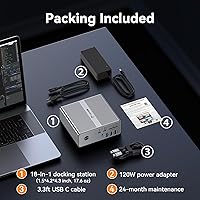
- Power Adapter: A 120W external power adapter is included in the box, providing sufficient wattage to run the dock and charge a laptop simultaneously.
- Ethernet: One Gigabit Ethernet port provides wired network connectivity at speeds up to 1Gbps for stable, low-latency connections.
- Card Slots: A full-size SD card slot and a microSD slot are both included, allowing direct media card access without a separate reader.
- Audio: A single 3.5mm combo audio jack supports both headphone output and microphone input from the same port.
- Max Displays: Up to four external displays are supported on Windows, while macOS is limited to three due to operating system-level restrictions.
- Display Technology: Multi-monitor support is powered by a DisplayLink chip, which requires driver installation and uses software rendering to extend GPU output limits.
- Dimensions: The dock measures 1.7 x 4.31 x 4.5 inches, giving it a compact cylindrical footprint that fits comfortably on a desk.
- Weight: The unit weighs 1.1 pounds, making it light enough to pack for travel without adding significant bulk to a laptop bag.
- Compatible OS: Supported operating systems include Windows 10 and later, macOS 11 and later, ChromeOS 100 and later, and Android.
- Incompatible OS: Linux and Unix systems are not supported due to the absence of a compatible DisplayLink driver for those platforms.
- Host Interface: The dock connects to host devices via a full-featured USB-C port and is compatible with Thunderbolt 5, Thunderbolt 4, Thunderbolt 3, USB4, and DisplayPort Alternate Mode USB-C.
- Driver Requirement: DisplayLink drivers must be downloaded and installed on the host computer before any display outputs or full functionality will operate.
Related Reviews
TobenONE UDS041W USB-C Triple Monitor Docking Station
StarTech DK31C4DPPD Quad Monitor USB-C Dock
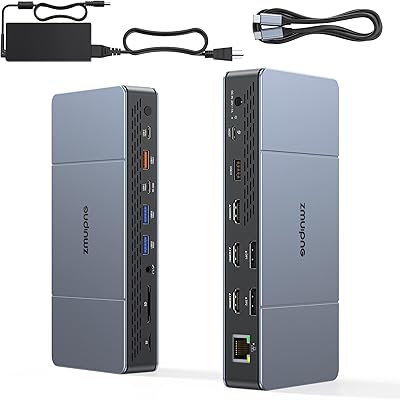
ZMUIPNG 18-in-1 DisplayLink Docking Station
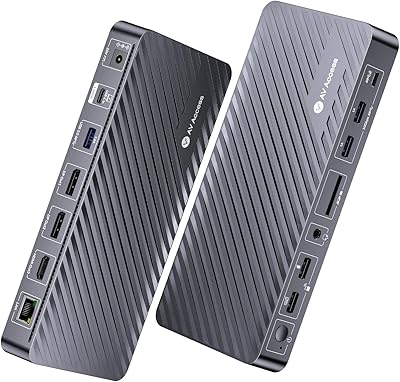
AV Access KD-S03 Triple Monitor Docking Station
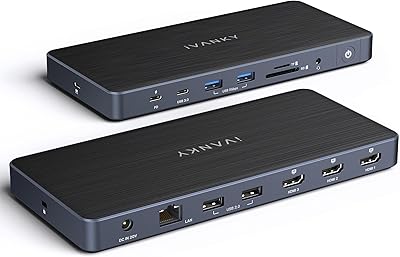
iVANKY FusionDock Pro 1+ 14-in-1 Docking Station
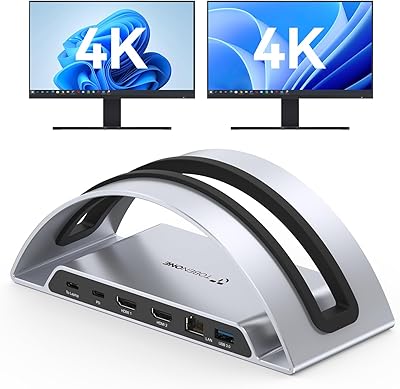
TobenONE UDS047 Dual Monitor Laptop Docking Station
UtechSmart D3903-1 USB-C Docking Station
JCYMELE MS002 19-in-1 USB-C Docking Station

LIONWEI Triple Monitor USB-C Docking Station