Overview

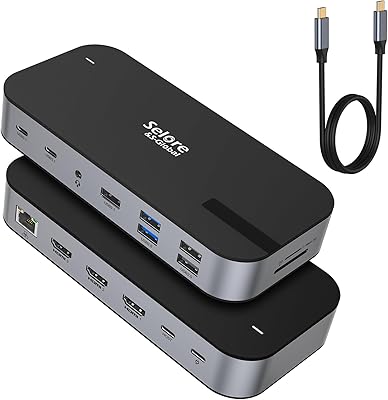
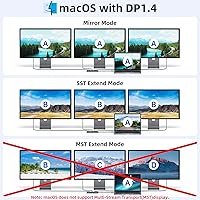
The LIONWEI Triple Monitor USB-C Docking Station is one of the more capable budget docks available for building a three-screen Windows workstation without a significant investment. It connects through a single USB-C or Thunderbolt cable and needs no driver installation — plug it in and your displays come to life. Worth flagging upfront: macOS users are limited to mirror mode across external monitors, so this hub is genuinely built for Windows workflows. The unit itself is slim and light enough to drop into a laptop bag without thinking twice, and it backs everything up with an 18-month warranty that adds real peace of mind at this price tier.
Features & Benefits

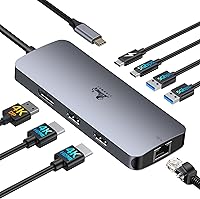
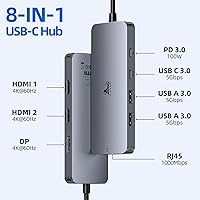
The port selection here punches above its price bracket. Two HDMI outputs and one DisplayPort each support 4K at 60Hz, delivering crisp, fluid images across all three screens simultaneously on a Windows machine. Power Delivery accepts up to 100W and pushes 85W back to the laptop, which is enough to keep most modern thin-and-lights charged through a full workday. The three USB 3.0 ports handle data at up to 5Gbps, so external drives and peripherals won't bottleneck your workflow. The Gigabit Ethernet port is a quiet standout — wired connections are simply more reliable than Wi-Fi for video calls and large file transfers, and having it built in eliminates one more adapter on the desk.

Best For

This USB-C hub makes the most sense for Windows laptop users who want a clean triple-monitor setup without paying flagship dock prices. Working from home on a Dell XPS, Lenovo Yoga, or an HP with a USB-C port, you can run three external displays, charge the laptop, connect wired internet, and plug in a keyboard and mouse — all through one cable. Frequent travelers will appreciate that the dock weighs barely more than a deck of cards and sits flat in a bag. Mac users, however, should go in knowing they won't get three independent extended screens; that is a macOS platform constraint, not a defect in the hardware.

User Feedback

Buyers consistently point to how painless the initial setup is — no software to hunt down, no driver headaches. The 4K display output on Windows draws consistent praise, with users reporting stable, sharp images across all three monitors in extended mode. A smaller group of reviewers note the dock running noticeably warm during prolonged sessions, and a few flag intermittent connectivity after continuous multi-hour use. The brand's support and warranty response earns reasonably positive mentions, with most reported issues resolved without major difficulty. The most misleading low-star reviews tend to come from Mac users expecting full triple-display functionality — a limitation rooted in macOS itself rather than any shortcoming in this triple-monitor dock.

Pros

  • Runs three 4K monitors simultaneously on Windows with no driver installation required.
  • Single USB-C cable connection eliminates nearly all desk cable clutter in one step.
  • Built-in Gigabit Ethernet delivers stable wired speeds that Wi-Fi simply cannot match consistently.
  • At 3.5 ounces, this USB-C hub is light enough to live permanently in a laptop bag.
  • 85W power pass-through keeps most thin-and-light laptops charged throughout a full workday.
  • All three video outputs support 4K at 60Hz, so there is no resolution compromise across screens.
  • An 18-month warranty provides more coverage than most competing docks at this price level.
  • Plug-and-play recognition on Windows is fast — all monitors typically appear within seconds of connection.
  • Broad Thunderbolt 3 and 4 compatibility means it works across a wide range of modern laptops.

Cons

  • The dock runs noticeably hot during extended all-screen, all-port usage, raising long-term reliability questions.
  • Some users report a required unplug-and-replug cycle to reconnect displays after laptop sleep.
  • Plastic construction feels lightweight in a way that does not inspire confidence over years of daily use.
  • No SD card reader or headphone jack means extra adapters are still needed for common creative tasks.
  • USB port fit loosens with repeated daily cable insertions over several months of use.
  • Network throughput can dip slightly when all video and USB ports are heavily active at once.
  • The fixed built-in cable cannot be replaced if it is damaged, making the entire unit potentially unusable.
  • Buyers with laptops requiring more than 85W to charge under load will still see battery drain during intensive tasks.
  • No surface grip or mounting option means the dock shifts around on smooth desks during use.

Ratings

The scores below for the LIONWEI Triple Monitor USB-C Docking Station were generated by our AI engine after analyzing verified global buyer reviews, actively filtering out incentivized, bot-flagged, and duplicate submissions. The result is an honest, balanced picture that reflects both where this triple-monitor dock genuinely delivers and where real users have run into friction. Strengths and pain points are weighted equally — nothing is glossed over.
Multi-Monitor Display Performance
83%
On Windows machines, buyers consistently report that all three outputs — two HDMI and one DisplayPort — deliver stable 4K images without flickering or dropped signals during extended work sessions. For spreadsheet-heavy or creative workflows spread across three screens, the visual output holds up well relative to what competitors charge at this price tier.
A portion of users note that running all three displays simultaneously at 4K60Hz can occasionally cause brief refresh stutters, particularly on laptops with shared GPU memory. The experience is rarely described as broken, but it is not as rock-solid as a Thunderbolt-native dock would be.
macOS Compatibility
41%
59%
The dock does technically connect and function with MacBooks via USB-C — single-display and mirror-mode setups work without issue, and power delivery operates normally on supported models. For Mac users who only need one external monitor alongside laptop charging and USB peripherals, it covers the basics.
The triple-display extended mode that most buyers are shopping for simply does not work on macOS — this is a platform-level restriction, not a fixable firmware issue. A notable share of negative reviews come from Mac users who did not catch this limitation before purchasing, and the frustration is understandable even if the fault lies with Apple's driver architecture.
Value for Money
89%
At its price point, the combination of three 4K-capable video outputs, Gigabit Ethernet, 85W pass-through charging, and three USB 3.0 ports in a single compact unit is difficult to match. Home-office workers who previously spent more on a separate Ethernet adapter and a lower-spec hub frequently cite this as a genuine consolidation win.
Budget positioning comes with trade-offs — the build materials feel noticeably lighter than premium docks, and users who demand absolute port reliability for mission-critical workstations may find themselves wanting more than this price tier can promise.
Power Delivery & Charging
81%
19%
Accepting up to 100W and delivering 85W back to the laptop covers the majority of thin-and-light and mid-range USB-C laptops without throttling. Users with Dell XPS 13 and Lenovo Yoga models frequently note that the laptop charges at a normal rate throughout the workday with no noticeable battery drain under typical loads.
Power users running GPU-intensive applications or larger 16-inch laptops may find that 85W output falls slightly short, causing the battery to hold steady rather than actually charge under peak load. Those with laptops that require 100W or more for full-rate charging will need a supplementary charger for heavy sessions.
Plug-and-Play Setup
92%
The absence of any required driver installation is one of the most consistently praised aspects of this USB-C hub. On a Windows machine, plugging the dock in for the first time typically results in all three monitors being detected within seconds — buyers returning from a coffee break have described the experience as genuinely frictionless.
A small subset of users report that the dock is not recognized immediately after waking the laptop from sleep, requiring an unplug-and-replug cycle to re-establish the connection. It is an intermittent issue rather than a consistent failure, but it is noticeable enough to appear repeatedly across reviews.
Build Quality & Materials
63%
37%
The slim, matte space-grey enclosure looks clean on a desk and feels intentionally minimal rather than cheap. At 3.5 ounces it slots easily into a laptop sleeve, and the chassis does not flex or creak under normal handling, which is more than can be said for some rivals at this price.
The plastic construction is clearly cost-driven — the dock does not inspire confidence the way an aluminum-bodied unit does, and a few buyers mention that the USB ports feel slightly loose after months of repeated cable insertions. Long-term durability remains a reasonable question mark.
Thermal Management
58%
42%
Under light to moderate loads — documents, video calls, two monitors active — the dock runs warm but not uncomfortably hot. For most standard office workloads, the heat generated is manageable and does not appear to affect performance over short sessions.
Running all three displays at 4K alongside active USB peripherals and charging causes the unit to become noticeably hot to the touch after 60 to 90 minutes. Several reviewers flag this as a concern for all-day use, with a smaller number reporting connectivity drops they attribute to thermal throttling during sustained heavy workloads.
Ethernet Performance
86%
The Gigabit RJ45 port earns consistent praise from remote workers who switched from relying on Wi-Fi for video calls and cloud syncing. Buyers report stable throughput that closely matches their router's wired speed, and the connection holds solid through long workdays without the random drops some wireless setups produce.
A few users note that the Ethernet port requires the laptop to have sufficient USB-C bandwidth headroom — when all video outputs and USB ports are active simultaneously, one or two reviewers observed slightly reduced network throughput compared to a direct connection.
USB Port Performance
79%
21%
The three USB 3.0 ports handle everyday peripherals — keyboards, mice, external hard drives — without complaint. Users moving large files to a USB 3.0 SSD report transfer speeds that feel appropriate and consistent, covering the practical needs of most home-office and travel setups.
There is no SD card reader and no audio jack, which means users coming from more fully featured hubs will still need additional adapters for those needs. The USB-C 3.0 port shares bandwidth with other active ports, so throughput can dip when the dock is running at full capacity.
Portability
88%
Weighing just 3.5 ounces and measuring under 8 inches long, this triple-monitor dock travels exceptionally well for what it does. Frequent flyers and hybrid workers who shuttle between home and office desks regularly cite its packability as a deciding factor over bulkier, more feature-complete alternatives.
The dock does not include a carrying pouch or protective sleeve, and the exposed ports could collect pocket lint or minor damage without one. For a product clearly aimed at mobile users, that omission is a small but genuine miss.
Windows MST / Extended Mode Reliability
76%
24%
Windows users running the dock in extended mode across all three outputs generally report a stable experience for productivity tasks. The MST implementation works as advertised for the core use case — three independent desktops running simultaneously — which is the primary reason most buyers choose this hub.
A handful of reviewers note that certain Windows versions or specific Intel Iris Xe graphics configurations required a display settings adjustment to properly activate extended triple-display mode. It is not a universal problem, but it does suggest the setup experience is not completely identical across all compatible laptops.
Compatibility Range
77%
23%
The dock functions reliably across a wide range of USB-C and Thunderbolt 3/4 laptops, and buyers using Dell XPS, HP Spectre, and Lenovo ThinkPad models report solid out-of-the-box compatibility. The broad hardware support reduces the guesswork that often comes with third-party docking solutions.
Compatibility with older USB-C laptops that do not support DisplayPort Alt Mode over USB-C is not guaranteed, and a small number of users with non-mainstream laptop brands report partial functionality — typically video working but charging not engaging. Checking the laptop spec sheet before purchasing remains advisable.
Warranty & Brand Support
72%
28%
The 18-month warranty is longer than the 12-month standard common among competing budget docks, and buyers who have contacted LIONWEI's support team generally describe the experience as responsive and willing to resolve issues. For a lesser-known brand, that responsiveness builds meaningful trust.
Support response times vary, and some buyers in non-English-speaking markets report slower or less precise communication. The warranty coverage itself is also not as clearly defined as what established brands publish, leaving some uncertainty about what exactly qualifies for a replacement or refund.
Cable Management & Desk Integration
67%
33%
Because the dock consolidates power, displays, Ethernet, and peripherals into a single USB-C connection to the laptop, it dramatically reduces cable clutter for most users. Home-office buyers who previously ran four or five individual cables to their laptop describe the single-cable workflow as a practical daily improvement.
The dock's own connection cable is fixed and non-removable, which limits flexibility if the cable becomes damaged or if a longer reach is needed. There is also no mounting option or cable tidy built in, so the dock itself can shift around on a smooth desk surface during use.

Suitable for:

The LIONWEI Triple Monitor USB-C Docking Station is purpose-built for Windows laptop users who want to run three external displays without spending a significant amount on a premium docking solution. Remote workers and home-office professionals using a Dell XPS, Lenovo Yoga, HP Spectre, or any other USB-C or Thunderbolt-equipped laptop will find this hub covers the core workday stack — triple 4K displays, wired internet, laptop charging, and peripheral connections — all through a single cable. Frequent travelers will particularly appreciate that the dock weighs next to nothing and fits flat inside any laptop sleeve without adding meaningful bulk. It is also a strong fit for anyone who has been juggling a separate Ethernet adapter, a charging brick, and a basic hub, since this docking station consolidates all of that into one unit. If your workflow lives inside Windows and your priority is getting three screens running reliably without breaking the bank, this triple-monitor dock is a genuinely practical choice.
Not suitable for:

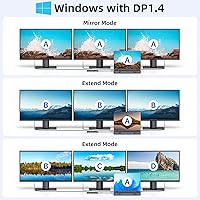
Mac users should approach this product with clear eyes: the LIONWEI Triple Monitor USB-C Docking Station does not support extended triple-display mode on macOS, and no firmware update or workaround will change that — it is a platform-level restriction imposed by Apple. If you are a MacBook user expecting three independent extended screens, this is the wrong dock regardless of how good the value looks on paper. Power users running GPU-intensive applications or large 16-inch laptops that require a full 100W charge under load may also find the 85W output insufficient for their needs during heavy sessions. Professionals who need an SD card reader, a headphone jack, or more than three USB ports will need additional adapters, which partly defeats the convenience this hub is trying to deliver. Anyone prioritising long-term build durability or who needs a truly zero-compromise mission-critical docking solution will likely outgrow the plastic construction and occasional thermal behaviour under sustained heavy use.
Specifications

  • Video Outputs: The dock provides two HDMI ports and one DisplayPort, enabling simultaneous connection of up to three external monitors.
  • Max Resolution: Each video output supports a maximum resolution of 4K at 60Hz for sharp, fluid visuals on compatible displays.
  • USB Ports: Three USB 3.0 ports are included: two Type-A and one Type-C, all capable of data transfer speeds up to 5Gbps.
  • Power Delivery: The dock accepts up to 100W via its USB-C PD input and delivers up to 85W of charging output to the connected laptop.
  • Ethernet: An RJ45 port supports wired network connections at speeds up to 1000Mbps (Gigabit Ethernet).
  • Dimensions: The unit measures 7.8 x 2.3 x 0.7 inches, making it slim enough to sit flat on a crowded desk or slip into a laptop bag.
  • Weight: The dock weighs 3.5 ounces, adding negligible load for users who carry it between home and office.
  • Color: Available in Space Grey with a matte plastic finish designed to complement most modern laptop aesthetics.
  • Host Interface: Connects to the host laptop via a single USB-C or Thunderbolt 3/4 port with no external power adapter required.
  • Windows MST Support: Windows Multi-Stream Transport (MST) is fully supported, allowing three independent extended displays on compatible Windows laptops.
  • macOS Display Mode: On macOS, only mirror mode and a non-mirror single-image mode are supported; true triple extended display is not available due to Apple platform restrictions.
  • Driver Requirement: The dock is plug-and-play and requires no driver installation on supported Windows and macOS operating systems.
  • Compatibility: Compatible with USB-C and Thunderbolt 3/4 laptops including Dell XPS, Lenovo Yoga, HP Spectre, and MacBook Pro/Air models.
  • Power Supply: No external power brick is included or required; the dock draws its operating power through the host USB-C connection.
  • Warranty: LIONWEI covers this dock with an 18-month limited warranty, exceeding the 12-month standard common among budget-tier competitors.
  • Display Modes: Both Mirror (SST) and Extended (MST) display modes are supported on Windows; macOS supports mirror and a limited non-mirror mode only.
  • Item Model: The official model number for this unit is BSP240-050400UK as listed by the manufacturer.
  • Data & Video Sharing: The USB-C host connection carries video, data, and power delivery simultaneously over a single cable to reduce desktop clutter.

Related Reviews

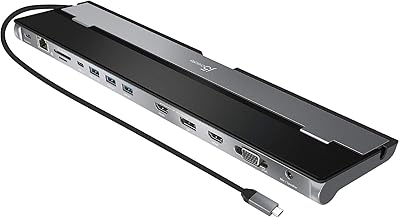
j5create USB-C Triple Monitor Docking Station JCD543
85%
89%
Setup & Installation
91%
Display Performance
85%
Build Quality
90%
Port Availability & Functionality
94%
Power Delivery
More
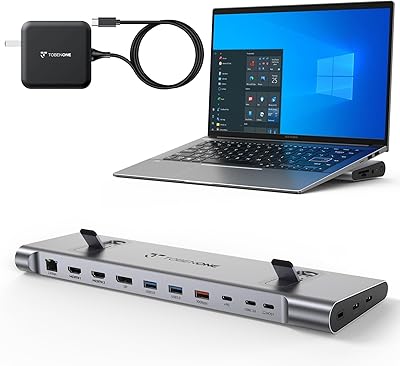
TobenONE UDS041W USB-C Triple Monitor Docking Station
77%
84%
Multi-Monitor Output
91%
Single-Display Performance
93%
Integrated 100W Charging
88%
Data Transfer Speed
79%
Ethernet Performance
More
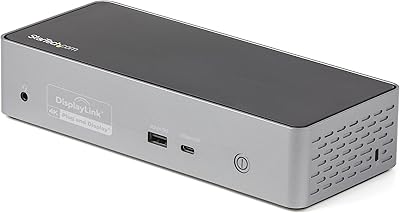
StarTech USB-C / USB-A Hybrid Docking Station for MacBook Pro/Air & Windows - Triple 4K 60Hz HDMI/DP, 85W Power Delivery
83%
94%
Multi-Display Performance
89%
Charging Efficiency
80%
Compatibility with OS
91%
Data Transfer Speed
88%
Ethernet Stability
More
StarTech DK31C4DPPD Quad Monitor USB-C Dock
76%
88%
Multi-Monitor Performance
51%
Driver Setup Experience
74%
Power Delivery
91%
OS & Hardware Compatibility
83%
Build Quality
More
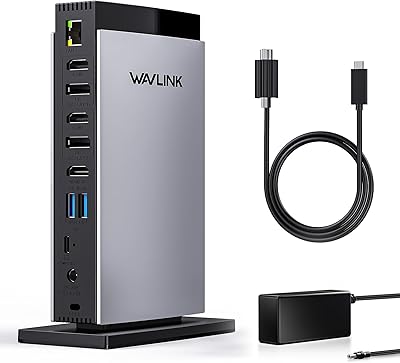
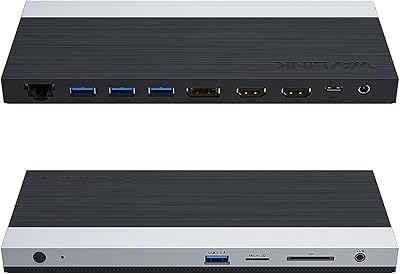
WAVLINK UG69DK13 Triple Monitor USB-C Docking Station
74%
88%
Multi-Monitor Performance
61%
Setup & Ease of Use
91%
Port Selection & Variety
86%
Video Output Quality
83%
Data Transfer Speed
More
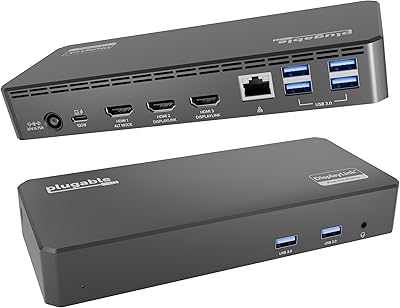
Plugable UD-3900PDZ USB-C Triple Display Docking Station
79%
82%
Multi-Monitor Performance
74%
macOS Compatibility
91%
Windows Plug-and-Play Experience
88%
Power Delivery
86%
USB Port Availability
More
WAVLINK USB C Docking Station 3 Monitor 100W PD
87%
90%
Display Performance
88%
Build Quality
85%
Ease of Setup
92%
Charging Speed
87%
Connectivity Options
More
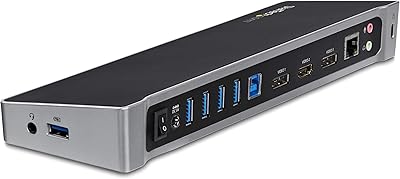
StarTech.com Triple Monitor USB 3.0 Docking Station
83%
89%
Performance
91%
Ease of Setup
88%
Display Support
85%
Connectivity Options
80%
Build Quality
More
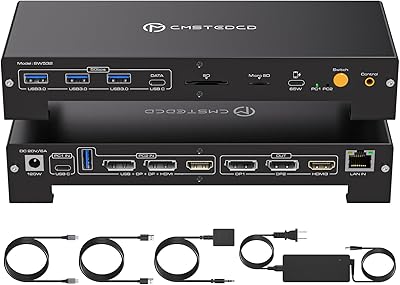
CMSTEDCD SW532 KVM Docking Station
78%
88%
KVM Switch Reliability
84%
Multi-Monitor Display Performance
67%
Laptop Compatibility
79%
Power Delivery & Charging
91%
Port Selection & Variety
More
Selore&S-Global 16-in-1 USB-C Docking Station with Triple HDMI
84%
88%
Performance
91%
Multi-monitor Support
85%
Charging Capability
80%
Build Quality
87%
Data Transfer Speed
More

FAQ

Yes, but only on Windows. When connected to a compatible Windows laptop via USB-C or Thunderbolt, this triple-monitor dock supports full MST extended mode, meaning each screen shows different content. On macOS, Apple's architecture prevents true triple extended display, so Mac users are limited to mirror configurations only — this is a macOS restriction, not a product defect.

It will connect and provide basic functionality — charging, USB peripherals, and Ethernet work fine — but you will not get three independent extended screens on a MacBook. The LIONWEI Triple Monitor USB-C Docking Station only supports mirror mode on macOS. If your primary goal is a multi-screen extended workspace on a Mac, this is not the right dock for that use case.
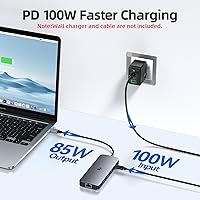
Yes. The dock passes up to 85W back to the laptop through the same USB-C connection, which is enough to charge most thin-and-light laptops at a normal rate during a standard workday. If your laptop requires a full 100W to charge under heavy load — common with some larger 15-inch or 16-inch models — you may see the battery hold steady rather than actively charge during intensive tasks.

No, nothing to install. On Windows and macOS it is fully plug-and-play — connect the cable to your laptop's USB-C port and the dock is ready to use within seconds. Windows will automatically detect the displays and prompt you to configure the layout in Display Settings if needed.

Two of the three video outputs are HDMI, so two standard monitors connect directly. The third output is DisplayPort, which most modern monitors support, but if yours only has HDMI you will need a passive DisplayPort-to-HDMI adapter cable, which is widely available and inexpensive. Active adapters are generally not required for standard 4K displays.

Yes, both are well-documented compatible laptops. Dell XPS and Lenovo ThinkPad and Yoga models with USB-C or Thunderbolt 3/4 ports are among the most frequently mentioned by buyers who report smooth triple-display setups. Just confirm your specific model has a USB-C port that supports DisplayPort Alt Mode or Thunderbolt to ensure full video output functionality.

Warm to the touch under full load is normal for a passive-cooled hub running three 4K displays, Ethernet, and USB peripherals simultaneously. However, if it becomes uncomfortably hot or you notice display signal drops after extended heavy use, try reducing the load slightly — for example, running two displays at 4K and one at 1080p — or ensure the dock has adequate airflow and is not placed on top of insulating materials like fabric.

In most cases, yes. However, a subset of users report that the dock occasionally does not re-establish the display connection immediately after the laptop wakes from sleep, particularly on certain Windows configurations. A quick unplug and replug of the USB-C cable almost always resolves this instantly. It is an intermittent quirk rather than a consistent failure.

No external power adapter is included, and none is needed. The dock is bus-powered through your laptop's USB-C port, which also handles video and data. This keeps the setup simple and travel-friendly, though it does mean the dock relies entirely on your laptop providing sufficient USB-C power and bandwidth.

The 18-month warranty covers manufacturing defects and hardware failures under normal use conditions. Buyers who have used it generally describe the support team as responsive and willing to resolve issues, though response times can vary depending on region. If you run into a problem, contacting LIONWEI directly through the purchase channel with a description of the issue is the recommended starting point for a replacement or resolution.