Overview

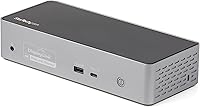
The StarTech DK31C4DPPD Quad Monitor USB-C Dock is a DisplayLink-powered docking station built for users who genuinely need four external displays running through a single USB-C cable. That alone sets it apart from the crowded field of two- and three-screen docks. It supports macOS Apple Silicon, Windows, ChromeOS, and Linux — a rare combination that makes it viable across mixed-device environments. The unit ships with a 1m USB-C host cable and has a compact footprint of 8.5 by 3.5 inches, so it won't overwhelm a tidy desk. One thing to know before buying: driver installation is required on both Windows and macOS, so out-of-the-box plug-and-play this is not.
Features & Benefits

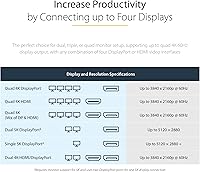
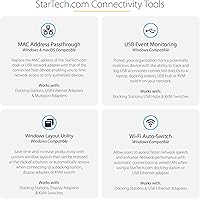
This quad-monitor dock offers four active video outputs — any mix of its HDMI 2.0 and DisplayPort connectors — each capable of driving a screen at 4K 60Hz. Want 5K? You can get there, but it requires dedicating two DisplayPort connections to a single display, leaving you with fewer total screens. Power Delivery tops out at 100W, which handles most MacBook Pro models under typical workloads. The USB hub adds three USB-A 5Gbps ports, one fast-charging at 1.5A, one USB-C port at 10Gbps with 15W device charging, Gigabit Ethernet with Wake-on-LAN, and a 3.5mm headset jack. IT teams will appreciate MAC Address Pass-Through and USB Event Monitoring, though most home users can safely ignore those extras.

Best For

This DisplayLink docking station earns its place on a desk if you fall into a specific category of user. Apple Silicon MacBook owners are the most obvious fit — M1 through M4 chips natively cap external display output, and this dock bypasses that restriction entirely. Video editors, financial analysts, and traders who work across multiple windows benefit most from four screens at once. It's also a strong pick for IT administrators managing standardized workstations across Windows and macOS, where Wake-on-LAN and network MAC pass-through actually get used daily. If you only need two screens and don't need 100W charging, a less expensive dock will likely serve you just as well.

User Feedback

With roughly 75 ratings and a 4.0-star average, early sentiment leans positive — but the sample is too small to draw firm conclusions. The most consistent praise centers on reliable quad-display output on M-series Macs and a build quality that feels solid for a premium-tier dock. On the flip side, Windows users frequently flag the driver installation process as a friction point — it works, but it requires effort, and keeping DisplayLink software current demands ongoing attention. A handful of reviewers note the unit running noticeably warm under sustained quad-display loads, though no one reports shutdowns. A few also question whether 100W PD fully sustains a MacBook Pro 16-inch during intense GPU workloads — worth considering if peak performance is non-negotiable.

Pros

  • Runs four 4K 60Hz displays from a single USB-C connection, which very few docks at any price can match.
  • Broad OS and chip compatibility covers Apple Silicon, Intel, AMD, Windows, macOS, ChromeOS, and Linux in one unit.
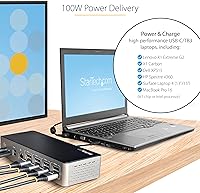
  • 100W Power Delivery keeps most laptops fully charged even while driving a quad-display workload.
  • Gigabit Ethernet with Wake-on-LAN and PXE Boot makes this quad-monitor dock viable in managed IT environments.
  • The USB-C 10Gbps port doubles as a 15W phone or tablet charger, adding useful flexibility to the hub.
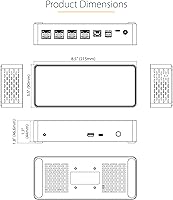
  • Compact at 8.5 by 3.5 inches, it fits neatly on a desk without dominating the workspace.
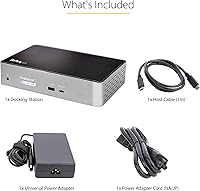
  • Ships with a 1m USB-IF certified USB-C host cable, so you're ready to connect right out of the box.
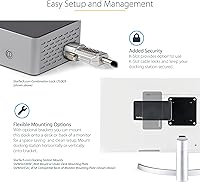
  • Front On/Off button and K-slot security are small but genuinely useful additions for daily desk use.
  • Early adopters on M-series Macs report reliable quad-display performance once drivers are properly installed.

Cons

  • DisplayLink driver installation on Windows is a friction point that requires setup effort and ongoing software maintenance.
  • The 5K resolution mode consumes two DisplayPort connections per screen, cutting your total display count in half.
  • With only around 75 ratings so far, the review pool is too small to draw confident long-term reliability conclusions.
  • Several users report the unit running noticeably warm under sustained quad-display loads, which may concern some buyers.
  • 100W Power Delivery can fall short during peak GPU workloads on high-performance 16-inch laptops.
  • Occasional DisplayLink driver updates are required after macOS system updates, adding unexpected maintenance steps.
  • The asking price is steep if your actual needs are two screens and basic USB connectivity.

Ratings

The scores below reflect AI-driven analysis of verified global buyer reviews for the StarTech DK31C4DPPD Quad Monitor USB-C Dock, with spam, bot-generated, and incentivized feedback actively filtered out before scoring. Each category captures both what users genuinely praised and the friction points they reported in real-world daily use. Nothing has been softened — strong scores are earned, and weak ones reflect recurring, pattern-based complaints.

Multi-Monitor Performance
88%
Users running M1 through M4 MacBooks consistently praised the dock for unlocking four external displays that Apple Silicon would otherwise block natively. For analysts and creatives juggling multiple applications, the ability to hit 4K 60Hz across all four screens was cited as the dock's single most valuable capability.
A small segment of users noted occasional display flickering during the first few days before drivers stabilized, particularly on Windows machines. The 5K mode, while technically supported, requires sacrificing two ports per screen, which limits practical flexibility for most multi-display setups.
Driver Setup Experience
51%
49%
Once installed correctly, the DisplayLink driver runs reliably in the background with minimal interference for most users. Mac users in particular reported that after initial setup, the dock behaved consistently across reboots and sleep-wake cycles without needing manual intervention.
Windows users repeatedly flagged the driver installation as the most frustrating part of owning this dock — it requires a separate download, a system restart, and occasional reinstallation after OS updates. For buyers expecting plug-and-play behavior, the setup curve is a genuine disappointment that surfaces consistently across reviews.
Power Delivery
74%
26%
For the majority of laptop users — including those running MacBook Pro 14-inch models and most Windows ultrabooks — 100W Power Delivery is more than adequate to charge the host machine while the dock runs at full capacity. Users doing standard productivity work reported stable battery levels throughout long workdays.
Several owners of MacBook Pro 16-inch models noted that under sustained GPU workloads — video rendering, gaming, or intensive simulation — the laptop drew more power than 100W could supply, resulting in slow battery drain rather than charging. This is a real limitation for power users who push their machines hard all day.
OS & Hardware Compatibility
91%
The breadth of compatibility here is genuinely unusual for a dock at this tier — Windows, macOS, ChromeOS, and Linux all work, and Intel, AMD, and Apple M-series chips are supported without hardware modification. IT administrators managing mixed-device fleets called this out as a decisive reason for choosing this dock over alternatives.
ChromeOS and Linux support, while present, received less testing coverage in user reports, and some edge-case configurations required manual troubleshooting. Users on older macOS versions near the lower support boundary occasionally reported minor display detection inconsistencies after system updates.
Build Quality
83%
The dock feels solid and well-constructed for its weight class — at 11.7 oz, it sits firmly on a desk without sliding, and the matte finish resists visible fingerprints during daily use. Reviewers consistently described the physical construction as appropriate for the price tier.
A few users noted that the ventilation cutouts, while functional, give the bottom of the unit a slightly utilitarian appearance that may not suit minimalist desk setups. There are no rubber feet mentioned, and a small number of reviewers noted minor surface scuffing over time on certain desk materials.
Port Selection & Variety
86%
The combination of four video outputs, three USB-A ports, one USB-C data and charging port, Gigabit Ethernet, and a 3.5mm audio jack covers virtually every peripheral a professional desk setup requires. Users frequently noted being able to retire multiple separate adapters after switching to this dock.
With only four total USB ports, users with extensive peripheral setups — external drives, keyboards, mice, webcams — may find themselves needing a secondary USB hub. The single USB-C port also cannot simultaneously serve as a Thunderbolt video output, which occasionally caused confusion among first-time buyers.
Thermal Management
67%
33%
The dock's built-in ventilation cutouts do their job under typical workloads — casual users running two or three displays at 1080p or 1440p reported no heat concerns whatsoever. The unit stays quiet since there is no active fan, which matters for open-plan or silent office environments.
Under a sustained four-display 4K workload, multiple users described the unit as running noticeably warm to the touch, particularly on the underside near the vents. While no users reported thermal shutdowns, the heat level in fully loaded scenarios is enough to be a conscious consideration in enclosed desk environments.
Ethernet Performance
89%
The Gigabit Ethernet port performed exactly as advertised — users on wired connections reported stable throughput and zero dropout during video calls or large file transfers. IT professionals specifically valued the Wake-on-LAN and PXE Boot support, which made remote deployment and management significantly easier.
Home users rarely need WoL or PXE Boot, so this feature set adds cost without adding everyday value for consumers. A small number of users also noted that the WiFi Auto Switching feature required manual configuration to work reliably, and documentation for that process was sparse.
Value for Money
63%
37%
For users who genuinely need four 4K displays from a single USB-C connection — especially on Apple Silicon — the price is defensible because competing solutions are rare and often more expensive. IT buyers managing fleet deployments tended to view the cost-per-station as reasonable given the enterprise feature set.
For anyone who needs fewer than four monitors or can live without enterprise networking features, the pricing is difficult to justify against simpler dual- or triple-display docks available at substantially lower price points. The relatively small review pool also makes it harder to confidently assess long-term durability relative to cost.
Setup & Documentation
58%
42%
The physical setup is genuinely simple — the included USB-C cable, clear port labeling, and compact layout mean the hardware side takes only minutes. Users who had prior experience with DisplayLink-based docks found the process familiar and manageable.
The documentation bundled in the box is minimal, and new DisplayLink users frequently had to seek out online resources or StarTech support to complete driver configuration correctly. Post-macOS-update scenarios in particular left some buyers confused about why their displays stopped working until they discovered the driver needed reinstallation.
Display Flexibility
77%
23%
The ability to mix HDMI 2.0 and DisplayPort outputs in any combination gives users genuine freedom when building multi-monitor setups with mismatched displays. Users connecting older HDMI monitors alongside newer DisplayPort panels reported no compatibility friction between output types.
The shared four-port active output pool means you cannot use all eight physical connectors at once, which confuses buyers who assume eight ports means eight simultaneous displays. The 5K limitation — two ports per display — further reduces flexibility for anyone trying to maximize both resolution and screen count at the same time.
IT & Enterprise Features
84%
MAC Address Pass-Through, USB Event Monitoring, and WiFi Auto Switching are meaningful tools for IT departments that need visibility and control over networked endpoints. Managed deployment users noted these features made the dock viable for enterprise rollouts that stricter network security policies would otherwise block.
These features are almost entirely invisible to home and small-office buyers who will never configure them, and their presence adds complexity to the driver software interface without benefiting the average user. The feature documentation assumes familiarity with IT infrastructure concepts, leaving non-technical users largely unable to benefit from them.
Cable & Accessory Inclusion
79%
21%
Including a USB-IF certified 1m USB-C cable in the box is a practical and appreciated touch — it means most buyers can connect and start the driver setup process without hunting for an additional cable. The cable quality felt consistent with what users expected at this price tier.
One meter is sufficient for standard laptop-beside-dock configurations but falls short for setups where the dock lives on a shelf, monitor arm, or further than arm's reach from the laptop. Users with longer-distance setups need to purchase a separate high-quality cable, adding an unplanned cost.

Suitable for:

The StarTech DK31C4DPPD Quad Monitor USB-C Dock was built for a specific kind of user, and if you fit the profile, it delivers in ways few docks can. Apple Silicon MacBook owners — M1 through M4 — are the clearest beneficiaries, since this DisplayLink-powered dock bypasses the chip's native display output limits and unlocks a true four-screen setup. Financial analysts, video editors, and developers who live across multiple windows all day will immediately understand why that matters. IT administrators managing mixed Windows and macOS fleets will also find genuine value here, thanks to Wake-on-LAN, PXE Boot support, and MAC Address Pass-Through that most consumer docks simply don't offer. Home office professionals who want one cable handling four monitors, wired Ethernet, USB peripherals, and 100W laptop charging simultaneously will appreciate not having to compromise on any of those fronts.
Not suitable for:

The StarTech DK31C4DPPD Quad Monitor USB-C Dock is a poor fit for buyers who just need a straightforward plug-and-play hub. DisplayLink requires driver installation on both Windows and macOS, and keeping that software current is an ongoing responsibility — if you're not comfortable managing that, frustration is likely. Users who only need two screens will find this dock difficult to justify given its price, since capable dual-display alternatives exist at a fraction of the cost. The 5K resolution option also comes with a real catch: it consumes two DisplayPort connections per display, meaning you lose screen count to gain resolution — not a trade-off everyone will want to make. Laptop users running sustained GPU-heavy workloads should also be aware that 100W Power Delivery may not fully offset power draw under extreme loads on a MacBook Pro 16-inch, so battery drain during peak use is a realistic possibility.
Specifications

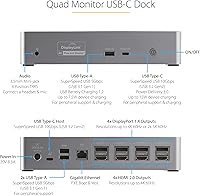
  • Video Outputs: The dock provides four active video outputs drawn from a shared pool of four HDMI 2.0 and four DisplayPort connectors.
  • Max Resolution: Each of the four displays can run at up to 4K 60Hz, or two screens can reach 5K 60Hz by dedicating two DisplayPort connections per display.
  • Power Delivery: The upstream USB-C port delivers up to 100W of Power Delivery to charge the connected host laptop while the dock is in full use.
  • USB-A Ports: Three USB-A ports operate at 5Gbps, with one of those three designated for fast charging at 1.5A.
  • USB-C Port: One USB-C port runs at 10Gbps data speeds and provides up to 15W for charging smartphones or tablets.
  • Ethernet: The Gigabit Ethernet port supports 1GbE throughput and includes PXE Boot and Wake-on-LAN functionality for managed deployments.
  • Audio: A single 3.5mm TRRS combo jack supports both headset output and microphone input through one connection.
  • Host Cable: A 1m USB-IF certified USB-C cable is included in the box for connecting the dock to the host laptop.
  • Dimensions: The unit measures 8.5″ long by 3.5″ wide by 1.8″ tall, keeping the desk footprint compact.
  • Weight: The dock weighs 11.7 oz, making it light enough to reposition easily but substantial enough to stay stable on a desk.
  • Security: A K-slot lock port and integrated mounting holes allow the dock to be physically secured to a desk or surface.
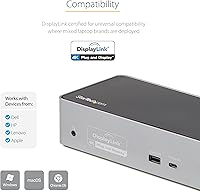
  • OS Support: Compatible operating systems include Windows 10 and 11 (64-bit), macOS 10.14 through 14.0, ChromeOS 61 and later, and Linux.
  • Chip Support: The dock is compatible with Intel, AMD, and Apple M-series processors including M1, M2, M3, and M4 variants.
  • Driver Requirement: DisplayLink driver software must be downloaded and installed on both Windows and macOS before the dock functions correctly.
  • Power Source: The dock is powered by an AC adapter that is included in the box rather than drawing power solely from the host laptop.
  • Total Port Count: The dock offers 16 total ports across all connection types including video, USB, audio, and networking.
  • IT Features: Enterprise-oriented features include Network MAC Address Pass-Through, WiFi Auto Switching, and USB Event Monitoring for IT management use cases.
  • Front Controls: A physical On/Off button on the front face of the dock lets users disconnect all peripherals without unplugging cables.

Related Reviews
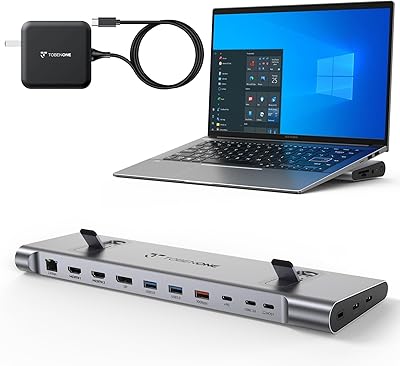
TobenONE UDS041W USB-C Triple Monitor Docking Station

77%
84%
Multi-Monitor Output
91%
Single-Display Performance
93%
Integrated 100W Charging
88%
Data Transfer Speed
79%
Ethernet Performance
More
StarTech USB-C / USB-A Hybrid Docking Station for MacBook Pro/Air & Windows - Triple 4K 60Hz HDMI/DP, 85W Power Delivery
83%
94%
Multi-Display Performance
89%
Charging Efficiency
80%
Compatibility with OS
91%
Data Transfer Speed
88%
Ethernet Stability
More
LIONWEI Triple Monitor USB-C Docking Station
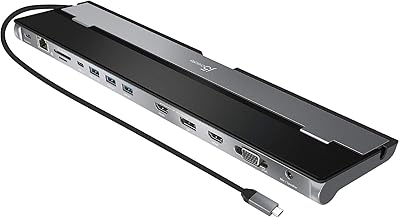
75%
83%
Multi-Monitor Display Performance
41%
macOS Compatibility
89%
Value for Money
81%
Power Delivery & Charging
92%
Plug-and-Play Setup
More
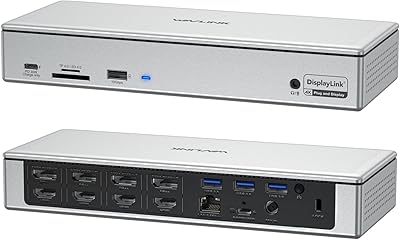
j5create USB-C Triple Monitor Docking Station JCD543
85%
89%
Setup & Installation
91%
Display Performance
85%
Build Quality
90%
Port Availability & Functionality
94%
Power Delivery
More
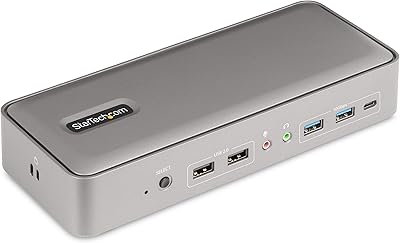
WAVLINK WL-UG69PD12 Quad Monitor Docking Station
75%
83%
Multi-Monitor Performance
58%
Driver Setup & Installation
74%
macOS M1/M2 Compatibility
86%
Laptop Charging (Power Delivery)
78%
Build Quality & Design
More
StarTech 129N-USBC-KVM-DOCK Dual-Laptop KVM Docking Station
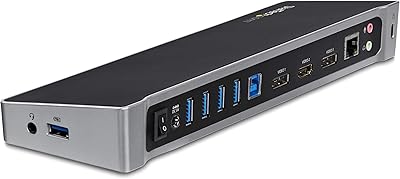
75%
83%
KVM Switching Reliability
88%
Display Performance
51%
Setup & Driver Experience
72%
Power Delivery
81%
Build Quality
More
StarTech.com Triple Monitor USB 3.0 Docking Station
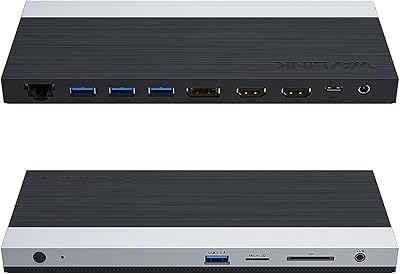
83%
89%
Performance
91%
Ease of Setup
88%
Display Support
85%
Connectivity Options
80%
Build Quality
More
WAVLINK USB C Docking Station 3 Monitor 100W PD
87%
90%
Display Performance
88%
Build Quality
85%
Ease of Setup
92%
Charging Speed
87%
Connectivity Options
More
CMSTEDCD SW532 KVM Docking Station

78%
88%
KVM Switch Reliability
84%
Multi-Monitor Display Performance
67%
Laptop Compatibility
79%
Power Delivery & Charging
91%
Port Selection & Variety
More
Plugable UD-3900Z
Plugable UD-3900Z
74%
88%
Dual Monitor Performance
79%
macOS Compatibility
93%
Wired Ethernet Reliability
82%
USB Port Availability
74%
Setup & Ease of Use
More

FAQ

You do need to install the DisplayLink driver before the quad-display functionality works — there is no way around it on Windows or macOS. The process involves downloading the driver from the DisplayLink website, running the installer, and restarting your machine. It is straightforward, but it is not plug-and-play, so budget a few minutes for setup the first time.

Yes, that is actually one of the core use cases this dock was designed for. Apple Silicon chips have native display output limits, but DisplayLink technology bypasses those restrictions by routing video through the USB connection and the driver software. Most M1 through M4 MacBooks can run four external displays through this dock once the driver is installed.

Yes, the dock supports up to four displays simultaneously, each at 4K 60Hz. You can use any combination of the HDMI 2.0 and DisplayPort outputs to reach that total — four HDMI, four DisplayPort, or any mix of the two.

The 5K option requires two DisplayPort connections to drive a single display, which means you are effectively using half your available ports for one screen. So if you run one 5K monitor that way, you have two remaining outputs for other displays. It is a useful feature if you own a 5K display, but it does reduce your total screen count.

For most everyday workloads — browsing, documents, video calls — 100W is sufficient to maintain or slowly charge the battery. Under sustained GPU-intensive tasks, some users report that the laptop draws more power than 100W can supply, meaning the battery may slowly drain rather than charge. If you push your machine hard all day, it is worth being aware of that ceiling.

Yes, Windows 10 and Windows 11 (64-bit) are both officially supported. You will still need to install the DisplayLink driver on Windows, and it is worth checking that your driver version is current after any major Windows update, as compatibility patches are sometimes required.

A handful of real-world users have noted that the unit runs noticeably warm under a sustained four-display workload, which is not unusual for DisplayLink hardware. The dock has ventilation cutouts built in to manage heat. It does not appear to throttle or shut down under normal use, but it is something to be aware of if your desk setup is enclosed.

Absolutely. The dock is USB-C based and is fully compatible with Thunderbolt 3 and Thunderbolt 4 ports, which are a superset of USB-C. You will get the same functionality regardless of whether your port is labeled USB-C or Thunderbolt.

This is a real maintenance task that comes with any DisplayLink-based dock. After a macOS update, the existing driver occasionally loses compatibility and needs to be updated before external displays come back online. The update process is simple — download the new version from DisplayLink and reinstall — but it can be an unexpected surprise if you update your OS without checking driver compatibility first.

The included cable is 1 meter, which covers most standard desk arrangements where the dock sits close to the laptop. If your setup has the dock further away — say on a credenza or monitor arm shelf — you may want a longer cable. Just make sure any replacement cable is USB-IF certified to ensure reliable data and power throughput.

Where to Buy