Overview

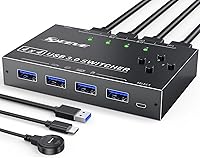
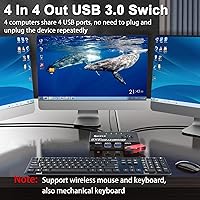
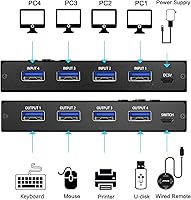
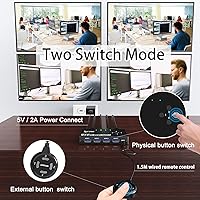
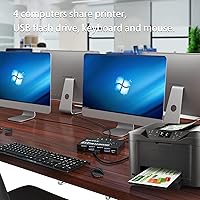
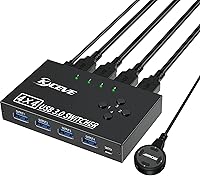
The MLEEDA 4-Port USB 3.0 KVM Switch occupies a useful middle ground — more capable than the basic two-port switchers that flood the market, but far less complex than full KVM solutions that also route video. If you run two, three, or even four computers on the same desk and you're tired of crawling behind your setup to swap cables, this USB switch solves that problem cleanly. It lets up to four host machines share four USB peripherals simultaneously, all without installing a single driver. The built-in button and included 1.5-meter wired remote give you flexible placement options, and the compact chassis won't dominate your desk. Works across Windows, Mac, Linux, and Chrome OS right out of the box.

Features & Benefits

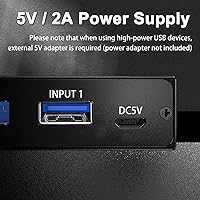
The USB 3.0 standard here delivers transfer speeds up to 5 Gbps — roughly ten times what USB 2.0 offers — which matters when you're pushing files across machines via flash drive. The 4-in/4-out architecture is the real draw: every connected computer has simultaneous access to all four peripheral ports, so switching feels instant rather than requiring each machine to re-detect devices from scratch. A green LED tells you at a glance which host is currently active. The 1.5-meter wired remote is long enough to sit near your keyboard, keeping the hub itself tucked away. For high-draw devices like external hard drives, there's a dedicated micro USB power port — just note that the 5V adapter is sold separately.

Best For

This peripheral sharing hub makes the most sense for anyone juggling multiple computers daily — a work laptop, a personal desktop, maybe a test machine — who doesn't want to fund a separate keyboard, mouse, and printer for each one. Home office users who need to print from whichever machine they happen to be on will find it especially practical. Developers and IT staff who regularly bounce between systems also get real mileage here, since there's no software to configure and no network required. One thing worth stating plainly: this switcher handles USB peripherals only. It carries no video or audio signal, so if you need your monitor to follow your keyboard, a full KVM solution is what you actually need.

User Feedback

Buyers consistently highlight two things: setup is genuinely painless, and day-to-day switching is reliable enough to trust without thinking about it. The wired remote earns specific praise for keeping desks tidy. On the flip side, users running external hard drives without the optional power adapter have reported occasional device recognition hiccups — the advice to grab a 5V supply is worth heeding. A few reviewers note that the remote button feels functional but not particularly solid. Some have also flagged brief switching lag when toggling between machines in rapid succession. Overall, satisfaction is strong for the price tier, especially among buyers who simply want a practical, hardware-only way to share peripherals across machines without any networking involved.

Pros

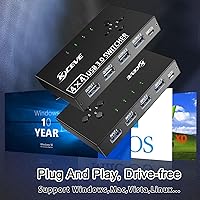
  • No driver installation needed — plug it in and it works immediately on most major operating systems.
  • Four computers share four USB ports simultaneously, covering keyboard, mouse, printer, and a spare slot in one setup.
  • USB 3.0 speeds make flash drive transfers across machines noticeably faster than older switcher generations.
  • The included 1.5-meter wired remote lets you switch hosts without reaching across the desk.
  • Green LED indicators make it immediately obvious which computer is currently active.
  • Backward compatible with USB 2.0 and 1.1 devices, so older peripherals still work without issue.
  • Wireless keyboards and mice are fully supported, not just wired peripherals.
  • Compact footprint means it sits comfortably on most desks without taking over the workspace.
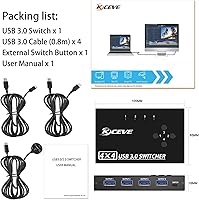
  • Four USB 3.0 cables are included, so most buyers can set up immediately without hunting for extra cables.

Cons

  • No video or audio switching — monitor and speakers stay fixed to one machine regardless of which host is active.
  • The 5V power adapter required for high-draw devices is not included, adding an unannounced extra cost.
  • The wired remote button feels lightweight and may not hold up well under heavy daily use over months.
  • Some users report brief delays in device recognition when switching hosts in quick succession.
  • Four ports may not be enough if you need to share more than four peripherals across your machines.
  • No hotkey or software switching option exists for users who prefer keyboard shortcuts over physical buttons.
  • Occasional port recognition issues arise specifically when high-power devices are connected without the optional power supply.
  • The micro USB power port placement and unlabeled ports can cause initial setup confusion for some users.

Ratings

The scores below for the MLEEDA 4-Port USB 3.0 KVM Switch were generated by AI after analyzing verified buyer reviews collected from markets worldwide, with spam, bot-submitted, and incentivized feedback actively filtered out. Each category reflects the honest spread of real user experiences — not just the positives — so both the strengths and the friction points are represented as accurately as possible.

Ease of Setup
93%
Nearly every buyer reports being up and running within minutes of opening the box. No drivers, no software, no network configuration — just plug in the four USB cables and your peripherals and it works. Users across Windows, Mac, and Linux all describe the initial experience as refreshingly straightforward.
A small number of users found the port labeling unclear at first, leading to a cable mix-up between host and peripheral ports on the initial setup. The documentation included in the box is minimal, which can slow things down for less tech-savvy buyers.
Switching Reliability
82%
18%
For the core daily task of toggling between computers with a keyboard and mouse, the switcher performs consistently well. Most users report months of stable operation without missed presses or lost connections during regular workday use.
A recurring complaint involves brief lag when switching hosts rapidly back to back, where one or two devices take an extra moment to be recognized. A handful of users also reported occasional port detection failures after the machine wakes from sleep, requiring a physical unplug and re-plug to resolve.
Build Quality
67%
33%
The chassis feels adequately solid for a desktop device that mostly sits still, and the unit itself does not flex or rattle. Several buyers note it has held up fine after a year or more of daily use without any structural issues.
The remote button in particular draws consistent criticism for feeling flimsy and plasticky relative to the rest of the unit. A few longer-term users have reported the button developing inconsistent tactile feedback over time, which is a concern for anyone who switches machines many times per day.
Wired Remote Usability
79%
21%
The 1.5-meter remote cable is long enough to keep the main hub tucked behind a monitor or under a desk while the switch button stays conveniently near the keyboard. Users consistently call this one of the more practical design choices, especially in tidy desk setups.
The remote itself feels lightweight and the button travel is shallow, which some users find unsatisfying to press. A few buyers wished the cable were slightly longer — around 2 meters — to reach comfortably from floor-mounted units to desktop level without tension.
USB 3.0 Performance
88%
Transfer speeds hold up well in real-world testing, with flash drive transfers across machines feeling noticeably quicker than on older USB 2.0 switchers. Users who regularly move large files between a work machine and a personal desktop specifically highlight this as a meaningful daily upgrade.
Performance is rated on standard peripherals and flash drives; a few users found that sustained high-throughput transfers occasionally stuttered, particularly when multiple USB 3.0 devices were active simultaneously. These cases appear edge-scenario rather than typical everyday use.
Peripheral Compatibility
76%
24%
Wireless keyboard and mouse dongles, wired input devices, standard printers, and USB scanners all work without any compatibility fuss. The backward compatibility with USB 2.0 and 1.1 means users with older peripherals do not need to upgrade their gear just to use the switcher.
High-power devices like external HDDs and cameras are where compatibility gets conditional — they need the optional 5V power adapter to function reliably, and without it some users reported erratic behavior or devices not being recognized at all. This caveat trips up buyers who did not read the fine print before purchasing.
Value for Money
84%
Buyers repeatedly describe the switcher as punching above its price tier given the four-port capacity and USB 3.0 speeds. For users replacing duplicate keyboards, mice, and printers across multiple machines, the cost savings on redundant peripherals make the purchase feel like an easy decision.
The missing power adapter is a genuine value friction point — it is a small additional cost, but it feels like an oversight for a product in this tier. A few buyers also note that comparable two-port options are significantly cheaper, making the value case stronger only if you actually need four host connections.
LED Indicator Clarity
81%
19%
The green per-channel LED indicators are bright enough to read at a glance from across a desk, and users appreciate not having to guess which machine is currently active. In multi-monitor setups where machines are not always visually obvious, this small detail matters more than it might seem.
There is only one indicator visible at a time — the active host — with no passive status for the other three channels. Users who occasionally forget which numbered port corresponds to which machine said a labeling area or dedicated LED per channel would make the system more intuitive.
Cable Management
74%
26%
Four USB 3.0 cables are included in the box, which covers the full setup without any additional purchases for the host connections. The cables are a reasonable length for most desk configurations and feel adequately constructed.
With four host cables and up to four peripheral cables converging on a single small unit, the hub area can get cluttered fast. Several users noted that the cable routing options on the unit itself offer no strain relief or management clips, which makes tidy installations harder to maintain.
OS Compatibility
91%
The cross-platform support is genuinely broad and works as advertised — users running mixed environments like a Windows work laptop alongside a Mac personal desktop report zero OS-specific issues. Chrome OS and Linux users, who often face compatibility gaps with budget peripherals, call out the reliable support as a specific reason they chose this unit.
While day-to-day compatibility is strong, a small number of users running older OS versions like Windows 7 or Vista noted occasional device re-enumeration delays after switching, suggesting the driver-free experience is slightly more polished on modern operating systems.
Power Handling
58%
42%
For standard peripherals, the bus-powered operation works reliably without needing anything beyond the USB host connections. Users sticking to keyboards, mice, and printers never need to think about power at all.
The omission of a bundled 5V adapter is arguably the most consistent source of frustration across buyer reviews. Users who connected external drives without reading the product notes carefully ran into immediate problems, and the adapter requirement is not prominently communicated at the point of purchase, leaving some buyers feeling misled.
Desk Footprint
87%
The compact dimensions make it easy to mount or tuck the unit out of sight, and several users place it vertically behind a monitor stand or underneath a shelf without any issues. Its lightweight build means it does not slide or tip under normal cable tension.
The unit has no mounting holes or adhesive pad option, so placement on smooth desk surfaces can drift slightly when cables are tugged. Buyers who wanted a cleaner permanent installation had to improvise their own mounting solution.
Switching Speed
71%
29%
For the typical use case of switching a keyboard and mouse between machines at a normal pace, the response is fast enough that it does not interrupt workflow. Most users describe pressing the button and having control transfer within one to two seconds under normal conditions.
Rapid or repeated switching in short succession — common for IT staff running quick tests across machines — can produce a longer handoff window where peripherals are temporarily unresponsive. This is a hardware-level limitation rather than a defect, but it is worth knowing if your workflow involves frequent back-and-forth toggling.
Package Contents
72%
28%
The inclusion of four USB 3.0 host cables covers the entire setup without any additional accessory purchases for standard configurations. Having all the cables already matched and included simplifies unboxing significantly compared to units that require you to source your own.
The absence of the power adapter remains the most glaring omission, especially given that the product explicitly markets high-power device support. A basic 5V adapter adds minimal cost to manufacture and its absence reads as a cost-cutting decision that erodes the out-of-box experience for a meaningful subset of buyers.

Suitable for:

The MLEEDA 4-Port USB 3.0 KVM Switch is a practical fit for anyone who regularly works across two or more computers and is tired of dedicating separate peripherals to each machine. Home office professionals who toggle between a work-issued laptop and a personal desktop will get immediate value — one keyboard, one mouse, one printer, all shared without digging behind the desk. Developers and IT staff who maintain test machines or lab environments will appreciate how quickly they can hop between systems with no software dependency in the way. It also suits students or creators running a desktop alongside a secondary machine for rendering or streaming, where USB 3.0 speeds make occasional file transfers practical. If your goal is a clean, hardware-only solution that just works across Windows, Mac, Linux, or Chrome OS without configuration, this switcher covers that ground reliably.

Not suitable for:

The MLEEDA 4-Port USB 3.0 KVM Switch handles USB peripherals only — it carries no video or audio signal — so anyone expecting their monitor to follow their keyboard when switching machines will need to look at a full audio-video KVM solution instead. Users who rely on power-hungry devices like external hard drives or digital video cameras should factor in the cost of a separate 5V power adapter, since one is not included; running those devices without supplemental power leads to unreliable behavior. If you only ever work on a single machine, or if you only need to share between two computers, this four-port unit is more hardware than your situation calls for. Those who do rapid, repeated switching in quick succession may also notice brief lag during device handoff, which could be disruptive in time-sensitive workflows. Buyers expecting premium build quality or a hardened remote button may find the physical construction a step below their expectations at this price tier.

Specifications

  • Host Ports: Connects up to 4 computers simultaneously via dedicated USB input ports on the unit.
  • Peripheral Ports: Provides 4 USB 3.0 output ports for shared peripherals such as keyboard, mouse, printer, or scanner.
  • USB Standard: Operates on USB 3.0 with data transfer speeds up to 5 Gbps, and is fully backward compatible with USB 2.0 and USB 1.1 devices.
  • Switching Method: Supports two switching methods: a front-panel button on the unit itself and a 1.5-meter wired remote control.
  • LED Indicator: Each host channel has a dedicated green LED that illuminates to show which computer is currently active.
  • Power Input: Features a dedicated micro USB port for optional 5V DC power input when high-draw peripherals are connected.
  • Power Adapter: A 5V power adapter is not included in the box and must be sourced separately if needed for high-power devices.
  • Current Rating: Maximum current rating is 2 Amps across the device.
  • Operating Voltage: Designed to operate at 5 Volts DC.
  • Dimensions: The unit measures 4.02 × 2.56 × 0.75 inches, offering a compact desktop footprint.
  • Weight: The device weighs 13.4 ounces including cables.
  • Included Cables: Four USB 3.0 cables are included in the package, one for each host computer connection.
  • Driver Requirement: No drivers or software installation are required; the device is plug-and-play on all supported operating systems.
  • OS Compatibility: Compatible with Windows 11, 10, 8, 7, Vista, and XP, as well as macOS, Linux, and Chrome OS.
  • Wireless Support: Fully supports wireless keyboard and mouse receivers connected through the peripheral ports.
  • Remote Cable Length: The included wired remote control has a 1.5-meter cable, allowing flexible placement away from the main unit.
  • Circuit Type: Uses a 4-way circuit design to route peripheral connections between host machines.
  • Contact Type: Employs a normally open contact type for switching operations.
  • High-Power Note: External hard drives, digital video cameras, and other high-power USB devices require the optional 5V power adapter to function reliably.
  • Brand: Manufactured and sold under the MLEEDA brand, first listed in July 2022.

Related Reviews

Steetek STK-S7415H 4-Port HDMI KVM Switch
74%
91%
Ease of Setup
83%
Switching Reliability
78%
Video Quality & Resolution
76%
Adaptive EDID Performance
69%
USB Peripheral Sharing
More
Scyniney 4-Port Triple-Monitor HDMI KVM Switch
74%
83%
Video Signal Stability
79%
4K Resolution Performance
74%
USB Hub Performance
81%
Switching Reliability
41%
Hotkey Switching Support
More
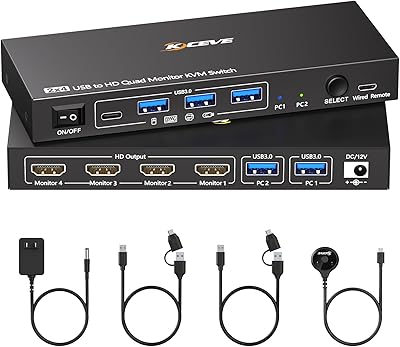
TJCXELE USB 3.0 Switch Selector 4-Port for 4 Computers
88%
94%
Ease of Use
89%
Performance
91%
Remote Control Feature
76%
Power Supply and Stability
98%
Setup and Installation
More
Camgeet 204UH Quad Monitor KVM Switch
64%
61%
Setup & Installation
69%
Display Compatibility
74%
Switching Reliability
83%
Wired Remote Usability
78%
USB Peripheral Switching
More
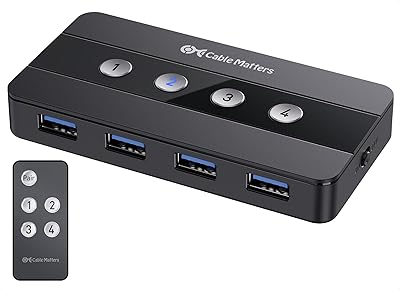
Cable Matters 4-Port USB 3.0 KVM Switch

77%
91%
Ease of Setup
78%
Switching Reliability
83%
RF Remote Control
74%
Build Quality
86%
USB 3.0 Transfer Speed
More
KCEVE KC-303X Triple Monitor KVM Switch
78%
88%
Setup & Installation
83%
Video Signal Quality
79%
Switching Speed & Reliability
71%
Remote Controller
81%
USB Peripheral Performance
More
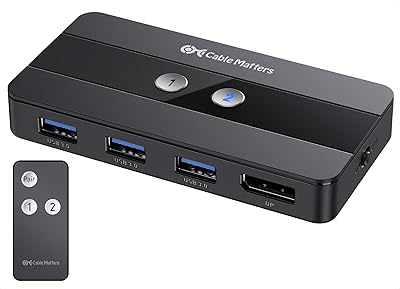
Cable Matters 202070 2-Port DisplayPort KVM Switch
75%
88%
Video Output Quality
82%
Switching Reliability
31%
EDID Emulation
71%
USB Hub Performance
74%
RF Remote Control
More
Monoprice Blackbird 4x1 4K DisplayPort KVM Switch
66%
52%
Video Signal Stability
79%
USB Peripheral Switching
48%
Display Compatibility
76%
Setup & Installation
74%
Build Quality
More
TESmart HKS201-P23 2-Port HDMI KVM Switch
77%
83%
Ease of Setup
88%
Video Quality & Resolution
67%
Switching Reliability
71%
Audio & Microphone Performance
79%
USB Hub Performance
More
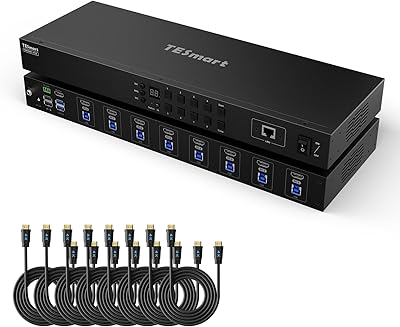
TESmart HKS801-P23 USB 3.0 HDMI KVM Switch 8 Port 4K@60Hz
87%
91%
Ease of Setup
95%
Video Quality
88%
Switching Reliability
85%
Build Quality
92%
Value for Money
More

FAQ

Just the USB devices. The MLEEDA 4-Port USB 3.0 KVM Switch handles peripherals only — your monitor stays connected to whichever computer it is directly plugged into. If you need your display to follow your keyboard and mouse, you would need a full video KVM switch instead.

No, none at all. You plug the cables in, connect your peripherals, and it is ready to go. It is recognized natively by Windows, macOS, Linux, and Chrome OS without any additional setup.

Yes, wireless keyboards and mice work fine. You just plug the USB dongle receiver into one of the four peripheral ports and it switches along with everything else when you toggle between hosts.

It can, but there is a catch. External HDDs draw more power than a standard keyboard or mouse, so you will need to connect a 5V power adapter to the dedicated micro USB port on the unit to supply enough current. That adapter is not included in the box, so factor that into your setup plans.

You have two options. There is a button directly on the unit, but the more convenient choice is the 1.5-meter wired remote that comes included. Most people tuck the main unit out of the way and keep the remote near their keyboard for easy access.

Only one computer has active control of the peripherals at any given moment. Switching hands over all four peripheral ports to the selected host — you press the button or remote to move between machines one at a time.

For most peripherals like keyboards and mice, the switch is quick and devices are recognized within a couple of seconds. Some users have noted a slightly longer handoff when switching to a host that needs to re-enumerate a printer or scanner, which is normal behavior for USB devices of that type.

Switching mid-transfer is not recommended. Cutting the active connection to a USB drive during a write operation can corrupt the transfer or, in some cases, the drive itself. Always finish any active file transfers before switching hosts.

You need a standard 5V USB power adapter, the kind used for phone charging. Any reputable 5V charger will work as long as it outputs exactly 5V — adapters with higher voltage output should not be used with this device.

It works perfectly fine with just two computers connected — the unused host ports simply stay empty. Whether it makes sense versus a smaller two-port switcher depends on whether you anticipate adding more machines later; if your setup is unlikely to grow, a two-port unit would be a more economical choice.

Where to Buy