Overview

The Timetec HU-XI-201 1TB PCIe Gen4 NVMe SSD enters a crowded market where Samsung and WD Black have long dominated, but it does so at a price that makes you pay attention. PCIe Gen4 is no longer bleeding-edge — it's the current mainstream standard, which means faster boot times, snappier application launches, and noticeably quicker large file transfers versus older Gen3 drives. Timetec isn't a name most buyers recognize right away, but the company has a solid history in memory and storage. The included heatsink is a genuine differentiator at this price tier. Sequential speeds look strong on paper, though real-world gains will vary depending on your specific workload.
Features & Benefits

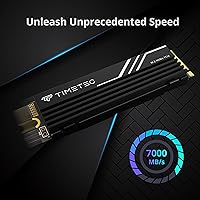
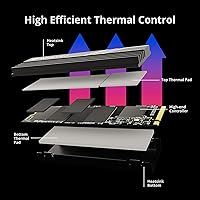
Pushing sequential reads up to 7,000 MB/s and writes up to 6,000 MB/s, this Gen4 NVMe drive handles large game installs and heavy file transfers with genuine speed. In practice, the biggest gains show up during boot cycles and moving large files — everyday browsing feels similar to any modern SSD. The drive uses 3D TLC NAND backed by an SLC cache layer, which keeps burst performance strong. Be aware, though: if you're moving several hundred gigabytes in one stretch, speeds can dip once the cache is saturated. The integrated heatsink helps control thermals under load. Rated at 600 TBW and 1,500,000 hours MTBF, it also slots into older PCIe Gen3 boards without a hitch.

Best For

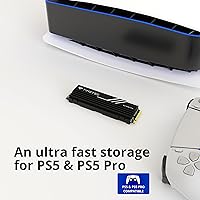
This heatsink SSD makes the most sense for a few specific buyers. PS5 Pro owners will appreciate that the heatsink is already included, saving the hassle of sourcing one separately. Desktop builders chasing Gen4 performance without paying flagship prices will find it a compelling option. Gamers and content creators who regularly move large video files or game libraries benefit from the fast sequential throughput. Upgrading from a SATA SSD or older Gen3 NVMe drive, you'll notice a real difference in load times. Where it falls short is sustained, heavy write workloads — bulk video rendering or large data backups can push past the SLC cache, so prosumer workflows may need something more robust.

User Feedback

With over 1,600 verified ratings and a 4.7-star average, buyer satisfaction is notably strong for a value-tier drive. Most positive reviews point to straightforward installation, noticeably faster boot times versus previous drives, and solid overall value. A smaller but recurring group of buyers notes that speeds can drop during prolonged heavy writes — consistent with what you'd expect from TLC NAND once the SLC cache is exhausted. Opinions on the heatsink are split: some find it practically useful in warmer cases, while others see it as mainly cosmetic. Long-term reliability comments are mostly reassuring, with few reports of early drive failure. On balance, the feedback reflects a capable, no-frills drive that delivers on its core promises without much drama.

Pros

  • Gen4 sequential read speeds up to 7,000 MB/s deliver fast boot times and snappy large file transfers.
  • A heatsink is included out of the box, which is uncommon and genuinely useful at this price tier.
  • The 5-year limited warranty provides meaningful long-term coverage for a budget-class drive.
  • 600 TBW endurance rating holds up well against similarly priced competing drives.
  • Backwards compatibility with PCIe Gen3, Gen2, and Gen1 slots makes this Gen4 NVMe drive versatile across older and newer systems.
  • NVMe 1.4 protocol support with TRIM, S.M.A.R.T., and Wear-Leveling helps protect data integrity over time.
  • Over 1,600 verified buyer ratings averaging 4.7 stars reflect consistently strong satisfaction for the price.
  • Works with PS5 Pro, giving console upgraders a heatsink-ready option without extra shopping.
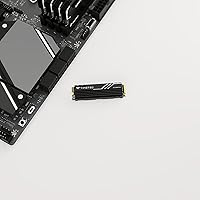
  • Installation is straightforward — standard M.2 2280 form factor fits most modern motherboards and laptops without adapters.

Cons

  • Sustained write speeds drop noticeably once the SLC cache is exhausted during large continuous transfers.
  • Timetec is not a widely recognized storage brand, which may make some buyers uneasy despite the solid specs.
  • No DRAM cache is confirmed, which can affect random read/write consistency under mixed workloads.
  • Real-world write performance on heavy workloads falls short of what the peak spec numbers suggest.
  • The heatsink adds a small amount of physical height, which could cause clearance issues in tight M.2 slots with covers.
  • Limited independent third-party benchmark data makes it harder to verify advertised performance claims.
  • Buyers running Linux should double-check kernel version compatibility before purchasing, as support requires version 2.6.33 or later.

Ratings

The scores below reflect an AI-driven analysis of verified global buyer reviews for the Timetec HU-XI-201 1TB PCIe Gen4 NVMe SSD, with spam, bot-submitted, and incentivized feedback actively filtered out before scoring. Each category captures what real users praised and where they ran into friction, giving you an honest picture of this drive's strengths and its genuine limitations. Nothing has been softened to protect the product — the numbers reflect actual satisfaction patterns across thousands of purchase experiences.

Sequential Read Speed
88%
Buyers upgrading from SATA or Gen3 NVMe drives consistently report that boot times and large file loads feel noticeably faster in everyday use. Moving a 50GB game install or loading a heavy Lightroom catalog sees real-world improvement that matches the drive's Gen4 positioning.
A small segment of technically experienced users notes that achieving the full 7,000 MB/s ceiling requires a properly configured Gen4 platform with a capable CPU — not all setups hit those numbers out of the box, which can leave some buyers underwhelmed compared to advertised figures.
Sustained Write Performance
61%
39%
For typical day-to-day tasks — saving large project files, copying a few dozen gigabytes, running game installations — the SLC cache layer keeps write speeds brisk and responsive without any noticeable lag or hesitation during normal use.
Once write jobs push past the cache buffer, speeds drop sharply to native TLC levels, which frustrated users moving very large video archives or doing multi-hundred-gigabyte data migrations in a single session. This is the most frequently cited complaint in critical reviews and is a real limitation for heavy users.
Thermal Management
83%
The included heatsink earns genuine appreciation from PC builders who run their systems hard during gaming marathons or rendering sessions, with multiple buyers reporting stable temperatures and no observable throttling under sustained load in open-air cases.
In tighter enclosures, or in cases where the motherboard has its own M.2 armor, the heatsink's physical height can create clearance conflicts that require removing the board cover. A handful of PS5 Pro installers also note the fitment requires careful measurement before committing.
Value for Money
91%
Across hundreds of reviews, value is the single most praised aspect of this drive — buyers feel they are getting Gen4 sequential performance and a pre-attached heatsink at a price that would have bought a mid-tier Gen3 drive just a couple of years ago, making it an easy recommendation for budget-focused builders.
Those who compare post-purchase against flagship drives from Samsung or WD sometimes feel the gap in real-world random access performance and software ecosystem — like drive management utilities — makes the savings feel less decisive than the specs sheet implied.
Ease of Installation
92%
Near-universal praise for how straightforward the physical installation is — standard M.2 2280 sizing, no driver hunting on Windows 10 or 11, and a heatsink that arrives ready to go mean most buyers have the drive up and running within minutes of opening the box.
Linux users on older kernel builds have occasionally run into recognition issues, and a small number of buyers on niche AMD platforms reported needing a BIOS update before the drive was detected correctly, adding unexpected friction to what should be a plug-and-play experience.
Long-term Reliability
79%
21%
The 600 TBW endurance rating and 1,500,000-hour MTBF are competitive numbers for this price tier, and buyers who have used the drive for a year or more largely report healthy S.M.A.R.T. readings with no degradation in daily performance.
Because Timetec lacks the multi-decade track record of major storage brands, long-term confidence is harder to establish from reviews alone. A small number of buyers report early failures, and the relative scarcity of independent durability testing makes it difficult to verify the rated endurance figures under real-world stress.
Brand Trust
67%
33%
Buyers who did background research on Timetec before purchasing generally come away reassured — the company has a legitimate history in the memory market, offers responsive customer support by most accounts, and backs the drive with a 5-year warranty that signals reasonable confidence in the product.
For a segment of buyers, Timetec's low name recognition creates hesitation that a spec sheet cannot fully overcome. Several reviewers explicitly note they took a chance on an unfamiliar brand and were relieved it worked out — not the kind of confidence a buyer should need before a storage purchase.
Random Read/Write Performance
71%
29%
For typical mixed workloads — launching applications, handling OS background tasks, running a game while a patch downloads — the drive performs solidly and keeps system responsiveness at a level most users would find more than adequate in a gaming or home office context.
Buyers who specifically benchmark random 4K read and write performance — particularly those without a DRAM cache to assist — sometimes find that random I/O numbers fall behind competing drives at similar price points, which can matter in workloads with heavy small-file read patterns.
Backward Compatibility
86%
Users on Gen3 motherboards appreciate that this drive works without any hardware changes, giving them a meaningful speed upgrade over SATA while leaving room to benefit further from the Gen4 ceiling when they eventually upgrade their platform.
A small number of buyers on Gen3 systems reported confusion when they saw lower-than-expected benchmark scores and did not initially realize the slot was throttling the drive — better documentation at the point of purchase about expected Gen3 speeds would have prevented several disappointed reviews.
PS5 Pro Compatibility
78%
22%
Console users who specifically sought a heatsink-included drive for the PS5 Pro find this option convenient and cost-effective, avoiding the extra step of sourcing and attaching a third-party cooler while still clearing Sony's expansion storage requirements.
A subset of PS5 Pro buyers found the heatsink dimensions tighter than expected in the console's M.2 bay, requiring careful installation and in a few cases filing minor clearance issues. Compatibility is real but not entirely friction-free, and buyers should verify current heatsink height specs before installing.
Drive Management Software
52%
48%
S.M.A.R.T. support means buyers are not flying blind — standard tools like CrystalDiskInfo on Windows or smartmontools on Linux give a clear health and temperature readout, which is sufficient for the majority of consumer users who want basic monitoring.
Timetec offers no proprietary SSD management software, which means there is no dedicated tool for firmware updates, health dashboards, or data migration. Buyers accustomed to Samsung Magician or WD Dashboard will notice the absence immediately, and firmware update paths are less transparent.
Packaging & Unboxing
74%
26%
The drive arrives securely packaged with the heatsink already mounted, which buyers appreciate — no extra assembly required and no risk of component damage during shipping that can occur when parts arrive separately and need to be fitted by the user.
The packaging is functional but minimal — no included screws, mounting hardware, or cables of any kind, which caught a handful of first-time builders off guard. While standard practice for M.2 SSDs, clearer labeling about what is and is not included would have prevented a few avoidable confusion complaints.
Operating System Support
82%
18%
Windows 10 and 11 users have an essentially plug-and-play experience with no driver installation required, and Linux users on modern distributions report equally clean detection and stable operation under standard NVMe kernel drivers.
Windows 7 and 8 support is listed but rarely tested, and macOS is not supported at all — relevant for buyers running Hackintosh builds or anyone considering the drive for a Mac with an M.2 expansion slot. The official supported OS list could be communicated more prominently on the product page.

Suitable for:

The Timetec HU-XI-201 1TB PCIe Gen4 NVMe SSD is a strong fit for budget-conscious PC builders who want genuine Gen4 performance without committing to the price premium of Samsung or WD Black drives. Gamers who regularly install large titles or swap between game libraries will notice real improvements in load times over SATA or older Gen3 NVMe setups. The included heatsink makes it a convenient, ready-to-install option for PS5 Pro owners who would otherwise need to source a cooler separately. Content creators handling occasional large file transfers — think video project exports or media backups — will also benefit from the fast sequential throughput. Students, home office users, or anyone upgrading from a spinning hard drive or aging SATA SSD will find this drive a noticeable step forward at a price point that is easy to justify.
Not suitable for:

The Timetec HU-XI-201 1TB PCIe Gen4 NVMe SSD is not the right tool for professionals who put sustained, heavy write loads on their storage every day. Like all TLC-based drives, it relies on an SLC cache layer for peak write speeds — push past that buffer with large continuous writes, such as bulk 4K video ingestion or massive data migration jobs, and speeds will drop considerably. Video editors, data scientists, or workstation users who regularly move hundreds of gigabytes in a single session should look at higher-endurance alternatives, ideally drives with larger DRAM buffers or MLC NAND. Buyers who prioritize brand recognition for peace of mind may also hesitate, since Timetec does not carry the same name weight as established storage brands despite its respectable warranty and endurance ratings. If your workflow demands consistent, sustained write performance rather than strong burst speeds, this drive will frustrate you sooner or later.
Specifications

  • Capacity: The drive offers 1TB of usable storage, suitable for large game libraries, media collections, or system drives.
  • Interface: It connects via PCIe Gen4 x4, the current mainstream standard for high-speed NVMe storage in modern desktops and laptops.
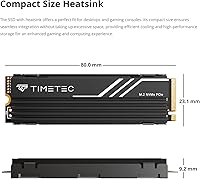
  • Form Factor: The M.2 2280 form factor measures 2.76 x 0.91 x 0.36 inches and fits the most common M.2 slot size found in motherboards and laptops.
  • Sequential Read: Peak sequential read speed reaches up to 7,000 MB/s under ideal, sustained workloads using a compatible Gen4 platform.
  • Sequential Write: Peak sequential write speed reaches up to 6,000 MB/s, though real-world speeds during large continuous writes may taper once the SLC cache is exhausted.
  • NAND Type: Storage cells use 3D TLC NAND flash with an SLC cache layer that boosts burst write performance during typical day-to-day tasks.
  • Protocol: The drive supports the NVMe 1.4 protocol, enabling low-latency command queuing and efficient communication with modern Intel and AMD platforms.
  • Endurance Rating: Rated at 600 TBW (Terabytes Written), this drive comfortably covers years of typical consumer and light prosumer use before approaching its write ceiling.
  • Reliability (MTBF): The mean time before failure is rated at 1,500,000 hours, which is competitive among drives in this price category.
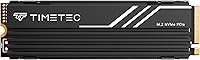
  • Heatsink: A physical aluminum heatsink is included and pre-attached, helping to dissipate heat during sustained workloads and reducing the risk of thermal throttling.
  • Backward Compat.: The drive operates in PCIe Gen3, Gen2, and Gen1 slots at reduced speeds, making it usable on older systems without needing a new motherboard.
  • OS Support: Compatible with Windows 7 through Windows 11 and Linux kernel 2.6.33 or later; not officially supported on macOS.
  • Console Support: Listed as compatible with the PS5 Pro, provided the heatsink dimensions clear the console's M.2 slot cover — users should verify fitment before installing.
  • Data Protection: Supports S.M.A.R.T. monitoring, TRIM command, End-to-End Data Protection, Bad Block Management, and Wear-Leveling technology for sustained drive health.
  • Warranty: Covered by a 5-year limited warranty for units purchased on or after August 1, 2020, with free technical support included.
  • Weight: The drive weighs 2.08 oz (approximately 59g) including the heatsink, which is typical for a heatsink-equipped M.2 2280 SSD.
  • Garbage Collection: Onboard Garbage Collection technology runs automatically in the background to maintain consistent performance as the drive fills over time.

Related Reviews

RAOYI 1TB NVMe PCIe Gen4 SSD
88%
94%
Performance Speed
88%
Ease of Installation
89%
Reliability Over Time
91%
Compatibility with PS5
93%
Read Speed
More
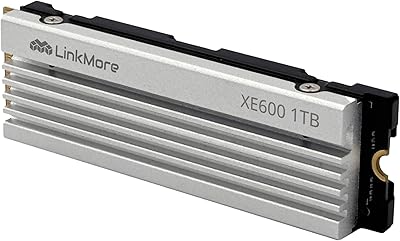
LinkMore XE600 1TB PCIe Gen4 NVMe SSD
89%
95%
Read Speed Performance
93%
Write Speed Performance
90%
PS5 Compatibility
83%
Thermal Management
88%
Build Quality
More
Timetec 1TB NVMe PCIe Gen3x4 M.2 SSD
85%
89%
Performance
91%
Read Speed
85%
Write Speed
88%
Reliability/Durability
93%
Ease of Installation
More
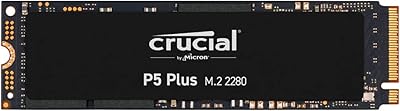
Crucial P5 Plus 1TB NVMe M.2 SSD
84%
91%
Sequential Read Speed
88%
Sequential Write Speed
63%
Thermal Management
86%
Random I/O Performance
93%
Build & Reliability
More
Crucial E100 1TB PCIe Gen4 NVMe M.2 SSD
89%
93%
Performance
95%
Speed (Read/Write)
89%
Ease of Installation
92%
Gaming Performance
88%
Compatibility with Consoles
More
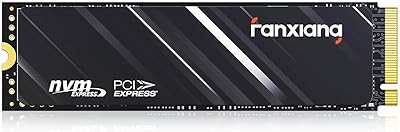
Fanxiang S690Q 1TB NVMe SSD PCIe Gen4 M.2
86%
88%
Performance for Gaming
91%
Read Speed
83%
Heat Dissipation
92%
Ease of Installation
90%
PS5 Compatibility
More
Timetec 1TB M.2 2230 NVMe PCIe Gen4x4 SSD
88%
92%
Performance (Speed)
89%
Value for Money
84%
Ease of Installation
90%
Compatibility with Steam Deck
88%
Compatibility with Surface Pro
More
Corsair MP600 GS 1TB PCIe Gen4 NVMe M.2 SSD
87%
94%
Performance
91%
Speed (Read/Write)
88%
Installation & Setup
89%
Compatibility
72%
Thermal Management
More
Ediloca EN705 1TB SSD NVMe M.2 2280 PCIe Gen4 x4
89%
94%
Performance (Read/Write Speed)
89%
Installation & Setup
77%
Thermal Management
88%
Build Quality & Durability
92%
Compatibility with PS5
More
SK hynix Platinum P41 1TB PCIe NVMe Gen4 M.2 SSD
88%
94%
Performance (Read/Write Speeds)
91%
Reliability & Endurance
93%
Gaming Performance
85%
Value for Money
88%
Installation & Setup
More
Acer FA200 1TB NVMe SSD
80%
91%
Sequential Read Performance
87%
Sequential Write Performance
84%
Real-World Responsiveness
58%
Thermal Management
93%
Installation Experience
More

FAQ

Yes, the heatsink is already attached, which is one of the more practical aspects of this drive for console users. That said, you should double-check the heatsink height against your specific PS5 Pro slot cover, as clearance can be tight. Sony recommends a heatsink no taller than 8mm for most configurations.

You can, yes. The drive is backwards compatible with Gen3, Gen2, and Gen1 slots. The trade-off is that it will run at Gen3 speeds rather than its full Gen4 potential, so you will not hit those peak 7,000 MB/s figures. For most everyday tasks, a Gen3 connection is still very fast, but if raw speed is your priority, a Gen4 board will unlock the full benefit.

Very noticeable for large file transfers and OS boot times. Moving from a SATA drive capped around 500-550 MB/s to this Gen4 NVMe drive is a significant jump in sequential throughput. Random read and write performance in everyday use also improves, though for browsing and light office tasks the difference is less dramatic than the raw numbers suggest.

It can, once you push past the SLC cache capacity. The drive uses TLC NAND with a fast SLC cache layer that handles typical workloads well, but during very large sustained writes — think copying 200GB or more in one go — speeds can drop as the drive falls back to native TLC write speeds. For most users this is rarely an issue, but heavy content creators should be aware of it.

Timetec has been in the memory and storage market for a number of years and is a legitimate manufacturer, not a generic reseller. The Timetec HU-XI-201 1TB PCIe Gen4 NVMe SSD carries a 5-year limited warranty with free technical support, which reflects reasonable confidence in the product. They are not in the same league as Samsung or WD in terms of brand recognition, but the ratings history and warranty coverage suggest they stand behind their drives.
Just a small Phillips-head screwdriver for the M.2 mounting screw on your motherboard, which is usually already included with the board itself. The heatsink comes pre-attached to the SSD. No additional brackets, cables, or adapters are needed for a standard M.2 2280 slot.

Possibly. Many modern motherboards come with their own M.2 heatsink covers, and adding the pre-attached heatsink on top can create a conflict. In most cases you would simply remove the board's cover and use the drive's own heatsink instead — just check your motherboard manual to confirm that swapping out the cover is straightforward for your specific model.

Technically you can put an NVMe drive in a compatible USB-C or Thunderbolt enclosure, but this drive is designed and rated as an internal drive. Performance through an external enclosure is limited by the USB or Thunderbolt interface speed rather than the drive itself, so you would not see anywhere near its rated speeds in that configuration.

The drive supports S.M.A.R.T. technology, which means you can use free tools like CrystalDiskInfo on Windows or smartmontools on Linux to check drive health, temperature, and remaining write endurance at any time. Monitoring S.M.A.R.T. data periodically is a good habit for any SSD, especially if you use it as a primary system drive.

Yes, it works with Linux kernel version 2.6.33 or later, which covers virtually all modern distributions including Ubuntu, Fedora, Debian, and Arch. No special drivers are required — the kernel handles NVMe natively. Just make sure your BIOS or UEFI is set to recognize the NVMe device during boot if you plan to use it as your primary OS drive.