Overview

The Ediloca EN705 1TB NVMe M.2 SSD enters a competitive space dominated by Samsung, WD, and Seagate — but it does so with a genuinely compelling pitch: Gen4 speeds at a price that won't require a second thought. Built around the standard M.2 2280 form factor, it fits virtually any modern desktop, laptop, or workstation slot without adapters. It also carries official PS5 validation, making it a two-in-one option for console gamers and PC builders alike. Ediloca is not a household name yet, but the specs on paper are solid — the real question is whether real-world performance holds up consistently.
Features & Benefits

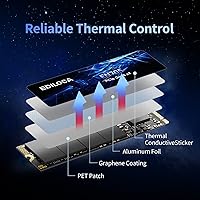
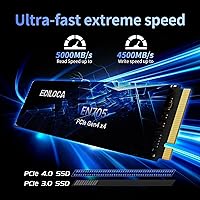
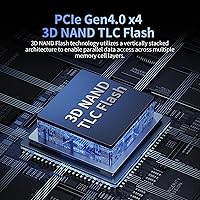
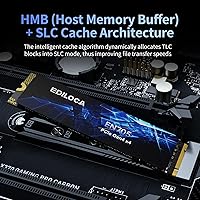
At the heart of this NVMe drive is a PCIe Gen4 x4 interface capable of sequential reads up to 5,000 MB/s — roughly eight times what a typical SATA SSD can manage. It uses 3D TLC NAND paired with dynamic SLC caching, giving it strong burst performance for everyday tasks like loading games or moving large files. The catch worth knowing: there is no dedicated DRAM cache. Under sustained heavy writes — think large video exports or continuous database operations — speeds can taper off once the SLC buffer fills. A composite heat-dissipation patch handles chip temperatures without a bulky heatsink. The 700TBW endurance rating and five-year warranty round out a spec sheet that punches above its price tier.

Best For

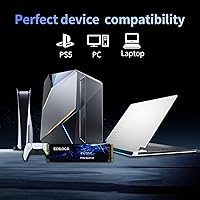
The EN705 SSD hits a sweet spot for a fairly specific buyer profile. PS5 owners wanting to expand internal storage will find it a straightforward fit — no heatsink is required for PS5 installation as long as console airflow is adequate. Budget-oriented PC builders and laptop upgraders will appreciate the Gen4 bandwidth without flagship pricing. Light creative work, like occasional 4K exports or moving large RAW photo batches, falls comfortably within its capabilities. Where it starts to struggle is in workstation environments with constant, sustained write demands — DRAM-less drives have a known ceiling there. Know your workload, and this M.2 upgrade makes solid practical sense.

User Feedback

Across thousands of verified ratings, this NVMe drive holds a 4.6-star average — a figure that is harder to sustain at this review volume than it looks. Buyers consistently highlight easy installation, the bundled screwdriver, and how noticeable the speed improvement feels when upgrading from an older SATA drive or spinning disk. The multilingual guide draws praise from first-time builders. On the other side, a portion of reviewers have flagged write speed throttling during prolonged heavy transfers, which tracks with the DRAM-less architecture. A smaller group raised longer-term durability questions. Compared to similarly priced competitors, sentiment leans positive overall — though running your own benchmarks before committing to write-heavy workloads remains worthwhile advice.

Pros

  • Gen4 sequential read speeds up to 5,000 MB/s make a real, noticeable difference over any SATA drive.
  • Officially PS5-compatible — installs cleanly into the console expansion slot with no extra hardware needed.
  • The standard M.2 2280 form factor fits virtually every modern desktop, laptop, and workstation.
  • Dynamic SLC caching keeps everyday performance snappy for typical gaming and file-transfer tasks.
  • A 700TBW endurance rating offers solid long-term confidence for normal consumer use.
  • The five-year warranty is competitive and reduces the risk of buying from a newer brand.
  • Bundled installation screwdriver and mounting screw make setup straightforward, even for first-timers.
  • Holds a 4.6-star average across thousands of verified reviews — sustained satisfaction at scale.
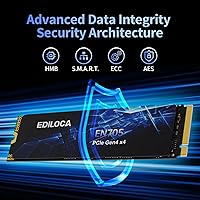
  • LDPC error correction and S.M.A.R.T. monitoring add a meaningful layer of data integrity protection.
  • Priced well below premium Gen4 competitors while delivering comparable peak sequential performance.

Cons

  • No DRAM cache means sustained write speeds can drop sharply during prolonged heavy transfers.
  • Performance throttling under continuous workloads has been flagged by multiple verified reviewers.
  • Ediloca lacks the long reliability track record that established brands have built over years.
  • No heatsink is included, which matters in compact PC builds with limited airflow around the M.2 slot.
  • Long-term durability data for this specific drive is still limited compared to more established models.
  • A minority of buyers have raised reliability concerns that, while not widespread, are worth noting.
  • Users upgrading from a Gen3 drive may not notice dramatic real-world differences in everyday tasks.
  • Support infrastructure, while US-based per the listing, is unproven at scale for this brand.

Ratings

The Ediloca EN705 1TB NVMe M.2 SSD has been scored by our AI system after analyzing thousands of verified global buyer reviews, with spam, bot activity, and incentivized feedback actively filtered out. Ratings reflect what real users — gamers, PS5 owners, laptop upgraders, and light creative professionals — consistently reported across multiple purchase cycles. Both the strengths that make this drive compelling at its price and the friction points that matter for specific workloads are transparently represented below.
Sequential Read Performance
88%
Buyers upgrading from SATA drives or older Gen3 SSDs consistently describe the speed jump as immediately noticeable — game load screens that previously took 10–15 seconds often drop to under 3. For PS5 users, the difference between having and not having fast expanded storage is hard to overstate.
Peak speeds are only sustained when the SLC cache is active and the drive is not under thermal stress. A small number of PC users running synthetic benchmarks in demanding environments reported difficulty consistently hitting the advertised ceiling.
Sustained Write Speed
61%
39%
For typical file transfers in the 10–30GB range — moving a game install, copying a folder of RAW photos — the drive handles things quickly without any obvious hesitation. Burst write performance within the SLC cache window is genuinely fast for the price.
The absence of a DRAM cache becomes tangible when you push sustained sequential writes past the cache saturation point. Several reviewers flagged visible speed drops when transferring large media archives or doing prolonged backup operations, which is a known and expected behavior for DRAM-less drives.
PS5 Compatibility
93%
This is one of the most praised aspects across the review pool. PS5 owners report straightforward installation with no firmware issues, and the console recognizes and formats the drive without complications. The speed is well above Sony's minimum threshold, making it a practical and reliable choice for expanding game storage.
A small number of users noted the lack of an included heatsink as a mild inconvenience specifically for PS5 installation, since adding a thin thermal pad or aftermarket heatsink is technically recommended by Sony for longevity — though rarely critical in practice.
Installation Experience
91%
The bundled screwdriver and mounting screw earned specific praise from first-time builders and console upgraders who did not expect those accessories to be included. The multilingual illustrated guide was called out repeatedly as genuinely useful — not just a legal formality.
A handful of laptop users found that their specific chassis required a different screw size than the one included, which is more a laptop manufacturer inconsistency than a product flaw. The guide, while helpful, assumes some basic hardware familiarity that absolute beginners might still find slightly thin.
Value for Money
86%
At this price point, getting Gen4 interface speeds with a 5-year warranty and a respectable endurance rating is difficult to argue with. Buyers who compared it directly against similarly priced Gen3 drives were consistently satisfied with the performance uplift they received.
Once you factor in the DRAM-less architecture, the value proposition narrows somewhat for power users. A modest additional investment gets you into DRAM-equipped Gen4 territory from brands like WD or Kingston, which some buyers concluded was worth prioritizing after the fact.
Thermal Management
72%
28%
The composite heat-dissipation patch does its job adequately under normal conditions — casual gaming, office workloads, and everyday file transfers do not push temperatures into concerning territory for most users. Several PS5 owners reported no throttling during extended gaming sessions.
In compact laptop builds or tight desktop configurations with poor M.2 slot airflow, the patch alone is not always sufficient. A portion of PC users in warm environments or with dense case layouts recommended pairing the drive with a third-party heatsink, which adds a small but real additional cost.
Brand Reliability
67%
33%
Ediloca backs this drive with a 5-year warranty and US-based support, which is a credible commitment for a newer brand. Early adopters who have had the drive for over a year report no issues, and the brand has been responsive in resolving warranty cases according to several reviewers.
Ediloca simply does not have the years of field data that Samsung, WD, or Seagate have accumulated. A minority of buyers flagged this uncertainty as a genuine hesitation — particularly those who have had budget-brand SSD failures in the past and are more risk-averse with storage.
Build Quality
79%
21%
The physical drive is solid and well-constructed for its class — no flex, no loose components, and the heat patch is cleanly applied from the units buyers have handled. It looks and feels comparable to mid-range options from more established names.
Without a heatsink shroud or aesthetic cover, the bare PCB appearance is functional rather than visually polished. This matters more to builders with windowed cases who care about the look of their components than to the average buyer, but it is worth noting.
Gaming Load Times
89%
This is arguably where everyday users feel the most benefit. Open-world games on PC that previously took 30–40 seconds to load from a SATA drive routinely load in under 5 seconds with this NVMe drive installed, a difference that is hard to unsee once experienced.
For games that are not heavily storage-bound, the real-world advantage over a decent Gen3 drive is less dramatic. Buyers expecting transformative improvements in CPU-limited or GPU-limited workloads may find the upgrade less impactful outside of load screens.
OS and Workstation Compatibility
84%
Windows 11 boot drive performance is reliably fast, and the broad OS compatibility list — including Linux and macOS — makes this a versatile option for multi-boot setups or Mac users with compatible hardware. TRIM and S.M.A.R.T. support work as expected across tested platforms.
A small number of Linux users reported needing to confirm NVMe slot mode settings in BIOS before the drive was properly recognized — a nuance that is not drive-specific but caught a few users off guard. macOS compatibility depends on the host machine having an appropriate PCIe slot.
Package Contents
83%
Including a screwdriver and screw in the box is a small gesture that consistently generates outsized goodwill in reviews. For buyers doing their first M.2 install — particularly PS5 upgraders who have never opened a PC — it removes a genuine friction point.
The screwdriver is functional but minimal; it works fine for the specific screw included but is not a tool most buyers will reach for beyond this installation. Some users noted the guide could have included more detail for laptop-specific installations.
Long-Term Endurance
74%
26%
The 700TBW rating is respectable for a consumer TLC drive at this capacity. For a typical home user writing 30–50GB daily, that figure represents well over a decade of theoretical life, which aligns with the 5-year warranty window comfortably.
Real-world TBW figures for DRAM-less drives can degrade slightly faster under certain heavy-use patterns compared to DRAM-equipped alternatives. The long-term reliability data pool for this specific model is still maturing, which introduces some uncertainty for buyers planning very long ownership cycles.
Error Correction and Data Integrity
81%
19%
LDPC error correction and S.M.A.R.T. monitoring are functional and well-implemented. Users running monitoring tools like CrystalDiskInfo report clean health readings, and no widespread data integrity complaints appear in the review pool at a meaningful volume.
LDPC is an industry-standard feature rather than a differentiator — it is expected at this tier, not exceptional. Buyers dealing with critical data who require enterprise-grade error correction will need to look at a different class of drive entirely.

Suitable for:

The Ediloca EN705 1TB NVMe M.2 SSD is a strong fit for anyone who wants a meaningful speed upgrade without paying flagship prices. PS5 owners are perhaps the most obvious beneficiaries — the drive is officially validated for console storage expansion, and since the PS5 has its own internal cooling, the absence of a heatsink is rarely a practical problem. PC builders working with a tight budget will also find it appealing, as Gen4 bandwidth at this price tier is genuinely competitive. Laptop users looking to swap out a slow factory drive will appreciate the universal M.2 2280 form factor, which drops in without adapters or complications. Light creative work — occasional 4K exports, large photo library management, or routine video editing — sits comfortably within what this NVMe drive handles well day-to-day.
Not suitable for:

The Ediloca EN705 1TB NVMe M.2 SSD is not the right tool for every job, and it is worth being direct about where it falls short. The absence of a dedicated DRAM cache is the single biggest limitation: under sustained, heavy sequential write workloads — continuous video capture, large-scale data migration, or intensive database operations — performance can drop noticeably once the SLC buffer is exhausted. Professionals who routinely push drives hard for extended periods will be better served by a DRAM-equipped alternative, even if it costs more. Buyers who are brand-loyal to established names and factor long-term reliability data heavily into their decisions may also feel uneasy with a newer manufacturer. If you need a heatsink included out of the box for a tight PC build with restricted airflow, you will need to budget for one separately or look elsewhere.
Specifications

  • Capacity: This drive offers 1TB of usable storage, suitable for storing multiple AAA game titles, large media libraries, or a full operating system with applications.
  • Interface: It connects via PCIe Gen4 x4, the current mainstream high-speed standard that offers roughly double the bandwidth ceiling of PCIe Gen3.
  • Protocol: The drive uses NVMe 1.4, which reduces CPU overhead and latency compared to older AHCI-based storage protocols.
  • Form Factor: The M.2 2280 format means the drive is 22mm wide and 80mm long, the most common M.2 size found in modern laptops, desktops, and the PS5.
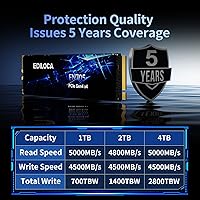
  • Sequential Read: Peak sequential read speed is rated at up to 5,000 MB/s under optimal conditions with the SLC cache active.
  • Sequential Write: Peak sequential write speed is rated at up to 4,500 MB/s, though sustained performance under heavy loads will taper once the SLC buffer is saturated.
  • NAND Type: The drive uses 3D TLC (Triple-Level Cell) NAND flash, a widely used technology that balances cost, density, and write endurance acceptably for consumer workloads.
  • Cache Architecture: Dynamic SLC caching is implemented to boost burst performance, but there is no dedicated DRAM cache chip on board.
  • Endurance Rating: The drive is rated for 700TBW (terabytes written), which is a reasonable endurance figure for typical consumer and light professional use over multiple years.
  • Warranty: Ediloca backs this drive with a 5-year limited warranty and offers US-based technical support for the duration of coverage.
  • Thermal Design: Thermal management is handled by a composite heat-dissipation patch bonded to the NAND chips; no external heatsink is included in the package.
  • PS5 Support: The drive has been officially validated for PS5 internal storage expansion and installs directly into the console's M.2 expansion slot.
  • OS Compatibility: Supported operating systems include Windows 7, 8, 10, and 11, major Linux distributions, and macOS 10.9 and later.
  • Error Correction: LDPC (Low-Density Parity-Check) error correction is built in to help maintain data integrity over the drive's lifespan.
  • Health Monitoring: The drive supports both S.M.A.R.T. monitoring and the TRIM command, allowing compatible operating systems to track drive health and maintain long-term performance.
  • Weight: The drive weighs approximately 1.06 ounces (about 30g), consistent with a bare M.2 module without a heatsink attached.
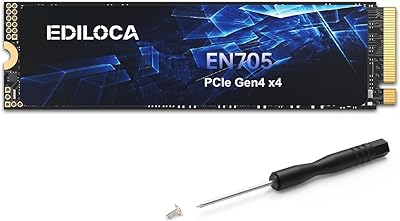
  • Package Contents: The retail package includes the SSD itself, a mounting screw, a small installation screwdriver, and an illustrated multilingual installation guide.
  • Return Policy: Ediloca offers a 30-day hassle-free return window on this drive through its Amazon listing.

Related Reviews

Ediloca EN705 4TB NVMe M.2 SSD
80%
88%
Sequential Read Speed
82%
Sequential Write Speed
57%
Sustained Write Consistency
61%
Random I/O Performance
93%
Value for Money
More
GAMERKING 1TB M.2 2280 NVMe SSD
75%
88%
Value for Money
83%
Read Performance
76%
Write Performance
71%
Thermal Management
73%
Build Quality
More
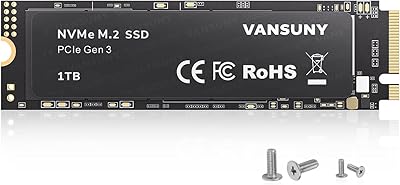
Vansuny X15 1TB NVMe M.2 SSD
77%
82%
Read & Write Performance
89%
Value for Money
91%
Installation Ease
58%
Brand Reliability
86%
Capacity Utility
More
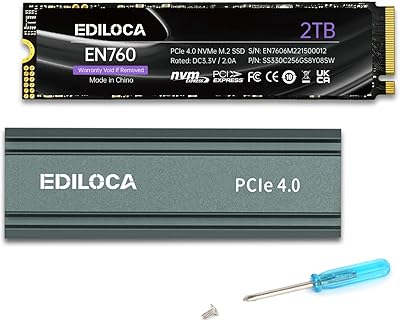
Ediloca EN760 2TB M.2 NVMe SSD
80%
88%
Read Speed Performance
74%
Write Speed Performance
93%
PS5 Compatibility
82%
Heatsink Quality
86%
Value for Money
More
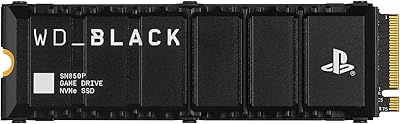
WD_BLACK SN850P 1TB NVMe SSD for PS5
84%
93%
Installation Experience
89%
Load Time Performance
67%
Value for Money
88%
Thermal Management
91%
Build Quality
More
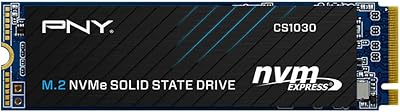
PNY CS1030 1TB M.2 NVMe SSD
81%
83%
Read & Write Performance
91%
Value for Money
94%
Installation Ease
88%
OS Boot & App Load Times
79%
Build & Reliability
More
Fikwot FN970 1TB M.2 NVMe SSD
87%
93%
Performance
88%
Ease of Installation
91%
Compatibility with PS5
85%
Thermal Management (Heatsink)
86%
Write Speed
More
Ediloca EN206 256GB M.2 SATA SSD
74%
88%
Value for Money
74%
Read/Write Performance
69%
Compatibility
91%
Installation Ease
77%
Build Quality
More
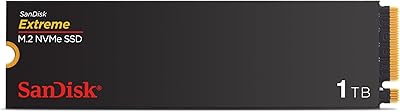
SanDisk Extreme M.2 1TB NVMe SSD
79%
88%
Read Performance
71%
Write Performance
94%
Installation Ease
86%
Value for Money
62%
Thermal Management
More
ORICO J10-2242 256GB NVMe M.2 SSD
78%
83%
Read Speed Performance
61%
Write Speed & Sustained Performance
78%
Thermal Management
88%
Value for Money
81%
Build Quality & Packaging
More

FAQ

It is a legitimate compatibility claim. The drive meets Sony's requirements for PS5 M.2 storage expansion — PCIe Gen4, the right form factor, and sufficient sequential read speed. You will need to remove the PS5 expansion slot cover and a small bay screw, slide the drive in, replace the screw, and then format it through the console's storage settings. The whole process takes under ten minutes and is well-documented by Sony on their support site.

Sony recommends a heatsink but does not strictly require one. The PS5 has its own internal cooling system that does a reasonable job managing M.2 drive temperatures during normal gaming sessions. That said, if you plan to use the console in a poorly ventilated entertainment unit or play for very long uninterrupted sessions, adding a thin aftermarket heatsink is a cheap precaution worth considering.

For most people, it will not matter at all. Gaming, booting your OS, loading applications, and moving files in the range of a few gigabytes will all feel fast. Where DRAM-less drives show their limits is during sustained sequential writes — think transferring hundreds of gigabytes in one go, or running workloads that write constantly for extended periods. In those scenarios, speeds can drop noticeably once the SLC cache fills up. For typical home and gaming use, it is rarely an issue.

Most likely yes, as long as your laptop has an M.2 slot that accepts the 2280 size and supports PCIe Gen4 or Gen3. Check your laptop's manual or manufacturer spec page to confirm the slot type before buying. If your laptop only has a PCIe Gen3 slot, the EN705 SSD will still work — it is backward compatible — but you will not hit the Gen4 peak speeds.

On raw spec sheets, the peak speeds are in the same ballpark, but established drives like those typically include DRAM and have years of reliability data behind them. The Ediloca EN705 1TB NVMe M.2 SSD trades some of that brand assurance for a lower price. If budget is the priority and your workload is typical gaming or general computing, the trade-off is reasonable. For professionals who need maximum sustained performance and a proven track record, spending more on a DRAM-equipped drive from an established brand is the safer call.
For the vast majority of home users and gamers, absolutely. A typical user writes somewhere between 20 and 50GB per day. At that rate, 700TBW would last well over a decade. Even moderately heavy users who write 100GB daily would see the drive last several years comfortably. The 5-year warranty also provides a meaningful backstop if something does go wrong within that window.

Yes, without any issues. The drive is fully compatible with Windows 11, and its Gen4 speeds make for fast boot times and snappy application launches. Just make sure your motherboard's M.2 slot is set to NVMe mode in the BIOS rather than SATA mode, which is a common setup step that catches first-time builders off guard.

Not quite. The thermal patch is a thin material bonded directly to the NAND chips that helps conduct heat away from the components. It is better than nothing, but it is not the same as a full aluminum heatsink with fins. For most use cases it is adequate, but if your M.2 slot is in a tight spot with no airflow, you may want to add a proper heatsink separately.

You get the drive itself, a small mounting screw for securing it to your motherboard or PS5 bay, a compact screwdriver, and a multilingual illustrated installation guide. It is a thoughtful inclusion that first-time builders and console upgraders have specifically appreciated in user reviews.

That is normal behavior for a DRAM-less drive with SLC caching. After a large write operation fills the cache, speeds drop while the drive processes and organizes the data in the background. Once it catches up — usually within a few minutes of lighter activity — performance returns to normal. It is not a defect; it is just how this architecture works. If it becomes a recurring problem in your specific workflow, a DRAM-equipped drive would serve you better.