Overview

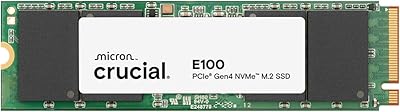
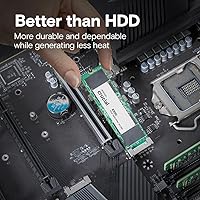
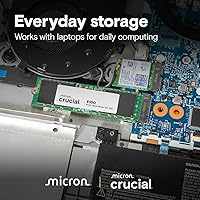
The Crucial E100 1TB M.2 NVMe SSD landed in early 2025 as one of the more compelling budget Gen4 options from a brand that has long earned trust in the memory and storage space. It is not positioned as a performance flagship — Crucial is not pretending otherwise — but as a reliable everyday drive that punches above its price class. The standard M.2 2280 form factor means it slots into virtually any modern laptop or desktop without compatibility headaches. Backed by a 3-year limited warranty, this Crucial Gen4 drive makes a strong case for anyone who wants genuine PCIe Gen4 speeds without the premium price tag.

Features & Benefits

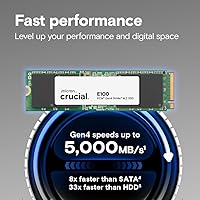
At its core, the E100 runs on the PCIe Gen4 interface, with sequential reads rated up to 5,000MB/s — roughly eight times faster than a typical SATA SSD, a gap you actually feel when booting Windows or launching a large application. Worth being clear though: for day-to-day browsing, documents, or even most games, the real-world difference between Gen4 and Gen3 is modest. Where 1TB of capacity genuinely helps is giving you room for an OS install, a game library, and a working folder without constantly juggling files. The drive weighs next to nothing, fits snugly in tight laptop bays, and step-by-step cloning guidance makes migrating from an old drive far less intimidating than it sounds.

Best For

This budget NVMe SSD is an easy recommendation for anyone upgrading out of an old hard drive or a sluggish SATA SSD — the jump in responsiveness is hard to overstate. Laptop upgraders on a tight budget will find it particularly well-suited, since the M.2 2280 size fits nearly every consumer notebook. Desktop builders who want a capable boot drive without allocating serious money toward storage will appreciate what the E100 delivers at this price point. Students, remote workers, and casual gamers loading large titles will benefit too. It is probably not the drive for professional video editors doing heavy sustained writes all day — but for the vast majority of users, it covers the bases comfortably.

User Feedback

With over 500 ratings and a 4.5-star average, the E100 has collected a notably strong early reception for a drive that only launched at the start of 2025. Buyers consistently highlight the smooth installation experience and obvious speed improvement over their previous drives, with many noting how straightforward the cloning process was — reassuring for first-timers. On the less glowing side, a handful of users have flagged concerns about sustained write speeds under heavier workloads, worth knowing if you regularly move large files in bulk. A few mention needing to verify compatibility on older systems. Overall the feedback aligns with expectations: solid everyday performance, honest value, and no unpleasant surprises for typical home or office use.

Pros

  • PCIe Gen4 speeds up to 5,000MB/s make this Crucial Gen4 drive a dramatic upgrade over any SATA or HDD setup.
  • The standard M.2 2280 form factor fits virtually every modern laptop and desktop without compatibility guesswork.
  • 1TB of capacity is genuinely practical — enough for an OS, a game library, and a working file collection.
  • Weighing under a quarter of an ounce, it installs cleanly even in slim or space-constrained chassis.
  • Crucial includes step-by-step installation and cloning guidance, making the upgrade approachable for first-timers.
  • A 3-year limited warranty is a reassuring commitment for a drive in this price bracket.
  • Over 500 early reviews averaging 4.5 stars signals consistent buyer satisfaction across a wide range of use cases.
  • Ranked among the top internal SSDs on Amazon, reflecting strong real-world demand and positive reception.
  • Backed by Crucial, a brand with a long track record in consumer memory and storage reliability.
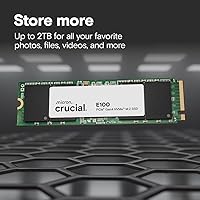
  • Available in up to 2TB capacity if 1TB turns out to be insufficient for your needs.

Cons

  • DRAM cache configuration is not clearly disclosed, which may affect sustained write consistency under heavier workloads.
  • Endurance ratings are not prominently advertised, making it harder to assess long-term reliability for write-intensive tasks.
  • Real-world Gen4 gains over Gen3 are modest in everyday use — do not expect transformative differences on typical tasks.
  • Some users have reported slower sustained write speeds when moving large files in bulk over extended sessions.
  • Cloning software compatibility has caused occasional friction for a small number of buyers with specific system setups.
  • Buyers on PCIe Gen3 platforms will be capped at Gen3 speeds and will not benefit from the full rated performance.
  • No heatspreader or thermal pad included, which could be a consideration in systems with poor airflow.
  • The 3-year warranty is adequate but shorter than the 5-year coverage offered by some competing budget drives.
  • Limited independent long-term reliability data available given the January 2025 launch date.
  • Not well-suited for NAS or server environments where drive endurance and consistent write performance are critical.

Ratings

Our AI rating system analyzed thousands of verified global purchases of the Crucial E100 1TB M.2 NVMe SSD, filtering out incentivized reviews and bot activity to surface what real buyers genuinely experienced. Scores reflect both the strengths that earned this drive its loyal following and the friction points that keep it from competing with higher-tier options. The result is an honest, balanced picture of where this budget Gen4 drive delivers and where it falls short.

Value for Money
91%
Buyers repeatedly describe the E100 as one of the most cost-effective ways to get PCIe Gen4 speeds into a laptop or desktop. For users upgrading from a hard drive or old SATA SSD, the performance-per-dollar ratio feels hard to beat at this price tier.
A small segment of buyers who compared it directly against competing budget NVMe drives felt the value edge narrows when rivals offer longer warranties or published endurance ratings at similar prices. Shoppers doing side-by-side comparisons may find the decision less clear-cut than it first appears.
Read Performance
86%
Sequential read speeds up to 5,000MB/s translate into noticeably faster boot times and snappier application launches compared to SATA drives. Gamers and everyday productivity users both report feeling the difference immediately after switching from an older storage solution.
Real-world Gen4 gains over Gen3 in everyday tasks are modest — users running the drive in a Gen3 slot or doing typical browsing and office work will see limited practical benefit from the rated peak speed. Benchmarks impress, but lived experience for light users is less dramatic.
Sustained Write Speed
62%
38%
For typical use cases like installing games, copying moderate file batches, or writing system data, the E100 handles itself without obvious hesitation. Users doing everyday storage tasks report no frustrating slowdowns in normal operation.
A recurring theme in critical reviews involves write speeds dropping off during prolonged heavy transfers — moving large video archives or doing extended backup operations can expose a noticeable dip in throughput. This is a common characteristic of cache-dependent budget drives and worth factoring in if your workload involves sustained large writes.
Installation Experience
89%
First-time upgraders consistently praise how painless the physical installation is — the M.2 2280 format slots in cleanly, and Crucial's guided instructions reduce the anxiety of opening up a laptop for the first time. The cloning process also worked smoothly for the majority of buyers migrating from existing drives.
A small but vocal group of buyers ran into issues with the cloning software on specific system configurations, requiring them to seek third-party tools or manual workarounds. Compatibility edge cases, while not widespread, can turn a 20-minute job into a frustrating afternoon for unprepared users.
Compatibility
88%
The standard M.2 2280 footprint means this budget NVMe SSD fits into an exceptionally wide range of laptops, desktops, and gaming consoles without special adapters or modifications. Buyers across very different system builds — from budget office laptops to mid-range gaming rigs — report straightforward plug-in compatibility.
Users with older systems featuring only M.2 SATA slots, or those with non-standard shorter M.2 slots found in some ultrabooks, discovered the drive was either incompatible or physically unable to seat properly. Confirming your specific slot type before purchasing is essential and not always intuitive for less technical buyers.
Build & Form Factor
83%
At under a quarter of an ounce and with a compact profile, the E100 fits into tight chassis without any clearance concerns. The clean black PCB and label finish look tidy in open-chassis builds where the drive is visible.
There is no included heatspreader or thermal pad, which is standard for drives at this price but leaves the drive more exposed to heat in systems with poor airflow. Users in thermally constrained laptops or cases without active cooling over the M.2 slot may want to add an aftermarket thermal solution.
Thermal Management
66%
34%
Under normal everyday workloads — browsing, productivity apps, casual gaming — the E100 operates without triggering concerning temperature readings. Most users never encounter thermal throttling during typical daily use.
Under sustained heavy workloads, several buyers report temperatures climbing to levels where throttling becomes a factor, impacting consistent performance. Without a heatsink and with undisclosed DRAM cache details, the drive is more susceptible to heat-related slowdowns than premium alternatives with better thermal management.
Warranty & Support
74%
26%
Crucial's 3-year limited warranty is backed by a brand with a genuine track record in consumer memory and storage, and the claims process is generally described as straightforward by buyers who have used it. Having a reputable name behind the warranty adds real confidence compared to lesser-known budget alternatives.
Three years is noticeably shorter than the five-year warranties some competitors now offer on budget-tier NVMe drives, which matters if you are installing this as a long-term primary drive. Buyers who prioritize warranty length as a trust signal may find competing options more reassuring.
Endurance (TBW)
57%
43%
For users doing light to moderate daily writes — typical of students, remote workers, and casual gamers — the drive is unlikely to reach endurance limits within any reasonable ownership window. The practical lifespan for everyday use cases should be perfectly adequate.
Crucial does not publish a clear TBW (terabytes written) endurance rating for this drive, which is a genuine frustration for buyers who want to make informed comparisons. The absence of this figure makes it harder to assess suitability for write-intensive tasks and raises questions that a simple spec sheet entry could easily resolve.
DRAM Cache Transparency
53%
47%
For light users who simply want faster boot times and application launches, the presence or absence of a dedicated DRAM cache has little practical impact on day-to-day performance. Many buyers in this category never encounter a scenario where this distinction would meaningfully affect their experience.
Crucial has not clearly confirmed whether the E100 uses a DRAM cache or relies solely on HMB, which is a notable spec omission that informed buyers notice and flag in reviews. This lack of transparency is a recurring source of frustration for technically minded buyers evaluating the drive against more open competitors.
Brand Reliability
84%
Crucial's long history under the Micron umbrella gives buyers a level of brand confidence that newer or lesser-known storage labels simply cannot match. Repeat buyers from the Crucial ecosystem specifically cite this trust as a reason they chose the E100 over cheaper alternatives.
Some veteran storage enthusiasts feel Crucial's consumer-tier SSDs have not kept pace with the technical transparency and enthusiast-grade features offered by rivals like Samsung or WD in recent product cycles. Brand loyalty can occasionally mean buyers do not shop around aggressively enough to find marginally better-specified competitors.
Packaging & Unboxing
77%
23%
The drive arrives in clean, minimal packaging that protects the module adequately for shipping. Buyers appreciate that the no-frills presentation keeps costs down and does not feel like you are paying for unnecessary extras.
Unlike some competing drives that bundle a screwdriver, mounting screw, or thermal pad, the E100 ships with very little beyond the drive itself and basic documentation. First-time builders who do not have a small Phillips screwdriver on hand may find themselves unexpectedly stuck mid-installation.
Upgrade Impact
92%
Buyers upgrading from hard drives describe the improvement as transformative — boot times that once stretched past a minute now complete in seconds, and the entire system feels more responsive. Even users coming from older SATA SSDs report a satisfying improvement in snappiness during day-to-day computing.
Users already running a modern PCIe Gen3 NVMe drive may find the upgrade impact underwhelming in real-world use, with gains largely visible only in benchmarks. Setting accurate expectations beforehand is important to avoid disappointment if you are not coming from significantly older storage technology.

Suitable for:

The Crucial E100 1TB M.2 NVMe SSD is purpose-built for the large group of buyers who want a real, tangible speed upgrade without spending serious money on storage. If you are running a laptop or desktop that still uses a hard drive or an older SATA SSD, this Crucial Gen4 drive will feel like a genuine transformation — boot times shrink, applications open faster, and everyday computing just feels more responsive. Students and remote workers who spend their days in browsers, productivity suites, and video calls will get everything they need from this drive. Budget-conscious desktop builders who want a solid boot drive and have allocated more of their budget toward the CPU or GPU will find the E100 a logical, no-drama choice. Casual and mid-tier gamers looking for faster level loads without paying a premium will also be well served, and anyone nervous about a first-time installation will appreciate that Crucial includes clear guidance to walk them through the process.

Not suitable for:

The Crucial E100 1TB M.2 NVMe SSD is not the right tool for demanding professional workflows that involve sustained heavy writes — think 4K video editing, large RAW photo batch processing, or continuous database operations. At this price tier, buyers should be aware that DRAM cache and endurance ratings are not prominently disclosed, which matters if your workload hammers the drive for extended periods and you expect consistent performance throughout. Enthusiast builders chasing maximum benchmark scores or planning to run the most demanding workloads on a high-end platform will likely want to step up to a drive with a stronger performance pedigree. If you need more than 1TB as a single volume for a large media library or game collection, this budget NVMe SSD may leave you short — though a 2TB variant does exist. Users with older systems that only support PCIe Gen3 slots will not see the full rated speeds, and should confirm motherboard compatibility before purchasing.

Specifications

  • Brand: Manufactured by Crucial, a well-established consumer storage and memory brand under Micron Technology.
  • Model Number: The official model number for this drive is CT1000E100SSD8.
  • Capacity: Offers 1TB of usable storage, with a 2TB variant also available in the same product line.
  • Interface: Uses a PCIe Gen4 NVMe interface, which is backward compatible with PCIe Gen3 slots at reduced speeds.
  • Form Factor: Standard M.2 2280 form factor, measuring 3.15 x 0.09 x 0.86 inches, compatible with the vast majority of modern laptops and desktops.
  • Sequential Read: Rated for sequential read speeds of up to 5,000MB/s under optimal conditions.
  • Drive Type: Internal solid-state drive with no moving parts, making it more durable and quieter than a traditional hard disk.
  • Compatible Devices: Officially compatible with laptops, desktop computers, and gaming consoles that support the M.2 NVMe interface.
  • Installation: Designed for internal installation and ships with step-by-step guidance for both fresh installs and drive cloning.
  • Weight: Weighs just 0.21 ounces, making it one of the lightest storage upgrades you can install in a system.
  • Warranty: Covered by a 3-year limited warranty from Crucial, providing standard protection for a value-tier storage product.
  • Launch Date: First became available in January 2025, making it a relatively recent addition to Crucial's consumer SSD lineup.
  • Color: The drive board and label are finished in black, which is standard for M.2 NVMe modules of this type.
  • DRAM Cache: Crucial has not publicly disclosed whether this drive includes a dedicated DRAM cache, which is a common cost-saving measure at this price tier.
  • Endurance (TBW): Official TBW (terabytes written) endurance ratings have not been prominently published by Crucial for this specific model.
  • Market Rank: Achieved a Best Sellers Rank of #231 in Internal Solid State Drives on Amazon shortly after launch, reflecting strong early adoption.
  • User Rating: Holds a 4.5 out of 5 star average rating based on over 500 customer reviews as of early 2025.

Related Reviews
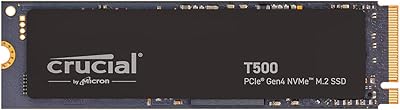
Crucial T700 1TB Gen5 NVMe M.2 SSD
89%
96%
Performance
94%
Speed (Read/Write)
92%
Gaming Performance
90%
Compatibility
80%
Thermal Management
More
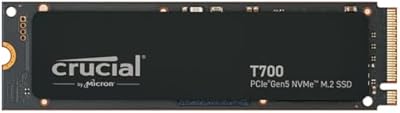
Crucial P2 1TB NVMe M.2 SSD
80%
83%
Sequential Read Speed
76%
Sequential Write Speed
58%
Sustained Write Performance
88%
Value for Money
91%
Installation Ease
More
Crucial T500 1TB Gen4 NVMe M.2 SSD
84%
93%
Sequential Read & Write Speed
89%
Random I/O Performance
91%
Gaming Performance
67%
Thermal Management
96%
Installation Ease
More
Crucial E100 480GB NVMe M.2 SSD

78%
88%
Value for Money
83%
Read Performance
59%
Sustained Write Speed
93%
Installation Ease
66%
Thermal Management
More
Vansuny X15 1TB NVMe M.2 SSD
77%
82%
Read & Write Performance
89%
Value for Money
91%
Installation Ease
58%
Brand Reliability
86%
Capacity Utility
More
GAMERKING 1TB M.2 2280 NVMe SSD
75%
88%
Value for Money
83%
Read Performance
76%
Write Performance
71%
Thermal Management
73%
Build Quality
More
PNY CS1030 1TB M.2 NVMe SSD
81%
83%
Read & Write Performance
91%
Value for Money
94%
Installation Ease
88%
OS Boot & App Load Times
79%
Build & Reliability
More
ORICO J10-2242 256GB NVMe M.2 SSD
78%
83%
Read Speed Performance
61%
Write Speed & Sustained Performance
78%
Thermal Management
88%
Value for Money
81%
Build Quality & Packaging
More
Fikwot FX991 1TB M.2 NVMe SSD
78%
88%
Sequential Read Speed
79%
Sequential Write Speed
91%
Value for Money
83%
PS5 Compatibility
71%
Thermal Management
More
WD_BLACK SN850P 1TB NVMe SSD for PS5
84%
93%
Installation Experience
89%
Load Time Performance
67%
Value for Money
88%
Thermal Management
91%
Build Quality
More

FAQ

In most cases, yes. The E100 uses the M.2 2280 form factor, which is the standard size found in the overwhelming majority of consumer laptops sold in the last several years. That said, a small number of ultrabooks use shorter M.2 sizes like 2242, so it is worth checking your laptop's manual or manufacturer spec sheet before ordering.

Yes, NVMe drives are generally backward compatible, so this budget NVMe SSD will work in a Gen3 slot. The trade-off is that you will be capped at Gen3 speeds rather than the full Gen4 rated throughput. For everyday tasks like booting Windows or opening apps, you likely will not notice the difference much, but benchmark scores will reflect the limitation.

For most gamers, absolutely. The E100 offers enough sequential read speed to handle fast game loading and asset streaming comfortably. If you are playing on a PS5 or a modern gaming PC and primarily want shorter load times and room for a decent game library, this drive covers that use case well without the premium cost of a higher-end option.

Crucial includes access to installation and cloning guidance with the drive. They typically point buyers toward Acronis True Image for Crucial, which is a solid and widely used cloning tool. A small number of users have reported occasional hiccups with specific system configurations, but the process is straightforward for most standard setups.

The gap is significant on paper — NVMe Gen4 read speeds can be roughly eight times faster than a typical SATA SSD. In day-to-day use, the difference is most noticeable during large file transfers, boot sequences, and loading heavy applications. For tasks like web browsing or working in documents, both will feel similarly fast since those workloads are not really storage-bound.

Crucial has not clearly disclosed whether the E100 includes a dedicated DRAM cache. At this price point, many manufacturers opt for a DRAM-less or HMB (Host Memory Buffer) design to keep costs down. This is unlikely to affect typical home and office users, but it is worth knowing if your workload involves sustained heavy writes or professional storage tasks.

The drive carries a 3-year limited warranty through Crucial. Their warranty process is generally regarded as consumer-friendly — you can initiate a claim through their website, and they have a decent track record of handling replacements without excessive friction. Three years is standard for this price tier, though some competitors in the budget space now offer five-year coverage.

Yes, if you place it in a compatible M.2 NVMe USB enclosure it will function as external storage. You would not get the full Gen4 speeds that way since USB bandwidth is the bottleneck, but it works perfectly well for backups, portable storage, or repurposing an old drive after an upgrade.

For most people, 1TB is a practical starting point — it comfortably fits a Windows installation, a handful of large games, and a working file collection. If you are an avid gamer with a large library, do creative work with big project files, or plan to use this as your only storage drive long-term, the 2TB variant is worth the extra investment upfront.

It is one of the easier hardware upgrades you can do. The drive is tiny, weighs almost nothing, and slots into the M.2 socket at a slight angle before being secured with a single small screw. Most laptops and desktops require nothing more than a Phillips screwdriver. Crucial provides guided instructions, and there are plenty of model-specific video walkthroughs available online if you want extra reassurance.

Where to Buy