Overview

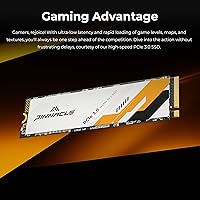
The Timetec Pinnacle 1TB NVMe M.2 SSD is a value-oriented storage drive from a brand that has quietly built credibility in the memory and storage space over the years. It uses the M.2 2280 form factor — the standard size found in most modern laptops and desktops — paired with a PCIe Gen3x4 interface. That combination won't break speed records against today's Gen4 competition, but it delivers a meaningful real-world upgrade for anyone still running a spinning hard drive. At 1TB, there's enough room for an operating system, applications, and a healthy chunk of files. The 5-year limited warranty is a genuine confidence signal for a drive at this price tier.
Features & Benefits

On paper, the Pinnacle 1TB hits sequential read speeds of up to 2,000MB/s and writes up to 1,600MB/s — numbers worth understanding in context. Those peaks rely on SLC caching, which means sustained large file transfers will slow down once the cache fills. The underlying 3D QLC NAND is cost-efficient, keeping the price accessible, but write endurance is inherently lower than TLC-based drives. That said, the rated 1,000TBW is plenty for most users — writing 50GB per day would take roughly 55 years to exhaust it. NVMe 1.4 protocol support, alongside TRIM, Wear-Leveling, and Bad Block Management, helps the drive maintain health over its lifespan.

Best For

This M.2 SSD makes the most sense for users upgrading from a traditional hard drive — the speed difference is dramatic and immediately noticeable at boot. It's a strong fit for everyday computing: web browsing, office applications, light photo work, and general multitasking. Gamers might consider it as a secondary drive for large game libraries, though it's not the ideal choice for a primary cache drive in a high-performance rig. If your motherboard tops out at PCIe Gen3, this drive fits naturally without paying for Gen4 headroom you can't use. Before purchasing, verify your system has an available M.2 slot.

User Feedback

With a 4.7-star average across over 1,600 verified ratings, feedback around this Timetec NVMe drive is consistently positive — and the sentiment feels genuine rather than inflated. Buyers frequently highlight straightforward installation and dramatically faster boot times compared to their old hard drives. On the critical side, users doing large bulk transfers report a drop in write speed once the SLC cache is exhausted — a known QLC trait, not a flaw unique to this drive. The brand's customer support and warranty responsiveness come up more often than you'd expect, which matters when choosing a lesser-known label over a household storage name.

Pros

  • Dramatic speed boost over any spinning hard drive, with boot times that feel genuinely transformative.
  • 1TB of storage hits the sweet spot for primary OS drives and secondary game or media libraries alike.
  • PCIe Gen3x4 interface is broadly compatible, including with older motherboards that lack Gen4 support.
  • A 5-year limited warranty is unusually generous for a value-tier NVMe drive and adds real peace of mind.
  • 1,000TBW endurance rating far exceeds what most everyday users will ever put through a personal PC.
  • NVMe 1.4 protocol with TRIM and Wear-Leveling support helps the drive stay healthy over the long haul.
  • Installation is straightforward — most users report a simple plug-and-play experience with no driver headaches.
  • Lightweight at under half an ounce, making it a practical fit for laptop upgrades where every gram counts.
  • Customer support and warranty service receive consistently positive mentions, which is not always the case with smaller storage brands.
  • Strong user satisfaction across a large review pool suggests reliable quality control at the manufacturing level.

Cons

  • QLC NAND means sustained write speeds drop once the SLC cache is exhausted — a real concern for large file transfers.
  • Not a Gen4 drive, so buyers who already have a Gen4-capable motherboard are leaving potential speed on the table.
  • Timetec lacks the brand recognition of tier-1 storage names, which may give some buyers pause despite solid ratings.
  • Cache exhaustion during bulk writes can cause speeds to fall to levels closer to a mid-range SATA SSD.
  • No bundled accessories like screws or brackets — budget extra time to source a compatible mounting screw if your system does not have one.
  • QLC flash generally ages faster under heavy write workloads compared to TLC alternatives at a similar price point.
  • Not ideal as a primary drive in a content creation workstation where large sequential writes are a daily routine.
  • No included cloning software, so migrating from an existing drive requires a third-party tool or technical know-how.

Ratings

The scores below reflect an AI-driven analysis of verified global buyer reviews for the Timetec Pinnacle 1TB NVMe M.2 SSD, with spam, incentivized, and bot-generated feedback actively filtered out before scoring. Each category is weighted against real-world usage patterns reported by actual owners, not just spec-sheet claims. Both the genuine strengths and the honest frustrations buyers encountered are transparently baked into every number you see here.

Read Speed Performance
83%
Users upgrading from mechanical hard drives consistently report a dramatic improvement in boot times and application load speeds, with Windows launching in under 15 seconds on older systems. For everyday sequential reads — pulling files, loading games, or opening large documents — the drive performs confidently within its Gen3 class.
Buyers who benchmark the drive against advertised peak speeds sometimes find real-world results a few hundred MB/s short of the 2,000MB/s ceiling, which is typical of cache-assisted ratings. Those coming from a Gen4 drive will notice the speed ceiling is meaningfully lower.
Write Speed Performance
67%
33%
For typical write tasks — saving files, installing software, downloading games — the SLC cache keeps things feeling fast and responsive. Users doing routine work rarely encounter any sluggishness, and the drive handles mixed workloads well within its intended use case.
The most consistent criticism across reviews is write speed throttling when transferring large files in bulk. Once the SLC cache fills, speeds can drop sharply — something users copying large video libraries or backup archives notice immediately, and it is a real limitation to understand before buying.
Value for Money
91%
This is where the Pinnacle 1TB earns its strongest praise across the review pool. Buyers repeatedly describe it as one of the best-performing drives they have owned relative to what they paid, especially compared to branded SATA SSDs at similar price points. For budget PC builds and laptop upgrades, the cost-to-performance ratio is hard to argue with.
A handful of reviewers note that Gen4 alternatives have come down in price, narrowing the value gap. For buyers who can stretch their budget even slightly, the performance ceiling of Gen3 QLC starts to feel like a compromise rather than a deal.
Long-Term Reliability
78%
22%
The 1,000TBW endurance rating and 1,500,000-hour MTBF give buyers confidence that the drive is engineered to last under normal use. Users who have owned the drive for over a year report no degradation in day-to-day performance, and S.M.A.R.T. monitoring tools consistently return healthy readings.
QLC NAND inherently carries lower write endurance than TLC at the cell level, and a small subset of power users running constant write-heavy workloads have expressed concerns about long-term health over several years. While statistically rare at normal usage levels, it is a consideration worth flagging for anyone using this as a high-write production drive.
Ease of Installation
93%
Installation receives some of the most enthusiastic feedback in the entire review pool. First-time builders and laptop upgraders alike report that the drive slots in cleanly, is detected immediately by Windows without any driver installation, and feels like a true plug-and-play experience.
The package does not include a mounting screw, which catches some users off guard when their system does not have one pre-installed. A couple of reviewers also wished Timetec had included basic cloning software to make migrating from an existing drive less of a DIY research project.
Brand Trust & Reputation
72%
28%
Timetec has built a quietly solid reputation in the memory and storage segment, and buyers who research the brand before purchasing generally come away reassured. The 5-year warranty signals a level of product confidence that many comparable budget brands do not extend.
Timetec is not a household name, and first-time buyers frequently mention hesitation before committing. Without the marketing presence of tier-1 storage brands, trust is built almost entirely on review data and warranty terms — which is meaningful but requires buyers to do their homework.
Warranty & Support
86%
The 5-year limited warranty is a standout feature at this price tier, and customer support interactions mentioned in reviews are notably more positive than you typically see for value-segment storage brands. Response times and resolution quality are frequently called out as pleasant surprises.
A small number of users report that navigating the warranty claim process required persistence, particularly when tracking order eligibility for the extended 5-year coverage tied to the August 2020 purchase date cutoff. Documentation requirements can slow things down slightly.
Compatibility
88%
Broad backward compatibility across PCIe Gen1 through Gen4 slots means this drive works in a wide range of systems, from older Intel platforms to current AMD builds. Windows 11 and most Linux distributions detect it without any manual configuration, which buyers consistently find reassuring.
A recurring issue in negative reviews is buyers purchasing the drive before confirming their system has an available M.2 NVMe slot. This is a buyer research gap rather than a product flaw, but it contributes to a small percentage of returns that could be avoided with clearer upfront guidance.
Thermal Performance
69%
31%
Under everyday workloads — browsing, office applications, casual gaming — the drive maintains stable temperatures without requiring a heatsink. Most users running this in standard laptop enclosures or mid-tower desktops report no thermal issues during normal operation.
During sustained high-throughput tasks, some users note the drive gets noticeably warm, which can contribute to thermal throttling in tightly enclosed laptop chassis with poor airflow. The absence of an onboard heatsink means system-level cooling does most of the heavy lifting.
SLC Cache Effectiveness
74%
26%
For the bursts of writes that characterize typical PC use — saving projects, downloading software updates, installing game patches — the SLC cache does its job well, keeping the drive feeling snappy in ways that raw QLC speeds alone would not support.
When the cache is fully saturated by a large, sustained write operation, the fallback to native QLC speeds is pronounced enough that several users describe it as the drive feeling like a different product momentarily. It recovers once the cache replenishes, but the dip is real and worth knowing about.
OS Boot Speed
89%
Boot time improvements are the single most celebrated outcome among buyers upgrading from traditional hard drives, with many reporting that Windows 10 and 11 now load in under 20 seconds. Even users coming from older SATA SSDs notice a tangible step up in responsiveness.
Users migrating from a modern Gen4 NVMe drive will not perceive any meaningful boot speed improvement, since real-world OS boot times are rarely bottlenecked by raw sequential read bandwidth beyond a certain threshold.
Gaming Load Times
77%
23%
As a secondary game library drive, the Pinnacle 1TB performs admirably — titles load quickly, in-game asset streaming feels smooth, and open-world environments populate without the stuttering associated with slower SATA or HDD storage.
For the most demanding titles that benefit significantly from DirectStorage and Gen4 throughput, this drive shows its ceiling. It is a competent game storage drive, but not the performance flagship that enthusiast-level gaming setups might demand as a primary drive.
Build & Physical Quality
81%
19%
The drive feels solid in hand despite its featherweight 0.352 oz profile, and the M.2 2280 form factor seats cleanly in every slot users have tested it in. Laptop upgraders appreciate that it adds essentially no perceptible weight to their machines.
There is no onboard controller heatspreader or label-based thermal layer, which some more technically experienced buyers consider a minor omission in extended-use scenarios. It is a cost-reduction measure that does not affect most users but is noticeable to those who look for it.

Suitable for:

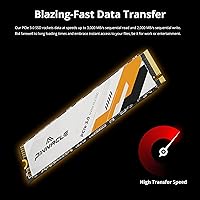
The Timetec Pinnacle 1TB NVMe M.2 SSD is built for the practical upgrader — someone who wants a real, noticeable performance improvement without obsessing over benchmarks. If you are currently running a traditional spinning hard drive, swapping in this M.2 SSD will transform your day-to-day experience: faster boot times, snappier application launches, and less waiting around in general. It is a smart pick for students, home office users, and everyday PC owners who primarily browse the web, manage documents, run productivity software, and stream media. Budget-conscious PC builders who need a dependable 1TB primary drive and whose motherboards top out at PCIe Gen3 will find it fits naturally without paying for Gen4 capability they cannot use. Gamers who want a secondary drive to offload a large game library will also get solid value here, as long as they are not expecting the kind of sustained write speeds that demanding content creation workflows require.
Not suitable for:

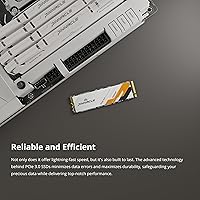
The Timetec Pinnacle 1TB NVMe M.2 SSD is not the right tool for power users who push their storage hard on a regular basis. Video editors, 3D artists, or anyone routinely moving large files — think multi-gigabyte raw footage or huge project archives — will run into the drive's QLC cache ceiling, where write speeds drop considerably once the SLC buffer fills up. Competitive PC builders chasing maximum storage throughput should look at Gen4 NVMe drives with TLC NAND, which offer meaningfully better sustained write performance. This M.2 SSD also will not suit buyers who are uncertain whether their system even has an M.2 slot — it is worth checking your motherboard or laptop specs before purchasing, since not every machine supports this form factor. Finally, server or NAS use cases requiring high write endurance over years of continuous operation are outside the scope of what this drive is designed to handle.
Specifications

  • Capacity: The drive offers 1TB (1,000GB) of usable storage, suitable for a primary OS installation or a large secondary library.
  • Form Factor: It uses the M.2 2280 form factor, meaning the stick measures 22mm wide and 80mm long — the most common M.2 size found in modern laptops and desktops.
  • Interface: The drive connects via PCIe Gen3x4, delivering up to 32Gb/s of total bandwidth across four PCIe lanes.
  • Protocol: NVMe 1.4 protocol is supported, enabling low-latency command queuing and efficient communication between the drive and the host system.
  • Sequential Read: Peak sequential read speed reaches up to 2,000MB/s under SLC cache conditions during typical workloads.
  • Sequential Write: Peak sequential write speed reaches up to 1,600MB/s under SLC cache conditions, with speeds tapering on sustained large transfers once the cache is exhausted.
  • NAND Type: The drive uses 3D QLC (Quad-Level Cell) NAND flash paired with an SLC write cache to improve burst write performance and extend usable lifespan.
  • Endurance (TBW): The rated endurance is 1,000TBW (Terabytes Written), which comfortably covers decades of typical personal computing use.
  • MTBF: Timetec rates this drive at a mean time before failure of 1,500,000 hours, reflecting the manufacturer's confidence in long-term reliability under normal operating conditions.
  • Weight: The drive weighs just 0.352 oz (approximately 10g), adding negligible mass to any laptop or desktop build.
  • OS Support: Compatible operating systems include Windows 7, 8, 8.1, 10, and 11, as well as Linux kernel 2.6.33 and later versions.
  • Backward Compat.: While designed for PCIe Gen3x4 slots, the drive is backward compatible with PCIe Gen2 and Gen1 slots, and will also seat in PCIe Gen4 slots at Gen3 speeds.
  • Warranty: Timetec provides a 5-year limited warranty for drives purchased on or after August 1, 2020, along with free technical support for the warranty period.
  • Drive Technologies: The drive supports TRIM, S.M.A.R.T. monitoring, Garbage Collection, Wear-Leveling, Bad Block Management, and End-to-End Data Protection for ongoing drive health management.
  • Package Contents: The package includes the M.2 2280 NVMe SSD only; mounting screws, brackets, and data cables are not included.
  • Package Dimensions: The retail packaging measures 3.07 x 1.69 x 0.87 inches, making it compact enough to ship quickly and store easily.

Related Reviews
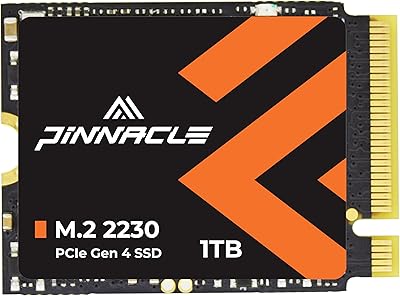
Timetec 1TB M.2 2230 NVMe SSD
78%
93%
Device Compatibility
88%
Installation Experience
84%
Read Performance
79%
Write Performance
62%
Thermal Management
More
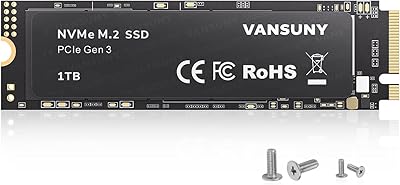
Vansuny X15 1TB NVMe M.2 SSD
77%
82%
Read & Write Performance
89%
Value for Money
91%
Installation Ease
58%
Brand Reliability
86%
Capacity Utility
More
GAMERKING 1TB M.2 2280 NVMe SSD
75%
88%
Value for Money
83%
Read Performance
76%
Write Performance
71%
Thermal Management
73%
Build Quality
More
Fikwot FX991 1TB M.2 NVMe SSD
78%
88%
Sequential Read Speed
79%
Sequential Write Speed
91%
Value for Money
83%
PS5 Compatibility
71%
Thermal Management
More
iDsonix D7450 1TB M.2 NVMe SSD
85%
94%
Performance
89%
Thermal Management
92%
Read/Write Speed
85%
Compatibility with PS5
88%
Build Quality
More
ORICO J10-2242 256GB NVMe M.2 SSD
78%
83%
Read Speed Performance
61%
Write Speed & Sustained Performance
78%
Thermal Management
88%
Value for Money
81%
Build Quality & Packaging
More
SanDisk Extreme M.2 1TB NVMe SSD
79%
88%
Read Performance
71%
Write Performance
94%
Installation Ease
86%
Value for Money
62%
Thermal Management
More
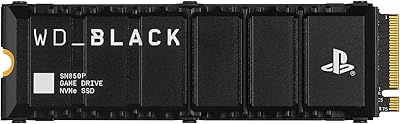
fanxiang S770 1TB NVMe M.2 SSD
79%
88%
Read Speed Performance
91%
PS5 Compatibility
86%
Value for Money
83%
Thermal Management
67%
Write Speed Consistency
More
INLAND TN320 1TB NVMe M.2 SSD
77%
91%
Value for Money
88%
Sequential Read Speed
64%
Sustained Write Performance
93%
Installation Ease
94%
Warranty & Support
More
Fikwot FN970 1TB M.2 NVMe SSD
83%
89%
Sequential Speed Performance
84%
Thermal Management
86%
Endurance & Longevity
81%
PS5 Storage Expansion
83%
Value for Money
More

FAQ

It depends on whether your system has an M.2 slot that supports NVMe. The drive uses the M.2 2280 form factor, which is the standard size in most machines built in the last several years, but older systems may only have SATA M.2 slots or no M.2 slot at all. Check your motherboard or laptop manual before buying — it only takes a minute and can save you the hassle of a return.

Yes, it will work in a Gen4 slot, but it will run at Gen3 speeds. You are not damaging anything by doing this, but if your motherboard is Gen4-capable, you might eventually want a Gen4 drive to take full advantage of that bandwidth.

For everyday use — booting Windows, launching apps, browsing, light gaming — you will not notice any downside. QLC becomes a concern only when you are regularly moving very large files, like multi-gigabyte video projects, because write speeds slow down once the SLC cache fills. If that does not describe your workflow, QLC is a perfectly reasonable trade-off for the cost savings.

It will, once the SLC cache is exhausted during a sustained sequential write — this is a characteristic of all QLC-based drives, not just this one. For most users copying a few large files occasionally, the cache refills quickly and the impact is minimal. If you are regularly transferring hundreds of gigabytes at a stretch, a TLC-based drive would serve you better.

TBW stands for Terabytes Written, and it is the total amount of data the drive is rated to write over its lifetime. At 1,000TBW, if you wrote 50GB of data every single day, it would take roughly 55 years to reach that limit. For a typical home or office user, this drive is effectively rated for a lifetime of normal use.

Installation is straightforward — you just need a small Phillips-head screwdriver to secure the drive in its M.2 slot. No drivers are required on Windows 10 or 11, which detect the drive automatically. If you are migrating from an existing drive rather than doing a fresh install, you will need third-party cloning software, as none is included in the package.

Timetec is not a household storage name like Samsung or Western Digital, but they have been making memory and storage products for years with a solid track record. The 5-year warranty is a meaningful commitment — budget brands rarely back their products that confidently. The user rating across over 1,600 reviews also suggests consistent quality control rather than a fluke.

Yes, absolutely. It is fully compatible with Windows 11 and meets the speed requirements for a primary OS drive with ease. Booting from NVMe is noticeably faster than any SATA or HDD alternative, and 1TB gives you plenty of room for the OS, applications, and personal files.

It works well as a secondary game storage drive — loading times for most titles will be quick, and 1TB holds a decent game library. As a primary drive for a high-performance gaming rig where you also do streaming or content capture, a faster Gen4 or TLC-based alternative might be worth considering for sustained write scenarios.

Timetec offers a 5-year limited warranty with free technical support, and user feedback suggests their support team is reasonably responsive. If the drive fails under normal use, you would contact Timetec directly to initiate a warranty claim. As with any drive, keeping a backup of important data is always a good idea regardless of warranty coverage.