Overview

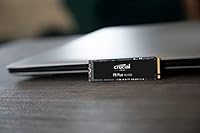
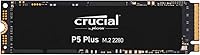
The Crucial P5 Plus 1TB NVMe M.2 SSD sits comfortably in the mid-to-high performance tier of the Gen4 NVMe market — not a budget pick, but not a flagship price tag either. Crucial is owned by Micron, one of the few companies that actually manufactures its own NAND, which gives this drive a credibility that many third-party-branded SSDs simply cannot match. Launched in 2021, the P5 Plus has aged well and remains a genuinely competitive option for anyone building or upgrading a modern system. The standard M.2 2280 form factor means it slots into virtually any modern motherboard — and yes, the PS5 expansion bay too.
Features & Benefits

Running on PCIe Gen4 x4, this NVMe SSD hits sequential read speeds that make large file transfers and game installs feel noticeably faster than what older Gen3 drives deliver. What separates it technically is that Crucial uses its own Micron-designed NAND and controller — that vertical integration produces better-tuned firmware instead of patching together third-party components. Random IOPS performance is strong, which matters more for day-to-day OS snappiness than raw sequential figures alone. The drive supports AES 256-bit encryption and carries a 5-year warranty backed by a solid 600 TBW endurance rating. It also runs in Gen3 slots for users planning a future platform upgrade.

Best For

This Crucial Gen4 drive is a natural fit for PC builders upgrading from a Gen3 SSD who want a real performance jump without spending flagship prices. PS5 owners looking to add internal storage will find it fully compatible and meaningfully fast for cutting game load times. Content creators who regularly move large video files or raw photo libraries will appreciate the high sequential write throughput. It also works well as a primary OS and application drive in any mid-to-high-end desktop or laptop build. If you want a drive from a manufacturer with genuine industry roots and real warranty support, the P5 Plus delivers on that front too.

User Feedback

Across thousands of verified reviews, the P5 Plus holds a remarkably high rating — unusual for a storage category where buyers tend to be technical and unforgiving. Owners consistently praise how painless installation is and how the drive performs immediately without any configuration fuss. PS5 users specifically report smooth compatibility and faster game load times. That said, a couple of honest caveats stand out: buyers running sustained workloads in poorly ventilated cases have flagged thermal throttling without a heatsink. And for typical everyday computing — launching apps, booting an OS — the real-world edge over a capable Gen3 drive is subtle, not dramatic. Worth knowing before you buy.

Pros

  • Micron-made NAND and controller means tighter quality control than most third-party branded SSDs.
  • Sequential read speeds make large game installs and file transfers noticeably faster than Gen3 alternatives.
  • Confirmed PS5 compatible — a reliable, brand-name option for console storage expansion.
  • Strong random IOPS keep OS boot times and application launches snappy in real-world use.
  • Five-year warranty with a 600 TBW endurance rating offers solid long-term peace of mind.
  • Hardware AES 256-bit encryption is available without any premium upcharge.
  • Backward compatible with Gen3 slots, so it stays useful if you later upgrade your platform.
  • Thousands of verified reviews consistently rate the P5 Plus at 4.7 stars or higher — rare for a storage device.
  • Installation is genuinely plug-and-play with no driver fuss or configuration needed out of the box.

Cons

  • No heatsink included — sustained workloads in tight cases can trigger thermal throttling.
  • Real-world everyday speed advantage over a good Gen3 drive is modest for typical desktop tasks.
  • 1TB fills up faster than expected once a modern game library and creative project files accumulate.
  • Gen3 system owners will not see the full rated performance, making the value proposition weaker for them.
  • Benchmark numbers can set unrealistic expectations — peak sequential speeds rarely reflect mixed workload performance.
  • No bundled cloning software, which adds a small hurdle for users migrating from an existing drive.
  • Pricing places it above budget Gen4 competitors that perform comparably in everyday workloads.
  • Heatsink-equipped version costs more, effectively making the base model incomplete for high-load scenarios.

Ratings

Our AI rating engine analyzed thousands of verified global user reviews for the Crucial P5 Plus 1TB NVMe M.2 SSD, actively filtering out incentivized, duplicate, and bot-generated submissions to surface what real buyers actually experienced. The scores below reflect both the genuine strengths that earned this drive its loyal following and the honest pain points that a small but consistent segment of users flagged. Nothing has been softened or inflated.

Sequential Read Speed
91%
Users building video editing workstations and gaming rigs consistently report that large file loads — think 50GB game installs or 4K footage imports — feel dramatically faster than their previous Gen3 drives. The real-world throughput holds up well outside of synthetic benchmarks, especially when paired with a Gen4-capable motherboard.
A handful of users on AMD platforms noted slightly inconsistent peak read performance depending on chipset and BIOS version, requiring a firmware update to stabilize. Those running the drive in a Gen3 slot see speeds closer to 3,500MB/s, which removes much of the advertised advantage.
Sequential Write Speed
88%
Content creators exporting large video projects or moving raw camera files in bulk praise the write performance as noticeably quicker than what they experienced on mid-range Gen3 alternatives. Sustained write sessions for files in the multi-gigabyte range hold speed well before any thermal ceiling is approached.
Under prolonged, back-to-back write cycles without a heatsink — common in video production pipelines — some users observed write speeds drop perceptibly as the drive thermally throttled. This is manageable with passive cooling but is worth planning for in compact or poorly ventilated builds.
Thermal Management
63%
37%
For typical gaming sessions and everyday desktop use, the P5 Plus stays within acceptable temperature ranges and does not throttle under normal conditions. Users who added even a basic aftermarket M.2 heatsink reported stable temps across extended workloads with no complaints.
This is the most recurring pain point in user reviews. Without a heatsink, sustained high-intensity workloads — long file transfers, heavy compiling, continuous game streaming — cause noticeable throttling that caps real-world performance. The base model shipping without any thermal solution feels like an omission at this price tier.
Random I/O Performance
86%
Gamers and developers alike note that OS boot times and application launches feel snappy and consistent, which directly reflects the strong random IOPS this drive delivers. Switching between several demanding applications simultaneously feels fluid, which users with multitasking-heavy workflows genuinely appreciated.
In everyday light workloads like web browsing or document editing, users cannot meaningfully perceive any edge over a solid Gen3 NVMe drive. The random I/O advantage is real but only surfaces in workloads that stress the storage subsystem — casual users will rarely notice it.
Build & Reliability
93%
The Micron-manufactured NAND and in-house controller combination gives this NVMe SSD a reliability profile that stands out from many competitors using third-party components. Long-term owners across 18-month-plus usage periods rarely report failures, and the 2-million-hour MTTF rating appears to reflect genuine engineering rather than just marketing.
A very small percentage of users reported DOA units or early failures, which, while statistically low, does exist in user feedback. Crucial's warranty replacement process receives mixed reviews — some found it smooth, while others described slower-than-expected turnaround times.
PS5 Compatibility
89%
PS5 users consistently report a smooth installation experience and confirmed speed improvements for game loading, particularly for titles that leverage fast storage actively. The drive meets Sony's requirements comfortably and multiple reviewers called it one of the easiest PS5 storage upgrades they had done.
Sony recommends a heatsink for PS5 M.2 drives, and since this one ships without one, PS5 buyers need to budget for a separate low-profile heatsink. A few users also noted the PS5 does not surface detailed drive performance metrics, making it hard to verify if peak speeds are consistently maintained.
Installation Ease
94%
Across platforms — desktop PC, laptop, and PS5 — users overwhelmingly praise how straightforward this drive is to install. It is recognized immediately by BIOS and operating systems without needing additional drivers, and first-time builders consistently mention it as one of the least stressful parts of their build.
The absence of bundled cloning software in the retail package is a recurring minor complaint, particularly from users migrating an existing OS installation. While Crucial offers a free download through their website, first-time builders do not always know to look for it.
Value for Money
79%
21%
For buyers on a Gen4 platform who need a reliable brand-name drive with strong real-world performance and a 5-year warranty, the P5 Plus hits a reasonable balance between capability and cost. Users who switched from aging SATA SSDs felt the upgrade was well worth it in terms of perceived system responsiveness.
Budget-focused buyers point out that newer Gen4 competitors have closed the price gap, making the P5 Plus feel slightly less compelling than it was at launch. Users comparing it specifically against drives like the WD Black SN770 or Kingston Fury Renegade note that the value equation requires careful comparison shopping at current prices.
Endurance & Longevity
91%
The 600 TBW rating is genuinely reassuring for heavy users — video editors and developers writing large amounts of data daily have years of headroom before approaching that ceiling. The 5-year warranty further backs up confidence in the drive lasting well beyond a typical upgrade cycle.
Some technically informed users note that 600 TBW, while solid, trails a few competing drives in the same category that offer 1,200 TBW or higher, making those alternatives preferable for extreme write-heavy server-adjacent use cases. This is a niche concern for most buyers but relevant for prosumer workflows.
Software & Ecosystem
67%
33%
Crucial's Storage Executive utility is functional and free, offering drive health monitoring, firmware updates, and cache tuning options. Users who discovered and used it generally found it straightforward and appreciated having a dedicated tool from the manufacturer.
The software is not bundled or prominently advertised, meaning a meaningful portion of buyers never use it at all. Its interface feels dated compared to Samsung's Magician software, and some users reported it failing to recognize the drive on certain AMD chipset configurations without a manual workaround.
Noise & Vibration
97%
As a solid-state drive with no moving parts, the P5 Plus operates in complete silence under all workloads, which users coming from mechanical hard drives or older hybrid drives consistently flag as an immediate quality-of-life improvement. There is zero vibration contribution to the system.
This is not a meaningful differentiator among NVMe SSDs since all compete on the same silent operation baseline — it simply cannot be a weakness for any product in this category. No user complaints exist here.
Form Factor Versatility
88%
The standard M.2 2280 footprint means this drive fits in virtually every modern system that has an M.2 slot, from mini-ITX builds to full towers to ultra-thin laptops. Users appreciated not having to check compatibility beyond confirming their slot supports NVMe rather than SATA.
It is only available in the M.2 form factor, so users with older systems that lack an M.2 slot entirely cannot use it without an adapter card. The drive is also not available in a U.2 or add-in card format for workstation or server users who prefer those interfaces.
Encryption & Security
74%
26%
Hardware AES 256-bit encryption is a meaningful differentiator over drives that rely entirely on software encryption, and professionals in regulated industries appreciated finding it available at this price point. Users enabling BitLocker in eDrive mode reported no perceptible performance penalty.
Setting up hardware encryption requires navigating BIOS settings and OS configuration that most average buyers find intimidating — Crucial provides minimal guidance on the process. Several users also noted that factory-resetting the encryption configuration after a botched setup was unnecessarily complex.
Gen3 Backward Compatibility
71%
29%
The ability to run in a Gen3 slot makes this drive a reasonable future-proofing choice for users on an older platform who plan to upgrade their motherboard within a year or two. It installs and operates without issue in Gen3 systems, which reduces buyer risk.
Real-world speed in a Gen3 slot is indistinguishable from a dedicated Gen3 NVMe drive, which makes paying for Gen4 capability pointless if you have no near-term upgrade planned. Several users who missed this nuance during purchase felt the performance did not justify the price delta over a Gen3 alternative.

Suitable for:

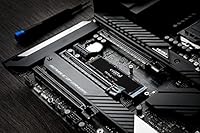
The Crucial P5 Plus 1TB NVMe M.2 SSD is a strong match for anyone building or upgrading a mid-to-high-end PC who wants genuinely fast storage without stretching into premium flagship territory. PC builders moving up from a Gen3 drive will notice real gains in large file transfers, game installs, and application loading — the kind of difference that shows up in daily use, not just benchmarks. PS5 owners expanding internal storage will find it fully compatible and appreciably quick for cutting down game load screens. Content creators and video editors who regularly work with large sequential files — raw footage exports, batch photo processing — will benefit from the high write throughput this Crucial Gen4 drive consistently delivers. It also suits security-conscious users who need hardware-level encryption baked in without paying extra for a specialized enterprise drive.
Not suitable for:

Buyers expecting a dramatic, night-and-day upgrade from a decent Gen3 NVMe SSD for everyday computing tasks like web browsing, document editing, or launching common apps will likely be underwhelmed — the real-world gap in those scenarios is narrower than the spec sheet implies. The Crucial P5 Plus 1TB NVMe M.2 SSD also lacks a bundled heatsink, which matters in compact cases or sustained workloads where thermal throttling can erode peak performance over time. Users on older systems with only PCIe Gen3 slots will not unlock the full speed potential this drive is rated for, making a cheaper Gen3-optimized SSD a more logical choice for them. Anyone needing more than 1TB as a single primary drive should look at the 2TB variant or a competing option, since storage needs for large game libraries or video archives can outgrow 1TB quickly. Finally, ultra-budget builders where every dollar is critical will find better value-per-gigabyte options at a lower price point.
Specifications

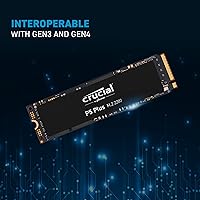
  • Interface: Uses a PCIe Gen4 x4 NVMe interface, offering roughly double the bandwidth ceiling compared to PCIe Gen3 drives.
  • Form Factor: Standard M.2 2280 format (80mm length) fits the vast majority of modern desktop motherboards, laptops, and the PS5 expansion slot.
  • Capacity: Available in this 1TB configuration, with 500GB and 2TB variants also offered in the same product family.
  • Sequential Read: Rated for sequential read speeds of up to 6,600MB/s under optimal conditions.
  • Sequential Write: Rated for sequential write speeds of up to 5,000MB/s, suitable for large file creation and export workloads.
  • Random Read: Random read performance is rated at up to 630,000 IOPS, which contributes directly to OS responsiveness and application launch times.
  • Random Write: Random write performance is rated at up to 700,000 IOPS, relevant for database-style workloads and frequent small-file operations.
  • NAND Type: Built on Micron proprietary 3D NAND, manufactured in-house rather than sourced from a third-party NAND supplier.
  • Controller: Uses a Crucial-tuned in-house controller developed in conjunction with Micron, allowing tighter firmware-level optimization.
  • Encryption: Supports AES 256-bit hardware encryption for users with data security or compliance requirements.
  • Endurance: Rated at 600 TBW (terabytes written), which is sufficient for heavy everyday use across several years of normal operation.
  • Reliability: MTTF (mean time to failure) is rated at over 2 million hours, reflecting the drive's long-term durability expectations.
  • Warranty: Covered by a 5-year limited warranty or until the maximum TBW endurance rating is reached, whichever comes first.
  • Gen3 Compatibility: Backward compatible with PCIe Gen3 x4 slots, though maximum speeds will be limited to Gen3 bandwidth in that configuration.
  • PS5 Support: Confirmed compatible with the PS5 internal M.2 expansion slot, meeting Sony's required speed threshold for that console.
  • Dimensions: Measures 3.14 x 0.86 x 0.09 inches, consistent with the standard M.2 2280 footprint.
  • Weight: Weighs 0.204 ounces, making it negligible in terms of system weight contribution.
  • Heatsink: The base model ships without a heatsink; a separate heatsink-equipped version is available for builds where sustained thermal performance is a concern.

Related Reviews
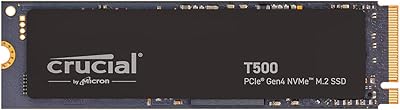
Crucial T500 1TB Gen4 NVMe M.2 SSD
84%
93%
Sequential Read & Write Speed
89%
Random I/O Performance
91%
Gaming Performance
67%
Thermal Management
96%
Installation Ease
More
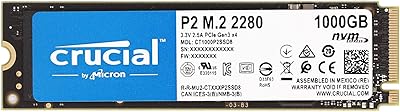
Crucial P2 1TB NVMe PCIe M.2 SSD
84%
89%
Performance
92%
Value for Money
85%
Installation Ease
80%
Compatibility
88%
Durability
More
Crucial T700 1TB Gen5 NVMe M.2 SSD
89%
96%
Performance
94%
Speed (Read/Write)
92%
Gaming Performance
90%
Compatibility
80%
Thermal Management
More
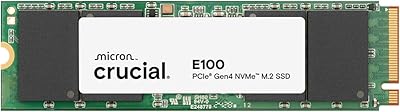
Crucial E100 1TB PCIe Gen4 NVMe M.2 SSD
89%
93%
Performance
95%
Speed (Read/Write)
89%
Ease of Installation
92%
Gaming Performance
88%
Compatibility with Consoles
More
SanDisk 2TB SSD Plus M.2 NVMe SSD
86%
89%
Performance
92%
Ease of Installation
88%
Reliability
91%
Value for Money
90%
Capacity
More
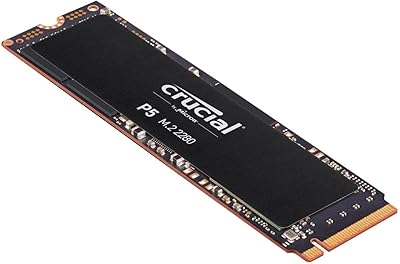
Crucial P5 1TB NVMe SSD
84%
91%
Read Performance
88%
Write Performance
86%
Random I/O Responsiveness
71%
Thermal Management
94%
Installation Ease
More
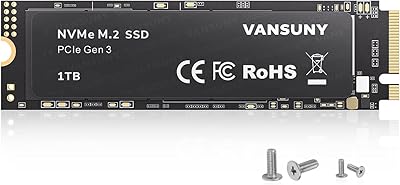
Vansuny 1TB NVMe M.2 SSD
87%
94%
Performance (Speed)
88%
Reliability
72%
Compatibility
91%
Value for Money
85%
Build Quality
More
GAMERKING 1TB M.2 NVMe SSD
87%
89%
Performance
92%
Speed (Read/Write)
80%
Durability (MTTF)
91%
Compatibility
94%
Ease of Installation
More
Crucial P3 Plus 1TB NVMe SSD
84%
88%
Read & Write Speed
93%
Value for Money
61%
Thermal Management
96%
Installation Ease
89%
Long-Term Reliability
More
PNY CS2230 1TB M.2 NVMe SSD
82%
83%
Read & Write Performance
91%
Value for Money
94%
Installation Ease
86%
Boot & Load Times
78%
Build Quality & Reliability
More

FAQ

Yes, the P5 Plus is fully compatible with the PS5 internal M.2 expansion slot and comfortably exceeds Sony's minimum speed requirement. Sony recommends using a heatsink in the PS5, and while the console has some passive cooling in that area, picking up a low-profile M.2 heatsink is a smart and inexpensive precaution.

Technically it will work, but you won't come close to the rated speeds since the drive will be capped by Gen3 bandwidth. In that case, a well-regarded Gen3 NVMe drive would give you nearly identical real-world performance at a lower price. The P5 Plus makes the most sense on a Gen4-capable platform.

The P5 Plus trades blows with both in sequential throughput but tends to run a bit cooler and is often priced more competitively. Samsung and WD Black drives edge it out slightly in sustained write benchmarks, but for most gaming and creative workloads the practical difference is minimal. If budget is a factor, the P5 Plus is a genuinely strong alternative.

It can. Under sustained read/write workloads — long file copies, video exports — the P5 Plus will generate real heat, and without a heatsink in a poorly ventilated case, thermal throttling is a real possibility. For general gaming and everyday use it's usually fine, but if you're doing prolonged heavy transfers regularly, adding even a basic M.2 heatsink makes a noticeable difference.

No software is bundled in the box. Crucial does offer a free download of Acronis True Image for Crucial through their website, which handles drive cloning reasonably well. Just register your drive on their site and you can grab it at no extra cost.

TBW stands for terabytes written, and 600 TBW is the manufacturer's endurance rating before the NAND wears out in theory. A typical home user writing 20–30GB per day would take well over 50 years to hit that ceiling — it's essentially a non-issue for personal use. Even heavy creative professionals writing several hundred gigabytes daily would have years of comfortable headroom.

Not immediately, but it's worth checking. Crucial provides a Storage Executive tool that can detect your drive and flag any available firmware updates. It takes a few minutes and is worth doing early on, particularly if you're on a newer platform where updated firmware can improve compatibility or stability.

Yes, you can fit it into an M.2 NVMe USB enclosure, but keep in mind you'll be limited to USB bandwidth — typically around 1,000MB/s on a USB 3.2 Gen 2 enclosure — so none of the Gen4 speed will be usable externally. It works fine as a portable drive in that context, but buying it specifically for external use isn't the most cost-efficient choice.

The drive supports AES 256-bit hardware encryption through the TCG Opal 2.0 standard. To actually use it, you need compatible software like BitLocker on Windows (in eDrive mode) or a third-party encryption manager that supports Opal. It doesn't encrypt automatically out of the box — you have to enable and configure it through your OS or security software.

Heat from the drive itself doesn't damage the M.2 slot directly, but prolonged high temperatures can affect the NAND over time. Most modern motherboards include M.2 thermal pads or covers precisely for this reason. If yours has one, use it. If not, an aftermarket M.2 heatsink is cheap insurance, especially for this NVMe SSD running demanding workloads over extended sessions.

Where to Buy