Overview

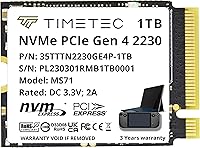
The Timetec 1TB M.2 2230 NVMe SSD is one of the more practical storage upgrades you can buy if your device actually requires the shorter 2230 form factor — and that distinction matters more than most listings let on. This compact NVMe drive runs on a PCIe Gen4x4 interface, which puts its peak sequential read speed well above what older Gen3 alternatives can manage. It sits comfortably in the mid-range tier: fast enough for gaming and general productivity, priced without the premium you'd pay for a flagship brand. Five-year warranty coverage and US-based technical support add a layer of reassurance that's genuinely worth factoring into the value calculation.
Features & Benefits

Speed numbers on a spec sheet only mean so much in practice. What matters for gaming is how this 2230 SSD handles the repetitive reads that happen when loading open-world environments or streaming assets mid-session, and Gen4 headroom helps noticeably there. SLC caching keeps write performance from falling off during large installs, though sustained workloads inside a sealed chassis can still trigger thermal throttling — something to keep in mind. The 1TB capacity hits a sweet spot for most game libraries. One practical note: no mounting hardware ships in the box, so first-time upgraders should confirm their device kit includes a retention screw before starting.

Best For

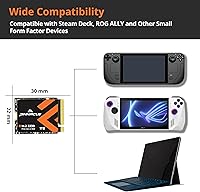
This compact NVMe drive was built with a specific audience in mind, and it shows. Steam Deck owners — particularly those on the OLED model — will find it one of the more reliable storage expansion options given its verified single-sided PCB design. ROG Ally users who want Gen4 throughput without cramming in an oversized drive will appreciate the precise fit. Surface Pro users on the 7+ through 9 generation, along with compact mini PC builders, are also squarely in the target zone. If you're a desktop builder with a standard full-length M.2 slot available, faster and cheaper alternatives are worth considering first.

User Feedback

With a 4.5-star average across more than 200 real-world ratings, the Timetec Gen4 upgrade holds up solidly in buyer opinion. Installation ease earns consistent praise — most users report their device recognizing the drive immediately with no configuration headaches. Confirmed compatibility from Steam Deck OLED and ROG Ally owners is particularly reassuring for handheld upgraders specifically. On the downside, a handful of reviewers note thermal throttling under prolonged heavy loads inside tightly enclosed chassis, which is a known reality for compact drives generally. One fair criticism worth flagging: Timetec does not prominently disclose TBW endurance ratings, which matters for anyone planning sustained, write-heavy long-term workloads.

Pros

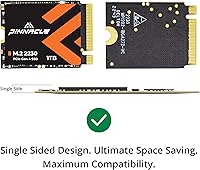
  • Single-sided PCB design guarantees compatibility with shallow M.2 slots in handhelds and ultrabooks where double-sided drives physically will not fit.
  • PCIe Gen4x4 interface delivers a real, noticeable improvement in game load times compared to Gen3 or SATA drives.
  • 1TB capacity is a practical sweet spot — enough room for an OS, a healthy game library, and working files without constant management.
  • Confirmed compatible with Steam Deck OLED and ASUS ROG Ally by actual buyers, not just spec-sheet claims.
  • Five-year limited warranty is longer than many competing drives in this price tier.
  • US-based technical support adds a layer of accountability that budget-brand alternatives rarely offer.
  • SLC caching keeps burst write performance strong during large game installs or file transfers.
  • Installation is straightforward — most devices recognize this compact NVMe drive immediately without driver configuration.
  • Strong sales rank among internal SSDs reflects consistent buyer volume and product confidence over time.
  • Competitive pricing for Gen4 performance makes this a reasonable value for gamers who do not need enterprise-grade specs.

Cons

  • TBW endurance rating is not prominently disclosed, making long-term durability harder to evaluate before buying.
  • Thermal throttling has been reported by a subset of users running sustained heavy workloads inside enclosed chassis.
  • No mounting hardware is included — first-time upgraders may be caught off guard if their device kit is incomplete.
  • Peak sequential read speeds reflect ideal conditions; real-world sustained performance can fall below the advertised ceiling.
  • Only available in 1TB — buyers needing 2TB storage in a 2230 drive will need to look elsewhere.
  • Timetec is a lesser-known brand compared to Samsung or WD, which may concern buyers who prioritize brand pedigree.
  • Random read and write performance figures are not prominently highlighted, leaving a gap for workloads that depend on them.
  • Not a viable option for standard desktop or full-size laptop builds where 2280 drives offer better performance per dollar.

Ratings

The scores below reflect an AI-driven analysis of verified global buyer reviews for the Timetec 1TB M.2 2230 NVMe SSD, with spam, incentivized, and bot-flagged submissions actively filtered out before scoring. Each category is weighted against real usage patterns reported by owners — from Steam Deck upgrades to Surface Pro swaps — so both the genuine strengths and recurring frustrations are represented honestly. No category has been inflated to flatter the product, and no pain point has been softened to protect the brand.

Device Compatibility
93%
Buyers consistently praise how precisely this compact NVMe drive fits the devices it targets — Steam Deck OLED, ROG Ally, and Surface Pro models all show up in confirmed compatibility reports. The single-sided PCB is the detail that makes this work where double-sided drives simply cannot, and reviewers notice it.
A small number of buyers purchased without fully confirming their device required the 2230 length and found themselves with a drive their slot could not properly secure. Compatibility is excellent within its intended scope, but that scope is narrow enough to create real confusion for less experienced buyers.
Installation Experience
88%
Most users report the installation process as refreshingly straightforward — drop the drive in, power the device on, and it is recognized immediately. Steam Deck and Surface Pro owners in particular describe the process as taking under ten minutes with no software configuration required.
The omission of a retention screw catches first-time upgraders off guard, and a handful of reviews mention delays caused by hunting for the correct M2 screw. This is a minor but avoidable friction point that Timetec could address with a more complete accessory pack.
Read Performance
84%
Buyers upgrading from SATA or Gen3 NVMe drives describe a genuine improvement in game load times and large file transfers. The Gen4 interface delivers headroom that feels meaningful when loading asset-heavy open-world titles on a Steam Deck or transferring project files on a Surface Pro.
Peak sequential read figures represent ideal conditions, and real-world sustained throughput — particularly inside thermally constrained handheld chassis — can fall meaningfully short. Buyers running synthetic benchmarks sometimes find the numbers underwhelming compared to the headline claim.
Write Performance
79%
21%
SLC caching does a solid job maintaining write consistency during burst workloads like game installations or large media imports, which is the scenario most buyers in this category encounter regularly. For typical gaming use, the drive handles installs without obvious stalls or slowdowns.
Once the SLC cache fills — which can happen faster than expected on large sequential writes — sustained write speeds drop to reflect the underlying NAND speed. Users doing continuous large writes, like repeated disk imaging, will feel this ceiling more than casual gamers will.
Thermal Management
62%
38%
Under moderate gaming loads and typical daily use inside a Steam Deck or ROG Ally, most buyers report no perceptible throttling or sluggishness. The drive handles everyday workloads without becoming a thermal liability in well-ventilated or moderately sized chassis.
A recurring thread in critical reviews involves thermal throttling during extended, demanding sessions inside sealed devices. The combination of a high-performance Gen4 controller and minimal airflow in handheld consoles can push temperatures to the point where the drive reduces its speed automatically to protect itself.
Build & Form Factor
91%
The 2230 footprint is executed cleanly — the drive is light, compact, and fits snugly into the M.2 slots it is designed for without any play or alignment issues. Single-sided construction is consistent across the production run, which matters because a double-sided unit would be a physical non-starter in many target devices.
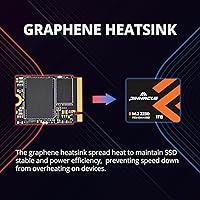
There is nothing truly wrong with the physical build, but the lack of any thermal pad or heatspreader means the drive relies entirely on the host device for heat dissipation. In enclosed chassis with minimal copper contact, this contributes to the throttling issues some users experience.
Value for Money
83%
For a Gen4 drive in a form factor with limited competition, the pricing strikes a balance that most buyers describe as fair. Getting 1TB of NVMe Gen4 storage in a 2230 package without paying a steep premium over Gen3 alternatives is a realistic value proposition that reviewers acknowledge.
Buyers who compare on raw cost-per-gigabyte against 2280 Gen4 drives will find this 2230 SSD at a slight premium — a natural consequence of the niche form factor. Those who do not strictly require the 2230 length can find more performance per dollar elsewhere.
Warranty & Support
86%
A five-year warranty is genuinely above average for a drive in this price range, and multiple reviewers specifically call out Timetec's US-based support team as responsive and easy to work with during claims — a meaningful differentiator over anonymous budget alternatives.
The warranty terms are solid, but Timetec does not publish TBW endurance data prominently, which makes it harder for buyers to independently assess what the warranty is actually covering over five years of use. This transparency gap is a real point of frustration for technically informed buyers.
Endurance & Longevity
61%
39%
For consumer gaming and everyday storage use — which describes the vast majority of buyers in this category — the drive's practical lifespan under normal conditions is unlikely to be a concern within the five-year warranty window. Most users will not approach the endurance ceiling through typical use.
Timetec's choice not to disclose the TBW rating is the core problem here. Without that number, buyers planning write-intensive workloads — like using this 2230 SSD as a continuous recording or backup destination — cannot make a properly informed decision about long-term suitability.
Capacity Practicality
88%
A full terabyte in a 2230 package is a strong option for most gaming and productivity use cases. Steam Deck users in particular find it spacious enough to hold a meaningful library of installed titles without constantly cycling games in and out.
The product line does not currently offer a 2TB option, which is becoming a relevant gap as game install sizes continue to grow. Buyers with large existing libraries or who install many titles simultaneously may find 1TB becomes tight sooner than expected.
Packaging & Accessories
54%
46%
The drive arrives well protected and exactly as described. Buyers report no DOA issues related to shipping damage, and the packaging is appropriately minimal for an internal storage component.
Not including a retention screw is the most commonly cited packaging complaint and represents a genuine oversight for a product aimed at device upgraders who may be doing this for the first time. A single M2 screw would cost almost nothing to include and would meaningfully improve the out-of-box experience.
Brand Reliability Perception
74%
26%
Timetec occupies a credible middle ground — it is not an anonymous white-label brand, and its US support presence and extended warranty give buyers more confidence than most budget-tier alternatives. Repeat buyers in reviews suggest a reasonable level of brand loyalty has developed.
Against Samsung, WD, or Sabrent in the same form factor category, Timetec still carries some brand uncertainty for buyers who are not familiar with the name. First-time buyers often mention needing to research the brand before committing, which adds friction to the purchase decision.
Benchmark Consistency
68%
32%
Users running quick benchmarks on desktop or laptop systems with adequate thermal headroom generally see numbers that align reasonably well with Gen4 expectations. In unconstrained environments, the drive performs consistently across repeated test runs.
Inside handheld consoles, benchmarks show more variance than inside standard laptops or desktops, reflecting the thermal limitations of those chassis. Buyers who compare results from PC-based reviews to their own Steam Deck benchmark results often find a noticeable gap that can feel like underperformance.

Suitable for:

The Timetec 1TB M.2 2230 NVMe SSD was built for a specific hardware reality, and if your device falls into that category, it is a genuinely strong choice. Steam Deck owners — especially those on the OLED model — will find this one of the more dependable upgrade paths available, with real-world buyer confirmations backing that up. ASUS ROG Ally users who need Gen4 throughput in the shorter 2230 footprint will also land in a good spot here. Microsoft Surface Pro users on the 7+, 8, 9, or X generation can slot this in without the single-sided PCB compatibility headaches that plague some competing drives. Mini PC builders working with compact motherboards that physically cannot accommodate the standard 2280 length will find the form factor a near-perfect fit. If you are a mobile professional or casual-to-enthusiast gamer who wants a meaningful speed bump over a stock or aging drive without overspending, this compact NVMe drive delivers a well-balanced package.
Not suitable for:

The Timetec 1TB M.2 2230 NVMe SSD is not a drive you should reach for if your motherboard or laptop has a standard full-length M.2 2280 slot available — at that point, faster and often cheaper Gen4 alternatives from more established SSD brands become the smarter pick. Professionals running write-heavy workloads like video editing, database management, or continuous backup operations should be cautious: Timetec does not prominently publish TBW endurance figures, which makes long-term reliability harder to assess independently. Users who prioritize raw sustained performance over bursts will also want to note that peak sequential speeds are exactly that — peak — and real-world sustained throughput inside a sealed, thermally constrained chassis can fall noticeably short. If you need more than 1TB of storage for a large game library or creative archive, this 2230 SSD simply does not come in a larger capacity option in this product line. Anyone upgrading for the very first time should also be aware that no retention screw or mounting hardware is included in the box.
Specifications

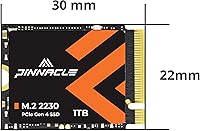
  • Form Factor: M.2 2230 (22mm x 30mm), the shorter NVMe format required by space-constrained devices like handhelds and compact ultrabooks.
  • Interface: PCIe Gen4x4 NVMe, offering significantly lower latency and higher throughput than both SATA and PCIe Gen3 alternatives.
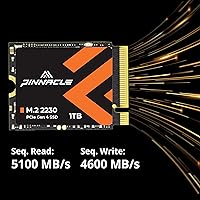
  • Sequential Read: Peak sequential read speed reaches up to 5,100 MB/s under optimal, sustained linear workloads.
  • Sequential Write: Peak sequential write speed reaches up to 4,600 MB/s, aided by on-drive SLC caching for burst workloads.
  • Capacity: 1TB (1,024 GB) of usable NAND flash storage, formatted and ready for internal installation.
  • PCB Type: Single-sided PCB design, a non-negotiable physical requirement for devices with shallow M.2 slots that cannot accommodate double-sided drives.
  • SLC Caching: Dynamic SLC caching is present, helping maintain write consistency during large installs or file transfers before the cache saturates.
  • Installation: Internal installation only; no external cables, mounting brackets, or retention screws are included in the box.
  • Compatible Devices: Verified compatible with Steam Deck, ASUS ROG Ally, Microsoft Surface Pro 7+/8/9/X, select Surface Laptop and Book models, and 2230-slot Mini PCs.
  • Warranty: Five-year limited warranty applies to units purchased on or after August 1, 2020, covering manufacturing defects under normal use conditions.
  • Support: Technical support is provided by a US-based team, accessible directly through Timetec for warranty claims and troubleshooting assistance.
  • Weight: The drive weighs approximately 0.704 ounces (around 20 grams), contributing negligibly to the total weight of any host device.
  • Availability: This drive has been available on the market since June 2023, giving it a meaningful track record of real-world buyer feedback.
  • Sales Rank: Ranked #272 in the Internal Solid State Drives category on Amazon, reflecting consistent sales volume among a competitive product set.
  • Buyer Rating: Holds a 4.5 out of 5 star average rating across more than 200 verified purchaser reviews as of the time of evaluation.

Related Reviews
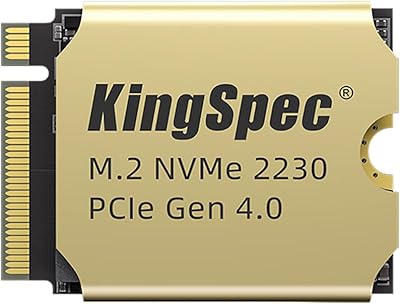
KingSpec NX 1TB M.2 2230 NVMe SSD
74%
88%
Read Performance
63%
Write Performance
94%
Form Factor Fit
86%
Installation Experience
89%
Value for Money
More
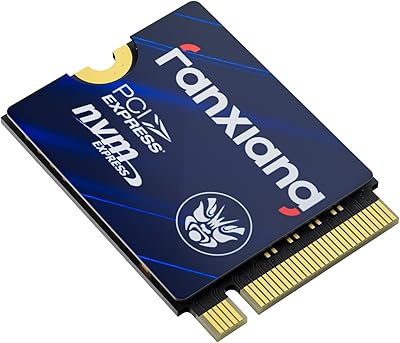
fanxiang S630 1TB M.2 2230 NVMe SSD
80%
88%
Read Speed Performance
74%
Write Speed Performance
81%
Device Compatibility
79%
Thermal Management
93%
Installation Experience
More
Timetec 1TB NVMe PCIe Gen3x4 M.2 SSD
85%
89%
Performance
91%
Read Speed
85%
Write Speed
88%
Reliability/Durability
93%
Ease of Installation
More
MMOMENT MX44 1TB M.2 2230 NVMe SSD
86%
92%
Performance
89%
Value for Money
95%
Ease of Installation
85%
Build Quality
87%
Durability (Dust/Water/Shock Resistance)
More
Timetec 2TB M.2 2230 NVMe Gen4 SSD
79%
88%
Read Performance
82%
Write Performance
93%
Form Factor Fit
86%
Device Compatibility
67%
Thermal Behavior
More
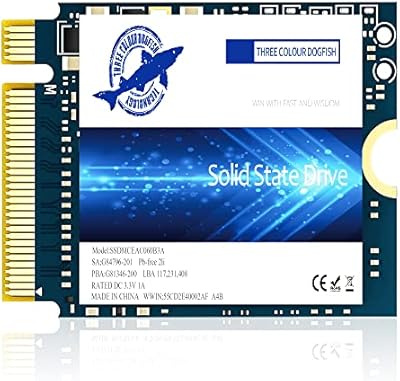
Dogfish M.2 2230 NVMe PCIe 4.0 1TB SSD
87%
94%
Performance
93%
Read Speed
91%
Write Speed
89%
Compatibility
88%
Ease of Installation
More
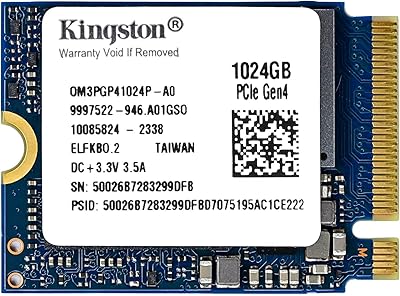
Kingston 1TB M.2 2230 PCIe Gen 4.0x4 NVMe SSD
86%
92%
Performance
90%
Read Speed
88%
Write Speed
85%
Installation Ease
91%
Compatibility with Mini PCs
More
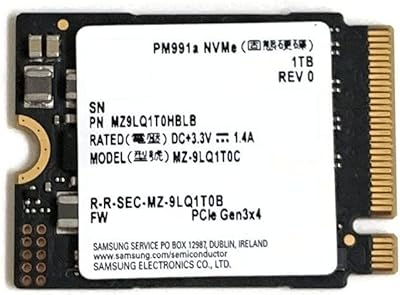
Samsung PM991a 1TB M.2 2230 NVMe SSD
73%
94%
Form Factor Compatibility
88%
Read Performance
74%
Write Performance
91%
Storage Capacity
87%
Build & Component Quality
More
KingSpec XF-2230 1TB M.2 2230 SSD

77%
88%
Read/Write Performance
81%
Thermal Management
84%
Installation Experience
79%
Value for Money
63%
Brand Trust & Reputation
More
GAMERKING 1TB M.2 2280 NVMe SSD
75%
88%
Value for Money
83%
Read Performance
76%
Write Performance
71%
Thermal Management
73%
Build Quality
More

FAQ

Yes, and this is one of the few categories where it genuinely excels. The 2230 form factor and single-sided PCB are both required for Steam Deck compatibility, and this drive meets both criteria. Multiple buyers have confirmed it works in both the original and OLED Steam Deck models without any physical fitment issues.

A retention screw is required to secure any M.2 drive in its slot, but one is not included in the box. Most devices come with a screw pre-installed in the M.2 slot or include one in their accessory kit. Before you start, double-check that your device has one available — it is a small detail that can cause a frustrating delay if overlooked.

For gaming, the most noticeable difference is in load times, particularly in open-world titles that stream assets continuously. Gen4 also handles large file copies and game installs more quickly. That said, for everyday tasks like browsing or office work, most users will not feel a dramatic difference over a healthy Gen3 drive.

Yes, it is. The ROG Ally uses a 2230 M.2 slot and requires a single-sided drive, both of which this drive satisfies. Verified buyers have confirmed the ROG Ally recognizes it immediately without any additional configuration steps.

A small number of users have reported thermal throttling during extended, intensive gaming sessions inside tightly enclosed chassis. This is not unique to this drive — compact Gen4 SSDs run hot by nature, and devices with limited airflow can cause any fast NVMe drive to pull back its performance to protect itself. For typical gaming sessions, most users do not report noticeable issues.

Physically, a 2230 drive can sit in a longer slot with the right adapter bracket, but it is not an ideal fit. If your board or laptop has a standard 2280 slot available, you will get better performance per dollar from a full-length Gen4 drive. This compact NVMe drive is really designed for devices where 2280 physically cannot fit.

Timetec offers a five-year limited warranty and handles support through a US-based team, which buyers have generally described as responsive compared to smaller off-brand competitors. You would contact Timetec directly with proof of purchase to initiate a claim. The US-based support does simplify communication compared to dealing with overseas-only support channels.

It is compatible with the Surface Pro 7+, Pro 8, Pro 9, and Pro X, as well as select Surface Laptop and Book models that use the 2230 form factor. The key requirement is that the Surface model in question must use an M.2 2230 slot internally — earlier Surface Pro models like the Pro 7 and below use a proprietary connector and are not compatible.

This is a legitimate gap in Timetec's product documentation. The TBW (terabytes written) endurance rating is not prominently disclosed in the product listing, which makes it harder to assess suitability for sustained, write-heavy use cases. For gaming and general consumer use, endurance is rarely a practical concern over a five-year period. If you are planning to use this for continuous write-intensive work, reaching out to Timetec's support team for clarification is worth doing.

You will notice it in real use, particularly when installing large games or transferring big files. The difference between Gen4 and a slower drive is most pronounced during these burst write scenarios where SLC caching kicks in. Where peak speeds matter less is during random small-file operations — that is where the difference between drives in this class narrows considerably regardless of the headline numbers.