Overview

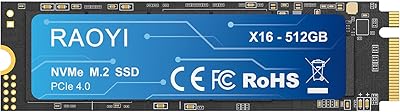
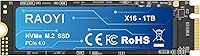
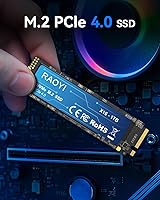
The RAOYI 1TB PCIe 4.0 M.2 NVMe SSD is one of those budget-friendly drives that quietly punches above its price bracket without pretending to be something it isn't. RAOYI isn't a name most people recognize — and that's worth acknowledging upfront. What this Gen 4 NVMe drive does have going for it is a 4.6-star rating across nearly 300 buyers, which is harder to fake than a brand name. It launched in April 2023 and targets PS5 owners, laptop upgraders, and desktop builders who want genuine Gen 4 speeds without paying a premium brand tax. The included installation kit and lifetime support claim are small but meaningful touches for buyers who aren't seasoned builders.
Features & Benefits

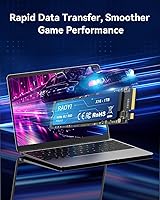
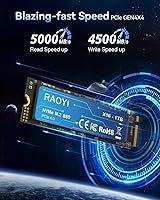
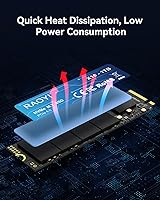
The drive's headline numbers — 5000MB/s sequential reads and 4500MB/s writes — place it at the upper edge of what budget Gen 4 drives can offer. It's worth being clear, though: those figures reflect ideal burst conditions, not sustained transfers. The drive uses a configurable SLC cache layer to hit those peaks, so heavy sequential writes over longer periods — think copying a 200GB folder — will see speeds drop once that cache fills. Day-to-day use for gaming, OS boot, and moderate file work is a different story; this RAOYI SSD handles all of that comfortably. The standard M.2 2280 form factor and low power draw make the drive a practical fit for slim laptops and compact desktop builds alike.

Best For

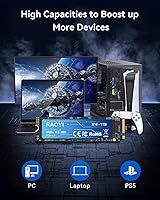
This Gen 4 NVMe drive lands in a sweet spot for a few specific buyers. PS5 owners who need to expand internal storage and already have a heatsink on hand — or plan to buy one — will find it a cost-effective path to a meaningful speed upgrade over the console's base setup. Budget PC builders graduating from SATA drives should notice the difference immediately, particularly in boot times and application load. Laptop users with an open M.2 slot will appreciate the low profile and energy-efficient operation. Where this RAOYI SSD makes less sense is as a primary drive for professionals doing continuous large-scale video renders, where sustained write consistency matters more than burst performance.

User Feedback

Across its review base, the drive earns its 4.6-star average largely on ease of installation and the fact that it's recognized without issue by the PS5 and a wide range of laptops and desktops. Buyers upgrading from older storage solutions consistently report a noticeable difference in load times. The more measured feedback points to a couple of honest concerns: some users question how the drive will hold up over years of heavy daily use, given RAOYI's limited track record compared to established storage brands. A handful note that write speeds during large continuous transfers fell short of peak specs — expected behavior for a TLC drive with a finite SLC cache, but worth knowing. On balance, buyers seem satisfied for the price paid.

Pros

  • PCIe Gen 4 x4 speeds deliver a real, noticeable upgrade over any SATA SSD in everyday use.
  • Broad compatibility with PS5, laptops, and desktops makes the drive a genuinely versatile storage option.
  • Installation kit included means most buyers can get up and running without sourcing extra hardware.
  • A 4.6-star average across nearly 300 reviews is a strong signal of satisfaction for a newer brand.
  • The 3D TLC NAND handles everyday burst workloads — gaming, boot, app launches — comfortably and reliably.
  • Low power draw is a practical plus for laptop users who care about battery efficiency alongside speed.
  • Hitting 5000MB/s sequential reads at this price point places the drive near the top of the budget Gen 4 tier.
  • The slim 22x88mm profile fits virtually every M.2 2280 slot without physical compatibility concerns.
  • Solid-state construction provides meaningful shock resistance, useful for laptops and portable desktop setups.
  • Lifetime tech support, if honored as stated, is an unusually generous offer for a value-tier storage drive.

Cons

  • RAOYI has a short track record, and independent long-term durability data simply does not exist yet.
  • Sustained write speeds drop noticeably once the SLC cache is saturated during heavy, continuous transfers.
  • Advertised peak sequential figures reflect burst conditions only; real-world workloads will consistently land lower.
  • No independent benchmark data is publicly available to verify the speed claims from an unbiased third party.
  • PS5 installation requires a separate heatsink purchase, an added cost and step that many buyers overlook upfront.
  • Warranty support is brand-stated only — there is no established service infrastructure or repair network behind it.
  • No DRAM cache is confirmed in the specifications, which can affect random read and write performance under load.
  • Limited brand presence makes it harder to gauge customer service quality or responsiveness before issues arise.
  • Buyers comparing this drive to WD or Crucial alternatives at similar prices will find fewer community resources.
  • Not a reliable choice as the sole drive in mission-critical systems where storage failure carries serious consequences.

Ratings

Our scores for the RAOYI 1TB PCIe 4.0 M.2 NVMe SSD were generated by AI after analyzing verified buyer reviews across multiple global markets, with spam, incentivized, and bot-flagged submissions actively filtered out before scoring. The ratings reflect the full picture — genuine praise and recurring frustrations alike — so you can weigh the real strengths and honest trade-offs without sifting through noise.
Value for Money
88%
Buyers consistently single out the price-to-performance ratio as the main reason they chose this drive over alternatives. Getting PCIe Gen 4 sequential speeds at a budget price point — without sacrificing the broad M.2 2280 compatibility that covers PS5, laptops, and desktops — is a genuine win for cost-conscious upgraders.
A few reviewers acknowledge that brand-name drives at similar prices carry years of reliability data this drive simply cannot yet match. For buyers treating this as a primary system drive, that gap in brand confidence makes the value equation feel slightly less clear-cut.
Sequential Read Speed
83%
Users who ran benchmarks report sequential read figures in the 4700–5000MB/s range, which aligns reasonably well with the advertised specs for an SLC cache-assisted burst test. For real-world tasks like game loading and application launches, the speed translates into a perceptible improvement over older SATA and Gen 3 drives.
The headline 5000MB/s figure is a best-case burst scenario, not what buyers will see during sustained transfers pulling from a mechanical HDD or slow network source. A few reviewers flag the gap between the marketing number and actual extended workload behavior as a mild disappointment.
Sustained Write Performance
61%
39%
For the typical buyer — someone copying a game install folder, transferring a photo library, or loading a project file — the SLC cache handles the burst comfortably and the drive responds quickly. Day-to-day file movement in the under-20GB range rarely pushes past the cache ceiling in practice.
Once the SLC cache is saturated during large sequential writes, speeds fall noticeably — a recurring theme in critical reviews from users doing continuous video capture or bulk file migration. This is a structural limitation of TLC NAND without a dedicated DRAM buffer, and buyers should factor it into any heavy-write workflow.
PS5 Compatibility
82%
18%
Buyers who installed the drive in their PS5 report that the console detects and formats it without issue, with several noting that game load times improved noticeably versus the original internal storage. The standard M.2 2280 footprint slots into the PS5 expansion bay cleanly and without adapter hardware.
The drive ships without a heatsink, which Sony explicitly recommends for any M.2 drive installed in the PS5 — buyers need to budget for that separately before setup. A small number of users initially overlooked this requirement, adding friction to what is otherwise a smooth installation process.
Installation Experience
86%
Reviewers across experience levels — from first-time builders to seasoned enthusiasts — describe the physical installation as quick and uneventful, aided by the included mounting screw. The M.2 2280 standard means no adapter or proprietary tooling is needed across compatible motherboards, laptops, or the PS5.
The included manual is minimal, and buyers installing in a PS5 for the first time may still need Sony's online walkthrough for panel removal steps. A more detailed platform-specific guide would meaningfully reduce that friction, especially given how many buyers are upgrading their console storage for the first time.
Build Quality
74%
26%
The solid-state construction eliminates mechanical wear entirely, and users who have bumped or dropped laptops containing the drive report no apparent impact on operation. At 23.5g and a slim 2.3mm thickness, the drive seats firmly without flex or rattling in tested M.2 slots.
RAOYI has not published detailed controller or component sourcing information, leaving technically curious buyers uncertain about what hardware sits beneath the label. That lack of transparency is a minor but consistent point of friction for users who research drive internals before committing to a purchase.
Thermal Management
68%
32%
Under everyday workloads — gaming sessions, OS operation, and moderate file transfers — the drive operates within acceptable temperature ranges for an uncooled M.2 drive. Several laptop users report no thermal throttling during typical session lengths, which reflects a reasonable thermal profile at lighter sustained loads.
Under prolonged heavy write workloads, temperatures climb and throttling becomes a real factor without active airflow or an attached heatsink. PS5 users especially should factor heatsink procurement into their planning, as operating this Gen 4 NVMe drive in a warm console chassis without one is not advisable.
Brand Credibility
57%
43%
The drive's 4.6-star rating across nearly 300 verified purchases provides meaningful real-world validation that a brand name alone cannot replicate. Buyers who evaluate the purchase on use-case fit rather than brand recognition consistently report satisfaction with what they receive for the price paid.
RAOYI has no established long-term reliability record in storage communities, and no independent teardown or controller identification has widely circulated to confirm component quality. Buyers who weigh brand accountability and documented failure-rate data heavily will find the trust gap difficult to bridge at this stage.
Laptop Integration
84%
Laptop users report clean installation across a wide range of models, with immediate detection on Windows and Linux without additional driver configuration. The drive's low power draw profile means battery life is not meaningfully affected after the upgrade, a practical benefit for mobile users.
Buyers with older thin-and-light machines limited to PCIe Gen 3 slots will not achieve Gen 4 speeds — the drive still functions, but at reduced throughput. Buyers should verify their laptop's M.2 slot generation and keying before purchasing to avoid any compatibility mismatch.
Random I/O Performance
71%
29%
For OS responsiveness tasks — app launches, file search, browser multitasking — the drive performs solidly and buyers consistently describe the system as feeling snappier after upgrading from SATA. The difference from a traditional mechanical hard drive is described as dramatic by virtually every reviewer who made that transition.
Without a confirmed DRAM cache buffer, random read and write performance under mixed queue-depth workloads is not best-in-class within the Gen 4 tier. Power users running database applications or heavily multithreaded I/O workloads may hit the ceiling compared to drives with dedicated DRAM onboard.
Burst Cache Efficiency
79%
21%
The configurable SLC cache effectively accelerates the short, intensive bursts that define most consumer workloads — game streaming, cold-start application loading, and OS responsiveness. Buyers upgrading from SATA storage describe the subjective feel of daily system use as meaningfully faster across nearly every common interaction.
Cache size is not explicitly published by RAOYI, making it hard to predict exactly when write slowdowns will begin during larger transfers. Buyers who regularly copy or encode large sequential files should be aware that the burst window is finite and will vary depending on workload intensity.
Packaging & Accessories
77%
23%
The inclusion of a mounting screw kit is a small but practical detail that less experienced buyers genuinely appreciate, removing the need to source hardware separately. Units consistently arrive undamaged based on buyer reports, suggesting the compact packaging provides adequate protection during shipping.
No migration or cloning software is bundled, requiring buyers to source their own tools for transferring data from an existing drive. The manual is minimal, and some competitors at comparable price points include brief platform-specific installation guides that reduce the learning curve for first-time upgraders.
Warranty & Support
63%
37%
RAOYI's stated lifetime technology support is an ambitious commitment for a value-tier drive, and several buyers mention that basic support inquiries received responses within a reasonable timeframe. For straightforward compatibility questions or troubleshooting common setup issues, the support channel appears functional.
The warranty terms are not clearly spelled out in any publicly accessible documentation, making it difficult to verify what is and is not covered beyond basic technical assistance. Buyers accustomed to the structured replacement policies offered by established storage brands will notice a significant difference in policy transparency and process clarity.

Suitable for:

The RAOYI 1TB PCIe 4.0 M.2 NVMe SSD is a strong fit for PS5 owners who need internal storage expansion and are willing to pair it with a heatsink — Sony's own recommendation for any M.2 drive installed in the console. Budget PC builders moving up from SATA SSDs will notice a genuine leap in boot times and application responsiveness that justifies the spend. Laptop users with an open M.2 2280 slot who want a clean, no-drama speed upgrade without overspending should find the drive slots in without compatibility headaches. It also works well as a secondary drive for desktop users who want faster scratch storage for video editing or moderate creative work. For buyers who treat brand recognition as optional and care more about real-world performance-per-dollar, this drive makes a practical, well-supported case.
Not suitable for:

The RAOYI 1TB PCIe 4.0 M.2 NVMe SSD is not the right call for professionals who depend on sustained write consistency over long, uninterrupted transfers — the TLC NAND with SLC caching will throttle once that cache fills, and that is a meaningful limitation for workloads like continuous 4K video capture or large-scale data migration. Buyers who prioritize brand trust and documented long-term reliability above all else should look toward more established names in the storage market, where years of user data exist to back up the warranty promise. Anyone planning to use this as the sole system drive in a high-demand workstation environment should weigh the fact that RAOYI simply does not yet have the track record that more risk-averse buyers might require. PS5 users who do not already own a compatible heatsink should also factor in that added cost and installation step before committing.
Specifications

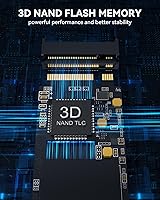
  • Capacity: The drive provides 1TB of storage built on 3D TLC NAND flash memory cells.
  • Interface: It connects via PCIe Gen 4 x4 using the NVMe protocol for high-throughput, low-latency data access.
  • Form Factor: The drive follows the standard M.2 2280 specification, measuring 22mm wide and 80mm long.
  • Read Speed: Peak sequential read speed is rated at up to 5000MB/s under ideal burst-load conditions.
  • Write Speed: Peak sequential write speed reaches up to 4500MB/s during SLC cache-assisted burst transfers.
  • NAND Type: Storage cells use 3D TLC (Triple-Level Cell) NAND, the standard choice across most value-tier Gen 4 drives.
  • Cache Design: A configurable SLC cache layer accelerates burst performance for everyday tasks including game loading and short file transfers.
  • Dimensions: Physical dimensions measure 22 x 88 x 2.3mm, fitting all standard M.2 2280-compatible slots in laptops and desktops.
  • Weight: The drive weighs 23.5g, adding negligible mass to any laptop or desktop build.
  • Compatibility: Confirmed compatible with PS5, desktop PCs, and laptops equipped with an M.2 2280 PCIe expansion slot.
  • Connector Key: The drive uses an M.2 Key M edge connector, the required type for NVMe PCIe SSD slots.
  • In the Box: Each unit ships with one M.2 NVMe SSD, a mounting screw kit, and a printed user manual.
  • Power Draw: The drive operates at low power consumption levels relative to its performance class, benefiting battery-powered laptop use.
  • Warranty: RAOYI states lifetime technology support on the product listing, though the specific terms are brand-stated and not independently verified.

Related Reviews

RAOYI 512GB PCIe Gen4 M.2 NVMe SSD
77%
83%
Sequential Read Speed
81%
Sequential Write Speed
79%
Real-World Performance
91%
Value for Money
88%
Installation & Setup
More
Dogfish M.2 2230 NVMe PCIe 4.0 1TB SSD
87%
94%
Performance
93%
Read Speed
91%
Write Speed
89%
Compatibility
88%
Ease of Installation
More
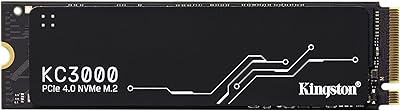
Kingston KC3000 1TB NVMe SSD
82%
91%
Sequential Read Speed
88%
Sequential Write Speed
74%
Random I/O Performance
86%
Thermal Management
89%
Value for Money
More
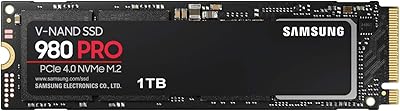
Samsung 980 PRO 1TB PCIe 4.0 NVMe M.2 SSD
91%
95%
Performance
88%
Thermal Management
90%
Ease of Installation
92%
Value for Money
89%
Durability
More
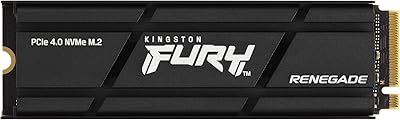
Kingston Fury Renegade 1TB PCIe Gen 4.0 NVMe M.2 SSD
89%
92%
Performance
88%
Value for Money
87%
Thermals & Cooling
90%
Setup & Installation
93%
Compatibility
More
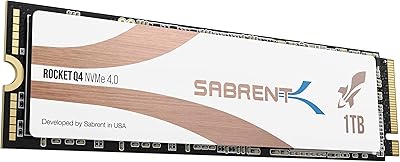
Sabrent Rocket Q4 1TB NVMe SSD
79%
91%
Sequential Read Performance
58%
Sustained Write Performance
84%
Value for Money
61%
Thermal Management
93%
Installation & Setup
More
Sabrent Rocket 4 Plus 4TB NVMe SSD
85%
93%
Sequential Read Performance
91%
Sequential Write Performance
89%
Thermal Management
92%
Installation Experience
67%
Value for Money
More
KOOTION 2TB PCIe 4.0 NVMe M.2 SSD
77%
83%
Sequential Read Speed
79%
Sequential Write Speed
88%
Value for Money
91%
Installation Experience
67%
Thermal Performance
More
Addlink G55 1TB PCIe 5.0 NVMe M.2 SSD
88%
94%
Performance
96%
Read Speed
90%
Write Speed
88%
Ease of Installation
92%
Compatibility
More
Dogfish M.2 2230 NVMe PCIe 4.0 256GB SSD
86%
89%
Performance
92%
Ease of Installation
90%
Compatibility with Gaming Consoles
85%
Reliability & Data Integrity
75%
Storage Capacity (256GB)
More
KINGDATA M.2 2230 NVMe PCIe 4.0 512GB SSD
89%
95%
Read Speed
92%
Write Speed
89%
Installation Ease
87%
Durability
86%
Temperature Management
More

FAQ

It will work, but there is one important step to handle first. Sony requires all M.2 drives installed in the PS5 to have a heatsink fitted, and the drive does not include one in the package. You will need to purchase a compatible M.2 heatsink separately before installation. Once that is sorted, the PS5 should detect the drive automatically during the storage expansion setup process.

Any third-party heatsink designed for M.2 2280 drives and sized to fit within the PS5 expansion bay will do the job. Check the heatsink height specification before buying — the PS5 bay has a strict thickness limit depending on which slot position you use. Many buyers go with an inexpensive single-sided aluminum option to stay safely within clearance.

Yes, PCIe Gen 4 drives are backward compatible with PCIe 3.0 slots. You will not reach anywhere near 5000MB/s in that configuration — practical speeds will be roughly half — but the drive will still function reliably and outperform any SATA SSD by a meaningful margin. It is a perfectly valid use case if your system does not yet support Gen 4.

Not consistently, and that is completely normal for this class of drive. The 5000MB/s read figure reflects short sequential burst transfers assisted by the SLC cache. For gaming, booting an OS, or launching apps, this makes almost no perceptible difference since those tasks rarely stress a drive long enough to exhaust the cache. Where you will see speeds drop is during long continuous writes, such as copying a large folder in one go, once the cache ceiling is reached. For everyday workloads, the experience is still a dramatic step up from SATA.

It is a completely fair thing to ask. The RAOYI 1TB PCIe 4.0 M.2 NVMe SSD comes from a smaller brand without the multi-decade track record that names like Samsung or Western Digital carry. What it does have is a 4.6-star average across nearly 300 buyer reviews, which is a reasonable real-world signal that the drive performs as described for most use cases. The honest caveat is that long-term reliability data simply does not exist yet for a brand this new, so using it as a secondary or expansion drive carries less risk than betting your primary system on it.
Within the value Gen 4 tier, sequential speed figures tend to cluster fairly close together across competing drives. The meaningful difference is not raw numbers — it is brand trust, warranty infrastructure, and years of community reliability data that established brands carry with them. If you are equipping a PS5 expansion slot or a secondary storage drive, that gap is easier to accept. If this would be your primary boot drive on a work machine, the peace of mind from a more recognized brand might be worth a few extra dollars.

No software is included. The package contains the drive, a mounting screw, and a basic manual. If you plan to clone an existing drive to this one, you will need to source a migration tool separately. Free options like Macrium Reflect are widely used for this purpose and work well with NVMe drives.

For most players, yes. A typical modern AAA title runs anywhere from 50GB to over 100GB installed, so 1TB comfortably holds around 10 to 20 large games at once. That covers a solid active library for the majority of gamers. If you tend to keep a large rotating collection without uninstalling, you might eventually feel the constraint — but for PS5 expansion or a dedicated PC gaming drive, 1TB is a genuinely practical starting point.

Installation is straightforward for anyone comfortable opening a PC case or a PS5 side panel. A mounting screw is included, so no hardware hunt is needed. On a desktop or laptop, you angle the drive into the M.2 slot and secure it with the screw — five minutes at most. PS5 installation involves a few extra panel removal steps, but Sony's official guide walks through it clearly and it is well within reach for a first-timer.

RAOYI lists lifetime technology support on the product page, but the specific terms are not spelled out in detail. For most smaller storage brands, this typically means access to email or web-based troubleshooting assistance rather than a guaranteed hardware replacement program. If warranty terms are a deciding factor for your purchase, it is worth contacting RAOYI directly before buying to clarify exactly what is and is not covered, so there are no surprises later.