Overview

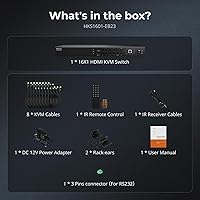
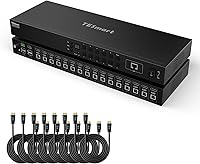
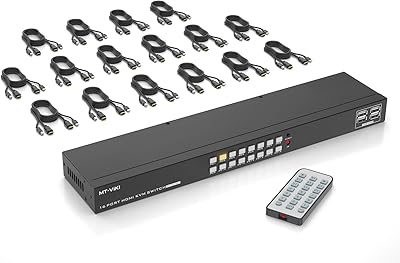
The TESmart HKS1601 16-Port HDMI KVM Switch is a rack-mount solution built for IT professionals and home lab enthusiasts who need centralized control over a large number of machines. At 16 ports, it sits near the top of the single-monitor KVM category — most competing units top out at 8. The 1U 19-inch form factor fits standard server racks cleanly, and TESmart ships eight 5-foot KVM cables in the box, saving the hassle of sourcing compatible accessories separately. The company sells direct as the manufacturer and backs the unit with a 3-year warranty. Worth stating upfront: this handles one monitor and one user at a time, so it is not a multi-display or shared-access device.
Features & Benefits

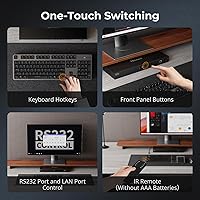
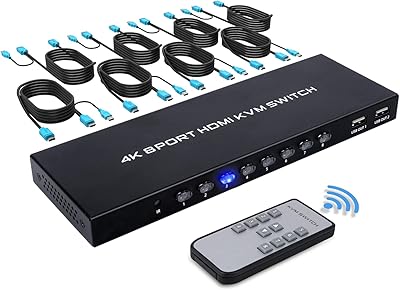
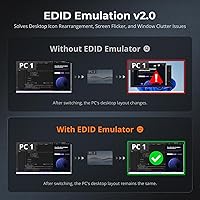
What sets the TESmart rack-mount switch apart from simpler units is the sheer variety of ways you can switch between machines. Seven methods are supported — front panel buttons, IR remote, keyboard hotkeys, mouse wheel, auto-scan, RS232 serial, and LAN-based IP commands. That last pair matters in server environments: RS232 and LAN control let you trigger switches programmatically or from a remote terminal, which is useful when physical access to the rack is inconvenient. EDID emulation on all 16 input ports means your computers retain the correct display profile when you toggle away, avoiding the resolution scramble that plagues cheaper switches. Video output tops at 4K at 30Hz — fine for server consoles and productivity, but not ideal for high-refresh creative work.

Best For

This 16-port KVM switch is most at home in a rack-equipped server room or a well-organized home lab. If you are running anywhere from eight to sixteen machines — physical servers, NAS boxes, development workstations, or virtual machine hosts — and want one keyboard, one mouse, and one monitor handling all of them, this is the kind of unit worth considering. The RS232 and LAN ports make it particularly useful for developers or sysadmins who want to automate switching through scripts or manage the unit remotely. It also suits organizations consolidating a mixed fleet of older desktops. Just note: multi-monitor setups are not supported, and it does not fit a multi-user or shared-access workflow.

User Feedback

The unit carries a 4.2-star average — solid for a 16-port rack KVM at this tier, though not a clean sweep. Buyers tend to highlight plug-and-play setup as a genuine strength, noting that most machines are recognized without driver installs or manual display configuration. The bundled cables also get favorable mentions for build quality. On the critical side, some users flag that the LAN interface has a steeper learning curve than expected, and a few report intermittent USB switching delays when toggling rapidly between ports. The missing AAA batteries for the included IR remote is a recurring gripe — small thing, but it stings during an initial setup session. Rack-environment users consistently rate the unit higher than those using it on a desktop.

Pros

  • All 16 input ports include EDID emulation, so machines hold their display settings reliably after every switch.
  • Seven switching methods — including LAN and RS232 — give administrators genuine flexibility for both hands-on and remote-controlled environments.
  • Eight 5-foot KVM cables are included in the box, removing a common sourcing headache right at setup.
  • The 1U 19-inch rack-mount design fits standard server cabinets cleanly without adapters or modifications.
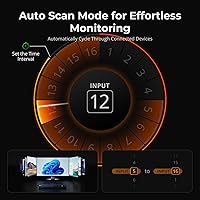
  • Auto-scan mode cycles through connected machines passively, useful for monitoring tasks that do not require constant interaction.
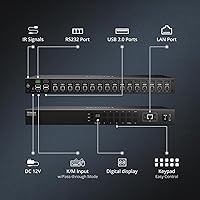
  • Two shared USB 2.0 hub ports let you connect a barcode scanner or external drive without adding a separate hub to the rack.
  • TESmart sells factory-direct and backs this 16-port KVM switch with a 3-year warranty, which is above average for the category.
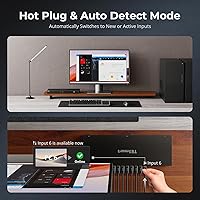
  • Setup is largely plug-and-play — most machines are recognized and display correctly without driver installs.
  • The front panel, IR remote, and hotkey options cover day-to-day switching without ever touching a configuration interface.

Cons

  • The LAN management interface has a noticeable learning curve and is not well-suited to users without networking experience.
  • AAA batteries for the included IR remote are not in the box, which is an annoying gap during an initial rack build.
  • Some users report intermittent USB switching delays when toggling rapidly between ports under load.
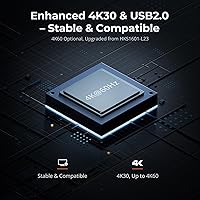
  • Video output is capped at 4K at 30Hz — a real constraint for anyone doing high-refresh or color-critical display work.
  • Mouse gesture switching is absent, which may frustrate users migrating from KVM units that supported it.
  • At nearly 8 pounds and 17 inches wide, the unit is awkward to place anywhere outside a proper rack enclosure.
  • Hotkey configurations can conflict with software applications that use the same key combinations, requiring manual remapping.
  • Only one HDMI output is provided — users with multi-monitor workstations will need a separate solution for additional displays.
  • The documentation for RS232 command syntax is minimal, making scripted automation harder to set up without community resources.

Ratings

The scores below for the TESmart HKS1601 16-Port HDMI KVM Switch were generated by our AI engine after analyzing verified buyer reviews from global marketplaces, with spam, bot-generated, and incentivized feedback actively filtered out before scoring. Each category reflects real-world usage patterns drawn from IT professionals, home lab operators, and small business sysadmins who put this rack KVM unit through its paces in live environments. Both the strengths that earned repeat purchases and the friction points that frustrated buyers are transparently represented in every score.
Port Capacity & Scalability
93%
Sixteen ports is the defining reason most buyers choose this unit over the crowd of 8-port alternatives, and reviewers consistently note it future-proofs a growing home lab or server room without requiring a secondary switch. For users managing mixed fleets of physical servers and virtual machine hosts, the headroom is genuinely appreciated.
A small number of power users note that 16 ports can still fall short once a rack fills out beyond expectations, and the unit offers no daisy-chaining capability to expand further — you would need a second independent switch at that point.
EDID Emulation Reliability
89%
Having EDID emulation on every single input port — not just a shared pool — means each connected machine retains its display resolution and refresh profile whether it is the active port or sitting idle. Sysadmins managing headless servers particularly praise the fact that resolution does not collapse to a fallback mode between switches.
A handful of reviewers report edge cases where certain high-resolution monitor profiles are not perfectly preserved after a full power cycle of the switch, requiring a manual re-trigger. This appears to be uncommon but is worth monitoring if display consistency is critical to your workflow.
Switching Speed & Responsiveness
74%
26%
For typical server monitoring and administrative tasks, port switching feels snappy enough that most rack-environment users report no meaningful disruption to their workflow. The front panel buttons and hotkey methods in particular get positive marks for predictable, low-latency response during normal use.
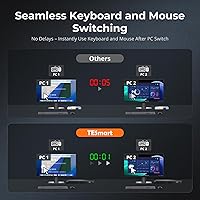
Rapid sequential switching — toggling between multiple ports in quick succession — produces intermittent USB re-enumeration delays that some users find disruptive. A few reviewers working with USB-connected peripherals note a one-to-two-second lag before the keyboard and mouse are fully responsive on the newly selected machine.
LAN & RS232 Remote Control
81%
19%
The combination of LAN and RS232 control is what separates this 16-port KVM switch from simpler consumer-grade alternatives, and developers who integrate it into automation scripts describe it as genuinely functional once configured. Being able to trigger port switches over the network without physical access to the rack is a meaningful operational advantage in managed environments.
The setup process for LAN control is not guided well by the included documentation, and buyers without prior experience configuring IP-accessible devices report a frustrating initial configuration session. The RS232 command reference is similarly sparse, pushing some users toward community forums to find working syntax examples.
Video Output Quality
76%
24%
For server dashboards, terminal windows, code editors, and productivity software, the 4K at 30Hz output is more than adequate and renders cleanly without visible artifacting or color banding under normal conditions. The 4:4:4 color sampling ensures text sharpness is preserved at full resolution.
The 30Hz ceiling is a real constraint that some buyers only fully appreciate after purchase — fast mouse movements carry a slight stutter at 4K that becomes noticeable after extended use. Anyone expecting 60Hz for smoother interaction or high-motion monitoring should look elsewhere, as this is a hardware limitation, not a configuration issue.
Build Quality & Chassis
83%
The metal chassis feels substantial and rack-appropriate, with port labeling that is legible under typical server room lighting conditions. Reviewers who have handled comparable units from other brands generally rate the physical construction of the TESmart rack-mount switch as competitive for its price tier.
The front panel buttons have a plasticky feel relative to the otherwise solid chassis, and a few long-term users note that button tactility degrades slightly with heavy daily use. The unit also runs slightly warm under full load, which is not alarming but worth factoring in if rack airflow is already constrained.
Bundled Cables & Accessories
86%
Including eight 5-foot KVM cables is a genuinely thoughtful move — most competing products ship bare and leave cable sourcing entirely to the buyer. Reviewers note the included cables are well-sleeved and hold up to the kind of cable management work that rack installations typically demand.
Eight cables cover only half the available ports, so buyers planning a full 16-machine setup will need to purchase an additional eight cables separately, adding to the total cost. The IR remote omitting batteries is also a recurring minor complaint, particularly for buyers eager to test everything immediately out of the box.
Hotkey & Keyboard Switching
71%
29%
Keyboard hotkey switching works reliably in clean environments, and the default Right Ctrl trigger is intuitive enough for experienced KVM users to pick up without consulting the manual. For admins switching between servers a dozen or more times per day, the muscle memory builds quickly.
Hotkey conflicts with remote desktop clients, terminal multiplexers, and certain productivity applications are a recurring complaint — the Right Ctrl combination is intercepted by enough software that remapping becomes necessary for some users. Documentation on how to change the hotkey trigger is not prominently featured and requires digging through the manual.
Rack Mount & Form Factor
88%
The 1U 19-inch fit is precise and clean in standard server cabinets, and the included rack ears install without any adapter plates or third-party hardware. Buyers who already own a populated rack describe the physical installation as one of the smoother aspects of the entire setup process.
Outside a rack context, the unit is genuinely awkward — at over 17 inches wide and only 1.69 inches tall, it does not sit comfortably on a standard desk and offers nowhere practical to rest a hand while operating the front panel. Desktop users are clearly an afterthought in the industrial design.
Setup & Initial Configuration
79%
21%
The core KVM functionality — plugging in machines and switching between them — is largely plug-and-play, and most reviewers report that basic operation is working within 30 minutes of unpacking. OS detection across Windows and Linux machines is handled automatically without any driver installation.
Advanced features like LAN management and auto-scan interval configuration require wading through a manual that is functional but not well-organized for first-time KVM users. Buyers unfamiliar with rack equipment terminology sometimes report confusion about which ports map to which functions on the rear panel.
USB Hub Functionality
68%
32%
Having two USB 2.0 hub ports on the switch itself is a practical inclusion that lets users share a barcode scanner, USB key, or low-bandwidth drive between all connected machines without a separate hub occupying additional rack space.
The USB 2.0 standard is showing its age for any application involving faster storage transfers, and the hub ports disconnect and remount when switching between machines — making mid-transfer port changes a data risk. Buyers expecting USB 3.0 hub speeds will be disappointed.
Auto-Scan Mode
72%
28%
Auto-scan is well-suited to monitoring use cases where an administrator wants to cycle through a bank of servers without touching the switch — it runs stably and the configurable interval means it can be tuned to match how quickly you can absorb information from each screen.
The scan interval configuration options are limited in granularity, and a few reviewers note that very short intervals occasionally cause the USB connection to stutter before the display has fully stabilized on the new port. It is better suited to passive monitoring than active troubleshooting.
Warranty & Manufacturer Support
84%
A 3-year warranty backed by a factory-direct manufacturer — rather than a reseller with ambiguous support chains — is a meaningful differentiator at this product tier. Reviewers who have needed to contact TESmart technical support generally describe response times as reasonable and solutions as practical.
Some buyers report that warranty claims requiring hardware replacement involve longer turnaround times than expected, particularly for shipments outside major markets. Documentation and support materials are functional but lean, and self-service troubleshooting options online are limited compared to more established enterprise KVM brands.
Value for Money
77%
23%
For a 16-port rack KVM with EDID emulation, LAN control, RS232, and bundled cables all included, the price positions this rack KVM unit competitively against comparable units from enterprise-focused brands that charge significantly more for equivalent port counts. Home lab buyers especially tend to rate the overall package as fair given what is included.
Buyers who encounter USB switching lag, LAN configuration headaches, or need to purchase additional cables for all 16 ports begin to question whether the value equation holds up under real-world conditions. At this price point, some reviewers expected more polished documentation and out-of-box completeness.

Suitable for:

The TESmart HKS1601 16-Port HDMI KVM Switch is purpose-built for anyone managing a dense collection of machines from a single console — and it earns its keep most clearly in rack-based environments. Home lab builders who have outgrown an 8-port switch and need to monitor a mix of servers, NAS devices, and virtual machine hosts will find the 16-port capacity genuinely useful rather than speculative. Small IT teams running a server closet or compact data room on a tight budget will also appreciate the LAN and RS232 control options, which allow switching to be triggered remotely or through automation scripts without needing a full KVM-over-IP appliance. Developers and sysadmins who want to keep a physical console presence across many headless machines — especially in environments where SSH is not always viable — will find the variety of switching methods practical. If you already own a 19-inch rack and want a clean 1U fit with cables included from day one, this rack KVM unit is one of the more complete out-of-box packages in its category.
Not suitable for:

The TESmart HKS1601 16-Port HDMI KVM Switch is not the right call if your workflow demands more than one monitor per session, or if multiple users need simultaneous access to the switch — it is strictly a single-display, single-operator device. Video editors, graphic designers, or anyone who relies on 4K at 60Hz for color-accurate or high-motion work should look elsewhere, because the 30Hz ceiling is a real limitation that no setting or cable change will overcome. Casual home users who only need to switch between two or three personal computers will find 16 ports excessive and the LAN or RS232 configuration unnecessarily complex for their needs. Those without a 19-inch rack will also need to account for desktop placement of an oddly wide 1U chassis, which is not especially ergonomic outside a rack context. If mouse gesture switching is important to your workflow, this rack KVM unit does not support it, and that omission is unlikely to change via firmware.
Specifications

  • Input Ports: The switch provides 16 combined HDMI and USB-A input port pairs, one for each connected computer or server.
  • Output Port: A single HDMI output connects to your monitor, supporting one display and one user at a time.
  • Video Resolution: Maximum supported video resolution is 3840x2160 at 30Hz with 4:4:4 color sampling.
  • EDID Emulation: All 16 input ports include hardware EDID emulation to preserve display configuration on every connected machine regardless of active port.
  • Switching Methods: Seven switching methods are supported: front panel buttons, IR remote, keyboard hotkeys, mouse wheel, auto-scan, RS232 serial, and LAN IP command.
  • USB Hub Ports: Two USB 2.0 hub ports on the unit allow shared peripherals such as external drives or barcode scanners to be accessed by the active machine.
  • Remote Control: An IR remote control is included in the package; it requires two AAA batteries, which are not supplied.
  • LAN Control: An onboard Ethernet port enables IP-based switching commands, allowing the unit to be managed over a local network without physical access.
  • RS232 Port: A dedicated RS232 serial port supports scripted or terminal-based switching commands for integration into automated workflows.
  • Form Factor: The unit is designed for standard 1U placement in a 19-inch equipment rack, with two rack ears included for mounting.
  • Dimensions: Physical dimensions are 17.32 x 5.91 x 1.69 inches, conforming to the 1U rack height specification.
  • Weight: The unit weighs 7.95 pounds, which is typical for a fully populated 16-port rack-mount KVM chassis.
  • Bundled Cables: Eight 5-foot HDMI and USB combination KVM cables are included, covering half of the available input ports immediately out of the box.
  • Keyboard Input: A dedicated USB keyboard and mouse input pair on the unit connects the operator console to the switch independently of the hub ports.
  • Default Hotkey: The default hotkey trigger for keyboard-based port switching is the Right Ctrl key, which can typically be remapped through the unit settings.
  • Auto-Scan Mode: The auto-scan feature cycles through all active input ports at a user-configurable time interval for passive monitoring tasks.
  • Operating Voltage: The unit operates at 12 volts DC with a current rating of 2 amps via the included power adapter.
  • Warranty: TESmart provides a 3-year manufacturer warranty with technical support, backed by factory-direct service rather than a third-party distributor.

Related Reviews
MT-VIKI MT-1601HK-C 16-Port HDMI KVM Switch
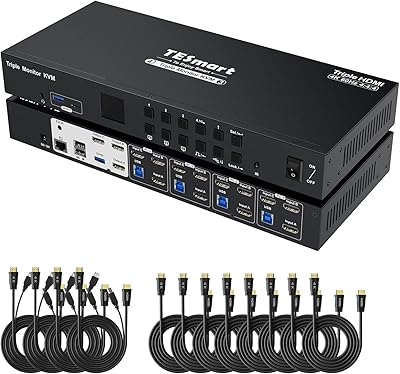
80%
88%
Switching Reliability
81%
EDID Storage Performance
79%
Build Quality
62%
IR Remote Usability
86%
Value for Money
More
TESmart HKS403-P23 4-Port Triple Monitor KVM Switch
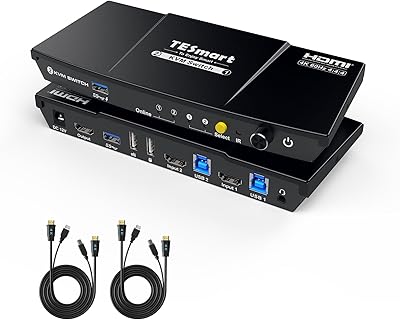
69%
78%
Display Performance
72%
EDID Emulation Reliability
74%
Switching Speed & Reliability
58%
USB Hub Performance
69%
Network Sharing
More
TESmart HKS801-P23 8-Port Rackmount HDMI KVM Switch
80%
88%
Build Quality
91%
Video Performance
93%
EDID Emulation
82%
Switching Reliability
71%
IP & RS232 Control
More
TESmart HKS201-P23 2-Port HDMI KVM Switch
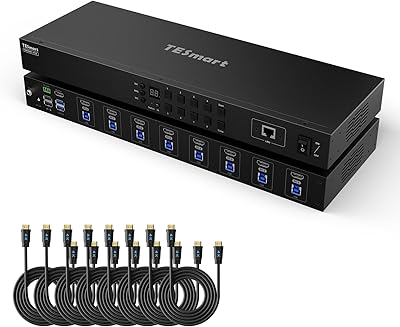
77%
83%
Ease of Setup
88%
Video Quality & Resolution
67%
Switching Reliability
71%
Audio & Microphone Performance
79%
USB Hub Performance
More
TCNEWCL KS-801 8-Port HDMI KVM Switch

78%
88%
Ease of Setup
91%
Port Capacity & Scalability
74%
Video Quality & Resolution
69%
Switching Speed & Reliability
83%
IR Remote Control
More
StarTech SV431HDU3A2 4-Port HDMI KVM Switch

73%
74%
Switching Reliability
69%
Video Quality
66%
USB 3.0 Hub Performance
71%
Audio Switching
83%
Setup & Installation
More
ANXQQ ANQ-8401B 4-Port HDMI KVM Switch
77%
91%
Ease of Setup
88%
Display Switching Reliability
86%
EDID Performance
67%
USB Device Recognition
61%
8K Resolution Capability
More
MT-VIKI MT-801HK-C 8-Port HDMI KVM Switch
78%
83%
Value for Money
88%
Ease of Setup
76%
Build Quality
69%
Switching Performance
71%
Display Quality
More
DGODRT KS604H 4-Port HDMI KVM Switch

80%
91%
Ease of Setup
74%
Switching Reliability
78%
Video Quality
79%
USB Peripheral Sharing
84%
Wired Remote Control
More
IOGEAR GCS32HU 2-Port HDMI KVM Switch
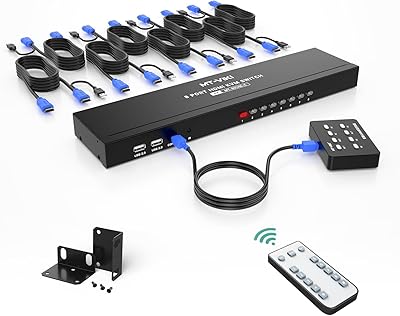
72%
93%
Ease of Setup
88%
Switching Reliability
91%
Value for Money
74%
Build Quality
67%
Cable Length & Reach
More

FAQ

You do not strictly need a rack — the unit can sit on a flat surface. That said, at over 17 inches wide and with a narrow 1U profile, it is awkward on a standard desk and is clearly designed with rack installation in mind. If you are using it outside a rack, make sure you have enough horizontal clearance and good cable management behind it.

No, and that is one of the more practical strengths of the TESmart HKS1601 16-Port HDMI KVM Switch. Every input port includes EDID emulation, which means each connected machine always sees a valid monitor profile — even when that port is not the active one. You should not see resolution resets or display blanks on idle machines after switching.

Yes, through two separate paths. The LAN port lets you send IP-based switching commands over your local network from any device that can issue HTTP or Telnet commands. The RS232 port handles serial control for environments that rely on terminal-based automation. Neither is a polished app interface, so some technical comfort is helpful, but both methods work reliably once configured.

It depends on your workflow. The output resolution is 4K at 30Hz, which is perfectly adequate for server management, code editing, and most office tasks. For video editing or color-grading work where you need 4K at 60Hz or higher refresh rates, this unit will feel limiting. Creative professionals should factor in that 30Hz ceiling before committing.

The box includes eight 5-foot HDMI and USB combination KVM cables, which covers half the ports. If you plan to use all 16 connections, you will need to source an additional eight cables of the same type. The rack ears for mounting are also included, so the only thing most buyers need to add for a full 16-machine setup is the second set of cables.

No, it does not. The IR remote requires two AAA batteries, and they are not included in the package. It is a minor but frequently mentioned frustration among buyers who want to test the unit straight out of the box — just keep a spare pair handy when you unpack it.

No. This is a single-user, single-console switch — only one keyboard, one mouse, and one monitor can be connected on the output side, and only one machine can be active at any given moment. If you need concurrent multi-user access to different servers, you would need a KVM-over-IP solution instead.

The default hotkey method uses the Right Ctrl key as a trigger, followed by a port number. For most users this works without any configuration out of the box. Some software — particularly remote desktop clients or gaming applications — can intercept that key combination, which may require remapping the hotkey through the unit settings. The manual documents the process, though it is not the most intuitive read.

Yes. The switch is OS-agnostic at the hardware level — it passes standard USB HID signals for keyboard and mouse, which Linux, Windows, and macOS all recognize natively. Mixed-OS setups are a common use case and generally work without any special configuration.

The two USB 2.0 hub ports on the switch are tied to whichever machine is currently active. When you switch ports, the hub devices reconnect to the newly active machine. This is fine for stateless peripherals like barcode scanners, but for external drives, it means the drive will disconnect and remount — so avoid switching mid-transfer to prevent data issues.